There is more interest in Linux than ever, and it’s not always obvious to new users where to get started. Using Linux is just like using Mac or Windows– with a pointy-clicky graphical interface. No big deal there, and Linux supplies the added bonus of an extremely powerful command-line interface, which is far more sophisticated and capable than the CLI in Max OS X and Microsoft Windows. You don’t have to use it, it’s there for anyone who wants it, and it isn’t a big deal to learn it.
Getting Linux
There are hundreds of different Linux versions called distributions, because each one is a bundle of software packaged for easy distribution. Why so many? Because Linux is free/open source software, so it’s easy for anyone to modify and re-distribute it. There are Linux distributions specialized for all kinds of uses, from very tiny embedded devices to supercomputers and mainframes. There are many general-purpose distributions for laptops, desktops, and mid-range servers. So how do you know which one to try? That part is easy– I’ll recommend three.
So what’s all this stuff about free and open source? Free software and open source software are closely related. They are organizations: the Free Software Foundation and the Open Source Initiative. They are software licenses, and they are philosophies. “Free” means freedom, not free of cost, though most Linux software is free of cost. The basic concept is that source code for all software should be open and freely-available, in contrast to closed proprietary software, like most Windows and Apple software. With free/open source software there is nowhere to hide sneaky user-hostile code, and users are free to run the software for any purpose, study it, modify it, and share it. As Phil Hughes, the founder of Linux Journal famously said “Would you buy a car with the hood welded shut?” Please visit the Free Software Foundation and Open Source Intitiative sites to learn more.
There are three ways to test-drive Linux:
- Boot from a live CD/DVD or USB stick. This is easy, non-destructive, and doesn’t change anything on your computer.
- Install Linux on your PC.
- Buy a computer with Linux pre-installed.
The coolest thing about Linux is it’s easy. You don’t have to jump through a bunch of hoops to get it, there are no license keys (with a few exceptions), and Linux distributors don’t treat you like you’re a criminal.
Which Linux to Try?
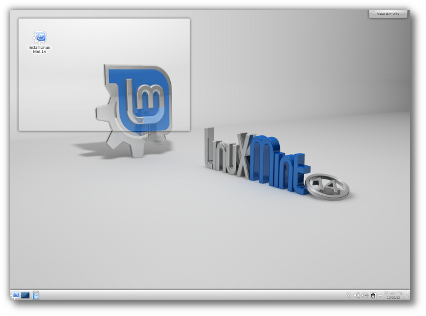
Of all of the excellent Linux distributions, there are three that I think are good starters for beginners:
These three are popular, with a lot of community support and good documentation. They’re designed to be very user-friendly, have excellent hardware detection to minimize driver hassles, and have good streamlined installers.
Live Bootable Media
You can download an installation image and copy it to a CD/DVD or USB stick, and run it from there. Install Ubuntu 12.10 has instructions that work for all Ubuntu variants, including Xubuntu. The Mageia Wiki has instructions for Mageia, and Linux Mint manuals are here.
If you’re not experienced with creating bootable media and just want something ready to use, The Linux Mint Store offers inexpensive live DVDs, USB sticks, and SD cards that have Mint installed.
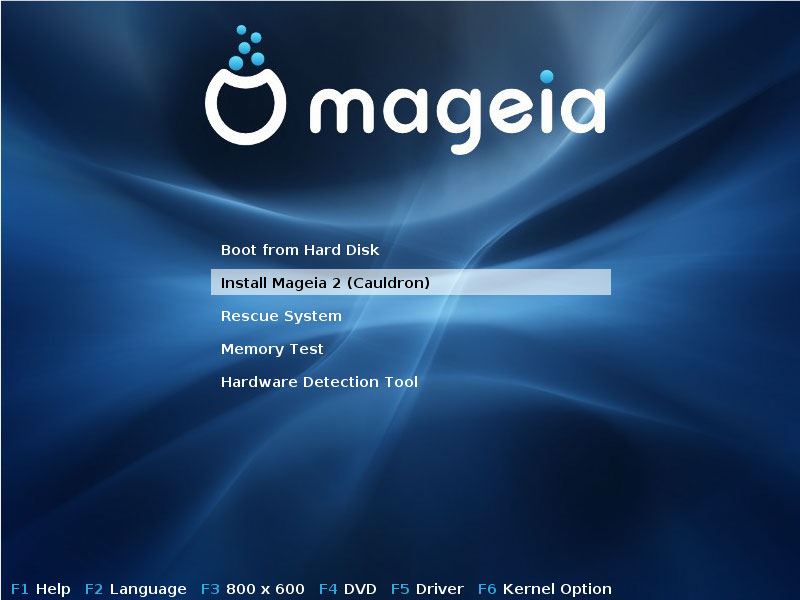
When you have your live bootable media all you do is pop it into your computer and boot to it. Your computer’s BIOS may not be configured to boot to removable media, so you might need to enter the BIOS, or press a key at startup to open a boot selector menu. For example, on Thinkpads the boot selector is the F11 key. This varies on different machines, so check your system’s documentation. If you don’t have a manual, then visit the manufacturer’s Web site.
One of the best reasons to try bootable media first is to test hardware support. Linux supports more hardware than any other operating system, but both Apple and Microsoft are uninterested in making it easy to run other operating systems on “their” hardware (it is your hardware!), so there may be components that require drivers that are not available to Linux. Graphics cards are the biggest potential hassle; you’ll always have at least a basic level of operation, but advanced features like 3D acceleration may not be available to Linux users.
Installing Linux
Linux is by far the easiest operating system to install. It is no small thing to install an operating system, and it is nearly-miraculous that Linux developers have made it as easy as they have. The easiest install is when you want to run Linux by itself, 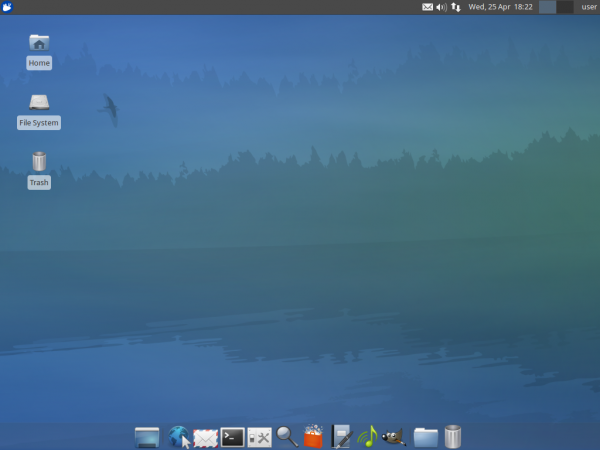 so it can take over your whole hard drive. It gets complicated when you want to dual-boot with another operating system, or preserve certain partitions on your existing system, like data partitions. So you’ll need to understand hard-drive partitioning. You’ll also need to know how to set up a network connection to your local network, though Linux is good at auto-detection and should find it automatically. All three of my recommend Linuxes have good installation instructions, so do please study the documentation.
Pre-Installed Linux
The easiest and most sure-fire way to get a good working Linux system with no hassles is to buy one from one of the many excellent independent Linux vendors. You’ll get high-quality hardware, Linux working out of the box, and superior customer support. My two favorite independent Linux OEM vendors are System76 and ZaReason. They are true independent mom-and-pop shops that sell a nice range of high-quality desktops, servers, laptops, and specialized systems like media servers.
Getting More Help
There is this odd myth that Mac and Windows are easy, and Linux is hard. This myth is inexplicably persistent even though the very atmosphere is tinged blue from the curses of frustrated Mac and Windows users every day, and Mac and Windows users have purchased millions of howto books. Personal computers are complex, multi-purpose machines, and there is always a learning curve. So expect to spend some time learning how to use them. Learn to search online for help, and don’t be shy about collecting a few howto books. Here are a few resources to get you started:
And of course hang out here on Linux.com. I’ll be following up on this in the weeks to come, so please share your questions and helpful ideas in the comments.

 The Massachusetts Institute of Technology announced today it will conduct an internal investigation of the university’s role in the circumstances that led to the suicide Friday of Internet activist Aaron Swartz.
 David Tavares has announced the release of
 We’ll be starting with one of Linux.com’s freelance contributors Carla Schroder. Carla is part of an amazing team of freelance writers who are Linux experts and who write useful stories and
  Nokia has admitted that the