

Voice controlled lights are one of those futuristic ideas that never really caught on for mass consumption, but if you want to make your own, DIYer Mike Pieters shows off how to do it. More »
Read more at Lifehacker
Voice controlled lights are one of those futuristic ideas that never really caught on for mass consumption, but if you want to make your own, DIYer Mike Pieters shows off how to do it. More »

Steam is a great source for any gamer. It is a place that will allow you to try out and enjoy many of the more popular video games that are available on the market today. Steam Greenlight will allow you to vote on games that you would like to see become available. It is a great system for gamers; they do not have to drop $50 to purchase every game off the shelf. They can simply join Steam and enjoy the most popular ones at a reduced price.
Two newer filesystems of importance to Linux are exFAT and Btrfs. exFAT is the controversial Microsoft filesystem for Flash memory devices, and Btrfs is for “big data”. Once upon a time there was much sound and fury around these, but lately it’s been quiet, so let’s see what’s been happening.
In this glorious year 2012 in the new millennium, it is rather astonishing that there is not a common, open, unencumbered filesystem for Flash storage devices. Cameras, game consoles, music players, phones, and USB storage devices are everywhere, and it makes no sense to make something as fundamental as a filesystem into a roadblock. But it is, thanks to our good friends in Redmond.
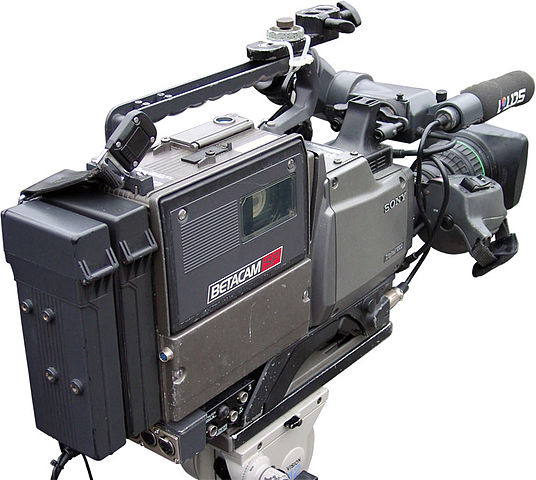 Sony Betacam Camcorder. Image courtesy Wikimedia Commons.
Microsoft’s creaky old FAT filesystems, FAT16 and FAT32, have long been the de facto standard filesystems for Flash storage devices. They enable portability because FAT is supported on all major operating systems, and they don’t have access controls so there are no permissions hassles– just plug in your device and use it. But despite FAT’s age and ubiquity, Microsoft successfully enforced its FAT patents against TomTom in 2009. TomTom agreed to drop FAT32 support from their products, several of which were built on Linux. Microsoft has also gone after Android vendors, such as Motorola, who use FAT.
The legal landscape, as always, is bizarre. Linux can support FAT32 without paying royalties because of an inane technicality: long and short filenames. My fellow old codgers recall the 8.3 DOS filename convention: filenames could be no more than 8 characters long with a 3-character extension. This collided with grownup filesystems that supported longer filenames, which FAT truncated. And that is why something like nicelongfilename.txt would be shortened to nicelo~1.txt.
When Microsoft finally figured out how to support longer filenames (up to 255 characters), they were able to patent this long filename extension to FAT. When Microsoft sued TomTom it caused a fair bit of worry that Linux developers and vendors would become litigation targets. Andrew Tridgell (one of the lead Samba developers) wrote a kernel patch to disable the creation of 8.3 short filenames. This was enough to dodge the long-filename patent, which covers implementations that support both short- and long-filenames. (I am not making this up; see for yourself.) If you need 8.3 support, use the msdos filesystem driver.
FAT32’s usefulness has been declining for some time anyway, because it cannot support files larger than 4GB, it’s inefficient, and it becomes more inefficient with larger volume sizes. And so around 2009, there was a golden moment when manufacturers of all the nifty devices we use could have banded together and developed an open common filesystem. There are multiple benefits to this approach: data portability, ease of use, community support, and no royalties. It could even have been based on any of the excellent existing open source filesystems.
But no. Microsoft blew the dust off exFAT, which was originally developed for Windows Embedded CE and is essentially FAT64, and made deals with the SD Association and hardware vendors. So SDXC memory cards are formatted with exFAT because it is part of the SDXC specification, and this month Sharp, Sigma, NextoDi, Black Magic and Atomos Global signed agreements to use exFAT on their products. This includes high-end camcorders, Android tablets, and digital cameras.
Linux users have options, sort of. Tuxera sells a good exFAT driver, but only to OEMs, such as Android vendors. There is a free exfat driver, fuse-exfat, and it is included in several distros. This is built on fuse, filesystem in userspace. I’ve tested it a bit without problems, but the developers do not have access to any specifications and it’s still young, so it has some rough edges. I would not rely on it for syncing a Linux PC with devices that use exFAT, like cameras and smartphones.
The Butter/Better/B-tree Filesystem, Btrfs, has elevated the hopes of filesystem nerds and kept us in a state of suspense, because it was supposed to be production-ready earlier this year. As 2012 fades away it isn’t ready– it is still considered experimental by the Linux kernel developers, even if it is the default filesystem in Oracle Unbreakable Linux. Perhaps the Oracle Unbreakable Enterprise Kernel has extra-rugged Btrfs-fu.
 Massive file cabinets. Image courtesy Wikimedia Commons.
Me, I take my filesystems seriously, because a buggy filesystem eats data. (Like the recent Ext4 bug, oops.) I wonder if Oracle is as fast to fix bugs as the Linux kernel team? At any rate there are a few ways to try it out. The easiest way is to run a Linux distribution that includes it, like Debian, Ubuntu, Gentoo, OpenSUSE, Fedora, and Arch. Btrfs is already built into the Linux kernel, so all you do is install the userland tools.
Distros are always going to lag behind the latest builds, so you can snag the latest versions from the git repo. If you go this route you’ll also need the latest kernel.
The best introduction to administering Btrfs is a two-part series on Oracle’s Technet: How I Got Started with the Btrfs File System for Oracle Linux and How I Use the Advanced Capabilities of Btrfs. Filesystems are fascinating, and Btrfs promises to be the big-time datacenter Linux filesystem with advanced built-in management tools and über-reliability.
A few weeks after Samsung found surprising success with its new $249, ARM-based Chromebook, Acer launched an x86-based Acer C7 Chromebook on Nov. 13 for just $199. The latest two laptops running Google’s open source Linux- and Chrome-based Chrome OS are considerably cheaper than the Windows-based competition, putting them in the same territory as low-cost Android tablets like the Kindle Fire HD.
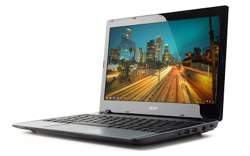 The Chromebooks are not only much more affordable than earlier Chrome OS computers — they’re also the first to be supported with a major advertising campaign. Google’s “Chromebooks For Everyone” campaign has helped make Samsung’s new Chromebook the top-selling laptop on Amazon since shortly after it went on sale Oct. 18. A new $330 3G version, which like the WiFi version, is currently sold out, is ranked 11th, while the earlier, $550 Samsung Series 5 550 maintains a respectable 19th place.
In October, Google SVP Sundar Pichai claimed that Chrome OS was “really ready for the mainstream.” To highlight the point, Google has expanded its Chromebook presence from 100 Best Buy stores to 500, supported with Chromebook kiosks staffed by Google-trained specialists. Despite a frustrating first year for Google’s “other OS,” it seems as if the mainstream may finally be ready for Chrome OS.
If so, vendors will likely follow. So far, the output has been limited to Samsung and Acer, in part due to Google’s insistence on quality control. In the summer of 2011, the $350 Acer AC700 joined the more expensive and similarly Intel Atom-based Samsung Series 5. When the Series 5 was updated this spring to a faster 550 model, Samsung also introduced Chromebox mini-PC, which sells for $329.
Like the new Samsung model, the Acer A7 Chromebook cuts costs by offering a smaller 11.6-inch, 1366 x 768-pixel screen similar to that of a large netbook. In fact, as AnandTech notes, the A7’s design is almost identical to the Windows 8 based Acer Aspire One AO756-2641 netbook, except for the lack of a touchscreen, which together with the Microsoft tax, boosts the price to $330.
The new Acer C7 Chromebook runs on an Intel Celeron, while the Samsung model is the first ARM-based Chromebook, running on a Samsung Exynos CPU. Acer’s Intel Core-series 1.1GHz Celeron 847 processor is slightly slower than the Series 5 550’s 1.3GHz Celeron 867. However, based on a number of published comparisons between the new Samsung Chromebook and the 550, the C7’s Celeron may be a bit faster than the new Samsung model’s 1.7GHz, dual-core Exynos 5. Despite the Exynos’ higher clock rate and the advances of its ARM Cortex-A15 architecture, the Samsung Chromebook was markedly slower than the 550’s Celeron 867, according to several benchmarks, including one from Liliputing.
The ARM chip, however, brings greater power efficiency, as well as faster startups and the ability to run without a fan. The Samsung Chromebook is claimed to offer 6.5 hours of battery life compared to 3.5 hours for the C7.
While the Samsung model gets by with 16GB of NAND flash, the Acer C7 is the first Chromebook with a hard drive. This 320GB drive, however, requires a fan, and helps expand startup time to a still respectable 18 seconds compared with Samsung’s 10 seconds. The drive also adds a bit to the weight and thickness compared with the Samsung Chromebook, but it’s still a very reasonable 3.05 pounds and one inch thick. Both Chromebooks ship with 100GB of free Google Drive cloud storage.
Other features are fairly similar, including 2GB of RAM, an SD card reader, and an HDMI port. The A7 offers three USB ports instead of two, as well as an HD-ready 1.3-megapixel camera instead of a VGA model. The Samsung Chromebook, however, adds Bluetooth 3.0 support, as well as a 3G version. Both models feature variations on the highly-praised Chromebook keyboard and oversized touchpad.
No major new Chrome OS update accompanies the two new Chromebooks, but last spring’s “Aura” release addressed most concerns, such as the need for offline access. There are now over 1,000 Chrome OS applications, and recent updates have fixed various bugs and improved Adobe Flash support. Netflix streaming is still missing in action, however, along with some other multimedia goodies.
So what’s next for Chrome OS? Given Google’s focus on price and simplicity, probably not as much as we have been trained to expect. Google seems intent on limiting the bells and whistles on this barebones, browser-oriented OS. Judging from the mostly positive reviews of the Samsung Chromebook, most of the earlier problems have been solved.
The Aura release borrowed a number of features from Android, but any substantial integration will likely await a touch interface. A ChromeStory forum entry in August noted some work underway on touch support, which would enable convertibles and tablets. Other features under construction in the Chromium community include a dual-boot option and a secure “Public Accounts” feature for kiosk use.
Chrome OS now boasts over 1,000 web-based apps, but despite recent signs of improvements, it will not take off until more apps arrive. One hopeful sign is that Google is beta testing support for C/C++ in the Chrome browser that drives the Chrome OS experience. The goal is to develop C and C++ bindings for HTML5 that would make it easier to move native apps to the web-based platform.
For now, however, low prices alone appear to be enough to point Chrome OS toward a respectable holiday outing — and it’s no longer just techies willing to give the new netbooks a ride.