For the longest time I saw KDE as a distant third, or fourth, on the Linux desktop usability scale. For me, first came GNOME, then came Enlightenment E17, then came XFCE4, and then came KDE. This was a change from when KDE 3.5 — one of the most user-friendly desktops around. The KDE development team rolled out 4.0 and everything was turned on its head. KDE was no longer much use on the desktop, due to bugs, poor performance, and instability.
That was KDE 4.0. What we have now is a completely different beast. Not only is KDE 4.5 a far superior desktop to its predecessor, I would go as far to say that it has finally surpassed 3.5 in both usability and performance. That’s a bold statement considering how the desktop has evolved.
But what have the developers done to make 4.5 so much better than that all other iterations in the 4.x branch? What they did was work some serious developer Kung Fu. The difference between 4.4 and 4.5 is very noticable. Let’s take a look at some figures from the KDE bug statics:
Those are not made-up numbers. And that’s just what was done between 4.4 and 4.5. Of course some of those features were so minor the end user would hardly notice. But with everything in place, put together, and packaged up with a sexy bow, KDE 4.5 is an amazing step forward in the realm of the desktop. And, with all of that said, let’s take a peek at some of the features that are sure to win you over.
Desktop Activities
Although the desktop activities feature is not new to 4.5, it’s finally been made useful. I’ll be doing a more in-depth article on KDE Desktop Activities soon, but I wanted to touch on them briefly here.
Desktop Activities is really just a new method of further organizing your workspaces. Most Linux users are already accustomed to the Linux pager. Image now, you have a multidimensional pager that allows you to break each workspace into different activities. Now on workspace 1 you can have different activities associated with different projects or different jobs. You could have your Programming activity, your Thesis activity, and your Research activity all on workspace 1. It seems rather complex, but it’s incredibly helpful.
What the developers have done is to make this feature usable. Prior to 4.5 Desktop Activities seemed like a feature doomed to extinction. It was poorly defined, hard to use, and had very little function. Now all of that has changed and Desktop Activities is more a selling point for KDE than many other features.
New Notification Area
 The KDE notification area received a much-needed facelift and the user-interactions have been noticeably improved. As you can see, in Figure 1, the look of the notification area has been drastically improved. Now the feature easily blends into the panel, smoothing out the look and feel of the area.
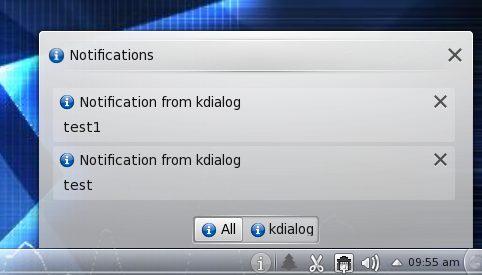 The notification feature (the “i” icon) has also changed. Instead of receiving individual pop up balloons for notifications (as you see in the GNOME desktop), the KDE take on this feature gives the user an almost running tally in the form of a popup menu. I have used the kdialog –passivepopup command to demonstrate how this works. Figure 2 shows two notifications in the notification popup. As you can see you can even delete any (or all) of these messages from the list by simply clicking the “X” associated with the message. To delete all of the messages just click the top-most X. This makes for a much cleaner, user-friendly experience with notifications.
Window Manager
KDE’s window manager, KWin, has not gone without improvements. One minor improvement is the ability to drag any Qt-based window around by simply clicking an empty spot in the window. No more do you have to grab the title bar. Some might think this isn’t much of an innovation, but if you’ve ever had a title bar of a window disappear under the Panel or the top of the screen – you know how handy this feature can be.
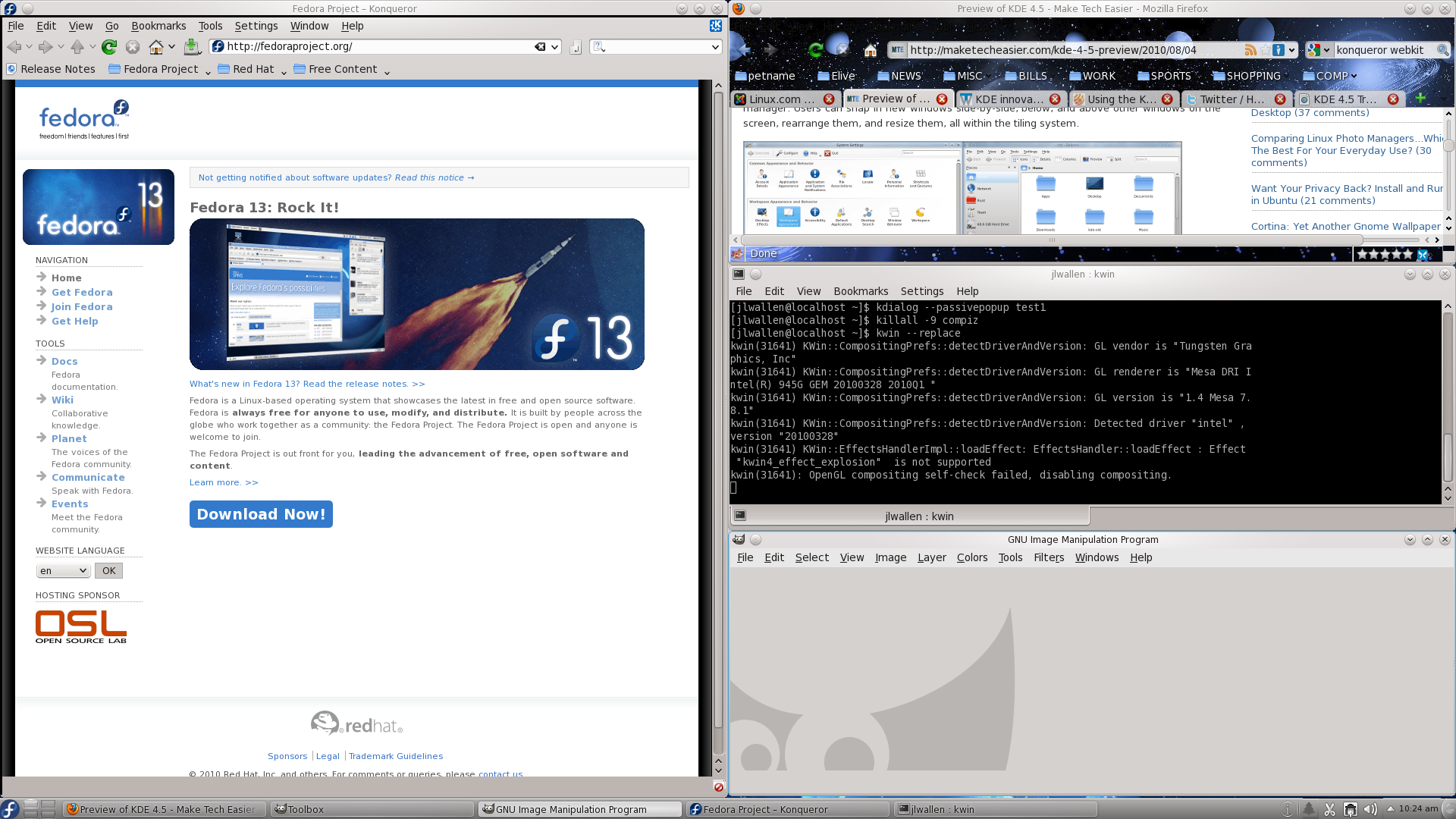 KWin has also received a tiling feature. Now you can always make sure your windows don’t overlap when you need two windows to work side by side. This feature currently only applies to Qt-based windows and is managed in the Window Behavior section of the System Settings tool. Once in that window click on the Window Behavior section and then on the Advanced tab. Figure 3 shows an example of numerous windows tiled together.
Tiling can happen when you simply drag a window to the left or right edge of the screen or when a window is opened, depending upon how you have tiling set up. If you are prone to having a lot of windows open, you might try the Floating or Spiral layout.
Desktop Effects
Up to this point, KDE has taken a back seat to GNOME when it comes to special effects. The integration between GNOME and Compiz has always been seamless. The KDE integration… not so much. But now, KDE has built in special effects that rival that of Compiz. And with the release of 4.5 those special effects do not seem as if they are going to cause the desktop to come crashing down any minute. In fact, the KDE 4.5 special effects seem just as fluid and reliable as Compiz.
You can manage the special effects from the Special effects section in the System Settings window.
When you log into a KDE 4.5 desktop you now get the feeling you are working within a very advanced environment. New users will feel like a child in a toy shop — full of excitement and wonder. KDE 4.5 is now the sleekest, most exciting desktop around. We’ll see if the release of GNOME 3 can bring about such a beast. Until then, start playing around on your new KDE 4.5 desktop and experience where the PC desktop is heading.
