

Home Blog Page 550

Building Linux Firewalls With Good Old Iptables: Part 1

Of course, we still need firewalls on our computers, even though that is not a subject we see much in these here modern times. There are Linux and BSD firewalls, prefab firewalls on commercial hardware from little to big that are most likely based on an open source firewall and a multitude of GUI helpers. In this two-part series, we will learn how to run iptables from the command line and then how to set up a firewall for an individual PC and a LAN firewall.

Pointy-Clicky Meh

I don’t think those commercial products with their own special interfaces or those GUI helpers really help all that much because you still need knowledge beyond pointy-clicky. You need to know at least the basics of TCP/IP, and then iptables will make sense to you. I will show you how to configure your firewall by bypassing the fripperies and using plain old unadorned iptables. Iptables is part of netfilter, and I am still, after all these years, fuzzy on exactly what netfilter and iptables are. The site says “netfilter.org is home to the software of the packet filtering framework inside the Linux 2.4.x and later kernel series. Software commonly associated with netfilter.org is iptables.” It’s enough for me to know that iptables is native to the Linux kernel so you always have it. Also, it’s strong and it’s stable, so once you learn it your knowledge will always be valid.

Iptables supports both IPv4 and IPv6. It inspects all IP packet headers passing through your system, and routes them according to the rules you have defined. It may forward them to another computer, or drop them, or alter them and send them on their way. It does not inspect payload, but only headers. Packets must traverse tables and chains, and there are three built-in tables: filter, NAT, and mangle. Chains are lists of the rules you have defined. Rules that apply to any matching packets are called targets. These are easier to understand in action, which we shall get to presently.

Iptables tracks state, which makes it more efficient and more secure. You can think of it as remembering which packets are already permitted on an existing connection, so it uses ephemeral ports rather than requiring great gobs of permanent holes in your firewall to allow for all the different IP protocols. Of course, it doesn’t really remember, but rather reads packet headers to determine which packets belong in a particular sequence.

A brief digression: the current Linux kernel is well into the 4.x series, and the netfilter documentation still references 2.x kernels. Note that ipchains and ipfwadm — the ancestors of iptables — are obsolete since years ago, so we only need to talk about iptables.

Distro Defaults Bye

Your first task is to find out if your Linux distribution starts a firewall by default, how to turn it on and off, and whether it uses iptables or something else. Most likely it’s iptables. Conflicting rules are less fun than they sound, so copy and save any existing configurations you want to keep, disable it, and start over.

Command Line, Hear Us Roar

In part 1, we’ll run some basic rules, and learn a bit about how iptables works. When you run these rules from the command line they are not persistent and do not survive reboots, so you can safely test all manner of mad combinations without hurting anything.

Check your iptables version:

$ iptables --version
iptables v1.6.0

Take a few minutes to read man iptables. It is a helpful document, and you will be happy you studied it. It provides an excellent overview of the structure of iptables and its features, including Mandatory Access Control (MAC) networking rules, which are used by SELinux, what the built-in tables do, how routing operates, and the commands for doing stuff and finding stuff.

Let’s list all active rules. This example shows there are no active rules, and a blanket ACCEPT policy, so iptables, in effect, is turned off:

iptables -L
Chain INPUT (policy ACCEPT)
target     prot opt source    destination         

Chain FORWARD (policy ACCEPT)
target     prot opt source    destination         

Chain OUTPUT (policy ACCEPT)
target     prot opt source    destination    

The filter table is the default, and the most used. This example blocks all incoming (INPUT) packets that originate from a particular network. You could leave out -t filter, but it’s a good practice to make everything explicit. These examples follow the syntax iptables [-t table] {-A|-C|-D} chain rule-specification:

# iptables -t filter -A INPUT -s 192.0.2.0/24 -j DROP

This example drops all packets from an IPv6 network:

# ip6tables -t filter -A INPUT -s 2001:db8::/32 -j DROP

These example networks are officially set aside for examples in documentation; see RFC5737 and RFC3849.

Now you can see your new rules:

# iptables -L
Chain INPUT (policy ACCEPT)
target     prot opt source               destination         
DROP       all  --  192.0.2.0/24         anywhere
[...]
       
# ip6tables -L
Chain INPUT (policy ACCEPT)
target     prot opt source               destination         
DROP       all      2001:db8::/32        anywhere
[...]

Remove these rules with the -D switch:

# iptables -t filter -D INPUT -s 192.0.2.0/24 -j DROP
# ip6tables -t filter -D INPUT -s 2001:db8::/32 -j DROP

Define Policy

Trying to write individual rules for all contingencies is for people who have nothing else to do, so iptables supports policies for the built-in chains. These are the most commonly used policies:

# iptables -P INPUT DROP
# iptables -P FORWARD DROP
# iptables -P OUTPUT ACCEPT

Run iptables -L to compare. This applies the principal of “Deny all, allow only as needed”. These policies are the defaults, and so they are applied in the absence of any matching rules. All incoming packets are dropped, and all outgoing packets are not blocked. But policy alone is not enough, and you still need a set of rules. You must always allow localhost:

# iptables -A INPUT -i lo -j ACCEPT

You probably want some two-way communication, so this allows return traffic from connections you initiated, such as visiting Web sites and checking email:

# iptables -A INPUT -m state --state ESTABLISHED,RELATED -j ACCEPT

This demonstrates connection-tracking, the wonderful feature that allows you to write many fewer rules to cover a multitude of situtations. Run ip6tables to apply the same rules to your IPv6 sessions.

Kernel Modules

Iptables relies on a number of kernel modules, which are loaded automatically when you run these commands. You can see them with lsmod:

$ lsmod
Module                  Size  Used by
nf_conntrack_ipv6      20480  1
nf_defrag_ipv6         36864  1 nf_conntrack_ipv6
ip6table_filter        16384  1
ip6_tables             28672  1 ip6table_filter
nf_conntrack_ipv4      16384  1
nf_defrag_ipv4         16384  1 nf_conntrack_ipv4
xt_conntrack           16384  1
nf_conntrack          106496  2 xt_conntrack,nf_conntrack_ipv4
iptable_filter         16384  1
ip_tables              24576  1 iptable_filter
x_tables               36864  4 ip_tables,xt_tcpudp,xt_conntrack,iptable_filter

That’s it for today. Remember to check out man iptables, and come back next week to see two example iptables scripts for lone PCs and for your LAN.

Read Part 2 of Building Linux Firewalls with Iptables


Learn more about Linux through the free “Introduction to Linux” course from The Linux Foundation and edX.
Red Hat’s New Products Centered Around Cloud Computing, Containers

Red Hat has made a number of announcements at its user group conference, Red Hat Summit. The announcements ranged from the announcement of OpenShift.io to facilitate the creation of software as a service applications,  pre-built application runtimes to facilitate creation of OpenShift-based workloads, an index to help enterprises build more reliable container-based computing environments, an update to the Red Hat Gluster storage virtualization platform allowing it to be used in an AWS computing environment, and, of course, an announcement of a Red Hat/Amazon Web Services partnership.

Red Hat summarized the announcements as follows:

  • OpenShift.io. A free, end-to-end, SaaS development environment for cloud-native apps built with popular open source code, built for modern dev teams using the latest technology. Built from technologies including Eclipse Che, OpenShift.io includes collaboration tools for remote teams to analyze and assign work. Code is automatically containerized and easily deployed to OpenShift.

Read more at Virtualization Review

Now that HTTPS Is Almost Everywhere, What About IPv6?

Let’s Encrypt launched April 12, 2016 with the intent to support and encourage sites to enable HTTPS everywhere (sometimes referred to as SSL everywhere even though the web is steadily moving toward TLS as the preferred protocol). As of the end of February 2017, EFF estimates that half the web is now encrypted. Now certainly not all of that is attributable to EFF and Let’s Encrypt. After all, I have data from well before that date that indicates a majority of F5 customers enabled HTTPS on client-facing services, in the 70% range. So clearly folks were supporting HTTPS before Let’s Encrypt launched its efforts, but given the significant number of certificates* it has issued the effort is not without measurable success.

On Sept 11, 2006, ICANN “ratified a global policy for the allocation of IPv6 addresses by the Internet Assigned Numbers Authority (IANA)”. While the standard itself was ratified many years (like a decade) before, without a policy governing the allocation of those addresses it really wasn’t all that significant. But as of 2006 we were serious about moving toward IPv6. After all, the web was growing, mobile was exploding, and available IPv4 addresses were dwindling to nothing.

Read more at F5 

Using fetch() and reduce() to Grab and Format Data from an External API – A Practical Guide

Today we’re going to learn how to get and manipulate data from an external API. We’ll use a practical example from one of my current projects that you will hopefully be able to use as a template when starting something of your own. 

For this exercise, we will look at current job posting data for New York City agencies. New York City is great about publishing all sorts of datasets, but I chose this particular one because it doesn’t require dealing with API keys — the endpoint is a publicly accessible URL.

Here’s a quick roadmap of of our plan. We’ll get the data from New York City’s servers by using JavaScript’s Fetch API, which is a good way to start working with promises. I’ll go over the very bare basics here, but I recommend Mariko Kosaka’s excellent illustrated blog The Promise of a Burger Party for a more thorough (and delicious) primer. 

Read more at Dev.to

TLS/SSL Explained: TLS/SSL Terminology and Basics

In Part 1 this series we asked, What is TLS/SSL? In this part in the series, we will be describing some of the TLS/SSL terminologies.

Before diving deeper into TLS, let’s first have a look at the very basics of SSL/TLS. Understanding the following will help you gain a better understanding of the topics discussed and analyzed later on.

Encryption

Encryption is the process in which a human-readable message (plaintext) is converted into an encrypted, non-human-readable, format (ciphertext). The main purpose of encryption is to ensure that only an authorized receiver will be able to decrypt and read the original message. When unencrypted data is exchanged between two parties, using any medium, a third-party can intercept and read the communication exchanged.

Read more at DZone

NEXmark: A Benchmarking Framework for Processing Data Streams

ApacheCon North America is only a few weeks away — happening May 16-18  in Miami. This year, it’s particularly exciting because ApacheCon will be a little different in how it’s set up to showcase the wide variety of Apache topics, technologies, and communities.

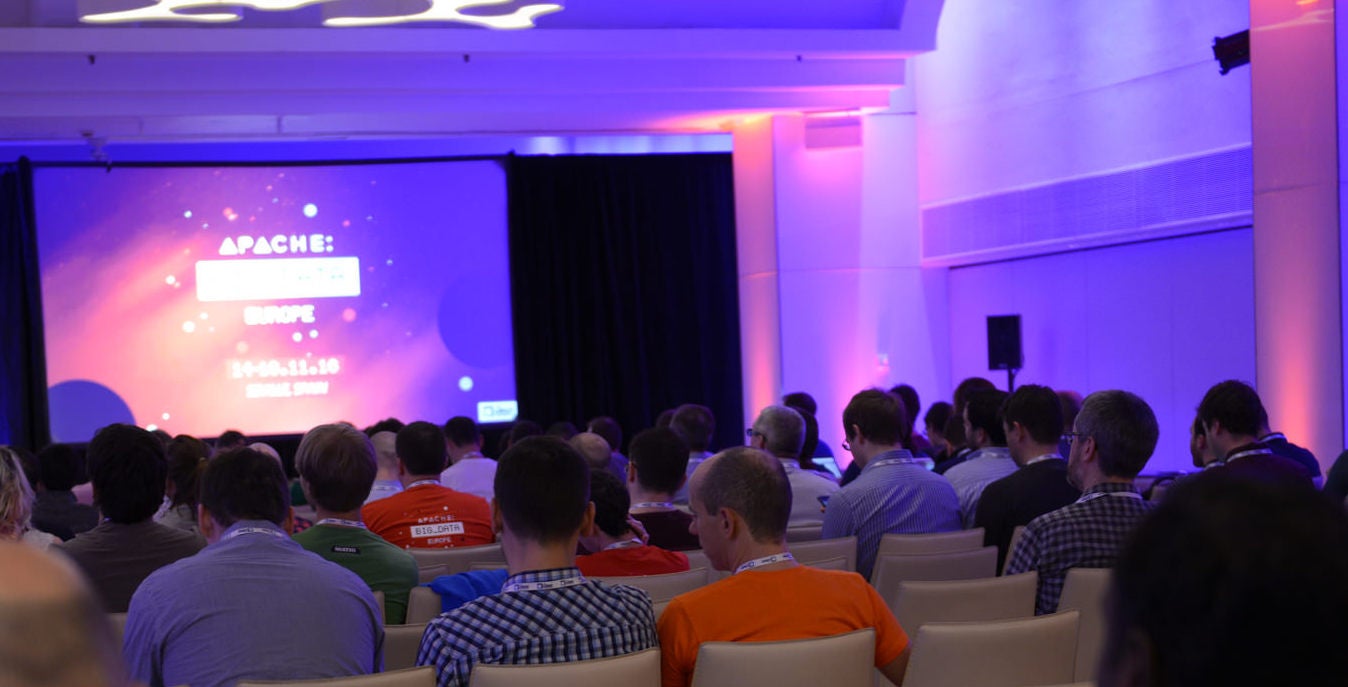
Apache: Big Data is part of the ApacheCon conference this year. Ismaël Mejía and Etienne Chauchot, of Talend, are giving a joint presentation called NEXmark, which is a unified framework to evaluate Big Data and processing systems with Apache Beam. In this interview, they are sharing some highlights on that talk and other thoughts on these topics, too.

LinuxCon: Who should attend your talk? Who will get the most out of it?

Etienne: Our talk is about NEXmark, which comes from a research paper that tried to evaluate the streaming systems for streaming semantics. This paper was adopted by Google into a suite of jobs, pipelines we’re calling them. It was contributed to the community, but it didn’t integrate well with all the Apache stuff, so we took the job and we improved on it and we’re going to present this story.

Ismaël:  And for the audience question, we will just define the concepts that are specific to Beam, so basic big data knowledge is required.

LinuxCon: Is it only focused on Apache Beam or is it on Big Data in general?

Etienne: In the Big Data world there are two big families: batch and streaming. We will treat both cases because Beam is a unified model for both. Then there are many Apache products involved also.

Apache Beam is enough traction to execute the pipeline or jobs. But we also need different Apache products, or different runners we call them, so we can run Beam code on Apache Flink, Apache Spark, or Apache Apex. But we also integrate with the data stores using Apache, like Cassandra.

Ismaël:  The main goal of this benchmark suite is to reproduce cases of advanced semantics of Beam that cover all the streaming of the space also.

LinuxCon: So you are both involved in Apache Beam? How long have you been involved in that?

Etienne: Since December, myself.

Ismaël:   I’ve been since June of the last year. I’m already a commenter, that’s the good news, as of two weeks ago.

LinuxCon: What are the main highlights? You talk about the runner, is there anything specific or new technology or new logic that you are unveiling as part of your talk?

Etienne: The big thing is that there is a new unified solution to evaluate Big Data using both streaming and batch and that’s quite new. Attendees will also learn the concepts of Beam and the API.

Linux.Com: So what’s your overall aim?

Etienne: There is one aim, that people will know that they can take this and use it to evaluate their own inference to two. For example, you might want to use big data framework from Apache and Spark, maybe version one or version two. You decide you want to evaluate the differences. So, you can take this suite and play this out. And then you will have some criteria extracted to decide. And the second thing that could be of interest is to use the advanced semantics of Beam. Things like timers, and other new stuff. So that would be of interest.

LinuxCon: Is this the first time you’re presenting?

Etienne: I went to Apache: Big Data in Vancouver last year and Seville also. It was a really nice atmosphere. But this is the first time I’m going to present something, so it’s going to be cool.

Ismaël:   This will be the second time I have attended ApacheCon. I’ve already been to the one in Seville, Europe. I’ve noticed that it’s a family atmosphere. That’s why I feel very confident in this kind of environment, and it’s very interesting for me. I mean in addition to the very interesting technical talks. But this is my first time speaking at ApacheCon.

LinuxCon: When is your talk? What date and time is it?

Etienne: It will be on Wednesday, May 17 at 2:30 pm.

Learn first-hand from the largest collection of global Apache communities at ApacheCon 2017 May 16-18 in Miami, Florida. ApacheCon features 120+ sessions including five sub-conferences: Apache: IoT, Apache Traffic Server Control Summit, CloudStack Collaboration Conference, FlexJS Summit and TomcatCon. Secure your spot now! Linux.com readers get $30 off their pass to ApacheCon. Select “attendee” and enter code LINUXRD5. Register now >>  

How Amazon and Red Hat Plan to Bridge Data Centers

“There’s a lot of innovation on AWS. This makes OpenShift more attractive to more developers, but it’s also a storefront for Amazon features and products,”Red Hat CEO Jim Whitehurst told Fortune during an interview at the Red Hat Summit tech conference in Boston. Whitehurst said he started discussing this plan with AWS chief executive Andy Jassy in January.

Red Hat is not alone in trying to woo corporate users with better ties to AWS. Last fall, VMware (VMW, -0.22%) and Amazon (AMZN, -0.69%) said they were working on a way to deploy VMware workloads on AWS, for example.

Read more at Fortune

The Case for Containerizing Middleware

It’s one thing to accept the existence of middleware in a situation where applications are being moved from a “legacy,” client/server, n-tier scheme into a fully distributed systems environment. For a great many applications whose authors have long ago moved on to well-paying jobs, containerizing the middleware upon which they depend may be the only way for them to co-exist with modern applications in a hybrid data center.

It’s why it’s a big deal that Red Hat is extending its JBoss Fuse middleware service for OpenShift. It’s also why Cloud Foundry’s move last December to make its Open Service Broker API an open standard can be viewed as a necessary event for container platforms.

Read more at The New Stack

Scaling Agile and DevOps in the Enterprise

In a recent Continuous Discussions (#c9d9) video podcast, expert panelists discussed scaling Agile and DevOps in the enterprise.

Our expert panel included: Gary Gruver, co-author of “Leading the Transformation, A Practical Approach to Large-Scale Agile Development,” and “Starting and Scaling DevOps in the Enterprise”; Mirco Hering, a passionate Agile and DevOps change agent; Rob Hirschfeld, CEO at RackN; Steve Mayner, Agile coach, mentor and thought leader; Todd Miller, delivery director for Celerity’s Enterprise Technology Solutions; and, our very own Anders Wallgren and Sam Fell.

During the episode, the panelists discussed lessons learned with regards to leadership, teams and the pipeline and patterns that can be applied for scaling Agile and DevOps in the Enterprise.

The full post can be found on the Electric Cloud blog

Learn How to Fix a Django Bug from Beginning to End

For those who are starting to code and want to make open source software, sometimes starting is hard. The idea of contributing with that fancy and wonderful library that you love can sound a little bit scary. Lucky for us, many of those libraries have room for whoever is willing to start. They also give us the support that we need. Pretty sweet, right?

Do you know that famous Python framework, Django? There’s one section on their bug track website called Easy pickings. It was made for anyone willing both to get started in open source and to contribute with an amazing library.

Read more at OpenSource.com