The volume of corporate software workloads being deployed in the cloud is quickly growing, but that does not mean on-premise enterprise data center footprint is shrinking at a similar rate. While they’re not investing in new data centers to expand capacity – cloud and colocation providers satisfy that need – many enterprises are spending money to upgrade their existing facilities, extending their useful life for many years to come.
That’s according to the latest survey of enterprise data center operators by The 451 Group’s Uptime Institute. Uptime surveys senior executives, IT, and facilities managers who operate data centers for traditional enterprise companies, such as banks, retailers, manufacturers, etc.
The percentage of respondents who said they were planning to build new data centers was also notably high: 30 percent.
THE GOP-LED FEDERAL Communications Commission this week released the first details of its long-anticipated plan to roll-back Obama-era net neutrality protections. The good news for net neutrality advocates: You can already voice your official displeasure on the FCC’s proposal. The bad news: It’s quite possible no one will listen. The FCC’s Republican commissioners never supported the net neutrality rules, and they’re not likely to change their minds. Still, the fight to save net neutrality isn’t over.
Technically, nothing has been formally proposed. What FCC chair Ajit Pai has filed is what’s called a “notice of proposed rulemaking”—basically, a call for feedback from experts and the public about what the FCC should actually do. Before the notice is even formal, the FCC must approve it.
TensorFlow is an open source software for performing machine learning tasks. Google, its creator wanted to expose a powerful tool to help developers explore and build machine learning based applications and so they released this as an open source project. TensorFlow is an extremely powerful tool specializing in a type of neural network called the deep neural network.
Google Chrome is one of the most popular browsers all over the world. And Raspberry Pi is the most popular mini-PC device. But unfortunately, they can’t meet together – there is no Chrome build for Raspberry Pi (and for any other ARM-based PC except Chromebook). You can use a number of other browsers (such as Epiphany, IceWeasel or even Lynx), but will face a lack of functionality. Many Pi-world enthusiasts use the open source version of Chrome – Chromium browser. But this isn’t a full replacement.
Chrome includes a number of proprietary libraries and in some cases, you need to use authentic Google software. For example, you can watch videos on Netflix or Amazon Prime with Chrome and can’t with Chromium. Good news that there is a simple solution to override this issue. Using Exagear Desktop allows you to get full x86 Linux environment. And this means that you can launch any application available in x86 Linux world, including Google Chrome!
In the previous versions of Exagear Desktop you could launch Chrome but it was running not very fast. The reason is that Raspberry Pi has lower performance comparing to modern PCs. That’s why we are making our best effort to optimize Exagear Desktop to run Chrome more smoothly. We recommend using Exagear Desktop 1.5 and higher to achieve reasonable performance.
Here is a simple instruction on how to install and run Google Chrome on your RPi 3 device.
1. Google Chrome is CPU intensive application, therefore, we recommend to increase swap space. Open configuration file in Terminal (command line) using the following command:
$ sudo nano /etc/dphys-swapfile
Raspbian has 100MB of swap by default. You should change it to 2048MB in the configuration file. So you will have to find this line:
CONF_SWAPSIZE=100
And then change it into:
CONF_SWAPSIZE=2048
Press F3 key to save changes and F2 to close the file. Then restart dphys-swapfile to apply changes:
$ sudo /etc/init.d/dphys-swapfile stop
$ sudo /etc/init.d/dphys-swapfile start
Install ExaGear Desktop
2. Download ExaGear Desktop archive with installation packages and license key. Unpack the downloaded archive by entering the following command in Terminal:
$ tar -xvzpf exagear-desktop-rpi3.tar.gz
3. Install and activate ExaGear on your RPi by running install-exagear.sh script in a directory with deb packages and one license key:
$ sudo ./install-exagear.sh
Launch guest x86 system
4. Enter the guest x86 system by using the following command:
$ exagear
Starting the shell in the guest image /opt/exagear/images/debian-8
5. Now you are in the x86 environment that can be checked by running the ‘arch’ command:
$ arch
i686
6. It is recommended to update apt-get repositories on the first launch of the guest system:
We hope that every owner of Raspberry Pi will now enjoy using Google Chrome on his/her device!
Also, it is worth noting that with ExaGear Desktop you can run other x86 apps on Raspberry Pi and more ARM-based devices such as Odroid, Banana Pi, Beagleboard, Cubox, Jetson, Cubieboard etc. Get my ExaGear Desktop
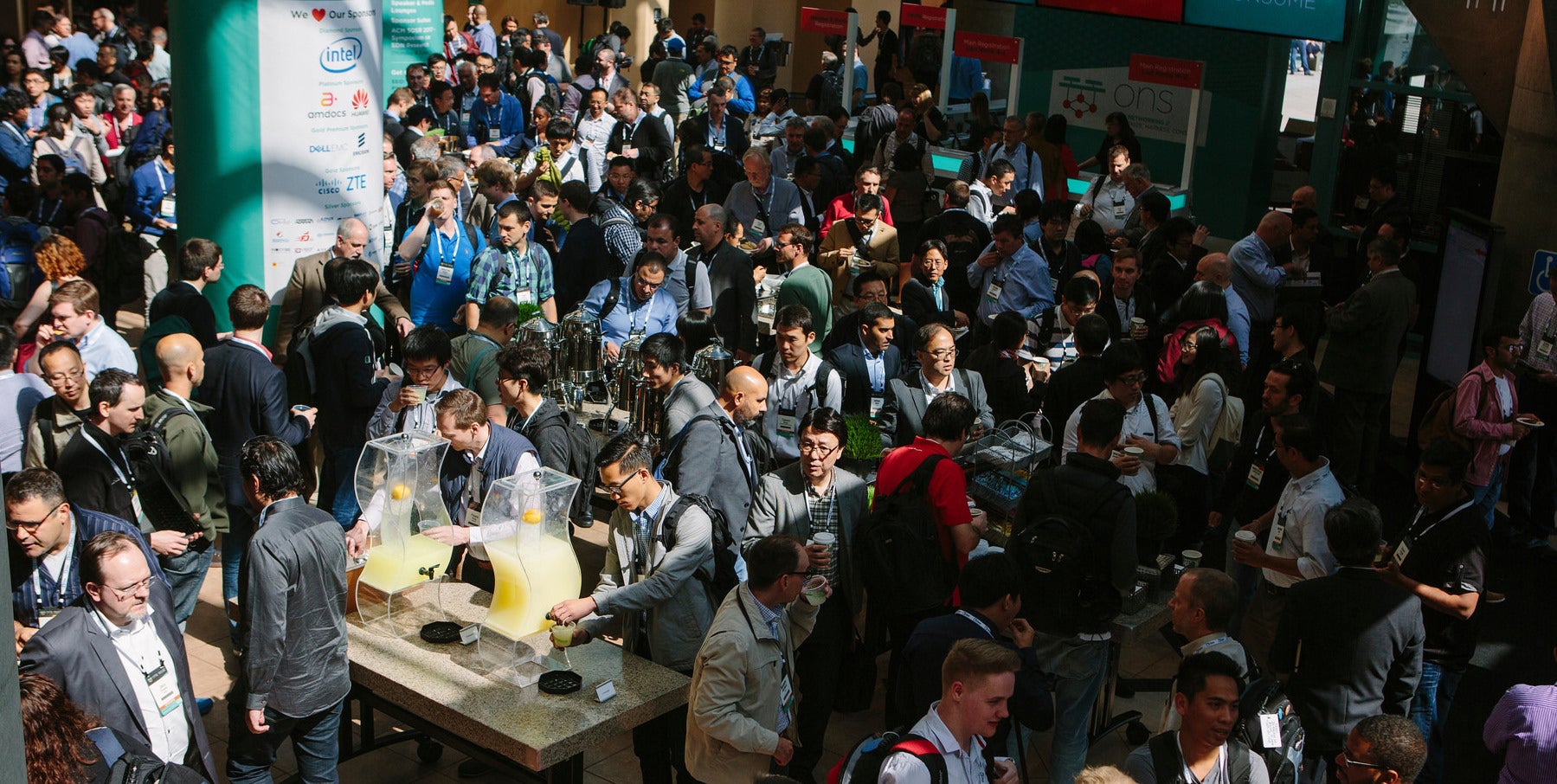
At the recent Open Networking Summit, the SDN/NFV community convened in Santa Clara to share, learn, collaborate, and network about one of the most pervasive industry transformations of our time.
This year’s theme at ONS was “Harmonize, Harness, and Consume,” representing a significant turning point as network operators spanning telecommunications, cable, enterprise, cloud, and the research community renew their efforts to redefine the network architecture.
Widespread new technology adoption takes years to succeed, and requires close collaboration among those producing network technology and those consuming it. Traditionally, standards development organizations (SDOs) have played a critical role in offering a forum for discussion and debate, and well-established processes for systematically standardizing and verifying new technologies.
Introduction of largely software (vs. hardware) functionality necessitates a rethinking of the conventional technology adoption lifecycle. In a software driven world, it is infeasible to define a priori complex reference architectures and software platforms without a more iterative approach. As a result, industry has been increasingly turning to open source communities for implementation expertise and feedback.
In this new world order, closer collaboration among the SDOs, industry groups, and open source projects is needed to capitalize upon each constituent’s strengths:
SDOs provide operational expertise and well-defined processes for technology definition, standardization, and validation
Industry groups offer innovative partnerships between network operators and their vendors to establish open reference architectures that are guiding the future of the industry
Open source projects provide technology development expertise and infrastructure that are guided by end-user use cases, priorities, and requirements
Traditionally each of these groups operates relatively autonomously, liaising formally and informally primarily for knowledge sharing.
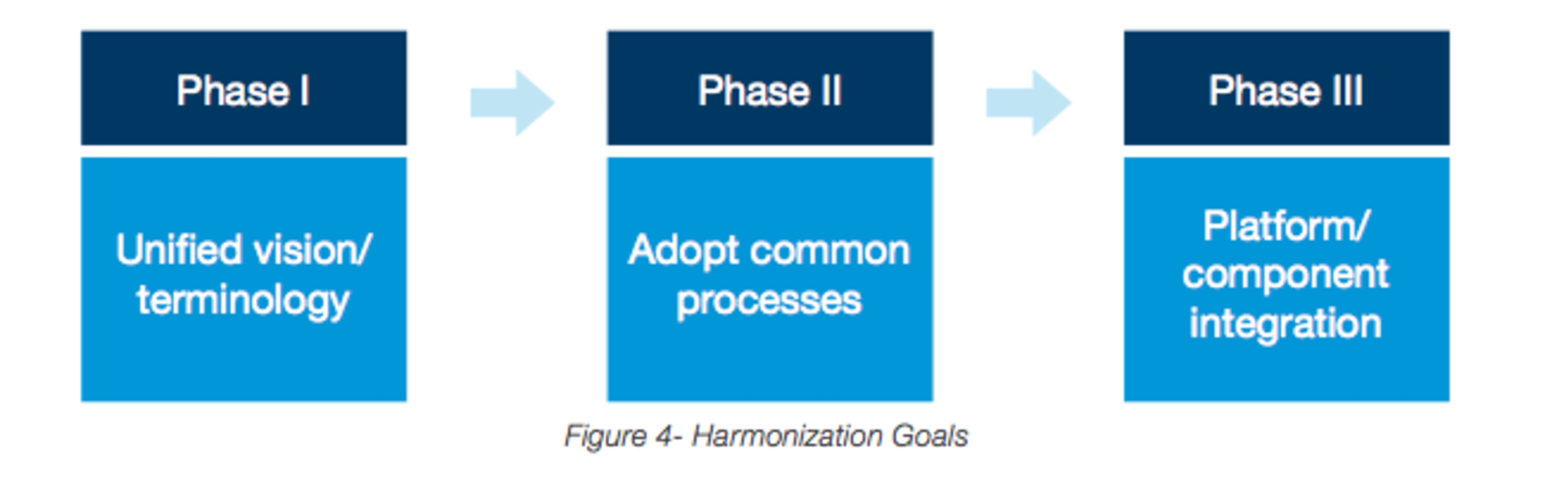
Moving ahead, close coordination is essential to better align individual organizations objectives, priorities, and plans. SDN/NFV are far too pervasive for any single group to own or drive. As a result, the goal is to capitalize upon the unique strengths of each to accelerate technology adoption.
It is in the spirit of such harmonization that The Linux Foundation is pleased to unveil an industry-wide call to action to achieve this goal.
As a first step, we are issuing a white paper, “Harmonizing Open Source and Standards in the Telecom World,” to outline the key concepts, and invite an unprecedented collaboration among the SDOs, open source projects, and industry groups that each play a vital role in the establishment of a sustainable ecosystem which is essential for success.
The introduction of The Linux Foundation Open Network Automation Platform (ONAP) is a tangible step in the direction of harmonization, not only merging OPEN-O and the open source ECOMP communities, but also establishing a platform that by its nature as an orchestration and automation platform, must inherently integrate with a diverse set of standards, open source projects, and reference architectures.
We invite all in the community to participate in the process, in a neutral environment, where the incentives for all are to work together vs. pursue their own paths.
Join us to usher in a new era of collaboration and convergence to reshape the future.
Going to OSCON on May 10-11 in Austin? While you’re there, be sure stop by The Linux Foundation training booth for fun giveaways and a chance to win a Raspberry Pi 3 Starter kit.
Giveaways include The Linux Foundation branded webcam covers, The Linux Foundation projects’ stickers, Tux stickers, Linux.com stickers, as well as two free ebooks: Open Source in the Enterprise and SysAdmin’s Essential Guide to Linux Workstation Security.
You can also enter the raffle for a chance to win a Raspberry Pi 3 Starter Kit. The winners will be announced May 11 at 3:40pm CT at The Linux Foundation Training booth.
And, be sure to check out some featured conference presentations, including a project update from Cloud Foundry, an overview of how open source and blockchain can help build trust, and best practices for attracting and retaining developers.
The Cloud Native Computing Foundation and Cloud Foundry will also have booths at OSCON. Get a free Expo Hall pass and stop by to learn more. The discount code for unlimited free Expo Hall Plus passes is OSCON17XPO.
The Domain Name System (DNS) is often referred to as the backbone of the internet. It’s run by many engineers and their organizations, it ultimately shapes the future of the internet.
I recently attended ICANN58 in Copenhagen. It was an amazing week of round table discussions about the future of the internet. It included:
seminars on policy development for the DNS
workshops on how the architecture for the internet functions
where the internet’s biggest vulnerabilities lie
It was a lot of fun, and I gained a t0n of value from it. So I wrote this guide to walk you through some of the infrastructure that hides behind those domain names and numbers we all use daily.
One of the best practices to develop a containerized application is using stateless containers, meaning that data generated in one request to the application in the container is not recorded for use in other requests. However, real world applications do require stateful behavior for some of their containers: data generated in one request should be recorded somewhere in the container to be available for use in other requests.
Classic 3-tier Applications
For simple applications, the decision over which containers are stateless and which are stateful can be easily made. For example, a simple 3-tier web application may have three containers:
1st container is for the presentation tier (a web server), stateless
2nd container is for the application logic tier, stateless
3rd container is for the persistent tier (database), stateful
The Cloud Foundry platform as a service is a flexible, customizable development environment for enterprise-scale app projects. While Cloud Foundry is particularly suited for the creation and deployment of cloud-native apps using the languages of Ruby and Go, its fully-scalable nature and open architecture offer an environment that can be tailored to various languages, frameworks and development goals.
Throughout the application lifecycle, the Cloud Controller directs app deployment and centralizes information through visual displays such as tables and charts, so that users have consistent access to data as it changes and develops. Other logs and metrics can be organized and reviewed through the aggregated streams provided by the Loggregator system.
There’s a lot of room for improvement in file sync and share, and the open source community is in the ideal position to add the killer features we’re all waiting for.
The file sync and share movement started over a decade ago, led by the likes of Dropbox, Google Drive, and others, and became popular very fast. The killer feature was having all your files available on all your devices. No more forgetting to bring that important document to a meeting, emailing files, or handling multiple USB sticks. Files were always there when you needed them! That its growth happened with the start of the smartphone age made file sync and share even more useful.