Home Blog Page 595

Engineer Finds Passion and Community With Kids On Computers

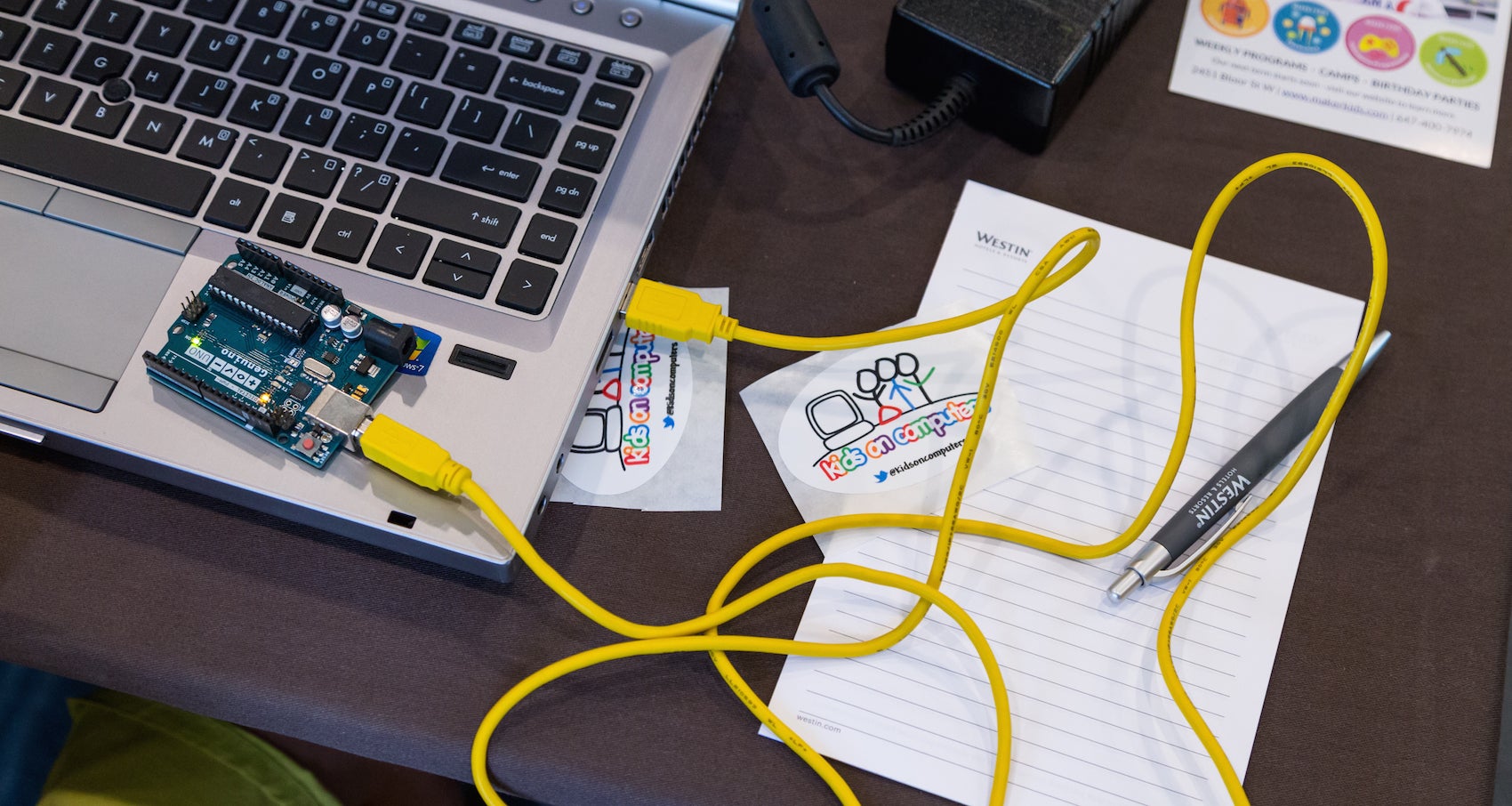
If you love technology, you can find a space for yourself and connect with others around mutual interests, according to Avni Khatri, president of Kids on Computers (KoC), a nonprofit that sets up computer labs using donated hardware and open source software in areas where kids have no other access to technology.  

During LinuxCon North America 2016, Khatri organized Kids Day, a day-long workshop that’s aimed at helping school-aged children get interested in computer programming. For Khatri, it’s also a way of furthering her dream of giving children unlimited access to education and helping them succeed in technology.

“The key is to find what you are passionate about and work in that space,” she said. “For me, Kids on Computers is that place. The organization has transformed my thoughts on how much impact I can have in the world. It’s shown me that a little can go a long way (though there is a lot more to do!), and I always have it within me to give.”

“Find your community and connect with them on a regular basis,” advised Khatri.

Although Khatri has been working with the KoC project since 2010, in her day job, she is Program Manager of the Knowledge and Technologies Group in the Massachusetts General Hospital Laboratory of Computer Science. There she helps build bioinformatics applications using open source software and hardware.

“My interests include studying different learning methodologies and researching and implementing different technologies and modalities to deliver learning content, said Khatri in an interview.

Before working at MGH, she was a Front-End Engineer on the Flex Force Tiger Team at Yahoo! Inc. “Engineers on the team are deployed to work in 3-6 month cycles on the highest priority projects at Yahoo! I was also co-president of the Southern California chapter of Yahoo! Women in Tech,” she said.

Khatri, who has a BS in Computer Science from Cal Poly Pomona, has been working on computers for a very early age. “I learned to program in BASIC when I was 11 and started working building database-backed web sites when I was 19,” she said.  

She started contributing to open source while at Arsdigita back in 2000, where they developed a framework that allowed people to build community-based web sites easily and included standard packages that one would expect in groupware. The product eventually became OpenACS and Khatri was elected to the Technical Committee and became more involved. “I learned the value of FOSS and how it can help bridge and connect virtual and real-world communities,” she said.

Real world challenges for women in tech

Khatri thinks that one of the challenges women engineers in particular face is feeling alone. “Women engineers are in a significant minority on engineering teams and it can be hard to be the only woman on a team of 5 or 10 engineers,” she said.

Her dream is that everyone, especially kids, get unlimited access to education so that they can decide for themselves what their lives should be so they can improve their own lives and the lives of their communities. This aligns with the mission of KoC perfectly. “Because of my belief in the vision, I am able to focus on the organization and work my way through challenges that arise.”

When talking about inspiring and motivating others, Khatri advises: listen to them and be inclusive. Most of the time we don’t listen to learn, we listen to respond, but Khatri believes that “understanding people’s goals and seeing if you can help is one way to motivate and inspire them. I believe that everyone needs to find out what works for them and supporting people in their self-determined goals goes a long way towards retaining them as volunteers in a FOSS organization or anyplace.

Interested in attending Open Source Summit North America on September 11-13? Linux.com readers can register now with the discount code, LINUXRD5, for 5% off the all-access attendee registration price. Register now to save over $300!

OpenStack Sets its Sights on the Next Generation of Private Clouds

Today, the OpenStack Foundation is launching the latest version of its platform that allows enterprises to run an AWS-like cloud computing platform in their data centers. Ocata, as the 15th release of OpenStack is called, arrives after only a four-month release cycle, which is a bit faster than its usual six-month cycle, which will resume after this release. The reason for this is a change in how the Foundation organizes its developer events over the course of a release cycle. Because of the shorter cycle, this new release focused more on stability than new features, but it still manages to squeeze a number of new features in as well.

Read more at TechCrunch

What To Do When People Start Hacking Your Culture

I’ve previously written about the fact the Apache Software Foundation offers an exemplar of large-scale open source governance. Even with those supreme qualities, things can still go wrong. Apache offers some of the best protections for open source contributors but its mature rules can be manipulated by skilled politicians and/or determined agendas. What can we learn from their experience?

In a very small proportion of Apache projects, there have been issues that seem to arise from Apache’s rules and culture being intentionally gamed. They are a non-representative fraction of the work of Apache, but they provide valuable lessons on the way open source communities can be gamed.

Read more at OpenSource.com

CORD Partners with xRAN to Bring SDN to the RAN

The Central Office Re-architected as a Data Center (CORD) open source project is partnering with the xRAN Foundation. The two groups plan to work on a software-based, extensible Radio Access Network (xRAN) architecture.

Apparently, the xRAN Foundation is a new standards group that was formed in late 2016. Deutsche Telekom, a founding member, is hosting a press event at Mobile World Congress next week to introduce the group and explain its mission. Other initial members of xRAN include AT&TSK Telecom, and Intel.

Read more at SDxCentral

Memory Error Detection Using GCC

GCC has a rich set of features designed to help detect many kinds of programming errors. Of particular interest are those that corrupt the memory of a running program and, in some cases, makes it vulnerable to security threats. Since 2006, GCC has provided a solution to detect and prevent a subset of buffer overflows in C and C++ programs. Although it is based on compiler technology, it’s best known under the name Fortify Source derived from the synonymous GNU C Library macro that controls the feature: _FORTIFY_SOURCE. GCC has changed and improved considerably since its 4.1 release in 2006, and with its ability to detect these sorts of errors. GCC 7, in particular, contains a number of enhancements that help detect several new kinds of programming errors in this area. This article provides a brief overview of these new features. For a comprehensive list of all major improvements in GCC 7, please see GCC 7 Changes document.

Read more at Red Hat blog

Understanding Cloud-Based Firewalls

There are cloud firewalls and there are cloud firewalls. While the underlying technology may be the same, there really are two types of products and use cases: One aims to protect the organization’s network and users, while the other protects cloud infrastructure and servers. Let’s contemplate the differences.

Cloud-based firewalls come in two delicious flavors: vanilla and strawberry. Both flavors are software that checks incoming and outgoing packets to filter against access policies and block malicious traffic. Yet they are also quite different. Think of them as two essential network security tools: Both are designed to protect you, your network, and your real and virtual assets, but in different contexts.

Read more at HPE

3 Security Features to Consider When Choosing a Linux Workstation

Learn how to work from anywhere and keep your data, identity, and sanityDOWNLOAD NOW

If your systems administrators are remote workers, you may wish to establish a set of guidelines to help ensure that their workstations pass core security requirements. This will help reduce the risk that they become attack vectors against the rest of your IT infrastructure.

In this new blog series, we’ll lay out a set of baseline recommendations for Linux workstation security to help systems administrators avoid the most glaring security errors without introducing too much inconvenience. These are the same guidelines our own 100 percent remote team uses every day to access and manage the IT infrastructure for dozens of The Linux Foundation projects including Linux, Hyperledger, Kubernetes, and others.

Even if your systems administrators are not remote workers, chances are that they perform a lot of their work either from a portable laptop in a work environment, or set up their home systems to access the work infrastructure for after-hours/emergency support. In either case, you can adapt these recommendations to suit your environment.

You may read through this series and think it is way too paranoid, while someone else may think this barely scratches the surface. Security is just like driving on the highway — anyone going slower than you is an idiot, while anyone driving faster than you is a crazy person. These guidelines are merely a basic set of core safety rules that is neither exhaustive, nor a replacement for experience, vigilance, and common sense.

We’ll start with how to choose the right hardware, then discuss pre- and post- operating system installation guidelines, how to choose the best Linux distro, and a range of other best practices for working securely from anywhere on your Linux workstation. You can also download the entire set of recommendations as a handy guide and checklist.

Choosing the right hardware

We do not mandate that our admins use a specific vendor or a specific model, so this article will address core considerations when choosing a work system. Here are three things to consider:

- System supports SecureBoot (ESSENTIAL)

– System has no firewire, thunderbolt or ExpressCard ports (NICE-to-HAVE)

– System has a TPM chip (NICE-to-HAVE)

SecureBoot

Despite its controversial nature, SecureBoot offers prevention against many attacks targeting workstations (Rootkits, “Evil Maid,” etc.), without introducing too much extra hassle. It will not stop a truly dedicated attacker, plus there is a pretty high degree of certainty that state security agencies have ways to defeat it (probably by design), but having SecureBoot is better than having nothing at all.

Alternatively, you may set up Anti Evil Maid which offers a more wholesome protection against the type of attacks that SecureBoot is supposed to prevent, but it will require more effort to set up and maintain.

Firewire, Thunderbolt, and ExpressCard ports

Firewire is a standard that, by design, allows any connecting device full direct memory access to your system (see Wikipedia). Thunderbolt and ExpressCard are guilty of the same, though some later implementations of Thunderbolt attempt to limit the scope of memory access. It is best if the system you are getting has none of these ports, but it is not critical, as they usually can be turned off via UEFI or disabled in the kernel itself.

TPM Chip

Trusted Platform Module (TPM) is a crypto chip bundled with the motherboard separately from the core processor, which can be used for additional platform security (such as to store full-disk encryption keys), but is not normally used for day-to-day workstation operation. At best, this is a nice-to-have, unless you have a specific need to use TPM for your workstation security.

Now that we’ve discussed some basic hardware requirements for a secure Linux workstation, it’s time to consider your pre-boot environment. In the next post we’ll lay out a set of recommendations for your workstation before you even start with OS installation.

Whether you work from home, log in for after-hours emergency support, or simply prefer to work from a laptop in your office, you can use “A SysAdmin’s Essential Guide to Linux Workstation Security” to do it securely. Download the free ebook and checklist now!

Read the next article:

4 Security Steps to Take Before You Install Linux

Steps To Secure Your Website With An SSL Certificate

Is customer data safe on your website? When consumers provide credit card information or personal details, is the link between your site and their device secure — or open to prying eyes?

Providing security is a necessity if your business sells products or services online. Your potential customers are wary about the prevalence of fraud and identity theft, and the FBI even advises people not to send credit card information electronically until they ensure the transaction is secure.

To protect your customers’ data, you will need an SSL certificate. SSL or “secure sockets layer” technology encrypts all communication between web browsers and website servers. Many users are now familiar with the small green “lock” symbol that appears in their browser address bar when a site is protected by SSL and uses the “https” rather than plain-text “http” protocol. For consumers and businesses alike, SSL provides a sense of security — but many companies aren’t sure how to make the leap from standard links to secure layers.

Below is a link to a guide that will help you set up the SSL certificate that your website needs to keep you customer’s data safe. 

https://www.slideshare.net/singlehopsn/how-to-set-up-an-ssl-certificate-on-your-website

SSL Certificate Setup was created by SingleHop

Using Open Source Software to Speed Development and Gain Business Advantage

There are many compelling reasons to use Open Source Software (OSS), all of which add up to a competitive advantage for the organization.

Using OSS:

  • Speeds delivery of software and hardware solutions

  • Saves money

  • Provides flexibility

  • Helps companies stay on the leading edge of technology development

This is the second part of our ongoing series of articles that explains the basics of open source for business advantage and how to achieve it through the discipline of professional open source management.

Last week, we started by defining “Open Source” in common terms — the first step for any organization that wants to realize, and optimize, the advantages of using open source software (OSS) in their products or services.  In the next few articles, we will provide more details about each of the ways OSS adds up to a business advantage for organizations that use and contribute to open source. First, we’ll discuss why many organizations use OSS to speed up the delivery of software and hardware solutions.

How does OSS speed up development?

Open Source Software has proven instrumental in speeding software development cycles. One of the most striking examples is in the mobile device market, where we see major new products being released in six-month cycles. Open Source is essential to rapid, evolutionary, incremental delivery…

So how does OSS speed up development?

Faster, easier acquisition processes – there are no purchase orders, contracts, or SOW negotiations.

Quicker deployments – Unlike commercial installation, configuration, and implementation cycles, which are often long and cumbersome, Open Source comes from a download-and-go culture.

Rapid evolution and innovation – with community-driven features, instead of revenue-driven management.

Higher quality – Because it is subjected to broad community testing. Mature OSS quality met or exceeded expectations 92 percent of the time, according to a recent Forrester Research study.

Ease of customization – through access to source code, a collaborative community, interfaces, and tools.

Evolutionary delivery – means OSS is usually up and running in hours, instead of weeks or months.

In other organizations, cost savings are the most important factor. While some organizations choose OSS for the flexibility it affords or the desire to stay at the leading edge of development.  Next week, we will provide more details about each of these reasons for using OSS.

Open source software management

Read more:

What Is Open Source Software?

6 Reasons Why Open Source Software Lowers Development Costs

Master the Open Cloud with Free, Community-Driven Guides

One of the common criticisms of open source in general, especially when it comes to open cloud platforms such as OpenStack and ownCloud, is lack of truly top-notch documentation and training resources. The criticism is partly deserved, but there are some free documentation resources that benefit from lots of contributors.

Community documentation and training contributors really can make a difference. In fact, in a recent interview, ClusterHQ’s Mohit Bhatnagar said: “Documentation is a classic example of where crowdsourcing wins. You just can’t beat the enthusiasm of hobbyist developers fixing a set of documentation resources because they are passionate about the topic.”

There are actually many ongoing, crowdsourced projects for producing free open source-related documentation, such as FLOSS Manuals, and there are good guides to open source cloud platforms all around the Internet.

Here are some of the very best free guides to popular, open cloud-centric tools, ranging from OpenStack to ownCloud:

Intro to the Open Cloud. The Linux Foundation’s 2016 report “Guide to the Open Cloud” is a good place to start. The report covers significantly established projects like OpenStack, Docker, and Ceph, and rapid up-and-comers such as Kubernetes. It’s especially useful if you are planning a cloud deployment and want to leverage open source tools.

The Linux Foundation is also collaborating with edX to offer an online course titled, LFS152x, which provides a comprehensive introduction to OpenStack. The course includes seven chapters, and a quiz at the end of each chapter. There is a final exam, and here is the great news: the complete course is available at no cost.

Meanwhile, you can investigate the Open Datacenter Group’s work on cloud usage models here. It is especially intended to “help guide enterprise IT consumers in their cloud service acquisition decisions.”

OpenStack Basics. For getting up to speed with OpenStack, you may want to take a look at what the OpenStack Foundation’s OpenStack Training Marketplace offers. It has surprisingly easy-to-follow and rich tutorials on the OpenStack platform. If you’re totally new to the OpenStack cloud platform, look into some of the introductory classes.

The Training Marketplace is specifically designed to make it easier to discover training courses offered by providers in the OpenStack community. The OpenStack Foundation has made available a series of instructor-led online training guides, and can also help you become a certified administrator. Also, Opensource.com has some excellent coverage of OpenStack tutorials, found here.

In addition, you can find a number of other options for OpenStack training from vendors focused on it. You can learn more about what Mirantis offers at: https://training.mirantis.com. Meanwhile, Red Hat offers numerous options here.

The FLOSS Manuals ownCloud Guide. FLOSS Manuals’ guide to ownCloud is completely free, and a good starting point if you’re looking to roll your own cloud. Before diving into it, you may want to gain some familiarity with what ownCloud is. It’s used by many individuals as a personal cloud platform. The FLOSS Manuals guide is aimed to be a complement to the existing ownCloud documentation. There are many good tutorials available for running ownCloud on Linux. Linux User & Developer has a good one here. Meanwhile, ownCloud’s founder has launched a new cloud platform, based on ownCloud, called Nextcloud. You can find a tutorial for getting going with it here.

Managing and Hosting Online Video in the Cloud. More and more cloud deployments need to include intelligent ways to host video content, and Floss Manuals’ guide to hosting video can provide much help. The guide focuses on approaches and tools to host, showcase and “aggregate” video content, and also makes specific technology recommendations.

Learn more about trends in open source cloud computing and see the full list of the top open source cloud computing projects. Download The Linux Foundation’s Guide to the Open Cloud report today!