
Jan Altenberg gives an overview of the history of realtime Linux, the different approaches, and the advantages of the PREEMPT_RT patch in comparison to other approaches.

Executives, experts, analysts, and leaders in open source technology will convene this week at Open Source Leadership Summit in Lake Tahoe. The event is invitation-only but The Linux Foundation is pleased to offer free live video streaming of all keynote sessions on Tuesday, Feb. 14 – Thursday, Feb. 16, 2017.
Catch the livestream to hear some of the world’s largest and most successful organizations discuss how to start, build, participate in and advance open source strategy and development.
AT&T, Cloud Foundry Foundation, Goldman Sachs, Google, IBM, IDC, Leading Edge Forum, Mozilla, and VMware are among the many organizations that will keynote next week.
The livestream will begin on Tuesday, Feb. 14 at 9 a.m. Pacific. Sign up now! You can also follow our live event updates on Twitter with #LFOSLS.
All keynotes will be broadcast live, including talks by Camille Fournier, former CTO of Rent the Runway and author of O’Reilly’s forthcoming book The Manager’s Path: A Guide for Tech Leaders Navigating Growth and Change; Dan Lyons, New York Times best-selling author of Disrupted; Donna Dillenberger, IBM Fellow at the Watson Research Center; and entrepreneur William Hurley aka ‘whurley’ whose retirement savings startup Honest Dollar was acquired last year by Goldman Sachs.
Other featured keynotes include:
Katharina Borchert, Chief Innovation Officer, and Patrick Finch, Strategy Director, Mozilla who will discuss community innovation.
Al Gillen, GVP of Software Development and Open Source at IDC, will provide an analysis of open source in 2017 and beyond.
Abby Kearns, Executive Director of Cloud Foundry Foundation, will share how cross-foundation collaboration is a win for open source.
Chris Rice, SVP at AT&T Labs and Domain 2.0 Design and Architecture at AT&T, will talk about the future of networking and orchestration.
And more.
View the full schedule of keynotes.
And sign up now for the free live video stream.
Once you sign up, you’ll be able to view the livestream on the same page. If you sign up prior to the livestream day/time, simply return to this page and you’ll be able to view.

An elite group of networking industry executives, investors and entrepreneurs will meet behind closed doors for a think tank discussion at Open Networking Summit (ONS) this year.
The intimate, invitation-only Open Networking Innovation Forum will facilitate a frank and open dialogue centered around the opportunities and challenges facing open networking acceleration and open source business models.
The purpose of this invitation-only forum is
Open Collaboration among open networking’s visionaries, thought leaders, early adopters, business leaders, entrepreneurs, and innovators together in an intimate setting for a high-quality dialogue.
Stimulating Discussion about the state of open networking, opportunities and challenges, how to accelerate adoption of open networking by various Enterprise IT Teams in a Software Defined World with emerging cloud business models.
Informal Networking with leaders representing the entire Enterprise, Cloud & Carrier ecosystem: CIO/CTO/VP IT/Architects, Users from multiple verticals, silicon, box, and software vendors, open source platforms providers, system integrators, venture capitalists, and others.
ONS, to be held April 3-6 at the Santa Clara Convention Center, promises to be the largest, most comprehensive and most innovative networking and orchestration event of the year. The private innovation forum will take place the second day of ONS to gather executive leaders from a cross-section of the industry, including enterprise, carriers and cloud providers, startups and VCs, and others in the networking ecosystem.
In this informational Q&A, Arpit Joshipura, general manager of networking and orchestration at The Linux Foundation, discusses why he organized a think tank event for networking industry executives and what they’ll likely discuss.
Linux.com: Why are you holding a leadership event for open networking executives at ONS?
Arpit Joshipura: ONS is a the largest networking event in Silicon Valley and attracts both developers and business executives. Executive leaders and creators of innovation need a neutral platform for discussion with other like-minded thought leaders. Linux Foundation serves as a catalyst to bring the top influencers together.
Linux.com: Who is invited?
Joshipura: Networking and Orchestration is a very innovative industry and touches many verticals and markets. We are working with key leaders to represent the entire ecosystem – all layers of the stack, from creators to end users across multiple industries. In addition, Silicon Valley is the innovation capital of the world and we will bring Venture Capitalists/Visionaries like Martin Casado from Andreessen Horowitz, and startup executives. A list of some of the confirmed attendees is available on our ONS Website (here)
Linux.com: What is the format?
Joshipura: We’ll hold roundtables, chats, and panels. The format is workshop-style brainstorming.
Linux.com: What will you discuss?
Joshipura: High-level topics for discussion include Architecture Harmonization, Business Models, Open Source Adoption catalysts and blockers, Innovative use cases, vendor research, and more. As the world of Software Defined Enterprise, Service Provider Network Automation and Cloud Technologies come together, there is a huge opportunity for collaboration on topics like 5G/Private Clouds/SDN/NFV that would have a huge impact on adjacent markets like Internet of Things (IoT), Artificial Intelligence (AI), Virtual Reality (VR) and Business Intelligence.
Linux.com: How will the outcome of the discussion be used?
Joshipura: This elite group will be collectively driving the vision and direction of the entire networking and orchestration industry for the next five years to come.
Linux.com: Will there be anything published about it afterward? Why is it closed to the press?
Joshipura: No. It is closed to press to allow for open discussions specifically as several enterprise verticals like FinTech, healthcare, travel and hospitality, retail and of course communications will be sharing use cases, best practices, and lessons learned.
Linux.com readers receive 5% off the “attendee” registration to Open Networking Summit with code LINUXRD5. Save over $850 through February 19. Register now>>
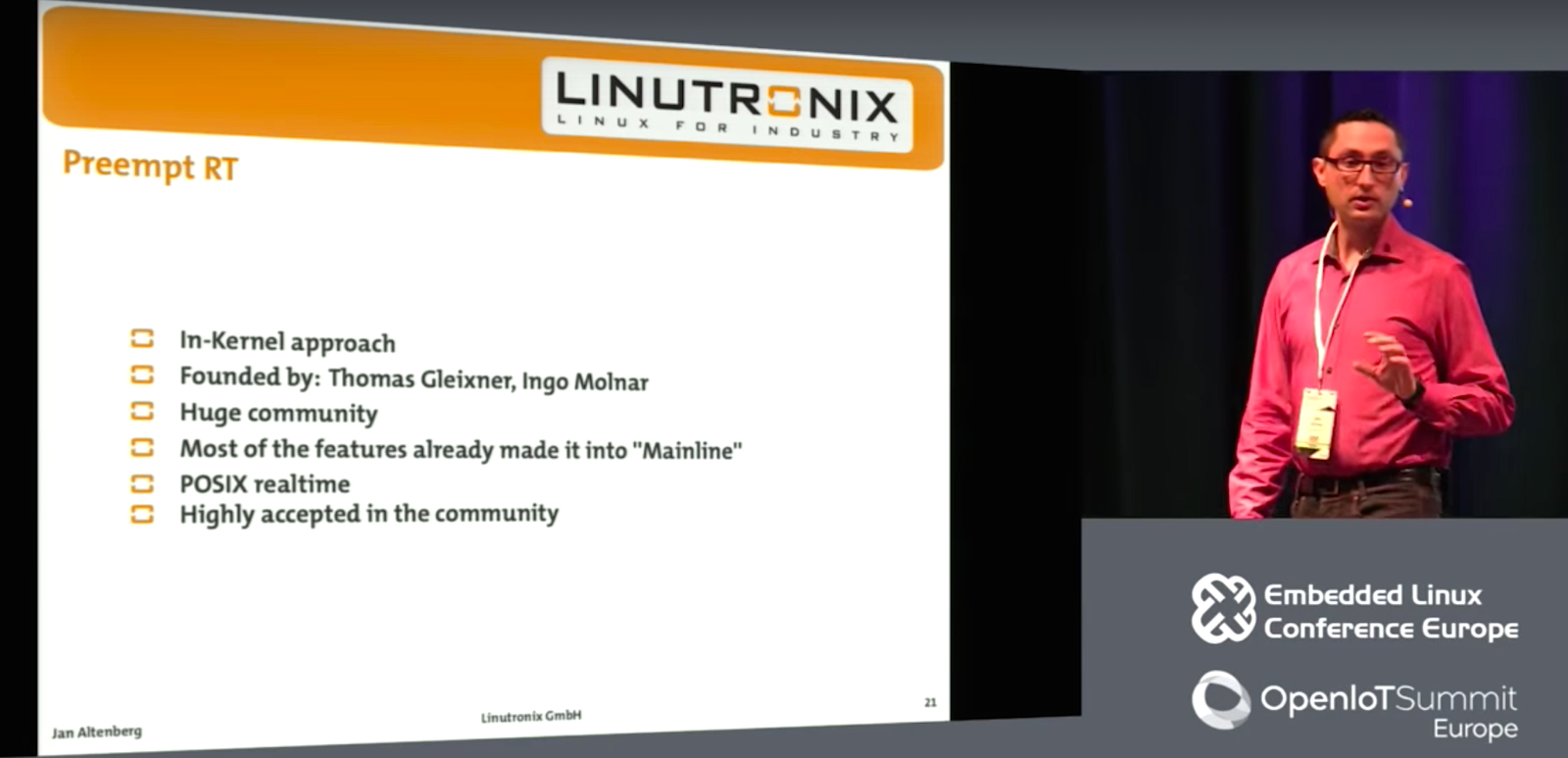
Real-time Linux (RTL), a form of mainline Linux enabled with PREEMPT_RT, has come a long way in the past decade. Some 80 percent of the deterministic PREEMPT_RT patch is now available in the mainline kernel itself. Yet, backers of the strongest alternative to the single-kernel RTL on Linux — the dual-kernel Xenomai — continue to claim a vast superiority in reduced latency. In an Embedded Linux Conference Europe presentation in October, Jan Altenberg rebutted these claims while offering an overview of the real-time topic.
Altenberg, of German embedded development firm Linutronix, does not deny that dual-kernel approaches such as Xenomai and RTAI offer lower latency. However, he reveals new Linutronix benchmarks that purport to show that the differences are not as great as claimed, especially in real-world scenarios. Less controversially, he argues that RTL is much easier to develop for and maintain.
Before we delve into the eternal Xenomai vs. RTL debate, note that in October 2015, the Open Source Automation Development Lab (OSADL) handed control of the RTL project over to The Linux Foundation, which hosts Linux.com. In addition, Linutronix is a key contributor to the RTL project and hosts its x86 maintainer.
The advance of RTL is one of several reasons Linux has stolen market share from real-time operating systems (RTOSes) over the past decade. RTOSes appear more frequently on microcontrollers than applications processors, and it’s easier to do real-time on single-purpose devices that lack advanced userland OSes such as Linux.
Altenberg began his presentation by clearing up some common misconceptions about real-time (or realtime) deterministic kernel schemes. “Real-time is not about fast execution or performance,” Altenberg told his ELCE audience. “It’s basically about determinism and timing guarantees. Real-time gives you a guarantee that something will execute within a given time frame. You don’t want to be as fast as possible, but as fast as specified.”
Developers tend to use real-time when a tardy response to a given execution time leads to a serious error condition, especially when it could lead to people getting hurt. That’s why real-time is still largely driven by the factory automation industry and is increasingly showing up in cars, trains, and planes. It’s not always a life-and-death situation, however — financial services companies use RTL for high-frequency trading.
Requirements for real-time include deterministic timing behavior, preemption, priority inheritance, and priority ceiling, said Altenberg. “The most important requirement is that a high-priority task always needs to be able to preempt a low-priority task.”
Altenberg strongly recommended against using the term “soft real-time” to describe lightweight real-time solutions. “You can be deterministic or not, but there’s nothing in between.”
Dual-kernel schemes like Xenomai and RTAI deploy a microkernel running in parallel with a separate Linux kernel, while single kernel schemes like RTL make Linux itself capable of real-time. “With dual-kernel, Linux can get some runtime when priority real-time applications aren’t running on the microkernel,” said Altenberg. “The problem is that someone needs to maintain the microkernel and support it on new hardware. This is a huge effort, and the development communities are not very big. Also, because Linux is not running directly on the hardware, you need a hardware abstraction layer (HAL). With two things to maintain, you’re usually a step behind mainline Linux development.”
The challenge with RTL, and the reason it has taken so long to emerge, is that “to make Linux real-time you have to basically touch every file in the kernel,” said Altenberg. Yet, most of that work is already done and baked into mainline, and developers don’t need to maintain a microkernel or HAL.
Altenberg went on to explain the differences between the RTAI and Xenomai. “With RTAI, you write a kernel module that is scheduled by a microkernel. It’s like kernel development — really hard to get into it and hard to debug.”
RTAI development can be further complicated because industrial customers often want to include closed source code along with GPL kernel code. “You have to decide which parts you can put into userland and which you put into the kernel with real-time approaches,” said Altenberg.
RTAI also supports fewer hardware platforms than RTL, especially beyond x86. The dual-kernel Xenomai, which has eclipsed RTAI as the dominant dual-kernel approach, has wider OS support than RTAI. More importantly, it offers “a proper solution for doing real-time in userspace,” said Altenberg. “To do this, they implemented the concept of skins — an emulation layer for the APIs of different RTOSes, such as POSIX. This lets you reuse a subset of existing code from some RTOSes.”
With Xenomai, however, you still need to maintain a separate microkernel and HAL. Limited development tools are another problem. “As with RTAI, you can’t use the standard C library,” said Altenberg. “You need special tools and libraries. Even for POSIX, you must link to the POSIX skin, which is much more complicated.” With either platform, he added, it’s hard to scale the microkernels beyond 8 to 16 CPUs to the big server clusters used in financial services.
The dominant single-kernel solution is RTL, based on PREEMPT.RT, which was primarily developed by Thomas Gleixner and Ingo Molnár more than a decade ago. PREEMPT.RT reworks the kernel’s “spinlock” locking primitives to maximize the preemptible sections inside the Linux kernel. (PREEMPT.RT was originally called the Sleeping Spinlocks Patch.)
Instead of running interrupt handlers in hard interrupt context, PREEMPT.RT runs them in kernel threads. “When an interrupt arrives, you don’t run the interrupt handler code,” said Altenberg. “You just wake up the corresponding kernel thread, which runs the handler. This has two advantages: The kernel thread becomes interruptible, and it shows up in the process list with a PID. So you can put a low priority on non-important interrupts and a higher priority on important userland tasks.”
Because about 80 percent of PREEMPT.RT is already in mainline, any Linux developer can take advantage of PREEMPT.RT-originated kernel components such as timers, interrupt handlers, tracing infrastructure, and priority inheritance. “When they made Linux real-time, everything became preemptible, so we found a lot of race conditions and locking problems,” said Altenberg. “We fixed these and pushed them back into mainline to improve the stability of Linux in general.”
Because RTL is primarily mainline Linux, “PREEMPT.RT is widely accepted and has a huge community,” said Altenberg. “If you write a real-time application, you don’t need to know much about PREEMPT.RT. You don’t need any special libraries or APIs, just a standard C library, a Linux driver, and POSIX app.”
You still need to run a patch to use PREEMPT.RT, which is updated in every second Linux version. However, within two years, the remaining 20 percent of PREEMPT.RT should make it into Linux, so you “won’t need a patch.”
Finally, Altenberg revealed the results of his Xenomai vs. RTL latency tests. “There are a lot of papers that claim that Xenomai and RTAI are way faster on latency than PREEMPT.RT,” said Altenberg. “But I figured out that most of the time PREEMPT.RT was poorly configured. So we brought in both a Xenomai expert and a PREEMPT.RT expert, and let them configure their own platforms.”
While Xenomai performed better on most tests, and offered far less jitter, the differences were not as great as the 300 to 400 percent latency superiority claimed by some Xenomai boosters, said Altenberg. When tests were performed on userspace tasks — which Altenberg says is the most real-world, and therefore the most important, test — the worst-case reaction was about 90 to 95 microseconds for both Xenomai and RTL/PREEMPT.RT, he claimed.
When they isolated a single CPU in the dual Cortex-A9 system for handling the interrupt in question, which Altenberg says is fairly common, PREEMPT.RT performed slightly better, coming in around 80 microseconds. (For more details, check out the video about 33 minutes in.)
Altenberg acknowledges that his 12-hour test is the bare minimum, compared to OSADL’s two- to three-year tests, and that it is “not a mathematical proof.” In any case, he suggests that RTL deserves a handicap considering its easier development process. “In my opinion, it’s not fair to compare a full-featured Linux system with a microkernel,” he concluded.
For more details, watch the complete presentation below:
Embedded Linux Conference + OpenIoT Summit North America will be held on February 21 – 23, 2017 in Portland, Oregon. Check out over 130 sessions on the Linux kernel, embedded development & systems, and the latest on the open Internet of Things.
Linux.com readers can register now with the discount code, LINUXRD5, for 5% off the attendee registration price. Register now>>
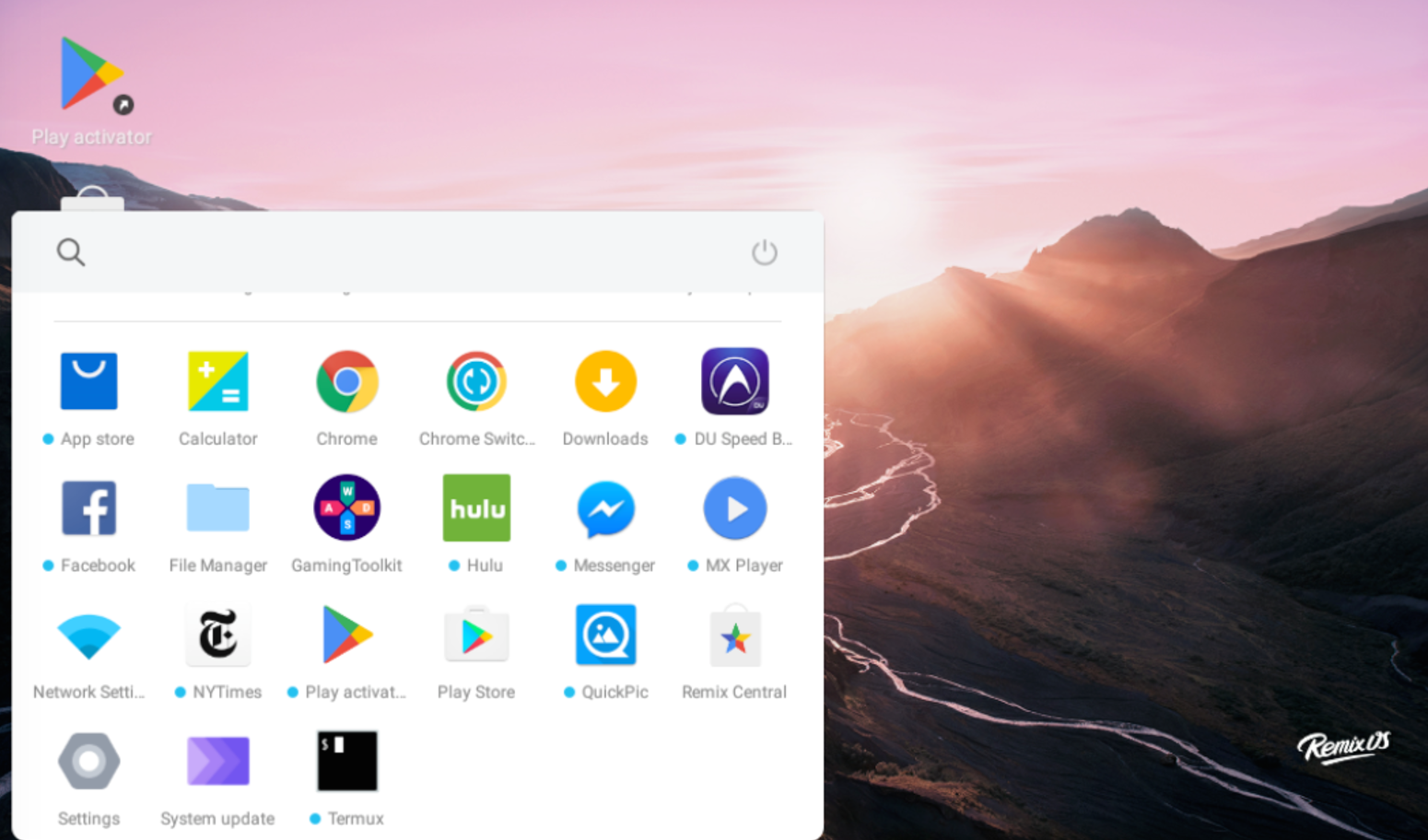
Ever wanted to try Android on your PC but there weren’t any really usable projects? Now you can. Remix OS is an Android based operating system that’s designed to offer a full-fledged desktop PC-like experience. The developers have done a lot of work to implement many desktop-centric features such as multi-window multi-tasking. It offers a very familiar interface inspired by Windows, so the learning curve is not that steep. If you have used Android before, you will find yourself at home.
Remix OS is being developed by Jide Technologies, a company founded by three ex-Googlers, “with a mission to unlock the potential of Android in order to accelerate a new age of computing,” reads the “about us” page.
I have good and bad news for you. The good news is that if you happen to have a Windows PC, or you dual boot your Linux system with Windows, you can easily install Remix OS on your PC alongside Windows and dual boot between Windows and Remix OS. The bad news is that the official installation tool only supports Windows, so Linux users can’t install it on their hard drive, as far as I know, and will have to settle down with live mode of Remix OS.
There are two ways of installing Remix OS on your system: on a hard drive or on a USB drive. For some strange reason, hard drive installation can only be done on a machine with Windows on it. It reminds me of Ubuntu Wubi where you can install Ubuntu inside Windows. Download the official Remix OS for PC and unzip the folder. There are only two files of interest: ISO image of Remix OS and .exe installation tool. Run the installation tool and select Remix OS to be installed on your C drive.
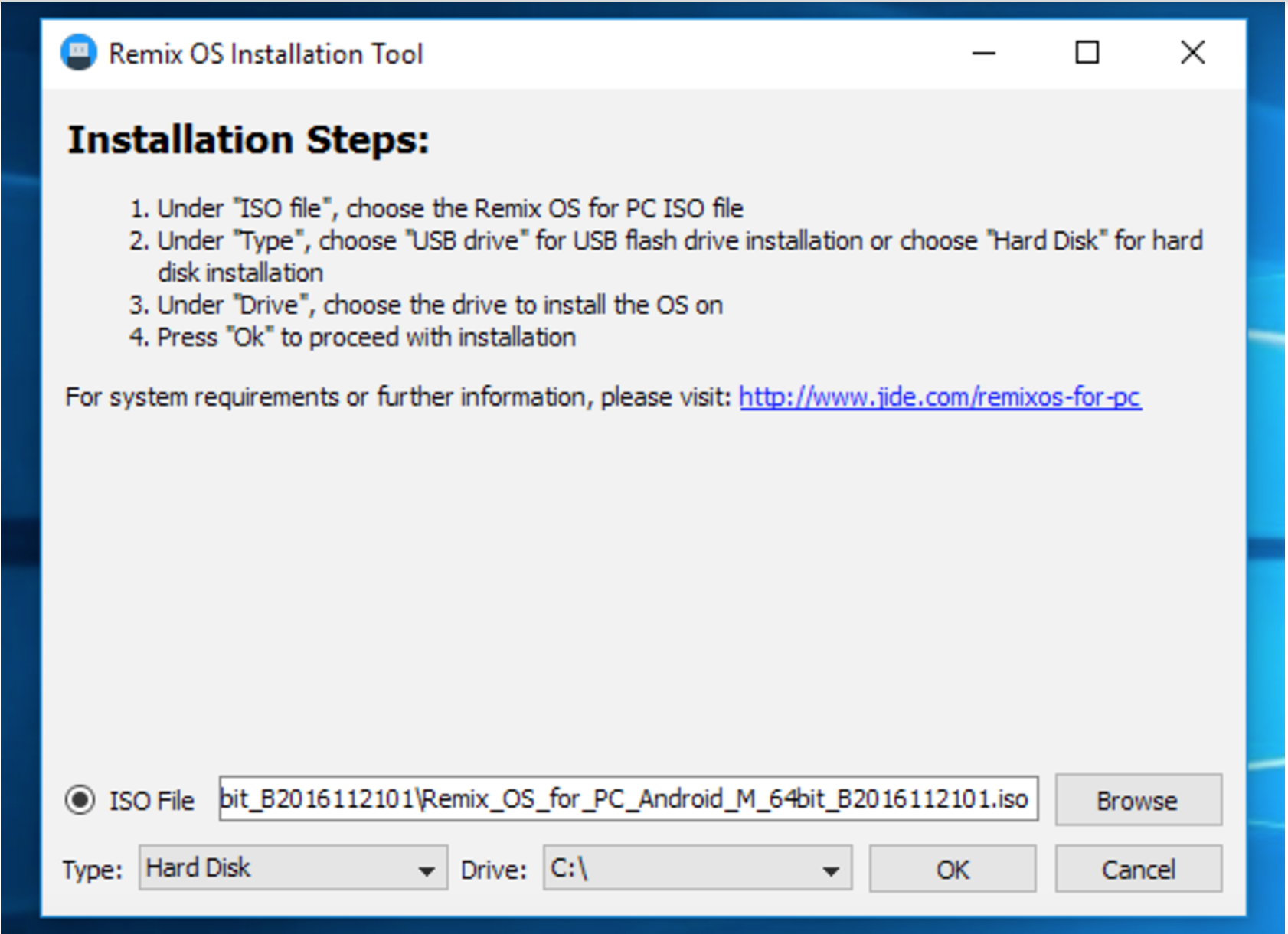
Don’t worry; it will not format the drive, it will simply install it alongside Windows. Once the installation is finished, reboot your system and choose Remix OS or Windows from the boot menu. If your system supports secure boot, please disable secure boot from the BIOS settings.
If you want to install Remix OS on a system that doesn’t have Windows installed on it, strangely there is no way you can install it on the hard drive. Quite strange actually. Your only option is to install it on a USB drive and run it from there. Remix OS offers two modes when you run it from a USB drive: Resident mode and Live OS mode.
Resident mode basically installs it on the USB drive and all of your installed apps, files, data, configurations are preserved on the drive. Live mode wipes everything clean after the session; nothing is saved on the drive. Once again, while you can create a bootable USB drive of Remix OS from a Linux machine, the ‘Resident mode’ doesn’t work, it gets stuck at splash screen. However, live mode works just fine.
If you want to use Resident mode, you will have to use the Windows tool. Plug in your 3.0 USB drive (it must have 8GB, or more capacity, and it must be 3.0 as Remix OS site says slower USB drives won’t boot in Resident mode). Then, open the Windows installation tool. Choose ‘USB’ from the drop down menu of the target device instead of HDD, browse the ISO image, and click on OK.
Once the image is written to the drive, plug it to a PC where you want to use it. Make sure to turn off ‘secure boot’ and enable ‘legacy mode’ from BIOS settings. The boot screen will show three options for Remix OS: Resident Mode, Live mode, and verbose. The Resident mode will use USB as the persistent storage device and use it to save installed apps, data, and settings. Live mode, as the name implies, will not save files to the drive. I recommend Resonant mode. The first boot will take some time at it prepares the USB drive for Remix OS.
If you are running Linux (which should be the case if you are reading this story), then you can create a bootable USB drive for Remix OS using the ‘dd’ command. Download the Remix OS zip file from the link above. Unzip the downloaded folder
unzip path_of_downloaded_zip
Now plug in the USB drive with more than 8GB capacity and find the block device name of the drive:
lsblk
Once you get the name of the USB device (to find the name, unplug the device and run the ‘lsblk’ command and the plug the device and run it again, the new entry is the USB drive).
Now write the image to the device:
sudo dd if=/path-of-remixos-iso of=/usb_drive bs=1M
Example:
sudo dd if=/home/swapnil/Downloads/release_Remix_OS_for_PC_

   Android_M_64bit_B2016112101/Remix_OS_for_PC_Android_M_

   64bit_B2016112101.iso of=/dev/disk3 bs=1M
Once written, plug the USB drive into target PC and boot the system. Choose ‘Live’ session from the boot menu. I have not been able to run Resident mode from the drive that I wrote using the ‘dd’ command; it worked only on the USB drive that was flashed using the official Windows tool.
The flip side of using the live mode is that no changes, installed applications, or configurations will be saved between sessions. You will start from scratch every time you boot. So, if you do want to use Remix OS on your PC, Windows tool is the only option.
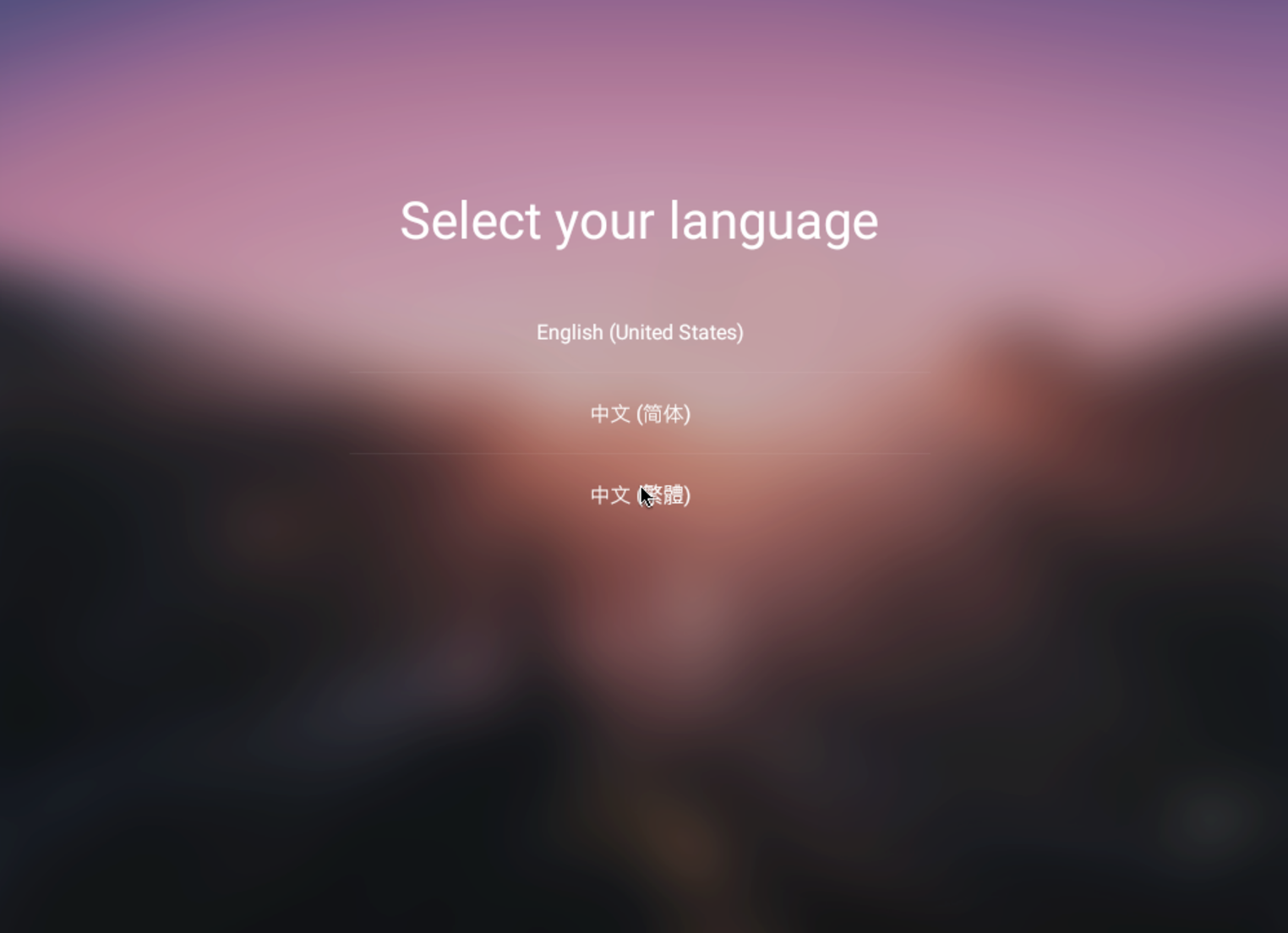
Once you boot into Remix OS, there are a few steps before you use the OS. The first step is to choose your language, user agreement, wireless configuration, and then select whether you want to activate Google services, which I recommend activating if you plan to install applications from Google Play Store.
Once you are booted into the brand new Remix OS, you may want to click on the Play Activator icon on the desktop to make sure that Google Play services are activated. Then Open Google Play Store app and log into your Gmail account. Start installing apps that you need. You may see some third-party app stores there, I heavily discourage you from logging into those any installing any apps outside the Google Play Store; never install any application from outside Google Play Store.
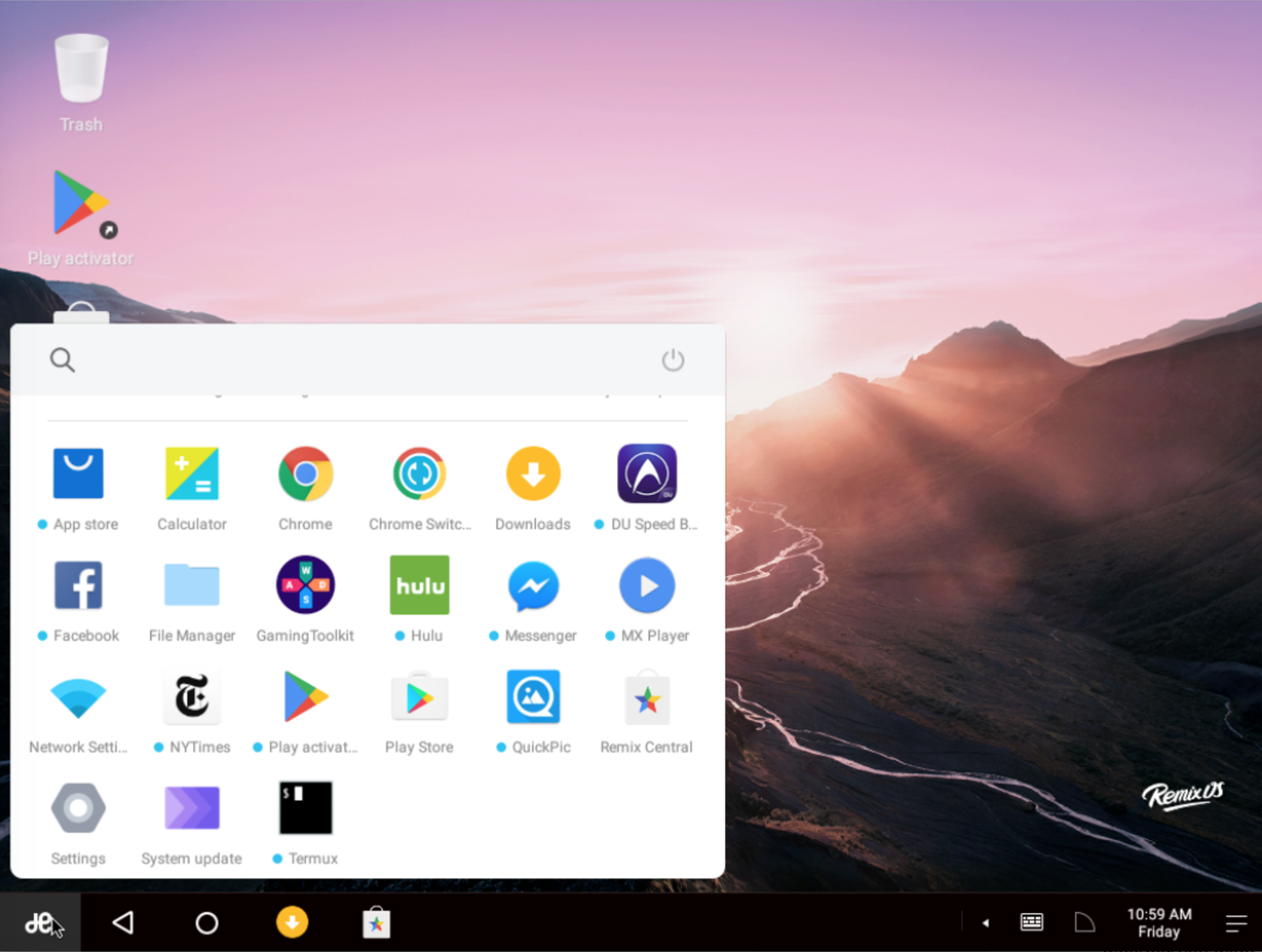
I tested it on my brand new Dell XPS 13 Kaby Lake and everything from WiFi, Bluetooth, touch screen, and audio worked out of the box. The only problem was that everything looked tiny on the HiDPI monitor. To fix that, I went to Settings > Experimental and set zoom level to 2. It restarted the session and everything looked great.
If you love Android (and who doesn’t love Android) and want to use it as a full-fledged OS on your desktop then Remix OS is for you. You will get access to millions of Android apps, along with Microsoft Office, Adobe Photoshop, Lightroom, and many such applications.
In spite of an Android-based operating system, Remix OS is not a fully open source project. It’s essentially a proprietary product with some Android open source code that is already available on GitHub. I wish developers would follow the trend and open source the project. Another gripe I have with Remix OS is that it does not support Linux. I don’t know about Windows users, but I am quite certain there are a lot of Linux users like me who would want to dual boot with Remix OS.
In the end, it’s a great project that holds great potential. If you have not tried it yet, please do!
Learn more about Linux through the free “Introduction to Linux” course from The Linux Foundation and edX.