All these newfangled container and microservices technologies inspire all manner of ingenious experiments, and running IBM’s Watson on Apache Mesos has to be one of the most — maybe it’s not fair to say crazy — but certainly ambitious. Jason Adelman of IBM tells us the story of this novel endeavor at MesosCon Asia 2016.
If you’re not familiar with Watson, that is IBM’s cognitive computing platform. Watson became a Jeopardy champion in 2011, beating human contestants. Watson is a mighty beast, so how do you make it run on Mesos? And why? Adelman answers the why: “IBM looked at how they could commercialize this. Turn this into something that customers could use, first in healthcare, then financial services and then broader industries.”
Now we’ll look at the how. Want to play with Watson on Mesos? That’s what Bluemix is for. Adelman says, “This is IBM’s developer portal, our developer cloud. There’s a lot of services in Bluemix that developers can use to run to get applications up and running quickly on the web. This is where you’ll find Watson as well. Under Watson you’ll see the services…There are 16 services there for now but there’s a lot of things coming all the time. It’s been developing very rapidly. A lot of these services are currently running on Mesos, and we are working on trying to get everything running on one platform there…It’s running on a mixture of containers managed by Mesos, Marathon, and Netflix OSS.”
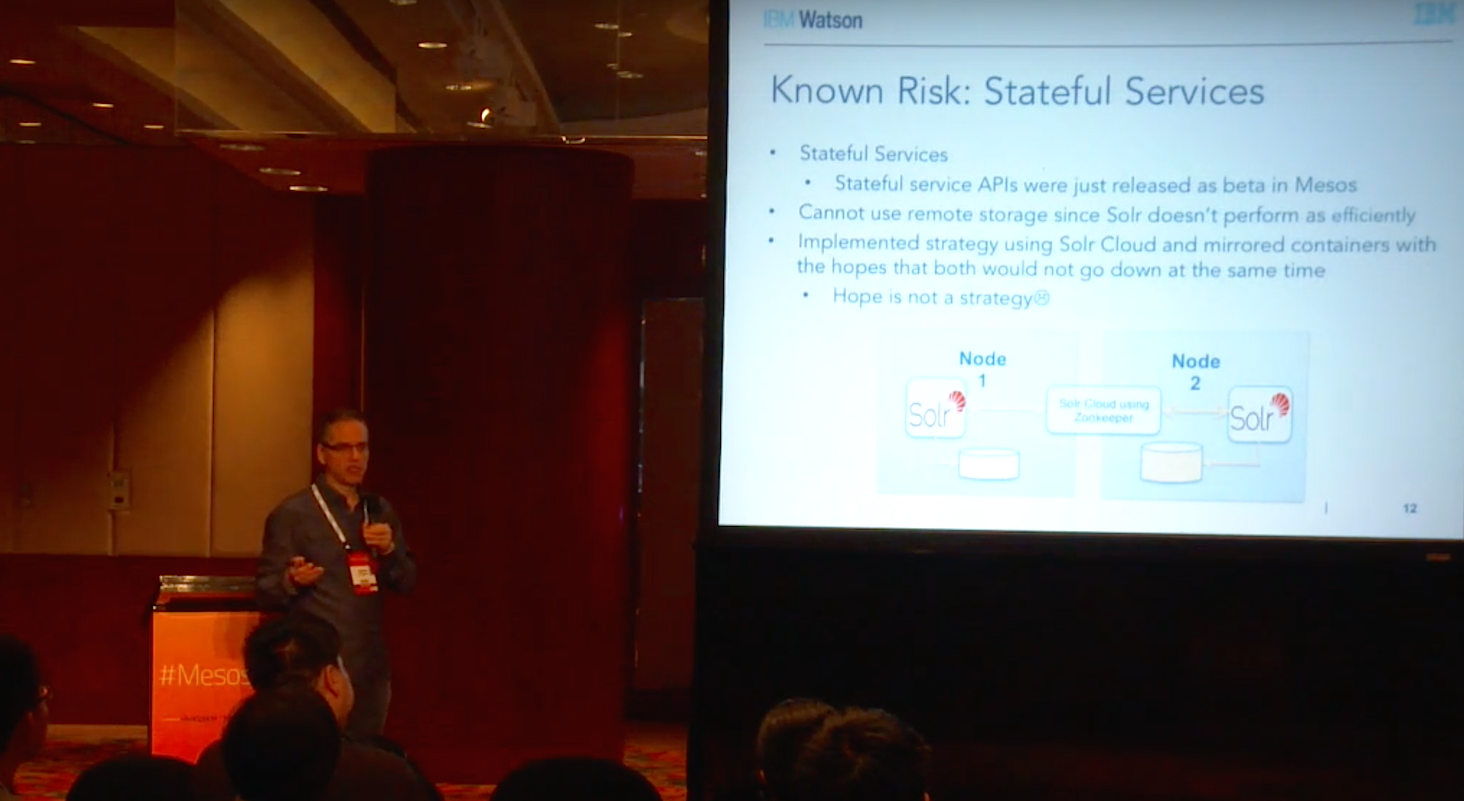
The Watson Developer Cloud also uses Eureka, Zuul, Ansible, ZooKeeper, and Solr. Solr presented some special challenges. Adelman’s team concluded that they needed local storage for Solr to work effectively. But, as it happens in so many similar projects, when you need stateful services (Solr) in a stateless environment you have an interesting condundrum. Adelman’s team elected to use SolrCloud, which provides a highly-available cluster of Solr servers.
There were growing pains caused by network problems and Marathon limitations which caused lapses in communication between the various elements. Adelman says, “We had some outages where Marathon and Mesos were not talking to each other and connection was lost for a significant amount of time. After that…the connection was re-established, but when Marathon reconnected with Mesos, Mesos thought it was a new Marathon, gave it a new framework IP.”
“So now we have a Marathon running with a new framework IP, we have all these original containers still running with the old IP, so they can no longer communicate with Marathon. This is the problem with stateful services…To get out of this we had to do a bunch of manual work.” This included developing pinning functionality, and building additional infrastructure on top of Mesos and Marathon.
Adelman discusses not only the difficulties but also valuable lessons about how to make everything work reliably. Watch the full presentation (below) to learn how they set up networking, scheduling, auto-scaling, and use chaos testing to keep everything operating smoothly.
The OpenSSL Project has addressed some moderate-severity security flaws, and administrators should be particularly diligent about applying the patches since there are still 200,000 systems vulnerable to the Heartbleed flaw.
OpenSSL updated the 1.0.2 and 1.1.0 branches and released versions 1.1.0d and 1.0.2k. The 1.0.1 branch stopped receiving security updates Dec. 31, while support for OpenSSL 0.9.8 and 1.0.0 ended a year ago, on Dec. 31, 2015.
In order to improve the performance of an application that involves IO, you should understand how your CPU cycles are spent and, more importantly, what is preventing higher degrees of parallelism in your application.
While focusing on improving the overall performance of the DataStax Node.js driver for Apache Cassandra, I’ve gained some insights that I share in this article, trying to summarize the most significant areas that could cause throughput degradation in your application.
Background
The JavaScript engine used by Node.js, V8, compiles JavaScript into machine code and runs it as native code. The engine uses three components to try achieve both low start-up time and peak performance:
If last week’s fifth RC was relatively normal and kept small, the Linux kernel 4.10 Release Candidate 6 snapshot appears to be much bigger because of a flood of patches that landed on Friday and this weekend. This makes today’s RC release the biggest so far for the Linux 4.10 series.
As for the changes, the sixth RC of Linux kernel 4.10 adds numerous updated drivers, this time GPU, MD, media, networking, and RDMA ones, various improvements to the XFS file systems, an updated networking stack, and a bunch of other bug fixes that you can see in the appended shortlog.
The Linux operating system underlies nearly every piece of technology in modern life, from phones to satellites to web searches to your car. For the Linux Foundation, openness is both a part of our core principles and also a matter of practicality. Linux, the largest cooperatively developed software project in history, is created by thousands of people from around the world and made available to anyone to use for free. The Linux Foundation also hosts dozens of other open source projects covering security, networking, cloud, automotive, blockchain and other areas. Last year, the Linux Foundation hosted over 20,000 people from 85 countries at more than 150 events. Open source is a fundamentally global activity but America has always served as the hub for innovation and collaboration. Linux’s creator, Linux Foundation Fellow Linus Torvalds, immigrated to America from Finland and became a citizen. The Administration’s policy on immigration restrictions is antithetical to the values of openness and community that have enabled open source to succeed. I oppose the immigration ban.
Jim Zemlin, Executive Director, The Linux Foundation
The first rule of Linux server security is to keep your server lean and mean. Only install the packages and run the services that you really need, writes Swapnil Bhartiya in his Linux.com tutorial on making your server more secure.
“Even the most hardened servers can be hijacked by exploiting any unpatched or vulnerable component running on that server,” he writes.
These and other useful security tips for running your own Linux server, or accessing your server remotely, can be found in the collection of tutorials, below.
Here, we’ve combed through hundreds of tutorials published over the past few years and picked some of the best articles for anyone who wants to improve their Linux server security.
Administering a remote server cannot be accomplished with tools that do not contain the ability to reach beyond the local machine. That’s where the likes of ssh and scp come in handy. With these tools, you can easily work with remote machines to make your admin life considerably easier.
When you look at your SSH server logs, chances are they are full of attempted logins from entities of ill intent. Here are 5 general ways (along with several specific tactics) to make your OpenSSH sessions more secure.
If you either manage a number of systems (regardless of platform), or simply have a lot of passwords for computers, services, sites, and so forth, keeping track of those authentication credentials can be a serious strain to your memory. Here Jack Wallen guides you through two Linux password manager tools that allow you to save authentication credentials within an encrypted “vault.”
Stay one step ahead of malicious hackers with The Linux Foundation’s Linux Security Fundamentals course. Download a sample chapter today!
Operating systems are like cars: you can get a power-hungry Humvee that guzzles gas, leaving you with a few miles to drive, or you can get a super-efficient smart car that barely sniffs gas and gives you hundreds of miles of range. You can also get a monster OS that devours all system resources (CPU and RAM) or you can choose one that barely sips resources. The only difference between cars and operating systems is that lightweight operating systems, unlike lightweight cars, can do all of the heavy lifting that a Humvee can do.
There is is a general perception that lightweight distros are meant for reviving old hardware or for running on really low-powered devices. However, lightweight distros are also ideal in situations where there is a very resource-intense workflow, like video or audio editing, and you want to get maximum performance out of your hardware.
Generally, you need a lightweight distro in any of these three cases:
You have really old hardware and you want to get some use out of it.
You have really underpowered hardware like Raspberry Pi or Pine 64.
You have powerful hardware, but you want to keep system resources for your applications and not for the OS; use cases can be multimedia production systems or media center PCs.
There are many lightweight distributions out there, each with pros and cons. I have several old, low-powered machines collecting dust, and the last time I wrote an article on lightweight distros, that exploration revived many of those machines. I tested all the distros listed in that article, and I settled on those that offered the best value for time and resources.
When I was working on this article, my goal was not to recreate DistroWatch and list all the “lightweight” distributions out there. Instead, I focused on the ones that worked best in different use cases and on different hardware. I also looked at new distributions that appear promising, and are backed by a community or business model that makes them sustainable. Sustainability is important, because installing a Linux distro means quite a bit of commitment in terms of time and effort invested.
Without further ado, here are some of the best lightweight Linux distros.
Knoppix
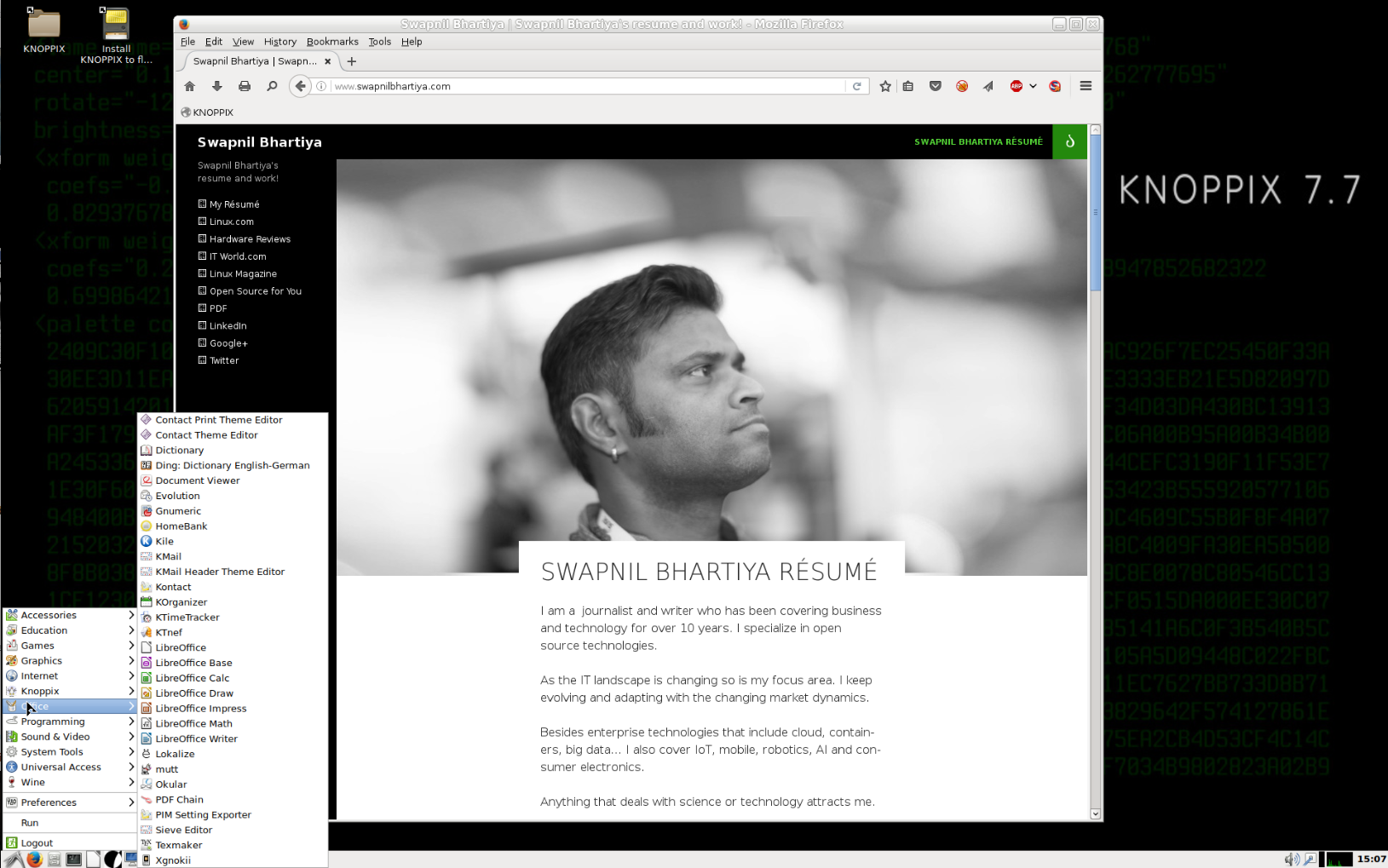
Knoppix is the distribution that actually popularized the concept of Live distributions. It allows users to run the fully functional operating system from a CD, DVD, or flash drive without installing anything on the hard drive. It’s often used for rescuing data from corrupt systems, and because it runs from removable media, it’s extremely lightweight and can run on a wide range of devices. If you want an “ultra-light” version of Knoppix, then go for the CD edition.
Although you can install Knoppix, it’s not recommended. Since you can save files and configs on the removable media itself, you can easily carry your entire OS in your pocket on a USB stick. Knoppix is one of the very few distributions that come with a massive list of applications pre-installed. I was pleasantly surprised, for example, to find Slic3r and other 3D printing software bundled with the Knoppix 7.7 release.
What I like about Knoppix is that unlike many other lightweight distributions, it doesn’t compromise with quality, features and applications. It’s the most complete OS, feature rich, and brimming with applications. Once you install Knoppix, you probably never need to install any applications. The only weakness of Knoppix is lack of support for creating a bootable USB drive with persistent storage. But that’s changing with the upcoming release.
Lubuntu
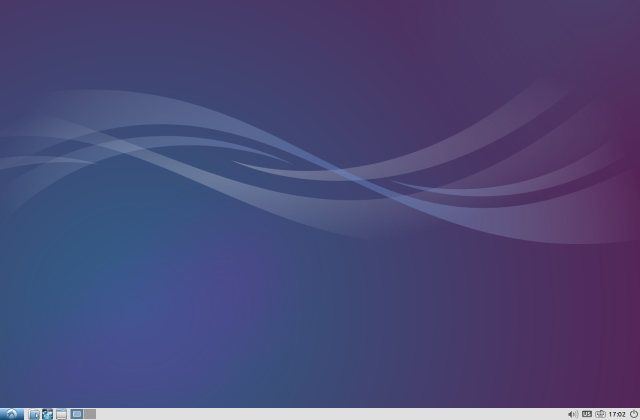
Lubuntu is based on LXDE, which is an extremely lightweight desktop environment. There is another lightweight distribution, in the Ubuntu family called Xubuntu, but Lubuntu is far more efficient when it comes to memory usage. My old Dell XPS would crawl with Xubuntu, whereas it would fly with Lubuntu. The overall performance difference between them is huge.
Another reason I choose Lubuntu is LXDE’s future. LXDE and Razor Qt projects have decided to merge to create LXQt, wherein they will replace GTK components with Qt components. The good news is that the Lubuntu community has started work on moving the distro to LXQt.
Lubuntu comes with a decent set of applications pre-installed so you can start working as soon as you boot into Lubuntu. However, unlike Knoppix or Puppy Linux, it’s not designed to be used with removable media. While you can run and use Lubuntu with removable media, you are better off installing it on a hard drive.
As far as low-powered devices like Raspberry Pi are concerned, there is no official release of Lubuntu for the device. There are some community-maintained versions of Lubuntu that support some models of Raspberry Pi.
PIXEL
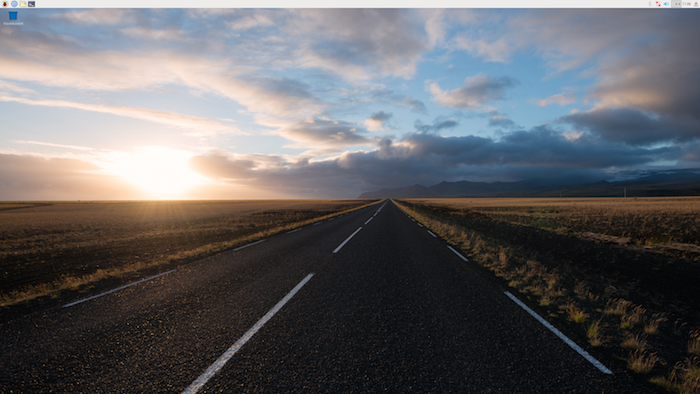
PIXEL stands for Pi Improved Xwindows Environment, Lightweight. It’s a Debian-based operating system created by the Raspberry Pi Foundation as the official distribution for Raspberry Pi devices. In December 2016, the foundation released a version of PIXEL for x86 platform that can run on both Macs and PCs. Because it has very low system requirements — after all it’s an OS for Raspberry Pi, — it’s a great lightweight distribution for reviving really old computers. Unlike many other lightweight distributions, PIXEL offers a great balance between aesthetics, performance, and functionality.
I tested PIXEL on my 2009 Dell Mini Netbook, and it breathed new life into that machine. The only caveat is that it’s still in very early stages of development, and things may break. However, it has not crashed on me yet. Another caveat is that you can’t install it on your hard drive, but you can install it on a USB and then boot from it. All configs and files will be saved on the disk. This is actually good news for me as the hard drive of my old Dell Mini was broken and I had no desire to spend some $40 to revive it.
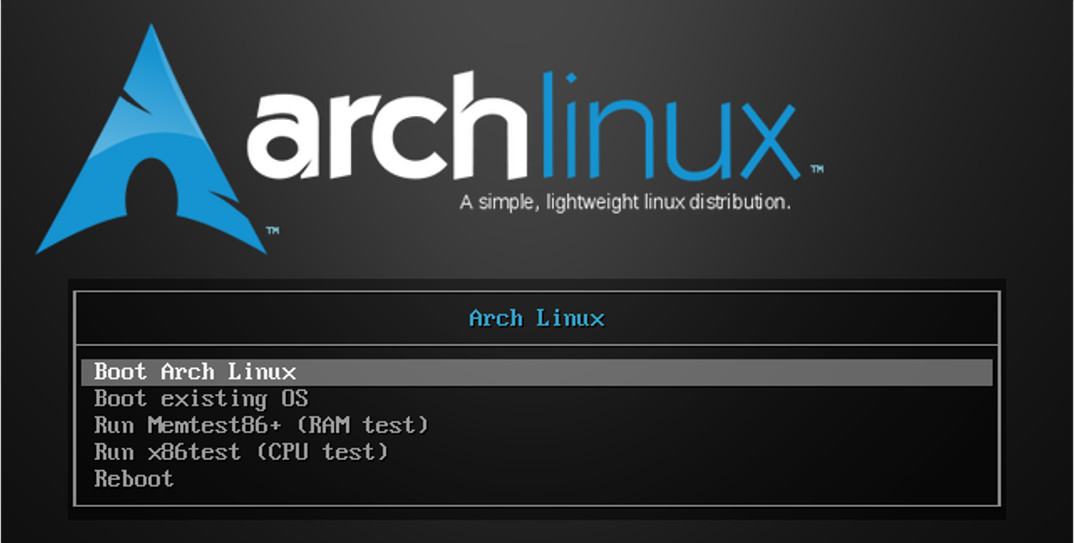
Arch Linux
Arch Linux itself is not a lightweight distribution. It’s a DIY project where you build the distro that you need, which means you can build an extremely lean and mean distro with only the components that you need, removing any possible bloat.
Another beauty of Arch Linux is that they don’t patch anything so you get the same packages and experience that the upstream wanted its users to have, without distros patching things to “integrate” it with their own stack.
I use Arch Linux with LXDE on my old Dell Laptop, and it works just fine. There is an ARM port of Arch Linux that I run on my Raspberry Pi. I wrote and keep updated, an extremely comprehensive tutorial on Arch Linux that you can read here.
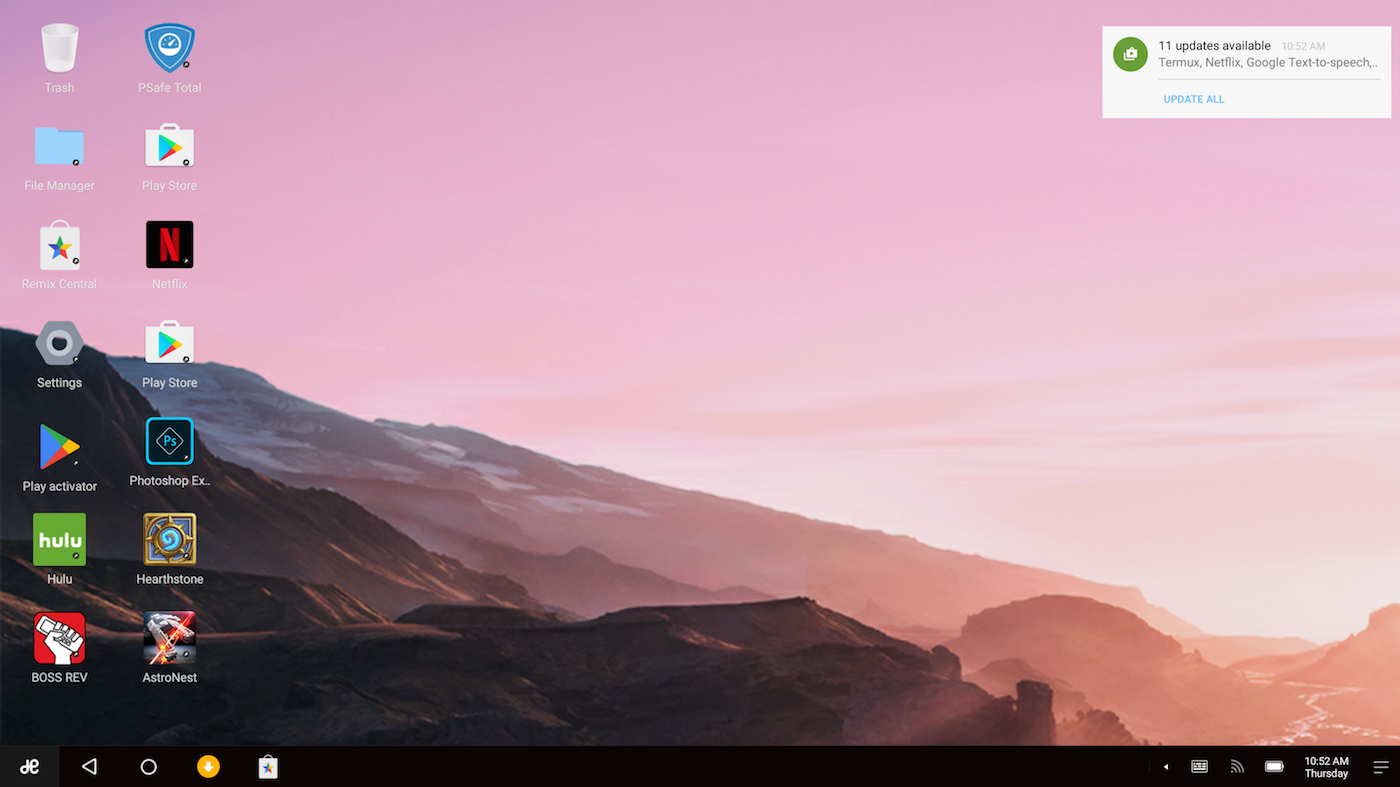
Remix OS
If you are a fan of the Android operating system where you want to run something that’s based off Linux kernel, but also get access to some non-free applications that are not available on Linux, then Remix OS is for you. It’s an extremely lightweight distro that is suitable to run on low-powered devices like Pine 64. However, none of this lightweight comes at a cost, you get the same glossy and feature-rich Android that you get on an official Android tablet.
The Remix OS team has done incredible amount of work to transform Android into a desktop OS. It has amazing driver support. I tried it on my Dell XPS 13, an old laptop and Pine 64 and everything, including wireless, Bluetooth, and audio was detected and worked perfectly right out of the box. It has full support for touch-screen, touchpads, keyboard, and mouse so you can get started immediately. You can access Microsoft Office, Adobe Photoshop, and thousands of similar applications. You also get access to services like Netflix, Amazon Prime, HBO Now, and much more.
If you are looking for a consumer grade, Linux-based distro then Remix OS is a great choice.
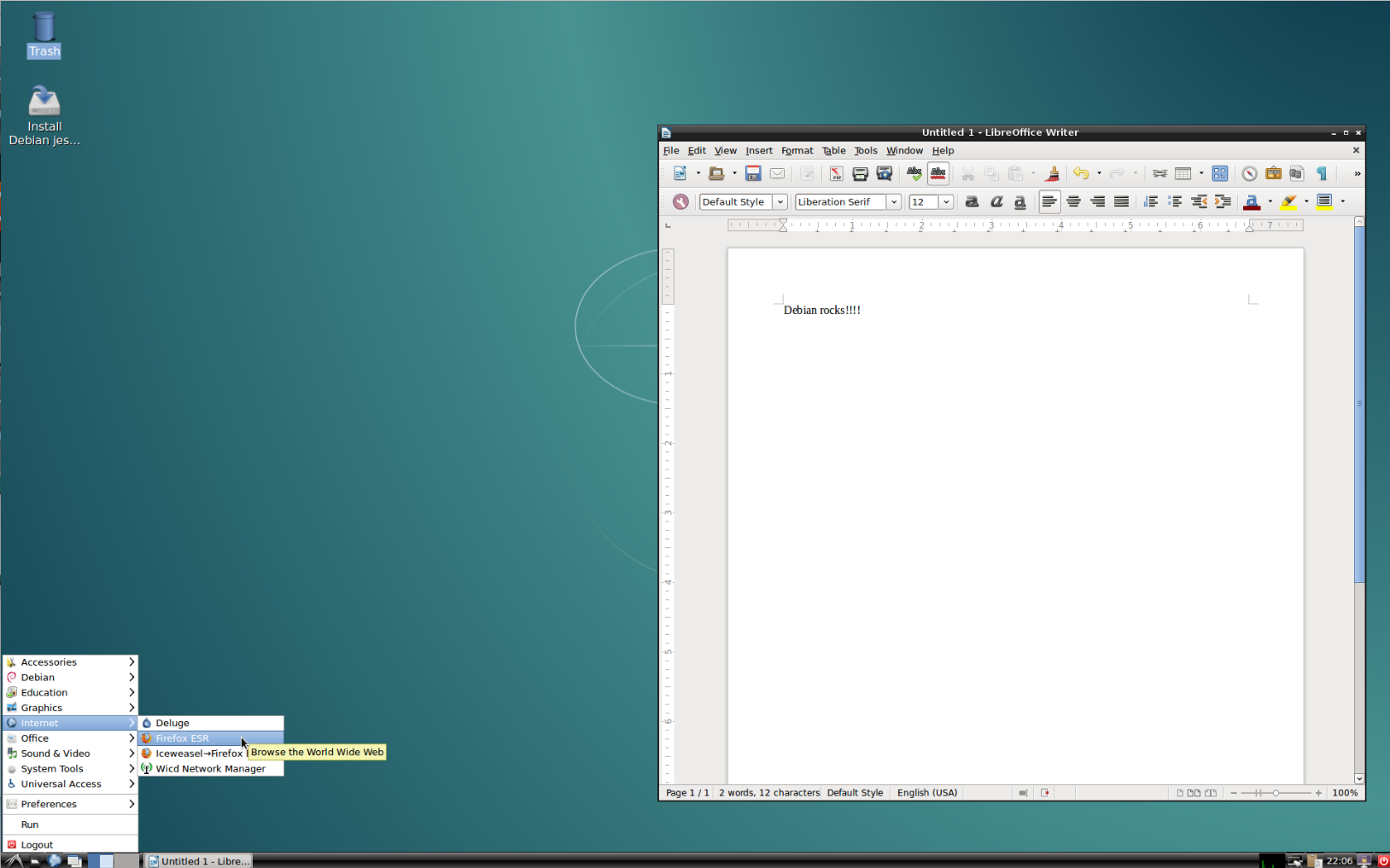
Debian
Debian, the mother of many popular distributions is by default a lightweight distro, as it’s system requirements are relatively low and you still get the most stable distribution on the planet. Debian uses Gnome as the default desktop environment, which can be resource hungry on some machines, but I suggest the LXDE version of Debian which brings the best of both worlds: lightweight, without compromising on quality and stability.
The only tricky part with Debian is that since the packages and kernel are usually old, it may not offer out of the box support for older hardware. For example, my Dell Mini still needed extra work to get the WiFi working with Debian. At the same time many of the latest applications may or may not be available for Debian. I prefer stock Debian on my servers, and when I want to go with Debian on my desktop, I always go with a derivative like PIXEL or Ubuntu that uses the latest packages and kernel on top of the Debian base.
However, if you are not as demanding as I am when it comes to getting access to the latest software, or if you are willing to spend some time in making things like WiFi work, Debian is a great distribution. If you are planning to revive old hardware to be used in classrooms or other such environments where stability is more important than the latest packages and out of the box support for hardware components, don’t look further than Debian. Download Debian from official site.
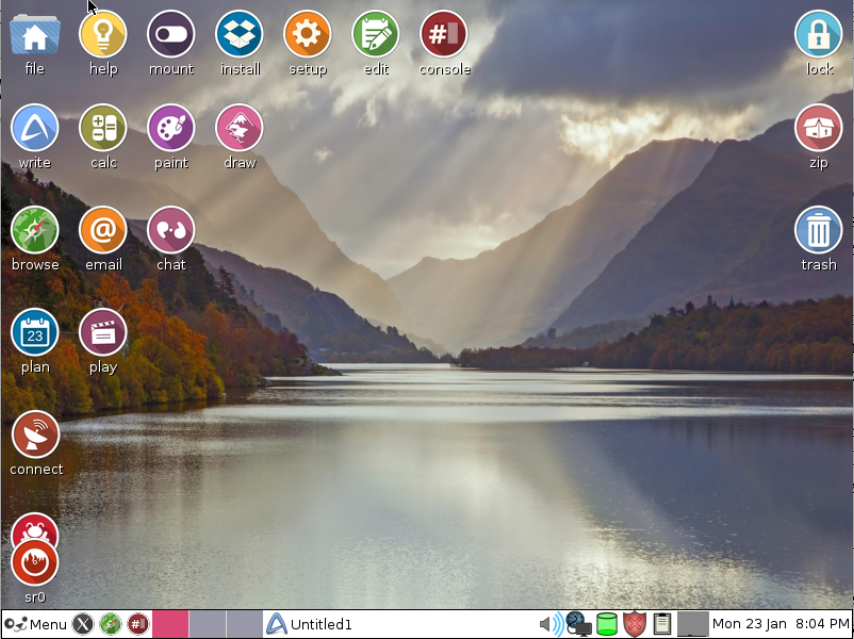
Puppy Linux
Puppy Linux is one of the lightest lightweight distros. It falls in the same breed of distros that are designed to run from removable media itself, without installing it on on the hard drive. The total size of Puppy Linux distro is under 250MB, so you can easily put it on a CD. Since the removable media will also be used to store files and programs, you can put it on a DVD or a USB stick. I put Puppy Linux on a 64GB USB stick for a laptop that doesn’t have a hard drive and it works great.
Puppy Linux comes in different breeds and sizes: there is an Ubuntu compatible version, a Slackware compatible version, and a version that you can install inside Windows. There is also a version for Raspberry Pi. If you are more comfortable with apt-get, go with the Ubuntu compatible version; otherwise choose Slackware, which might make it tricky to update the system and install applications.
Puppy Linux comes with a slew of lightweight applications, which means you can start working as soon as you boot into Puppy Linux. I prefer the overall look and feel of the Ubuntu-based version, as it has more visually appealing icons and themes. Puppy Linux is also available for Raspberry Pi, so if you want to use a super lightweight distribution on Pi (though PIXEL is a great distro), you can give Puppy Linux a try.
Conclusion
These are some of the best distros that I have settled down with. There are dozens of lightweight distros, which you can find on DistroWatch. Try them and see which ones work for you, if you come across something interesting or something worth mentioning in this article, please let me know in the comments below.
At GoDaddy, Charlie Robbins is heading the Warehouse.ai project, a framework that enforces a coherent workflow for serverless front-end deployments. In his talk at Node.js Interactive, Robbins said that deployments are all about serving new functionalities to visitors. Most Node.js front ends have some code asset — an app written using React, Angular, JQuery, or whatever. You push the code asset onto the server, and it ends up co-located with the server. Then it is served to users/visitors.
Version your assets
A typical example is one where you have an Express app that you use to serve up static middleware. Inside your HTML, you have a link relative to your URL, something like:
<script src='/js/app.min.js'></script>
The problem is that any change to your front-end requires a server change. This makes using a CDN imperative for any serverless deployment. Because, otherwise, your front-end assets are associated with your back-end project, and in every deployment, you deploy both of them.
One step in the direction of solving this (i.e., making updates to the front-end code *only* about the front-end code) would be start be taking the link relative to your URL and changing it to something that is relative to the CDN. This could look something like this:
The latter is probably the best way to version your assets, according to Robbins. A SHA will almost always be unique, it doesn’t have to change over time, and it can be really useful when you’re trying to find assets.
How to approach serverless deployments
When you send your code to your CDN, your app sends out a query to ask what assets it should serve — what should it put in the script and link tags that exist on the page? That is what is shipped down to the customer. The users, instead of getting the assets from the server, get them from the CDN.
But how does the server receive new versions? How does your server know it has to serve this:
Robbins says, “A serverless front-end deployment requires an external service knowing what version(s) should be running in what environments for any or all locales.”
Robbins then explained how, with Warehouse.ai, it was possible to create a workflow that is allowed to implement these services. The Warehouse.ai framework allows serverless deployments of your front-end code by providing automated builds pushed to any S3-compatible CDN through a simple npm-based workflow.
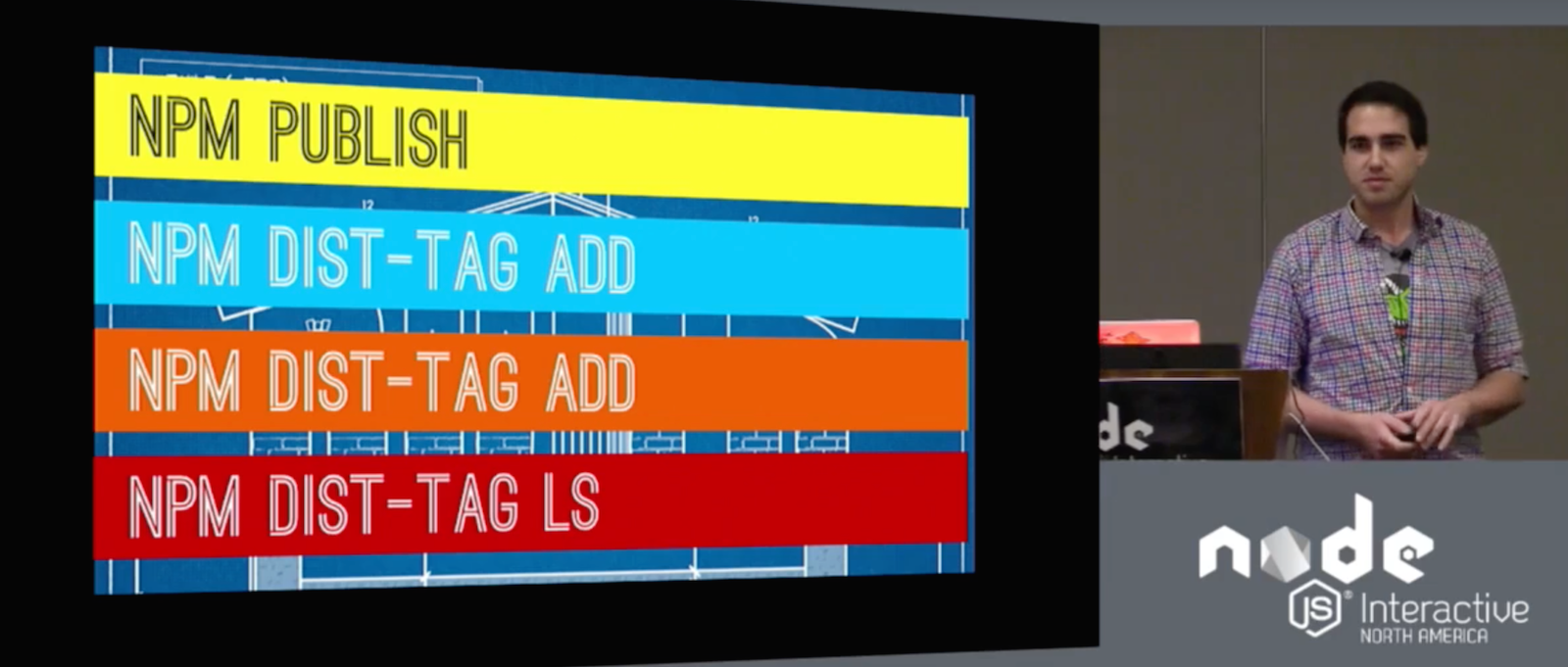
You can use npm publish to trigger a new build, you can promote or rollback a build you using npm dist-tag add, and, finally, if you want to see what build is in which environment, say, to see whether version 1.2.3 is in production and 1.4.0 is in test, you can run npm dist-tag ls.
Warehouse is an npm-publish proxy, which means it receives all your “publishes” and it then puts them in any npm registry behind the scenes. That is, Warehouse.ai is not private registry, but a proxy to a registry. When it receives a publish, it triggers a build for the assets you want to publish. And it will trigger that in any locales you configured. At GoDaddy, Robbins said, they trigger about 500 builds a day using Warehouse.ai and they build in 28 different locales.
If you would like to try it out, you can download all the code and documentation from GoDaddy’s GitHub repository. Note that Warehouse.ai depends on carpenterd, an API capable of building modules to run in a browser.
You can also watch the complete presentation below:
If you are interested in speaking or attending Node.js Interactive North America 2017 – happening in Vancouver, Canada next fall – please subscribe to the Node.js community newsletter to keep abreast with dates and time.
This week in open source news, Automotive Grade Linux is evidence of the auto industry merging with tech entirely, Hitachi steps up its open source game, and more! Read on to catch up on this busy week in OSS tech news.
1) “Whether the car companies like it or not their industry is becoming a tech industry” writes Rob Enderle in a summary of a recent meeting with Dan Cauchy of Automotive Grade Linux.
2) Hitachi increases its Linux Foundation participation. The company is also a member of many of the foundation’s projects including Automotive Grade Linux, Civil Infrastructure Platform, Cloud Foundry Foundation, Core Infrastructure Initiative, Hyperledger, and OpenDaylight.
3) “Microsoft Azure customers looking for another Linux operating system (OS) option for their cloud workloads have another alternative to weigh this week.”
4) Arpit Joshipura, new new general manager for networking and orchestration at The Linux Foundation, discusses where OSS networking needs to be taken.