Home Blog Page 639

Ticketmaster Chooses Kubernetes to Stay Ahead of Competition

If you’ve ever gone to an event that required a ticket, chances are you’ve done business with Ticketmaster. The ubiquitous ticket company has been around for 40 years and is the undisputed market leader in its field.

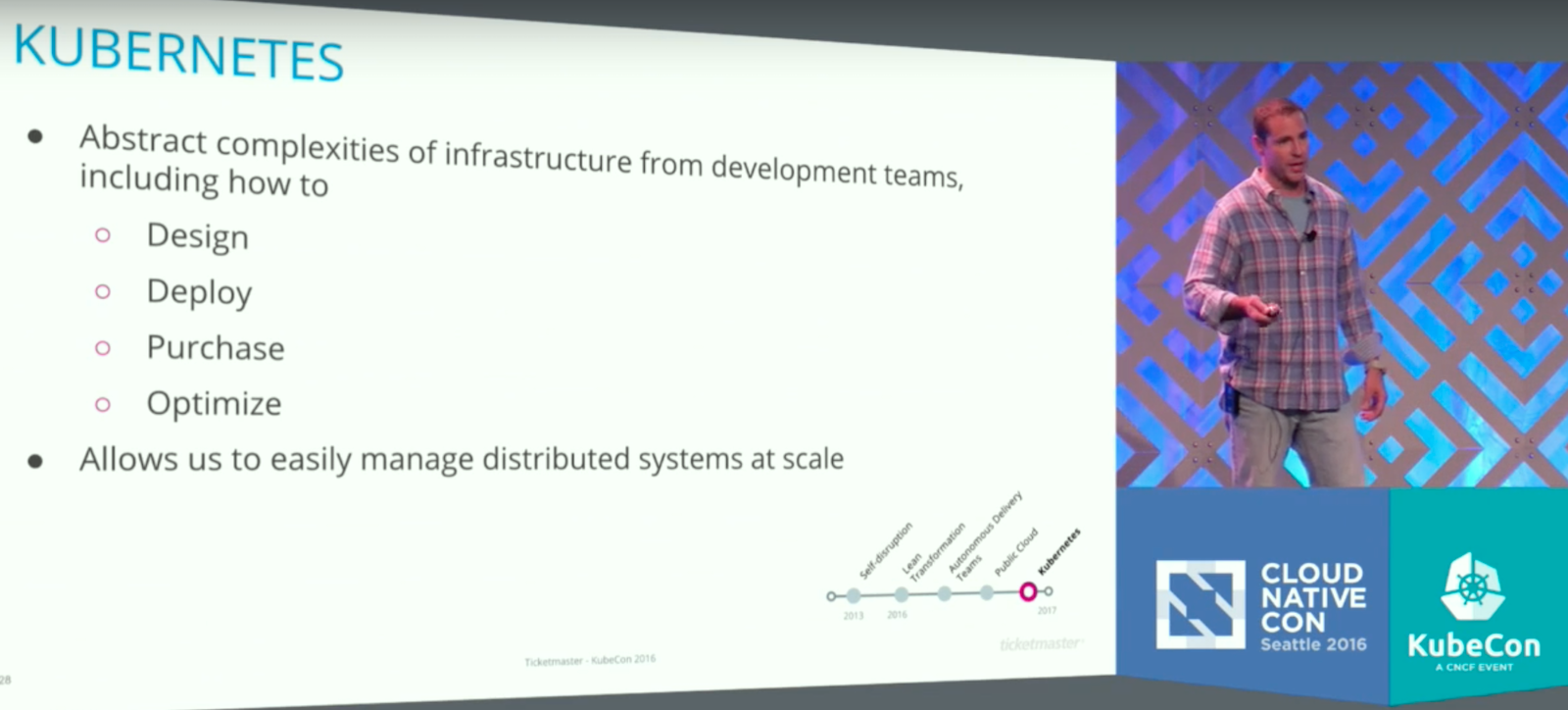
To stay on top, the company is trying to ensure its best product creators can focus on products, not infrastructure. The company has begun to roll out a massive public cloud strategy that uses Kubernetes, an open source platform for the deployment and management of application containers, to keep everything running smoothly, and sent two of its top technologists to deliver a keynote at the 2016 CloudNativeCon in Seattle explaining their methodology.

Continuous Self-Disruption

The company was the first to disrupt the ticket industry when it was founded in 1976 at Arizona State University, and its leaders are perfectly aware that as a ubiquitous market leader, Ticketmaster is ripe to be disrupted itself. So, since 2013, the company has undergone a continuous process of “self-disruption” in an effort to stay ahead of any competition.

“It is great to be the market leader but it is also a terrifying place to be,” said Justin Dean, Ticketmaster’s SVP of Platform and Technical Operations, during the keynote. “Ticketmaster, our ecosystem, has a huge surface area. One little piece of that surface area, could be an entire business for a start up or for a small company. For us, what we have to do as a company, is really optimize for speed and agility.”

This approach has included a shift from a private cloud implementation, with over 22,000 virtual machines across seven global data centers, to the public cloud and AWS.  It also means a major commitment to containerization. Dean and his co-presenter, Kraig Amador, both joked that they have every version of every piece of software created over the past 40 years running somewhere inside the company, including an emulated version of VAX software from the 1970s, which runs Ticketmaster’s original groundbreaking system.

Dean said the company has 21 different ticketing systems and more than 250 unique products. As part of their transformation, Ticketmaster has created more than 65 cross-functional software product teams, and they need a system that lets those teams focus on creating new products. This is where Kubernetes comes in.

Let the Makers Make

“Our goal of all of this is let the makers make,” Dean said. “We have an amazing company of makers, creators, visionaries, innovators: people who can focus on delivering products to market, and that is where they should figure out the next big thing, to power our business and make it better. We do not want to burden them with also having to figuring out how to deploy infrastructure to support their software.”

Amador, Ticketmaster’s Senior Director of Core Platform, is leading the effort to fully implement Kubernetes at the company. He said their work is far from over, but early returns have been very promising.

Amador explained that after an extensive internal product audit and team evaluation, Ticketmaster’s DevOps team has built tools to gauge the health of each piece of code and help make sure all these different products are running smoothly and independently.

Independence is of major importance; Amador said. Ticketmaster essentially invites a DDOS attack on its servers every time a popular concert or event has tickets go on sale. So, when a service gets overwhelmed — it happens all the time, he said — Kubernetes is there to get things running again.

“By putting in the Kubernetes and leveraging the pod health checks, Kubernetes can catch that for us and bring it back up for us,” Amador said. “We don’t have to go in there and manually manage it anymore, it just kind of does its own thing.”

Dean said Ticketmaster was very deliberate in its move to public cloud; the company needs to build a system that can not only do $25 billion in commerce every year but also have room to grow seamlessly.

“We have to ensure we have the right strategies,” Dean said. “One of those is really ensuring that we are betting big in the right communities. We definitely feel that the Kubernetes community is the community that we want to be a part of. And we want to encourage others to join us along the journey and add more anchors of big companies into the community so that it can continue to thrive, grow so that some of these problems get solved and we divide and conquer.”

Watch the complete video below:

Do you need training to prepare for the upcoming Kubernetes certification? Pre-enroll today to save 50% on Kubernetes Fundamentals (LFS258), a self-paced, online training course from The Linux Foundation. Learn More >>


20 Questions Security Pros Should Ask Themselves Before Moving To The Cloud

A template for working collaboratively with the business in today’s rapidly changing technology environment.

Everywhere I go lately, the cloud seems to be on the agenda as a topic of conversation. Not surprisingly, along with all the focus, attention, and money the cloud is receiving, comes the hype and noise we’ve come to expect in just about every security market these days. Given this, along with how new the cloud is to most of us in the security world, how can security professionals make sense of the situation? I would argue that that depends largely on what type of situation we’re referring to, exactly. And therein lies the twist.

Rather than approach this piece as “20 questions security professionals should ask cloud providers,” I’d like to take a slightly different angle. It’s a perspective I think will be more useful to security professionals grappling with issues and challenges introduced by the cloud on a daily basis. For a variety of reasons, organizations are moving both infrastructure and applications to the cloud at a rapid rate – far more rapidly than anyone would have forecast even two or three years ago.

Read more at DarkReading

Q&A: Hortonworks CTO Unfolds the Big Data Road Map

Hortonworks’ Scott Gnau talks about Apache Spark vs. Hadoop and data in motion.

Hortonworks has built its business on big data and Hadoop, but the Hortonworks Data Platform provides analytics and features support for a range of technologies beyond Hadoop, including MapReduce, Pig, Hive, and Spark. Hortonworks DataFlow, meanwhile, offers streaming analytics and uses technologies like Apache Nifi and Kafka.

InfoWorld Executive Editor Doug Dineley and Editor at Large Paul Krill recently spoke with Hortonworks CTO Scott Gnau about how the company sees the data business shaking out, the Spark vs. Hadoop face-off, and Hortonworks’ release strategy and efforts to build out the DataFlow platform for data in motion.

Read more at NetworkWorld

How to Use IPv6 on Apache?

Nowadays IPv6 is getting more and more common to be used on web servers. It’s better to implement IPv6 on servers in order to be accessible on IPv6 networks.  Here it is a really quick instruction how to get ready for IPv6 on your Apache web servers.

I have installed a fresh CentOS and a fresh apache on my test server, without any control panel. If you are using a control panel or any other operation systems, the way of preparing should be the same, however, if you have any problem during your configuration, you can ask me in the comments.

Let’s start with the apache configuration file. Open “/etc/httpd/conf/httpd.conf” with your text editor in the server. I am using nano….

Read more at Huge Server

3 Highly Effective Strategies for Managing Test Data

Think back to the first automated test you wrote. If your like most testing professionals, you probably used an existing user and password and then wrote verification points using data already in the system.  Then you ran the test. If it passed, it was because the data in the system was the same as it was when you wrote the test. And if it didn’t pass, it was probably because the data changed.

Most new automated testers experience this. But they quickly learn that they can’t rely on specific data residing in the system when the test script executes. Test data must be set up in the system so that tests run credibly, and with accurate reporting. 

Read more at TechBeacon

Tuning OpenStack Hardware for the Enterprise

As a cloud management framework OpenStack thus far been limited to the province of telecommunications carriers and providers of Web-scale services that have plenty of engineering talent to throw at managing one of the most ambitious open source projects there is. In contrast, adoption of OpenStack in enterprise IT environments has been much more limited.

But that may change as more advanced networking technologies that are optimized for processor-intensive virtualization come to market. Some of the technologies we have covered here include single root input/output virtualization (SR-IOV) and Data Plane Development Kit (DPDK). Another technology includes  using field programmable gate arrays (FPGA) in Network Interface Cards, to make them smarter about how to offload virtualized loads.

Read more at SDx Central

Merry Linux to You!

Get ready to start caroling around the office with these Linux-centric lyrics to popular Christmas carols.

Running Merrily on Open Source

To the tune of: Chestnuts Roasting on an Open Fire

Running merrily on open source
With users happy as can be
We’re using Linux and getting lots done
And happy everything is free…

Read more at ComputerWorld

3 Useful GUI and Terminal Based Linux Disk Scanning Tools

There mainly two reasons for scanning a computer hard disk: one is to examine it for filesystem inconsistencies or errors that can result from persistent system crashes, improper closure of critical system software and more significantly by destructive programs (such as malware, viruses etc).

And another is to analyze its physical condition, where we can check a hard disk for bad sectorsresulting from physical damage on the disk surface or failed memory transistor.

Read more at Tecmint

Container Security: Your Questions Answered

To help you better understand containers, container security, and the role they can play in your enterprise, The Linux Foundation recently produced a free webinar hosted by John Kinsella, Founder and CTO of Layered Insight. Kinsella covered several topics, including container orchestration, the security advantages and disadvantages of containers and microservices, and some common security concerns, such as image and host security, vulnerability management, and container isolation.

In case you missed the webinar, you can still watch it online. In this article, Kinsella answers some of the follow-up questions we received.

John Kinsella, Founder CTO of Layered Insight
Question 1: If security is so important, why are some organizations moving to containers before having a security story in place?

Kinsella: Some groups are used to adopting technology earlier. In some cases, the application is low-risk and security isn’t a concern. Other organizations have strong information security practices and are comfortable evaluating the new tech, determining risks, and establishing controls on how to mitigate those risks.

In plain talk, they know their applications well enough that they understand what is sensitive. They studied the container environment to learn what risks an attacker might be able to leverage, and then they avoided those risks either through configuration, writing custom tools, or finding vendors to help them with the problem. Basically, they had that “security story” already.

Question 2: Are containers (whether Docker, LXC, or rkt) really ready for production today? If you had the choice, would you run all production now on containers or wait 12-18 months?

Kinsella: I personally know of companies who have been running Docker in production for over two years! Other container formats that have been around longer have also been used in production for many years. I think the container technology itself is stable. If I were adopting containers today, my concern would be around security, storage, and orchestration of containers. There’s a big difference between running Docker containers on a laptop versus running a containerized application in production. So, it comes down to an organization’s appetite for risk and early adoption. I’m sure there are companies out there still not using virtual machines…

We’re running containers in production, but not every company (definitely not every startup!) has people with 20 years of information security experience.

Question 3: We currently have five applications running across two Amazon availability zones, purely in EC2 instances. How should we go about moving those to containers?

Kinsella: The first step would be to consider if the applications should be “containerized.” Usually people consider the top benefits of containers to be quick deployment of new features into production, easy portability of applications between data centers/providers, and quick scalability of an application or microservice. If one or more of those seems beneficial to your application, then next would be to consider security. If the application processes highly sensitive information or your organization has a very low appetite for risk, it might be best to wait a while longer while early adopters forge ahead and learn the best ways to use the technology. What I’d suggest for the next 6 months is to have your developers work with containers in development and staging so they can start to get a feel for the technology while the organization builds out policies and procedures for using containers safely in production.

Early adopter? Then let’s get going! There’s two views on how to adopt containers, depending on how swashbuckling you are: Some folks say start with the easiest components to move to containers and learn as you migrate components over. The alternative is to figure out what would be most difficult to move, plan out that migration in detail, and then take the learnings from that work to make all the other migrations easier. The latter is probably the best way but requires a larger investment of effort up front.

Question 4: What do you mean by anomaly detection for containers?

Kinsella: “Anomaly detection” is a phrase we throw around in the information security industry to refer to technology that has an expectation of what an application (or server) should be doing, and then responds somehow (alerting or taking action) when it determines something is amiss. When this is done at a network or OS level, there’s so many things happening simultaneously that it can be difficult to accurately determine what is legitimate versus malicious, resulting in what are called “false positives.”

One “best practice” for container computing is to run a single process within the container. From a security point of view, this is neat because the signal-to-noise ratio is much better, from an anomaly detection point of view. What type of anomalies are being monitored for? It could be network or file related, or maybe even what actions or OS calls the process is attempting to execute. We can focus specifically on what each container should be doing and keep it within much more narrow boundary for what we consider anomalous for its behavior.

Question 5: How could one go and set up containers in a home lab? Any tips? Would like to have a simpler answer for some of my colleagues. I’m fairly new to it myself so I can’t give a simple answer.

Kinsella: Step one: Make sure your lab machines are running a patched, modern OS (released within the last 12 months).

Step two: Head over to http://training.docker.com/self-paced-training and follow their self-paced training. You’ll be running containers within the hour! I’m sure lxd, rkt, etc. have some form of training, but so far Docker has done the best job of making this technology easy for new users to adopt.

Question 6: You mentioned using Alpine Linux. How does musl compare with glibc?

Kinsella: musl is pretty cool! I’ve glanced over the source — it’s so much cleaner than glibc! As a modern rewrite, it probably doesn’t have 100 percent compatibility with glibc, which has support for many CPU architectures and operating systems. I haven’t run into any troubles with it yet, personally, but my use is still minimal. Definitely looking to change that!

Question 7: Are you familiar with OpenVZ? If so, what would you think could be the biggest concern while running an environment with multiple nodes with hundreds of containers?

Kinsella: Definitely — OpenVZ has been around for quite a while. Historically, the question was “Which is more secure — Xen/KVM or OpenVZ?” and the answer was always Xen/KVM, as they provide each guest VM with hardware-virtualized resources. That said, there have been very few security vulnerabilities discovered in OpenVZ over its lifetime.

Compared to other forms of containers, I’d put OpenVZ in a similar level of risk. As it’s older, it’s codebase should be more mature with fewer bugs. On the other hand, since Docker is so popular, more people will be trying to compromise it, so the chance of finding a vulnerability is higher. A little bit of security-through-obscurity, there. In general, though, I’d go through a similar process of understanding the technology and what is exposed and susceptible to compromise. For both, the most common vector will probably be compromising an app in a container, then trying to burrow through the “walls” of the container. What that means is you’re really trying to defend against local kernel-level exploits: keep up-to-date and be aware of new vulnerability announcements for software that you use.

John Kinsella is the Founder CTO of Layered Insight, a container security startup based in San Francisco, California. His nearly 20-year background includes security and network consulting, software development, and datacenter operations. John is on the board of directors for the Silicon Valley chapter of the Cloud Security Alliance, and has long been active in open source projects, including recently as a contributor, member of the PMC and security team for Apache CloudStack.

Check out all the upcoming webinars from The Linux Foundation.

OpenSSL after Heartbleed

Despite being a library that most people outside of the technology industry have never heard of, the Heartbleed bug in OpenSSL caught the attention of the mainstream press when it was uncovered in April 2014 because so many websites were vulnerable to theft of sensitive server and user data. At LinuxCon Europe, Rich Salz and Tim Hudson from the OpenSSL team did a deep dive into what happened with Heartbleed and the steps the OpenSSL team are taking to improve the project.

The bug, itself was a simple one where the code didn’t check a buffer length, Hudson said. The bug had been in OpenSSL unnoticed for three years by the team member that checked in the code, the other team members, external security reviewers, and users, even though the commit was public and could be viewed by anyone. Hudson pointed out that “one thing that was really important is all of the existing tools that you run for static code analysis, none of them reported Heartbleed.”

Salz talked about how overworked and overcommitted the lead OpenSSL developers were, which was one of contributing factors to this issue, since at the time of HeartBleed, there were basically two developers, barely making enough money to live. OpenSSL was an open source project that barely got $2000 a year to keep going, so the developers had to do consulting work to make money, which made it difficult to find the time for them to address bugs and patches coming in from other people.

Hudson described Heartbleed as “a wake up to the industry and those commercial companies that were effectively getting a free ride on OpenSSL,” which led companies and organizations to realize that they needed to do something about it, instead of relying on just a couple of people who are too poorly funded to maintain such a critical piece of infrastructure. 

As a result, The Linux Foundation set up the Core Infrastructure Initiative (CII) and effectively got a group of a dozen or so commercial companies together to be able to offer funding for not only OpenSSL, but other critical projects that are underresourced. One of the goals was to get more infrastructure, more support, and more ability to address the issues so that better processes can be followed.

As of December 2014, six months after HeartBleed, there were 15 project team members. Two people who are fully funded by the Core Infrastructure Initiative to work on OpenSSL as their day job, and two people funded to do the work full-time based on the donations that came in from people who were concerned, Hudson said.

Today, they have policies for security fixes and a release schedule with alpha and beta releases for people to test, which has worked reasonably well according to Salz. They have a code of conduct, and mailing list traffic has increased and become more useful. Salz says that “there are other members of the community now contributing answers to questions; members of the team are responding more quickly and rapidly; and we seem to be more engaged in having a more virtuous cycle of feedback.” 

Downloading releases, submitting or fixing bugs, and answering questions on the mailing list are great ways to get involved in the project now.

Hudson described a couple of lessons learned. You can’t rely on any one individual, no matter how good they are, to not make mistakes. Also, people really need to take time to understand the code in detail when doing code reviews, and everything going into the project needs to be scrutinized.

For more lessons learned and other details about the OpenSSL project both before and after Heartbleed, watch the video below.

https://www.youtube.com/watch?v=Ds1yTZcKE10?list=PLbzoR-pLrL6ovByiWK-8ALCkZoCQAK-i_

Interested in speaking at Open Source Summit North America (formerly LinuxCon) on September 11 – 13? Submit your proposal by May 6, 2017. Submit now>>

Not interested in speaking but want to attend? Linux.com readers can register now with the discount code, LINUXRD5, for 5% off the all-access attendee registration price. Register now to save over $300!