This tutorial shows how to build a fully automated holiday music and light show using a Raspberry Pi, a Micro SD card, and a few other inexpensive parts. Previously, we covered the basics of what you need for this project and showed how to set up your Raspberry Pi. Here, we’ll focus on the components and connections for the light show, and in part 3, we’ll put it all together with the music.
Install LightShowPi Software
From here on, we will run all the commands remotely. Just ssh into your Pi, as we explained previously.
First, we need to clone the Lightshowpi repository in the home directory of our Pi:
Then, change directory to the “lightshowpi” folder:
cd lightshowpi
We will be using the master branch as it has newer features:
git fetch && git checkout master
Now run the install script:
sudo ./install.sh
Reboot the system:
sudo reboot
Connect relay
Now it’s time to connect the Relay to the Raspberry Pi. To do this, shut down the Pi and unplug the power supply. Use the ‘male-female-breadboard wires’ to connect the GPIO pins with the corresponding channels of the relay (I am assuming that you ordered the same relay that I linked above).
To make things easier for you, I have created the following diagrams:
So this is what it looked like:
Now it’s time to test our connections. Power up the Raspberry Pi, SSH into it from your laptop, and then cd into the lightshowpi directory:
cd lightshowpi
Run the following command that will trigger each connected GPIO pin.
You will notice that LED on each channel flashing as you will see corresponding GPIO pins being triggered in the Terminal output. Once you confirm that all 8 channels flashed, stop the test with ‘Ctrl+x’.
Now, let’s test some music. Lightshowpi comes with two sample files stored in the music directory. Connect a speaker to the 3.5mm jack of the Pi, cd to lightshowpi directory
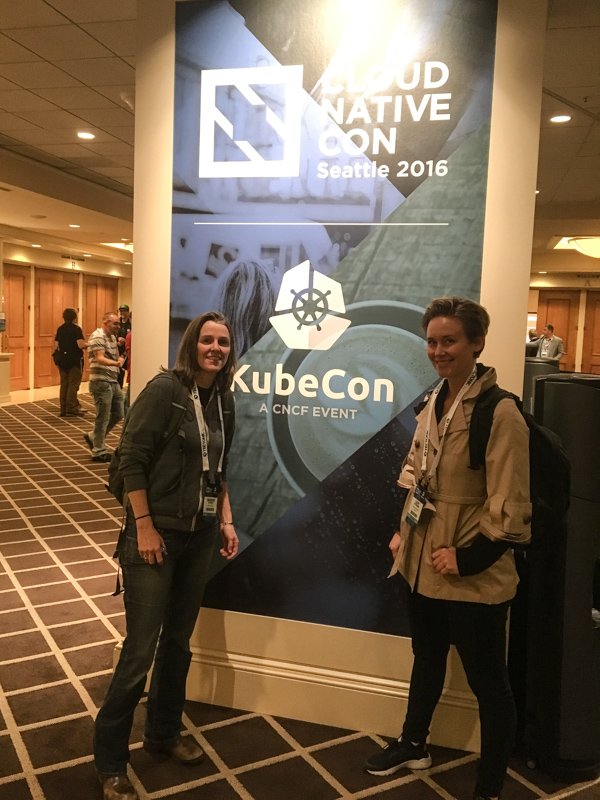
In her opening keynote speech at CloudNativeCon/KubeCon 2016 in Seattle, WA, Chen Goldberg stated Kubernetes was more than open source it was an “open community.” As someone who is both new to the community and to the industry, I was happy to see the truth in this statement expressed throughout the entire conference.
I came to the tech industry by way of my earlier career as a motorcycle stunt woman, and leading up to the conference I was wondering if I would feel welcome and able to contribute as a junior developer with an unorthodox background. I was quickly put at ease by Chen’s comments, Dan Kohn’s opening keynote discussing the CNCF’s dedication to diversity, and most of all, by the wonderful people I met.
My goals for the conference were to learn as much as possible about the technologies behind Cloud Native Computing, find a way to start contributing as a junior developer and meet some inspirational people. I was pleased all these goals were met and here are some highlights.
Dan and Piotr pointed out that anything you are doing with Kubectl on the command line, you can also do in the K8s Dashboard. I have been exclusively using Kubectl in the terminal for the past few months and could really see the benefit of additionally using the Dashboard to gain insight into my cluster’s state, performance and activity. As a visual learner, it’s great to have another way to wrap my head around what’s going on inside my Kubernetes cluster.
Officially, “Helm, is a tool that streamlines the creation, deployment and management of Kubernetes-native applications.” My description of Helm? A way to whip up pre-made recipes for components you might need in your Kubernetes cluster. For instance if you need a WordPress deployment on a Kubernetes cluster you simply:
$ helm install stable/wordpress
My favorite idea from this talk was how new users of Kubernetes can use Helm to learn about what components and configurations are needed in a Kubernetes cluster.
Eduardo discussed Fluentd, a product I have been learning about, which “is an open source data collector for unified logging layer.” Treasure Data created a vibrant community around Fluentd with more than 600 user contributed plugins written in Ruby; and Fluentd was announced as an official CNCF project the first day of the conference.
Eduardo took the time to personally discuss Fluentbit, a slimmer data forwarder and how we could use it in our project. He explained support to create Golang plugins had just been added and talked about how I could get involved by writing a plugin. Since I am also learning Golang and could use Fluentbit, the idea of writing a plugin seems like an excellent contribution that will allow me to continue my deep dive into managing data between containers.
Get Inspired
On the second day of the conference the CNCF hosted a diversity luncheon. The discussion around the lunch tables focused on challenges facing diverse individuals entering the industry. I had the opportunity to speak with senior female developers with successful careers and hear their advice on entering and navigating the industry. It was a wonderful chance to focus on how we can continue attracting diverse talent who can build stronger and more relevant technology for everyone.
CloudNativeCon 2016 was a wonderful first conference for me and although the whirlwind of a conference is tiring, I left feeling motivated and inspired. The conference made me feel like I was a part of the community and technology I have been working with daily.
Leah Petersen (Twitter: @eccomi_leah) is currently an intern with the CNCT team at Samsung SDS, the newest Platinum Member of the Cloud Native Computing Foundation. She is finishing up a year long program at Ada Developers Academy, which is a training program located in Seattle for women who want to become software developers.
When businesses and enterprises begin adopting data center platforms that utilize containerization, then and only then can we finally say that the container trend is sweeping the planet. Red Hat’s starter option for containerization platforms is OpenShift Dedicated — a public cloud-based, mostly preconfigured solution, which launched at this time last year on Amazon AWS.
Thursday morning, the company announced the general availability of Google Cloud Platform as an alternative option for deploying OpenShift Dedicated. This move means Red Hat keeps a pledge it made at the start of the year, before the year runs out.
“The difference we have with OpenShift now running on AWS and Google,” said Sathish Balakrishnan, who directs OpenShift Online for Red Hat, in an interview with The New Stack, “is we are giving customers a choice.”
When the Linux kernel version 4.9 will be released next week, it will come with the last pieces needed to offer to some long-awaited dynamic thread-tracing capabilities.
As the keepers of monitoring and debugging software start using these new kernel calls, some of which have been added to the Linux kernel over the last two years, they will be able to offer much more nuanced, and easier to deploy, system performance tools, noted Brendan Gregg, a Netflix performance systems engineer and author of DTrace Tools, in a presentation at the USENIX LISA 2016 conference, taking place this week in Boston.
It should be obvious to just about everyone by now that the current state of affairs concerning the Internet of insecure things threatens the stability of the Internet. This wouldn’t have been such a big deal 15 or 20 years ago, but we’ve now put all of our eggs in the Internet basket, and if it goes down, so does the world economy. Not only that, an undependable and unstable Internet would affect everything from major utilities — phone, power and water — to law enforcement and national defense — in no matter what country you reside.
My idea is that to secure the Internet of things, we need to take a three pronged approach that includes oversight, open source and open standards.
Data, file systems, and storage are at the heart of today’s computing environment. With the latest hardware, there is a need for more data storage capabilities and faster speeds.
Vault is the leading technical event dedicated to Linux storage and filesystems where developers and operators in the filesystems and storage space can advance computing for data storage.
The Linux Foundation is now seeking proposals from industry experts to speak at Vault on March 22-23, 2017, in Cambridge, MA, on a diverse range of topics related to storage, Linux, and open source. Help lead the conversation and share knowledge and expertise with the community.
Not interested in speaking but want to attend? Linux.com readers can register now with the discount code, LINUXRD5, for 5% off the registration price. Save $225 by registering before January 28.
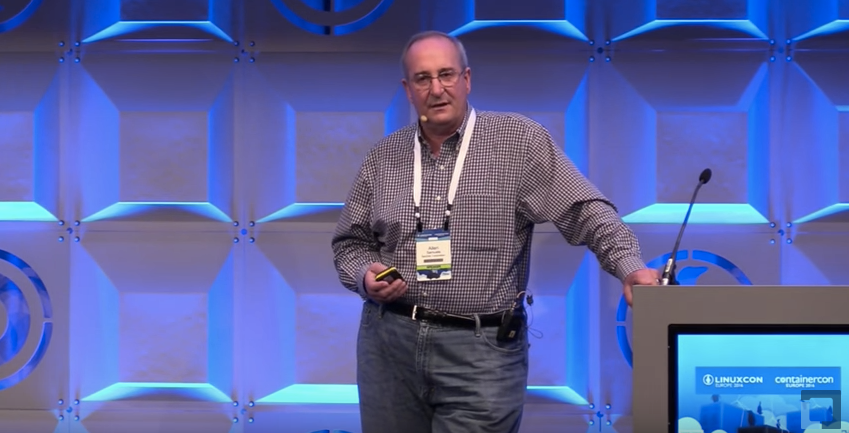
Ceph is a storage system designed to be used at scale, with clusters of Ceph in deployment in excess of 40 petabytes today. At LinuxCon Europe, Allen Samuels, Engineering Fellow at Western Digital, says that Ceph has been proven to scale out reasonably well. Samuels says, “the most important thing that a storage management system does in the clustered world is to give you availability and durability,” and much of the technology in Ceph focuses on controlling the availability and the durability of your data. In his presentation, Samuels talks not just about some of the performance advantages to deploying Ceph on Flash, but he also goes into detail about what they are doing to optimize Ceph in future releases.
The most common way that people use Flash with Ceph today is to put the journal on Flash. Samuels mentions that this “significantly improves your write latencies because the first thing that Ceph is going to do, is to take your transaction and put it into the journal. By putting the journal on Flash, you’re able to get high performance and short latency.” Another option is to put the key-value store, the metadata, on Flash, but you may or may not get much of a performance improvement depending on your specific usage. In some cases, where you have very small objects, moving the metadata to Flash can have a significant benefit, but for larger objects, you may get very little improvement.
Performance Boost
“Over the last couple of years … we’ve developed, together with the community, about a 15X performance boost,” Samuels says. Unfortunately, they’ve reached the state where they need to break compatibility to make additional future improvements, because the basic architecture of FileStore has become an issue. Samuels outlines a number of specific issues with FileStore, which can be found in the video of his talk, but the key takeaway is that it is being replaced by BlueStore. The good news is that for now they can be intermixed within a cluster, so your new nodes can be set up to use BlueStore without breaking or needing to upgrade your existing FileStore nodes. However, Samuels points out that “if you update your software to the latest version and you expect it to suddenly start running better, you’ll be a little disappointed,” since you won’t see this improvement until you actively start using BlueStore. It is still under active development, but BlueStore is expected to be at least twice as fast as FileStore for write operations and to outperform FileStore for read operations, too. Some additional functionality that will be coming with BlueStore includes checksums on reads. Currently, Ceph replies on your hardware to provide data integrity, which can be a bit dangerous at scale.
To get more details about how to improve the performance of Ceph using Flash or to hear more about additional improvements coming in future versions of Ceph with BlueStore, watch the video from LinuxCon Europe.
In part 1, we installed and tested the Postfix SMTP server. Postfix, or any SMTP server, isn’t a complete mail server because all it does is move messages between SMTP servers. We need Dovecot to move messages off your Postfix server and into your users’ email inboxes.
Dovecot supports the two standard mail protocols, IMAP (Internet Message Access Protocol) and POP3 (Post Office Protocol). An IMAP server retains all messages on the server. Your users have the option to download messages to their computers or access them only on the server. IMAP is convenient for users who have multiple machines. It’s more work for you because you have to ensure that your server is always available, and IMAP servers require a lot of storage and memory.
POP3 is an older protocol. A POP3 server can serve many more users than an IMAP server because messages are downloaded to your users’ computers. Most mail clients have the option to leave messages on the server for a certain number of days, so POP3 can behave somewhat like IMAP. But it’s not IMAP, and when you do this messages are often downloaded multiple times or deleted unexpectedly.
Install Dovecot
Fire up your trusty Ubuntu system and install Dovecot:
It installs with a working configuration and automatically starts after installation, which you can confirm with ps ax | grep dovecot:
$ ps ax | grep dovecot
15988 ? Ss 0:00 /usr/sbin/dovecot
15990 ? S 0:00 dovecot/anvil
15991 ? S 0:00 dovecot/log
Open your main Postfix configuration file, /etc/postfix/main.cf, and make sure it is configured for maildirs and not mbox mail stores; mbox is single giant file for each user, while maildir gives each message its own file. Lots of little files are more stable and easier to manage than giant bloaty files. Add these two lines; the second line tells Postfix you want maildir format, and to create a .Mail directory for every user in their home directories. You can name this directory anything you want, it doesn’t have to be .Mail:
Now tweak your Dovecot configuration. First rename the original dovecot.conf file to get it out of the way, because it calls a host of conf.d files and it is better to keep things simple while you’re learning:
Note that mail_location = maildir must match the home_mailbox parameter in main.cf. Save your changes and reload both Postfix and Dovecot’s configurations:
$ sudo postfix reload
$ sudo dovecot reload
Fast Way to Dump Configurations
Use these commands to quickly review your Postfix and Dovecot configurations:
$ postconf -n
$ doveconf -n
Test Dovecot
Now let’s put telnet to work again, and send ourselves a test message. The lines in bold are the commands that you type. studio is my server’s hostname, so of course you must use your own:
$ telnet studio 25
Trying 127.0.1.1...
Connected to studio.
Escape character is '^]'.
220 studio.router ESMTP Postfix (Ubuntu)
EHLO studio
250-studio.router
250-PIPELINING
250-SIZE 10240000
250-VRFY
250-ETRN
250-STARTTLS
250-ENHANCEDSTATUSCODES
250-8BITMIME
250-DSN
250 SMTPUTF8
mail from: tester@test.net
250 2.1.0 Ok
rcpt to: carla@studio
250 2.1.5 Ok
data
354 End data with .Date: November 25, 2016
From: tester
Message-ID: first-test
Subject: mail server test
Hi carla,
Are you reading this? Let me know if you didn't get this.
.
250 2.0.0 Ok: queued as 0C261A1F0F
quit
221 2.0.0 Bye
Connection closed by foreign host.
Now query Dovecot to fetch your new message. Log in using your Linux username and password:
$ telnet studio 110
Trying 127.0.0.1...
Connected to studio.
Escape character is '^]'.
+OK Dovecot ready.
user carla
+OK
pass password
+OK Logged in.
stat
+OK 2 809
list
+OK 2 messages:
1 383
2 426
.
retr 2
+OK 426 octets
Return-Path: <tester@test.net>
X-Original-To: carla@studio
Delivered-To: carla@studio
Received: from studio (localhost [127.0.0.1])
by studio.router (Postfix) with ESMTP id 0C261A1F0F
for <carla@studio>; Wed, 30 Nov 2016 17:18:57 -0800 (PST)
Date: November 25, 2016
From: tester@studio.router
Message-ID: first-test
Subject: mail server test
Hi carla,
Are you reading this? Let me know if you didn't get this.
.
quit
+OK Logging out.
Connection closed by foreign host.
Take a moment to compare the message entered in the first example, and the message received in the second example. It is easy to spoof the return address and date, but Postfix is not fooled. Most mail clients default to displaying a minimal set of headers, but you need to read the full headers to see the true backtrace.
You can also read your messages by looking in your ~/Mail/cur directory. They are plain text. Mine has two test messages:
$ ls .Mail/cur/
1480540325.V806I28e0229M351743.studio:2,S
1480555224.V806I28e000eM41463.studio:2,S
Testing IMAP
Our Dovecot configuration enables both POP3 and IMAP, so let’s use telnet to test IMAP.
$ telnet studio imap2
Trying 127.0.1.1...
Connected to studio.
Escape character is '^]'.
* OK [CAPABILITY IMAP4rev1 LITERAL+ SASL-IR LOGIN-REFERRALS
ID ENABLE IDLE AUTH=PLAIN] Dovecot ready.
A1 LOGIN carla password
A1 OK [CAPABILITY IMAP4rev1 LITERAL+ SASL-IR LOGIN-REFERRALS
ID ENABLE IDLE SORT SORT=DISPLAY THREAD=REFERENCES THREAD=REFS
THREAD=ORDEREDSUBJECT MULTIAPPEND URL-PARTIAL CATENATE UNSELECT
CHILDREN NAMESPACE UIDPLUS LIST-EXTENDED I18NLEVEL=1 CONDSTORE
QRESYNC ESEARCH ESORT SEARCHRES WITHIN CONTEXT=SEARCH LIST-STATUS
BINARY MOVE SPECIAL-USE] Logged in
A2 LIST "" "*"
* LIST (HasNoChildren) "." INBOX
A2 OK List completed (0.000 + 0.000 secs).
A3 EXAMINE INBOX
* FLAGS (Answered Flagged Deleted Seen Draft)
* OK [PERMANENTFLAGS ()] Read-only mailbox.
* 2 EXISTS
* 0 RECENT
* OK [UIDVALIDITY 1480539462] UIDs valid
* OK [UIDNEXT 3] Predicted next UID
* OK [HIGHESTMODSEQ 1] Highest
A3 OK [READ-ONLY] Examine completed (0.000 + 0.000 secs).
A4 logout
* BYE Logging out
A4 OK Logout completed.
Connection closed by foreign host
Thunderbird Mail Client
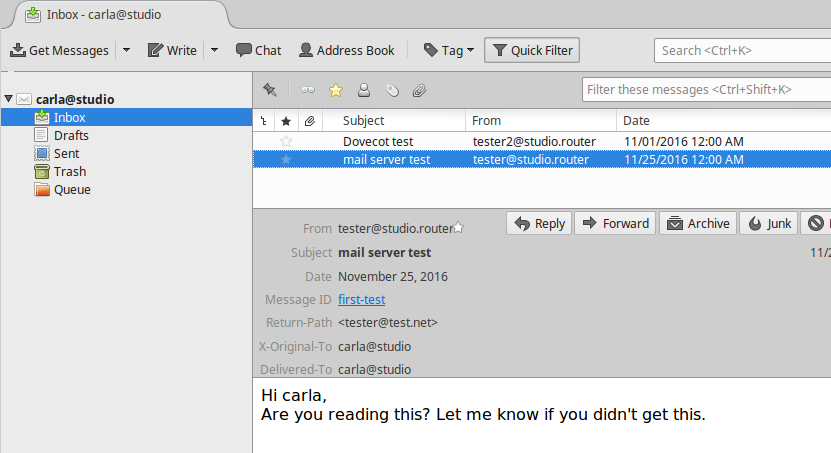
This screenshot in Figure 1 shows what my messages look like in a graphical mail client on another host on my LAN.
Figure 1: Thunderbird mail.
At this point, you have a working IMAP and POP3 mail server, and you know how to test your server. Your users will choose which protocol they want to use when they set up their mail clients. If you want to support only one mail protocol, then name just the one in your Dovecot configuration.
However, you are far from finished. This is a very simple, wide-open setup with no encryption. It also works only for users on the same system as your mail server. This is not scalable and has some security risks, such as no protection for passwords. Come back next week to learn how to create mail users that are separate from system users, and how to add encryption.
This presentation will examine the history and current best-practices for deploying flash with Ceph. Future developments in the Ceph platform and their impact on flash deployments will also be described.