Home Blog Page 650

Docker CEO: Docker Already Is a Security Platform (with Swarm, That Is)

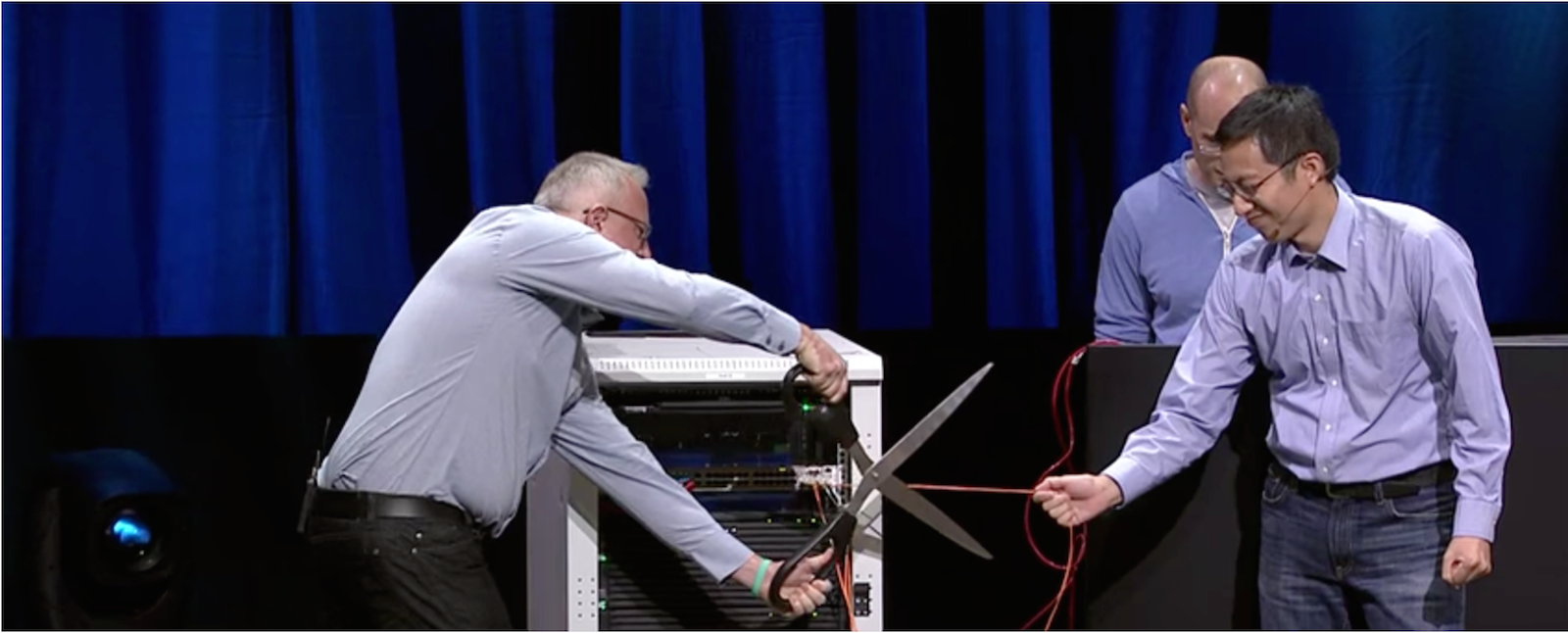
In a reinforcement of his company’s marketing message that containerization as an architecture is more secure by design, Docker Inc. CEO Ben Golub [pictured right above, with HPE Executive VP Antonio Neri] told attendees at HPE’s Discover London 2016 event last Tuesday morning that the Docker platform addresses and ameliorates its users’ security concerns just by its very architecture.

“What we’ve heard from the most security-conscious organizations on the planet who are using Docker, is that they’re using Docker not in spite of security concerns, but in order to address the security concerns,” Golub told attendees.

Read more at The New Stack

Why Is C Programming Language Continuously Going Down?

C has ruled the programming world for a long period, becoming the base of many operating systems and programs. However, over the course of past one year, its popularity has fallen, probably, due to lack of any corporate sponsor and increase in the usage of newer languages.

C is a general-purpose programming language that was developed by Dennis M. Ritchie in 1972 at the Bell Telephone Laboratories. It was then used to develop the Unix. Since then, it has laid the foundation of many other operating systems and popular computer programs….

Read more at FOSSbytes

Google DeepMind Makes AI Training Platform Publicly Available

Alphabet Inc.’s artificial intelligence division Google DeepMind is making the maze-like game platform it uses for many of its experiments available to other researchers and the general public.

DeepMind is putting the entire source code for its training environment — which it previously called Labyrinth and has now renamed as DeepMind Lab — on the open-source depository GitHub, the company said Monday. Anyone will be able to download the code and customize it to help train their own artificial intelligence systems. They will also be able to create new game levels for DeepMind Lab and upload these to GitHub.

Read more at Bloomberg

Eight Great Linux Gifts for the Holiday Season

Do you want to give your techie friend a very Linux holiday season? Sure you do! Here are some suggestions to brighten your favorite Tux fan’s day.

1) Tux

Every Linux fan should have at least one stuffed Tux, Linux’s mascot, in their home or office. Tux stuffies aren’t as common as they once were, but Linux PC vendor ZaReason still has a very nice snuggling Tux

Read more at ZDNet

Kubernetes High Availability Setup Using Ansible

I have created an Ansible module to create a highly available (HA) Kubernetes cluster with latest release 1.4.x on CentOS 7.X.

You can use this module to install Kubernetes HA cluster with just one click, and your cluster will be ready in few minutes. 

There are 8 roles defined in this Ansible module.

  • addon – Use this role to create Kubernetes addon service like, kube-proxy, kube-dns, kube-dashboard, weavnet, weavescope-ui and grafana/infuxdb. This role should be called after the cluster is fully operational.
  • docker – Use this role to install later Docker version. It will install Docker on all cluster nodes, as Docker is required for all Kubernetes cluster members.
  • etcd – This role installs etcd cluster. Both secure and unsecure clusters are supported in it; choose whatever you want to install.
  • haproxy – This is Haproxy LB setup for Kubernetes api service, use it if you don’t have any other LB not available. For single node cluster it is not required.
  • master – Use this role to set up Kubernetes master services — kube-apiserver, kube-controller and kube-scheduler. All these services will run as pods on all master nodes. Both controller and scheduler are configured in HA mode.
  • node – This role installs kubelet on all cluster nodes and also creates required SSL certificate to communicate to master components.
  • sslcert – Creates all SSL certificates required to run secure K8S cluster. It creates certificate for api service, etcd, and admin account.
  • yum-repo – This role installs eple and kubernetes-1.4 package repo on all Kubernetes servers.

Follow the below steps to create Kubernetes HA setup on CentOS-7.

Prerequisites:

  • Ansible
  • All Kubernetes master/node should have password-less access from Ansible host

Download the Kubernetes-Ansible module from the following git-hub location:

https://github.com/pawankkamboj/HA-kubernetes-ansible

Set up variable according to requirement in group variable file all.yml and add host in inventory file.

Run cluster.yml playbook to create Kubernetes HA cluster.

For example — if we have two master servers, then it will deploy api, controller, scheduler service on all these in HA mode. Controller and Scheduler can be run in HA mode using the –leader-elect option, but to run API in HA, we need Load balancer and so that api traffic forwards to api servers.

Note – Addon roles should be run after cluster is fully operational.

Essentials of OpenStack Administration Part 1: Cloud Fundamentals

Start exploring Essentials of OpenStack Administration by downloading the free sample chapter today. Download Now


OpenStack and cloud computing is a way of automating and virtualizing a traditional data center that allows for a single point of control and a single view of what resources are being used.

Cloud computing is an important part of today’s data center and having skills to deploy, work with, and troubleshoot a cloud are essential for sysadmins today.

Some 51 percent of hiring managers say experience with or knowledge of OpenStack and CloudStack are driving open source hiring decisions, according to the Open Source Jobs Report from The Linux Foundation and Dice.

The Linux Foundation’s online Essentials of OpenStack Administration course teaches everything you need to know to create and manage private and public clouds with OpenStack. In this tutorial series, we’ll give you a sneak preview of the second session in the course on Cloud Fundamentals. Or you can download the entire chapter now.

The series covers the basic tenets of cloud computing and takes a high-level look at the architecture. You’ll also learn the history of OpenStack and compare cloud computing to a conventional data center.

By the end of the tutorial series, you should be able to:

• Understand the solutions OpenStack provides

• Differentiate between conventional and cloud data center deployments

• Explain the federated nature of OpenStack projects

In part 1, we’ll define cloud computing and discuss different cloud services models and the needs of users and platform providers.

What is cloud computing?

Cloud Computing is a blanket term that may mean different things in different contexts. For example, in science it refers simply to distributed computing, where you run an application simultaneously on two or more connected computers. However, in common usage it might refer to anything from the Internet itself to a certain class of services offered by a single company.

Users and platform providers typically mean different things when they discuss the cloud. Users think of a place on the Internet where they can upload things. For platform providers, clouds are infrastructure projects that allow data centers to be much more efficient than they were previously. The latter is the focus of the Essentials of OpenStack Administration class.

You may have also heard of the following terms:

• Infrastructure as a Service (IaaS)

• Platform as a Service (PaaS)

• Software as a Service (SaaS)

The three terms refer to three common service models offered by cloud vendors such as Amazon or Rackspace, where IaaS is the most basic but flexible one, and the others progressively mask the “dirty details” from the user, trading flexibility for ease-of-use.

Platform Services

Platform Providers have goals when providing IT services, such as:

• Delivering excellent customer service.

• Providing a flexible and cost-efficient infrastructure.

If a provider fails to deliver excellent customer service, customers will look for alternatives. Cost-efficiency is always the bottom line. No one wants to spend millions on infrastructure that is static.

Infrastructure service customers will also have some requirements of their own:

• Stability, reliability, flexibility of the service…

• … for as little money as possible.

The phrase “wire once, deploy many” sums up the goal of an infrastructure provider. From the customer perspective, all of the various components are presented through an easy-to-use software interface. The use of this interface allows the customer to start new virtual machines, attach storage, attach network resources, and shut the instances down, all without having to open a ticket. This allows for more flexibility for the customer. The infrastructure provider can then focus on providing good customer service, lowering costs through consolidation and on meeting the ongoing resource requirements of one or more customers.

Catering to Both Providers and Customers

As you can see, both platform providers and their customers have very similar requirements. The key to cater to both is automation: it facilitates both flexibility and cost-effectiveness. We will get into a lot more detail on it later on.

In Part 2 of this series, we’ll see what conventional, un-automated infrastructure offerings look like, and Part 3 looks at existing cloud solutions. 

Read the other parts of this series: 

Essentials of OpenStack Administration Part 4: Cloud Design, Software-Defined Networking and Storage

Essentials of OpenStack Administration Part 5: OpenStack Releases and Use Cases

The Essentials of OpenStack Administration course teaches you everything you need to know to create and manage private and public clouds with OpenStack. Download a sample chapter today!

PayPal Cuts Costs 10x With Open Source CI

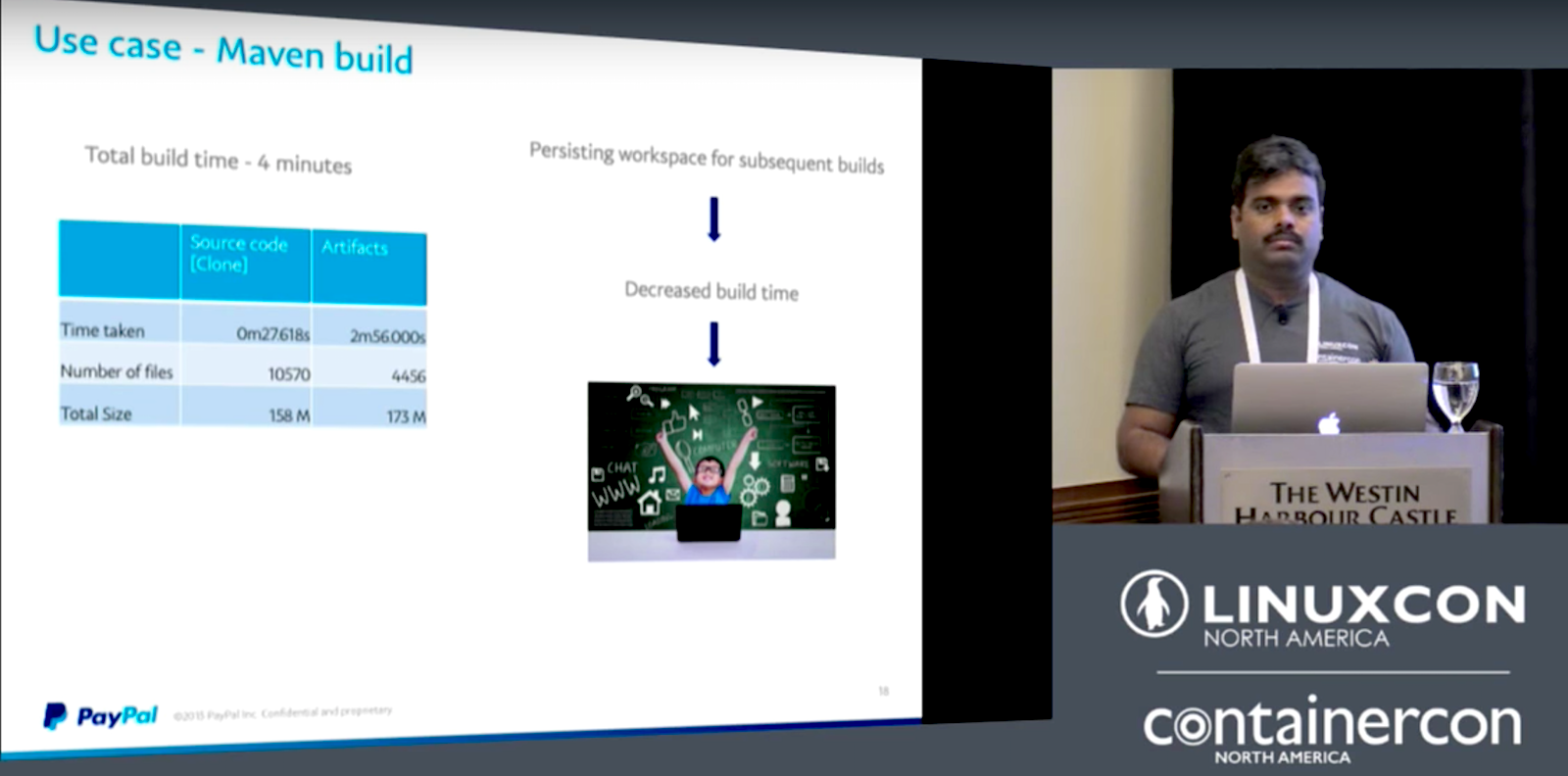
The bigger you are, the more small efficiencies add up. Manivannan Selvaraj’s talk from LinuxCon North America gives us a detailed inside view of how PayPal cut operating costs by a factor of ten, while greatly increasing performance and user convenience.

Everything has to be fast now. We can’t have downtimes. No going offline for maintenance, no requesting resources with a days-long ticketing process. Once upon a time virtual machines were the new miracle technology that enabled more efficient resource use. But that was then. Selvaraj describes how PayPal’s VMs were operating at low efficiency. They started with a single giant customized Jenkins instance running over 40,000 jobs. It was a single point of failure, not scalable, and inflexible.

The next iteration was individual VMs running Jenkins for each application, which was great for users, but still not an optimal use of hardware. Selvaraj notes that, “Only 10% were really used. The rest of the time, the resources were idle and if you think about 2,500 virtual machines, it’s millions of dollars invested in hardware. So, although it solved the problem of freedom for users and removed the single point of failure, we still had the resource management issue where we didn’t use the resource optimally.”

Docker is the key

The solution was a continuous integration (CI) system built on Git, Docker, Mesos, Jenkins, Aurora, and the Travis CI API. Docker is the key to making it all work the way they want. Selvaraj explains how Docker provides five key benefits: task isolation, eliminates host dependency, reproducibility, portability, and cloud native.

Selvaraj says, “Once we decided that Docker is the way to go, we started dockerizing most of our applications. We have dockerized CI API, which is our orchestration engine, which takes in the CI provisioning request, creates the CI to the user. We have dockerized the Jenkins master. We have dockerized Jenkins slaves. So, everything is running in Jenkins, in Docker, so that we don’t really rely anything on the host and it’s very easy from our maintenance perspective.”

Selvaraj shares a wealth of great insights on PayPal’s CI infrastructure in the conference video (below) and gives a live demonstration.

LinuxCon videos

Turn Raspberry Pi 3 Into a Powerful Media Player With RasPlex

I have hundreds of movies, TV shows and music that I have bought over the years. They all reside on my Plex Media Server. Just like books, I tend to buy these works and watch them once in awhile, instead of relying on “streaming” services like Netflix where content isn’t always available forever.

If you already have Plex Media Server running, then you can build an inexpensive Plex Media Player using Raspberry Pi 3 and RasPlex. Plex Media Server is based on open source Kodi (formerly  XBMC), but is not fully open source. Plex Media Center has a friendly interface and it’s very easy to set up a media center (See our previous tutorial on how to install it on a Raspberry Pi 3 or on another dedicated Linux machine).

One of the best ways I’ve used my Raspberry Pi 3 was turning it into an extremely inexpensive media player. I get more out of my $35 Pi 3 than Chromecast, which costs almost the same. And if you already have a Plex Media Server running, it makes a lot of sense to turn those ‘dumb’ TV sets into powerful Plex Media players, without putting a hole in your pocket.

What you need

  • A Raspberry Pi 3

  • Micro SD card (minimum 8GB storage)

  • A Linux PC to prepare the Micro SD card

  • Monitor, keyboard and mouse for initial setup

  • 5V 2A micro USB mobile charger

  • Heat sink (Multimedia playback will get the chips hot. You can buy them online on Amazon.com)

  • A free Plex account (and paid PlexPass if you want to access it over the internet)

  • A TV with HDMI input

  • HDMI cable.

Plug in your Micro SD card to the Linux system and download RasPlex installer from the official site. Open a terminal and go to the directory where the .bin file or RasPlex is downloaded. In my case it was in the ‘Downloads’ folder:

cd /home/swapnil/Downloads

Now make the file executable:

sudo chmod +x GetRasplex-debian64.1.0.1.bin 

And then execute the file:

sudo ./GetRasplex-debian64.1.0.1.bin

(Note: The version number may change, so don’t just copy this command.)

Now it will open the RasPlex SD card writer utility. Insert the Micro SD card to your Linux PC and hit the refresh button so it can detect the card. Once detected, choose Raspberry Pi 2 from the model number and version 1.6.2 (or the latest version) from the RasPlex. (Even if the image is for Pi2 it worked fine with Pi3).

XqWsTTnq_DxIX7_rp9y2JSJc3Lvfvv8sPupleWY7

Next click on the Download button to download the version of RasPlex. Once the image is downloaded, the Write SD Card button will become active. Just hit the button and it will start writing the image to the card.

Please install the heat sink on the chips (as shown below) so they absorb extra heat created while the Pi 3 is churning out HD videos.

Kxbd9hh4SKVMWDPeei7Ff3DYiSr62s80vPVlBWdr

Plug your Raspberry Pi 3 into the TV using the HDMI cable. Connect the keyboard and insert the RasPlex Micro SD Card and power the device with your 5V mobile charger. You will see RasPlex on the screen. Let it install on the card and configure. Once configuration and installation is finished, you will see the welcome screen for the set-up wizard (below).

Qihf_wGX9BWG9B2TDRqQB361TKwS81C2u03lA1QO

If you are using a wireless network, then during the first setup you can configure the wireless. The following image shows the networking screen during RasPlex set up.

h233HmnjiFaCq34lgPhC6sctU5lJ_6NTWkLZHn4F

In case you want to change the wireless connection, you can always do that post installation from System Settings as shown in the following image.

NamDD5ZkPKE8m8qmj9ctnv4XeRmHQ2NlAgxL8d6p

Once you are connected to the Internet, you can log into your Plex account. To make things easier, RasPlex asks you to open this URL (www.plex.tv/pin) in a browser on any device and enter the PIN shown on the RasPlex screen. Once you enter the PIN, RasPlex gets access to your Plex Media Server.

Now you are ready to enjoy your  Plex Media Server (running on another machine – perhaps another Pi 3!) on any TV in your house that has HDMI input.

You can further fine-tune RasPlex from the settings.

If you have a modern TV or AV system that supports HDMI-CEC then you can control RasPlex from the TV or AV remote. I manage my RasPlex server from the remote of my Yamaha AV system. If you have an older TV, then you can either get remote modules or use a mini keyboard, something I use with my Smart TV, Xbox, and other devices as it makes it easier to enter usernames, passwords, and the like.

oYtnY89yk_jkFBlDKOJKwi_xGQ_a2iiPjkjRdEtA

This image shows Indiana Jones playing on RasPlex on my 4K Samsung TV, I am using a remote for the Yamaha AV system for navigation.

Slick experience

You can see an ultra high-definition (UHD) movie playing on my 4K Samsung TV in the image above (keep in mind that unlike Pine 64, Raspberry Pi 3 doesn’t support 4K video). Initially I was skeptical as ultra high-definition videos never played smoothly on the $35 Raspberry Pi 3, even when playing from local storage. Since Plex does all transcoding at the server side, RasPlex offers a very slick experience. Videos, even full HD play really smoothly: no jitters, no lag whatsoever.

I am enjoying my RasPlex quite a lot given that I “built” it myself. So, if you are like me and love to tinker with everything Linux, this project is for you.

Read the previous articles in the series:

5 Fun Raspberry Pi Projects: Getting Started

How to Build a Minecraft Server with Raspberry Pi 3

Build Your Own Netflix and Pandora With Raspberry Pi 3

For 5 more fun projects for the Raspberry Pi 3, including a holiday light display and Minecraft Server, download the free E-book today!

Linux Kernel 4.9 Slated for December 11 Release As Linus Torvalds Outs RC8

According to Linus Torvalds, work on Linux kernel 4.9 is almost finished, and while things have not been so bad during its entire development cycle, the need for an eighth Release Candidate was imperative to ensure everything is well-tested and polished before the Linux 4.9 kernel series gets promoted to the stable channel.

“So if anybody has been following the git tree, it should come as no surprise that I ended up doing an rc8 after all: things haven’t been bad, but it also hasn’t been the complete quiet that would have made me go ‘no point in doing another week’,” said Linus Torvalds in the mailing list announcement.

Read more at Softpedia

Canonical Log Lines

A lightweight and stack agnostic operational technique for easy visibility into production systems.

Over the next few weeks I want to post a few articles about some of my favorite operational tricks that I’ve seen while working at Stripe.

The first, and easily my favorite, is the canonical log line. It’s a lightweight pattern for improved visibility into services and acts as a middle ground between other types of analytics in that it’s a good trade-off between ease of access and flexibility.

We could say that many production systems (following standard industry practices) emit “tiers” of operation information:

Read more at Brandur.org