Why telemetry, a new factor in app development, can mean the difference between success and failure in the cloud.
This is an excerpt from Kevin Hoffman’s free ebook, “Beyond the Twelve-Factor App.” Download the full ebook here.
In Beyond the Twelve-Factor App, I present a new set of guidelines that builds on Heroku’s original 12 factors and reflects today’s best practices for building cloud-native applications. I have changed the order of some to indicate a deliberate sense of priority, and added factors such as telemetry, security, and the concept of “API first” that should be considerations for any application that will be running in the cloud. These new 15-factor guidelines are:…
Open source project GPG Sync makes it easier for organizations already using GPG to encrypt email messages to manage different user keys.
In all the discussion about using encryption, a critical point keeps getting lost: It’s difficult to work with, and it’s even harder to deploy it at scale. Nowhere is the challenge more evident than in sending secure email.
There are many ways to interact and collaborate — instant messaging, Slack, and so on — but email still dominates in enterprises. Even as encryption goes mainstream with secure messaging tools, more websites adopting HTTPS by default, and cloud storage services allowing easier file encryption, sending an encrypted email message is still a challenge.
Yesterday was a special day. It would be a nightmare day for most tech executive. I was a keynote speaker for OpenIoT Europe / Embedded Linux Conference from The Linux Foundation and was asked to demo IoT in front of more than a thousand [potentially multiple thousands] experts. If there is one thing software companies don’t do enough, it is sending their executives to demo their new products. I survived and it went quite well. This blog post will run through my demos but also explain how each is just a building block towards a software defined future in which home, business and industrial IoT will redefine our future. My code is on Github and where possible I will give instructions to do the demo yourself.
The first thing to understand is that we are living in a world where yesteryear’s supercomputers are available today for $10 and lower. The first Raspberry Pi was $25. The Raspberry Pi Zero is now $5. But the NanoPi Neo is $10 and includes Ethernet unlike the Zero. The Chip includes WiFi and Bluetooth for $9. They also just launched a Chip Pro for $16 for production usage.
Clearly this trend is just starting. The Chip Pro is a good example of how the maker community is just a jumping board towards the professionals market. Likely two or three boards will emerge that will cost over time below $5, even $1, and can be put on top of breakout boards for anybody looking to integrate everything from Ethernet, sensors, Modbus, 4G, and many more. So in a world where a supercomputer costs mere dollars, any type of device will have one, e.g. hairdryers, toothbrushes, alarm clocks, and everything else that is relatively dumb around us today.
How will we manage hundreds of smart devices around us?
We can go two ways: the Apple way or the open way. The Apple way will be closed ecosystems that only work with devices from the same manufacturer. Although this might work in a world with Apple TV, iPhone, iPod, iPad, and so on. Realistically even in the home you have a Google Nest, a Sonos, an Amazon Echo, a Philips Hue that aren’t from the same supplier. So for IoT to be successful we need an open way in which competing products can communicate together. How is this done today? Most suppliers have some proprietary cloud service that allows other devices to talk to yours. So we are still in a world of isolated and walled garden connected things.
Our proposal is different. What if you can put apps on devices and allow software to define and redefine the purpose of a device? How does this work? Let’s focus on the first demo. Connecting a temperature sensor to the cloud. For my demos I used an excellent open source product made originally by IBM called NodeRed.org. Thanks to our open source apps on device concept, called Snap, you can now easily install NodeRed on any Snappy device via: sudo snap install nodered. If you want to create an alternative list of modules, go to Github, clone the project, and call snapcraft to get an alternative snap you can either upload again to the store [snapcraft push], or deploy directly [sudo snap install nodered_….snap –force-dangerous].
Here you can see how an Arduino node gets temperature data from the Arduino and puts it into a statistics node. Every 3 seconds the mean temperature is calculated based on information that is no older than 30 seconds. The switch function allows you to put a minimum temperature before you share the data. By connecting the switch function to the IBM IoT Device node and clicking Deploy, you are able to send the data from the Arduino to the IBM Cloud. It is really easy to get a real time graph. Try it yourself, you just need to copy one quickstart ID from the IBM IoT Device node to the quickstart page in the cloud. However, how do you get the information from the Arduino or any other micro-controller or sensor in the first place? Here is the code to read data from an Arduino connected via USB [clone, run snapcraft, sudo snap install …]. On the Arduino you need to run some code to push the data to the serial interface. Any Arduino starter kit will explain you how to do this. My Snap reads the data and puts it into a local MQTT topic. MQTT is a standard which is often used for IoT when you have lots of sensors communicating small quantities of data. To get a local MQTT server running just do sudo snap install mosquitto. By following a simple topic naming schema: sensor/arduino/in, you can now connect from NodeRed to the Arduino temperature data feed.
One thing you might have noticed is that the data was not send directly from the sensor to the cloud. Why? The data was read every 0.5 seconds. By just accidentally touching the sensor you would get a spike. Via aggregation and taking a mean you can avoid this. This is one of the reasons why you want to have a smart edge device that does local analytics. Another reason is that lots of sensors are quite chatty. You can easily have 10-100 sensors in even the most simple industrial equipment. Sensors can read data every second but often every tenth or hundreds of a second. Start multiplying this data feed by 100s of sensors on millions of devices and you can easily see why we are creating a data tsunami of almost useless data. Edge analytics allows you to only share data with the cloud when it is relevant.
The most common file editor in Linux is Vim. Even if there is no other editor installed in the system, you can still use it in its most basic form, Vi and Vim are similar in many ways, with the exception that Vim (VI IMproved) was later developed and adjusted to the more modern Linux systems.
Vim is a very feature-full editor offering a plethora of options for all sorts of uses. Very often due to its complexity many people find it frustrating to begin with in the first place. However, once you begin to grasp its way of working, you will begin to realize that the options and features it offers are so unique that no other editor today can replace it.
There’s no doubt that Vim is a capable programming editor out-of-the-box, but it’s the editor’s plugins that help you make the most out of it. In the first part of this article series, we discussed a couple of programing-related Vim plugins (Tagbar and delimitMate). Continuing on the same path, in this article, we will discuss another useful Vim plugin aimed at software developers – Syntastic.
A big theme in the keynotes and conversation during Velocity Conf in NYC a few weeks ago was the role of ops in an “ops-less” and “server-less” world. It’s also been a big feature in discussions on twitter and in conversations I’ve had with coworkers and friends in the industry.
There are several things that stand out to me in these conversations: first, that some ops engineers (sysadmins, techops, devops, and SREs) are worried that they will be phased out if developers and software engineers are responsible for the operational tasks in their systems; second, that developers and software engineers do not have the skills needed to take over responsibility for operational tasks; and third, that building reliable systems is impossible without an operations organization.
An improved version of Vi, Vim is unarguably one of the most popular command line-based text editors in Linux. Besides being a feature-rich text editor, Vim is also used as an IDE (Integrated Development Environment) by software developers around the world. What makes Vim really powerful is the fact that it’s functionality can be extended through plugins. And needless to say, there exist several Vim plugins that are aimed at enhancing users’ programming experience.
This week in open source and Linux news, Linus Torvalds reveals his favorite chip architecture, Fedora 25’s beta is released, and more! Catch up on the latest OSS headlines with this weekly digest:
1) At last week’s Linaro Connect conference, Linus Torvalds explained that his favorite favorite chip architecture is x86, not ARM.
Everyone in the land of Linux has either heard of or made use of a lightweight Linux distribution. We all know the drill: small footprint, low resource requirement, includes a lightweight desktop environment (or window manager), and offers the same general layout as the next distribution, staking the same claims.
And most often they do their jobs. One problem that strikes down many of these lightweight Linux distros is that they don’t really include the tools the average user needs to get their work done. To that end, they wind up relegated to specialty tasks (like data recovery, kiosks, etc.).
To some extent, WattOS suffers from these same pitfalls (the only productivity tool it includes is a PDF viewer, and it uses the standard “task bar/start menu” metaphor for the desktop). Fortunately, however, WattOS makes up for those shortcomings by way of incredible speed, reliability, and the inclusion of the Synaptic Package Manager; so, WattOS could easily become a lightweight Linux distribution for everyone.
Let’s take a look at what makes WattOS special.
The kernel
I was actually surprised to find WattOS to ship with kernel 4.4. After an immediate upgrade, the uname -r command returned 4.4.0-38-generic. Considering this is a distribution targeted at bringing life to older, slower machines, the inclusion of the same kernel found on my Elementary OS Loki release was a pleasant surprise. This means WattOS should do a great job of working with both older and newer hardware.
Not so surprising is the fact that, when you go to the WattOS, you’ll find downloads for both the 32- and 64-bit versions (most modern distros are leaning away from 32-bit releases now). So, not only does the kernel offer support for modern hardware, but the architecture releases will allow you to give life to those older 32-bit machines.
The speed
Once I’d installed WattOS, I had one of those moments of purest envy. The speed at which WattOS runs is incredible. Even when working with the platform as a VirtualBox guest, the speed of the WattOS desktop blew away my Elementary OS Loki desktop. Understand that the machine running the host is a System76 Leopard, with a liquid cooled i7 and 16GB of RAM. Handing over approximately 2GB of RAM to WattOS made it feel like absolutely nothing could slow it down. The impressiveness of the speed is almost too much to describe…it has to be experienced. I’ve never witnessed Firefox open so quickly.
Speaking of app launching…LibreOffice. I wanted to test the speed at which LibreOffice would open, so I fired up the Synaptic Package Manager and attempted an install of the flagship, open source office suite.
To no avail.
The issue with installing LibreOffice centered on an uninstallable python3-uno package, and no matter what I tried, I couldn’t get it installed. However, after downloading the latest .deb release from the LibreOffice site, I could unpack that download file, cd into LibreOffice_5.2.2.2_Linux_x86-64_deb/DEBS/and then issue the command sudo dpkg -i *.deb to finally get LibreOffice installed.
How did LibreOffice run? Insanely fast. Once again, I’ve never seen this app open as quickly as on WattOS. Upon clicking the LibreOffice Writer icon, the app launched in half the time as it did on the host Elementary OS Loki (and that already is quite fast).
The desktop
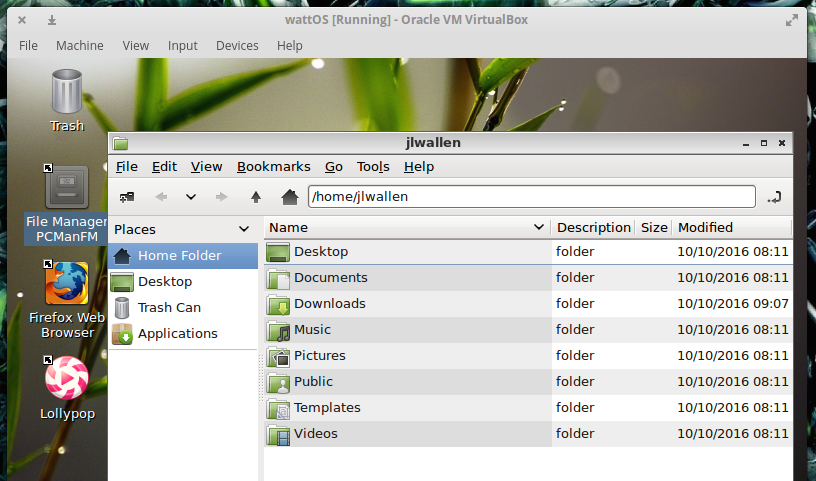
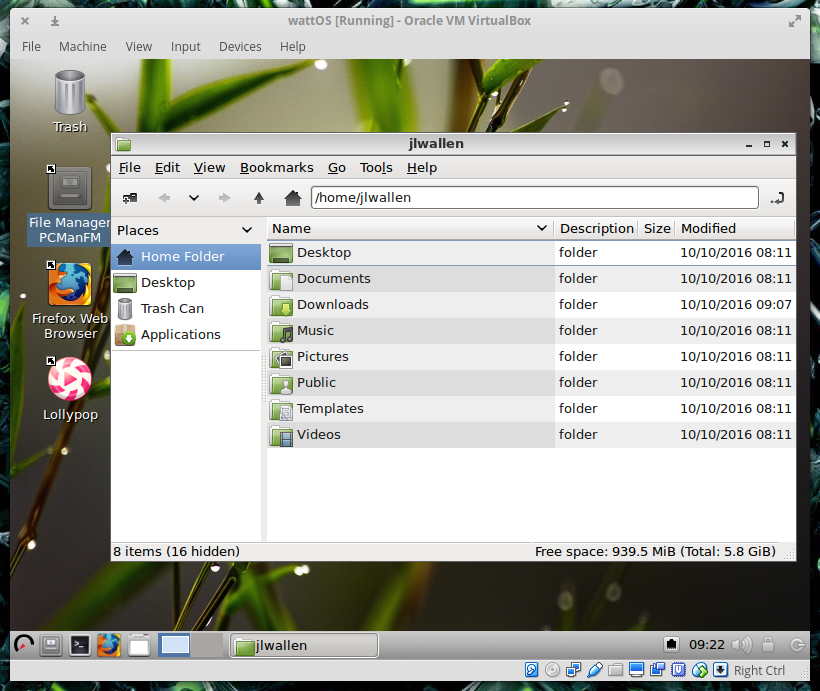
My personal preference of desktops tends to veer toward the more modern iterations. I’m a fan of Ubuntu Unity, GNOME 3, and (especially) Elementary OS. So the idea of using an old-school desktop metaphor has very little appeal to me. Even so, WattOS has done a great job of breathing a bit of modernity into the old school design. Take, for instance, the default desktop theme (Figure 1). The WattOS UI designers have done a decent job of theming the desktop so it doesn’t completely fall too far into the well of Windows XP or old-school Linux CDE-like window managers.
Figure 1: The WattOS file manage revealing a somewhat modern theme.
There’s really little to say about the WattOS desktop (powered by LXDE) that hasn’t already been said about every Linux desktop of this ilk—it’s simple, straightforward, offers just enough flexibility and customization, and will be familiar to anyone who has used a computer since Windows 95.
Surprises, good and bad
As with every new Linux desktop experience, there are always surprises of both the good and bad nature. First, the good.
Beyond the sheer speed of WattOS (and again I’ll comment on this with a simple…WOW!), there are a few little nice surprises tacked onto the desktop (most in the way of included applications). One of the best additions (one you rarely find included in a desktop by default) is KeePassX. I’ve come to the conclusion that password managers should be included on every desktop by default…and kudos to WattOS for including this outstanding tool.
Next comes the inclusion of Firefox. Many of the lightweight distributions will include browsers like Surf or Midori. Both are fine browsers, but they often fall short when it comes to websites like Google Docs. Because WattOS includes the full-blown Firefox, you will find the platform functions perfectly with any Firefox-compatible website.
Lastly, the less-than-good surprises. As I’ve already stated, I ran into an immediate hitch with installing LibreOffice. Installing the likes of GIMP went smoothly, however (so I concluded that was a one-off issue). Beyond that one problem, I believe the default desktop menu to be somewhat poorly laid out. For instance, the Synaptic Package Manager is found in the Preferences menu. I’d much rather see that listed prominently in the main menu and labeled something like “Install Applications” (or anything that a new user wouldn’t have trouble understanding). From my perspective, the Preferences menu should be dedicated to tools used to configure the various aspects of the platform…not installing applications.
Beyond that, you’d be hard-pressed to find anything wrong with WattOS—especially considering you’re looking at a Linux distribution geared toward older and lesser-powered hardware.
The conclusion
Although WattOS is designed to give life to older hardware, there’s no reason why it couldn’t serve on a modern desktop…and serve it well. With a next-to-zero learning curve, WattOS is instantly familiar, blazingly fast, and rock solid. Give this small footprint Linux distro a try; I’m confident you’ll be equally impressed. And if you find WattOS not fast enough (something I cannot imagine happening), you can always give Microwatt a go (an even lighter, lightweight distribution).
VMware and Amazon Web Services (AWS) today confirmed rumors they will deliver a joint service that lets customers run their vSphere private clouds from VMware alongside their applications in AWS’s public cloud.
They’ve jointly architected their new service named VMware Cloud on AWS. Their service runs apps in a consistent hybrid cloud environment.
The service will be operated, managed, and sold by VMware. Customers can either order it on-demand or via 1-year or 3-year contracts. And they can scale it to suit their needs.