There’s no doubt that Vim is a capable programming editor out-of-the-box, but it’s the editor’s plugins that help you make the most out of it. In the first part of this article series, we discussed a couple of programing-related Vim plugins (Tagbar and delimitMate). Continuing on the same path, in this article, we will discuss another useful Vim plugin aimed at software developers – Syntastic.
A big theme in the keynotes and conversation during Velocity Conf in NYC a few weeks ago was the role of ops in an “ops-less” and “server-less” world. It’s also been a big feature in discussions on twitter and in conversations I’ve had with coworkers and friends in the industry.
There are several things that stand out to me in these conversations: first, that some ops engineers (sysadmins, techops, devops, and SREs) are worried that they will be phased out if developers and software engineers are responsible for the operational tasks in their systems; second, that developers and software engineers do not have the skills needed to take over responsibility for operational tasks; and third, that building reliable systems is impossible without an operations organization.
An improved version of Vi, Vim is unarguably one of the most popular command line-based text editors in Linux. Besides being a feature-rich text editor, Vim is also used as an IDE (Integrated Development Environment) by software developers around the world. What makes Vim really powerful is the fact that it’s functionality can be extended through plugins. And needless to say, there exist several Vim plugins that are aimed at enhancing users’ programming experience.
This week in open source and Linux news, Linus Torvalds reveals his favorite chip architecture, Fedora 25’s beta is released, and more! Catch up on the latest OSS headlines with this weekly digest:
1) At last week’s Linaro Connect conference, Linus Torvalds explained that his favorite favorite chip architecture is x86, not ARM.
Everyone in the land of Linux has either heard of or made use of a lightweight Linux distribution. We all know the drill: small footprint, low resource requirement, includes a lightweight desktop environment (or window manager), and offers the same general layout as the next distribution, staking the same claims.
And most often they do their jobs. One problem that strikes down many of these lightweight Linux distros is that they don’t really include the tools the average user needs to get their work done. To that end, they wind up relegated to specialty tasks (like data recovery, kiosks, etc.).
To some extent, WattOS suffers from these same pitfalls (the only productivity tool it includes is a PDF viewer, and it uses the standard “task bar/start menu” metaphor for the desktop). Fortunately, however, WattOS makes up for those shortcomings by way of incredible speed, reliability, and the inclusion of the Synaptic Package Manager; so, WattOS could easily become a lightweight Linux distribution for everyone.
Let’s take a look at what makes WattOS special.
The kernel
I was actually surprised to find WattOS to ship with kernel 4.4. After an immediate upgrade, the uname -r command returned 4.4.0-38-generic. Considering this is a distribution targeted at bringing life to older, slower machines, the inclusion of the same kernel found on my Elementary OS Loki release was a pleasant surprise. This means WattOS should do a great job of working with both older and newer hardware.
Not so surprising is the fact that, when you go to the WattOS, you’ll find downloads for both the 32- and 64-bit versions (most modern distros are leaning away from 32-bit releases now). So, not only does the kernel offer support for modern hardware, but the architecture releases will allow you to give life to those older 32-bit machines.
The speed
Once I’d installed WattOS, I had one of those moments of purest envy. The speed at which WattOS runs is incredible. Even when working with the platform as a VirtualBox guest, the speed of the WattOS desktop blew away my Elementary OS Loki desktop. Understand that the machine running the host is a System76 Leopard, with a liquid cooled i7 and 16GB of RAM. Handing over approximately 2GB of RAM to WattOS made it feel like absolutely nothing could slow it down. The impressiveness of the speed is almost too much to describe…it has to be experienced. I’ve never witnessed Firefox open so quickly.
Speaking of app launching…LibreOffice. I wanted to test the speed at which LibreOffice would open, so I fired up the Synaptic Package Manager and attempted an install of the flagship, open source office suite.
To no avail.
The issue with installing LibreOffice centered on an uninstallable python3-uno package, and no matter what I tried, I couldn’t get it installed. However, after downloading the latest .deb release from the LibreOffice site, I could unpack that download file, cd into LibreOffice_5.2.2.2_Linux_x86-64_deb/DEBS/and then issue the command sudo dpkg -i *.deb to finally get LibreOffice installed.
How did LibreOffice run? Insanely fast. Once again, I’ve never seen this app open as quickly as on WattOS. Upon clicking the LibreOffice Writer icon, the app launched in half the time as it did on the host Elementary OS Loki (and that already is quite fast).
The desktop
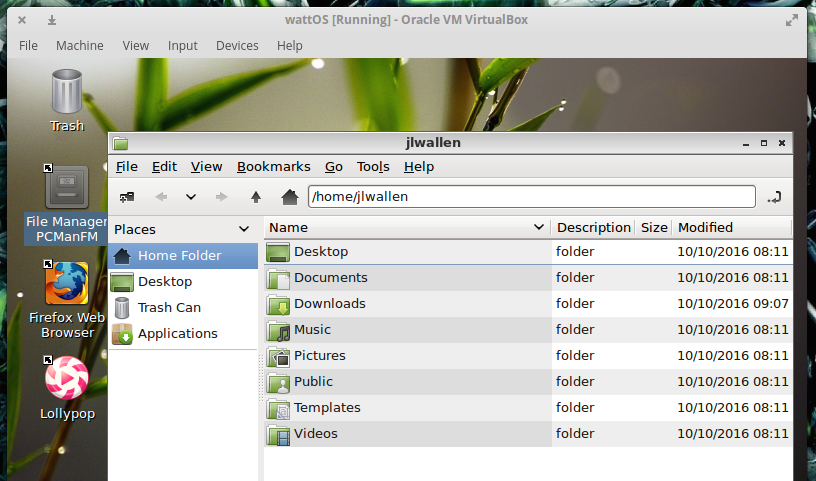
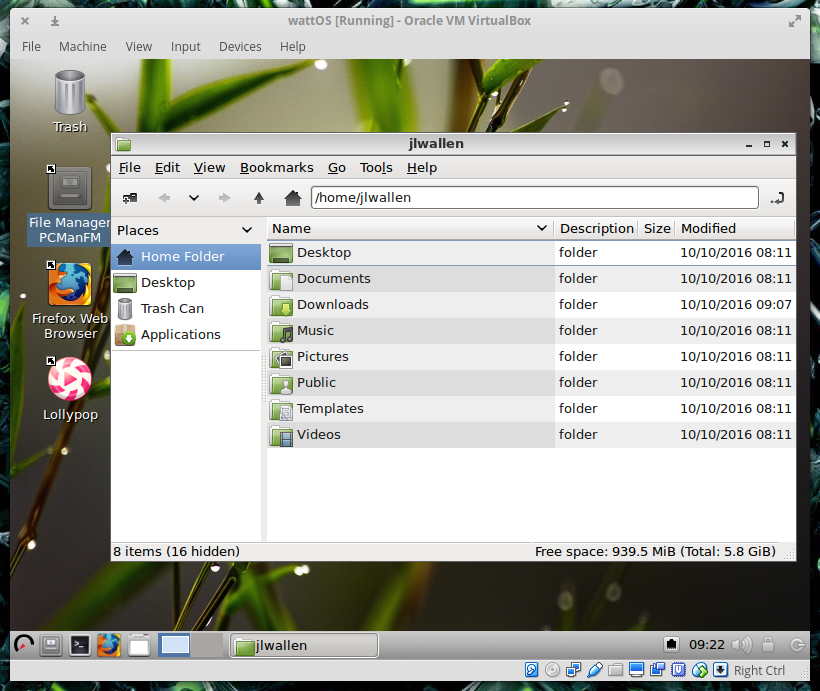
My personal preference of desktops tends to veer toward the more modern iterations. I’m a fan of Ubuntu Unity, GNOME 3, and (especially) Elementary OS. So the idea of using an old-school desktop metaphor has very little appeal to me. Even so, WattOS has done a great job of breathing a bit of modernity into the old school design. Take, for instance, the default desktop theme (Figure 1). The WattOS UI designers have done a decent job of theming the desktop so it doesn’t completely fall too far into the well of Windows XP or old-school Linux CDE-like window managers.
Figure 1: The WattOS file manage revealing a somewhat modern theme.
There’s really little to say about the WattOS desktop (powered by LXDE) that hasn’t already been said about every Linux desktop of this ilk—it’s simple, straightforward, offers just enough flexibility and customization, and will be familiar to anyone who has used a computer since Windows 95.
Surprises, good and bad
As with every new Linux desktop experience, there are always surprises of both the good and bad nature. First, the good.
Beyond the sheer speed of WattOS (and again I’ll comment on this with a simple…WOW!), there are a few little nice surprises tacked onto the desktop (most in the way of included applications). One of the best additions (one you rarely find included in a desktop by default) is KeePassX. I’ve come to the conclusion that password managers should be included on every desktop by default…and kudos to WattOS for including this outstanding tool.
Next comes the inclusion of Firefox. Many of the lightweight distributions will include browsers like Surf or Midori. Both are fine browsers, but they often fall short when it comes to websites like Google Docs. Because WattOS includes the full-blown Firefox, you will find the platform functions perfectly with any Firefox-compatible website.
Lastly, the less-than-good surprises. As I’ve already stated, I ran into an immediate hitch with installing LibreOffice. Installing the likes of GIMP went smoothly, however (so I concluded that was a one-off issue). Beyond that one problem, I believe the default desktop menu to be somewhat poorly laid out. For instance, the Synaptic Package Manager is found in the Preferences menu. I’d much rather see that listed prominently in the main menu and labeled something like “Install Applications” (or anything that a new user wouldn’t have trouble understanding). From my perspective, the Preferences menu should be dedicated to tools used to configure the various aspects of the platform…not installing applications.
Beyond that, you’d be hard-pressed to find anything wrong with WattOS—especially considering you’re looking at a Linux distribution geared toward older and lesser-powered hardware.
The conclusion
Although WattOS is designed to give life to older hardware, there’s no reason why it couldn’t serve on a modern desktop…and serve it well. With a next-to-zero learning curve, WattOS is instantly familiar, blazingly fast, and rock solid. Give this small footprint Linux distro a try; I’m confident you’ll be equally impressed. And if you find WattOS not fast enough (something I cannot imagine happening), you can always give Microwatt a go (an even lighter, lightweight distribution).
VMware and Amazon Web Services (AWS) today confirmed rumors they will deliver a joint service that lets customers run their vSphere private clouds from VMware alongside their applications in AWS’s public cloud.
They’ve jointly architected their new service named VMware Cloud on AWS. Their service runs apps in a consistent hybrid cloud environment.
The service will be operated, managed, and sold by VMware. Customers can either order it on-demand or via 1-year or 3-year contracts. And they can scale it to suit their needs.
What’s next in cloud computing for you? Take the sixth annual Future of Cloud survey, led by North Bridge Venture Partners and Wikibon analysts, and contribute to one of the broadest and deepest explorations of cloud trends in the industry.
Dozens of organizations, including The Linux Foundation, have partnered on the survey seeking perspectives from vendors and users spanning senior executives to practitioners, from cloud-native startups to large enterprises, and across all industry sectors.
We want to hear from you! Your responses will help track key challenges in the development, deployment, and operationalization of cloud computing software today.
Results from the 2015 Future of Cloud survey revealed the rise of hybrid cloud and record cloud use by IT, driven by agility and scalability. At the same time, cloud adoption was still being hindered by issues like security and regulation. Topics covered in the survey this year include:
How companies are viewing Cloud strategically and tactically
Growth in Cloud-based Applications & which areas of business and IT are shifting to cloud and growing
Where data lives: public vs. private
Switching risks & vendor lock-in
Cloud security
Adoption of DevOps
And more.
The survey results will be shared in a webcast in November and in a special segment of the CUBE at AWS re:Invent.
Embedded devices, such as those used for internet of things applications, aren’t known for being easy to program. ResinOS 2.0, from industrial internet software company Resin.io, aims to change that by using a custom Linux distribution to run Docker containers on embedded devices.
The operating system was originally built for Resin.io’s internal use, but the company has since decided to release it as open source to get it on the largest possible number of hardware devices. Common boards like the Raspberry Pi, Beaglebone, and Intel’s Edison and Nuc are already supported by ResinOS out of the box.
Ubuntu was already the most popular Linux in clouds. Now, with its Canonical distribution of Kubernetes, Canonical wants Ubuntu to be the most popular Linux for containers.
This provides an easy to use DevOps way to manage containers like Docker, Red Hat’s Open Container Initiative Daemon, (OCID); and CoreOS’s Rkt. Kubernetes, which started life at Google, is supported on all major public clouds, bare metal, and the open-source OpenStack cloud.
Earlier this month, Linus Torvalds announced the release of Linux 4.8 kernel. It’ll be followed by Linux 4.9, which will be the next LTS kernel. Some of you might be wondering about the release date of Linux 5.0 kernel. While Linux creator Linus Torvalds hasn’t set an official date, he has given a hint.
In a recent Google+ Plus post, Torvalds noted that after Linux 4.8 kernel, we’re now half-way between Linux 4.0. and 5.0. For those who don’t know, Linux 3.20 turned into Linux 4.0.