Home Blog Page 697

What’s the Difference Between Consumer and Industrial IoT?

The Internet of Things is invading everything from consumer to industrial products, but all platforms are not created equal.

The Internet of Things (IoT) is the latest product-development buzzword, akin to other terms like “the cloud” or “smart cities.” These terms are typically very nebulous, but generally apply to an important set of identifiable products or technologies. They can be more focused, such as “cloud storage” and “cloud computing,” and many companies often identify themselves as providing products and services that fall over these names. The more-focused terminology helps narrow the collection of vendors, products, and services to a more manageable or understandable level. Hopefully, this will be the case with consumer, commercial, and industrial IoT (IIoT).

Read more at Electronic Design 

Build And Run Your First Docker Windows Server Container

Microsoft announced the general availability of Windows Server 2016, and with it, Docker engine running containers natively on Windows. This blog post describes how to get setup to run Docker Windows Containers on Windows 10 or using a Windows Server 2016 VM. Check out the companionblog posts on the technical improvements that have made Docker containers on Windows possible and the post announcing the Docker Inc. and Microsoft partnership.

Before getting started, It’s important to understand that Windows Containers run Windows executables compiled for the Windows Server kernel and userland (either windowsservercore or nanoserver). To build and run Windows containers, you have to have a Windows system with container support.

Read more at Docker blog

Keynote: Join or Die! – Stephen O’Grady, Principal Analyst & Cofounder, RedMonk

https://www.youtube.com/watch?v=VE2MQ3w8d1M?list=PLGeM09tlguZTvqV5g7KwFhxDlWi4njK6n

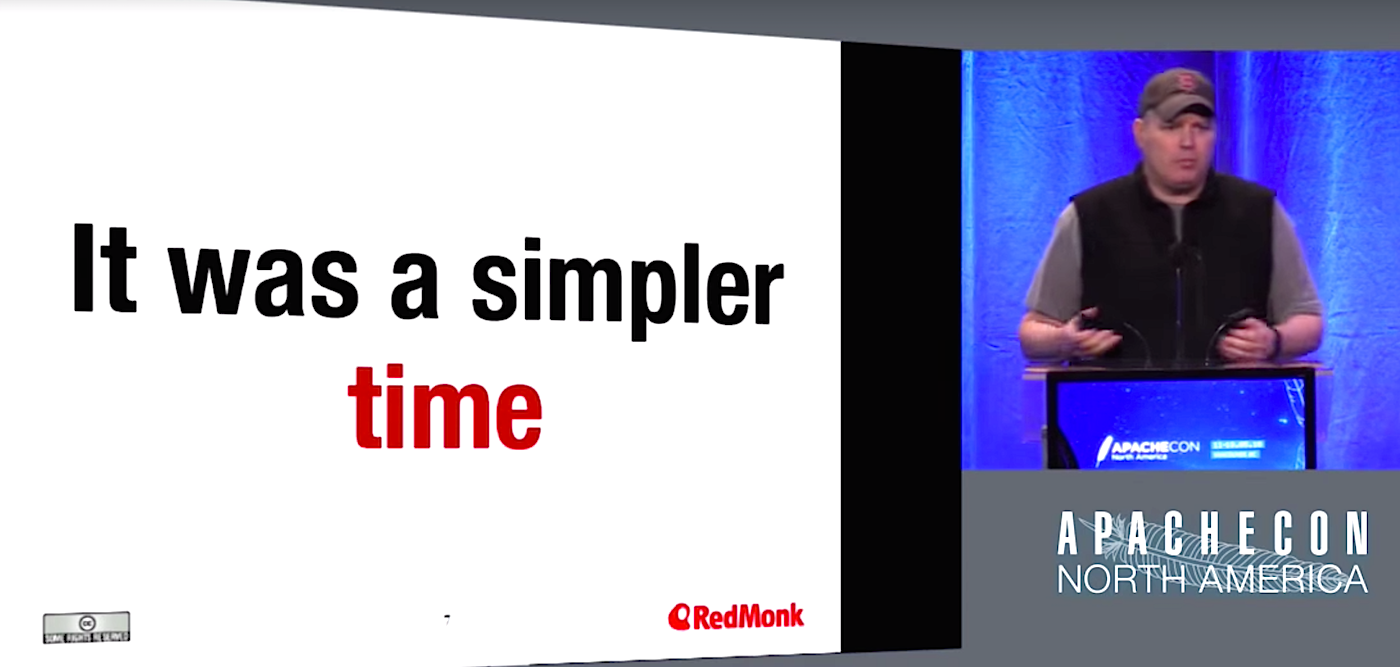
Open source software is in danger of being beaten at its own game by upstart services that are tightly integrated, less complex, and easier to use, said Stephen O’Grady at ApacheCon North America in May.

Unsafe at Any Clock Speed: Linux Kernel Security Needs a Rethink

The Linux kernel today faces an unprecedented safety crisis. Much like when Ralph Nader famously told the American public that their cars were “unsafe at any speed” back in 1965, numerous security developers told the 2016 Linux Security Summit in Toronto that the operating system needs a total rethink to keep it fit for purpose.

No longer the niche concern of years past, Linux today underpins the server farms that run the cloud, more than a billion Android phones, and not to mention the coming tsunami of grossly insecure devices that will be hitched to the Internet of Things. Today’s world runs on Linux, and the security of its kernel is a single point of failure that will affect the safety and well-being of almost every human being on the planet in one way or another.

Read more at Ars Technica

ODPi Adds Apache Hive to Runtime Specification 2.0

Blog contributed by Alan Gates, ODPi technical steering committee chair and Apache Software Foundation member, committer and PMC member for several projects.

Today, ODPi announced that the ODPi Runtime Specification 2.0 will add Apache Hive and Hadoop Compatible File System support (HCFS). These components join YARN, MapReduce and HDFS from ODPi Runtime Specification 1.0.

With the addition of Apache Hive to the Runtime specification, I thought it would be a good time to share why we added Apache Hive and how we are strategically expanding the Runtime specification.

Why Hive?

ODPi adds projects to its specifications based on votes from ODPi’s diverse membership. We have a one member, one vote policy. In discussions regarding what projects to add to the next Runtime specification, many members indicated that they used Apache Hive, which is data warehouse software that facilitates reading, writing, and managing large datasets residing in distributed storage using SQL. Members indicated that by adding Apache Hive to the ODPi Runtime Specification 2.0, ODPi can reduce SQL query inconsistencies across Hadoop Platforms, which is one of the key pain points for ODPi members and Big Data Application vendors in general.

What is the process?

As with everything we do in ODPi, the addition of any project to the ODPi Runtime specification is done collaboratively, with participation from everyone who has interest. ODPi has established the Runtime Project Management Committee (PMC) to maintain the Runtime Specification.

In order to make sure all voices were heard and use cases considered, the Runtime PMC formed an Apache Hive working group. This group included Runtime PMC members, as well as other ODPi contributors who wanted to be involved. It included representatives from several distributors and application vendors, including: Hortonworks, SAS, IBM, Syncsort, and DataTorrent.  
The working group came together over the course of a month, meeting regularly, to determine how to add  Apache Hive to the spec.

What are we adding?

The working group decided early on to focus on SQL and API compatibility rather than matching a specific version of Apache Hive. We chose Hive 1.2 as our base version that distributions must be compatible with. This gives distribution providers freedom in what version of Hive they ship, while also guaranteeing compatibility for ISVs and end users.

What has to be compatible?  

The working group focussed on interfaces that the ISVs and the distributors’ customers use most frequently. We agreed that SQL, JDBC, and beeline (the command line tool that allows users to communicate with the JDBC server) are used by the great majority of Hive users and so we included them in the spec.  We also included the classic command line, the metastore thrift interface, and HCatalog as optional components; that is the distribution may or may not include them, but if it does they must be compatible.  We chose to make these optional because they are frequently, but not universally, used.

Where can you see our work?
The initial draft of the Runtime PMC is open to the public and everything is published on Github.

How Can You Be Involved?
We are still writing tests for distributions to check that they comply with the specification. We would love to have your helpwriting tests. You can also give feedback on the spec. Participation in the ODPi is open to anyone, with all work being done is public on GitHub. Developers can join the conversation on the mailing lists or Slack channel.

This article republished with permission from ODPi’s blog. 

Linux and Open Source Hardware for IoT

Most of the 21 open source software projects for IoT that we examined last week listed Linux hacker boards as their prime development platforms. This week, we’ll look at open source and developer-friendly Linux hardware for building Internet of Things devices, from simple microcontroller-based technology to Linux-based boards.

In recent years, it’s become hard to find an embedded board that isn’t marketing with the IoT label. Yet, the overused term is best suited for boards with low prices, small footprints, low power consumption, and support for wireless communications and industrial interfaces. Camera support is useful for some IoT applications, but high-end multimedia is usually counterproductive to attributes like low cost and power consumption.

IoT characteristics tend to apply more to endpoints – node devices that collect sensor inputs — rather than gateways. Yet most gateways connect directly to endpoints rather than aggregating inputs from other gateways, and tend to be deployed in large numbers, often in remote areas. Therefore, they must also be affordable, efficient, lightweight devices.

IoT modules and SBCs can often be used interchangeably in home and industrial settings.  Yet, boards for smart home hubs tend to be focused more on wireless support while industrial gateways are also frequently connected to serial, CAN, and other interfaces, or industrial Ethernet technologies like EtherCAT.

MCU IoT

IoT attributes are driven largely by the processor, and for endpoints, this often means microprocessor units. MCUs tend to run a lightweight real-time operating system, like the open source FreeRTOS, or are programmed with the Arduino IDE.

Until recently, the poor wireless support on MCUs limited their appeal for IoT compared to applications processors running Linux or Windows Embedded. The only Linux that runs on MCUs is the aging and somewhat limited uClinux, and it only runs on higher-end MCUs.

For several years, the trend has been to combine MCU-driven Arduino boards with MIPS-based wireless chipsets like the Qualcomm Atheros AR9331, running the more robust OpenWrt or Linino Linux distributions. There are still plenty of hybrid Linux/Arduino SBCs, including the Arduino Yún Mini and Atheros AR9432 based Arduino Tian. Others, such as MediaTek’s Arduino-compatible LinkIt Smart 7688, run OpenWrt on the MIPS-based Mediatek MT7688AN.

Over the past year, low-cost WiFi SoCs, especially the Espressif ESP8266, have made it easier to build wireless-enabled MCU devices without requiring the overhead of application processors running Linux. The open source ESP8266, which is based on a Tensilica RISC core, can be modified to run Arduino sketches directly, if you flash it with an alternative, open-source firmware, as described on GitHub. The ESP8266 can also be reprogrammed to run FreeRTOS or the MCU-oriented, wireless-savvy ARM Mbed.

The ESP8266 has shown up on Arduino boards like Arduino Srl’s Arduino STAR Otto and Arduino Uno WiFi and is frequently hacked into Arduino-based IoT DIY projects. Recently, Espressif shipped the ESP8285 — essentially an ESP8266 with 1MB of flash — and introduced a faster, Bluetooth enabled ESP32 SoC.

ESP SoCs are not the only game in town. Arduino LLC’s MKR1000 board uses an Atmel ATSAMW25H18 for WiFi. Pine64, known for its Pine-A64 Linux hacker board, recently jumped in with PADI IoT Stamp COM based on Realtek’s RTL8710AF, a WiFi-enabled ESP8266 competitor that runs FreeRTOS on a Cortex-M3. Like ESP-based modules, the PADI IoT Stamp is tiny (24x16mm), power efficient, and dirt cheap, selling for only $2 at volume.

Intel’s second generation, MCU-like Quark D2000 and Quark SE processors are also aimed at IoT nodes, in this case running lightweight RTOSes such as Zephyr. The Quark SE drives Intel’s BLE-enabled Curie modules for wearables, as well as Intel’s Arduino 101 board.

Linux IoT

Higher end IoT nodes require application processors running Linux, Windows Embedded, and now Windows 10. Home automation was the leading application in a recent HackerBoards survey of users of community-backed Linux SBCs. Other major categories included industrial applications such as data acquisition and HMI.

Linux-based endpoints are typically used when you require more local processing and must run a web session or HMI screen. They often need to support a wider array of wireless radios or integrate cameras and audio. Linux is more often found on gateways, which aggregate data from IoT nodes. In many cases, however, the same embedded board can drive a low-end gateway or a high-end endpoint.

That is often the case for the Raspberry Pi, one of the most commonly used development boards for IoT. It’s not that the Pi is particularly well-suited for the task, although the WiFi and Bluetooth on the Pi 3 helps. Yet, the Pi and its clones are small and affordable, and there are numerous IoT-oriented add-ons.

IBM, Element14, and EnOcean collaborated on one such add-on. The kit combines a Raspberry Pi with EnOcean’s self-powered, energy harvesting wireless sensors, which gain energy from the motion, light, and temperature of the surrounding environment. IBM has supplied its IBM Watson IoT Platform for cloud-based IoT analytics.

Many IoT platforms support the BeagleBone, which is better suited for industrial IoT and has numerous IoT add-ons. The Cortex-A8 and -A9 based Texas Instruments Sitara SoCs found on the BeagleBone and variants like SeeedStudio’s BeagleBone Green Wireless are widely used in IoT.

For more processing power, NXP’s Cortex-A9 based i.MX6 is a popular choice. Like the Sitara, is supplies numerous industrial interfaces. i.MX6-based hacker boards include HummingBoard and Udoo models, as well as the Wandboard. Both the Sitara and i.MX6 are frequently used in commercial IoT boards, as well.

Atmel’s Cortex-A5-based SAMA-branded SoCs are another IoT mainstay, found on devices such as as Artila’s Matrix remote monitoring computers. Even the aging ARM9 core continues to find a role in IoT due to its small size, low price, and low power consumption. LittleBits’ tiny, ARM9-based, CloudBit SBC connects to scores of LittleBits actuators, sensors, buzzers, dimmers, LEDs, and DC motors.

Other hacker SBCs offer similar IoT add-ons. SeeedStudio’s Grove is one of the most popular family of sensor devices and is tapped by boards including the Intel Edison Kit for Arduino. The Creator Ci40, HobbitBoard, and HummingBoard-Gate, and other SBCs support MikroElektronika’s Click modules.

Higher-end data acquisition devices are often built around Xilinx’s ARM/FPGA hybrid Zynq SoCs. Linux hacker boards based on the Zynq include the Parallella, Z-Turn, and Snickerdoodle.

ARM’s power-sipping Cortex-A7 is increasingly replacing Cortex-A5, -A8, and -A9 SoCs in IoT nodes and low-end gateways. Popular -A7-based SoCs for IoT include NXP’s i.MX6 UltraLite (UL) and Samsung’s dual-core Artik 5 SoC/module combo. Allwinner SoCs are used on a number of Pi clones and other SBCs that end up in IoT projects, but as with Rockchip, Samsung, and Qualcomm SoCs, the higher end models are more typically used in higher-end, multimedia driven devices.

Soon we will see IoT SoCs based on the Cortex-A32, the smallest, and most power efficient ARMv8 core to date. Cortex-A32 is much faster than the -A7 while offering 25 percent higher efficiency. (The S2 SoC in the Apple Watch 2 is rumored to be Cortex-A32.)

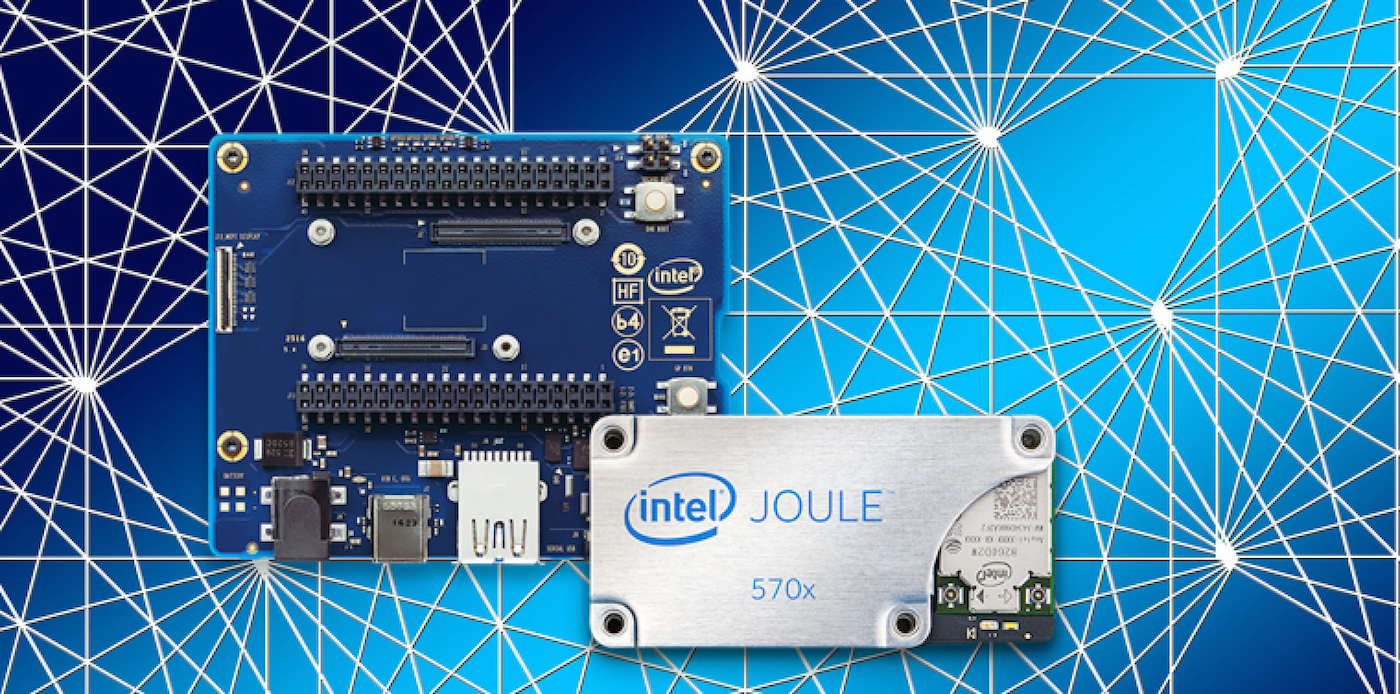
On the x86 side, Intel may have given up on pushing its increasingly power-efficient Atom SoCs at smartphones, but it continues to aim Atoms at the embedded market. Its IoT-oriented Intel Joule module runs on the latest, 14nm “Broxton-M” Atom SoCs — the quad-core Atom T5700 and T5500 – and is supported by the Yocto Project-based Ostro Linux.

While Intel’s latest Quark processors are aimed at RTOSes, its original line of Linux-driven Quarks continue to target both IoT endpoints and low-end gateways. The Quark X1000 runs Linux, and has appeared on low-end IoT gateways such as the Advantech UNO-1252G. Higher-end gateways like Axiomtek’s ICO300-MI are more likely to use Atoms. AMD, meanwhile, has seen its x86-based G-Series SoCs rolled into various IoT boards and devices.

The top-level gateways that aggregate and process data from other gateways tend the use more powerful x86 and ARM platforms. These systems feed data to IoT cloud servers where software, rather than hardware, is the IoT differentiator.

Although industrial, rather than consumer IoT, will likely be the main driver of the industry over the next few years, it will largely remain invisible beyond the developer world. For most people, IoT is a Linux-driven smart home hub, and Android or iOS smartphone app, plus a kit full of “smart devices.” Next week, we’ll look at consumer-facing, Linux-driven home automation platforms, examining both open source and commercial options.


Read the previous articles in this series: Who Needs the Internet of Things? and 21 Open Source Software Projects for IoT.
 
Interested in learning how to adapt Linux to an embedded system? Check out The Linux Foundation’s Embedded Linux Development course.

Open Source Projects Must Work Together to Survive

Open source software is in danger of being beaten at its own game by upstart services that are tightly integrated, less complex, and easier to use. That message was at the heart of the cautionary tale told by Stephen O’Grady in his keynote at this year’s ApacheCon North America in May.

O’Grady, Principal Analyst & Cofounder of RedMonk, recalled his years as a systems integrator, pointing out that open source software took a big bite out of the enterprise software market when it became more accessible and easier to use.

“When you’re competing against the traditional (software) companies … you’re competing against something that is complex,” O’Grady said. “What if your competition isn’t complex anymore? What if the new competition is even simpler, easier to use, and faster to pick up than you are? What does that mean? To me, it means that you’re essentially at risk of being divided and conquered.”

O’Grady pointed to Amazon Web Services and the platform’s tight integration and easy to use interface for developers as areas where open source’s competition has an edge.

The problem open source faces, he said, is that the projects are often fragmented and competing, and integration points with other projects aren’t often considered early in their lifecycle. It’s a vast and complex landscape, even just at Apache, and it can be difficult for potential users and customers to know where to start. Too much choice can be bad thing.

“Back in 1998 (pre-open source), my hardest choice was: which product (am I going to buy?),” O’Grady said. “When I look at things today, when I look at the (open source software) market today, I can’t even get to the product or project yet, I have to figure out what my approach is going to be. What is my architecture going to look like and what are the components of that architecture. These are hard questions. They’re hard questions for developers, and they’re even harder for businesses.”

The solution is to start to think about logical groupings for different projects, things that might turn into a reliable technology stack, O’Grady said. He pointed to the LAMP web application stack — Linux, Apache, MySQL, and PHP as an example.

“People rarely use just one Apache project,” O’Grady said. “As all of you move forward, how can (you) create connection points? How do I ease the burden on the user? You have to make friends. You need to join together, or you might die.”

Watch the complete presentation below:

https://www.youtube.com/watch?v=VE2MQ3w8d1M?list=PLGeM09tlguZTvqV5g7KwFhxDlWi4njK6n

linux-com_ctas_apache_052316_452x121.png?itok=eJwyR2ye

Fedora 24 — The Best Distro for DevOps?

“Give us the tools, and we will finish the job.” Winston Churchill.

If you have been to any DevOps-focused conferences — whether it’s OpenStack Summit or DockerCon — you will see a sea of MacBooks. Thanks to its UNIX base, availability of Terminal app and Homebrew, Apple hardware is extremely popular among DevOps professionals.

What about Linux? Can it be used as a platform by developers, operations, and DevOps pros? Absolutely, says Major Hayden, Principal Architect at Rackspace, who used to be a Mac OS user and has switched to Fedora. Hayden used Mac OS for everything: software development and operations. Mac OS has all the bells and whistles that you need on a consumer operating system; it also allows software professionals to get the job done. But developers are not the target audience of Mac OS. They have to make compromises. “It seemed like I had to have one app that would do one little thing and this other app would do another little thing,” said Hayden.

In contrast, a Linux-based distribution offers a more streamlined workflow. All you need as a DevOps engineer is a terminal, a browser, and an editor. Period.

Fedora is a great platform for DevOps

Hayden is currently running Fedora 24, the latest release of Fedora on his machine. According to him, Fedora is a great distribution because it offers the latest and greatest version of apps and libraries. “You’ve got modern TCC, you’ve got modern Python and that kind of thing. You have the flexibility to go install your own version of Python or something like that if you want, too,” said Hayden.

Unlike many other distributions, you don’t have to bloat your system by adding too many third-party repos or PPAs to get the latest version of apps. No wonder even Linus Torvalds uses Fedora.

Fedora now comes in three versions: Workstation, Cloud, and Server. If you are going to use GUI tools, then Workstation is the right choice for you  Almost every tool you need is available either through DNF or through third-party repositories. Hayden said that he rarely needs anything from third-party repos; everything is there in the main repos. To make life even simpler, there are DNF groups that put a bunch of packages together.  You can do things like use a DNF group list and it’ll list all the available groups.

“The developer tools group is really handy if you just need to bootstrap a system and have make and automake and C make, and GCC and GCC for C++. You can just get that list of packages really quickly. Of course it includes all the tools that you would need when something goes wrong like Valgrind,” said Hayden.

“In addition to that if you need to go in and audio why your application is using so much RAM or why something is not allocating memory properly or why it’s leaving file handles open, you can go and investigate that with those tools, too,” he said.

With Fedora 24, not only do you get all the tools you need to build it, you also have all the tools you need to compile it. And, you have all the tools you need to look at it when something explodes.

Depending on what you are going to do, every tool is available on Fedora 24: from Ansible to Jenkins. All of the DevOps tools mentioned in this previous article are available for Fedora. If you are using Fedora and you want to install Ansible, all you need is “dnf install ansible” and that’s it. But, if you are on Mac OS, you have to figure out where Homebrew puts everything. You need to install virtual machines to run docker containers where as on Linux, you can do it natively.

The best part is that even if there is a tool that’s not in DNF and in repos, you can still install it on your home directory and start using it. You don’t have to become root and have files scattered all over the place.

Fedora also doubles as a personal machine. It comes with GNOME as the default desktop environment that offers a great desktop experiences. So anything from browsing the web and checking emails to watching Netflix can be easily done from the same machine.

Most importantly, you need your OS to be as agile as your infrastructure. Fedora keeps you up to speed with latest version of packages. Other distros are known for faster access to the latest packages — including Arch Linux and Gentoo — but it could be counterproductive to compile packages all the time, if you have a lot installed. According to Hayden, “Debian is also a pretty good platform to work from because it’s a little bit more consistent than Ubuntu.”

Hardware?

Fedora 24 isn’t demanding of hardware. But, if you are going to use your machine for coding, you need a modern processor and at least 8GB of RAM, especially if you are doing a lot of work with Java. Hardware is inexpensive these days and going from 4GB to 8GB future proofs you.

Additionally, Red Hat is hiring even more engineers to test more hardware, so no matter which machine you buy, it will work out of the box on Fedora and RHEL.

So, what I gather from this conversation is that there are five advantages to using Fedora 24 as a DevOps tool:

  • A lean and thin OS that comes with everything you need without any bloat

  • Access to latest packaging

  • A distraction-free platform

  • An OS that’s the foundation of the most popular Linux platform in the enterprise space: RHEL

  • The system doubles as your entertainment platform.

If you are using Linux as a DevOps platform, which distro are you using?


Use Models to Measure Cloud Performance

With good modeling, you can have a clear view of what is going on with your cloud deployment even though you don’t have control of the underlying systems.

When I was young, I made three plastic models. One was of a car—a ’57 Chevy.  Another was of a plane—a Spitfire. And a third was of the Darth Vader TIE Fighter. I was so proud of them. Each one was just like the real thing. The wheels turned on the car, and the plane’s propeller moved when you blew on it. And of course, the TIE Fighter had Darth Vader inside.

When I went to work on the internet, I had to measure things. As I discussed in my last post, Measure cloud performance like a customerwhen you measure on the internet you need to measure in ways that are representative of your customers’ experiences. This affects how you measure in two ways. The first is the perspective you take when measuring, which I talked about last time. The second way is the techniques you use to perform those measurements. 

Read more at Network World

Strategies for Running Stateful Applications in Kubernetes: Volumes

One of the key challenges in running containerized workloads is dealing with persistence. Unlike virtual machines that offer durable and persistent storage, containers come with ephemeral storage. Right from its inception, Dockerencouraged the design of stateless services. Persistence and statefulness are an afterthought in the world of containers. But this design works in favor of workload scalability and portability. It is one of the reasons why containers are fueling cloud-native architectures, microservices, and web-scale deployments.

Having realized the benefits of containers, there is an ongoing effort to containerize stateful applications that can be seamlessly run with stateless application. Docker volumes and plugins are a major step towards turning stateful applications into first-class citizens of Docker. 

Read more at The New Stack