Home Blog Page 698

GitHub Open-Sources Internal Load-Balancing Software

GitHub will release as open source the GitHub Load Balancer (GLB), its internally developed load balancer.

GLB was originally built to accommodate GitHub’s need to serve billions of HTTP, Git, and SSH connections daily. Now the company will release components of GLB via open source, and it will share design details. 

“Historically one of the more complex components has been our load-balancing tier,” said Joe Williams, GitHub senior infrastructure engineer, and Theo Julienne, GitHub infrastructure engineering manager, in a co-authored bulletin. “Traditionally we scaled this vertically, running a small set of very large machines running haproxy and using a very specific hardware configuration allowing dedicated 10G link failover.”

Read more at InfoWorld

Blockchain Just Made Some New Friends in Congress

Meet the Blockchain Caucus.

Boy, has blockchain become respectable. It wasn’t long ago that the face of the technology, which powers the crypto-currency bitcoin, was libertarians and drug dealers. Today, it’s the banking industry and members of Congress.

On Monday, Rep. Jared Polis (D-Co) and Rep. Mick Mulvaney (R-SC) announced the creation of a “Blockchain Caucus” to promote laws and policies to encourage the development of crypto-currencies and other blockchain-related tools.

Read more at Fortune

Exactly What Is OpenStack? Red Hat’s Rich Bowen Explains

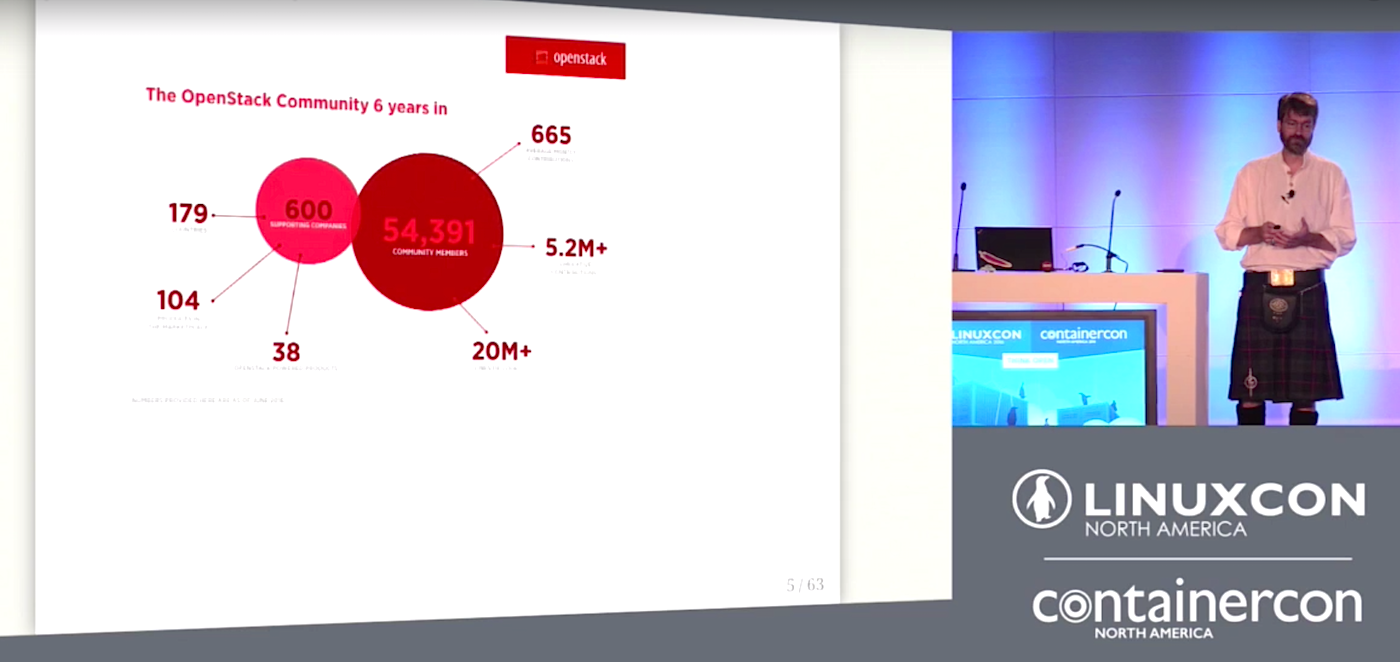
You’ve probably heard of OpenStack. It’s in the tech news a lot, and it’s an important open source project. But what exactly is it, and what is it for? Rich Bowen of Red Hat provided a high-level view of OpenStack as a software project, an open source foundation, and a community of organizations in his talk at LinuxCon North America.

OpenStack is a software stack that went from small to industry darling at warp speed. It has three major components: The compute service runs the virtual machines (VMs), and it has a networking service and a storage service, plus a dashboard to run everything. OpenStack is only six years old, and was born as a solution devised by Rackspace and NASA to solve a specific problem.

Bowen says, “NASA had this problem where they were taking photographs, and individual photographs were going to take several months to upload to their AWS instances, because these photographs were terabytes and petabytes big, pictures of space from the Hubble Space Telescope. Rackspace, on the other hand, was running a very successful web hosting and VM hosting business, and they were looking for a way to automate the process of creating new VMs without actually having to have engineers go press buttons. These two organizations realized that they were solving similar and overlapping problems, and they started the OpenStack project.”

OpenStack is an open source foundation. What does that mean? Bowen tells us one of the biggest values of an open source foundation: “Vendor-neutral governance is very important in open source projects. With the vendor-neutral governance that is offered, that is enforced by the foundation, it ensures that everybody has an equal voice. It also ensures project sustainability. This is an important thing in any major open source project. If HP or Red Hat or Mirantis were suddenly to lose interest in the OpenStack project, it wouldn’t go away.”

OpenStack is a community organization. From its humble beginning, OpenStack has grown to more than 55,000 members, including more than 600 companies. The foundation covers 57 separate, semi-autonomous projects, which could be viewed as a semi-organized cat herd. Bowen says, “The projects themselves make their own technical decisions. Now, they have to submit to the judgment of the technical committee, because interoperability between projects is obviously pretty important. The technical decisions, the road maps are decided at the project level rather than at the foundation level. OpenStack provides open governance for these projects, and each project elects what’s called a project technical lead. In most projects, decision making is completely collaborative and done on the mailing list.”

Watch Rich Bowen’s talk (below) to learn how open code, open governance, and open discussion all operate to help create great communities that produce great software like OpenStack.

https://www.youtube.com/watch?v=idyiZAz1PK8?list=PLbzoR-pLrL6qBYLdrGWFHbsolIdJIjLnN

linux-com_ctas_linuxcon_452x134.png?itok=G4guaVb3

You won’t want to miss the stellar lineup of keynotes, 185+ sessions and plenty of extracurricular events for networking at LinuxCon + ContainerCon Europe, Oct. 4-6 in Berlin. Secure your spot before it’s too late! Register now.

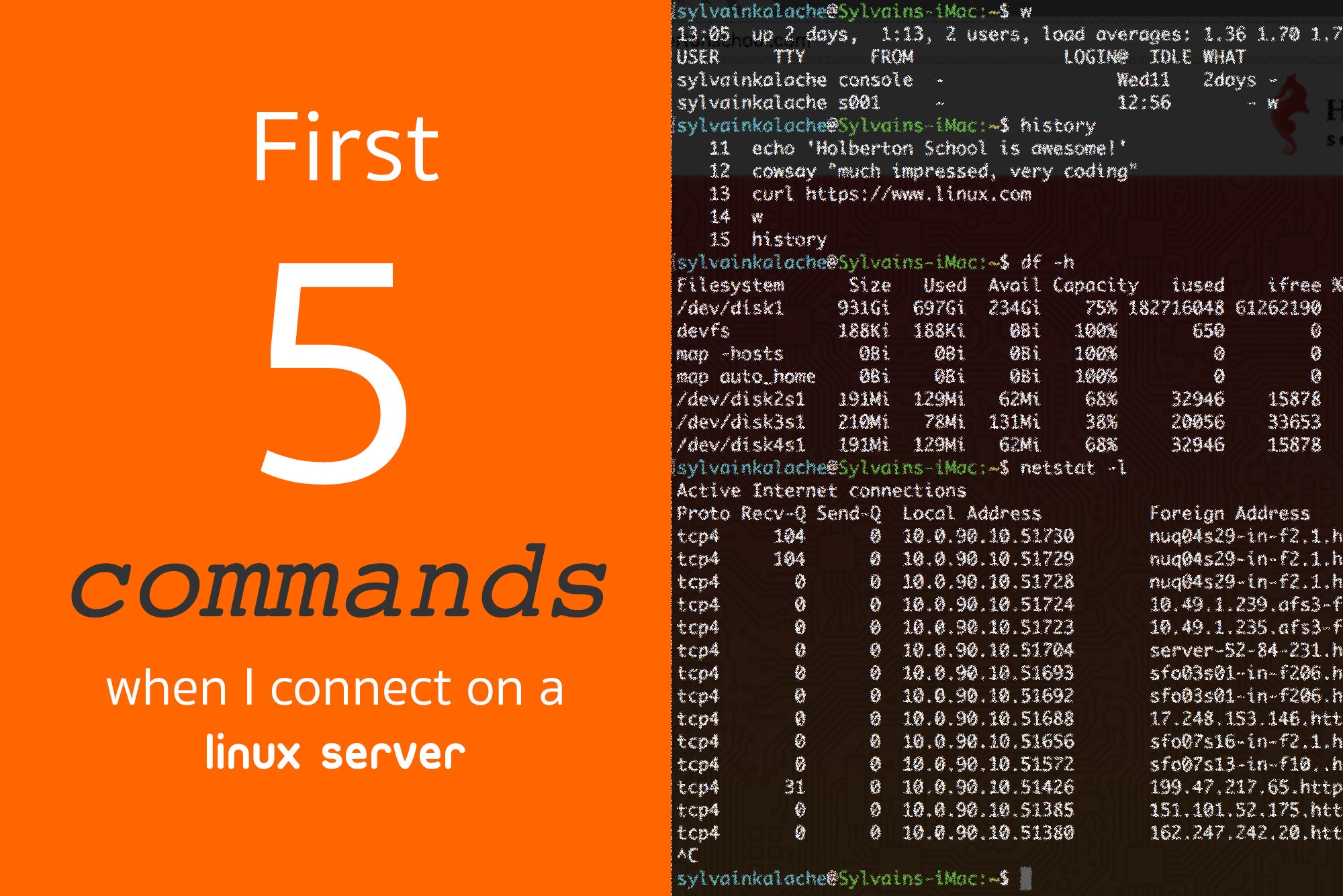
First 5 Commands When I Connect on a Linux Server

After half a decade working as a system administrator/SRE, I know where to start when I am connecting to a Linux server. There is a set of information that you must know about the server in order to properly, well most of the time, debug it.

First 60 seconds on a Linux server

These commands are well known for experienced software engineers but I realized that for a beginner who is getting started with Linux systems, such as my students at Holberton School, it is not obvious. That’s why I decided to share the list of the first 5 commands I type when I connect on a Linux server.

w
history
top
df
netstat

These 5 commands are shipped with any Linux distribution so you can use them everywhere without extra installation needed.

w:

[ubuntu@ip-172-31-48-251 ~]$ w
23:40:25 up 273 days, 20:52,  2 users,  load average: 0.33, 0.14, 0.12
USER     TTY      FROM              LOGIN@   IDLE   JCPU   PCPU WHAT
ubuntu pts/0    104-7-14-91.ligh 23:39    0.00s  0.02s  0.00s w
root pts/1    104-7-14-91.ligh 23:40    5.00s  0.01s  0.03s sshd: root [priv]
[ubuntu@ip-172-31-48-251 ~]$ 

A lot of great information in there. First, you can see the server uptime which is the time during which the server has been continuously running. You can then see what users are connected on the server, quite useful when you want to make sure that you are not impacting a colleague’s work. Finally the load average will give you a good sense of the server health.

history:

[ubuntu@ip-172-31-48-251 ~]$ history
   1  cd /var/app/current/log/
   2  ls -al
   3  tail -n 3000 production.log 
   4  service apache2 status
   5  cat ../../app/services/discourse_service.rb 

`History` will tell you what was previously run by the user you are currently connected to. You will learn a lot about what type work was previously performed on the machine, what could have gone wrong with it, and where you might want to start your debugging work.

top:

top - 23:47:54 up 273 days, 21:00,  2 users,  load average: 0.02, 0.07, 0.10
Tasks:  79 total,   2 running,  77 sleeping,   0 stopped,   0 zombie
Cpu(s):  1.0%us,  0.0%sy,  0.0%ni, 98.7%id,  0.0%wa,  0.0%hi,  0.0%si,  0.3%st
Mem:   3842624k total,  3128036k used,   714588k free,   148860k buffers
Swap:        0k total,        0k used,        0k free,  1052320k cached


 PID USER      PR  NI  VIRT  RES  SHR S %CPU %MEM    TIME+  COMMAND                                                                                                                                                                                                                      
21095 root      20   0  513m  21m 4980 S  1.0  0.6   1237:05 python                                                                                                                                                                                                                        
1380 healthd   20   0  669m  36m 5712 S  0.3  1.0 265:43.82 ruby                                                                                                                                                                                                                          
19703 dd-agent  20   0  142m  25m 4912 S  0.3  0.7  11:32.32 python                                                                                                                                                                                                                        
   1 root      20   0 19596 1628 1284 S  0.0  0.0   0:10.64 init                                                                                                                                                                                                                          
   2 root      20   0     0    0    0 S  0.0  0.0   0:00.00 kthreadd                                                                                                                                                                                                                      
   3 root      20   0     0    0    0 S  0.0  0.0  27:31.42 ksoftirqd/0                                                                                                                                                                                                                   
   4 root      20   0     0    0    0 S  0.0  0.0   0:00.00 kworker/0:0                                                                                                                                                                                                                   
   5 root       0 -20     0    0    0 S  0.0  0.0   0:00.00 kworker/0:0H                                                                                                                                                                                                                  
   7 root      20   0     0    0    0 S  0.0  0.0  42:51.60 rcu_sched                                                                                                                                                                                                                     
   8 root      20   0     0    0    0 S  0.0  0.0   0:00.00 rcu_bh

The next information you want to know: what is currently running on this server. With `top` you can see all running processes, then order them by CPU, memory utilization and catch the ones that are resource intensive.

df:

[ubuntu@ip-172-31-48-251 ~]$ df -h
Filesystem      Size  Used Avail Use% Mounted on
/dev/xvda1      7.8G  4.5G  3.3G  58% /
devtmpfs        1.9G   12K  1.9G   1% /dev
tmpfs           1.9G     0  1.9G   0% /dev/shm

The next important resource that your server needs to have to be working properly is disk space. Running out of it is a very classic issue.

netstat:

[ubuntu@ip-172-31-48-251 ec2-user]# netstat -lp
Active Internet connections (only servers)
Proto Recv-Q Send-Q Local Address               Foreign Address             State       PID/Program name   
tcp        0      0 *:http                      *:*                         LISTEN      1637/nginx          
tcp        0      0 *:ssh                       *:*                         LISTEN      1209/sshd           
tcp        0      0 localhost:smtp              *:*                         LISTEN      1241/sendmail       
tcp        0      0 localhost:17123             *:*                         LISTEN      19703/python        
tcp        0      0 localhost:22221             *:*                         LISTEN      1380/puma 2.11.1 (t 
tcp        0      0 *:4242                      *:*                         LISTEN      18904/jsvc.exec     
tcp        0      0 *:ssh                       *:*                         LISTEN      1209/sshd           

Computers are a big part of our world now because they have the ability to communicate between each other via sockets. It is critical for you to know on what port and IP your server is listening on and what processes are using those.

Obviously this list might change depending on your goal and the amount of existing information you have. For example, when you want to debug specifically for performance, Netflix came up with a customized list. Do you have a useful command that is not in my top 5? Please share it in the comments section!

ONOS Hummingbird SDN Release Touts Core Control Function Improvements

ON.Lab’s ONOS Project noted its eighth SDN platform release expands southbound and northbound protocol, legacy device support.

The telecommunications market’s choice of software-defined networking platforms continues to blossom, with the Open Networking Laboratory’s Open Network Operating System Project releasing its latest SDN platform variant under the “Hummingbird” tag.

The SDN platform, which is the eighth version from the open-source ONOS Project, is claimed to offer high availability and scalability, expanded southbound and northbound protocols, and improved ability to support incremental SDN on legacy devices. (Full details are available here.)

Read more at RCR Wireless

Introduction to OpenStack by Rich Bowen

https://www.youtube.com/watch?v=idyiZAz1PK8?list=PLbzoR-pLrL6qBYLdrGWFHbsolIdJIjLnN

In this talk, Rich, the OpenStack Community Liaison at Red Hat, will walk you through what OpenStack is, as a project, as a Foundation, and as a community of organizations. 

Improving Fuzzing Tools for More Efficient Kernel Testing

Fuzz testing (or fuzzing) is a software testing technique that involves passing invalid or random data to a program and observing the results, such as crashes or other failures. Bamvor Jian Zhang of Huawei, who will be speaking at LinuxCon Europe, realized that existing fuzz testing tools — such as trinity — can generate random or boundary values for syscall parameters and inject them into the kernel, but they don’t validate whether the results of those syscalls are correct.

Bamvor Jian Zhang
In his experience, the correctness of arguments passing between the C library and core kernel code is a common problem. And, in his talk — called “Efficient Unit Test and Fuzz Tools for Kernel/Libc Porting,” Bamvor will share some ways to improve the trinity fuzzing tool. We spoke with him to learn more.

Linux.com: Why are syscall issues so common when bringing up a new architecture for the Linux kernel?

Bamvor Jian Zhang: The new porting must fulfill the requirements of the evolving kernel. Usually, there is no standard porting document/reference design. So, porting is always challenging work.

Linux.com: Why don’t existing fuzz testing tools help validate whether syscalls are correct?

Bamvor: Actually, they could do part of the job. Existing fuzz tools focus on the functionality of the syscall not the wrapper. They are useful if the wrapper of the syscall is correct. The wrapper process is done by the porting of kernel and libc. Incomplete or incorrect porting leads to the useless test results with existing fuzz tools.

Linux.com: How did you discover this problem?

Bamvor: We found that trinity could not find the issue even if there are 20 fails in Linux Test Project (LTP). And, we found other issues even after we fixed all the syscall fails in LTP and glibc testsuite. Theoretically, we could add new test cases to existing tools, but this work needs more developers. In the end, the design of ilp32 is evolving. It is hard to catch up on the changes and add new test cases in the limited amount of time.

Linux.com: How can existing tools be improved to help solve the problem?

Bamvor: Generally speaking, we could improve the situation by adding two things to the existing tools. The first thing is to issue the test case of syscall through C library instead of direct syscall. The second thing is to check the argument passing before we execute the real syscall in the kernel.

You won’t want to miss the stellar lineup of keynotes, 185+ sessions and plenty of extracurricular events for networking at LinuxCon + ContainerCon Europe in Berlin. Secure your spot before it’s too late! Register now


The Linux Foundation Partners with Girls in Tech to Increase Diversity in Open Source

One of the great strengths of open source is that it provides opportunities for everyone. Regardless of background, age, gender, race, ethnicity, nationality, sexual orientation or religion, everyone can benefit from and contribute to some of the most important technologies ever developed.

Yet we know that many groups remain underrepresented in the open source community, which is why The Linux Foundation engages in efforts such as providing diversity scholarships for our training and events and sponsoring organizations such as Women Who Code, Code.org, Blacks in Technology, All Star Code and more.

As part of this ongoing effort, The Linux Foundation is proud to announce we have entered into a partnership with Girls in Tech, a global non-profit focused on the engagement, education and empowerment of girls and women who are passionate about technology.

This partnership will provide Girls in Tech with free and discounted tickets to a range of Linux Foundation events, free space to exhibit at those events and/or to host hackathons and bootcamps, and more. Our goal is to help more girls and women to become involved in, and contribute back to, the open source community.

The 15 events covered in this partnership include:

• MesosCon Europe 2016
• Cloud Foundry Summit Europe 2016
• OpenDaylight Summit 2016
• ContainerCon/LinuxCon Europe 2016
• Embedded Linux Conference/OpenIoT Summit Europe 2016
• CloudNativeCon/KubeCon 2016
• Apache: Big Data and ApacheCon Europe 2016
• MesosCon China 2016
• Node Interactive North America 2016
• Embedded Linux Conference/OpenIoT Summit North America 2017
• Open Networking Summit 2017
• Apache: Big Data and ApacheCon North America 2017
• Cloud Foundry Summit North America 2017
• OpenDaylight Summit 2017
• Open Source Summit North America 2017
• MesosCon North America 2017

Those interested in participating should follow Girls in Tech on social media for more information and offers.

There’s always more we can do to improve diversity in the open source and technology communities in general. Partnerships such as this one are just one element of that effort, and we encourage everyone in the community to contribute their time, energy and resources to making open source accessible to everyone. Learn more about The Linux Foundation’s community giving initiatives.

OPNFV Begins Its Colorado Trail

OPNFV today issued its third software release, ending the agonizing six-month period in which folks had to pronounce and spell Brahmaputra. (See OPNFV Issues Third Software Release.)

This latest release continues the river theme but is sensibly named Colorado: It has other advantages as well, namely support for key features such as security, IPv6, service function chaining (SFC) testing, virtual private networks and more.

In addition, Colorado is laying some key groundwork for what lies ahead as the industry comes to terms with the MANO (management and network orchestration) dilemma, says Heather Kirksey, Open Platform for NFV Project Inc. ‘s executive director.

Read more at LightReading

The Best Way to Develop Software with Effective Security

Regardless of the level at which you’re doing your programming, security is going to get in the way. No amount of application abstraction or modern development process seems capable of shielding developers from the barriers raised by security. It’s pretty hard not to hate security when it doesn’t seem to add any intrinsic value, and often gets in the way of providing a delightful user experience. To top it off products can get hacked anyway, in spite of any and all work you do to make your products secure.

Casey will be speaking at LinuxCon Berlin on October 4.

Read more at OpenSource.com