Home Blog Page 701

Industrial IoT Group Releases Security Framework

The Industrial Internet Consortium (IIC) , which was founded by AT&TCiscoGEIBM, and Intel, released a common framework for security that it hopes will help industrial Internet of Things (IoT) deployments better address securityproblems. Security is critical to industrial IoT because attacks could have dire consequences, such as impacting human lives or the environment, said Hamed Soroush, senior research security engineer with Real-Time Innovations and the co-chair of the IIC security working group.

The IIC doesn’t create standards but instead is a consensus-building group that will provide recommendations for organizations building industrial IoT systems. The group’s security framework assesses various types of threats and helps companies protect themselves by providing best practices and strategies to thwart these attacks…

Read more at SDx Central


Linux Disable USB Devices (Disable loading of USB Storage Driver)

The USB storage drive automatically detects USB flash or hard drives. You can quickly force and disable USB storage devices under any Linux distribution. The modprobe program used for automatic kernel module loading. It can be configured not load the USB storage driver upon demand. This will prevent the modprobe program from loading the usb-storage module, but will not prevent root (or another privileged program) from using the insmod/modprobe program to load the module manually. USB sticks containing harmful malware may be used to steal your personal data. It is not uncommon for USB sticks to be used to carry and transmit destructive malware and viruses to Linux based computers.

This tutorial explains how to block USB storage devices on Linux.


OpenDaylight Rolls Out ‘Boron’ SDN Platform Release

OpenDaylight’s fifth release of its SDN platform puts a focus on the cloud, NFV, performance and tools.

The OpenDaylight Project effort to create a common platform for network virtualization continues to mature with the unveiling of the group’s fifth release, dubbed “Boron.”

The industry consortium announced the Boron release Sept. 21, a week before the OpenDaylight Summit kicks off in Seattle Sept. 27. Project officials said the new release brings with it improvements around the cloud and network-functions virtualization (NFV), and is the result of contributions by consortium members in a range of areas, including performance and tools.

Read more at EWeek.

Beginning Grep for Linux SysAdmins

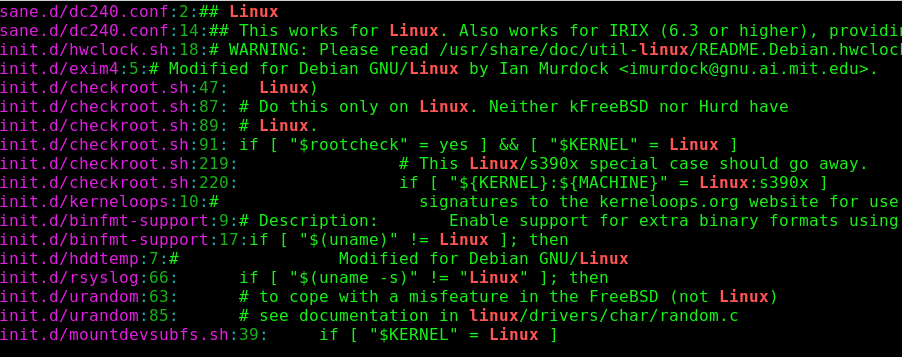
GNU grep is an amazing power tool for finding words, numbers, spaces, punctuation, and random text strings inside of files, and this introduction will get you up and running quickly.

We’ll stick to GNU grep and the Bash shell, because both are the defaults on most Linux distros. You can verify that you have GNU grep, and not some other grep:

$grep -V
grep (GNU grep) 2.21
Copyright (C) 2014 Free Software Foundation, Inc.

It’s unlikely that you will bump into a non-GNU grep on Linux unless you put it there. There are some differences between GNU grep and Unix grep, and these are often discussed in documentation and forums as though we spend our days traipsing through multiples Linuxes and Unixes with gay abandon. Which sounds like fun, but if you use only Linux then you don’t need to worry about any differences.

Basic grep

We humans tend to think in terms of the numbers, words, names, and typos we want to find, but grep doesn’t know about these things; it looks for patterns of text strings to match. That is why you see the phrase “pattern matching” when you’re studying grep and other GNU text-processing tools.

I suggest making a plain text file to use for practicing the following examples because it limits the scope, and you can quickly make changes.

Most of us know how to use grep in simple ways, like finding all occurrences of a word in a file. First type your search term, and then the file to search:

$ grep word filename

By default, grep performs a case-sensitive search. You can perform a recursive case-insensitive search in a directory and its subdirectories:

$ grep -ir word dirname

This is an easy and useful way to find things, but it has a disadvantage: grep doesn’t look for words, it looks for text strings, so when you search for “word” grep thinks that “wordplay” and “sword” are matches. When you want an exact word match use -w:

$ grep -w word filename

Use ^ and $ to find matches at the beginnings and ends of lines:

$ grep ^word filename
$ grep word$ filename

Use -v to invert your match and find the lines that do not contain your search string:

$ grep -v word filename

You can search a list of space-delimited files, which is useful when you have just a few files to search. grep prefixes each match with its filename, so you know which files your matches are in:

$ grep word filename1 filename2 filename3
filename1:Most of us know how to use <code>grep</code> in simple ways
filename2:<pre><code>$ grep word filename</code></pre>
filename3:This is an easy and useful way to find things

You can also see the line numbers with -n, which is fab for large files:

$ grep -n word filename1 filename2 filename3

Sometimes you want to see the surrounding lines, for example when you’re searching log or configuration files. The -Cn option prints the number of preceding and following lines that you specify, which in this example is 4:

$ grep -nC4 word filename

Use -Bn to print your desired number of lines before your match, and -An after.

So how do you search for phrases when grep sees the word after a space as a filename? Search for phrases by enclosing them in single quotes:

$ grep 'two words' filename

What about double quotes? These behave differently than single quotes in Bash. Single quotes perform a literal search, so use these for plain text searches. Use double quotes when you want shell expansion on variables. Try it with this simple example: first create a new Bash variable using a text string that is in your test file, verify it, and then use grep to find it:

$ VAR1=strings
$ echo $VAR1
strings
$ grep "$VAR1" filename
strings

Wildcards

Now let’s play with wildcards. The . matches any single character except newlines. I could use this to match all occurrences of “Linuxes” and “Unixes” in this article:

$ grep -w Linux.. grep_cheat_sheet.html
$ grep -w Unix.. grep_cheat_sheet.html

Or do it in one command:

$ grep -wE '(Linux..|Unix..)' grep_cheat_sheet.html

That is an OR search that matches either one. What about an AND search to find lines that contain both? It looks a little clunky—but this is how it’s done, piping the results of the first grep search to the second one:

$ grep -w Linux.. grep_cheat_sheet.html |grep -w Unix..

I use this one for finding HTML tag pairs:

$ grep -i '<h3>.*</h3>' filename

Or find all header tags:

$ grep -i '<h.>.*</h.>' filename

You need both the dot and the asterisk to behave as a wildcard that matches anything: . means “match a single character,” and * means “match the preceding element 0 or more times.”

Bracket Expressions

Bracket expressions find all kinds of complicated matches. grep matches anything inside the brackets that it finds. For example, you can find specific upper- and lower-case matches in a word:

$ grep -w '[lL]inux' filename 

This example finds all lines with pairs of parentheses that are enclosing any letters and spaces. A-Z and a-z define a range of patterns, A to Z inclusive uppercase, and a to z inclusive lowercase. For a space simply press the spacebar, and you can make it any number of spaces you want:

$ grep '([A-Za-z ]*)' filename 

Character classes are nice shortcuts for complicated expressions. This example finds all of your punctuation, and uses the -o option to display only the punctuation and not the surrounding text:

$ grep -o "[[:punct:]]" filename
<
>
,
.
<
/
>

That example isn’t all that practical, but it looks kind of cool. A more common type of search is using character classes to find lines that start or end with numbers, letters, or spaces. This example finds lines that start with numbers:

$ grep "^[[:digit:]]" filename

Trailing spaces goof up some scripts, so find them with the space character class:

$ grep "[[:space:]]$" filename

Basic Building Blocks

These are the basic building blocks of grep searches. When you understand how these work, you’ll find that the advanced incantations are understandable. GNU grep is ancient and full of functionality, so study the GNU grep manual or man grep to dig deeper.


Learn more about system management in the Essentials of System Administration training course from The Linux Foundation.

Navigating OpenStack: Community, Release Cycles and Events

Hopefully last week we piqued your interest in a career path in OpenStack. Adoption is growing and so is the number of OpenStack jobs. Like any other open source project, if you’re going to use it—professionally or personally—it’s important to understand its community and design/release patterns.

The OpenStack community

OpenStack has an international community of more than 60,700 individual members. Not all of these members contribute code, but they are all involved in developing, evangelizing or supporting the project.

Individuals have contributed over 20 million lines of code to OpenStack since its inception in 2010. OpenStack’s next release, Newton, will arrive the first week of October and has more than 2,500 individual contributors. You need not be an expert in infrastructure development to contribute—OpenStack project teams include groups like the internationalization team (which helps translate the dashboard and docs into dozens of languages) and the docs team—work that’s equally important to OpenStack’s success.

You can find a full list of projects here, ranging from core services like compute and storage to emerging solutions like container networking.

The release cycle

OpenStack releases run on a six-month schedule. Releases are named in alphabetical order after a landmark near the location of that release cycle’s Summit, the big event where the community gathers to plan the next release. The first release was named Austin; the current release is Mitaka and the upcoming release is Newton.

Release planning will soon undergo a change in response to community feedback. In the A-N releases, developers and contributors both met with users to gather parameter and worked on solutions in their teams at the OpenStack Summit (an event we’ll talk about momentarily—you don’t want to miss them!). This started to become too large of a task for the allotted time.

Starting next year, the community will try something new: what used to be the Design Summit will be split into two events. More strategic planning conversations and requirements gathering will continue to happen at the Summit in an event to be called the “Forum.” More detailed implementation discussions will happen among contributors at the smaller Project Teams Gathering (PTG), which will occur in between the Summits.

If you’re a developer or administrator working professionally on OpenStack, you might find yourself attending the Forum to give your input on the upcoming release, or becoming a contributor on a project team and attending the PTG!

Learn more about what’s new in the Newton release with the Newton Design video series.

Summits, Hackathons and everything in between

With such a large and active community, there’s no shortage of ways to meet up with other Stackers. The biggest, mark-your-calendar-don’t-miss-it event is the OpenStack Summit. The Summit is a bi-annual gathering of community members, IT leaders, developers and ecosystem supporters. Each year one Summit is held in North America and one Summit rotates between APAC and EMEA. In April 2016, the Austin, Texas Summit brought more than 7,800 Stackers. October 25-28, 2016, the community heads to Barcelona, Spain. Summits are a week of hands-on workshops, intensive trainings, stories and advice from real OpenStack users, and discussions submitted and voted on by the community.

In between Summits, community members host OpenStack Days—one or two day gatherings that draw everyone from active contributors to business leaders interested in learning more about OpenStack. Topics are determined by community organizers, and often reflect the challenges pertinent to that community as well as the local industries’ specialties.

The newest OpenStack events for cloud app developers are OpenStack App Hackathons, another community-led event. Ever wondered what you could build if you had 48 hours, unlimited cloud resources and a bunch of pizza? Taiwan hosted the first Hackathon, where the winning team created a tool that helped rehabilitate damaged neuromuscular connections, followed by Guadalajara, where the winning team created an app that gave users storage of and access to their healthcare records, a major problem in the team’s local community.  

And of course, there’s no shortage of local user groups and Meetups to explore around the world.

Getting Started

In the subsequent pieces in this series, we’ll discuss the tools and resources available for sharpening your OpenStack skills and developing the necessary experience to work on OpenStack professionally. But if you’re ready to start exploring, the community has multiple low risk options to start getting involved.

If you’re interested in development, DevStack is a full OpenStack deployment that you can run on your laptop. If you’re interested in building apps on OpenStack or playing with a public cloud-like environment, you can use TryStack, a free testing sandbox. There is also a plethora of OpenStack Powered clouds in the OpenStack Marketplace.

As you’re exploring OpenStack, keep ask.openstack.org handy—it’s the OpenStack-only version of Stackoverflow.

Common Concerns

You’ve seen the job market, you’ve gotten the community layout, and surely you have more questions. In our third installment, we’ll address the experience it takes to get hired to work on OpenStack, and share the resources you can use to help get you there. If you have a question you want answered, Tweet us at @OpenStack.


Want to learn the basics of OpenStack? Take the new, free online course from The Linux Foundation and EdX. Register Now!

The OpenStack Summit is the most important gathering of IT leaders, telco operators, cloud administrators, app developers and OpenStack contributors building the future of cloud computing. Hear business cases and operational experience directly from users, learn about new products in the ecosystem and build your skills at OpenStack Summit, Oct. 25-28, 2016, in Barcelona, Spain. Register Now!

Cloud Foundry Releases Free Online Courses

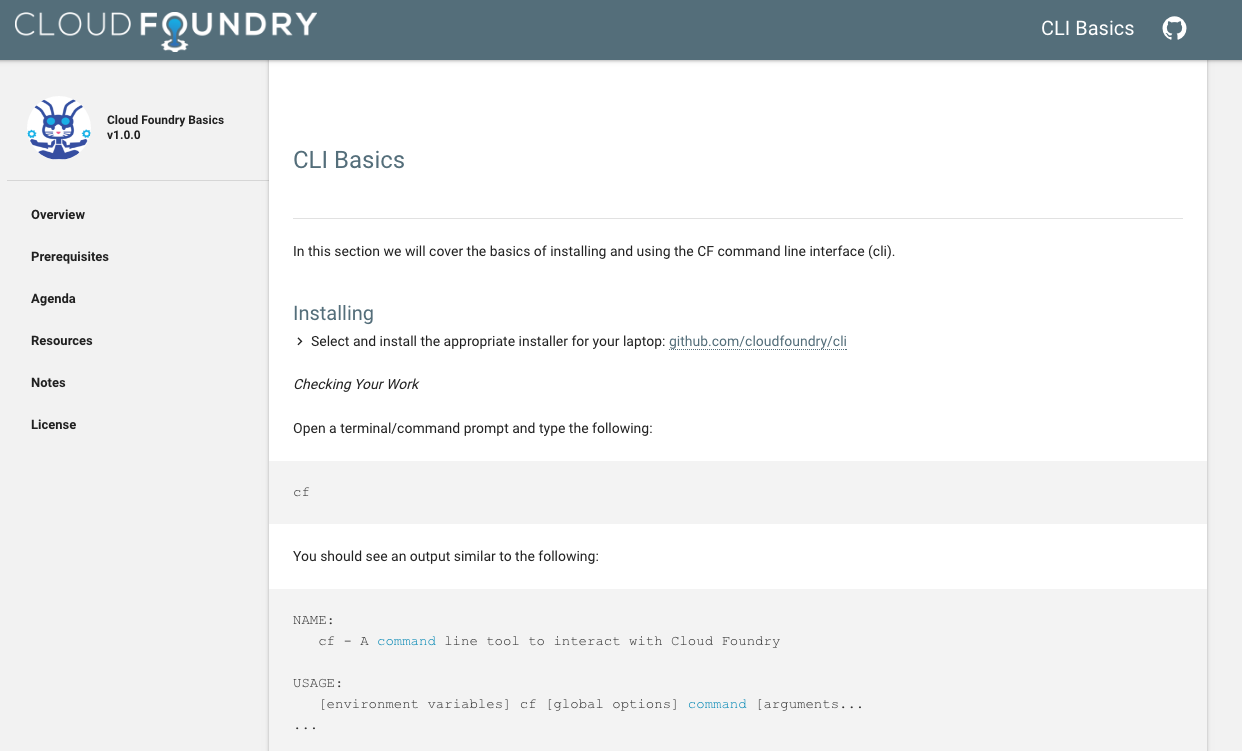
As an open source Platform as a Service (PaaS) solution, Cloud Foundry makes it extremely easy to focus on delivering services and apps without having to worry about the platform. However, it’s not always so easy for developers and administrators new to Cloud Foundry to quickly get up to speed on the technology.

Pivotal has created a wealth of courses to help developers and others who are interested in learning Cloud Foundry. So far these courses were available internally or were offered through Cloud Foundry Foundation (CFF) events.  Pivotal donated these courses in August to the Cloud Foundry Foundation, and CFF is now releasing the community training and education material under the  Apache 2.0 license.

“This content is the same as we have used for the three courses offered at Cloud Foundry summits across the world for the last year or so,” said Tim Harris, Director of Certification Programs, Cloud Foundry Foundation in an interview.

These courses were developed by Pivotal, and now anyone can take the course online or use the materials for their own training programs. Not only can you use them, since they are available under the Apache open source licence, people can also contribute to them. Materials are available on GitHub.

“As Cloud Foundry becomes the de facto standard for deploying multi clouds, the need for skilled engineers becomes increasingly critical,” said Sam Ramji, CEO, Cloud Foundry Foundation. “We deeply appreciate Pivotal’s effort in developing the material and generosity in open sourcing it to benefit the community.”

Three available courses

Based on the three sets of content, the material spans from beginner to intermediate levels:  “Zero to Hero” (beginner), “Microservices” and “Operating Cloud Foundry”. The courses consist of slides, extensive lab exercises and some sample applications. Each course is meant to be one day long.

Zero to Hero
As the name implies, the course is targeted at people who do have experience with web-based applications, but have little or no Cloud Foundry experience.  Zero to Hero covers deploying and managing applications on Cloud Foundry. Meant for beginners it gives an “overview of Cloud Foundry and how it works, including specifics relating to services, buildpacks, and architecture,” according to the project page.

Microservices on Cloud Foundry: Going Cloud Native 
This course offers hands on experience with designing applications for Cloud Foundry. It’s targeting applications developers who are interested in deploying microservice-based systems into the cloud. The course gives an overview of CF and its tools. It talks about “how to architect polyglot applications for deployment and scaling in the cloud.”

Operating a Platform: BOSH and Everything Else

This course targets those who have experience with managing Linux-based systems, but are not well-versed with Cloud Foundry BOSH experience. The course helps in understanding “the basics of how to deploy and manage the Cloud Foundry platform as well as the stateful data services that power cloud-native applications. It includes an operational overview of Cloud Foundry and data services, and how these can be deployed with the cluster orchestration tool, ‘BOSH’.”

Get Hands-on

There is an abundance of online articles about Cloud Foundry, so what value does this educational material provide? Harris explained, “These courses are heavy with hands-on lab exercises, and hence will provide the Cloud Foundry community with a much more detailed experience than can be obtained by simply reading articles.”

These are typical web 1.0 courses where you consume them instead of interacting with instructors. When we inquired about follow-ups or further questions a new learner might have Harris said that CF will continue to offer instructor led courses at Cloud Foundry Summit events, where you can interact with instructors. There are two upcoming CF events where these courses will be offered: Sept. 26 at the Cloud Foundry Summit in Frankfurt, Germany, and also at the North American Cloud Foundry Summit in May of 2017.

There is clearly a need and demand for such courses that are developed and designed by the projects themselves, and CF is addressing that need.


Cloud Migration Is Making Performance Monitoring Crucial

Application performance monitoring (APM) and network performance monitoring (NPM) are becoming increasingly important as businesses that have adopt cloud-based services and virtualized infrastructure.

In the recent SDxCentral report, “Network Performance Management Takes On Applications,” more than half of surveyed respondents are actively looking at APM and NPM systems, and more than one-third are in the testing and deployment phases of adoption. Another 16 to 20 percent are piloting these systems, and roughly 15 percent have already deployed them in their network.

Read more at SDx Central

Is An Editable Blockchain the Future of Finance?

The consultancy firm Accenture is patenting a system that would allow an administrator to make changes to information stored in a blockchain. In an interview with the Financial Times (paywall), Accenture’s global head of financial services, Richard Lumb, said that the development was about “adapting the blockchain to the corporate world” in order to “make it pragmatic and useful for the financial services sector.”

Accenture aims to create a so-called permissioned blockchain—an invitation-only implementation of the technology, and the one currently favored by banks. 

Read more at MIT Technology Review

Why China Is the Next Proving Ground for Open Source Software

Western entrepreneurs still haven’t figured out China. For most, the problem is getting China to pay for software. The harder problem, however, is building software that can handle China’s tremendous scale.

There are scattered examples of success, though. One is Alluxio (formerly Tachyon), which I detailed recently in its efforts to help China’s leading online travel site, Qunar, boost HDFS performance by 15X. Alluxio CEO and founder, Haoyuan Li, recently returned from China, and I caught up with him to better understand the big data infrastructure market there, as China looks to spend $370 million to double its data center capacity in order to serve 710 million internet users.

Read more at TechRepublic

The Power of Protocol Analyzers

In the complicated world of networking, problems happen. But determining the exact cause of a novel issue in the heat of the moment gets dicey. In these cases, even otherwise competent engineers may be forced to rely on trial and error once Google-fu gives out.

Luckily, there’s a secret weapon waiting for willing engineers to deploy—the protocol analyzer. This tool allows you to definitively determine the source of nearly any error, provided you educate yourself on the underlying protocol. The only catch for now? Many engineers avoid it entirely due to (totally unwarranted) dread.

Read more at Ars Technica