

Home Blog Page 736

Howdy, Ubuntu on Windows! Writing for Compiled Languages

Microsoft’s addition of the Bash shell and Ubuntu user space in Windows 10 is a real win for developers everywhere. Dozens of compilers and thousands of libraries are now immediately available on Windows desktops.  In this article, we’re going to write the classic “hello world” application in several different compiled languages, install any necessary dependencies, and execute our compiled code.

If you’d like to follow along this article and try out these examples, you can grab all of the source code from git:

$ sudo apt update

$ sudo apt install -y git

$ git clone https://github.com/dustinkirkland/howdy-windows.git

$ cd howdy-windows

$ make

Now, let’s look at each language:

  1. C

  • Installation

$ sudo apt install -y gcc

  • Code: c/howdy.c

#include <stdio.h>

int main() {

       printf(”    ====> C: Howdy, Windows!n”);

       return 0;

}

  • Compilation

$ gcc -o c/howdy c/howdy.c

  • Execution

        $ ./c/howdy

   ====> C: Howdy, Windows!

  1. C++

  • Installation

$ sudo apt install -y g++

  • Code: cpp/howdy.cpp

        #include <iostream>

int main() {

       std::cout << ”    ====> C++: Howdy, Windows!n”;

}

  • Compilation

$ g++ -o cpp/howdy cpp/howdy.cpp

  • Execution

        $ ./cpp/howdy

   ====> C++: Howdy, Windows!

  1. Golang

  • Installation

$ sudo apt install -y golang

  • Code: golang/howdy.go

        package main

import “fmt”

func main() {

       fmt.Printf(”    ====> Golang: Howdy, Windows!n”)

}

  • Compilation

$ go build -o golang/howdy golang/howdy.go

  • Execution

        $ ./golang/howdy

   ====> Golang: Howdy, Windows!

  1. Fortran

  • Installation

$ sudo apt install -y gfortran

  • Code: fortran/howdy.f90

            program howdy

 print *, ”    ====> Fortran: Howdy, Windows!”

end program howdy

  • Compilation

$ gfortran fortran/howdy.f90 -o fortran/howdy

  • Execution

        $ ./fortran/howdy

    ====> Fortran: Howdy, Windows!

  1. Pascal

  • Installation

$ sudo apt install -y fp-compiler

  • Code: pascal/howdy.pas

        program Howdy;

Begin

       writeln(‘    ====> Pascal: Howdy, Windows!’);

end.

  • Compilation

$ pc pascal/howdy.pas

  • Execution

        $ ./pascal/howdy

   ====> Pascal: Howdy, Windows!

  1. Erlang

  • Installation

$ sudo apt install -y erlang-base

  • Code: erlang/howdy.erl

        -module(howdy).

-export([howdy/0]).

howdy() -> io:fwrite(”    ====> Erlang: Howdy, Windows!n”).

  • Compilation

$ erlc erlang/howdy.erl

  • Execution

        $ erl -noshell -s howdy howdy -s init stop

   ====> Erlang: Howdy, Windows!


Cheers,

Dustin


Read the next article: Howdy, Ubuntu on Windows! How Fast Is It?

Read previous articles in the series:

Howdy, Ubuntu on Windows! An Intro From Canonical’s Dustin Kirkland

Howdy, Ubuntu on Windows! Getting Started

Howdy, Ubuntu on Windows! Ubuntu Commands Every Windows User Should Learn

Howdy, Ubuntu on Windows! Write and Execute Your First Program

Learn more about Running Linux Workloads on Microsoft Azure in this on-demand webinar with guest speaker Ian Philpot of Microsoft. Watch Now >> 
When to Containerize Legacy Applications — And When Not to

Sitting across the table in early talks with new customers, I often find myself thinking of the Blendtec marketing campaign that started almost 10 years ago, whereby the creator of Blendtec blenders discovers through his YouTube channelwhat objects will blend in his line of blenders. The opening tagline was always, “Will it blend?” He then goes on to show that the chosen object of the day will, in fact, blend in the Blendtec. What results is most usually a smokey, soupy mess, but it did, in fact, blend!

In many of BoxBoats new engagements, we are presented with legacy applications and asked a simple question, Can it be containerized? With few exceptions, my answer is most always, yes. Our goal is then to demonstrate a viable path forward to migrate these applications and deliver the incredible benefits of containerization without the hot, soupy mess.

Anything can be containerized. Just because it can be, however, doesnt mean it should be.

Applications running in a container at the end of the day is still a Linux process being managed by the host. There are now fairly robust mechanisms for handling networking, monitoring, and persistent storage for stateful applications for containerized applications. Here are some areas that container technologies handle fairly well:

Read more at  The New Stack

SDN: 7 Educational Opportunities

Find out about labs, certification programs, and training courses that offer ways to learn about software-defined networking.

Networking professionals hear all the time that they need to learn new skills to keep up with a rapidly changing industry. On-the-job training would be a practical option, but if your company hasn’t plunged into software-defined networking – and plenty haven’t — how do you expand your knowledge when you’re mired in CLI?

As it turns out, the options for learning new approaches to networking are growing as SDN adoption gradually expands beyond hyper-scale Internet companies and service providers. This spring, the Linux Foundation rolled out a software-defined networking training course to address what the foundation described as a skills gap for networking pros. In launching the SDN training, the foundation said many network engineers lack experience with software virtualization.

Read more at Network Computing

Microsoft Brings Blockchain to Azure Testing Environment

Microsoft is now making its Blockchain-as-a-Service (BaaS) offering available to all users of its Azure testing environment.

Designed to allow developers to quickly create environments in Azure, DevTest Labs seeks to help companies control costs associated with development work. Other features include reusable templates, so developers don’t have to design virtual machine environments from scratch, and artifacts, which tell apps what actions to take once deployed.

Read more at CoinDesk


Kaspersky Lab Launches Bug Bounty Program With HackerOne

The security firm allocates $50,000 to pay security researchers for responsibly disclosing flaws in its security products. Kaspersky Lab is no stranger to the world of vulnerability research, but the company is now opening up and enabling third-party security researchers to disclose vulnerabilities about Kaspersky’s own software.

The new effort is being conducted as a bug bounty program on the HackerOne platform. Kaspersky Lab is initially providing a total of $50,000 in bug bounties and is starting off with its Kaspersky Internet Security and Kaspersky Endpoint Security products as targets for researchers.

HackerOne also hosts public bug bounty programs for Cylance and Glasswire and helped the U.S. Department of Defense with the Hack the Pentagon program earlier this year.

Read more at eWeek

Creating a Culture of Observability

For a change of pace, I’d like to share a video of me talking, rather than writing something for you!

The gist is pretty simple: When I joined Stripe I began a process of adding Observability to the company culture. You may be wondering whatobservability even is! Well, in control theoryobservability is a measure for how well internal states of a system can be inferred by knowledge of its external outputs.

Monitorama PDX 2016 – Cory Watson – Creating A Culture of Observability at Stripe from Monitorama on Vimeo.

Read more at One Mo’Gin

Docker: Installation and Basic usage on Ubuntu 16.04

Docker is an open-source project that provides an open platform for developers and sysadmins to build, package, and run applications anywhere as a lightweight container. This tutorial shows the installation of Docker on Ubuntu 16.04 and the first steps to get started with Docker container management.

Read full article

How to Fix a Bug in Open Source Software

We’re all on the same team, and all working towards the same goal of making our open source software better. Your small contributions make a big impact.

How open source software is supported is just as important as how well it works. Given the choice between building awesome new features or carefully reading and responding to 10 bug reports, which would you choose? Which is more important? When you think of open source maintainers what do you see? I see issues. I see dozens of open bug reports that haven’t been responded to in days. I see a pile of feature requests waiting to be worked on.

Read more at OpenSource.com

Keynote: Apache OpenTech is Fueling Tomorrow’s Game Changing Innovations – Todd Moore

https://www.youtube.com/watch?v=MG2iZBLz9g8?list=PLGeM09tlguZTvqV5g7KwFhxDlWi4njK6n

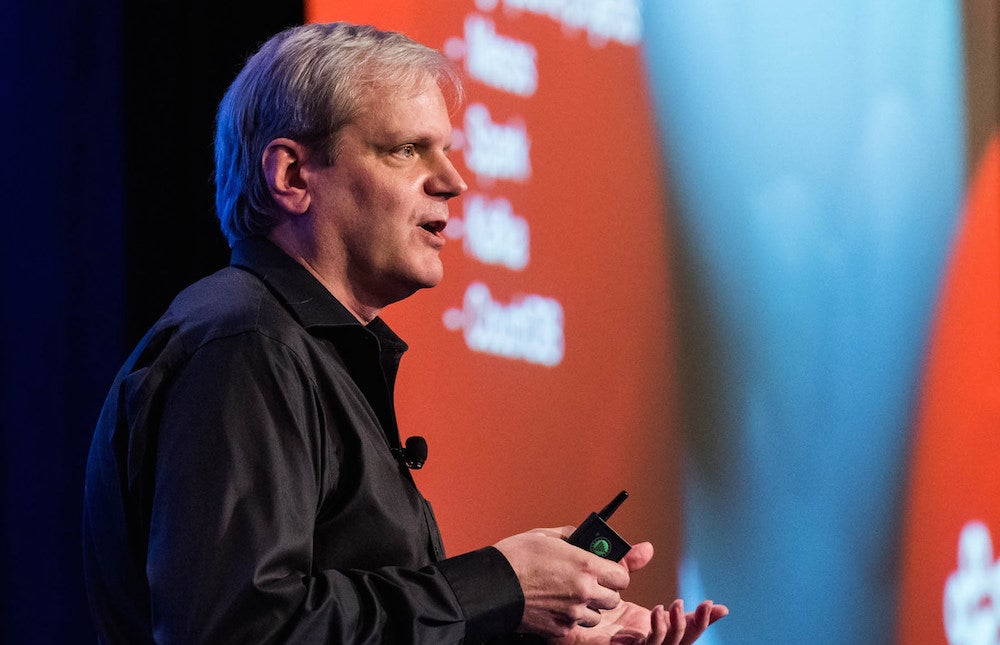
When IBM got involved with the Linux open source project in 1998, they were betting that giving their code and time to the community would be a worthwhile investment. Now, 18 years later, IBM is more involved than ever, with more than 62,000 employees trained and expected to contribute to open source projects, according to Todd Moore, Vice President of Open Technology at IBM, speaking at ApacheCon in May.

IBM’s Wager on Open Source Is Still Paying Off

When IBM got involved with the Linux open source project in 1998, they were betting that giving their code and time to the community would be a worthwhile investment. Now, 18 years later, IBM is more involved than ever, with more than 62,000 employees trained and expected to contribute to open source projects, according to Todd Moore, Vice President of Open Technology at IBM, speaking at ApacheCon in May.

“It became apparent that open source could be the de facto standards we needed to be the engine to go out and drive things,” Moore said in his keynote at ApacheCon. “[The contributions] were bets; we didn’t know how this was going to come out, and we didn’t know if open source would grow, we knew there would be roadblocks and things we’d have to overcome along the way, but it had promise. We thought this would be the way of the future.”

Moore reiterated IBM’s commitment to open source, highlighting projects born at IBM’s developerWorks Open (dWOpen), such as SystemML, Toree, and Quarks, and now in the Apache Incubator.

Machine Learning Focus

IBM is especially focused on machine learning technology — hence, its work on SystemML — and it’s looking to build “a big-picture platform” that will be able to process the mountains of data sure to come from sources like streaming data and the Internet of Things. Moore cited a Cisco study that estimated that by 2018 there will be 400 zetabytes of IoT data created — a staggering figure.

“To us, machine learning is incredibly important,” Moore said. “We are swimming in data. There is just more data out there than we possibly know what to do with. As a result of that we need to use machines to start doing the analytics, to learn from themselves, to figure out the new set of things that we weren’t seeing in the data.

IBM is also contributing to projects that have progressed past the Apache Incubator, projects like Mesos, Spark, Kafka, and CouchDB. “The projects here I think are going to be the keys to that in the future,” he said.

According to Moore, the strength of the Apache Foundation will always be the individual committers; it’s a formula that has worked from the very beginning. But, big companies like IBM continuing to make big commitments to the open source community will be crucial to maintaining or even increasing the pace of innovation.

“The Apache way is that everyone is a committer, and making their own commits into the process, but the companies are behind it,” Moore said. “We’ve got real good deep support here, and that’s important.”

Watch the complete presentation below:

https://www.youtube.com/watch?v=MG2iZBLz9g8?list=PLGeM09tlguZTvqV5g7KwFhxDlWi4njK6n

linux-com_ctas_apache_052316_452x121.png?itok=eJwyR2ye