EMC, a company that’s built much of its business on storage area networks (SAN), has created a connection technology – libStorage – to provide a standardized protocol for containers to interface with stored data. EMC is open sourcing libStorage on GitHub.
“There are a few factors preventing adoption of containers; one of them is storage,” says Josh Bernstein, VP of technology with EMC. “Customers have struggled with how they run persistent apps in containers. It’s a pain point, and now we’re getting to an acknowledgement by industry that this is a problem.”
In this article we shall discuss about two powerful Linux utilities that are used for sharing file/folder to network computers that are scp and rsync. scp allows you to simply copy directories or files from/to any remote destination whereas the rsync, besides simply copying files also acts as a synchronising tool that would synchronise the changes between source and destination. The discussion below is about their usage and various parameters that can be used along with to increase speed and security.
Virtual consoles are very important features of Linux, and they provide a system user a shell prompt to use the system in a non-graphical setup which you can only use on the physical machine…
[[ This is a content summary only. Visit my website for full links, other content, and more! ]]
More than ever, traditional companies are embracing open source and find that it can get out of control if they don’t have a coordinated plan to manage it. And what do I mean by a traditional company? Companies that are pre-open source (or born before 1995). Also companies that are not in the hardware or software product space, but more in the services space – financial, telecom, healthcare etc.
These companies often do not have open source development models or knowledge in their DNA. They either did almost all proprietary development or bought from proprietary vendors. IP and patents are very important and open source is often seen as a risk. There are very few open source savvy people in the company and case by case handling of open source questions. Legal teams are nervous and engineering managers don’t have time to deal with the implications of using or contributing to open source. Customer support and an accountable vendor with a support model is highly important to these companies.
In today’s age of cloud and web-scale, traditional companies find themselves using open source to build, deploy and manage products and services. This introduces an often foreign way of developing, supporting and engaging with developers. Companies find that they need a more systematic way to scale this across the company or it introduces risk and conflicts in engagement. In this new world, a lot of the components used in product development or tools comes from outside the company through downloads or third party products. Practically all product development today includes some open source libraries or code. This is new and needs to be managed. Internal developers need to know how to use these open source tools, extend them for use and know how to engage with community on changes. Support model in terms of how to get and deliver support to customers will need to change. Through all this, business leaders have a sense that open source is everywhere and they need to do something to work with open source but don’t know where to begin or what to do.
This is how we found ourselves at SanDisk (A Western Digital Brand) a few years ago. We found that we were consuming more open source and needed to understand and manage it better. Further, we could not get our work done without contributing back. And we wanted to establish ourselves as an open source friendly company and provide visibility and clarity on our role to the community. We had not participated in open source forums and were virtually invisible to the community. And like in other companies, the legal teams were the ones who raised the flag that there was a lot of usage and that a higher order function was needed to coordinate open source in the company. Engineers also had limited time and did not want to deal with the legal and community engagement side and were eager to have a function that handled this. There was a need for broad education across the company on what open source meant and how to work with it.
Once we realized that we needed to have a strategy around our consumption and contribution, we started with an Open Source Working Group (OSWG) at SanDisk that included those who were using and could be seen as champions and knowledgeable. Next I stepped into the role of Open Source Officer and defined the role and started chairing the OSWG. My legal partner had already established a compliance review team called the Open Source Steering Committee so we now had the key components in place. The Steering Committee created a usable policy and training for all developers in the company. The OSWG serves as the clearing house for open source news – use, issues, new contribution candidates and best practices. This allows us to leverage learnings across the company and also to weigh in on questions and potential contributions. My role became the center of all things open and provided a one place to go for open source related issues inside the company and for external parties. This created coordination across 6 dimensions which I call consumption, compliance, contribution, communications and collaboration. Foundations such as the Linux Foundation and OpenStack Foundation provide a great umbrella for collaboration, events and best practices and we became members and more visible through these bodies. My other task has been internal evangelizing and communications as well as advising strategy and business functions on the role of open source in our business strategy. The strategic aspects of the open source office should include discussions on business models, business case for open source, and marketing of the open source engagement
Open source program offices can take the load off of engineers and lawyers to bring a more holistic perspective and mentoring to open source engagement. They often do not have a legal or engineering bias and can take a more strategic and broad approach to open source. More importantly, they can enable the company to be a member of the community. Open source program offices also create alignment with the business strategy and product strategy which leads to better decisions on where and how to engage with the community and on which projects. This is critical for traditional companies who are not natively open source and need to be intentional in how they work with open source. If you want to learn more about open source offices, you can read more from the blogs on this site or attend my talk at the Red Hat Summit on June 29th in San Francisco.
According to Alan Gates, co-founder of Hortonworks and ODPi member, the Open Data Platform initiative (ODPi) is here to create a single test specification that works across all Hadoop distributions so developers can get back to creating innovative applications and end users can get back to making money, or curing cancer, or sending people into space.
I listen to music all the time while working at my PC (which is much of the day). Sometimes I’m pretty much tethered to the desk for long stretches, and sometimes I wander about the office (aka house) for new ideas or just to change my perspective. When I decide to step away, I like to take my music with me. How do I do that? Sure, I could turn the music up to eleven, but the cats (and my wife) aren’t too keen on hearing Devin Townsend Project at near blistering levels. And, sometimes I’m the only one in the mood for classical music.
To avoid the issue of too much music for the average ears, I stream what I’m listening to from my Linux PC to my Android device. How do I do that?
SoundWire.
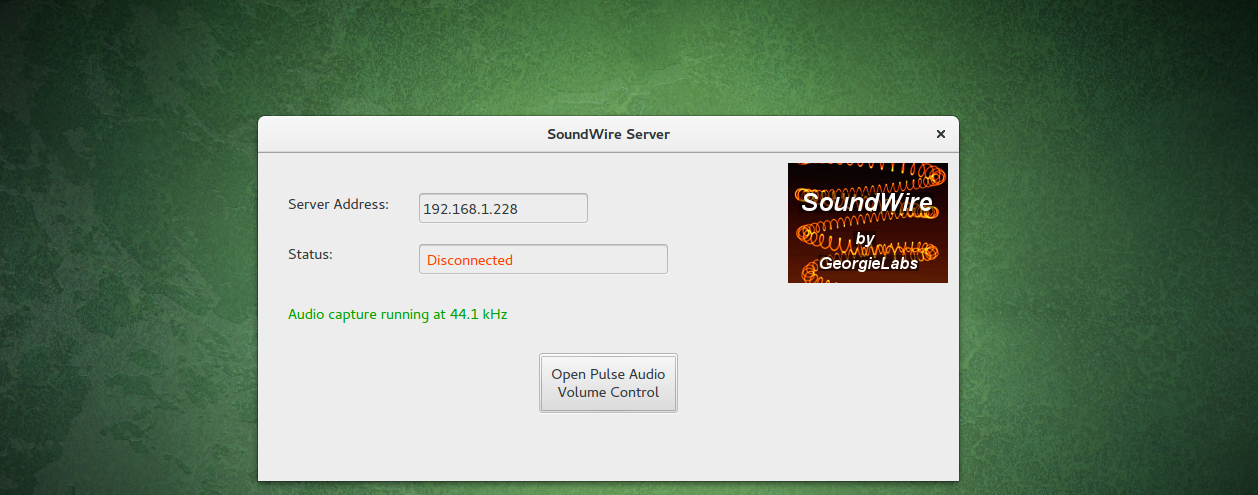
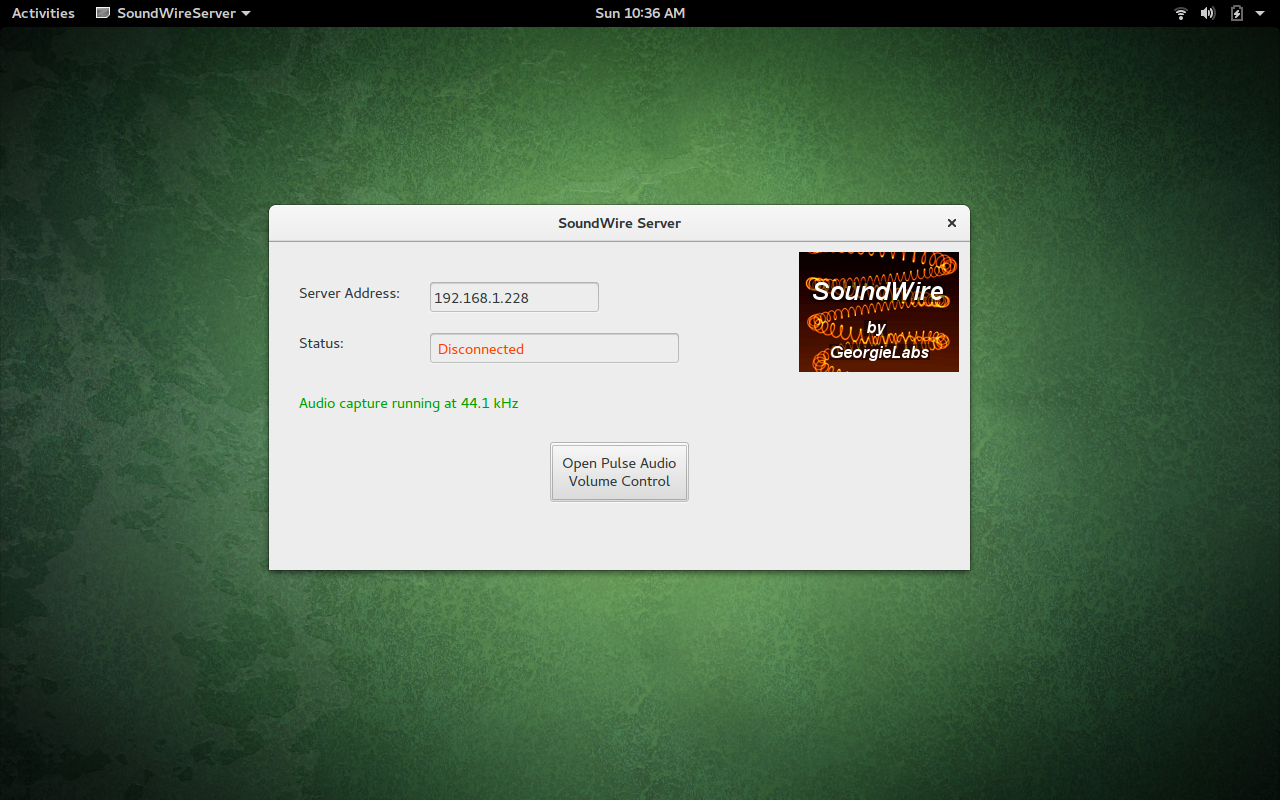
Figure 1: The SoundWire Server GUI in action.
This is a simple-to-use app duo, installed on both your PC and your Android device, that allows you to stream whatever you’re listening to so that you can take your audio with you…as long as you remain on the same wireless network.
Before you get too thrilled about this, there is one caveat to the system. You must not mute the volume of your PC; otherwise, the sound streaming to your Android device will also mute. Other than that, the SoundWire system works great.
Let’s get it installed and working.
Installations Abound
I’ll be demonstrating the installation on Ubuntu GNOME 16.04. The first thing you must do is install the SoundWire Server on your PC. Download the tar file from the SoundWire Server page (and make sure you get the server from that page). You’ll notice there are both 64- and 32-bit versions of the server. Download the correct file for your system architecture.
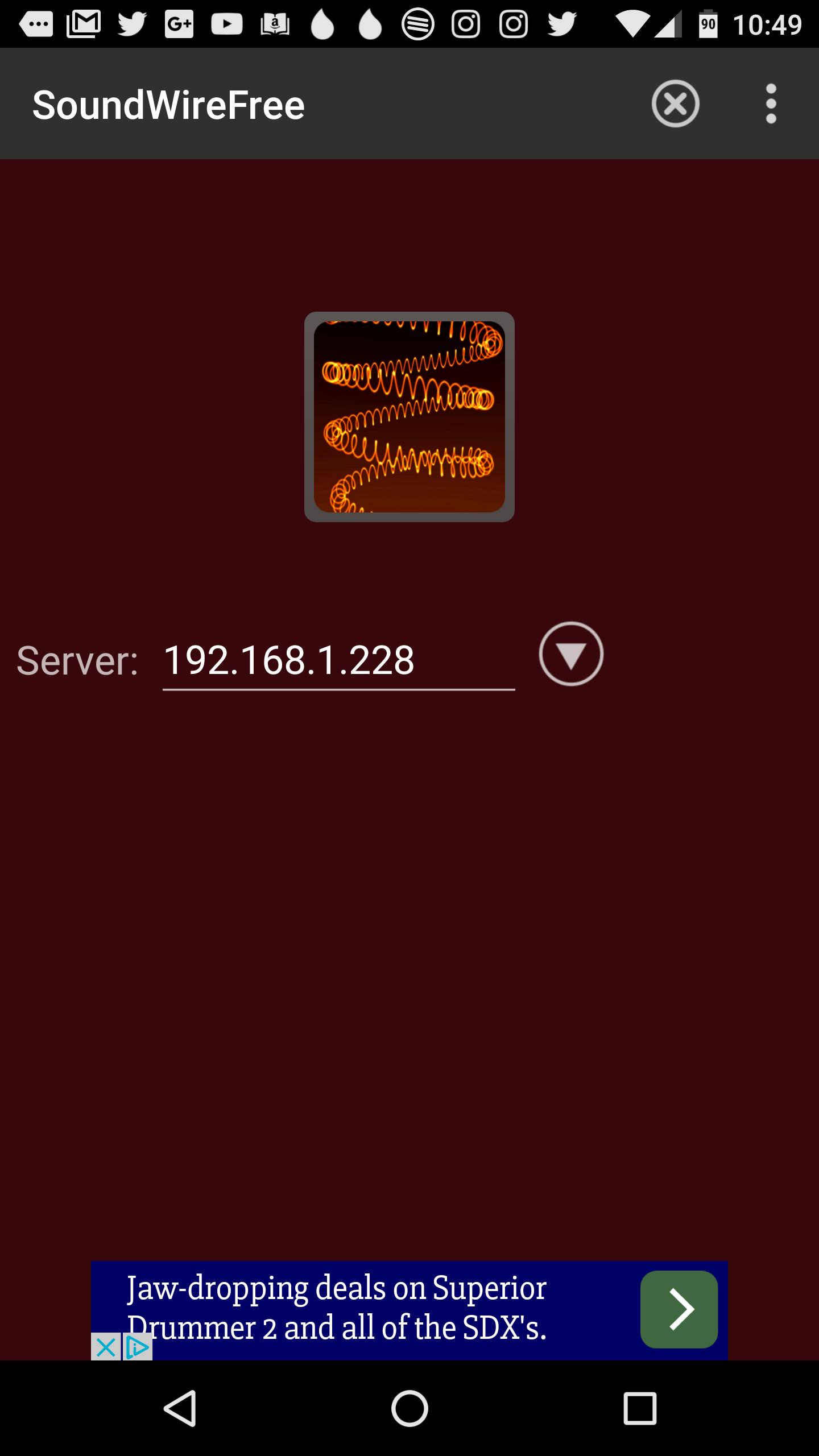
Figure 2: The SoundWire Android app.
Before the SoundWire Server will run, you must install PulseAudio Volume Controller. This can be done with a single command: sudo apt-get install pavucontrol. The SoundWire Server also requires portaudio, but most likely your system already has libportaudio2 installed. If you issue the command sudo apt-get install libportaudio2, it will either install the app (if it’s missing) or report to you that it is already installed.
Now let’s take a look at the downloaded SoundWire Server package. If you’ve downloaded the file into the ~/Downloads directory, open up your file manager and navigate to that folder. Locate the SoundWire_Server_linuxXX.tar.gz file (Where XX is either 64 or 32), right-click it, and select Extract here. This will create a new folder, SoundWireServer. Change into that folder, and you’ll see a number of files, ready to serve.
NOTE: If you don’t want to use the file manager to extract the folder, you can always open a terminal window, change into the ~/Downloads directory with the commandcd ~/Downloads, and issue the command tar xvzf SoundWire_Server_linuxXX.tar.gz(Again, where XX is either 64 or 32).
To start the server, you can either double-click the SoundWireServer file (depending upon which file manager you are using) or work with the command line. To run the app with the command line, do the following:
Open a terminal window
Change into SoundWireServer folder with the command cd ~/Downloads/SoundWireServer
Issue the command ./SoundWireServer
The GUI tool will open, ready to serve up your sound. Before you issue that command, however, let’s install the Android app.
The first thing you must know is that there are two versions of the app: Free and Paid. The free version will identify itself every 45 minutes (interrupting your music). To bypass that, you must purchase the Paid version, which will set you back $3.99.
To install the SoundWire Android app (we’ll install the Free version so you can find out if it’s an app you want to eventually pay for), follow these steps:
Open up the Google Play Store on your Android device
Search for soundwire
Locate and tap the Free version by GeorgieLabs
Tap Install
Read the permissions listing
If the permissions listing is acceptable, tap Accept
Allow the installation to complete
Once the installation is complete, you’ll find the launcher for SoundWire in either your App Drawer or your home screen (or both). Tap the launcher to start up the app.
Connecting Android to PC
The first thing you must do is start up the SoundWire Server. On your Linux PC, go back to the ~/Downloads/SoundWireServer directory (from the command line) and then issue the command ./SoundWireServer. The GUI will start up (Figure 1 above) and display the IP address to be used for connection.
Once the GUI is running, and you have your IP address, open up the SoundWire app on your Android device. When the app opens (Figure 2), enter the IP address of your Linux PC and then tap the square button in the center of the app.
The app will connect to the server and you can then start playing music from any app on your Linux PC. The sound should automatically start playing through both your PC and your Android device. The SoundWire Server GUI should display the word “Connected” to indicate your Android device has connected to the server.
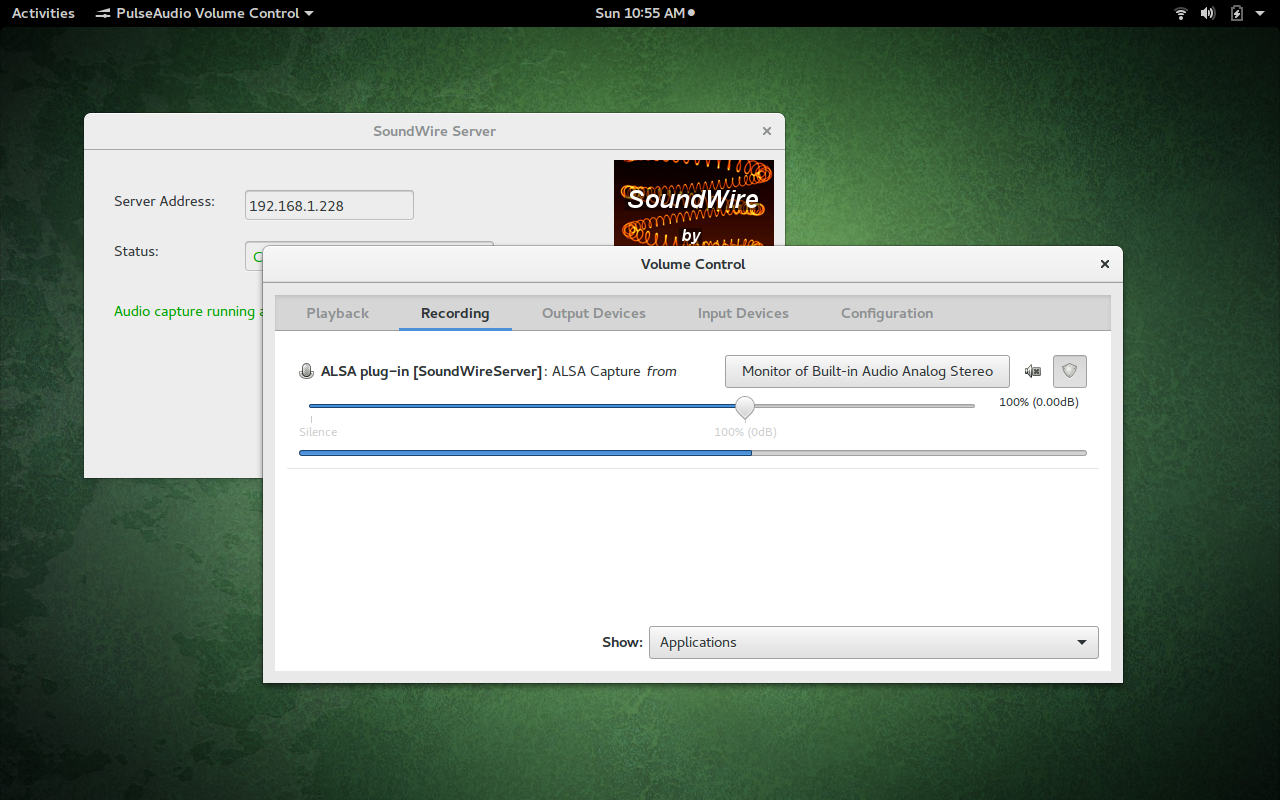
Figure 3: Selecting the right capture from device in the PulseAudio Volume Control app.
If you find the GUI claims the Android device is connected, but you’re not hearing any sound on your mobile device, go back to the SoundWire Server GUI and click on the Open PulseAudio Volume Control button. In this new window (Figure 3), go to the Recording tab and make sure Monitor of Built-In Audio Analog Stereo is selected from the Alsa Capture from drop-down. Once that is selected, the sound should start spilling from your Android device.
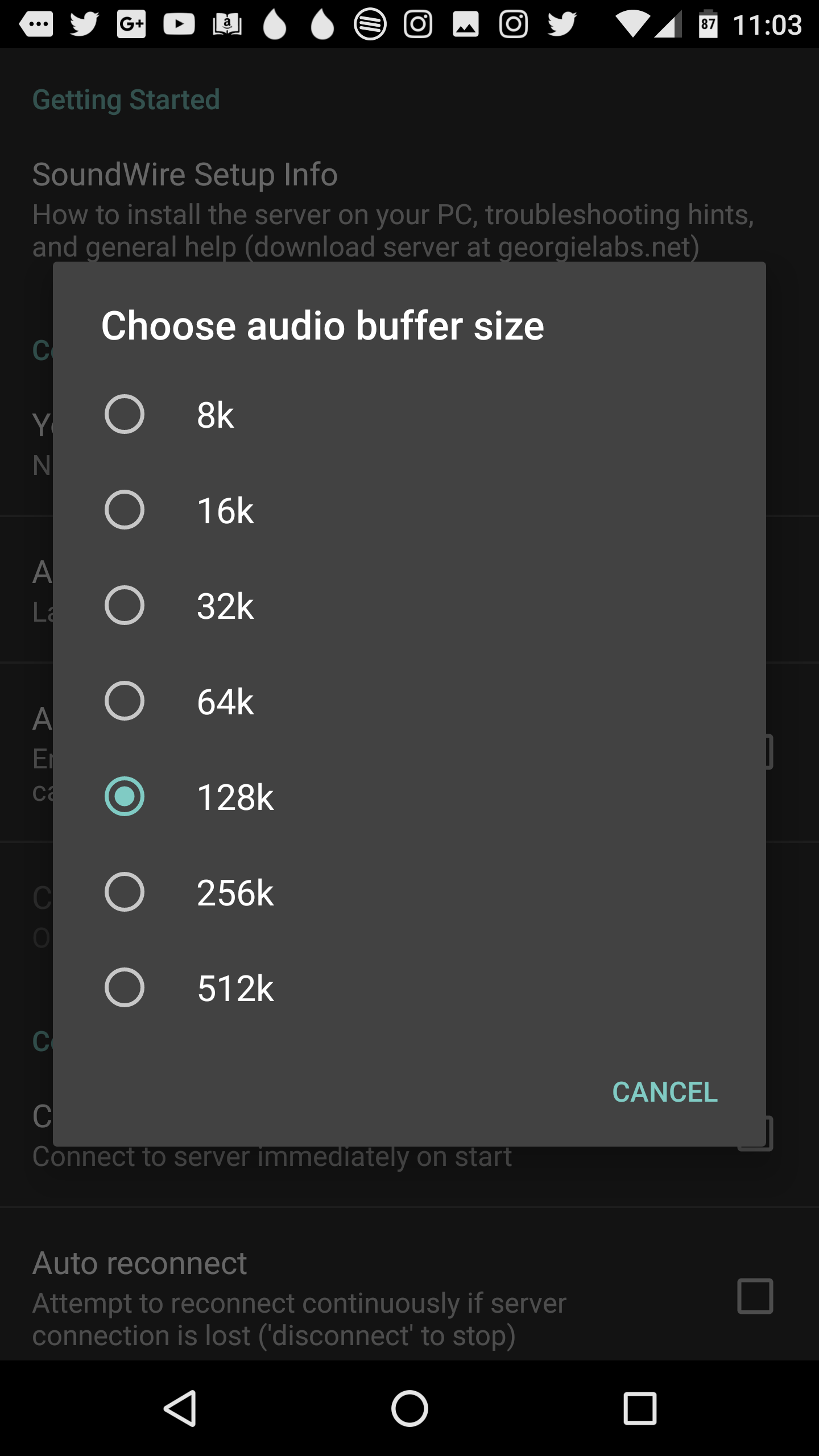
Figure 4: Setting the buffer size for less latency.
Do note that there is a lag (latency) in the sound between the PC and the Android device. You can shrink the latency by opening up Settings (in the Android app) and changing the latency to a lower buffer size (Figure 4). The larger the buffer size, the smoother the audio. The smaller the buffer size, the lower the latency. The default is 128k (which gives a smooth sound with some latency).
Unfortunately, you cannot achieve zero latency with SoundWire…but you can come close.
A Great Solution
If you’re looking for one of the easiest Linux to Android audio streaming solutions, you cannot go wrong with SoundWire. Both the Server and App are reliable, quick to set up, and will function with any audio playback application. Give SoundWire a try and see if it doesn’t help you untether yourself from your desktop audio.
Learn more:
To learn more, check out the “Introduction to Linux” course from The Linux Foundation. This free self-paced course will provide you with a good working knowledge of Linux using both the graphical interface and command line.
What are containers and microservices? What are they not? These are questions that Lars Herrmann, general manager of Integrated Solutions Business Unit at Red Hat, answered recently for The VAR Guy in comments about popular container misconceptions and myths.
It’s no secret that containers have fast become one of the hottest new trends in computing. But like cloud computing or traditional virtualization before them, containers do not live up to the hype in all respects. In order to leverage container technology effectively, organizations need to understand the history behind containers, their limitations and where they fit in to the data center landscape alongside virtual machines.
Proxmox Server Solutions GmbH — based in Vienna, Austria — offers enterprise server virtualization solutions, including the open source project Proxmox Virtual Environment (VE), which combines container-based virtualization and KVM/QEMU on one web-based management interface. The company was founded in 2005 by brothers Martin and Dietmar Maurer. In 2014, the company joined the Linux Foundation to deepen its commitment to virtualization technologies such as KVM.
In this exclusive interview, Dietmar Maurer, CTO of Proxmox, talks about how virtualization is driving the modern IT infrastructure and how high availability (HA) directly affects business operations.
Dietmar Maurer, CTO of Proxmox
Linux.com: Can you tell us how virtualization helps businesses get the most out of their IT infrastructure in this new era of software-defined everything?
Dietmar Maurer: Software-defined storage (SDS) via open source technologies is the final step to operate all services without any vendor lock. Recently, most enterprises used traditional storage like iSCSI or NFS from tier one vendors for their virtualization cluster setups. Nowadays, many businesses have started moving to software-defined storage, like Ceph for example — just to name the most important one being used also with our virtualization platform Proxmox VE.
Together with the wide availability of enterprise class NVMe SSD and 10 or 40Gbit networks, high-performance storage clusters are already in place – the upcoming next generation of enterprise SSD storage (Intel 3D Xpoint NVMe SSD) will boost SDS again to an even greater level. The great thing for all open source users is that they can benefit immediately from such hardware innovation.
Virtualization has become the norm in modern IT infrastructure, but some businesses are just starting to adopt virtualization platforms. What are the key areas they should consider when moving to virtualized environments?
If possible, I would recommend to always use open technologies. Traditional software vendors always will tell you that their closed solution is ten times faster. But, you should take your time and evaluate closely several offerings with your own test lab. You will then be able to see the difference it makes in reality, and in numbers. You should always try to avoid bottlenecks in your IO stack and also make sure that your storage is fast enough (use high end SSD only!). As long as you choose a scalable and expandable storage solution, you are prepared for the future needs of an expanding business.
What challenges do businesses face in a virtualized environment when it comes to provisioning/availability of applications, services, databases, networks, storage, etc.?
Everybody needs highly available services, nobody likes downtime – this is true for the one-person company as well as for big enterprises. Building HA setups with a fully redundant network and storage is not so hard, and it’s possible for any admin. A common mistake, in my experience, is that people choose cheap hardware for HA nodes. This should be always avoided as it leads to a bunch of problems afterward. Only premium class server hardware should be used here.
We know that in the traditional model, provisioning of IT resources can take days, weeks, and even months. How do VMs and containers help solve that problem and what other benefits do they bring?
Almost all servers run on Linux nowadays. Choosing a Linux-based virtualization, Linux-based network, and Linux-based software storage seems obvious. As a result of the common Linux basis of your data center software, automation on almost all places is much easier than by mixing different technologies. By using separate containers or virtual machines for the needed services, the management and operation can be secured and optimized. The ability to live-migrate virtual machines from one hardware to another keeps all your services alive, regardless of hardware replacement or maintenance tasks in your data center.
What kind of businesses need high availability of virtualized environments?
Today, everyone dependent on IT needs high availability, so actually all businesses who have IT need HA to minimize server downtime. Imagine, for example, a business with an online shop selling a product X. The server breaks down and is offline for a couple of hours or, worst case, for even a day. A client visiting the shop at this time sees that it’s not available. He will buy somewhere else, and it’s doubtful he’ll ever come back again.
Let me explain how high availability is used in Proxmox VE: If a virtual machine or container (VM/CT) is configured as HA and the physical host fails, the VM or CT is automatically restarted on one of the remaining cluster nodes. In Proxmox VE, system administrators are able to configure complex HA cluster settings intuitively via the web GUI, which is why Proxmox VE makes high availability easily accessible to the masses. By integrating a software watchdog, the external fencing devices become dispensable in basic configurations.
So, to summarize, highly available virtualized environments are for all businesses who need to meet customer expectations, provide stability and reliability, and who want to grow and expand. Zero disruptions or inconveniences, minimal downtime – all this will show reliability to your customers or users. Companies offering services that should be delivered continuously and reliably — such as websites or web services (like online stores) — are just one of many examples. A reliable network helps you focus on growth instead of fixing issues or interruptions of network.
How do you ensure integrity, security, and redundancy of critical data?
This is a quite general question, and therefore I can give just a general answer. At Proxmox, we integrate the best available open source storage technologies into Proxmox VE. On the storage level, this is, for example Ceph, ZFS on Linux, DRBD, GlusterFS, and others.
Configuration files are stored in our Proxmox Cluster file system (pmxcfs). pmxcfs is a database-driven file system for storing configuration files, replicated in real time on all nodes using corosync. We use this to store all PVE-related configuration files. Although the file system stores all data inside a persistent database on disk, a copy of the data resides in RAM.
How does HA directly affect business operations?
HA allows business continuity. If your services are offline, you cannot make money. It’s that simple.
What kind of HA solutions for virtualized platforms are available for such customers?
They can use for example the Proxmox VE HA resource manager for multi-node high availability clusters. It monitors all virtual machines and containers on the whole cluster and gets automatically into action if one of them fails. The HA Manager works out of the box, and with watchdog-based fencing simplifies deployments dramatically. The entire HA settings can be configured via the integrated web GUI. It’s open source, it’s easy to implement and administer, so I think there is no excuse to not have a HA solution setup even if you are a small company.
Can you give us a brief overview of Proxmox, the company?
Proxmox Server Solutions is the company behind the open source project Proxmox Virtual Environment (VE). My brother Martin Maurer (CEO) and I founded the company in 2005 when we had developed a new product, the anti-spam and anti-virus filter Proxmox Mail Gateway, which we started selling with the new company and via our partners. In 2008, we released Proxmox Virtual Environment (VE), a server virtualization solution combining container-based virtualization and KVM/QEMU on one web-based management interface.
We had been using KVM and containers (OpenVZ back then) internally for development purposes and needed a GUI for it. That’s actually how Proxmox VE was born, and it was — and still is — a unique and really cool product; that’s why we made it available to public. Today, Proxmox also offers services like support subscriptions and trainings to our 6500+ customers in over 140 countries. We have a core team located in the beautiful city of Vienna, Austria and many contributors, testers, friends, and developers, which can be spotted all over the planet.
As a Linux Foundation member, how do you engage with the Linux and open source community?
We jumped into Debian GNU/Linux almost 20 years ago. During this time, we contributed and worked on many places and projects as we love to communicate and share ideas. Cooperating with many great open source communities allows us to access all the latest and greatest technologies without delay, and make them also available for our users.
Our main project, Proxmox VE, is licensed under the free software license AGPLv3, and there are no hidden features or commercially licensed add-ons. Besides the open source license, the development process is also totally open, and we warmly invite people to contribute and share their ideas.
A new Mozilla fund, called Secure Open Source, aims to provide security audits of open-source code, following the discovery of critical security bugs like Heartbleed and Shellshock in key pieces of the software.
Mozilla has set up a $500,000 initial fund that will be used for paying professional security firms to audit project code. The foundation will also work with the people maintaining the project to support and implement fixes and manage disclosures, while also paying for the verification of the remediation to ensure that identified bugs have been fixed.

 In this article we shall discuss about two powerful Linux utilities that are used for sharing file/folder to network computers that are scp and rsync. scp allows you to simply copy directories or files from/to any remote destination whereas the rsync, besides simply copying files also acts as a synchronising tool that would synchronise the changes between source and destination. The discussion below is about their usage and various parameters that can be used along with to increase speed and security.