As software takes over the world and the DevOps transition intensifies, business units and the developers that create products for them will increasingly seize control of technology purchasing decisions from IT organizations, according to industry observers. While IT organizations won’t completely lose control, IT practitioners should be aware of the changing dynamics as the data center and DevOps evolve.
Just 17% of IT spending is controlled outside of the IT organization as of this year, according to a report issued by analyst firm Gartner last month. That represents a significant decline from 38% of IT spending controlled outside of the IT organization in 2012. But by 2020, Gartner predicted that “large enterprises with a strong digital business focus or aspiration” will see business unit IT spending increase to 50% of enterprise IT spending.
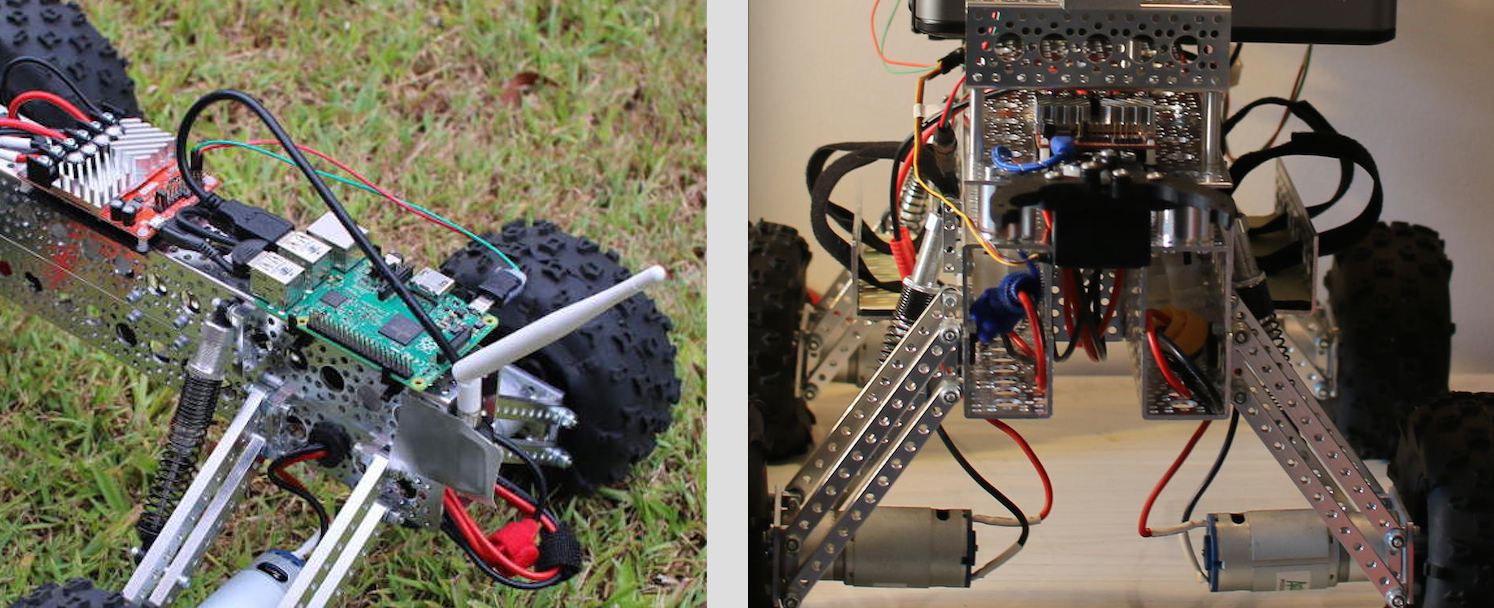
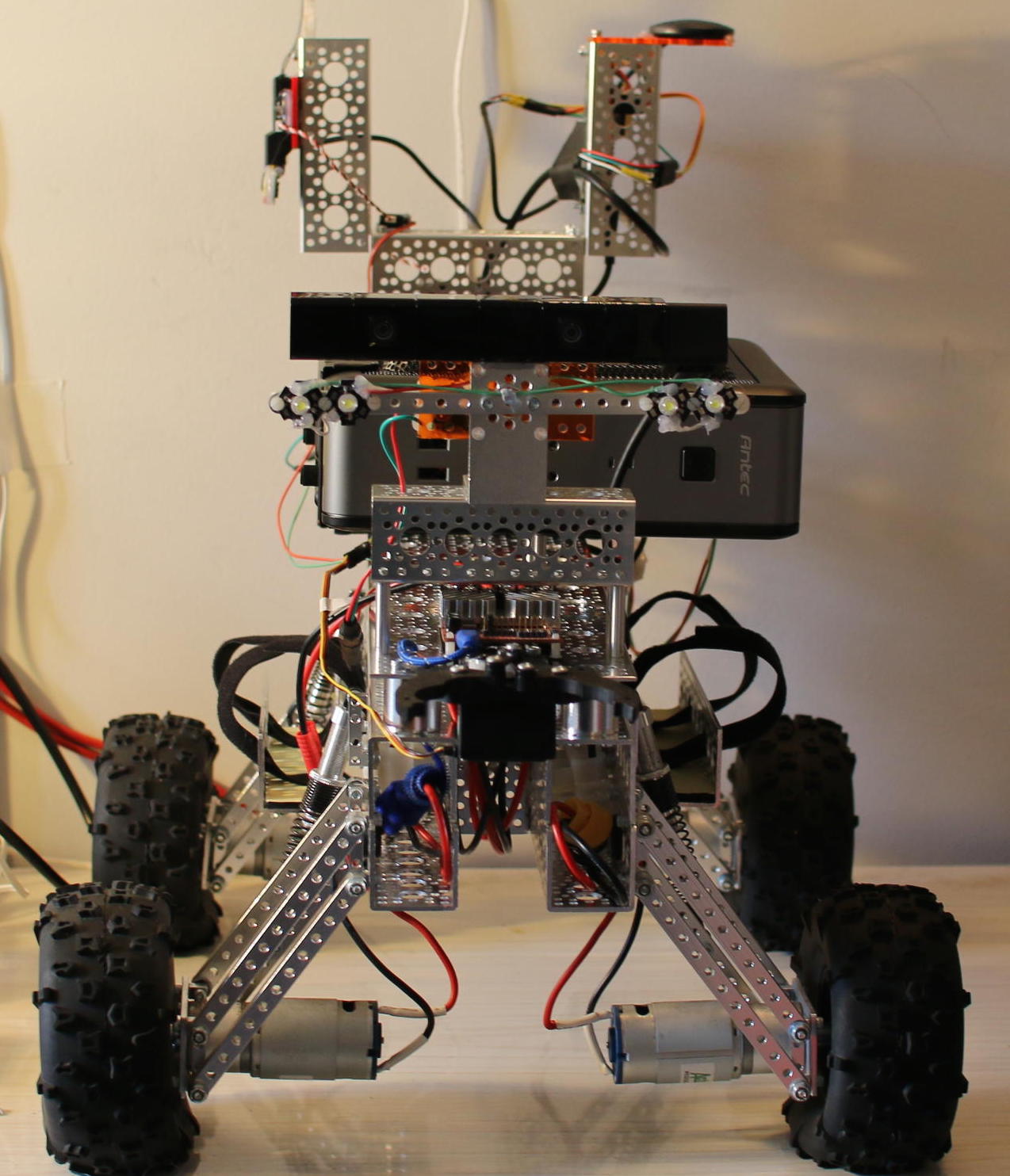
The first three parts of this series (see links below) have shown the building of the Mantis robot (Figure 1), how to control things with the RoboClaw motor controller, and operation of the robot using the keyboard. Before you start thinking about self-driving robots, it is useful to be able to control the robot more accurately with a portable wireless controller. This time, I’ll show how to use a PS3 joystick over Bluetooth to control the robot.
The PS3 joystick is much easier to carry around than a keyboard and provides more natural adjustment of the speed and heading of the robot. No longer do you have to tap keys multiple times to steer the robot; just move the joystick a little more to the left or the right if you want to move more or less in each direction.
Figure 1: The fully built and modified Mantis robot.
PS3 Controller Robot Drive
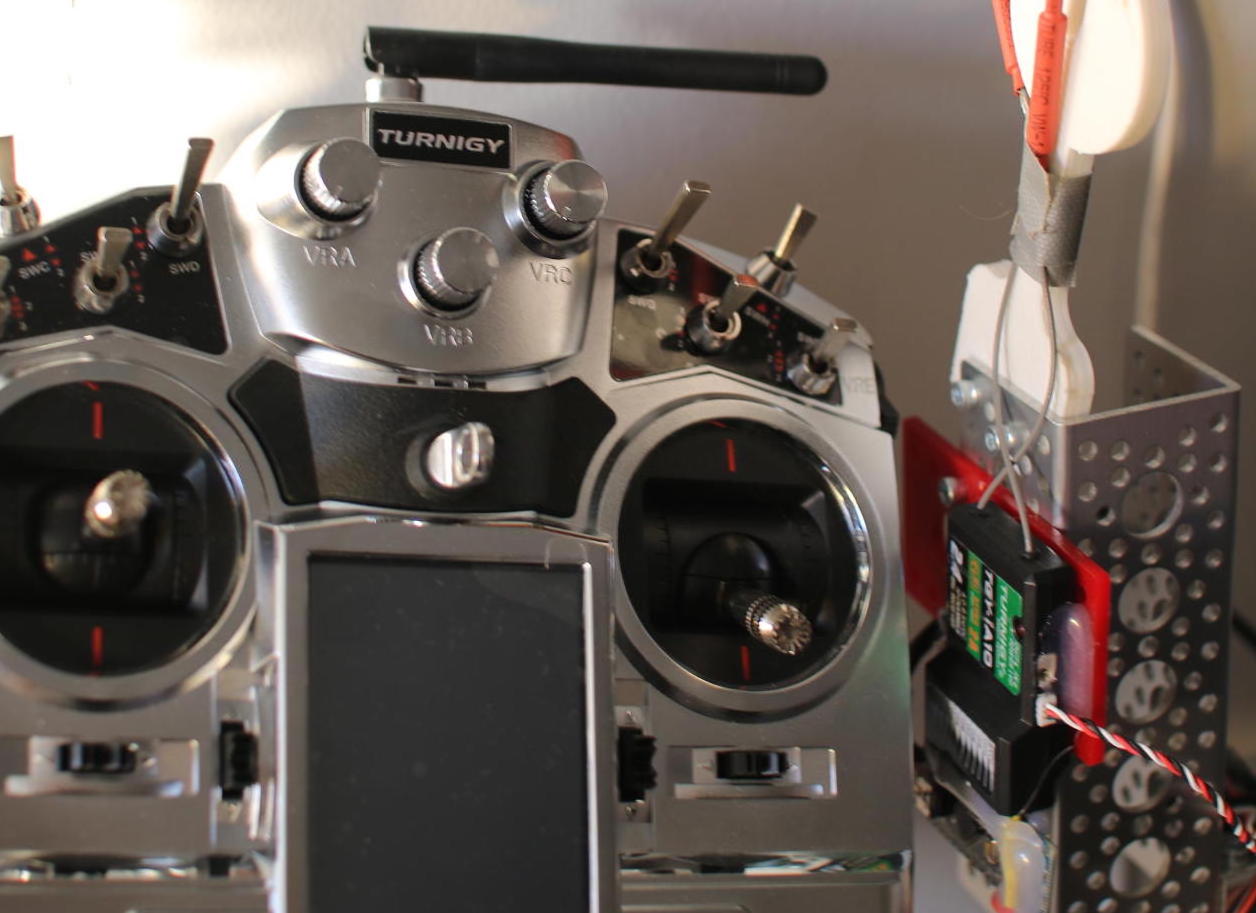
The PS3 controller has four analog inputs, two as joysticks near the center of the controller and two analog buttons around the top left and top right of the controller. You can also get additions for the PS3 controller that give you a greater physical movement space for the same input range. This can be very useful when trying to control a robot with a controller that’s designed for video games. If you have a little more budget, a hobby radio control transmitter and receiver will give you longer range control than the PS3 controller (Figure 2).
Figure 2: You can add a radio control transmitter and receiver for longer range control.
If you add a Bluetooth dongle to the Raspberry Pi, you can set up a PS3 controller so that it gives events through the Linux kernel joystick API. The main setup step is writing the Bluetooth address of your Raspberry Pi to the PS3 controller. This is done by connecting the Bluetooth dongle to your Raspberry Pi and then connecting the PS3 controller to the Raspberry Pi using a mini USB cable. The six-pair tool is then used to write the MAC address of your local Bluetooth interface to the PS3 controller.
Then, you can run the six-axis controller daemon (sixad) on the Raspberry Pi and press the “ps” button in the middle of the controller. It should indicate that it has connected as controller “1”. To test this out run the jstest program and you should see changes on the screen as you move the joystick around and press buttons.
A joydrive command can then control the motors using input from the PS3 controller. This is much like the simpledrive command shown previously, which controlled the robot from the keyboard. The joystick is opened in non-blocking mode as shown below.
int joyfd = open ("/dev/input/js0", O_RDONLY | O_NONBLOCK);
To read from the joystick, you use the struct js_event type. The js_event contains information about a single event, such as a button being pressed or where an axis of input is located. For example, if you press one of the input joysticks upwards then you will get events of type JS_EVENT_AXIS with a number of perhaps 3 (for that axis) and a value that ranges from 0 in the middle to +/-32767.
The one trap for young players here is not maintaining state for the axis that you are using. For example, when the joystick is moved forward, it is possible that another button or axis changes state, too. If you want to track where the axis that you’re using for forward and backward is located at the moment, you have to cache the last value sent by the Linux joystick API for that axis. This is why the ev_forwardback and ev_leftright variables exist in the program.
In the main loop, if a new joystick event can be read without blocking, we update the timeoutHandler and then inspect the new event that we read. If it is for the triangle button, then we assume the user is no longer interested in driving the robot. So, we stop it and exit the program. Movements on axis that are interesting are cached to local variables.
The gain of having a cached value for the axis that we are interested in is that we can update the robot speed and direction once every iteration, regardless of whether any changes are received from the joystick itself.
There are many ways to do this update, I have found that treating the speed adjustment as an acceleration and the heading adjustment as a direct adjustment works fairly well. This means that you can hold the joystick forward to speed up the robot, then release the joystick, and the robot will continue to hold the current speed. If you move the joystick for axis control left, then the heading is directly modified to the current joystick value. This seems to work fairly well, as adjustments to how the robot is turning are made fairly quickly; whereas, you might like to have the robot keep moving without having to hold a joystick at any specific angle for a prolonged period.
The main task is to convert the joystick value that the Linux kernel gave us from the range [-32767,+32767] to [-1,1] that the MantisMovement class expects. I found the axis that I was using for forward and backward was in reverse to what I expected, so I inverted the sign on that axis.
const float incrSpeed = 1;const float incrHeading = 0.01;float v = ev_forwardback.value;v /= 32767.0;v *= -1;mvwprintw( w,1,1,"FWD/BACK %f %d", v, iter );mm.adjustSpeed( incrSpeed * v );v = ev_leftright.value;v /= 32767.0;v *= 1.0;mvwprintw( w,1,1,"LEFT/RIGHT %f ", v );mm.setHeading( v );
Final Words
The combination of a Mantis kit, RoboClaw motor controller, Raspberry Pi, battery, WiFi and Bluetooth dongles, and a PS3 controller give you are powerful robot base that can easily move outdoors. This is a great base platform to start playing with perception and semi-autonomous robot control.
For improvement, you might want to add a feedback mechanism to the wheels of your Mantis so that you know how far you have traveled. Or, you could run a robotics platform, such as ROS, on top of an Ubuntu Linux installation on your Mantis. Maybe your Mantis robot will end up competing for fame and fortune in a NASA autonomous robot challenge.
For longer range wireless control, you might like to use a dedicated transmitter and receiver pair designed for radio-controlled hobbies. The range of these controllers is much greater, and they are much less likely to drop signal due to interference. These controllers emit a signal for multiple channels that can be read using an Arduino and turned into a serial stream over USB.
The code I have given here is all open source and available on GitHub. Note that this is really a very minimal example of control and improvements to emergency stop conditions and battery voltage monitoring, and stop should really be added to the code.
Here at the TM Forum Live conference, NEC and Netcracker Technology today launched the Agile Virtual Platform (AVP), a sprawling network functions virtualization (NFV) platform designed to help service providers build and manage new services based on emerging virtualization technology. You could call it NFV as a service — with some DevOps thrown in for good measure. (Note: Netcracker is the U.S.-based subsidiary of Japanese technology giant NEC.)
In a world of plentiful OpenStack offerings and NFV orchestrators, NEC/Netcracker looks to differentiate by “filling the gaps” in NFV, for example by providing integration with operations support systems (OSSs) and business support systems (BSSs). The platform also promises to deliver tools that enable technology vendors and service providers to collaborate on application and service design using a DevOps model.
Popular container technology provider Docker announced that its security scanning product, formerly codenamed project Nautilus, is now generally available.
Aptly named Docker Security Scanning, the service provides detailed analysis of Docker application images hosted on the Docker Hub image repository.
In many ways, Docker equates applications with content when it comes to security. In the latest release of Docker 1.8, the goal was to figure out who created that content. Now, the goal is to determine what exactly is inside the content. That said, Docker Security Scanning is designed to spot any components lurking inside an image that may be vulnerable to known exploits.
At the very core of containers are the same Linux primitives that are also used to create application sandboxes. The most common sandbox you may be familiar with is the Chrome sandbox. You can read in detail about the Chrome sandbox here:chromium.googlesource.com/chromium/src/+/master/docs/linux_sandboxing.md. The relevant aspect for this article is the fact it uses user namespaces and seccomp. Other deprecated features include AppArmor and SELinux. Sound familiar? That’s because containers, as you’ve come to know them today, share the same features.
Why are containers not currently being considered a “sandbox”?
One of the key differences between how you run Chrome and how you run a container are the privileges used.
Project Calico comes together with CoreOS’ flannel to create new open-source Canal project, backed by Tigera.
At the CoreOS Fest here one of the big pieces of news is a new networking effort called Canal. Canal is an open-source effort that combines Project Calico which has been led by Metaswitch and flannel, led by CoreOS into a new container networking project, that includes both addressing and security policy elements.
Don’t let the technology gender gap fool you; there are many outstanding women in open source. Some founded companies, some are leading major projects and many are among the most interesting and influential figures in the open source world.
Here, in alphabetical order, are the ones to watch. (This list is ever growing so if you know someone who should be on it, let me know.)
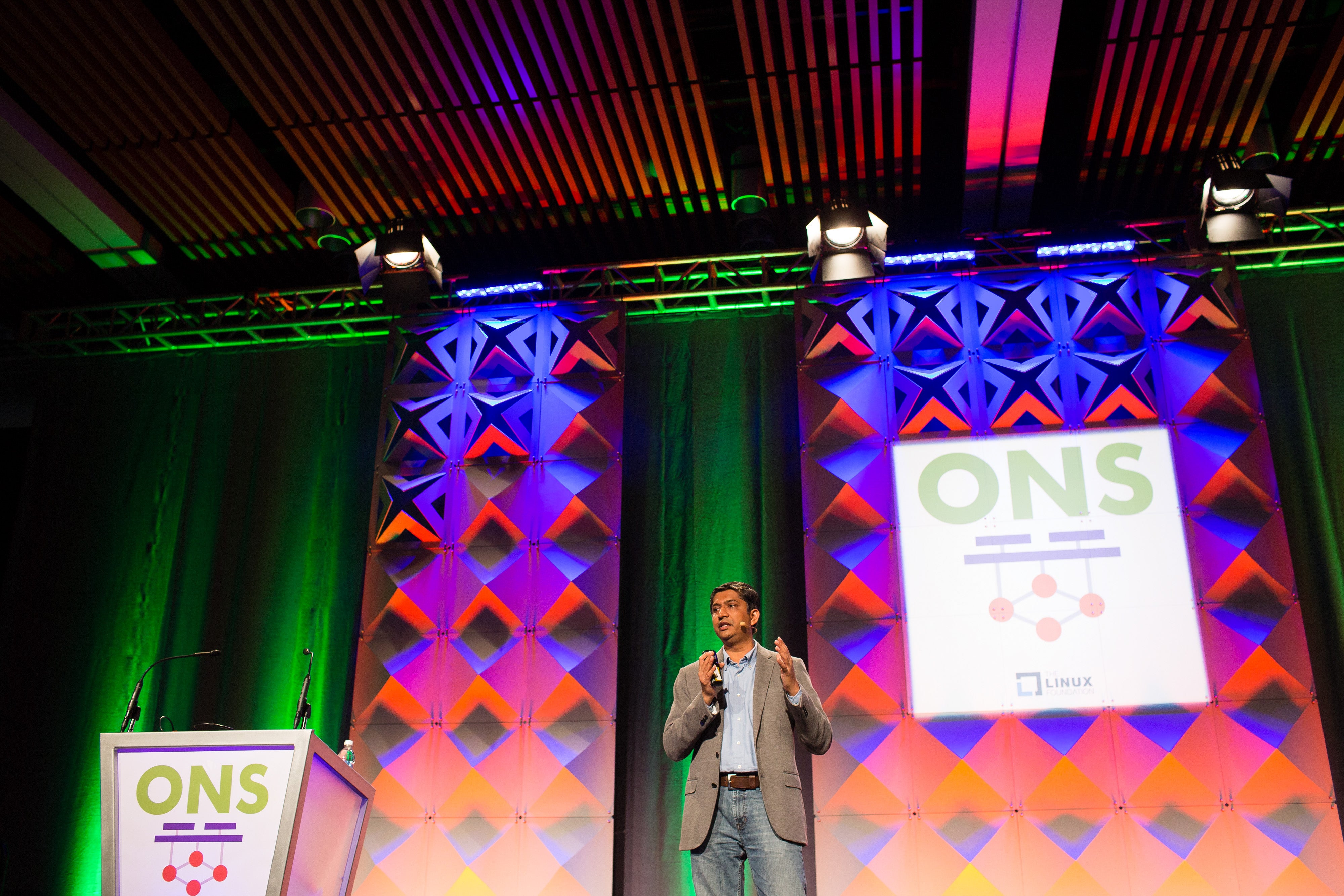
Experimenting with software-defined networking (SDN), overlays and container networking is the latest step in PayPal’s journey to build its next generation Enterprise Cloud infrastructure. At Open Networking Summit 2016 (ONS), Jigar Desai, VP of Cloud and Platforms at PayPal, shared the company’s transition over the past three years from a consumer perspective. He covered why and how this SDN journey started, key business use-cases, the current state of SDN, challenges, and its future vision.
“OpenStack for us is not an experimental platform, but it is taking 100 percent of front and mid-tier traffic. So every payment transaction on PayPal is actually hosted on OpenStack,” Desai said at his keynote talk “We wanted to operate SDN through OpenStack Neutron and wanted this access available to both cloud operators as well as cloud users.”
First, Desai provided context on PayPal’s evolution from a monolithic application to a cloud-based robust, reusable, and platform-based architecture to drive developer productivity and business agility.
This architecture has four layers. The Infrastructure & Operations layer at the bottom provides computer, storage, and network and is powered by OpenStack. On top of that is the Platform-as-a-Service (PaaS) layer — the core technology and analytics platform that provides services like messaging, logging, monitoring, analytics, etc. to be leveraged across all PayPal applications. On top of that is the Payments Operating System (POS), which is the foundation for all payments-related microservices and which serves all customer-facing experience through mobile and web apps. Finally, the top layer comprises customer-facing applications.
Desai said a combination of open source software for the infrastructure layer and proprietary software for the PaaS layer has seen PayPal release code in a matter of minutes and days instead of weeks and months. More than 50 percent of developers have already transitioned to this model.
Next, he outlined the motivation for the experimenting with SDN at PayPal, use cases, SDN architecture, current challenges, and future vision.
Motivation for SDN at PayPal:
Ability to logically isolate cloud resources (compute, storage, network) for different business use cases requiring different security policies while co-existing on shared infrastructure.
Move computes between security zones as needed
Programmatic APIs to reduce operational overhead
Use cases:
Two distinct use cases with different security requirements and running on shared infrastructure but isolated by SDN using overlays:
External zones – hosting beta apps reachable from the Internet but separated from other zones.
Developer zones – hosting developer tools with no direct access from the Internet but available via corporate network.
SDN Architecture at PayPal
PayPal uses a SDN plugin, accessible via the OpenStack Neutron API, which talks to horizontally scaling SDN controllers to push down security policies and rules to hypervisors and OpenSwitch through Openflow.
Current Challenges
PayPal operates SDN and overlays for multiple zones but not yet on production critical workloads. This will occur in due course as the industry overcomes the following challenges:
Scalability
Maturity
Implementation
Security
Future Vision
PayPal’s vision for the future of its cloud stack sees its proprietary PaaS layer being replaced by Mesos and Docker. It also envisions support for stateful applications in addition to stateless and exploring the possibilities for using public cloud for non-critical use cases.
Watch the full talk, ‘PayPal Cloud at Scale’ below.
Apache Hadoop is an Open Source framework build for distributed Big Data storage and processing data across computer clusters. The project is based on the following components: Hadoop Common it contains the Java…
[[ This is a content summary only. Visit my website for full links, other content, and more! ]]
Automotive Grade Linux could be the answer to today’s woefully fragmented, often frustrating automotive operating-system landscape. A project of the Linux Foundation, AGL is currently focused on providing an operating system for in-vehicle infotainment consoles. But its backers envision an OS that can control instrument clusters and handle everything from connected-car features to autonomous vehicles. Toyota, Honda, Mazda, Nissan, Subaru, Mitsubishi, Ford, and Jaguar Land Rover are all participating.
I spoke with Dan Cauchy, general manager of the Automotive Grade Linux project at the Linux Foundation, to learn more about this project.