Home Blog Page 817

Apache Milagro Aims to Fix Web Security for Cloud, Mobile, IoT

Editor’s Note: This article is paid for by MIRACL as a Diamond-level sponsor of ApacheCon North America, to be held May 11-13, 2016, and was written by Linux.com.

As the Internet continues to both grow in size and widen in scope, so do demands on the supporting infrastructure.  The number of users and devices, amount of activity, internationalization of the web, and new devices that range from mobile apps and cloud instances to “Internet of Things,” put strain on the system. Not just for bandwidth or service availability, but also on the assurance of trust — trust that the entities at each end are who (or what) they say they are, and that their communications are private and secure.

One piece of assuring trust is watching for and fixing vulnerabilities in key software and systems. (E.g., the “HeartBleed” bug in OpenSSL, Superfish malware, and the September 2011 revocation of DigiNotar’s certificate authority.)

HackerOne, founded in 2012, has been instrumental in helping to discover and disclose computer security vulnerabilities. According to CEO Mårten Mickos, “As of mid-April 2016, the company’s customers had fixed over 22,000 bugs and vulnerabilities that were reported to them by HackerOne’s global community of security researchers and hackers,” says Mickos. “We have publicly disclosed at least 1,600 reports, which provides invaluable data to security researchers and others.”

Another way of assuring trust is through the PKI (Public-Key Infrastructure), which is supposed to allow web browsers to validate that the various web sites their users request are who/what they say they are, along with securing TLS and SSH connections. But this system, too, has its limitations.

“Securing website communications with SSL/TLS (Secure Sockets Layer/Transport Layer Security) has traditionally required too much knowledge and effort,” comments Josh Aas, Executive Director of the Internet Security Research Group, which provides Let’s Encrypt, a free, automated, and open certificate authority (CA).

Let’s Encrypt eliminates barriers of cost and complexity by offering individuals and companies the ability to install free certificates in seconds.

“In some countries it has been difficult or impossible to obtain SSL/TLS certificates from established providers… and some of the established providers have been shown to be too lax about security,” Aas adds. “Let’s Encrypt is working to alleviate these problems for current PKI users, with scalable automated provisioning, global availability, a level of transparency that people should expect from organizations they trust.”

However, while essential to keeping today’s Internet working safely, there are new, fast-growing security and privacy concerns that these activities don’t address.

Cloud, Mobile Apps, IoT Need New Trust Paradigms

Web browsing typically involves a user going to a variety of sites throughout the day. The primary “trust” concern is ensuring we have reached the correct, legitimate site, e.g., Amazon.com, AmericanExpress.com, PayPal.com, rather than an incorrect or spoofed site, and that a connection announcing itself as secure, e.g., with an HTTPS or SHTTP in the URL.

This authentication is currently done using a PKI (Public Key Infrastructure) certificates system — although, as HackerOne, Let’s Encrypt and other organizations’ activities show, along with too many unacceptable “events,” there are some cracks in the infrastructure.

But even if the existing PKI is fixed, it can’t address, or isn’t a match for, some of the new Internet methods’ requirements.

“Monolithic trust hierarchies rely on PKI, and don’t scale well,” says Brian Spector, CEO at MIRACL, which develops authentication and encryption for use in distributed environments, and is one of the key contributors to Apache Milagro (incubating), a distributed cryptosystem for cloud computing, within the Apache incubator.

Additionally, says Spector, legacy authentication methods aren’t a match for the needs of cloud, mobile, containers, IoT and other environments. 

“Digital certificates don’t easily allow mutual authentication,” says Spector. “For example, when I use my web browser, I go to lots of websites. The only thing that needs authenticating is the link between a website and the browser.”

By comparison, says Spector, “When I use a mobile app on my smartphone, each app is ‘hard-wired’ to go to its specific target. The Facebook app only connects to Facebook, my bank’s mobile app only connects to that bank, the Instagram app goes only to Instagram. The only thing that needs authenticating is the link between a web site and the browser.

“Likewise, when I use mobile apps, each app is ‘hard-wired’ to reach its specific target,” says Spector. “The Facebook app only connects to Facebook, my bank’s mobile app only connects to that bank, the Instagram app connects only to Instagram. A mobile app authenticates the user to the site, and encrypts app/server communications. And today, certificates only validate web sites.”

Also, Spector points out, “Unlike browsers, which have a URL bar that can ‘turn green’ to show validation, there isn’t an equivalent one on a mobile app, that users can see.

The same is true in cloud environments, which are increasingly populated by often-ephemeral container and virtual machine instances spawned automatically and rapidly on demand.

Each container or VM instance needs its own authentication; they can’t simply all be identically-tokened clones. Also, communication inside and among containers needs to be secured — encrypted. “You need to secure each container so that it is securely bootstrapped, uniquely keyed and identified, so these keys can be used to do ad-hoc peer-to-peer security, client/server security, container communication security, et cetera,” says Spector. “And home-grown PKI solutions tend to be difficult to set up, brittle once that’s done, and don’t scale well.”

When it comes to securing the Internet of Things, device fleets can have millions of devices connecting to a back end. “Like mobile apps, these need to communicate over secure TLS, using pre-shared keys that are dynamically generated for each session,” says Spector. “You don’t want IoT devices to have to do certificates processing, or load certificates as each device is manufactured.”

A Proposed Distributed Trust Authority

Apache Milagro (incubating) project’s proposed distributed trust authority (D-TA) architecture is intended to let the various players be in a distributed computing scenario so no one party has a root key, according to Spector, replacing either single-authority certificates or public key infrastructure.

This proposed distributed trust structure would be less vulnerable, according to Spector, “because there is no single point of compromise, like digital certificates have. It can’t be spoofed, because trust is distributed among multiple points. And there are no stored usernames or passwords, so even if one point is compromised, there is nothing to steal.

“We want to move from a single, monolithic hierarchy of trust to one where publishers of enterprise, web and mobile apps can decide on, and provide, security,” Spector said. “For example, a company based in Germany may have a different set of criteria for selecting D-TA’s to get key shares than one in the United States for selecting trust partners. Or, say, an organization decides that it doesn’t want any single commercial entity to hold its trust network. Just like Apache decided they didn’t want a single corporate entity to ‘own’ the web server platform, we believe the same should be true for online authentication — people should be able to determine what’s best for their needs, and choose the partners that work best for them.”

Some parts and versions of the proposed D-TA are already available and in use. For example, Experian, NTT, and Gov.UK are working with MIRACL’s M-Pin protocol to do zero-password multi-factor authentication and certificate-less HTTPS.

Apache Milagro (incubating) isn’t looking to replace digital certificates and PKI for web server-to-browser authentication, notes Spector — although the company does offer a multi-factor in-browser tool. “We are looking to go where digital certificates and PKI cannot – cloud, mobile, containers, IoT — where mutual authentication and key agreement is needed, but can’t be easily done using those legacy methods.”

This article was sponsored by MIRACL, a leading Internet cyber-security solution provider and a pioneer in cryptographic solutions for IoT devices and applications.  Read the white paper “How to Renew Trust in the Internet” by our Chief Cryptographer, Dr. Mike Scott.

This Week In Linux News: Cloud Native Computing Foundation to Host KubeCon, Node.js 6 Released, and More

This Week in Linux News: Cloud Native Computing Foundation will begin hosting KubeCon, Version 6 of Node.js was released, and more. Read the latest Linux news with our weekly digest.

1) Cloud Native Computing Foundation to begin hosting conference dedicated to education and engagement of Kubernetes enthusiasts.

KubeCon Donated to the Cloud Native Computing Foundation– NetworkWorld

2) Version 6 of Node.js available just 7 months after its first stable release.

Node.js Version 6 is Now Available– The Next Web

3) “Beyond the desktop ecosystem,” writes Justin Pot “Linux is thriving.”

The ‘Year of the Linux Desktop’ Never Came, and it Never Will– Digital Trends

4) Why Microsoft Should Consider Acquiring Canonical.

Microsoft’s Open Source Strategy Is Incomplete Without This Acquisition– Forbes

5) IBM partners with Canonical to bring the OpenStack cloud and Juju-assembled programs.

Ubuntu Linux and OpenStack cloud come to IBM servers– ZDNet


IBM Launches Blockchain Cloud Services for Government, Healthcare Sectors

IBM announced Friday it is launching its own framework for running blockchain networks along with new services on the IBM Cloud designed to meet security and regulatory compliance.

Blockchain, best known as the technology behind bitcoin, is a distributed, encrypted database architecture that is considered immune from tampering. In a nutshell, a blockchain logs all transactions on a bitcoin network and stores them in blocks that update a balance and data such as payments, confirmations and orders.

Read more at ZDNet


How to Install and Configure Conky

At first blush, Conky is a system monitor that will display pertinent information on your desktop. When you peel past the top layer, you will see Conky is actually much more than that. Not only can Conky display information about your CPU, memory, swap, disk space, temperature, top, upload, download, system messages… it can display things like world time, calendars, email notifications, weather, battery status… the list goes on and on.

Conky works in conjunction with themes. A theme instructs Conky what to display and how to display it. If you look around the Internet (e.g., Deviant Art), you’ll find tons of Conky themes to display just about any bit of information you need with many variations on the look and feel.

I will show you how to install Conky and then how to make use of one of the many themes to configure Conky to suit your needs. I’ll be installing Conky on Ubuntu GNOME.

Installation

Because we’re working with a Ubuntu-based distribution, the installation of Conky couldn’t be easier. Here are the steps for installation:

  1. Open up a terminal window ([Ctrl]+[Alt]+[t] does the trick nicely)

  2. Issue the command sudo apt-get install conky-all

  3. Type your sudo password and hit Enter

  4. When prompted, accepted the installation by typing y

  5. Allow the installation to complete

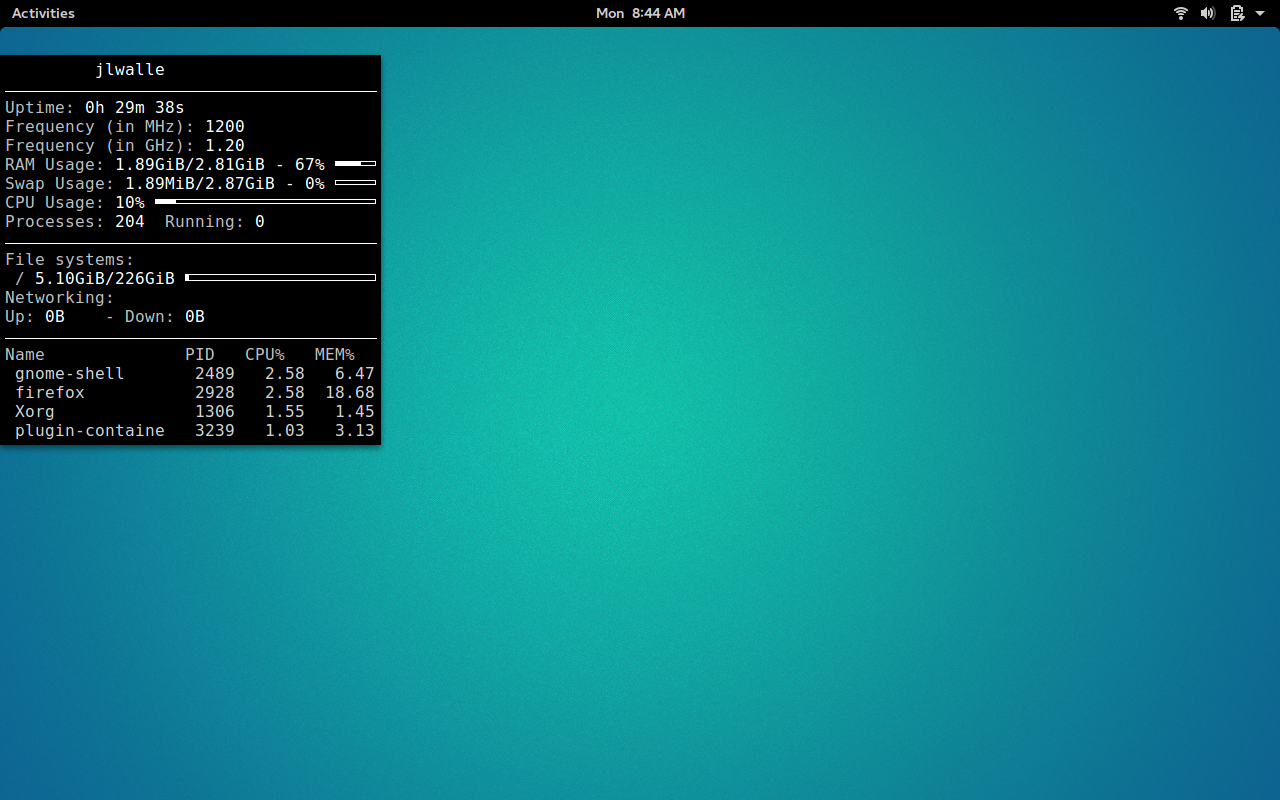
Figure 1: Out of the box Conky theme.
Conky relies on the .conkyrc file for configuration options. Out of the box, this file is not created. Because of this, what Conky does is read the /etc/conky/conky.config file (when no ~/.conkyrc file is present). When you run Conky without a .conkyrc file in your home directory, a standard Conky theme appears (Figure 1).

Adding a Theme

Naturally, you’re not going to want to stick with that generic out-of-the-box theme. I will demonstrate by showing how to add a clock theme to Conky. This isn’t just any old clock theme, however. As a writer, I love words, and this clock theme created by a Deviant Art user, mowgli-writes, displays world time in text. Let’s install that and then configure it to meet our needs.

To install the qlocktwo-conky theme, you need to follow these instructions:

  1. Download the qlocktwo-conky file (from Deviant Art) into your ~/Downloads folder

  2. Open your file manager and navigate to ~/Downloads

  3. Right-click on the qlocktwoconky_mowglimod zip file and select Extract Here

  4. In the ~/Downloads folder, you should now see a file called qlocktwo, right-click that folder, select Rename, and rename it .conkyrc

  5. If you cannot see the .conkyrc file, hit [Ctrl]+[h] to show hidden files

  6. Right-click the .conkyrc file and select Move to…

  7. Select your home folder as the destination for the .conkyrc file

If you’d rather handle the above via the command line, the steps would be (after you’ve downloaded the file to ~/Downloads):

  1. Open a terminal window

  2. Change to your Downloads directory with the command cd Downloads

  3. Unzip the file with the command unzip qlocktwoconky_mowglimod*.zip

  4. Rename the qlocktwo file with the command mv qlocktwo .conkyrc

  5. Move the .conkyrc file with the command mv .conkyrc ~/

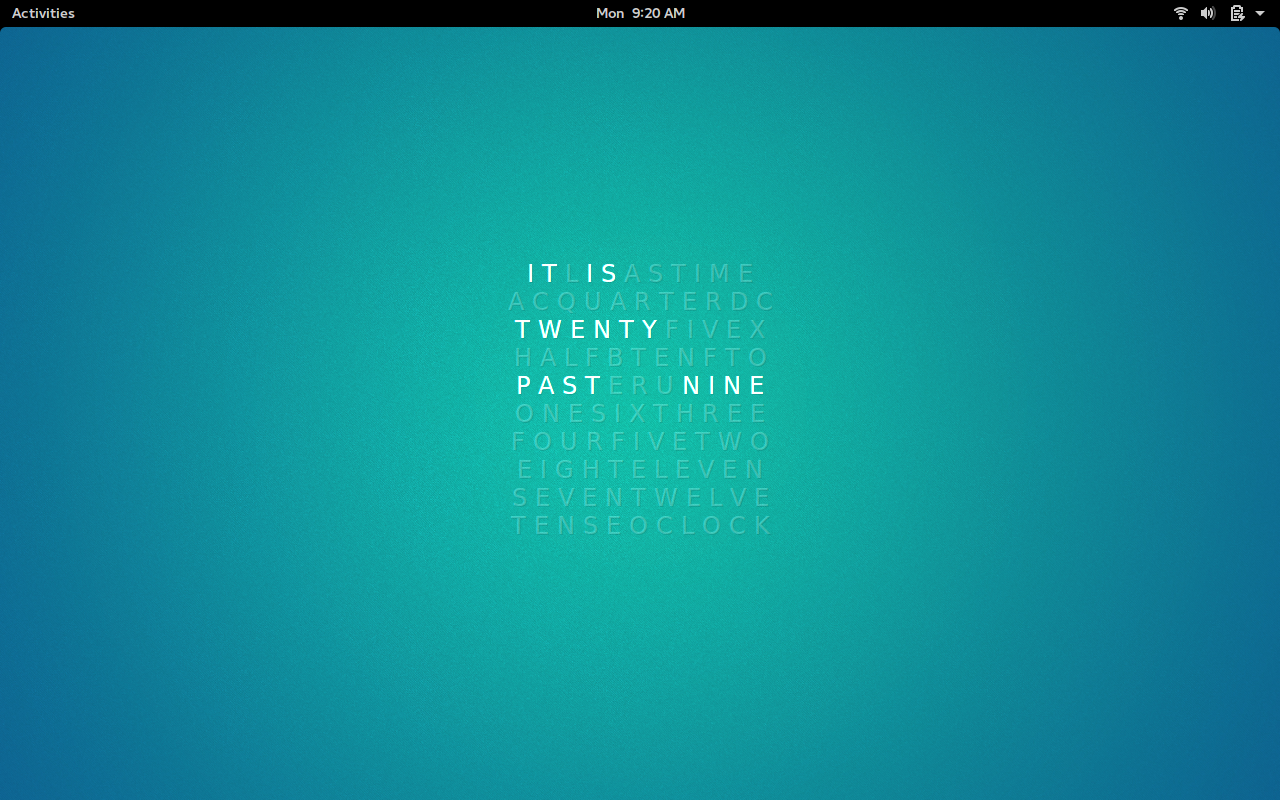
With the .conkyrc file in place, run Conky with the command conky. Because I’m demonstrating on GNOME, you can hit the key combination [Alt]+[F2] and then enter conky in the run dialog. Conky will start up with the currently installed Theme (Figure 2).

Figure 2: Conky running with the Qlocktwo-Conky theme.

Configuring Conky

Let’s continue with our usage of the Clocktwo-Conky theme (for simplicity’s sake). Out of the box, that theme is pretty sweet, but maybe you want to, for example, move the theme to the right-hand side of your screen. With Conky, you cannot simply click and drag a theme where you want it. Instead, you have to configure the placement of the theme on your desktop. Fortunately, Conky includes some standard variables that allow you to make various and sundry configuration changes to a theme.

With placement, Conky uses the alignment variable with the following options:

  • Top left: tl

  • Top right: tr

  • Top middle: tm

  • Bottom left: bl

  • Bottom right: br

  • Bottom middle: bm

  • Middle left: ml

  • Middle middle: mm

  • Middle right: mr

If you want to get more refined with your theme positioning, you can use the following variables:

  • gap_x: Gap, in pixels, from the left or right side of the screen

  • gap_y: Gay, in pixels, from the bottom or top of the screen

So, if you want the Qlocktwo Conky theme to reside on the right-hand side of your screen, open up the .conkyrc file, located the alignment mm line and change it to alignment mr. Save and close the file and restart Conky to place the theme on the right-hand side of your screen (Figure 3).

Figure 3: Our Conky theme, placed where we want it.

Get GUI

If you don’t much care for working from the command line, there is a GUI tool, called Conky Manager, that you can install and use. Here’s how to install this handy app:

  • Open up a terminal window

  • Add the necessary repository with the command sudo add-apt-repository ppa:teejee2008/ppa

  • Update apt with the command sudo apt-get update

  • Install Conky Manager by issuing the command sudo apt-get install conky-manager

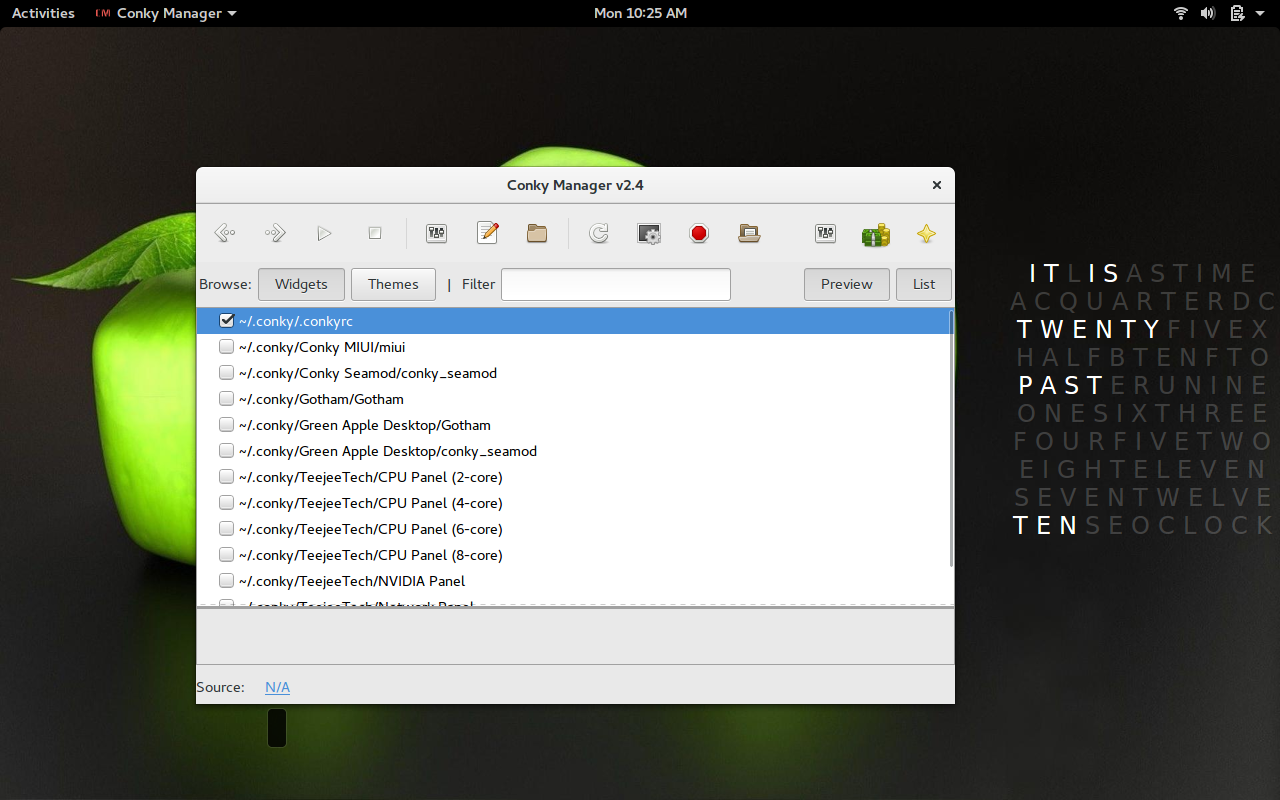
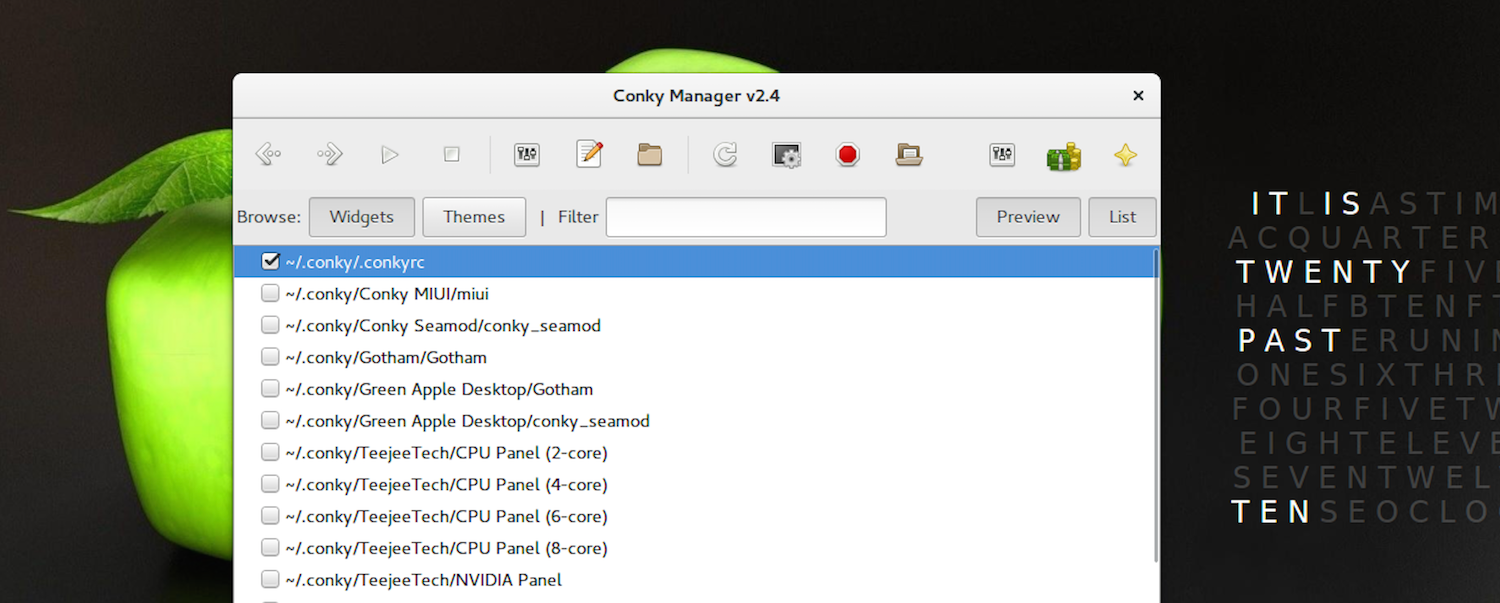
Run Conky Manager with the command conky-manager. When the app opens, you’ll see a simple-to-use window (Figure 4) that allows you to easily import theme packs, customize themes, and more. When you install the Conky Manager app, it will install several predefined themes that you can select from.

Figure 4: The new background thanks to selecting a theme from Conky Manager.

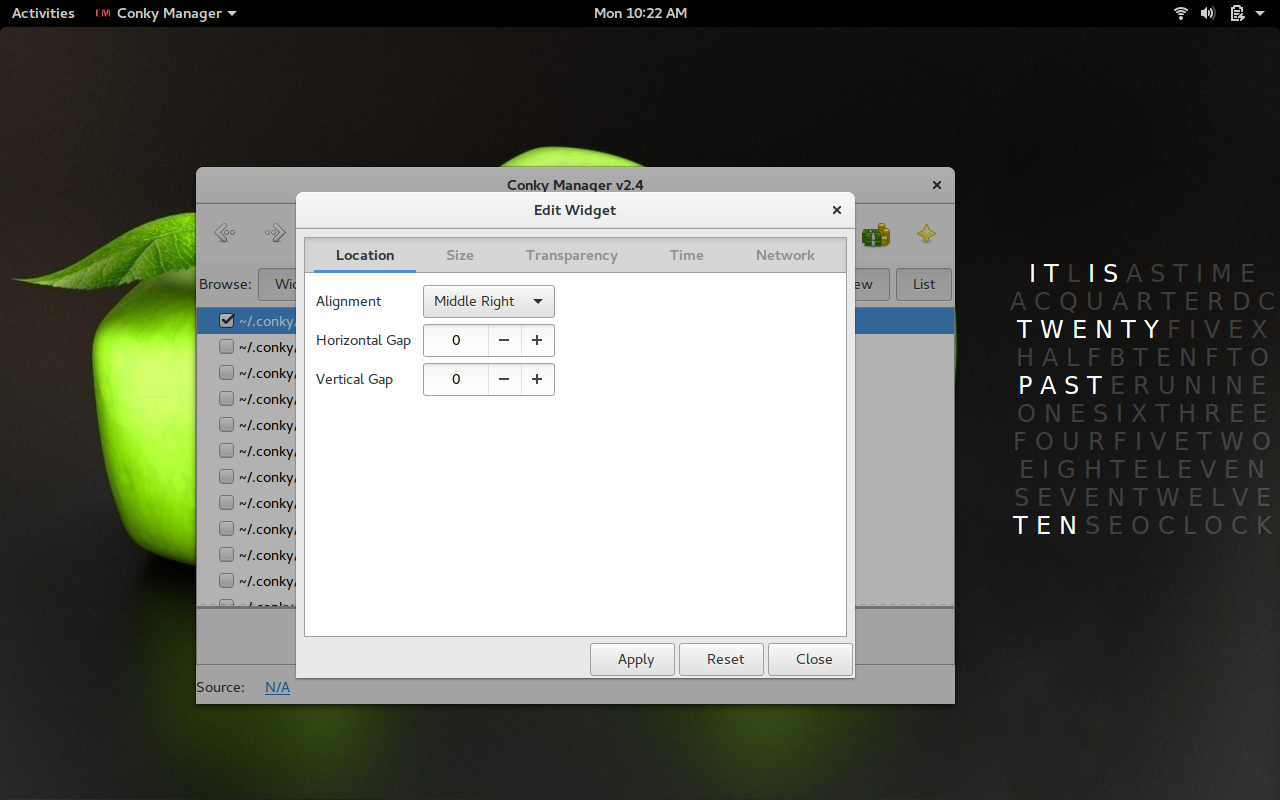
If you’ve installed a theme, prior to installing Conky Manager, you’ll need to move the ~/.conkyrc file into the newly created ~/.conky folder. When you do this, Conky Manager will recognize the theme and allow you to load it and work with it (Figure 5).

Figure 5: Our Qlocktwo theme loaded into Conky Manager.
Once you select a theme, from within Conky Manager, you can then click the edit button and that theme’s configuration file will open up in your default text editor, so you can configure the file to suit your needs.

Conky Rocks

At this point, you’re ready to dive deeper into the waters of Conky. Do a search for Conky Themes, and you’ll find plenty to choose from. Play around with the various options, and you’ll soon have Conky rocking on your desktop, doing exactly what you need. Although some Conky configuration files can get a bit complex, with a little effort, you’ll soon be a master of Conky.


Auto-Scale Everything

If you’ve never received a message like this from your cloud provider, consider yourself lucky, because you will eventually:

Dear Amazon EC2 Customer,
One or more of your Amazon EC2 instances is scheduled for maintenance on 2016–01–01 for 2 hours starting at 05:00 UTC. During this time, the following instances in the us-east-1 region will be unavailable and then rebooted:

i-abcd1234

Your instance will return to normal operations after maintenance is complete.

This is essentially saying the node in question will be completely useless for two hours. Worse, AWS will sometimes notify us that our machine will be retired completely. Or, worst of all, a node might encounter an unscheduled issue. Our team maintains an infrastructure of over 500 AWS EC2 nodes, so events like this are not irregular.

Read more at FullContact Engineering

Coming Soon to PowerShell: Docker Controls, Courtesy of Microsoft

Microsoft is hard at work making Docker a first-class citizen on Windows. It has already integrated Docker more closely with Windows’ internals and made Docker’s CLI run well. Now, the company is providing a first, early peek at a PowerShell module for the Docker Engine on Windows.

The project follows guidelines laid down by the Docker Remote API and uses the Docker Engine REST interface to execute commands. In other words, there’s no magic or unorthodox extension of Docker; it interfaces with the Docker Engine in precisely the same manner as the native client.

Read more at InfoWorld

Encrypted Network Traffic Comes at a Cost

Emily Ratliff, Sr. Director of Infrastructure Security at The Linux Foundation, writes that the use of encryption over the Internet is growing. Fueled by Edward Snowden’s revelations on the extent of NSA and GCHQ content monitoring, encryption is now increasingly provided by the big tech companies as part of their standard product offerings. It’s effectiveness can be seen in the continuing demands by different governments for these same tech companies to provide government backdoors for that encryption. Encryption works: it safeguards privacy.

Against this background, the use of Secure Sockets Layer (SSL) or Transport Layer Security (TLS) to encrypt network traffic is likely to grow dramatically. … 

A10 Networks‘ Rene Paap, who expects 67% of all network traffic to be encrypted by the end of this year, thinks this will place an intolerable demand on existing firewalls – effectively reducing the performance of the average firewall by 81%.

Read more at SecurityWeek

OpenStack for NFV Applications: SR-IOV and PCI Passthrough

Network Function Virtualisation (NFV) initiatives in the telecommunication industry require specific OpenStack functionalities enabled. Without entering into the details of the NFV specifications, the goal in OpenStack is to optimise network, memory and CPU performance on the running instances.

In this article we’ll see Single Root I/O Virtualisation (SR-IOV) and PCI-Passthrough, which are commonly required by some Virtual Network Functions (VNF) running as instances on top of OpenStack. 

Read more at TrickyCloud

The Perfect Server – Debian 8.4 Jessie (Apache2, BIND, Dovecot, ISPConfig 3.1)

This tutorial shows how to prepare a Debian Jessie server (with Apache2, BIND, Dovecot) for the installation of ISPConfig 3.1. The web hosting control panel ISPConfig 3 allows you to configure the following services through a web browser: Apache web server, Postfix mail server, Dovecot IMAP/POP3 server, MySQL, BIND nameserver, PureFTPd, SpamAssassin, ClamAV, and many more.

How to Use Awk to Filter Text or Strings Using Pattern Specific Actions

In the third part of the Awk command series, we shall take a look at filtering text or strings based on specific patterns that a user can define.

Sometimes, when filtering text, you want to indicate certain lines from an input file or lines of strings based on a given condition or using a specific pattern that can be matched. Doing this with Awk is very easy, it is one of the great features of Awk that you will find helpful….

Read more at Tecmint