Home Blog Page 937

Ansible Offers Starring Roles for All in Reworked Galaxy

Ansible has unveiled an update of its Galaxy App store, kicking off a beta release of the hub for pre-packaged automation modules for its configuration platform. Galaxy 2.0 will feature tighter integration with GitHub, allowing users to import all their repositories, while allowing roles – those prepackaged modules – to be namespaced by GitHub users. To avoid confusion, Ansible said existing roles would remain associated with Galaxy user names.

Ansible will also use the GitHub API to allow users to view their repositories and detect which ones include Ansible roles, 

Read more at The Register

ownCloud and Collabora Announce LibreOffice Online for ownCloud Server

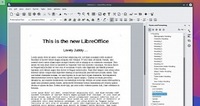
owncloud-and-collaboraToday, December 15, ownCloud, Inc. and Collabora have just announced a partnership to bring a new tool for LibreOffice and ownCloud users, based on the LibreOffice Online project and the robust, open-source ownCloud Server self-hosting cloud storage solution.

The two companies have been proud to announce the first preview of CODE (Collabora Online Development Edition), a tool designed to offer users a virtual machine containing the LibreOffice Online and ownCloud Server project, allowing them to edit office documents, such as word, spreadsheets, and presentations via the web-based interface of ownCloud.

Why It Took So Long For Linux To Properly Handle 2.1 Speaker Systems

Canonical’s David Henningsson wrote a blog post today explaining why it’s taken until this year for Linux to properly support 2.1 speaker systems (two speakers and a subwoofer) with ALSA and PulseAudio. While the open-source Linux sound stack has supported more complicated surround sound setups with a greater number of speakers…

Read more at Phoronix

Linux Kernel 4.3.3 Is Now the Most Advanced Stable Version Available

The latest iteration of the stable Linux kernel, 4.3.3, has been released by Greg Kroah-Hartman, making this the latest and best version available right now.

The 4.3 branch of the Linux kernel is a really popular one and it’s been adopted by many distros. From the looks of it, the maintainers will continue to provide support for it, but it’s not clear for how long. There is already a 4.1.15 version that has been declared long-term, so it’s difficult to say if another branch will be tagged LTS as well, after such a short time.

As you would expect, Linux kernel 4.3.3 is not a huge update…

Top 10 Open Source Projects of 2015

top10 projects leadEvery year we look back at 10 of the hot open source projects from the past 12 months. (Last year’s list made a splash!) And, we expect more great things from these projects in 2016.

Top 10 open source projects of 2015

Apache Spark

When it comes to open source big data processing, Hadoop is no longer the only name in the game. Apache Spark is a general purpose distributed data processing tool…

Read more at OpenSource.com

10 Killer Media Applications Enabled by “Virtual Reality” Headsets

290x195CardboardAppsVirtNEWS ANALYSIS: Virtual reality headsets can do much more than ‘virtual reality,’ a technical term that is badly defined in most news reports. Here are 10 rapidly developing applications.

Virtual reality headsets are about to become part of your arsenal of gadgets. No, really! A year ago, pretty much nobody had what are generally referred to as VR goggles or headsets. But a year from now, I predict that pretty much all serious tech fans, gamers, media consumers and social media users will own and use a pair.

We’re right smack-dab in the middle of a full-fledged gadget revolution.

Read more at eWeek

New U.S. FAA Rule Requires Drone Owners to Register by Feb 19

The Federal Aviation Administration, responding to heightened concerns about rogue drone flights near airports, unveiled a pre-Christmas rule on Monday requiring drone hobbyists as young as 13 years old to register their unmanned aircraft.

The new online registry will require current drone owners to register by Feb. 19, while anyone who acquires aircraft after Dec. 21 would need to register before their first outdoor flight. After registering, drone owners will receive an FAA identification number that they must display on aircraft weighing between 0.55 pounds (250 grams) and 55 pounds (25 kgs).

Read more at Reuters

Enforcing Quality: Xen Project’s Jan Beulich

xen-project-logoThe Linux Foundation hosts numerous Collaborative Projects — independently funded software projects that harness the power of collaborative development in an effort to drive innovation. For these projects, the Linux Foundation provides the essential collaborative and organizational framework so that participants can focus on innovation and results.

To increase understanding and provide greater insight into these collaborative projects, we are producing a series of articles highlighting some of the people involved. In this article, we talk with Jan Beulich about his work with the Xen Project and some of the challenges and rewards of being involved.

The Xen Project, which became a Linux Foundation Collaborative Project in 2013, is an open source virtualization platform. The Xen Project is licensed under the GPLv2 with a governance structure similar to the Linux kernel. Designed specifically for cloud computing, the project powers clouds used by Amazon Web Services, Rackspace, and Verizon and is integrated into cloud computing platforms such as OpenStack.

Jan-Beulich copyJan, who is a Xen hypervisor committer and maintainer, says the main goal of the project is to provide a robust, secure, and performant virtualization environment. He has been involved with the Xen Project since 2003 after an internal virtualization project at Novell was cancelled. Jan says, “I started with tool chain work (binutils, gcc) for the aforementioned internal project at the end of the 1990s, at that time mostly consuming upstream bits, but not really contributing back, but with the background of having done other tool chain work before.”

These days, Jan’s duties include: fixing bugs, reviewing and merging other folks’ patches, and occasionally (as time permits) working on new functionality. “A good share of time goes into answering other mails on the list. Beyond that, I’m also member of the project’s security team, requiring me to investigate reports of security issues we get from various people,” he says.

Additionally, Jan has always liked being close to hardware OS development. He explains, “It just so happens that I’ve ended up working on Xen. Writing good code, or making existing code better perhaps are main aspects of motivation, plus of course seeing that code actually being used… Of course, the more you get involved, and the more of your work is being accepted into a certain code base, the more relevant the project becomes when considering what areas to work on going forward.”

One of the biggest challenges Jan currently sees — beyond purely technical things — is “perhaps the still unfinished conversion of the project (and the mindset contributors have about it) from a university research to a fully production usable one.” To address this he says, “enforcing awareness namely during the review process, as well as taking a very strict view on existing code whenever looking at certain pieces is necessary.” In fact, he says, this is the most significant source of security issues that he sees.

Another challenge has to do with resources — in terms of time devoted to the project by various contributors. Although, Jan says, they get quite enough contributions, the lack of sufficient quality often means large amounts of time spent helping submitters to do the necessary adjustments. This, in turn, takes time away from other tasks, including those related to the first challenge mentioned above.

Jan believes that encouraging people to get involved beyond contributing just the one feature they care about themselves is important in addressing the resource challenge. Long-term involvement by contributors improves the quality of submissions and helps the project move forward.

For those who are interested in contributing to the Xen Project, Jan advises taking “a critical look at what they want to become contributions, avoiding needlessly many or long review cycles. This includes becoming familiar with the code base before actually starting to submit other than pretty simple changes.”

With such ongoing attention to quality, Jan sees the Xen Project becoming “an even more robust solution, thus hopefully resulting in a growing set of real-world users.”


Linux Mint 17.3 Cinnamon Review

Linux-mint-0
Linux Mint is among the most popular GNU/Linux-based operating systems. Although DistroWatch is not a metric of popularity, Linux Mint has claimed the #1 ranking on the website, which means it’s the most sought after distro on the site.

A Brief History of Linux Mint

Linux Mint is being developed by the Linux Mint community under the leadership of Clement Lefebvre. The OS has been around for a while, but it gained in popularity when Gnome moved to Gnome 3 Shell and Ubuntu dropped it in favor of their in-house Unity.

Both Gnome 3 Shell and Unity were in the very, very early stages of development and deviated too much from the familiar Gnome interface. To help such users, the Linux Mint community forked the Gnome Shell to create their own in-house desktop environment called Cinnamon. Because of the familiar interface and inclusion of many Gnome 2 features, Linux Mint Cinnamon became popular among those who were not happy with Gnome 3 Shell and Unity.

The first version of Cinnamon was released 4 years ago, in 2011. I used Linux Mint from time to time, but never found it stable or mature enough to make it my primary desktop. One reason behind that instability could have been that Linux Mint itself is based on Ubuntu regular releases. Every six months, there was a new release of Ubuntu, and Linux Mint developers had to stay on their toes to keep up with this ever-changing base.

That’s when, with release 17, Linux Mint decided to switch base to Ubuntu LTS.  Since LTS releases were supported for long time, LM didn’t have to chase a moving target. Instead they could invest all their development efforts on further polishing the distro and adding new features to it. Post 17, each release of Linux Mint is supported till 2019. It’s good for developers and it’s good for users.

However, there is a flip side: The Linux Mint teams now have multiple releases of the 17 branch to support till 2019 — 17, 17.1, 17.2 and 17.3. Because Linux Mint is not following the release cycle of Ubuntu anymore, I think they should drop these regular releases and move to pure LTS release.

The 17.3 Release

The latest version of Linux Mint (Figure 1 above) doesn’t need powerful machines; it needs a minimum of 512MB of RAM. However if you are planning to use it for regular work, I suggest at least 4GB of RAM as modern websites can be resource hogs.

Linux Mint 17.3 features a Cinnamon 2.8, MDM 2.0, Linux kernel 3.19, and Ubuntu 14.04 package base. There are both 32-bit and 64-bit versions of the distro available, and you can boot it either with BIOS or UEFI. Installation of Linux Mint is quite easy — as easy as that of Ubuntu. And, thanks to the work done by kernel developers, chances are that most of your hardware should work out of the box. Because Linux Mint has a deal with Canonical for packages, and the distro is quite liberal when it comes to drivers and codecs, you will have no problem with media playback.

Cinnamon 2.8

Linux Mint 17.3 features Cinnamon 2.8, and you will notice polish and stability throughout the distro. Cinnamon has borrowed many features from different desktop environments. Although it’s initially a fork of Gnome, it has borrowed a lot of design elements from KDE, for example. The interface looks familiar because that’s what you see in KDE Plasma Desktop or Windows.

Linux-mint-startThere is a start button at the bottom left (Figure 2). The bottom panel features a Window list, where you see currently running apps; you can pin any app on the bottom panel for quicker access — just drag and drop the app icon on the panel. At the right end of the panel, you will see icons displaying time, date, notification, sound, and much more. If you are not content with one panel, you can add more than one panel at the edge of the screen.

linux-mint-01

Thanks to the LTS base, developers are now able to add many user-facing features to the desktop. One of the improvements of this release is the new layout for Sound Applet. You will now see track information and media controls as an overlay on album art. Depending on the media player, you can also see the progress of any currently playing song. Clicking on the sound icon shows volume control and track information (Figure 3), right-clicking shows input controls, applications using sound, connected audio devices, and much more (Figure 4).

The power applet has also received some improvements and bug fixes. If you are using it on a laptop, or if you are using wireless peripherals, then you will see noticeable improvements while displaying the battery info of these devices.

Another minor improvement is for those using using multiple workspaces (or virtual desktops). The workspace switcher applet now shows a visual representation of your workspaces, with little rectangles corresponding to each window inside of them.

While we are still on the elements of the bottom panel, the Window list now shows window thumbnails. However I wish they would switch to showing only the icon of the running app instead of text; it would not only save space but also look more elegant. The system tray has added support for indicators, which can be turned off easily.

There are some notable improvements in system settings: If you are using multiple monitors, you will see more info about each plugged monitors. For example, you will see the name of the monitor and the output they are connected to.swapnil-mint-2

Users can now easily change their username (it won’t change the name of system user) and and password through the Account Details option. Other improvements include the ability to mute the microphone, better detection of HiDPI monitors, and improved support for Qt5 applications to make them look native in a GTK environment. You will notice that Cinnamon is loading faster after a shutdown and reboot, as they have removed “preloading” from Cinnamon 2.8. which was slowing down the system.

One of my favorite new features is bulk renaming of files. As a photographer, I take hundreds of pics and I need bulk file renaming. Because Gnome supposedly imitates Mac OS X, they kept that feature away from Nautilus, and Linux Mint inherited that “bug” from Gnome. The bulk rename is disabled by default, but it can be enabled through the preferences. However the instructions are not very clear, and I didn’t manage to get it to work. The “rename” dialog now appears but there is no further option to actually rename files. If you know how to do it, let me know in the comments below.

Other improvements include HiDPI support for the login screen. To help those who have touch-based devices, developers have also added a virtual keyboard to the login screen so users can easily log into their systems.

They have also made changes to software management. It automatically detects the fastest/closest mirror for packages so users get the best software installation experience. If you are using a mirror that has not been updated or has corrupted packages, update manager will warn you.

Conclusion

Linux Mint 17.3 is an impressive release, and the developers have fixed many issues that were plaguing this otherwise fine distro. I, however, feel that they should move away from these twice-a-year releases and stick to LTS releases. They can move to an openSUSE Leap like model where they offer major updates with the LTS release of Ubuntu and in between offer minor updates to bring the latest Cinnamon, Gnome, and other such components to their users.

All said and done, Linux Mint is undoubtedly one of the best Linux distros out there. It offers what a majority of users need. It tries to keep things simple and easy. If you are looking for a good, trusted, stable, and modern Linux distribution that is based on Debian/Ubuntu, you should look no further than Linux Mint.

VDI comes to the Raspberry Pi

raspberry pi official caseThe Raspberry Pi is now a threat to thin clients. Citrix has been fooling around with the Pi as a desktop virtualisation (VDI) target for a while, even releasing a prototype Citrix Receiver for the little computers. That effort was in early 2014.

Citrix has since decided it was inefficient to put a lot of effort into creating a special version of Receiver for one device, so instead set to “working with the Pi Organization to ensure our existing Linux Receiver would work with their new Pi2 architecture and supported OS images.â€

Read more at The Register