
Home Blog Page 969

Nvidia Unveils GPU Accelerators for Hyperscale Data Centers

The company’s new Tesla GPUs and software will help organizations speed up innovation around artificial intelligence and machine learning.

Read more at eWeek

How Big Data is Changing the Database Landscape For Good

Mention the word “database,” and most people think of the venerable RDBMS that has dominated the landscape for more than 30 years. That, however, may soon change.

A whole crop of new contenders are now vying for a piece of this key enterprise market, and while their approaches are diverse, most share one thing in common: a razor-sharp focus on big data.

Much of what’s driving this new proliferation of alternatives is what’s commonly referred to as the “three V’s” underlying big data: volume, velocity and variety.

Essentially, data today is coming at us faster and in greater volumes than ever before; it’s also more diverse. It’s a new data world, in other words, and traditional relational database management systems weren’t really designed for it.

To read this article in full or to leave a comment, please click here

Read more at IT World

How To Use EXT4’s File-System Encryption Feature

With Linux 4.4 bringing important fixes for EXT4’s native file-system-level encryption, several Phoronix readers have inquired about how to actually use this new functionality…

Read more at Phoronix

A Set of Stable Kernel Updates

The 4.2.6, 4.1.13, 3.14.57, and 3.10.93stable kernel updates have all been released; each contains another set of important fixes.

Read more at LWN

Backup Plex For Ubuntu Reliably

It’s no secret that I like watching TV. From movies to TV shows, I like ’em all. I’m also a very happy cord cutter. This means I use a combination of services ranging from Netflix to Amazon Prime for my video content. I also have a fair bit of media on Plex. Like a lot of people, I use Plex to store digital copies of my media. Doing so, let’s me watch my DVDs in a format that doesn’t require me to leave my couch.

Unfortunately, Plex is dependent on me to maintain a working storage option here at home. In my case, that would be a USB connected hard drive attached to an old computer. For you, perhaps it’s a NAS with multiple drives.

On paper, this sounds fine…until one of the hard drives fail. Remember, this isn’t a redundant NAS setup at my house – this is a basic hard drive that could crash given enough time. This means if my internal hard drive crashes, my configuration files for Plex are toast. I’d still have my media, but I’d lose my place instantly if I’m part way through a movie or if I’m watching a TV series. It’s even worse if I lose the external drive with the media. The configuration files would be safe on the internal drive, but tons of media files would now be gone with the wind. Both situations aren’t okay with me! This is why I run automatic backups. (Read the rest at Freedom Penguin)

Boost Your Hard Drive with Bcache

A few weeks ago I converted my friend’s Chromebook from its stock ChromeOS to Ubuntu. As payment, he let me keep the Kingston 16GB M.2 SSD which we replaced with a bigger 240GB SSD. My laptop has two mSATA ports, which means I can put that 16GB SSD in my Laptop as long as I get the correct adapter, but 16GB is pretty small for a heavy user like me. So what can a guy like me do with this small drive?

Well how about using it as cache drive? Luckily for us, as linux users, we do have quite a few options to accomplish this task, but the one that stood out to me was Bcache. (Read the rest at Freedom Penguin)

​Linux Hit By Crypto-Ransomware – But Attackers Botch Private Key

Attackers are demanding one Bitcoin from web admins to unlock files infected by a new ransomware variant for Linux machines.

Read more at ZDNet News

Why NUT

Expectation doesn’t always match actuality; which is a shame. But sometimes we can do something about it. This is a tiny tale of my attempt to do just that.
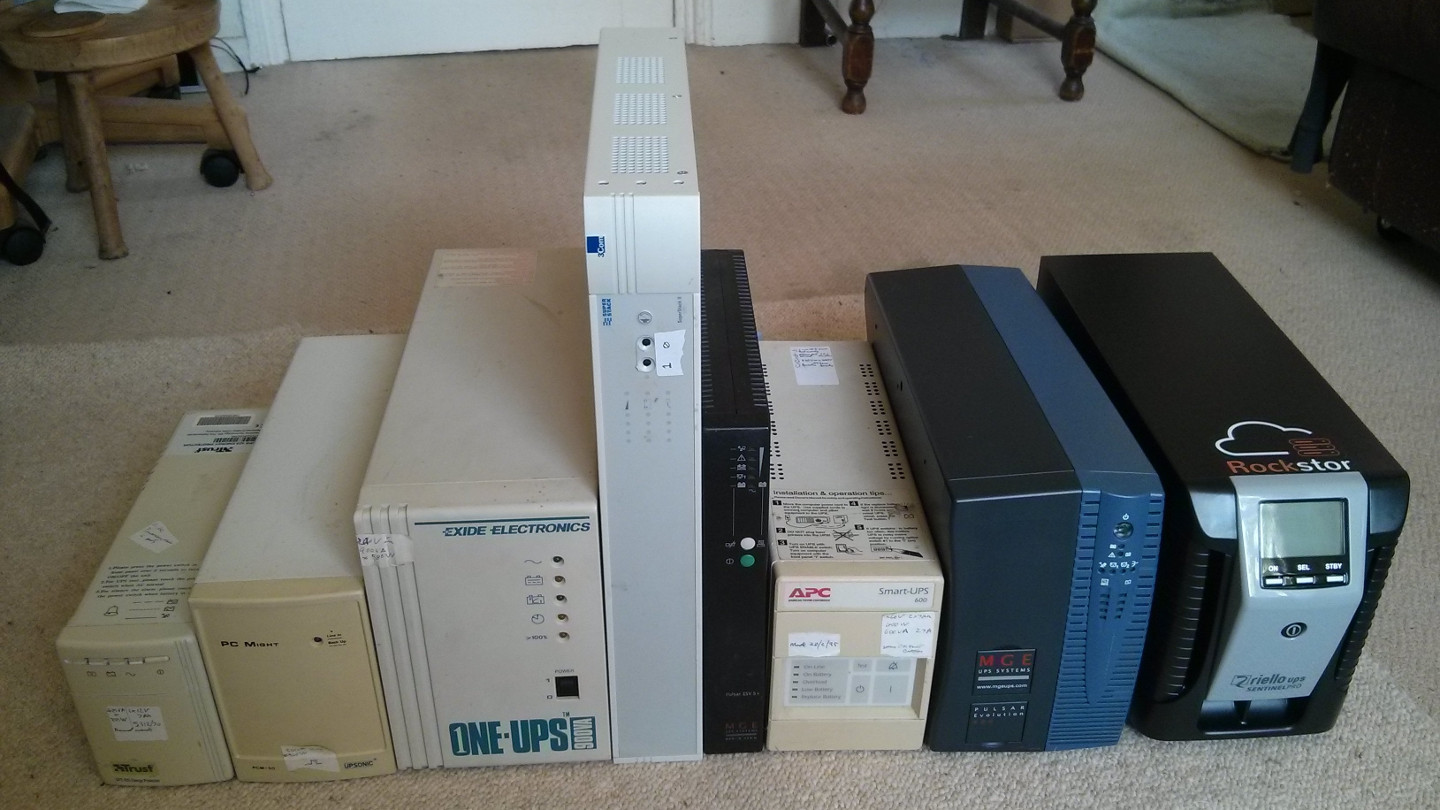
ups-examples

Earlier this year I was on the lookout for a Linux based NAS that had the more enterprise goodness I had encountered with my ventures into ZFS via FreeNAS ie CoW and data checksums, snapshots etc. and happened across Rockstor, but at the time it had no graphical UPS configuration. This for me was a show stopper (details below), my expectation was to adopt my dream NAS setup that ran on my favourite OS and to become a 100% Linux user again.

Sure I was impressed with FreeNAS but I’m a Linux guy and having been an all Linux setup for 15 years at least, it grated to be using nanobsd for my NAS. Nothing against FreeNAS but my mainstay OS of choice was set and I had grown very familiar with it; the BSD’s for all their splendour were just not my cup of tea and it sat uneasy that my darling OS was just not serving me in every way I wanted. So I began looking around again; it had been years since looking at NAS distros so surely something had happened. It was at this point when I first came across Rockstor. This thing was neat, focused, to the point, and most encouragingly developed completely in the open. Sure it was still quite young at < 2.5 years but the pace of development was fast. That’s great I thought, if it has what I need then marvellous but alas it was short of one key feature. It had no GUI way to configure NUT, a UPS tools system, and for me this was just not the ticket. Given that it is essentially a full CentOS with a WebUI bolted on to deal with the btrfs / NAS / sharing stuff I knew I could simply do a text based NUT config but that wasn’t what I was looking for. That wasn’t an appliance. I had already spent many years doing everything with my teeth even down to the early days of modelines in X and reserving ram just to get 3D going, and regular kernel recompilations or cups recompilations just to be able to print. My Linux should be better than that, it should by now be for the people; all the people. With all the goodness of a modern file system.

So I wondered on by. However the whole Rockstor dabble had left a lasting impression and I just couldn’t shake the fact that I was just not happy running a nanoBSD based system when my passions and interests were Linux based. It also greatly excited me that I might once again become an all Linux setup. I enjoy the Linux ethos and I believe the nature of the licence to be key: i.e. Apple’s advancements in BSD that no one else has. Alas; sometimes expectation just doesn’t match actuality.

But hold on I thought, I can’t let a little thing like a missing feature stand in my way. I began making tentative inroads into Rockstor’s community and code to see what I might do to make a difference. There were some unusual elements to this NAS distro, they had obviously made significant efforts towards usability, you know where things make sense due to design; an all too sparse quality in many a distro / OS. I slowly and surely became convinced that this was an OS NAS OS of the future in the making. And I wanted to be part of that future.

Oh and what Brett said.

Sometimes one just has to adapt to a situation and sometimes one can adapt the situation.
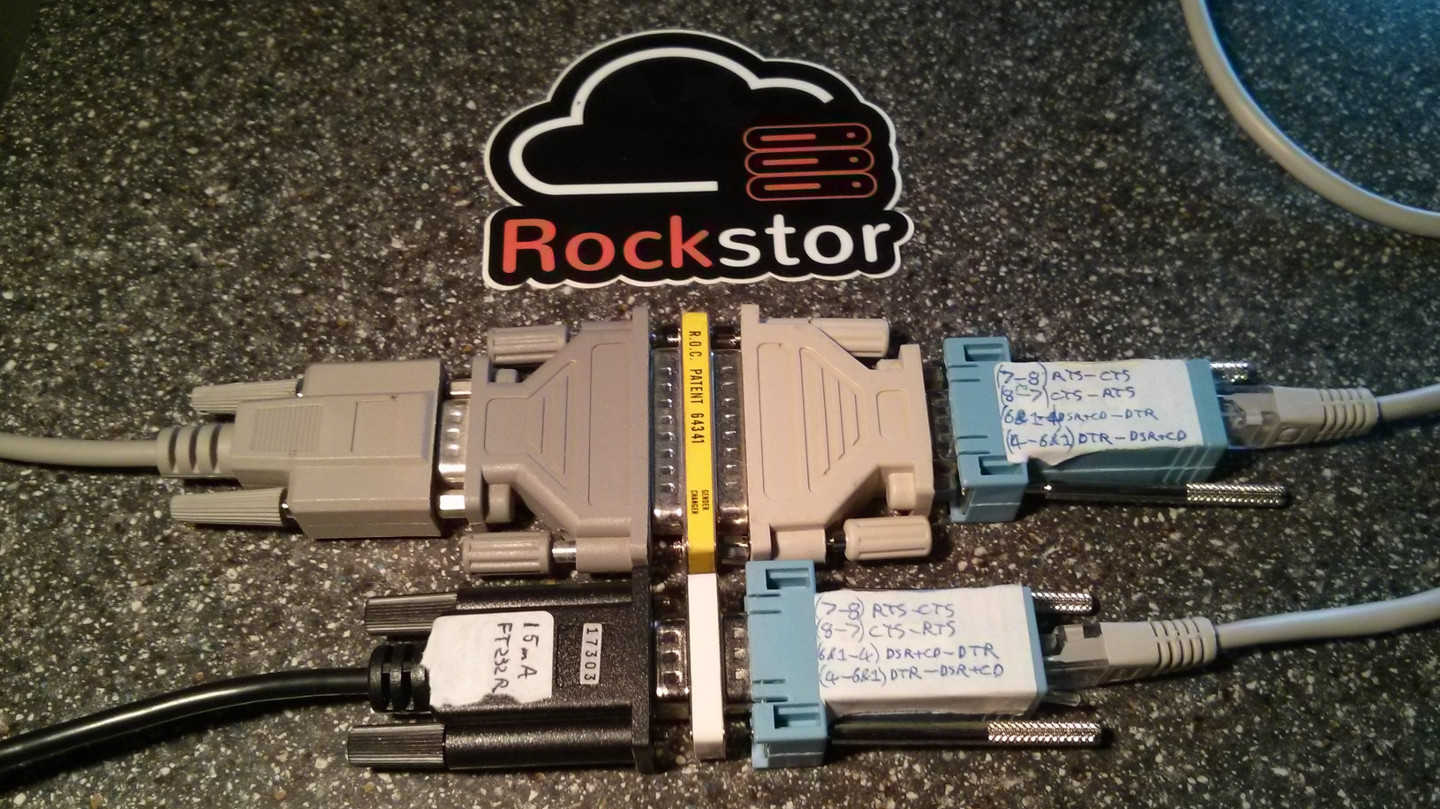
serial-adaptation

Adaptation by adapter. Not all FT232R’s are equal; a null modem wired usb to serial adapter adapted for UPS testing. Sorted.

Part of the Future

At that time the forum was run on something decidedly inferior to discourse and wouldn’t even render in my browser of choice, this wasn’t good. So I dove into the git repo and browsed the issues and pull requests to try and gain a deeper understanding of the project. In my meandering I saw one or two tiny fixes I could make and on a whim started submitting the tiniest of pull requests. Whilst exploring the feature set further I received a friendly error message that something had gone wrong. Nicely caught and no horrible crashes just a neat dialog encouraging me to send a pre-prepared zip of logs to the developers. Elegant I though. Not just a long wait in the nothingness of an unresponsive system but true assistance and guidance. I was further impressed. So I got the log zip and out of not wanting to bother the developers with my silly problem took a peak. What I saw gave me the impression of something that had been crafted, full on Python with exceptions caught everywhere, not just another PHP monster but a proper structured entity with objects and fancy ways and means. Anyway the log zip pretty much pinpointed the problem but I just wasn’t familiar enough with the code to tackle this myself so in the interests of living up to my ideals I posted an issue.

The response was surprisingly fast and entirely jovial; I had (in internet terms) met Suman, the project lead. A fix was committed and in no time at all this silly little issue of mine was sorted and this was good. The joys of a rapid development cycle.

I had at about the same time ventured an email to
This e-mail address is being protected from spambots. You need JavaScript enabled to view it
declaring my interest in NUT and was pleasantly surprised by the encouraging return. They had no plans to implement this feature just yet but they were all to happy to try in whatever way they could to help.

Soon I became more involved and the forum, that was thankfully switched to the most excellent open source discourse, was becoming alive with the growing interest in this new fangled btrfs NAS solution. I was, perhaps unwisely, awarded the privilege of forum maintainer. It’s a pretty friendly place so no worries there.

I went on to submit some doc tweaks and additions. To my surprise the docs are programmatically generated from base .rst files (a markup language) that through the magic of Sphinx end up as html for the rockstor.com home page docs section. This was just getting better and better, and I had started to make a difference.

Why not NUT

So why not NUT, why bother, well indeed; in the context of no doubt well meaning mice this is a question that answers itself. But stories are nice so here goes.

Over time where I live and work the electric had been a little iffy, the occasional trip out but nothing too serious. I had as a matter of course implemented a number of UPS’s and hand configured NUT to deal with these little outages but more was to come.

One morning I awoke to a calmness, this can’t be bad I though, but there was a down side. The entire electric had failed and this time there was no just flipping it back on and going about my business no no. This time it was serious. It turned out that we could no longer make any sockets in the house live; the RCD refusing to enact our expectation. An investigation was in order:-

The Investigation

Most people who have dealings with computers have had mouse problems at one time or another, these days the problems tend not to be physical but electrical; given the prevalence of optical mice. And this was what my mouse problem turned out to be:-
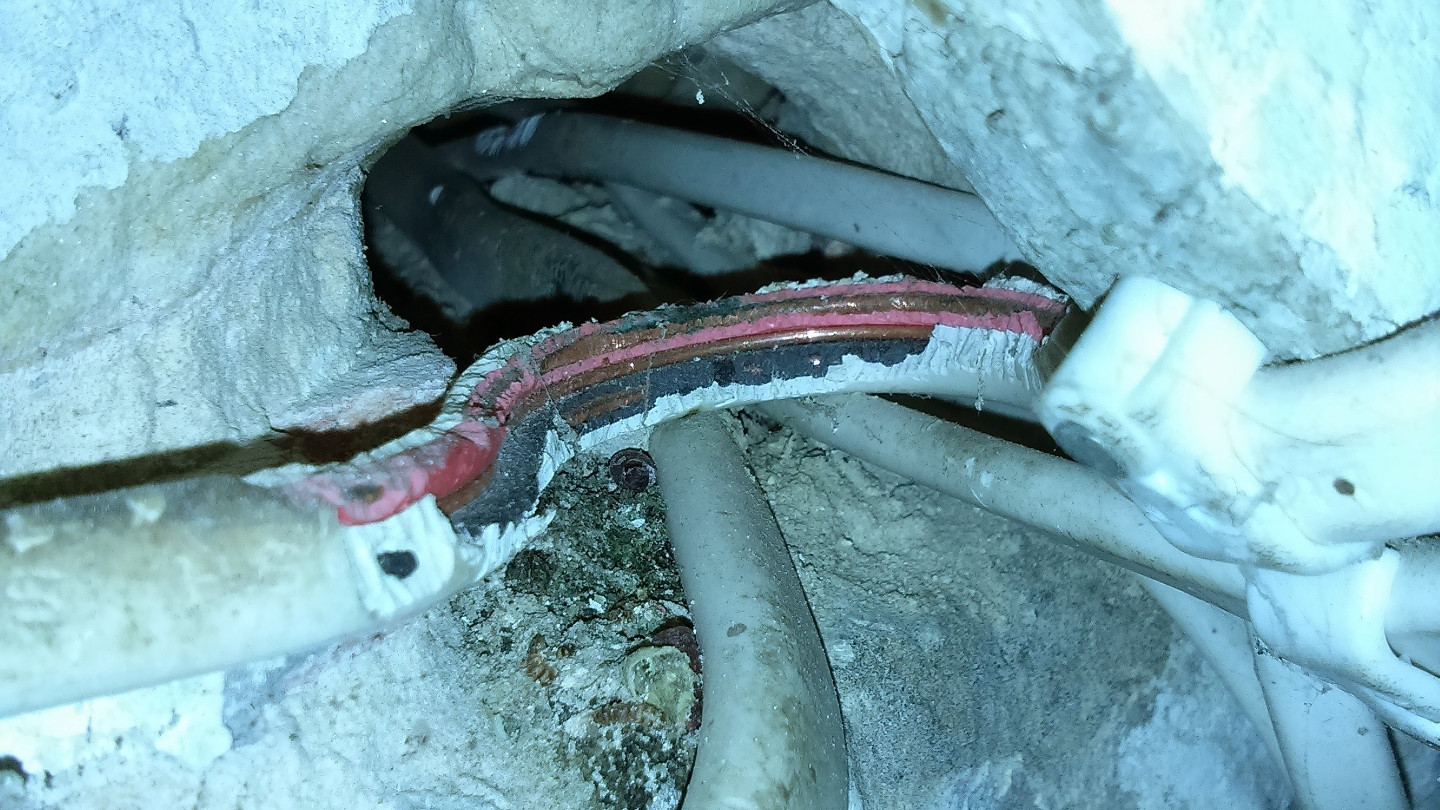
electrical-mouse-problem

The mouse problem diagnosed; definitely electrical and behind a drywall at the back of a cupboard. Inconvenience in carnate.

So without ripping apart my whole (rented) Soho I can only assume that other as yet undiscovered gems such as the above are lying in wait. What’s behind your walls?

After many hours of diagnostics and much frustration I had found at least one reason for our previously flaky and now critical electric situation. Needless to say my NUT interest grew and I began as a matter of course to make all systems aware of their pending doom; or at least when it might be a good idea to shut down. NUT, due to it’s network nature, is a perfect fit.

To cut a long story short I ended up submitting (on my 47th Birthday) my first non trivial pull request to rockstor-core. A fortnight of advice reviews and tweaks later and Rockstor now has graphical NUT configuration (in beta). I for one am chuffed. And yes wouldn’t it be great to have a shiny UPS data page or a fancy additional widget on Rockstor’s dashboard but until that time, successive approximation and development in the open and all, I offer up some “desktop” shiny.

Some Shiny

Given no fancy technology is complete without fancy telemetry; I present walNUT:-
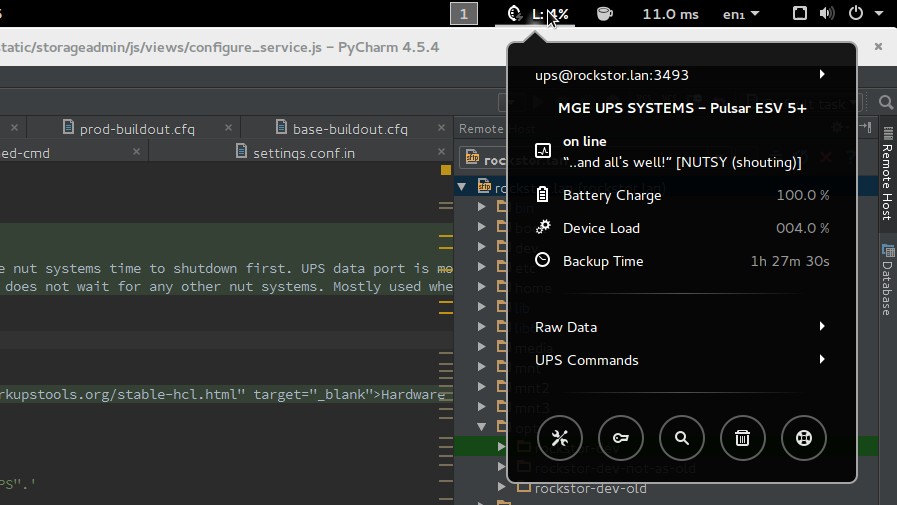
walNUT gnome extension

walNUT the Gnome Shell Extension to monitor one’s UPS, thanks Daniele.

And for those of a KDE persuasion there is KNutClient, thanks Daniel. Note the similarity in the names; funny that. Graphical NUT clients are also available for other popular platforms.


What are these things but what we make them.

openSUSE Leap 42.1 Review: The Most Mature Linux Distribution

opensuse-1

The release last week of openSUSE Leap 42.1 is indeed a giant leap for the openSUSE project, SUSE and Linux users. This release is not only making a huge leap in terms of version numbers; the open source enterprise distribution is making giant leaps in every regard. I have been a longtime openSUSE user and this is the release I have been waiting for all this time. I played with it for a while and here are my thoughts.

When I visited the download page of openSUSE Leap, I was surprised to find that there is no live CD of 42.1. As a result you can’t really use it to test whether it will work on your system or not; the chances are it will work. All you have is the DVD, which you can use to install openSUSE.

When I inquired if there will be an official live CD of Leap, Richard Brown, the chairperson of the openSUSE board told me, “As far as I can be aware, there are no plans for an official LiveCD for Leap, especially not one which includes an installer – previous experience with live CD installers taught us it’s limited compared to what we can do with YaST on either the full DVD media or our tiny network ISO.”

If you do need a live CD of openSUSE Leap, let’s say for demo on a friend’s PC without installing it you can still create one using SUSE Studio, which allows you to create your own distribution by picking and choosing packages and desktop environments. 

Brown said, “Support for Leap 42.1 is -already- in SUSE studio and even without Studio people can use KIWI and OBS to build live media, or any other kind of media based on Leap.”

suse-studio

The Installation

openSUSE has one of the tidiest installation processes.openSUSE has one of the tidiest installation processes. While being easy to use, it also gives you much more control over the installation process compared to other distributions; well, excluding the likes of the uber customizable Arch and Gentoo.

During the installation process you can choose either Gnome, KDE or others and it will install that particular desktop environment (DE). KDE’s Plasma 5 is the default DE of openSUSE. Once installed you will see both KDE ‘4’ and Plasma 5 in the login screen and you can choose whichever one you prefer.

As a longtime Plasma user I heavily suggest moving up the ladder and using Plasma 5. If you find bugs report them; if you find missing features let the developers know.

opensuse-kde

What made openSUSE my preferred distribution back in 2011, when I was looking for an alternative to Ubuntu, was its tight integration with the desktop environment of choice. Whether you use Gnome or Plasma, everything feels in place. openSUSE teams do extra work to better integrate different applications with the desktop. I realized it when I used Arch Linux and ended up using the openSUSE packages for Firefox to get a better experience on Plasma desktop.

It’s upstream: one for all…

openSUSE earned respect in my eyes and became my recommended distro because they work upstream. SUSE/openSUSE developers are also among the top contributors to many open source projects, including the Linux kernel, Gnome, KDE, LibreOffice and many more.

Unlike many other distros which tend to be indifferent towards other distributions, openSUSE’s team has designed tools which support other distros. It’s a rare and quite refreshing experience. Whenever I ask some other distro: Why is your software not available for other distros? Their answer is often  “It’s open source, anyone can take it.”

That’s not the case with openSUSE. They have created some very powerful tools such as OpenSUSE Build ServiceOpenQASUSE Studio, etc. And these tools can be, and are being, used by other projects, including other distros. I have heard (though I couldn’t get any confirmation from Valve) that OBS (Open Build Service) is being used by Valve to build their .deb packages for Steam OS. And Fedora is using OpenQA.

Some words about software

Software management is extremely easy in openSUSE, as usual. You have the powerful YaST, if you like GUI, and zipper, if you prefer the trusted command line. Thousands of third-party packages are available through unmatched ‘software.opensuse.org‘, thanks to OBS. It’s extremely easy to install such packages on openSUSE: you search for the application, choose the version of openSUSE you are running and with one click the application will be installed on your system, no fuss no muss. Clean.

openSUSE Leap is meant to be a mature and stable release, something similar to Debian. It’s based on SUSE Linux Enterprise (SLE) so there is no ‘scope’ for instability; it runs in mission critical environments. As a result, Leap may not always have the ‘latest’ packages.

However unlike Debian Stable it’s not frozen in time. It uses the latest ‘stable’ packages. In most cases you will find the latest packages for Leap. If you are looking at DEs you will get Gnome 3.16.2, Plasma 5.4.2, Mate 1.10, XFCE 4.12.1 with Leap 42.1. If you are looking at applications then you will be running the latest versions of applications. I am running VLC 2.2.1, GIMP 2.8.14, etc. on my Leap machine, which are the latest stable versions.

If you are using Leap for your server or for development work, then there is no dearth of tools for openSUSE, thanks to SLE.

opensuse-software

YaST is one of the most precious gems SUSE/openSUSE ever created. This is one tool that every single distro must have. With 42.1 openSUSE offers the exact same version of YaST, AutoYaST and Linuxrc which will come with SLE12-SP1. YaST has changed its code-base and moved to Ruby, and it is gradually being polished.

You can also access extremely powerful system management tools like Machinery

Conclusion: Take the leap of faith

What makes this release even more important is that with Leap, SUSE and openSUSE have finally come together. With this release openSUSE will start using the same code which is being used in SLE. So technically you are running the ‘community’ version of SLE.

Leap 42.1 is based on the Service Pack 1 (SP1) of SLE 12, which will be released soon. Leap will follow SLE’s release cycle so there won’t be the regular 9-month release, instead a new version of openSUSE Leap will be released when the new version of SLE is due.

openSUSE Leap will get minor release updates which will align with the service packs. Since the openSUSE and SUSE teams are extensively using OpenQA, this is also one of the ‘most’ stable openSUSE releases ever. SUSE has a very strong enterprise presence in Europe and many other markets, now Leap allows potential customers, web hosting providers, and public cloud players to have another option in addition to CentOS and Ubuntu. They can run openSUSE Leap and run an infrastructure closer to SLE. I never ran openSUSE on my servers before and I am going to try it on my home server, replacing Ubuntu.

While I heavily recommend running openSUSE Leap on your servers, it’s now an even better distro to run on your desktop: It offers one of the most ‘mature’ Linux distros. It has a vast repository of software and it offers a great desktop experience due to finer integration with DEs. However, if you are not happy with its conservative approach then you can always try its sibling Tumbleweed, which is a ‘tested’ rolling release distribution.

In any case whether you want a mature and stable OS or a rolling release OS, openSUSE has you covered.

Go ahead take a leap of faith.

How to Install Ghost Blog Software with Apache and SSL on Ubuntu 15.10

Ghost is a powerful Open Source publishing and blog platform that is beautifully designed and easy to use. Ghost is written in javascript and uses node.js as runtime environment. This tutorial shows the installation of the Ghost Blog software with Apache and SSL on Ubuntu 15.10.

Read more at HowtoForge