Fedora 22 was released last month and, as expected, it brought many new features and introduced many new technologies to Fedora users. I am a Plasma user. Fedora uses Gnome as the default desktop environment (DE). So the question was which version to download.
The good news is that Fedora is one of the Linux distributions (distros) which makes it easy to use your desktop environment of choice. There is no prodigal son, with exceptional privileges, which makes the lives of other DEs hard. Everyone is treated equally. Almost.
It’s very easy to install multiple DEs on a Fedora system, but for the sake of purity, and this review, I downloaded both: the default Workstation and the KDE spin.
The Installer: Not New-User Friendly
The first encounter of any human with a Linux distro is its installer; it could be a deal-maker or a deal-breaker. I have been using Linux since 2005; I have used almost every major and minor distribution out there. I use Arch Linux, openSUSE and Kubuntu on my main systems. And despite being an Arch user I am not a huge fan of Fedora’s Anaconda installer. Even as a seasoned Linux user, I struggle with it. Mostly because it behaves totally different from the installers of openSUSE or Ubuntu-based systems. Now, being different doesn’t essentially mean being bad. I actually like Anaconda; what I don’t like it is that, unlike the simple click-next-like UI, it has way too many components on the same page. And that can be confusing for new users.
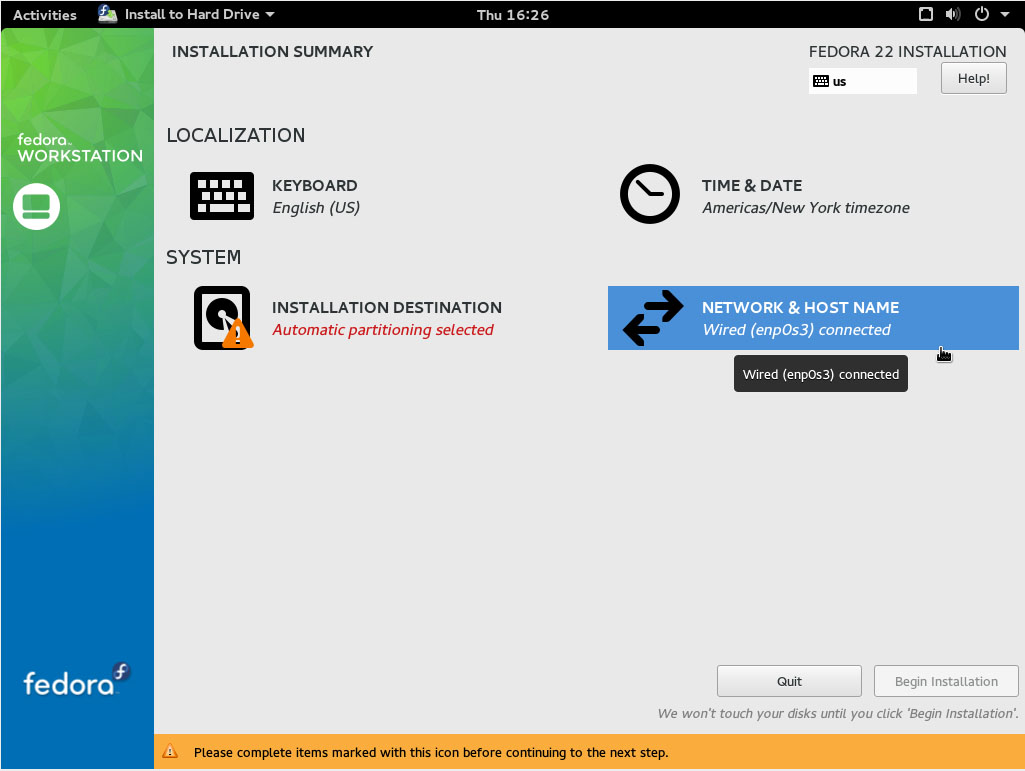
After all these years I still forget to create the user account while installing Fedora as no one nags me to create one.
There is actually some nagging but the warning is displayed at the bottom of the page, on a yellow bar. It’s hard to notice and read. A user would be baffled that despite pressing the ‘done’ button the installer isn’t proceeding to the next step. I also found the partition manager part of Anaconda to be a bit intimidating for a new user.
As a Linux advocate who regularly converts users to Linux, I feel the UI of the installer needs minor tweak: to make it easier for new users.
Gnome 3.16 brings massive improvement
Once you cross the installation bridge successfully, the rest of the the Fedora experience will be fairly different from the first encounter. Since Red Hat contributes heavily to Gnome you can clearly see how well Gnome enriches the Fedora experience.
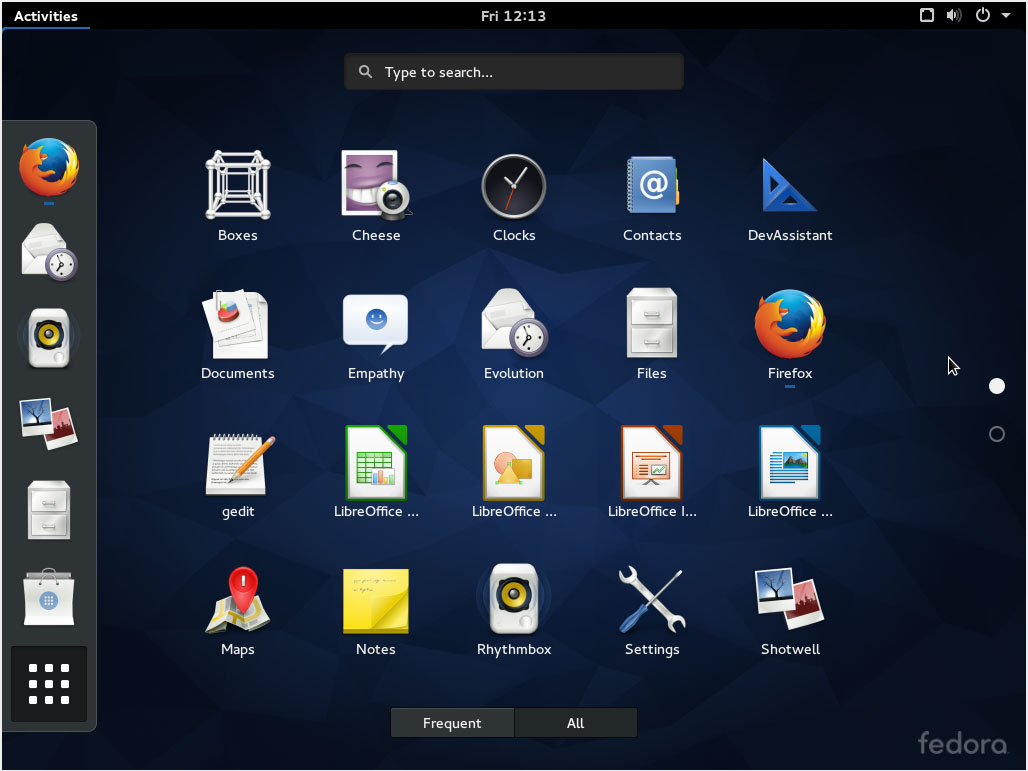
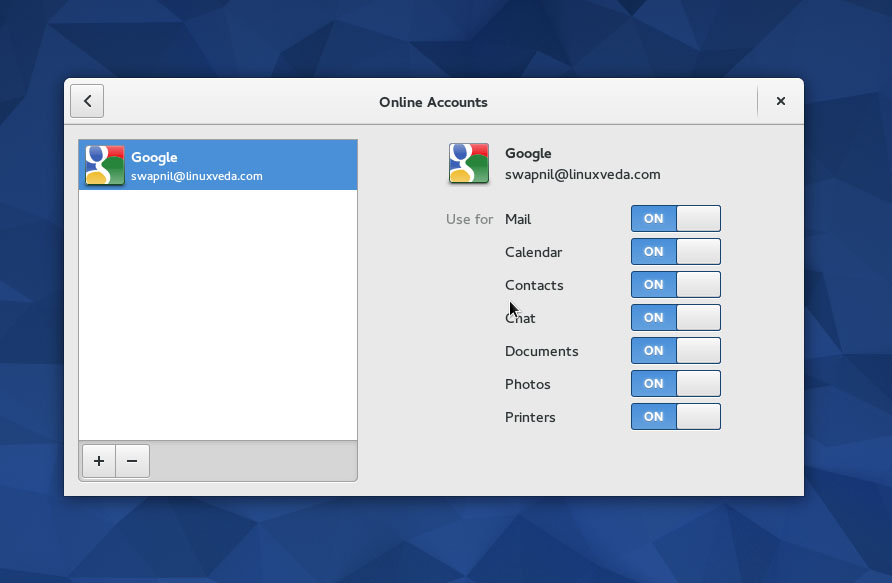
When you first boot into your Fedora system it will walk you through certain steps; more or less like Android, assisting you in configuring stuff like Online Accounts during this process.
Fedora Gnome comes with quite a decent set of applications and tools pre-installed, sans one. While Fedora tends to offer a vanilla Gnome experience or so I believe (when compared with openSUSE), it does make some exceptions. Instead of using ‘Web’ as the default web browser it relies on Firefox.
The moment you boot into a Fedora system – whether live or installed – you are ready to start without having to do any extra work; there is a web browser, text editor, word processor, email client, music player, maps apps…almost everything that you need. However, there are always a few steps you can take to customize Fedora for your use.
With Fedora comes Gnome 3.16 which brings massive improvement to the desktop. One of the biggest changes you will notice are the brand new notifications. They have changed the way messages appear; the old message tray is gone in favor of the new message list. In addition to taking action on a message, you can also see previous messages. I can see them getting better with time. I am waiting for the day when I can hit reply from the message list and it opens the composer window of Evolution.
I have a love/hate relationship with Gnome’s file manager. While I like it for its simplicity and elegance, there are a few important features missing that I need. Files (Nautilus) received notable cosmetic improvements which you will notice if you compare it with the 3.14 version. On the practical side a user can now easily revert any changes made inside the app by using the ‘undo’ feature. If you accidentally delete a file or folder, no worries.
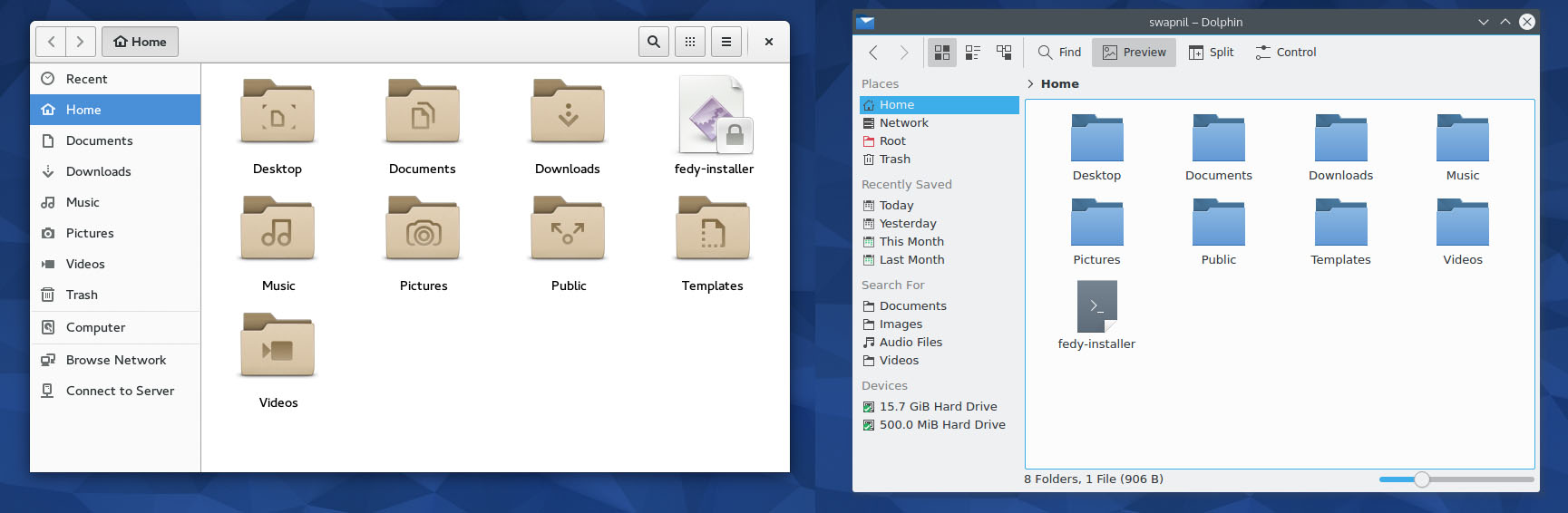
What I still miss is the inability to batch rename files. I hope Gnome developers will address my concern soon. Even Mac OS X now allows batch renaming of files.
The image viewer app has shifted focus from the chrome and borders to the images themselves. When you view images in Fedora they pop out as the dark UI of the viewer seems to disappear and blend into the background. Good job there. I love it.
Gnome is known for creating their own apps which help people in getting things done without leaving the Gnome experience – whether it be Online Accounts, Gnome Documents or the new eBook reader, Books.
Fedora comes with Builder, a new IDE which brings with it a huge number of features. It’s elegant and powerful.
One of the gems of Fedora 22 is ‘Software’. It has evolved to become Linux’s answer to the App Store found on Mac OS X. What I like about it is that it’s not a distro-specific solution. It really doesn’t matter anymore whether you are running Fedora, openSUSE or Arch Linux; if you are a Gnome user you will get a consistent app management experience across distributions.
I wish KDE had something similar; a software manager baked into the DE itself to offer a consistent experience across Kubuntu, openSUSE or Arch Linux.
Bye bye Yum, hello DNF
Fedora, as usual, brings a lot of goodies for new and seasoned users. One of the most important changes is the arrival of DNF as the permanent replacement of ‘Yum’. In my experience so far, ‘dnf’ is faster and more efficient than yum. There is no learning curve here, just replace yum with dnf in all the commands you remember and it will work just fine.
Gnome makes communication easier
Another area where Gnome excels over KDE is the management of communication services. It’s extremely easy to configure emails, chats, calendars and instant messaging in Gnome. All you need to do is open Online Accounts and add the account you want to integrate with the desktop. It’s so well integrated with the communication stack that all services connected to that account will automatically be configured.
On the contrary it’s extremely painful to configure Kmail or other communication components in Plasma. I have actually given up setting them up on Plasma and resorted to Evolution or Thunderbird.
In a nutshell, Fedora 22 is really impressive. Gnome is really starting to shine and it seems to be getting better with each release.
But…
Dude where is the Tweak Tool?
Despite the relationship between Gnome and Fedora what surprises me the most is the absence of Gnome Tweak Tool. A true Gnome experience is incomplete without extensions, and extensions can’t be managed without the Tweak Tool. Still Fedora doesn’t come with the Tweak Tool pre-installed.
Looking at the role this tool plays in the whole Gnome experience I believe it should become an integral part of the Gnome desktop, similar to ‘Software’ and should get its own place in the ‘System Settings’ tool.
That said, Gnome Tweak Tool itself is not fully matured. It still can’t install new extensions. You have to open the extensions site in the supported web browser to install extensions. Some extensions still tend to break with each release of Gnome. Once the Tweak Tool is fully matured and it’s integrated with the desktop, I think Gnome will offer an excellent out-of-the-box experience to new and seasoned users alike.
While we wait for Gnome to do that, Fedora can look at its colonial cousin openSUSE and cover that extra mile to offer the Tweak Tool, with some hand-picked extensions, by default.
If you play with Fedora you will notice major and minor improvements to almost every component. Being a Plasma user I am envious of Gnome and hope KDE developers will implement some similar features to the Plasma desktop.
What about KDE?
As far as KDE Plasma goes, since the project has been split into three components it’s hard to put the Plasma experience in one box. It’s way too confusing to remember which version of Plasma Applications or Frameworks is running on a system at any given point.
Fedora 22 comes with Plasma 5, which I fear is still not fully ready for the prime time. Though I have been using Plasma 5 on some systems, the experience really varies from one distro to another. While I have no issue with Plasma 5 on Arch Linux; the experience on openSUSE Tumbleweed was mixed. So far I haven’t noticed any problems on my Fedora KDE box.
It was sad to see that the KDE edition didn’t get the same kind of love as Gnome did. The KDE spin doesn’t come with Firefox or Chromium as the pre-installed browsers. openSUSE seems to be the only distro which offers great integration with the chosen DE. Whether you choose Gnome or KDE, the distro will be fully integrated with that DE.
Plasma, as usual brings all the latest and greatest ideas from the KDE community. The infamous Nepomuk is gone and it has been replaced by Baloo which is extremely resource efficient. You will be able to enjoy the work KDE developers are doing on Plasma 5.
Since my Arch Linux box is heavily customized, the vanilla experience of Plasma leaves a lot to be desired. I wish Plasma developers would bring in some consistencies with themes. Compared to Gnome, there are way too many elements in the Plasma UI which create distraction. Unlike Gnome the UI doesn’t blend in or disappear to focus on the content.
As expected ‘Software’ is not available for KDE and you have to use Apper, which is nice but not as polished as Software.
A great distro, with some tweaks
Fedora is a great distribution as long as you are running a pure ‘free software’ stack on it. The life of a Fedora user becomes difficult the moment you think of getting proprietary drivers for your GPUs. I have bad memories of broken Fedora systems because I wanted to use non-free drivers for my Nvidia cards.
Getting mp3 to work on Fedora can still be challenging. If you have to do a Google search for tutorials on how to get mp3 to work in 2015 I don’t think the distro is targeted at average PC users. After struggling to play music in Rhythmbox and Clementine I gave up and resorted to the third party tool Fedy. Fedy does an incredible job at installing the much needed software and tweaking the system to suit a user’s needs.
I am truly impressed with Fedora 22. Once you tweak your system with Fedy and Gnome Tweak Tool you will have one of the best Linux distros around.
Nothing beats the gratification of using Fedora. This is a distro that works upstream, gives everything to the community, values free software and, as a result, remains at the heart of the Linux and open source revolution.
Don’t you want that gratification?

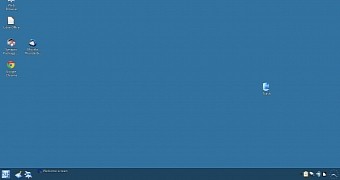 Q4OS is a Linux distribution based on Debian that aims to provide users with a desktop experience that is similar to the one found on older Windows systems. The developers have finally moved passed the dreaded 1.x version, and they have upgraded their systems once more.
 We’re excited to announce a large change in the structure of the annual ApacheCon events in North America and Europe. After extensive research and discussions with the Apache Software Foundation community, ApacheCon will now consist of two co-located events, called Apache: Big Data, and ApacheCon: Core.
