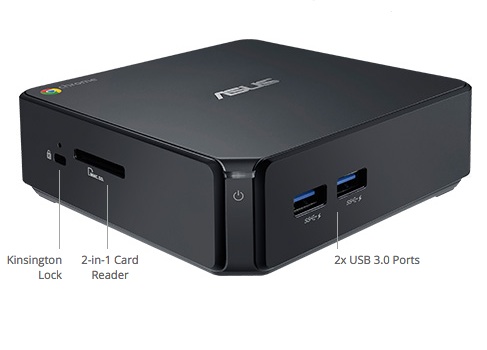
 As computers shrink in size, the line between mini-PCs and small desktop PCs is getting blurrier every year. As the name suggests, however, mini-PCs, are smaller than usual, usually less than five inches square and a few inches tall, making them easier to carry and hide away on a crowded desktop or behind a signage or kiosk display. They’re also usually fanless, which means they’re quiet and have one less moving part to break, and they tend to be cheaper, with more limited I/O. That usually translates into lower prices.
Here we take a look at 10 capable mini-PCs that can be purchased pre-installed with a Linux operating system. (Click on the Gallery link below for a slide show of photos and descriptions.) To keep the selection manageable, we are skipping the many, mostly media player oriented devices that ship with Android only, such as the Tronsmart Orion R28. Most of these devices can be used as media players, although most are more generic systems that can be used as desktop replacements or for signage and/or other embedded applications.
Even by restricting our list to under-$600 mini-PCs with pre-installed Linux, there are some great options here. Most of the systems run Ubuntu, although Linux Mint, OpenELEC, and Chrome OS are also seen here.
Your choices expand greatly if you consider barebones, bring-your-own-OS mini-PCs from companies like Gigabyte and Zotac. (Some of the vendors listed here, such as CompuLab, also offer barebone options. Loading your own OS takes more work, but can save you a bit of cash. You can also buy a Windows-based PC and replace Windows with Linux, but you’ll usually pay more, so it’s probably not worth it unless you want to dual boot.
If you want to use an x86-based mini-PC as both a keyboard-ready desktop PC and a media player, you usually won’t find an IR receiver. So if you want to use both a remote and a keyboard, you may need several free USB ports, among other options noted in this recent CNX-Software discussion on the topic.
You can usually replace Android with Linux on a mini-PC, although it’s typically harder than replacing Windows. Some vendors make it easier, and post alternative lightweight Linux distributions for download that are suitable for these typically ARM-based systems.
Ugoos just released an Ugoos UT3S media player mini-PC that dual boots Ubuntu and Android. The device runs the Kodi (XBMC) media stack, which tends to run better under Ubuntu than in the new Android-based implementation. Another mini-PC on our list — SolidRun’s CuBoxTV— runs OpenELEC Linux with Kodi, and can also be set up with Android.
For an entirely different, browser-oriented Linux experience you can find under-$200 Chromeboxes running Chrome OS from Acer, Asus, and HP, as well as a more expensive, business-oriented Dell Chromebox. Here, we’ve opted for the well-reviewed Asus Chromebox, but they’re all decent.
Compared to mainstream PCs and laptops, there are more ARM-based mini-PCs available, although x86 still prevails among those devices that run Linux distros other than Android. One option, especially in the ARM world, is to buy one of the many Linux-ready, open spec SBCs that offer optional enclosures. Voila — instant mini-PC.
Two of the systems listed here — the recently released, Ubuntu-based System76 Meerkat and ZaReason Zini 1550— use Intel’s Next Unit of Computing (NUC) reference design, and it appears the Penguin Pocket Wee may be NUC-based as well. The NUCs appear to be the only other mini-PCs on our list aside from 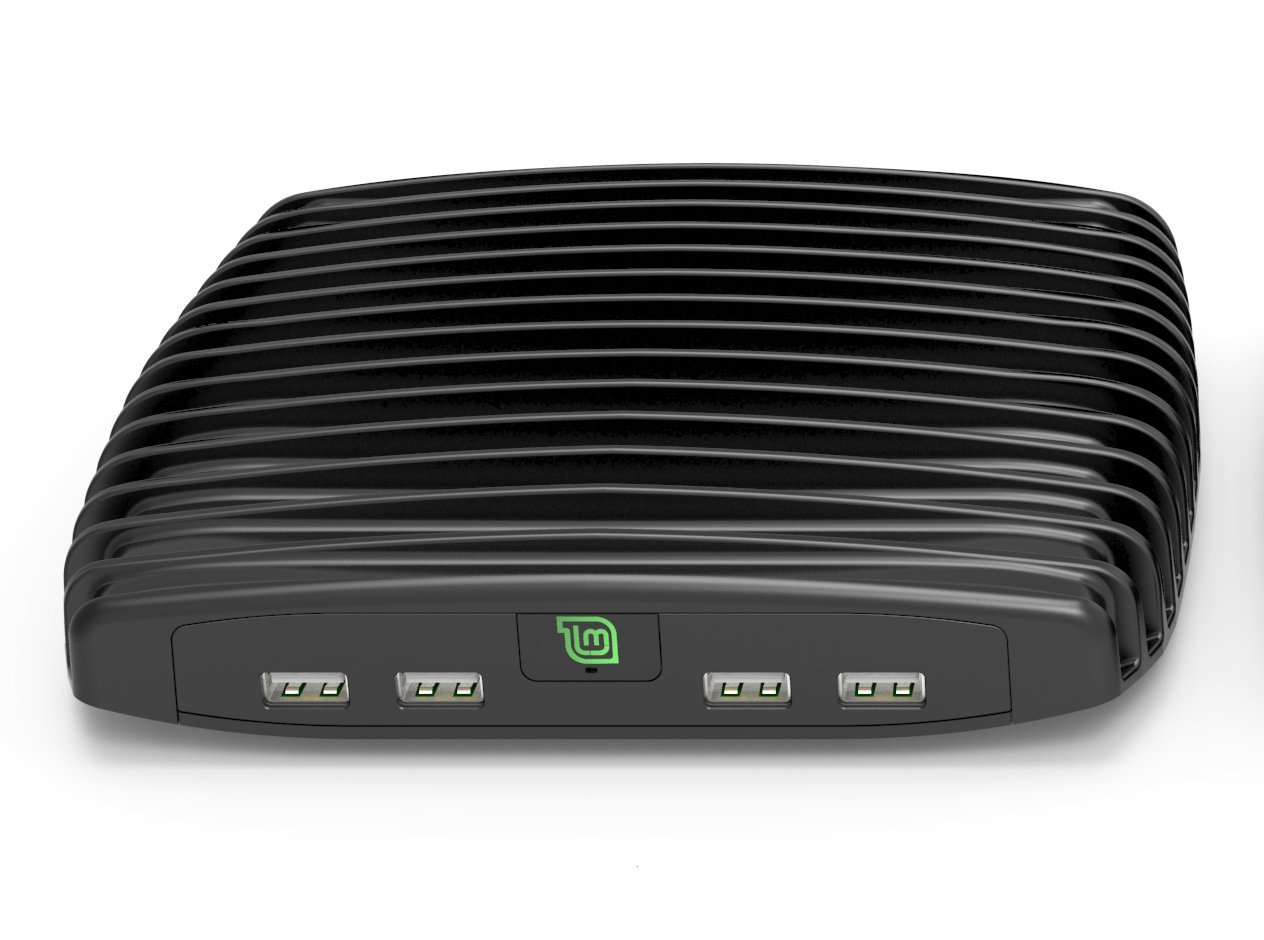 the Ugoos UT3S with fans, although they’re claimed to be “silent.”
Intel also offers its own NUC, as well as a new Intel Compute Stick that will be available in a $110 Ubuntu version on May 31. Even if it was shipping now, however, we’re not including HDMI stick computers, which are more typically Android-based, have very limited I/O, and are generally focused solely on media player applications.
CompuLab has two devices on our list: the tiny, ARM-based, Ubuntu-ready Utilite2, as well as one of the MintBox line of x86 boxes developed with the Linux Mint community under the Fit-PC brand. A new, lower-end $295 MintBox Mini, with a quad-core AMD A4 CPU, 8GB RAM, and 64GB storage, looks worthy, but is currently sold out. Meanwhile, we’ve gone with the proven MintBox 2, which offers the Cinnamon version of Linux Mint instead of Mate. This larger, faster system sports an Intel Core i5, 16GB RAM, and a 500GB HDD for $599.
Note that the feature listings in the slide show (Gallery) below are not necessarily all inclusive. We don’t list HDMI ports, which are provided by all the mini-PCs listed here, and they all have at least one USB port. The prices listed below are the latest starting prices, although many offer more RAM, flash, and other features at higher prices. In some cases, especially with Cloudsto’s Linux makeovers of Android-based Rikomagic mini-PCs, there are often several, similar Linux-ready models that are worthy of consideration.
Sources for hunting down Linux-ready and Linux-based mini-PCs include LinuxGizmos, Liliputing, and CNX-Software, to name a few.
Slide Show: 10 Linux Mini-PCs
Asus Chromebox — $179
Cloudsto MK902II LE — £110 ($165)
Cloudsto MK80 LE — £155 ($232)
CompuLab MintBox 2 — $599
CompuLab Utilite2 — $192
SolidRun CuboxTV — $110
System76 Meerkat — $499
ThinkPenguin Penguin Pocket Wee — $499
Ugoos UT3S — $179
ZaReason Zini 1550 — $549


 Canonical had the pleasure of announcing the release of the Ubuntu 15.04 computer operating system, dubbed Vivid Vervet, a major version powered by Linux kernel 3.19 and some of the latest Linux technologies available.
  This week, the Box Dev conference is going on, where more than 1,500 developers have converged to talk about Box and its ecosystem of tools, which are becoming increasingly popular as cloud solutions in enterprises. If you’ve used Box, you know that it is an easy way to share collaborative documents, photos and more, but you may not realize that people are building applications for the platform, too.
 Red Hat has