
Takashi Iwai of SUSE has sent in his set of sound/ALSA changes that are queued up for the Linux 3.17 kernel…
Read more at Phoronix

Sony has announced that it will no longer support the Android side of PlayStation Mobile, its initiative to support cross-platform indie game publishing for the PS Vita and Google’s OS. The service will continue to operate on PlayStation Certified devices running Android 4.4.2 and below, but from Android 4.4.3 and up, Sony can’t guarantee that games will play correctly or that users will be able to access the store. Phones and tablets on Android L, the upcoming major refresh, won’t have store access at all, and Sony says it has no plans to give any more devices PlayStation Certified status.
PlayStation Mobile offered a selection of original PSOne games, and had the occasional breakout hit of its own like Velocity, later remixed into a…
Open-source software is also called as OSS, which is a computer software program designed and deployed with its source code made available and licensed with a free license in which the copyright holder provides the rights to an anonymous entity for any purpose. People using OSS can distribute the software to anyone and for any purpose because Open-source software is very often developed in a public, collaborative manner. Open-source software is the most prominent example of open-source development and often compared to (technically defined) user-generated content or (legally defined) open-content movements.
The top Five reasons why individuals or organizations choose open source software are:
1) Lower cost,
2) Security,
3) No vendor ‘lock in’, and
4) Better quality
5) Transparency
The Open source code modification, redistribution of open-source software reserved under copyright holder according to copyright law. GNU General Public License (GPL), is a good example of it which allows free distribution under the same license for its free usage. Software licenses grant rights to users, which would otherwise be reserved by copyright law to the copyright holder. Among thousands of Open source software projects these 10 Open Source Softwares listed below are the most important and valuable. These are rare software product that has no alternatives and must require.
1) Linux kernel
The Linux kernel is a prominent example of free and open source software. It is a Unix-like operating system released under the GNU General Public License version (GPLv2). Linux wasn’t the first open source software project, but it was the powerful community developed by contributors worldwide. The Linux kernel is used by a variety of operating systems based on it, which are usually in the form of Linux distributions. The popularity of Linux Kernel rapidly accumulated developers and users who adopted code from other free software projects for use with the new operating system.
2) GNU Utilities and Compilers
The GNU Project is the flagship of the free software movement and Compiler Collection, which is also named as GNU Compiler Collection (GCC) which is developed by the GNU Project supporting various programming languages. The Free Software Foundation (FSF) distributes GCC under the GNU General Public License (GNU GPL), which is the source of an amazing variety of tools and utilities that, when combined with the Linux kernel, provide a complete operating system.
With the Linux kernel, the GNU utilities and the GNU Compiler Collection make up the holy trinity of the Linux world. As well as being the official compiler of the unfinished GNU operating system, GCC has been adopted as the standard compiler by most other modern Unix-like computer operating systems, including Linux and the BSD family. Versions are also available for Microsoft Windows and other operating systems. GCC is also available for most embedded platforms, including Symbian (called gcce),[6] AMCC, and Freescale Power Architecture-based chips. It is named the GNU C Compiler, because it only handled the C programming language and the compiler was extended to compile C++ in December of that year 1987.
3) Ubuntu
Ubuntu is a Debian-based Linux operating system developed to increase usability and ease of use. Ubuntu is a free software and named after the Southern African philosophy of Ubuntu (literally, “humanness”), which often is translated as “humanity towards others” or “the belief in a universal bond of sharing that connects all humanity”. Ubuntu is the first choice of novice users and PC sellers because its free and no need to pay fees. The Ubuntu project is publicly committed to the principles of open source development; people are encouraged to use free software, study how it works, improve upon it, and distribute it.
According to some metrics, Ubuntu is the most popular desktop Linux distribution. Ubuntu comes installed with a wide range of software that includes LibreOffice, Firefox, Empathy, Transmission, and several lightweight games.
4) BSD Operating Systems
Linux isn’t the only popular free open source operating system, there are a number of Unix-like operating systems under active development, named behind BSD (Berkeley Software Distribution). Free BSD, Net BSD and OpenBSD are very famous examples of the BSDs.
FreeBSD is famous for superior reliability and performance. It’s a free Unix-like operating system developed by AT&T UNIX and has more than 200 active developers and thousands of contributors.
NetBSD is a freely redistributable, open source version of the Unix-derivative BSD, computer operating system notable for supporting a wide range of hardware platforms, including embedded systems and mobile devices. NetBSD is famous for its portability and quality of design and implementation, it is often used in embedded systems and as a starting point for the porting of other operating systems to new computer architectures.
OpenBSD is touted as perhaps the most secure Unix-like operating system, with a security audit that never stops. It includes a number of security features absent or optional in other operating systems and has a tradition of developing auditing the source code for software bugs and security problems.
5) Samba
Samba is Free Software licensed under the GNU General Public License, the Samba project is a member of the Software Freedom Conservancy. Samba is a free software re-implementation of the SMB/CIFS networking protocol, originally developed by Andrew Tridgell. Samba bridges the gaps between Linux/Unix and Windows, allowing Unix and Linux servers to provide file and print services to Windows clients, and Linux and Unix clients work with Windows file servers. A Samba host can even serve as the primary domain controller for a Windows network. Samba provides file and print services for various Microsoft Windows clients and can integrate with a Windows Server domain, either as a Primary Domain Controller (PDC) or as a domain member. Samba is released under the terms of the GNU General Public License. The name Samba comes from the SMB (Server Message Block), the name of the standard protocol used by the Microsoft Windows network file system.
6) MySQL
The world’s most popular open source database with easy administration, excellent read performance, and transparent support for large text and binary objects make it the top choice for many Web sites. The MySQL development project has made its source code available under the terms of the GNU General Public License, as well as under a variety of proprietary agreements. It is a popular choice of database for use in web applications, and is a central component of the widely used LAMP open source web application acronym for “Linux, Apache, MySQL, Perl/PHP/Python.” Free-software-open source projects that require a full-featured database management system often uses MySQL. Applications which use MySQL databases include: TYPO3, MODx, Joomla, WordPress, phpBB, MyBB, Drupal and other software.
7) BIND
BIND is the most popular open source DNS (Domain Name System) server software on the Internet. It works on Unix-like operating systems, it is the de facto standard that implements DNS protocols for the Internet. The Berkeley Internet Name Domain package was originally written at the University of California at Berkeley. The software consists, most prominently, of the DNS server component, called contracted for name daemon. In addition the suite contains various administration tools, and a DNS resolver interface library. The latest version of BIND is BIND 9, first released in 2000.
8) Sendmail
Sendmail is a general purpose internetwork email routing facility born before the Internet was standardized and supports different kinds of mail-transfer and delivery methods, including the Simple Mail Transfer Protocol (SMTP) used for email transport over the Internet. Sendmail served as the backbone of the Internet mail system throughout the 1980s and 1990s. It has lost ground to Postfix, Qmail, Exim, and Microsoft Exchange in recent years, but still ranks among the most popular MTAs (mail transfer agents). It is a well-known project of the free and open source software and Unix communities. It has spread both as free software and proprietary software.
9) OpenSSH and OpenSSL
OpenSSH
OpenSSH is an abbreviation of OpenBSD Secure Shell developed as part of the security conscious OpenBSD project. It is a set of computer programs providing encrypted communication sessions over the Internet using the SSH protocol. It was created as an open source alternative to the proprietary Secure Shell software suite offered by SSH Communications Security.
OpenSSL
OpenSSL is an open-source implementation software package uses strong cryptography. OpenSSH encrypts shell communications to remote computers, addressing the shortcomings in tools such as rlogin and telnet, which send usernames and passwords in clear text. OpenSSL is a software library that allows developers to incorporate SSL or TLS into their Internet applications. It was written in the C programming language, implements the basic cryptographic functions and provides various utility functions. The project is managed by a worldwide community of volunteers that use the Internet to communicate, plan, and develop the OpenSSL toolkit and its related documentation.
10) Apache
The Apache HTTP Server Project is an effort to develop and maintain an open-source HTTP server for modern operating systems including UNIX and Windows. The Web server that puts the A in LAMP is still fast, flexible, and secure, with broad operating system and Web programming language support and hundreds of modules available to extend the functionality. Apache is developed and maintained by an open community of developers under the auspices of the Apache Software Foundation. The goal of this project is to provide a secure, efficient and extensible server that provides HTTP services in sync with the current HTTP standards.
Apache httpd has been the most popular web server on the Internet and generally used on a Unix-like system, the software is available for a wide variety of operating systems, including Unix, FreeBSD, Linux, Solaris, Novell NetWare, OS X, Microsoft Windows, OS/2, TPF, OpenVMS and eComStation. Released under the Apache License, Apache is open-source software.
 Culminating a development cycle that wasn’t always as smooth as he would have wished, Linux creator Linus Torvalds on Sunday released version 3.16 of the Linux kernel.
“While 3.16 looked a bit iffy for a while, things cleared up nicely, and there was no reason to do extra release candidates like I feared just a couple of weeks ago,” Torvalds wrote in the official release announcement.
Seven release candidates preceded the final version, including two late in the process that Torvalds felt were bigger than they should have been by that point. Just 83 commits were needed in the final release, however, and “it’s really fairly small stuff randomly all over, with a third being architecture updates, a third drivers, and a third ‘misc’ (mainly mm and networking),” he explained.
Ready for a closer look? Here are three key features in Linux 3.16, the latest in the series known as “Shuffling Zombie Juror.”
1. A Shot in the ARM
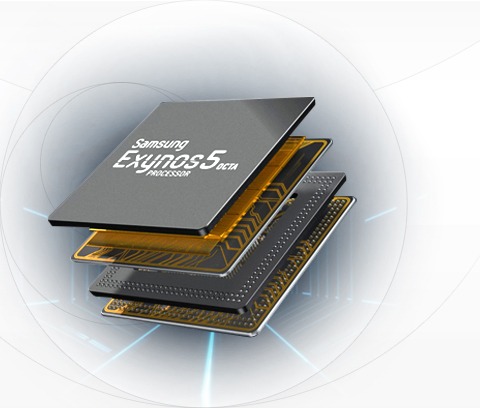
Increased ARM support was a big part of what we saw added in Linux 3.15, which made its debut back in June, and Linux 3.16 takes that support up yet another notch or two. Perhaps most notable among the improvements is support for ARM SoCs including Samsung’s Exynos.
“We’ve been holding back Samsung from adding new SoC support until they sorted out their multiplatform support, which they now have done,” wrote developer Olof Johansson in a git pull message in June. “We’re very happy to be able to build an Exynos-enabled kernel together with the other platforms now (Tegra, i.MX, OMAP, and all the others).
“This also means that their slight backlog of SoC support is now picked up, so we’ve got a bunch of clock drivers and other things for their 3250 and 5410/5420/5800 series of chips,” he added.
2. Control Groups, Controlled
Control groups are “one of those features that kernel developers love to hate,” kernel developer Jonathan Corbet wrote back in 2012, and discussions about how to fix it date back at least as far. Work in this area has been ongoing ever since, and Linux 3.16 is where the results become visible.
Control groups are a way for the kernel to gather processes into hierarchical groups to which policies and resource usage limits can be applied. Whereas originally control groups have allowed the creation of multiple hierarchies, “the plan has long been to get rid of the multiple-hierarchy feature” because of several problems associated with it, Corbet explained in a recent article on the new unified control group hierarchy feature.
Code merged into the 3.14 and 3.15 kernels lay much of the groundwork, and now, version 3.16 makes the feature officially available, though only to users who ask for it explicitly.
“The 3.16 kernel will provide an opportunity for interested users to try out the new mode and find out which problems remain; actual migration by users to the new scheme cannot be expected to happen for a few more development cycles at the earliest, though,” Corbet wrote.
3. Beefed Up Drivers
Last but certainly not least, Linux 3.16 delivers numerous improvements to the kernel’s collection of drivers, delivering better Radeon graphics support, among many other benefits. Also notable is the addition of support for Dell’s Free Fall sensor, a feature in its Latitude laptops that can detect when the device is falling.
There are, of course, numerous other compelling features in Linux 3.16 as well. Though it doesn’t appear to be available yet, a changelog describing the highlights in more detail will no doubt be published soon on Kernel Newbies.
With Linux comes choice. Along with that choice, comes debate. Which desktop is the best? Which offers the most user-friendly experience? The questions are not only never-ending, but date back over a decade where the “war” between KDE, GNOME, and every other desktop was given voice. I would, contend, however, that there is a desktop for every kind of user to be found within the Linux landscape. To that end, I want to take some of the most popular desktops and match them to end users.
Of course, this is not science. There are no hard and fast rules, tests to take, or wizards to walk you through to your final Linux desktop destination. For most people it’s about taste and features. But if you look at each desktop long enough, you discover there is a clear connection between desktop and end user. I will examine the following Linux desktops:
Ubuntu Unity
GNOME 3
Cinnamon
KDE
Enlightenment
XFCE
Deepin Desktop
Each of the above desktops has a strong following (with good reason). As well, each desktop offers a wholly unique experience with plenty of features to please anyone. However — getting connected with the right desktop, up front, can go a very long way to ensuring an overall positive experience with the Linux desktop. With that said, let’s connect users with desktops.
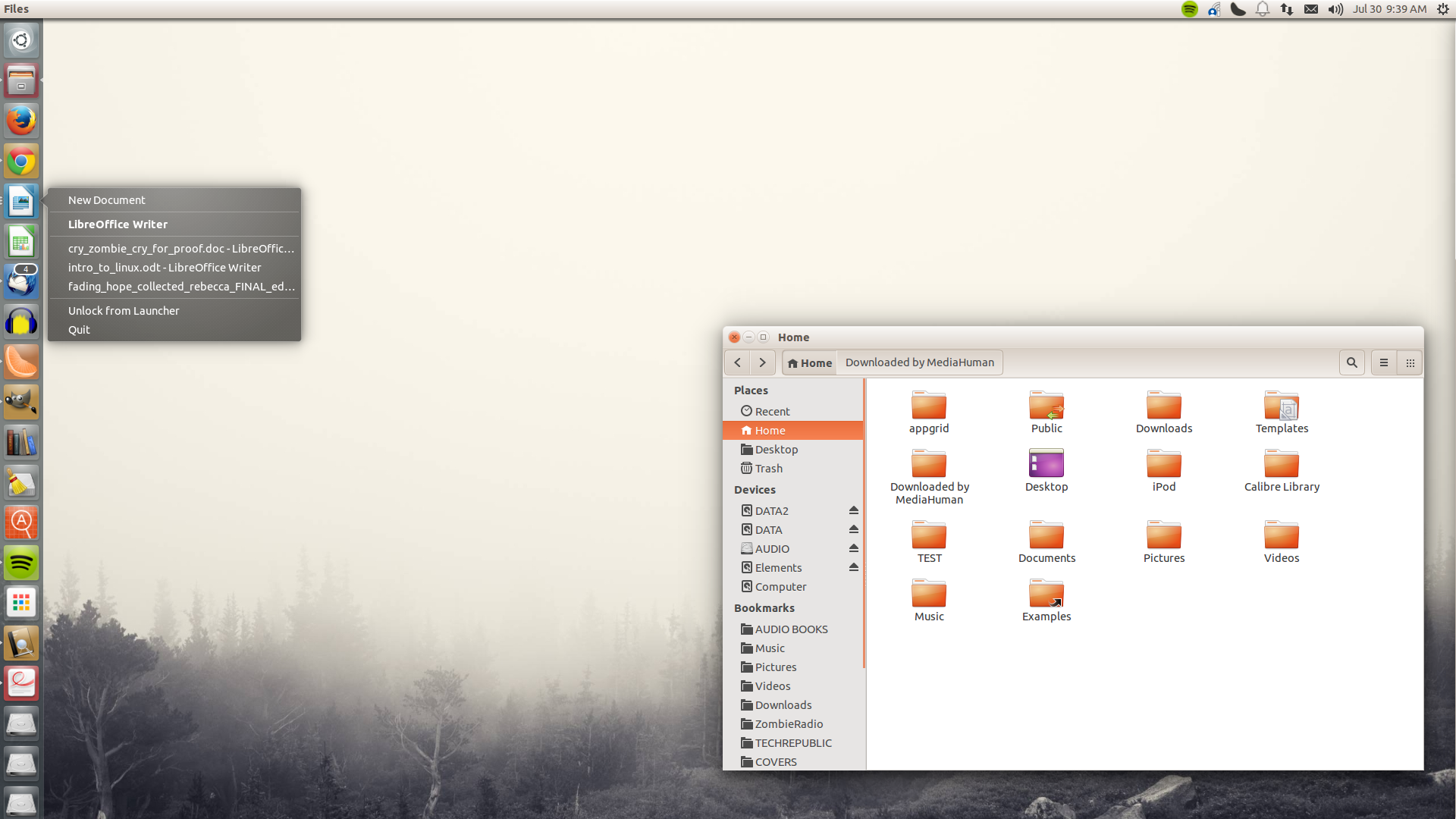
Ubuntu Unity is the ideal desktop for any user wanting a modern interface that connects them to not only their local data, but data from over 100 remote sources. Users who want to be connected and have quick access to social networks, shopping, Wikipedia, and more will find Ubuntu Unity to be a welcome environment. Ubuntu Unity should also be given serious consideration by any user who prefers to spend most of their time on the keyboard and not switching back and forth between keyboard and mouse. With the help of the Head Up Display (HUD), you no longer have to reach for the mouse to interact with application menus. Tap the Alt key and type a search string to bring up application menu options. It’s an incredibly efficient means of interacting with applications.
Best user for Ubuntu Unity: New user who wants as much information at their fingertips as possible and doesn’t care too much about a highly individual look and feel to their desktop.
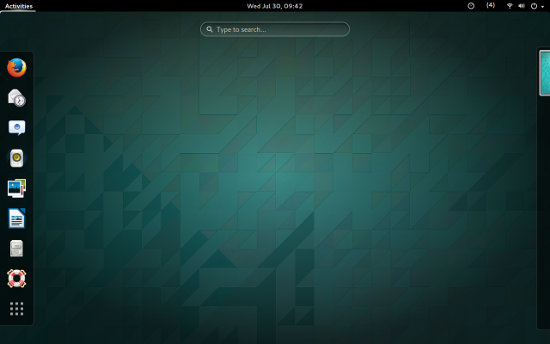
GNOME 3 is a bit of an anomaly – a sort of minimalist approach to a full-featured desktop environment. On the surface, you have what looks like very little to interact with. Open the Dash, however, and you find plenty to use. Where Ubuntu Unity locks down the majority of its interface, GNOME 3 allows for a bit more tinkering. Specifically, the addition of GNOME Shell Extensions helps the end use refine the experience to better match their needs. So if you’re looking for a Ubuntu Unity-level modern take on the desktop, but want to be able to tweak it to your tastes, GNOME 3 is for you.
Best user for GNOME 3: Somewhat experienced user who wants a modern desktop but still wants to tweak the look and feel.
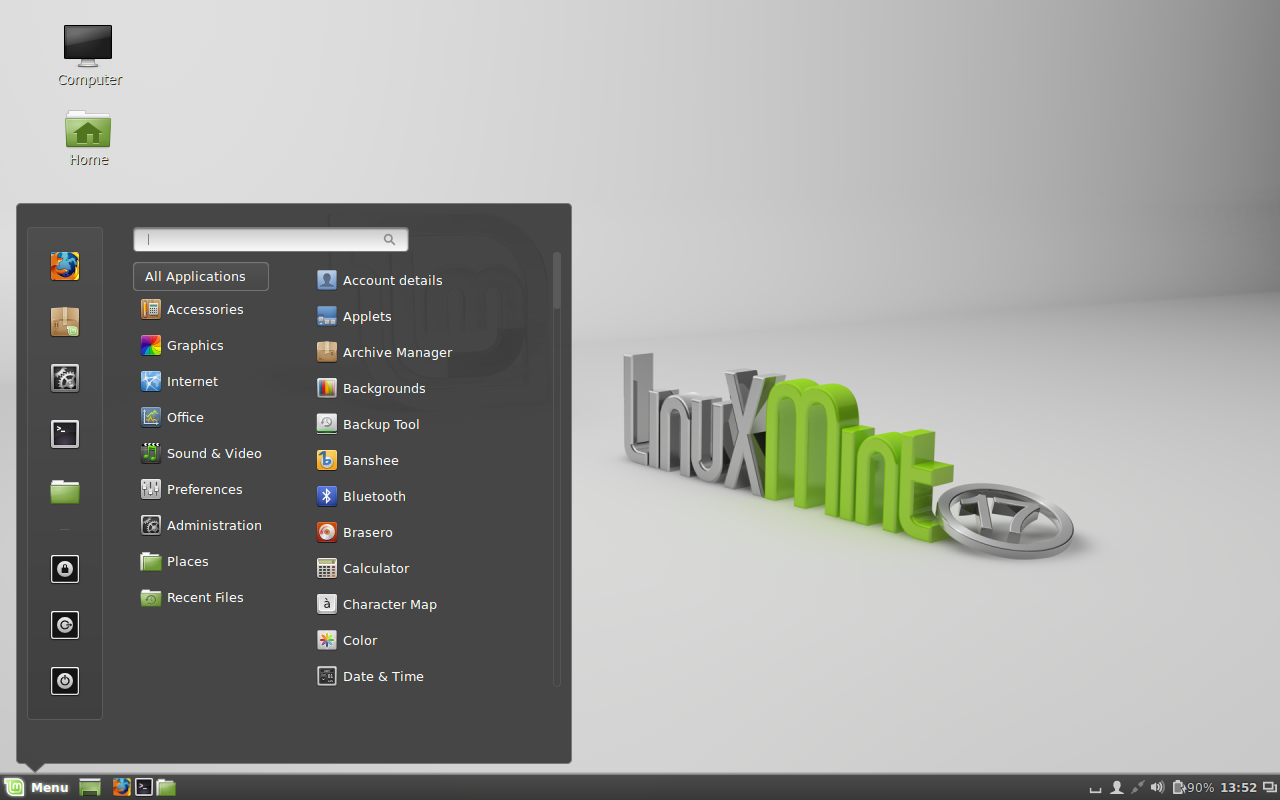
Cinnamon came to be because the Linux Mint team did not feel the direction of GNOME 3 fit in with theirs. So they forked GNOME 3 and completely reworked the interface. What came of that was an interface that seems a melding of GNOME 3 and GNOME 2. Cinnamon allows even more configuration than does GNOME 3 and does a great job of harkening back to GNOME 2, but does so with a nod to a more modern look. Even though Cinnamon has a decidedly Linux look and feel, any user would instantly be at home working within this environment. With a “start button”, panel, and system tray, Cinnamon holds strong to the desktop metaphor that has worked so well for so long. But if you don’t like that look… change it. Cinnamon can be highly tweaked in numerous ways (move panels, add desklets, add/remove effects, and more).
Best user for Cinnamon: Anyone. If you’re familiar with the standard desktop, you’ll be right at home with Cinnamon.
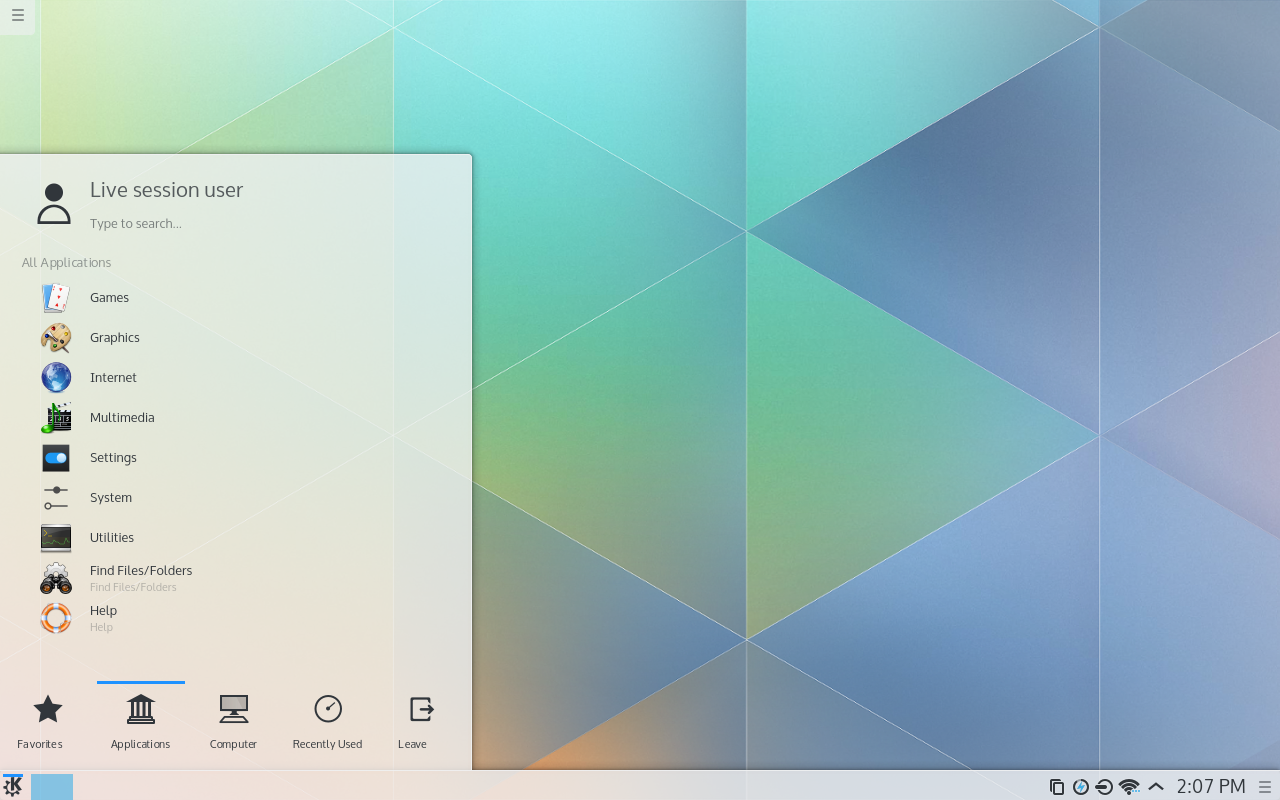
KDE was one of the first “full-blown” desktop environments for the Linux operating system. It’s only been through a couple of major changes (from 3.x to 4.x being the largest), so what it does… it does very well. The KDE desktop is about to flip the switch on the latest version of this long-standing environment — a change that brings a serious speed increase to the environment. Even with the new major version releasing, you won’t find much change in the interface. KDE has always held fast with the old metaphor. This desktop lives and dies by the start menu/panel/system tray model. Even though it has a bit of modern flair, KDE always seems like a holdover from the Windows XP/7 generation. That’s not a bad thing — especially for those that resist change.
Best user for KDE: Windows users who want the easiest transition from XP or 7 but prefer the traditional desktop metaphor over the modern look and feel.
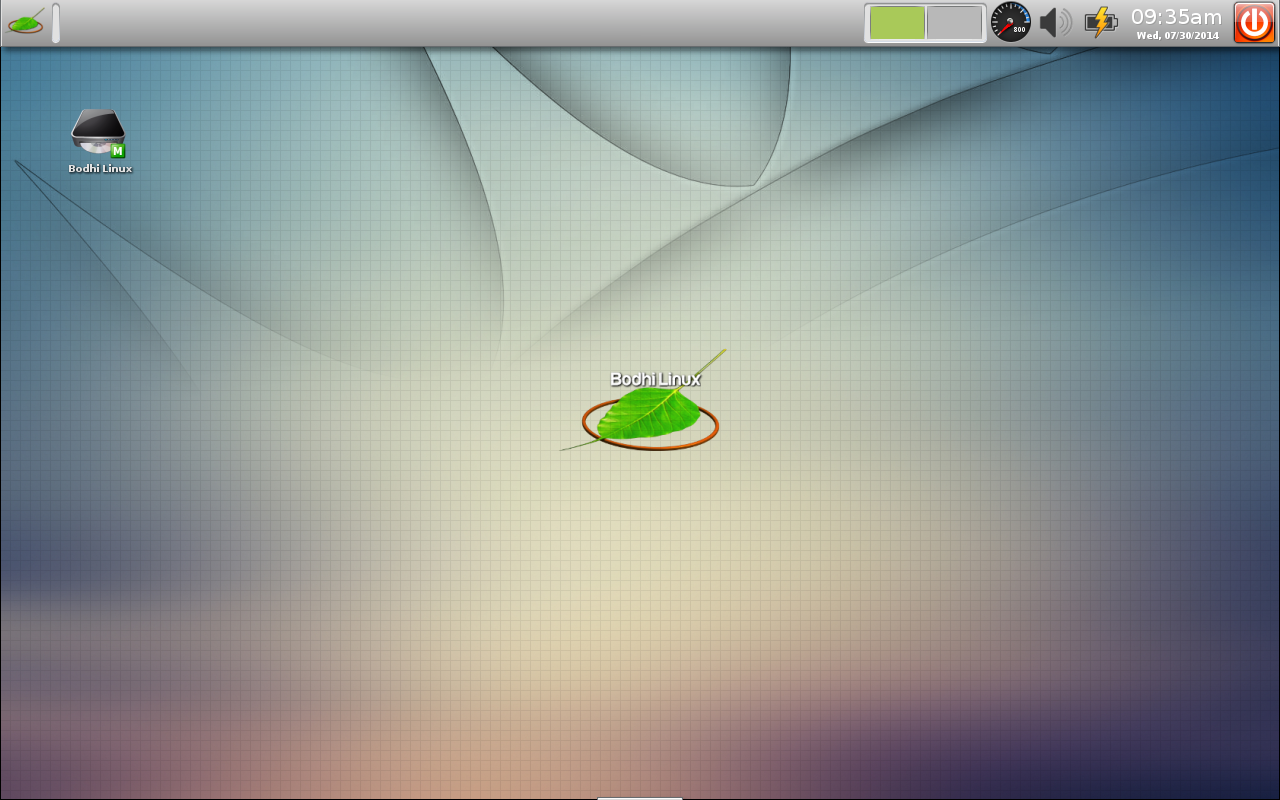
The Enlightenment is a different beast altogether. When you use Enlightenment, you know you’re working within a different environment. It’s as vastly different as it is unique. Gone are the standard start menus and panels. In their place, you’ll find a desktop menu, shelves, and other one-of-a-kind elements. To that end, Enlightenment isn’t for everyone. But if having a desktop that is a beautiful as it is configurable sounds like your cup of tea — this might be a perfect match. Of course, all of that uniqueness and tweak-ability comes with a price… a learning curve. Many users will find Enlightenment a bit tedious out of the box. Users who like to tinker will find Enlightenment a desktop dream come true.
One great element of Enlightenment is the vast amount of themes available. These themes don’t just change the color of the desktop — some change the shape of windows and more.
Best user for Enlightenment: Advanced user who fancies themselves a tinkerer and always likes to change up the look and feel of their desktop.
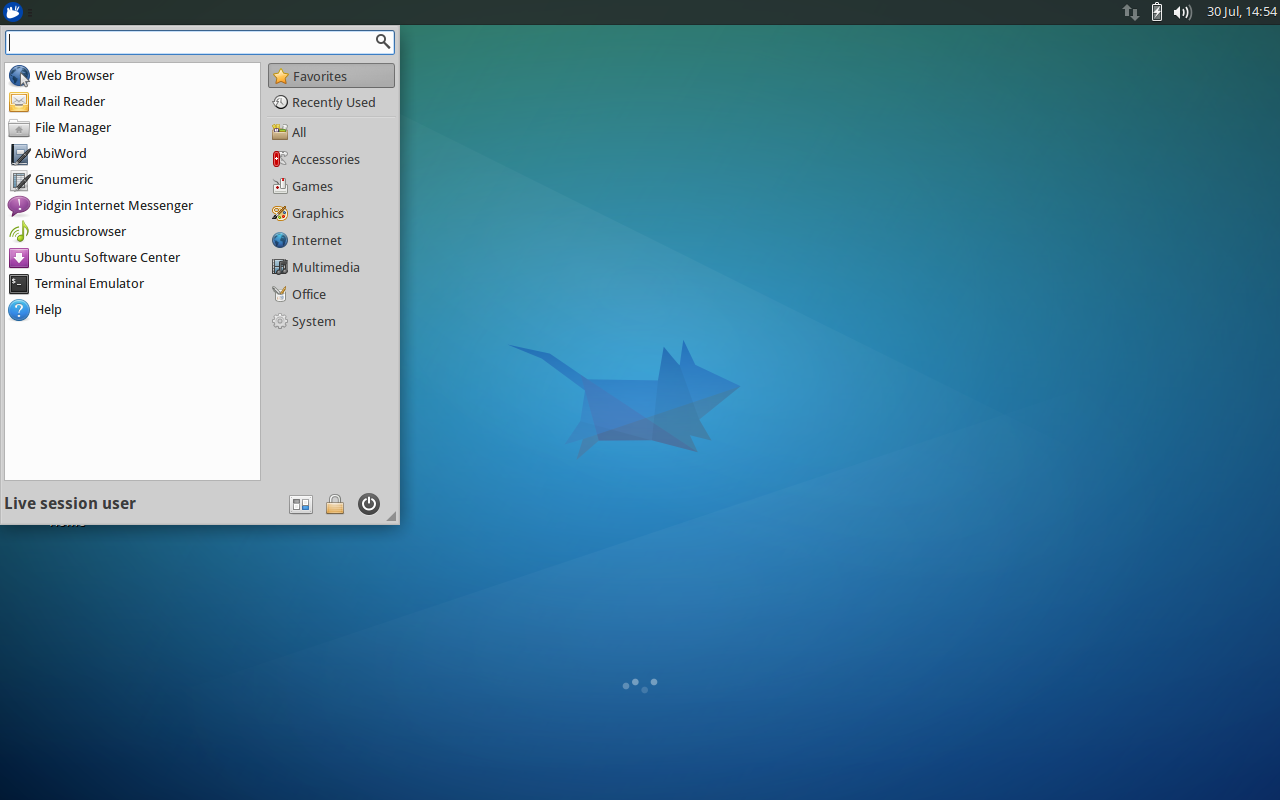
This is a perfect example of just one of the ways in which Linux shines. XFCE is a very lightweight desktop environment. If you have older hardware you want to keep using, XFCE might be the ideal environment. Or, if speed is your primary concern… XFCE will give you just that. But don’t think XFCE skimps on either the features of the customization — you get both. In face, XFCE offers as much customization as any desktop available yet doesn’t sacrifice speed and stability. But XFCE isn’t for everyone. Although not nearly as challenging as Enlightenment, XFCE would present a bit of a configuration challenge for the new user.
Best user for XFCE: Moderately experienced user looking to get the most out of old hardware who just wants as much speed from their desktop as possible.
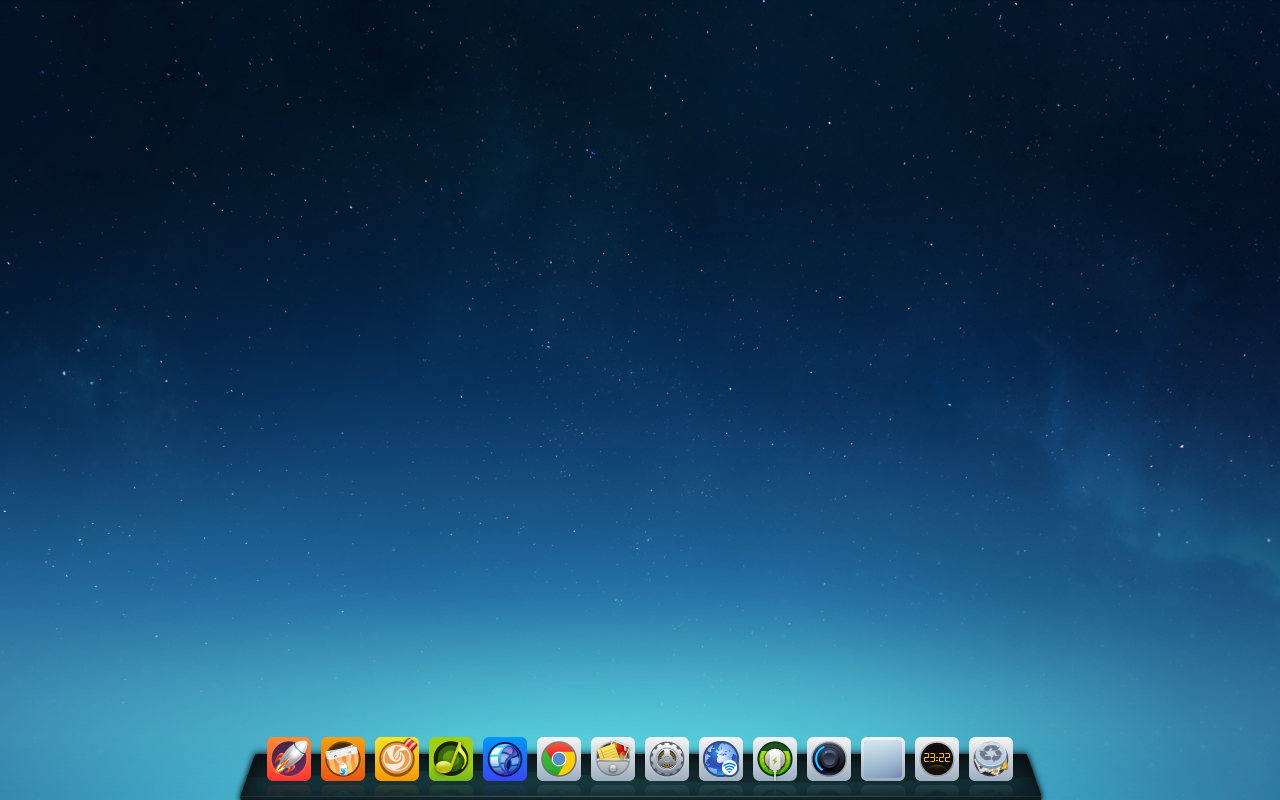
Deepin is a new entry to the Linux landscape, but has already turned a lot of heads. The Deepin Desktop is an incredibly modern take on the interface. This desktop takes bits and pieces from some of the best desktops available and blends them into one, cohesive unit. Deepin Desktop is inspired by GNOME 3, but completely built in-house. It adds an outstanding Dock and one of the finest control panels you’ll see. With the addition of the Dock, the Deepin desktop is easily used by any skill-level user. As the new users continue exploring this new desktop, they’ll be delighted with the features and the modern approach to the interface.
Best user for Deepin Desktop: Any user looking for something different, elegant, and easy to use.
The landscape of the Linux desktop looks stellar at the moment. With so many solid choices to pick from, you’ll find there’s a desktop for anyone — no matter your skill level, no matter your needs. Anyone who says Linux isn’t ready to take over the desktop, hasn’t spent much time working with any of these environments. Linux is ready to be your desktop of choice…which choice will you make?