Last month LibreOffice Calc received a lot of OpenCL/GPU support for various spreadsheet functions. Since then, besides picking up better multi-threaded support, the open-source office suite has implemented more support for OpenCL GPGPU computing…
Sneaking Peeks at openSUSE 13.1
openSUSE 13.1 is due to the public in just a few days and Jos Poortvliet has been posting some sneak peeks. Two he previews two popular desktop versions and today he offered some “Geeko Tips.” As a bonus, Bryan Lunduke compares openSUSE to Ubuntu in terms of management style.
For those like me who are looking forward to 13.1, the sneak peeks just whet the appetite even more. For GNOME users version 3.10 awaits your install. The GNOME 3.10 desktop features a unified system menu, CSD Header Bar, less obtrusive system tray and notifications, updated Activities Overview, and a new frequently used apps tab. Several new GNOME apps have been introduced as well, such as Clocks, Notes, (the really awesome) Weather, and Photos.
Distribution Release: GParted Live 0.16.2-11
Curtis Gedak has announced the availability of an updated release of GParted Live, version 0.16.2-11, a Debian-based specialist live CD with utilities for disk management and data rescue tasks: “The GParted team is proud to announce the availability of a new stable release of GParted Live. This release….
Accretion: A QML, Qt 5.2, KDE Frameworks 5 File Browser
Accretion is a file browser written in QML for the modern Linux desktop that’s written against Qt 5.2 and KDE Frameworks 5…
Mesa 9.2.3 Fixes A Number Of Bugs
Carl Worth at Intel has announced the release of Mesa 9.2.3..
IBM Making More Powerful Watson Supercomputer Available for Public Use

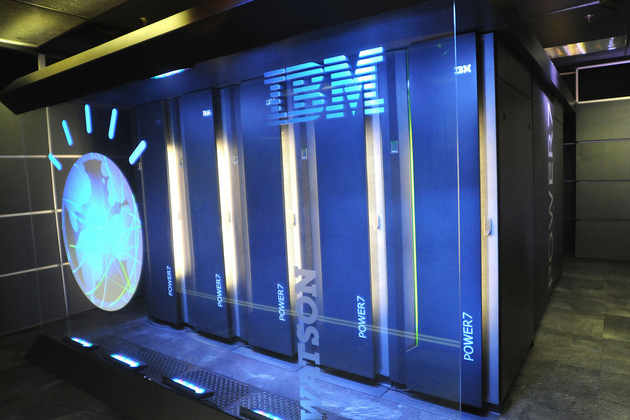
IBM’s Watson supercomputer is taking a big step towards public use. Today, the company announced plans to open Watson up to developers in 2014, establishing an open platform and API that would let coders to build apps on top of the supercomputer’s database and natural language skills. It’s not the first time the project’s been used by outside groups, but the new platform will give developers complete control of the front-end, and require only minimal input from the Watson team at IBM. Companies will still have to contract an instance of Watson from IBM, but once that’s done, their programs will be able to pull questions and answers from the supercomputer in real time.
How to Install Zabbix Monitoring Tool on Linux
How to Install Zabbix Monitoring Tool on Linux. Zabbix is an open source software for networks and application monitoring. Zabbix provides agents to monitor remote hosts as well as Zabbix includes support for monitoring via SNMP, TCP and ICMP checks. Click here to know more about zabbix.
Click here to read full article
Dissection of Android Services Internals
Have you ever wondered how an app gets an handle to the system services like POWER MANAGER or ACTIVITY MANAGER or LOCATION MANAGER and several others like these. To know that i dug into the source code of Android and found out how this is done internally.
So let me start from the application side’s java code.
At the application side we have to call the function getService and pass the ID of the system service (say POWER_SERVCE) to get an handle to the service.
Here is the code for getService defined in /frameworks/base/core/java/android/os/ServiceManager.java
/**
44 * Returns a reference to a service with the given name.
45 *
46 * @paramname the name of the service to get
47 * @return a reference to the service, or <code>null</code> if the service doesn’t exist
48 */
49 publicstaticIBindergetService(Stringname) {
50 try {
51 IBinderservice =sCache.get(name);
52 if (service !=null) {
53 returnservice;
54 } else {
55 returngetIServiceManager().getService(name);
56 }
57 } catch (RemoteException e) {
58 Log.e(TAG, “error in getService”, e);
59 }
60 returnnull;
61 }
Suppose we don’t have the service in the cache. Hence we need to concentrate on the line 55
returngetIServiceManager().getService(name);
This call actually gets an handle to the service manager and asks it to return a reference of the service whose name we have passed as a parameter.
Now let us see how the getIServiceManager() function returns a handle to the ServiceManager.
Here is the code of getIserviceManager() from /frameworks/base/core/java/android/os/ServiceManager.java
privatestaticIServiceManagergetIServiceManager() {
34 if (sServiceManager !=null) {
35 returnsServiceManager;
36 }
37
38 // Find the service manager
39 sServiceManager =ServiceManagerNative.asInterface(BinderInternal.getContextObject());
40 returnsServiceManager;
41 }
The ServicemanagerNative.asInterface() looks like the following:
/**
28 * Cast a Binder object into a service manager interface, generating
29 * a proxy if needed.
30 */
31 staticpublicIServiceManagerasInterface(IBinderobj)
32 {
33 if (obj ==null) {
34 returnnull;
35 }
36 IServiceManagerin =
37 (IServiceManager)obj.queryLocalInterface(descriptor);
38 if (in !=null) {
39 returnin;
40 }
41
42 returnnewServiceManagerProxy(obj);
43 }
So basically we are getting an handle to the native servicemanager.
This asInterface function is actually buried inside the two macros DECLARE_META_INTERFACE(ServiceManager) and IMPLEMENT_META_INTERFACE(ServiceManager, “android.os.IServiceManager”);
defined in IserviceManager.h and IServiceManager.cpp respectively.
Lets delve into the two macros defined in /frameworks/base/include/binder/IInterface.h
DECLARE_META_INTERFACE(ServiceManager) macro.
Its defined as
// ———————————————————————-
73
74#defineDECLARE_META_INTERFACE(INTERFACE)
75 staticconstandroid::String16descriptor;
76 staticandroid::sp<I##INTERFACE>asInterface(
77 constandroid::sp<android::IBinder>&obj);
78 virtualconstandroid::String16&getInterfaceDescriptor() const;
79 I##INTERFACE();
80 virtual ~I##INTERFACE();
And the IMPLEMENT_META_INTERFACE(ServiceManager, “android.os.IServiceManager”);
has been defined as follows:
#defineIMPLEMENT_META_INTERFACE(INTERFACE,NAME)
84 constandroid::String16 I##INTERFACE::descriptor(NAME);
85 constandroid::String16&
86 I##INTERFACE::getInterfaceDescriptor() const {
87 return I##INTERFACE::descriptor;
88 }
89 android::sp<I##INTERFACE> I##INTERFACE::asInterface(
90 constandroid::sp<android::IBinder>&obj)
91 {
92 android::sp<I##INTERFACE>intr;
93 if (obj !=NULL) {
94 intr =static_cast<I##INTERFACE*>(
95 obj->queryLocalInterface(
96 I##INTERFACE::descriptor).get());
97 if (intr ==NULL) {
98 intr =newBp##INTERFACE(obj);
99 }
100 }
101 returnintr;
102 }
103 I##INTERFACE::I##INTERFACE() { }
104 I##INTERFACE::~I##INTERFACE() { }
So if we replace expand these two macros in IServiceManager.h & IServiceManager.cpp file with the appropriate replacement parameters they look like the following:
-
classIServiceManager :publicIInterface
{
public:
staticconst android::String16 descriptor; -
static android::sp<IServiceManager> asInterface( const android::sp<android::IBinder>& obj);
-
virtualconst android::String16& getInterfaceDescriptor() const;
-
IServicemanager();
………
……..
……
…..
And in
IServiceManager.cpp
-
-
const android::String16 IServiceManager::descriptor(“android.os.IServiceManager”);
-
const android::String16&
-
IServiceManager::getInterfaceDescriptor() const {
-
return IServiceManager::descriptor;
-
}
-
android::sp<IServiceManager> IServiceManager::asInterface(
-
const android::sp<android::IBinder>& obj)
-
{
-
android::sp< IServiceManager> intr;
-
if (obj != NULL) {
-
intr = static_cast<IServiceManager*>(
-
obj->queryLocalInterface(
-
IServiceManager::descriptor).get());
-
if (intr == NULL) {
-
intr = new BpServiceManager(obj);
-
}
-
}
-
return intr;
-
}
-
IServiceManager::IServiceManager() { }
-
IServiceManager::~IIServiceManager { }
So if you see the line 12 which shows if the Service Manager is up and running (and it should because the service manager starts in the init process during Android boot up) it returns the reference to it through the queryLocalinterface function and it goes up all the way to the java interface.
now once we get the reference of the Service Manager, we next call
publicIBindergetService(Stringname) throwsRemoteException {
116 Parceldata =Parcel.obtain();
117 Parcelreply =Parcel.obtain();
118 data.writeInterfaceToken(IServiceManager.descriptor);
119 data.writeString(name);
120 mRemote.transact(GET_SERVICE_TRANSACTION,data,reply, 0);
121 IBinderbinder =reply.readStrongBinder();
122 reply.recycle();
123 data.recycle();
124 returnbinder;
125 }
from ServiceManagerNative.java. in this function we pass the service that we are looking for.
And the onTransact function for GET_SERVICE_TRANSACTION on the remote stub looks like the following:
publicbooleanonTransact(intcode,Parceldata,Parcelreply, intflags)
51 {
52 try {
53 switch (code) {
54 case IServiceManager.GET_SERVICE_TRANSACTION: {
55 data.enforceInterface(IServiceManager.descriptor);
56 String name =data.readString();
57 IBinderservice =getService(name);
58 reply.writeStrongBinder(service);
59 returntrue;
60 }
61
62 caseIServiceManager.CHECK_SERVICE_TRANSACTION: {
63 data.enforceInterface(IServiceManager.descriptor);
64 Stringname =data.readString();
65 IBinderservice =checkService(name);
66 reply.writeStrongBinder(service);
67 returntrue;
68 }
69
//Rest has been discarded for brevity…………………..
………………….
………………….
…………………
It returns the reference to the needed service through the function getService.
/////////////////////////////////////
The getService function from /frameworks/base/libs/binder/IServiceManager.cpp
looks like the following:
virtualsp<IBinder>getService(constString16&name) const
134 {
135 unsigned n;
136 for (n = 0; n < 5; n++){
137 sp<IBinder>svc =checkService(name);
138 if (svc !=NULL) returnsvc;
139 LOGI(“Waiting for service %s…n”,String8(name).string());
140 sleep(1);
141 }
142 returnNULL;
143 }
So it actually checks if the Service is available and then returns a reference to it. Here i would like to add that when we return a reference to an IBinder object, unlike other data types it does not get copied in the client’s address space, but its actually the same reference of the IBinder object which is shared to the client through a special technique called object mapping in the Binder driver.
Fedora 20 ARMs For the Future
A week after celebrating its 10th anniversary, the Fedora Project released the Fedora 20 (“Heisenbug”) beta on Nov. 12. Thanks to a few stubborn Heisenbugs, the release was several weeks late, but that is but a blip compared to some of Fedora’s more historic delays. It’s the price you pay for hooking yourself to a project that prides itself on being the cutting edge sandbox, not only for Red Hat Enterprise Linux (RHEL), but for Linux distributions in general. Despite Fedora’s continual innovations, it’s always been a bit behind Ubuntu on ARM support. That’s changing, however, with Fedora 20’s primary support for ARMv7.

Fedora 20 brings plenty of improvements that are due to reach final form in the first half of December. These include an enhanced NetworkManager, a user interface for virt-manager, thin provisioning for LMN thin clients, and GNOME 3.1. Sendmail and Syslog are no longer defaults, with SystemD replacing Syslog, and there’s an experimental version of the Wayland windowing manager. (For the full rundown on Fedora 20, see Fedora’s Fedora 20 change-list and Red Hat’s Fedora 20 beta announcement.
Perhaps most significant for the long run, Fedora finally supports ARM as a primary architecture. By elevating ARM to a place next to Intel Architecture, Fedora is giving developers more confidence in an ARM/Fedora pairing.
Progress on Fedora’s ARM Support
Fedora has supported ARMv7 as a secondary architecture for some time, reaching maturity in this January’s Fedora 18 (“Spherical Cow”), which offered specific support for devices such as the Pandaboard and Beagleboard. The project extended that secondary support to ARMv6, enabling the Fedora-based Pidora distribution to provide a faster and more robust Fedora remix for the ARM11/ARMv6-based Raspberry Pi.
According to the Fedora 20 announcement, Fedora’s “ARM team has made massive strides over the past year,” and the improved support will “satisfy end users and developers targeting the ARM platform.” In response to a request for clarification as to the difference between primary and secondary support, Fedora Project Leader Robyn Bergeron had this to say: “It mostly has to do with our testing/release criteria. All primary architectures or desktop environments need to meet all the release criteria in order for Fedora to be released; secondary arches don’t block the release.”
The primary support is currently limited to 32-bit ARMv7, such as found on the Cortex-A9 and –A15 processors inside most smartphones and tablets, as well as a wider range of embedded equipment that also use lower end Cortex-A5, -A8, and –A7 SoCs. This should expand the support for Fedora on ARM-based industrial computer modules and computers, as well as consumer electronics equipment.
Although embedded Linux devices typically use more lightweight custom Linux distributions, often based on Debian and/or Yocto code, a fair amount of higher-end equipment offers full Linux distros. This is typically Fedora or Ubuntu on x86, and Ubuntu on ARM. Now, Fedora hopes to even the score on ARM as well. Other Linux distributions such as Arch and OpenSUSE are also ramping up their ARM support.
It’s unclear whether the Fedora project will rekindle its mobile device ambitions, which blossomed and faded five or six years ago along with Moblin-based netbooks. So far, however, I’ve heard of no major planned counterpoint to the Ubuntu Touch platform for phones and tablets.
Fedora AArch64 Preps for 64-bit ARM Servers
Since Fedora is the upstream contributor to Red Hat, the primary impact of ARM Fedora over the long run will be on the emerging market for ARM-based servers. More power-efficient ARM servers are in growing demand as datacenters seek to reduce energy costs.
Some micro-servers run on ARMv7 Cortex-A15 processors, but most server and high-end networking manufacturers and customers are waiting for the 64-bit ARMv8 code found in Cortex-A57 level SoCs. They may not have long to wait. This year, the Fedora Project has been plowing considerable resources into its experimental 64-bit, ARMv8 AArch64 version of Fedora. In June, Red Hat and Applied Micro used AArch64 to demonstrate the first “general purpose operating system” running on the latter’s 64-bit ARM X-Gene system-on-chip.
Last month, Dell demonstrated a 64-bit ARM server based on the same X-Gene/Fedora combo. Cavium is collaborating with both Red Hat/Fedora and Canonical/Ubuntu on its 64-bit “Project Thunder” ARM SoC.
Ubuntu has more mature ARMv7 support, but appears to be in about the same position as Fedora when it comes to ARMv8. This is where things start to get interesting.

Learn About User Driven Cloud Computing at CloudStack Collaboration Conference EU
Perhaps the most interesting thing about open source once you get past the inherent freedoms (freedom to run for any purpose, study, modify and distribute) is the ability for users to participate in a meaningful way in developing the software that they use. To that end on Nov. 20-22 in Amsterdam, the Apache CloudStack community will be coming together at a user-organized event to share their experience and development plans for Apache CloudStack at the CloudStack Collaboration Conference EU 2013(CCCEU13).

This is the first conference for the CloudStack community in Europe and was driven by a group of volunteers largely from the staff of mission-critical outsourcer, Schuberg Philis. As users and builders of CloudStack clouds, Arjan Eriks and Harm Boertien have been leading the efforts of the organizing committee. Boertien says,
“This is a unique event showcasing how developers and users should get together to develop software and take advantage of the beautiful city of Amsterdam. Our aim is to broaden the user and developer community and improve the overall feature set of CloudStack.”
The program was created from paper submissions selected by members of the Apache CloudStack community and will feature talks on everything from designing basic cloud architecture, to storage systems and software-defined networking (SDN). The featured keynote speaker will be Patrick Debois, the godfather of the DevOps movement and founder of the wildly successful DevOps days. There are also talks from Dell’s DevOps and systems management guru John M. Willis and Mark Burgess, a pioneer in policy-based configuration management and the founder of CfEngine.
Agility in delivering IT solutions is a big part of the cloud computing culture and to that end many of the talks will focus on that topic. Opscode’s Michael Ducy will explain how to instill culture in the cloud. Longtime operations guru Kris Buytaert will share his vision on the future of sysadmins and Paddy Power developers Noel King and John Turner will talk about the “killing of dinosaurs” a provocative talk about rejecting antiquated approaches to operations management. CCCEU13 Gold sponsor NetApp is keen to showcase their new Virtual Storage Console plugin that allows CloudStack users to manage NetApp storage right from the CloudStack interface. Many other users will share their experiences acquired from running production cloud computing environments.
While the event is about users and developers it is supported by a number of industry technology leaders including CA, Citrix, Juniper, NetApp, Splunk, Sungard, TrendMicro and VMware. Giles Sirrett, managing consultant for ShapeBlue, and a supporter of the conference who has been tirelessly espousing the virtues of CloudStack and promoting the solution commercially had this to say:
“Apache CloudStack is a technology that we’re heavily backing at ShapeBlue as it presents to us the most stable, proven and fast to deploy option when building out cloud computing environments for our customers.
“As well as the proven technology, we and our customers find great value in being able to interact with a well-governed, dynamic Apache open-source community,” Sirrett says. “CloudStack Collaboration conference presents us with a unique opportunity to meet with the users, integrators and developers of the technology. We’re able to share experiences, look at ongoing work from associated vendors and work with the developer community to ensure that Apache CloudStack continues to meet our needs.”
Linux.com readers can receive a 50% discount off the €150.00 registration price by using the code CCC_LOVES_LINUX when they register at http://cloudstackcollab.org/event/registration.
Mark Hinkle is the Senior Director, Open Source Solutions, at Citrix. He joined Citrix as a result of their July 2011 acquisition of Cloud.com, where he was their Vice President of Community. He is currently responsible for Citrix Open Source Business Office and the Citrix efforts around Apache CloudStack, Open Daylight, Xen Project and XenServer.