In the last Android tutorial, we looked at handling a touchscreen event. This only handled a single pointer, though. Android can handle multiple pointers at the same time, reflecting what happens when you have more than one finger on the screen at the same time. This is how multi-touch gestures (like pinch-zoom) work.
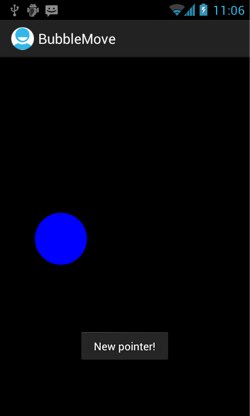 In fact, we can see Android supporting multiple pointers by demonstrating a bug in the last tutorial’s code. Run the BubbleMove app from the last tutorial, and start dragging the bubble around the screen. If you put a second finger on the first screen while you’re doing this, then lift the first finger, the bubble will jump across the screen to the second finger location. This is because the code as it currently stands handles only the default pointer. The first finger down is the default pointer; but when that is taken off the screen, the second finger (as the only remaining pointer) becomes default, and the bubble jumps across to this new default pointer. Let’s look at how to handle multiple pointers explicitly.
One quick note: unfortunately the emulator only has experimental support for multi-touch. To follow along with this tutorial, you’ll need to hook up your hardware device for testing, or experiment with the tethered device option at the previous link.
Handling Multiple Pointers: The Basics
We’ll start out our journey into multi-touch handling by fixing that multiple-pointer bug. To do this, we need to take pointer ID into account in our code.
The only part of the code for the last tutorial that we need to change is onTouchEvent(). Edit it to look like this (with an additional couple of private class variables):
private static final int INVALID_POINTER_ID = -1;
private int activePointer = INVALID_POINTER_ID;
public boolean onTouchEvent(MotionEvent e) {
  switch (e.getActionMasked()) {
    case MotionEvent.ACTION_DOWN:
      thread.setBubble(e.getX(), e.getY());
      activePointer = e.getPointerId(0);
      break;
    case MotionEvent.ACTION_MOVE:
      if (activePointer != INVALID_POINTER_ID) {
        int pointerIndex = e.findPointerIndex(activePointer);
        thread.setBubble(e.getX(pointerIndex), e.getY(pointerIndex));
      }
      break;
    case MotionEvent.ACTION_UP:
      if (activePointer != INVALID_POINTER_ID) {
        showTotalTime(e.getEventTime() - e.getDownTime());
        activePointer = INVALID_POINTER_ID;
      }
      break;
    case MotionEvent.ACTION_CANCEL:
      activePointer = INVALID_POINTER_ID;
      break;
    case MotionEvent.ACTION_POINTER_UP:
      int pointerIndex = e.getActionIndex();
      int pointerId = e.getPointerId(pointerIndex);
      if (pointerId == activePointer) {
        showTotalTime(e.getEventTime() - e.getDownTime());
        activePointer = INVALID_POINTER_ID;
      }
      break;
    }
  return true;
}
We’re now using getActionMasked() instead of getAction() for the switch statement. getAction() returns only an action if there’s a single pointer, but with multiple pointers, it returns a combination of the pointer action and a shifted pointer index. To avoid us shifting out the pointer index ourselves, we can use getActionMasked(), which simply returns an action (ACTION_UP, ACTION_POINTER_DOWN, etc), and if this is a pointer action, use getActionIndex() to get the pointer index.
Take a look at ACTION_POINTER_UP, which is the crucial part of the new code. An ACTION_POINTER_UP event means that a pointer has gone up, but not the only pointer (if there is only one pointer, and that goes up, an ACTION_UP event is sent), and not necessarily the active pointer. So we get the index of this pointer, and the pointer ID associated with it. If this is the active pointer — the first finger we put on the screen — then we’re done with moving our bubble. In other words, in this version of the code, we only pay attention to that first pointer, and explicitly ignore any further pointers. Nothing else will happen to the bubble until all fingers come off the screen and a new set of touch events happens.
If the active pointer has gone up, then, we show the total time of the drag gesture, and set the active pointer variable to INVALID_POINTER_ID, to show that it is no longer active.
Now take a look at ACTION_DOWN. If this action is sent, then this is the first pointer to go down; so we treat it as the active pointer, and use getPointerId to save the pointer ID as the active pointer.
With both ACTION_UP and ACTION_MOVE, before doing anything, we check that there is a valid active pointer. ACTION_MOVE is sent from any active pointer on the screen, so we only want to handle that data if it comes from our own active pointer.
ACTION_UP is only sent when the final pointer goes up; but that final pointer could be our second pointer, in which case we ignore it. To make that a bit clearer, here’s a possible sequence of pointer actions:
- Pointer 1 (active pointer) goes down:
ACTION_DOWN. - Pointer 2 (non-active pointer) goes down:
ACTION_POINTER_DOWN. - Both pointers move:
ACTION_MOVE. - Pointer 1 (active pointer) goes up:
ACTION_POINTER_UP. - Pointer 2 (non-active pointer) continues to move:
ACTION_MOVE. - Pointer 2 (non-active pointer) goes up:
ACTION_UP.
In that list, we only want to respond to the Pointer 1 events. So if we get an ACTION_UP event, we check first whether we still have a valid active pointer. If not, then that ACTION_UP event is coming from Pointer 2, and we ignore it. If the active pointer is still valid, we show the total time Toast message.
More pointer handling
What if you want to handle the event of a second pointer going down? This would set a pointer index and pop a Toast message up:
private int newPointer = INVALID_POINTER_ID;
public boolean onTouchEvent(MotionEvent e) {
  // ... code as before ...
  case MotionEvent.ACTION_POINTER_DOWN:
        	  int newPointerIndex = e.getActionIndex();
        	  newPointer = e.getPointerId(newPointerIndex);
        	  Toast.makeText(ctx, "New pointer!", Toast.LENGTH_SHORT).show();
        	  break;
  // ... rest of code...
}
Pretty straightforward. Here’s an interesting wrinkle, though. If you put in code to handle your second pointer just the same way as your first, you’ll fetch up with something like this:
public boolean onTouchEvent(MotionEvent e) {
  switch (e.getActionMasked()) {
    // ACTION_DOWN, ACTION_CANCEL, ACTION_POINTER_DOWN as above
    case MotionEvent.ACTION_MOVE:
   	  if (newPointer != INVALID_POINTER_ID) {
        int pointerIndex = e.findPointerIndex(newPointer);
        thread.setBubble(e.getX(pointerIndex), e.getY(pointerIndex));
      }
      if (activePointer != INVALID_POINTER_ID) {
	    int pointerIndex = e.findPointerIndex(activePointer);
	    thread.setBubble(e.getX(pointerIndex), e.getY(pointerIndex));
      }
      break;
    case MotionEvent.ACTION_UP:
      if (activePointer != INVALID_POINTER_ID) {
        showTotalTime(e.getEventTime() - e.getDownTime());
	    activePointer = INVALID_POINTER_ID;
      }
      if (newPointer != INVALID_POINTER_ID) {
        newPointer = INVALID_POINTER_ID;
      }
      break;
    case MotionEvent.ACTION_POINTER_UP:
      // get pointerIndex and pointerId as before
      if (pointerId == activePointer) {
   	    showTotalTime(e.getEventTime() - e.getDownTime());
   	    activePointer = INVALID_POINTER_ID;
      }
      if (pointerId == newPointer) {
   	    newPointer = INVALID_POINTER_ID;
      }
      break;
    }
  return true;
}
Run this and you’ll see that as you lift a finger or put it down again, the bubble hops between fingers and keeps moving smoothly. However, if you put two fingers down and move both of them, the bubble moves with the first finger. Now, try switching the order of the ACTION_MOVE case, like this:
case MotionEvent.ACTION_MOVE:
  if (activePointer != INVALID_POINTER_ID) {
    int pointerIndex = e.findPointerIndex(activePointer);
    thread.setBubble(e.getX(pointerIndex), e.getY(pointerIndex));
  }
  if (newPointer != INVALID_POINTER_ID) {
    int pointerIndex = e.findPointerIndex(newPointer);
    thread.setBubble(e.getX(pointerIndex), e.getY(pointerIndex));
  }
  break;
Compile and run, and you’ll find that this time, the bubble follows the second pointer around. What’s happening is that it’s nearly impossible to hold a finger still on the screen, so ACTION_MOVE events are being sent by both pointers all the time. They’re too fast for the human eye to follow, so the one that you notice is whichever is evaluated second. If you want something more complicated to happen — for example, for the bubble to bounce visibly between the two pointers, or to follow an average of both of them — you’ll need to do more complicated processing to track and average both pointers.
GestureDetectors
If you want to do complicated things with multiple fingers, you’ll probably want to handle your pointers directly, as in this tutorial. But a lot of the time, you might want to handle one of a set of standard gestures, such as pinch zoom. In this case, a GestureDetector — a filter object that turns MotionEvents into gesture events — is likely to be helpful. In the next tutorial, we’ll look at using GestureDetector and OnGestureListener to handle multi-touch events.