Home Blog Page 518

Antergos: User-Friendly Desktop, Fueled by the Power of Arch

Over the years, Arch Linux has had the misfortune of being maligned as one of the more challenging modern Linux distributions. That’s a shame, because Arch Linux is one of the most solid distributions you’ll find. Nonetheless, new users finding their way over to the official Arch Linux installation guide may choose to return to the likes of Ubuntu or Linux Mint. Now, however, there are other options, due to the release of some very user-friendly takes on the Arch Linux distribution, including Antergos.

According to the official website, the purpose of Antergos is:

…to provide a modern, elegant, and powerful operating system based on one of the best Linux distributions available, Arch Linux. Users need not be linux experts nor developers in order to use Antergos. From long-time linux users to linux users of only a few months, Antergos is for everyone.

After giving Antergos a thorough kick of the tires, I have to say, the developers have done a remarkable job in making Arch Linux accessible to the masses. There’s not one thing in the way of preventing the average user from getting the most out of this distribution. In fact, there are a couple of tricks up the old Antergos sleeve that other distros might want to note.

Let me explain.

Installation

The bulk of the installation is really nothing new. It’s incredibly simple (as we have come to know and love with most Linux distributions), and it’s about as streamlined as an operating system installation can get. During the installation, however, the user is given a couple of very interesting choices (one of which takes me back about 15 years). The first choice (the one that hearkens back to the earlier days of Linux), gives the user a choice of which desktop environment they’d like to use. The choices are (Figure 1) Base (console only), Cinnamon, GNOME, KDE, MATE, Openbox, and Xfce).
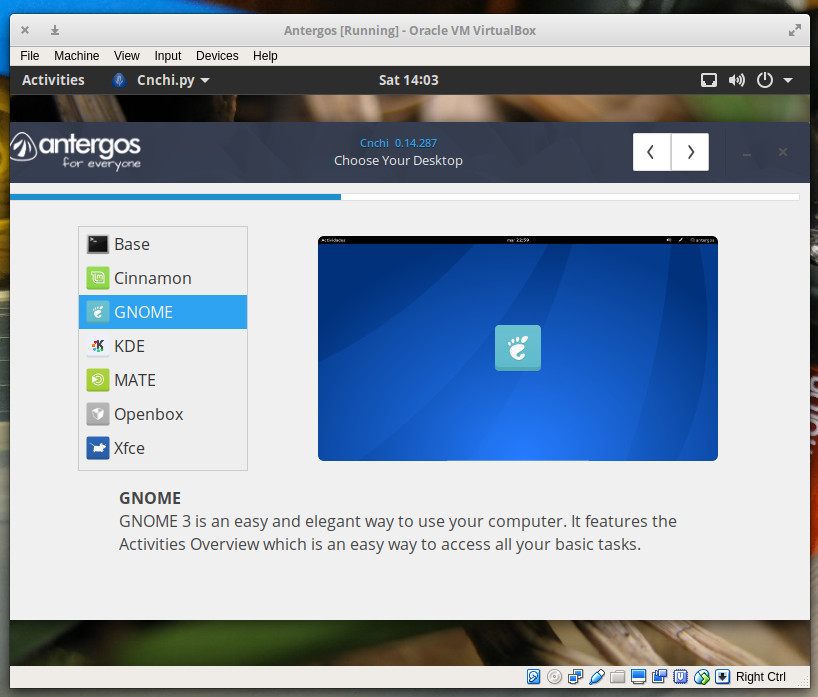
Figure 1: Choosing your Antergos desktop is as simple as a single click.

This is an absolutely fantastic addition to an already solid installation. Instead of requiring the user to download a specific ISO image for their desktop of choice, let them download a single ISO and choose their interface during installation. This means users could download that one installation image and install a variety of desktops on different machines. Back in the day, every Linux installation offered multiple choices for desktop environment. I get it, though; most distributions look to save space on downloads, so they opt for different ISO images for each desktop. Antergos proves this can be done and keep the downloadable image below the 2GB range. The latest release of Antergos is 1.9GB. Compare that to the daily build of Ubuntu 17.10 and you’ll see only .4GB difference in size (Ubuntu 17.10 coming in at 1.5GB). That extra .4GB is worth having the added selection.

The next step in the installation that gives the users a unique choice relates to web browsers and a few extras, you won’t find in other installations. That’s right, Antergos has made the choice of web browsers a step in the installation process (Figure 2).
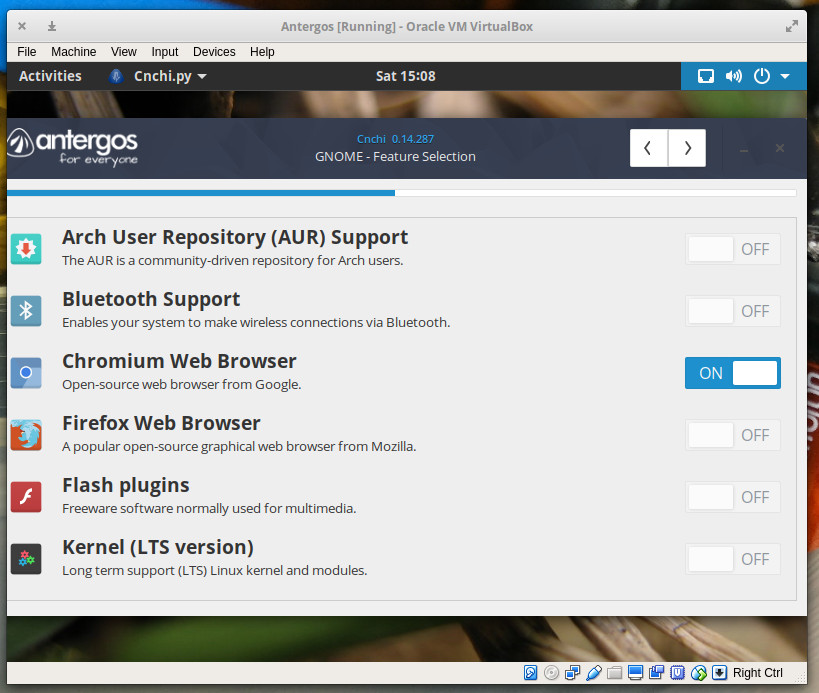
Figure 2: Selecting your browser during installation.

The selection is limited to only Chromium and Firefox, but you can also enable Flash plugins, Bluetooth, the Arch User Repository, and the LTS kernel. For those that do not know, the LTS kernel is a Long Term Support kernel that gets minor upgrades to bug fixes and security vulnerabilities, even when the “standard” support for the version has stopped. With this, you could continue on using that particular kernel (all the while receiving minor upgrades and bug fixes), even after the distribution has migrated to the next version of the kernel.

As for the Arch User Repository (AUR), know that it is a repository of packages created solely by users and any use of those packages is at your own risk. For a complete listing of packages that can be found in the AUR, check out this page.

The remainder of the installation is very straightforward. All told, the process takes about 20 minutes (depending upon your hardware).

Usage

Upon reboot, you can log into your Antergos desktop and enjoy. I opted to go with the GNOME desktop (it ships with 3.24.2) and was pleasantly surprised to find the Dash to Dock extension already installed (Figure 3).
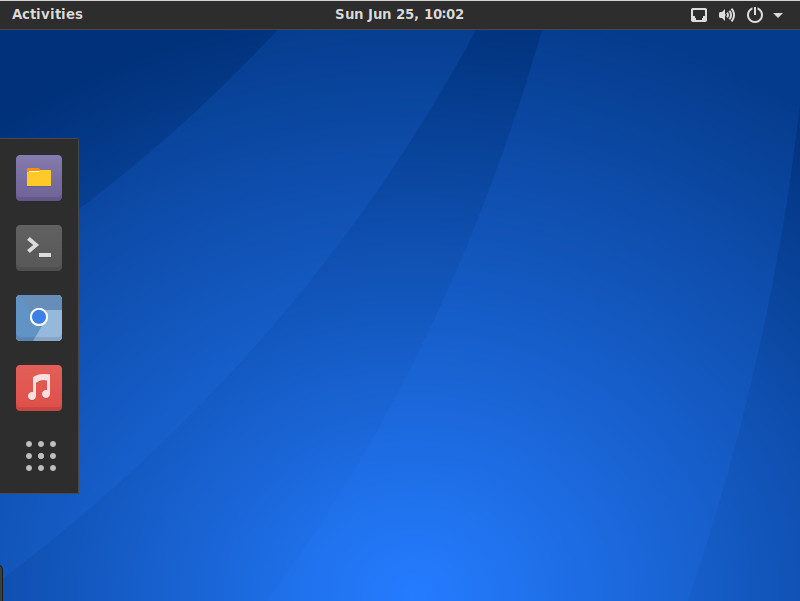
Figure 3: The GNOME desktop in all its glory.

The first thing I did (as you should do) was run the update manager. Click on the Show Applications button (the square of dots in the dock) and then type update in the search field. Select Software Update and apply any available updates.

Once I had the system updated, I was greeted by something I’d never before experienced: the Antergos System Message. This message (Figure 4) warned me that an alert containing important system information could be viewed. I clicked on the link to find out there was a critical bug that had been patched. From the alert:

Systems installed by Cnchi prior to v0.14.287 have weaker password hashes than they should. This is only significant if an attacker has a way of obtaining the password hashes. Nevertheless, the security of users’ systems is a serious matter and we feel it’s important that we give our users the information they need to decide what (if any) mitigation actions to take.
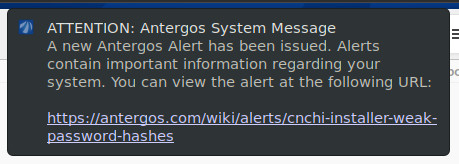
Figure 4: Heed the Antergos system alert.

This is important. Not just the bug itself (because it is), but that Antergos is taking the time to alert users as to what is going on under the hood and why these bug fixes are important. I applaud the developers for this added effort—it is welcome and, I believe, necessary.

The only warning I will give you is that Antergos does not ship with an office suite pre-installed. That isn’t a problem, as you can simply open up the Add/Remove Software tool, search for LibreOffice, and install with a  couple of quick clicks. Currently, the version of LibreOffice available in the repository is 5.3.4-1. This is actually a newer version than you’ll find in, say, Ubuntu 17.10 (which ships with 5.3.3.2).

Cast off those assumptions

Beyond that, you won’t find much in the way of gotchas with Antergos (beyond the lack of an office suite). In fact, using this particular take on Arch Linux does an astounding job of doing away with all the assumptions one might have of Arch Linux and delivers a platform that is rock solid and ready for anyone to use.

If you’re looking for your next Linux distribution, you’d be remiss in not giving Antergos a shot. Download an ISO, burn it to a DVD or USB, select your desktop, and enjoy your seriously impressive desktop.

Learn more about Linux through the free “Introduction to Linux” course from The Linux Foundation and edX.
Diversity Empowerment Summit Facilitates Inclusion and Culture Change

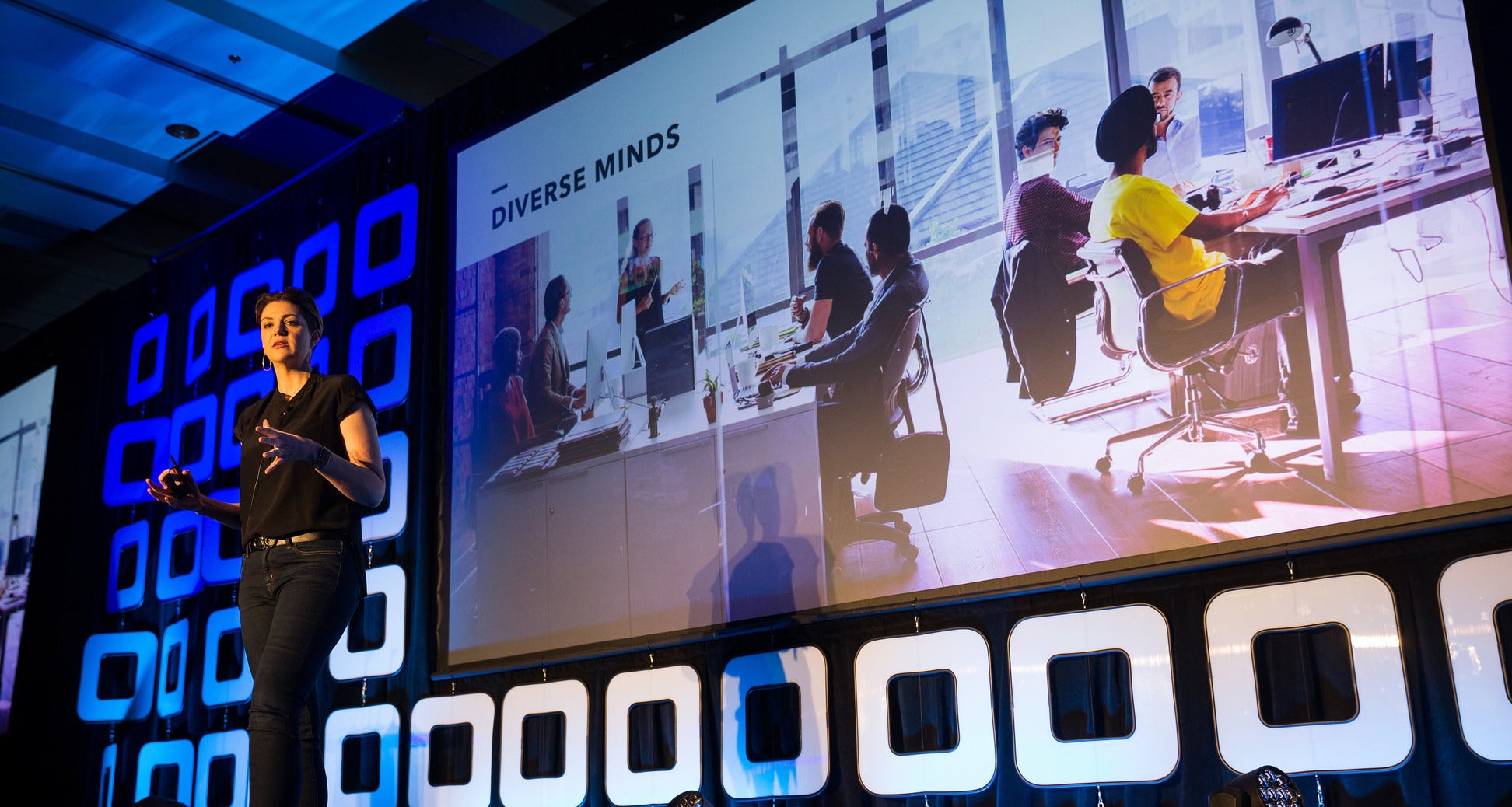
Check out the session highlights for the new Diversity Empowerment Summit (DES), which will take place Sept. 14, 2017, in Los Angeles as part of Open Source Summit North America.

Featured sessions and speakers for DES include:

  • Chaos Theory + Civil Liberties = 21st Century Corporate Practices – Kate Ertmann, GO

  • Open Your Arms to Open Source – Solutions to Bring in Social Innovation to All Walks of Life All Over the World – Arpana Durgaprasad, IBM

  • You’re Not a *Real* Software Engineer – Amy Chen, Rancher Labs

  • CO.LAB: A Collaborative, Mobile Learning Experience – John Adams, Red Hat

Other diversity and inclusion activities at Open Source Summit North America include:

Note that registration for DES is included in Open Source Summit registration fees at no additional cost.  Anyone in open source who wants to learn more about furthering diversity and inclusion in the community, as well as the broader technology industry, is encouraged to attend.

Onsite resources to increase accessibility to the event include:

  • Nursing room

  • Complimentary child care

  • Wheelchair & medical equipment rental from One Stop Mobility

  • Quiet room where conversation and interaction are not allowed

  • Communication stickers to indicate an attendee’s requested level of interaction

  • Non-binary restrooms

  • Strictly enforced Code of Conduct

The full lineup of all Open Source Summit North America sessions, including those at the DES, features more than 200 sessions covering everything from Cloud and Containers, to Security and Networking, to Linux and Kernel Development. Register now & Save $150!

2017 Ops Salary Survey

The operations (Ops) required to keep an organization’s increasingly important technical infrastructure up and running is a key part of any company. The roles and duties performed by those working in the Ops space vary widely by company, industry, geography, and infrastructure type. This report looks into what operations professionals do, how much they are compensated, how they are seen within their companies, and how they rate different aspects of their jobs.

Based on the responses, we found that Ops encompasses a wide range of tasks and we saw evidence of shifting roles for Ops professionals. Infrastructure is moving to the cloud, and physical work (like laying cables and racking servers) is on the wane, giving way to tasks that require new types of skills; for example, automation, configuration, virtualization, and containerization. Our survey results provide helpful insights into the skills, tools, experience, and responsibilities that most affect Ops salaries.

Some key points include the following:

  • The median salary of all respondents is $100,000.

  • Ops professionals at larger companies earn more money.

  • Despite working long hours, more than half of respondents said they were happy with their work–life balance.

Read more at O’Reilly [Registration is required to read the entire article.]

Defining “Scaling” Agile, Part 6: Creating the Agile Organization

We might start to think about agile approaches as a project change. However, if you want to “scale” agile, the entire culture changes. Here is a list of the series and how everything changes the organization’s culture:

Read all parts of the series at Johanna Rothman’s blog

Why Portability Is Not the Same Thing as Compatibility

The Container Host *is* the Container Engine, and Container Image Compatibility Matters
Have you ever wondered, how are containers are so portable? How it’s possible to run Ubuntu containers on CentOS, or Fedora containers on CoreOS? How is it that all of this just magically works? As long as I run the docker daemon on all of my hosts, everything will just work right? The answer is….no. I am here to break it to you – it’s not magic. I have said it before, and I will say it again, containers are just fancy Linux processes. There is not even a container object in the Linux kernel, there never has been. So, what does all of this mean?

Read more at CrunchTools.com

5 Current DevOps Trends MSPs Should Know

Staying competitive in the managed services business today means keeping on top of the latest DevOps trends and developments. Here’s a look at how the DevOps world is evolving now.

It’s 2017, and Docker containers and continuous delivery are old news. More innovative developments are now shaping the world of DevOps.

They include:

  • Serverless computing. Serverless computing is not new. Serverless platforms have been around since the mid-2000s. But modern serverless services, such AWS Lambda and OpenWhisk, have made serverless computing more accessible and cost-efficient. Organizations seeking leaner, meaner solutions for deploying applications will increasingly look toward serverless computing.

Read more at The VAR Guy

Linux systemd Bug Could Have Led to Crash, Code Execution

Developers with Canonical pushed out a handful of patches for the Linux-based operating system Ubuntu this week, including one that resolves a bug that could have let an attacker cause a denial of service or execute arbitrary code with a TCP payload.

Chris Coulson, a software and electronics engineer with the company, discovered the vulnerability, an out-of-bounds write (CVE-2017-9445) in Ubuntu’s systemd-resolved system service. The service-an init system used in Linux distributions–is a network name resolution manager and helps provide network name resolution to local apps.

Coulson warned earlier this week the bug could affect any Linux distribution running an unpatched version of systemd.

Read more at ThreatPost

Last Chance to Submit Your Talk for Open Source Summit and ELC Europe

Submit your proposal soon to speak at Open Source Summit and Embedded Linux Conference (ELC) taking place in Prague, Czech Republic, October 23-25, 2017. The deadline for proposals is Saturday, July 8, 2017. Don’t miss out on this opportunity to share your expertise and experience at these events.

At the Open Source Summit, you have the chance to learn, collaborate, and share information along with 2,000 peers and community members. We encourage the open collaboration and discussions that are necessary to keep Linux successful. And, if you’re interested in making a difference in Linux, open cloud, and open source, submit a speaking proposal soon!

For 12 years, ELC has had the largest collection of sessions dedicated exclusively to embedded Linux and embedded Linux developers. At ELC, you can collaborate with peers on all aspects of embedded Linux from hardware to user space development. Submit your proposal and join the conversation.

We invite you to share your creative ideas, enlightening case studies, best practices, or technical knowledge at these exciting events.

Submit a Speaking Proposal for OS Summit Europe

Submit a proposal for ELC Europe

Linux Foundation events are an excellent way to get to know the community and share your ideas and the work that you are doing. You don’t need to be a core kernel maintainer or a chief architect to submit a proposal. In fact, we strongly encourage first-time speakers to submit talks for all of our events.

Our events are working conferences intended for professional networking and collaboration, and we work closely with our attendees, sponsors, and speakers to help keep Linux Foundation events professional, welcoming, and friendly.

Visit the OS Summit CFP page or the ELC Europe CFP page for suggested topics, submission guidelines, and other useful information. Submissions must be received by 11:59pm PST on Saturday, July 8, 2017.

Practical Networking for Linux Admins: IPv4 and IPv6 LAN Addressing

We’re cruising now. We know important basics about TCP/IP and IPv6. Today we’re learning about private and link-local addressing. Yes, I know, I promised routing. That comes next.

Private Address Spaces

IPv4 and IPv6 both have private address spaces. These are not meant to leave your private network, and you may use them without requesting assignments from an official authority, like your Internet service provider. Or, if you’re a bigwig, a direct allocation from a regional Internet registry.

IPv4 Private Addresses

You’re probably familiar with IPv4 private addressing, as we’ve all been using it since forever. There are four different private address spaces:

  • 10.0.0.0/8 (10.0.0.0 to 10.255.255.255), 16,777,216 addresses
  • 172.16.0.0/12 (172.16.0.0 to 172.31.255.255), 1,048,576 addresses
  • 192.168.0.0/16 (192.168.0.0 to 192.168.255.255), 65,536 addresses
  • 169.254.0.0/16 (169.254.0.0 to 169.254.255.255), 65,536 addresses

Let’s talk about the last one first, 169.254.0.0/16, because I find it annoying. I never warmed up to it because it just gets in my way. That is the link-local auto-configuration block, also called Avahi Zeroconf. Microsoft Windows and some Linux distributions use these, so even when you don’t assign an IP address to a network interface, or it does not receive one via DHCP, it will get a 169.254.0.0/16 address. What’s the point? Supposedly easy ad hoc networking, and enabling communication with a host when other means of address assignment fail. Link-local addresses are accessible only within their own broadcast domains and are not routable. I’ve been disabling it since forever without missing it. If you find it useful, perhaps you could share a comment on how you use it.

The other three address spaces are routable, even outside your LAN. That is why most firewall tutorials include rules to stop these from leaving your network. Most ISPs block them as well.

The four hexadecimal octets in IPv4 addresses are conversions from binary. This is a fun topic for another day; you might investigate it because IPv4 addressing makes more sense in binary. For everyday use, this is what you need to know:

Each octet is 8 bits, and the total is 32 bits.

10.0.0.0/8 means the subnet mask is 8 bits, 255.0.0.0. You cannot change the first octet, 10, which is the network ID. The remaining three octets are the host ID, 24 bits, and you can change them however you like. Each octet has possible values ranging from 0-255. 10.0.0.0 and 10.255.255.255 are reserved and you cannot use them for host addresses, so your usable addresses are 10.0.0.1 to 10.255.255.254.

172.16.0.0/12 has a 12-bit subnet mask, 255.240.0.0, which does not divide up neatly into hexadecimal octets. 172.16.0.0 and 172.31.255.255 are reserved and you cannot use them, so your usable addresses are 172.16.0.1 to 172.31.255.254.

192.168.0.0/16 has a 16-bit subnet mask, 255.255.0.0. Again, the first and last addresses are reserved, so your usable addresses are 192.168.0.1 to 192.168.255.254.

So, you ask, just what are the first and last addresses reserved for? The first address identifies your subnets, for example 192.168.1.0. The last address is the broadcast address. Suppose your subnet is 192.168.1.0/24, then 192.168.1.255 is the broadcast address. These broadcasts go to every host on the network segment, hence the term “broadcast domain”. This is how DHCP and routing tables are advertised.

IPv6 Private Addresses

IPv6 private link-local addresses, for whatever reason, are not pebbles in my shoes the way IPv4 link-local addresses are. Maybe because they’re so alien they bounce off my brain. And I have no choice, as the IPv6 protocol requires these. You can view yours with either the ip or ifconfig command:

$ ifconfig 
ifconfig wlan0
    wlan0 Link encap:Ethernet  HWaddr 9c:ef:d5:fe:8f:20  
          inet addr:192.168.0.135  Bcast:192.168.0.255  Mask:255.255.255.0
          inet6 addr: fe80::b07:5c7e:2e69:9d41/64 Scope:Link

These fall into the fe80::/10 range. You can ping your computer:

$ ping6 -I wlan0 fe80::b07:5c7e:2e69:9d41
PING fe80::b07:5c7e:2e69:9d41(fe80::b07:5c7e:2e69:9d41) 
from fe80::b07:5c7e:2e69:9d41 wlan0: 56 data bytes
64 bytes from fe80::b07:5c7e:2e69:9d41: 
icmp_seq=1 ttl=64 time=0.032 ms

With ping6, you must always specify your interface name, even if it is the only one. You can discover your LAN neighbors:

$ ping6 -c4 -I wlan0 ff02::1
PING ff02::1(ff02::1) from fe80::b07:5c7e:2e69:9d41 
wlan0: 56 data bytes
64 bytes from fe80::b07:5c7e:2e69:9d41: 
icmp_seq=1 ttl=64 time=0.078 ms
64 bytes from fe80::4066:50ff:fee7:3ac4: 
icmp_seq=1 ttl=64 time=20.7 ms (DUP!)
64 bytes from fe80::9eef:d5ff:fefe:17c: 
icmp_seq=1 ttl=64 time=27.7 ms (DUP!)

Cool, I have two neighbors. ff02::1 is a special link-local multicast address for discovering all link-local hosts. man ping tells us that DUP! means “ping will report duplicate and damaged packets. Duplicate packets should never occur, and seem to be caused by inappropriate link-level retransmissions.” In this context, it’s nothing to worry about, so I ping my neighbors:

$ ping6 -c4 -I wlan0 fe80::4066:50ff:fee7:3ac4
64 bytes from fe80::4066:50ff:fee7:3ac4: 
icmp_seq=1 ttl=64 time=4.72 ms

How is it that we can ping our LAN neighbors on their link-local addresses, when we couldn’t ping the 2001:0DB8::/32 addresses we created in last week’s installment? Because the routing is automatic. You won’t see IPv6 routes with the good ol’ route command, but must use the ip command:

$ ip -6 route show
fe80::/64 dev wlan0  proto kernel  metric 256  pref medium

Pretty slick. Come back next week, and we will really do some routing.

Learn more about Linux through the free “Introduction to Linux” course from The Linux Foundation and edX.
Linux Rolls Out to Most Toyota and Lexus Vehicles in North America

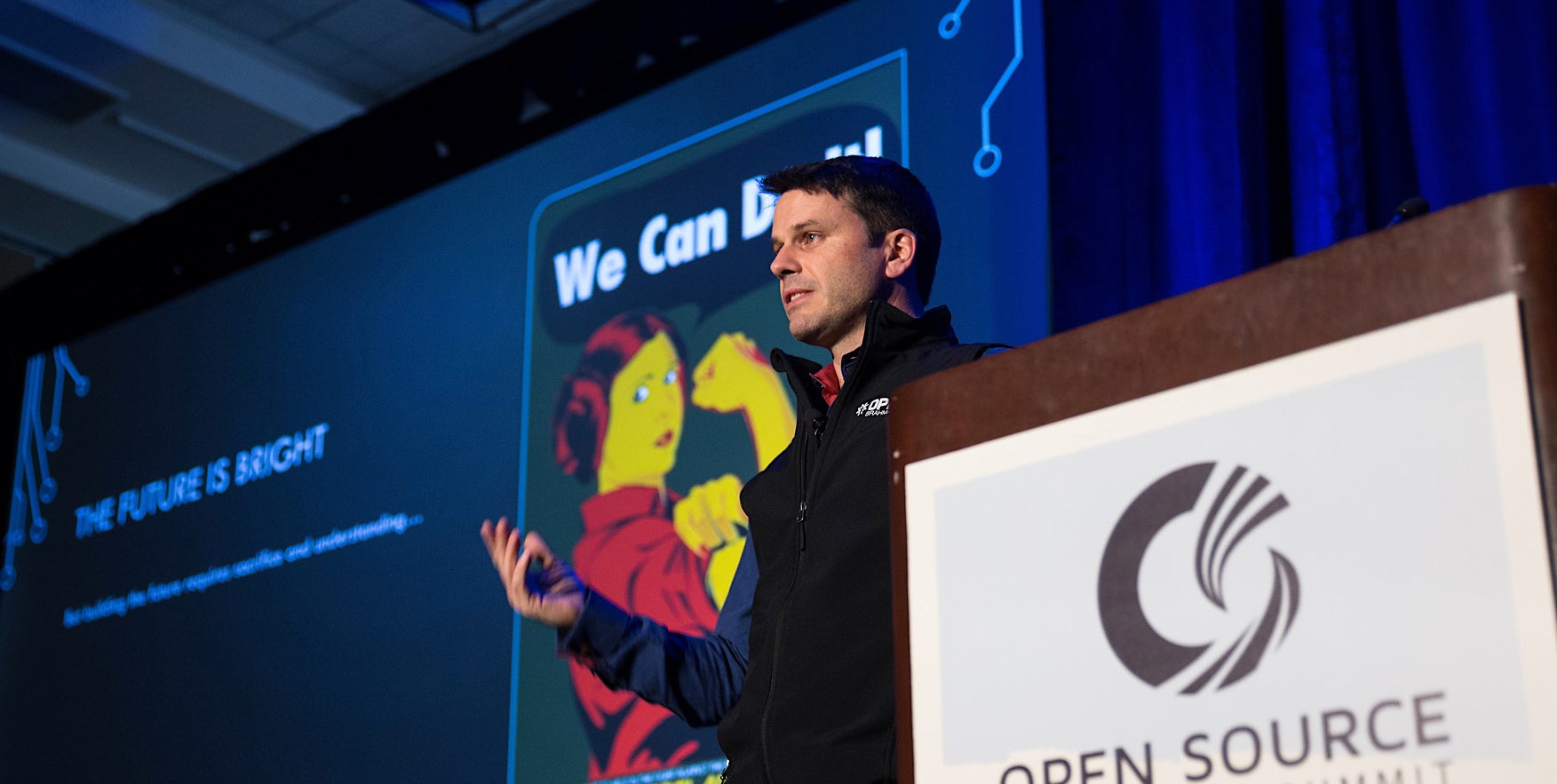
At the recent Automotive Linux Summit, held May 31 to June 2 in Tokyo, The Linux Foundation’s Automotive Grade Linux (AGL) project had one of its biggest announcements in its short history: The first automobile with AGLs open source Linux based Unified Code Base (UCB) infotainment stack will hit the streets in a few months.

In his ALS keynote presentation, AGL director Dan Cauchy showed obvious pride as he announced that the 2018 Toyota Camry will offer an in-vehicle infotainment (IVI) system based on AGL’s UCB when it debuts to U.S. customers in late summer. Following the debut, AGL will also roll out to most Toyota and Lexus vehicles in North America.

AGL’s first design win is particularly significant in that Toyota owns 14 percent of the U.S. automotive market. The Japanese automaker recently eclipsed GM as the world’s leading carmaker with an 11 percent global share.

The announcement came around the same time that Google tipped plans for an expansion of its Android Auto project for mobile communications with IVI systems to a comprehensive Android Automotive IVI project. The Android Automotive stack will first appear on Audi and Volvo cars, with the first Volvo model expected in two years.

If all goes to plan, Toyota’s 2018 Camry rollout will occur just over three years after AGL released its initial automotive stack based on Tizen IVI. This was followed a year later by the first AGL Requirements Specification, and then the UCB 1.0, an overhauled version based on Yocto Project code instead of Tizen.

Rapid development

That may seem like a long road compared to many open source projects, but it’s remarkably rapid for the comparatively sluggish automotive market. During that same period, AGL has also racked up an impressive roster of members, including automotive manufacturers like Ford, Honda, Jaguar Land Rover (JLR), Mazda, Mitsubishi, Nissan, and Subaru, Toyota. Other members include most of the major Tier 1 system integrators, as well as a growing list of software and services firms.

In his keynote, Cauchy seemed genuinely surprised at how quickly AGL has grown. “Back in 2015 at our first meeting, we had four core members — Honda, JLR, Nissan, and Toyota — and today we have 10 OEM automotive manufacturers,” said Cauchy.  “In 2015, we had 55 members, and we now have 98. We’re seeing a whole range of companies including middleware and services developers, voice recognition and navigation companies, and telecom companies that want to be part of the connected car. We have over 750 developers on the primary AGL mailing list.”

The pace is faster compared to Cauchy’s previous experience acting as a GENIVI Alliance board member and chairman of GENIVI Compliance back when he was developing an IVI platform at MontaVista. GENIVI eventually signed up a similar lineup of companies for its Linux-based, mostly open source IVI standard, but the momentum started flagging when it became clear that the standard was not solid enough to permit significant reuse of code from vendor to vendor.

AGL’s UCB is the specification

Many of the same companies have since joined AGL, which integrates some GENIVI code. The key difference is that instead of defining a specification, AGL’s UCB is the specification. Everyone agrees to use the same Linux distribution and middleware, while leaving the top layers customizable so each manufacturer can differentiate.

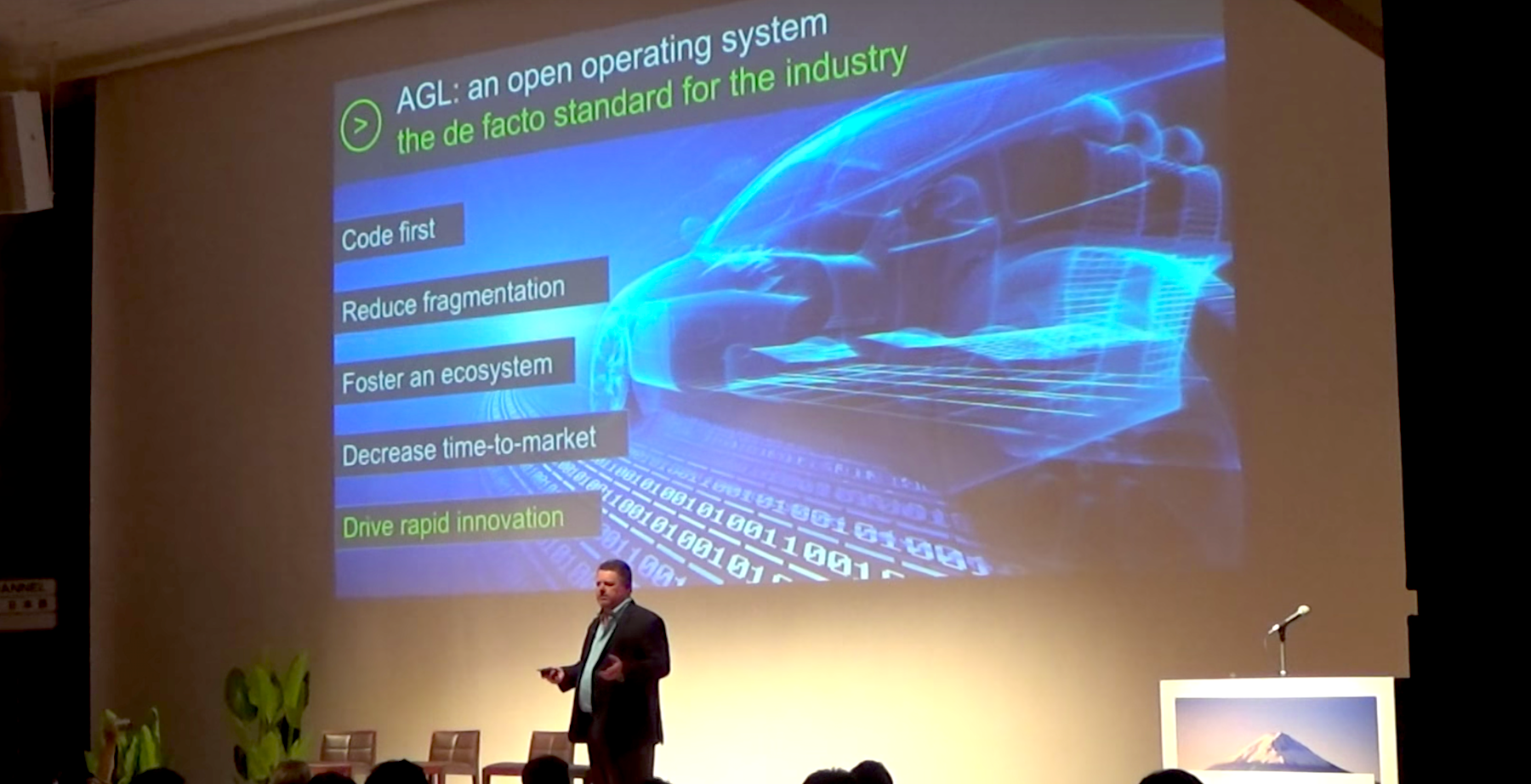
“AGL exists because the automakers realize they’re in the software business,” Cauchy told the ALS attendees. “AGL is a code first organization — we believe that specifications lead to fragmentation. Today, you have Microsoft and QNX and multiple flavors of Linux, and there’s no software reuse.”

As AGL Community Manager Walt Miner explained in a February presentation at the Embedded Linux Conference, GENIVI never pushed the specification far enough to be useful. “With specifications, multiple vendors can claim compliance, but you end up with different platforms with slightly different code,” said Cauchy. “We’re about building a single platform for the whole industry so you can port your software once, and it’s going to work for everyone.”

The ability to reuse code leads to faster time to market, which will soon enable new IVI systems to roll out every year rather than every three years, said Cauchy.  As a result, consumers will be less tempted to navigate and play music from a cell phone placed on the dashboard with all the safety hazards that implies.

New model

“We want to break that old supply chain model with a new model where the platform survives and evolves,” said Cauchy. “This will bring the industry on par to what consumers are expecting, which is more like cell phones.”

Cauchy went on to discuss the evolution of UCB last year from Agile Albacore to Brilliant Blowfish and then Charming Chinook. “The industry can now rely on us to have a release every six months, so companies can make product and deployment plans.”

Cauchy also announced release candidate 1 of Daring Dab, which will be available in a final release on July 22. As Miner explained at ELC, Daring Dab will tap Yocto Project 2.2 code, as well as secure signaling and notifications, smart device link, and application framework improvements such as service binders for navigation, speech, browser, and CAN.  An Electric Eel release will follow in six months with features like back ends for AGL reference apps working in both Qt 5 and HTML5.

Electric Eel may also include the first implementation of a headless telematics profile. “We’re redefining our architecture in layers so we can properly support a headless profile that runs on a lower performance chip and doesn’t need a display or infotainment,” said Cauchy. “We want to build our requirements out for ISO 26262 functional safety compliance to see if we can use the Linux kernel.”

Beyond that, AGL will move into instrument cluster and heads up displays, followed by ADAS “and eventually autonomous driving,” said Cauchy. “We want to be in every processor and every function in the car. This is really taking off.”

You can watch the complete video below:

https://www.youtube.com/watch?v=I8awghFEGS4?list=PLbzoR-pLrL6pYNCtxNmF7rG0I2d6Sd9Lq

Learn more from Automotive Linux Summit, which connects the community driving the future of embedded devices in the automotive arena.  Watch the videos from the event.