Home Blog Page 584

How to Turn Your Raspberry Pi Into a Voice-Enabled Amazon Alexa Device

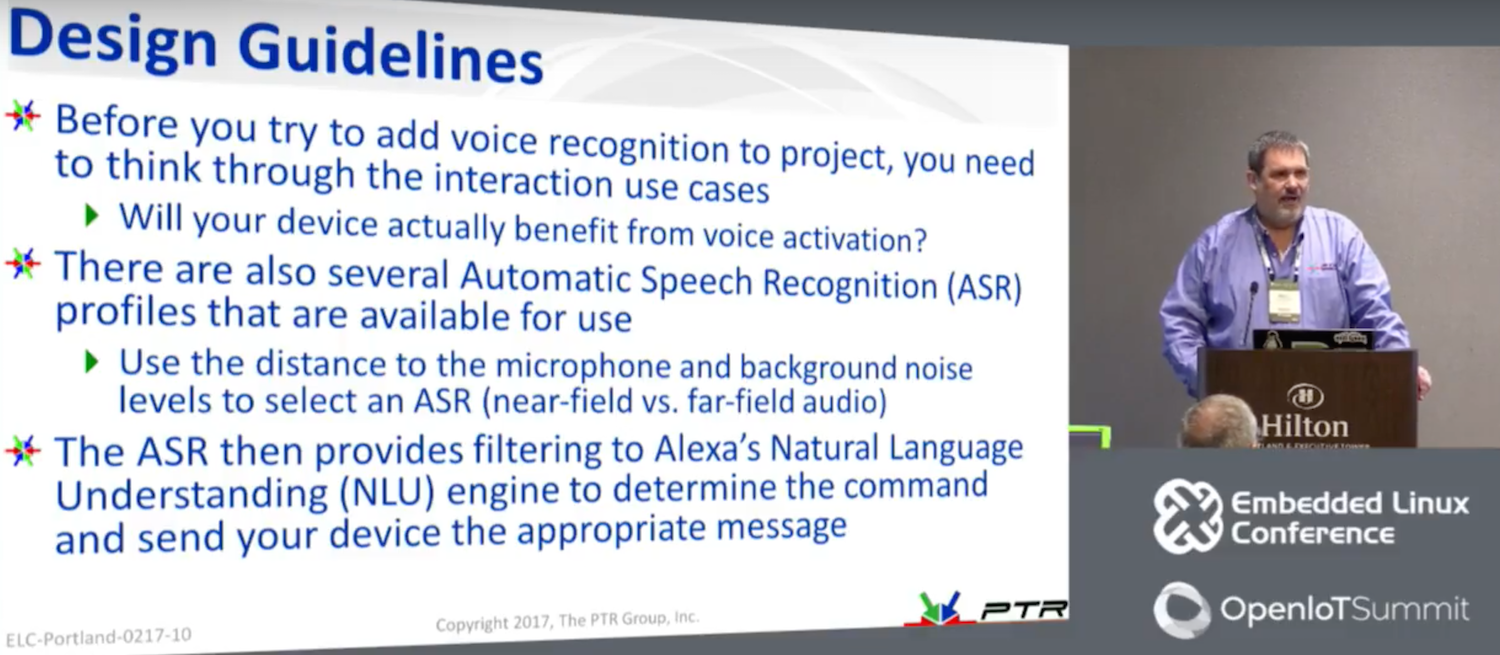
One of the leading items on embedded developers’ to-do lists these days is to add Amazon’s Alexa voice agent to a hacker board or another Linux device. Of course, you could simply buy an Alexa-enabled Amazon Echo speaker system for $180 — or a non-speaker Amazon Echo Dot for only $50 — but what fun is that? For some, the goal is to recreate the basic Alexa Skills of ordering pizza or asking random question like which countries were finalists in the 2014 World Cup. Others want to go a step further and use Alexa to voice activate robots, smart home devices, dashboard interfaces, and other gizmos using technologies like MQTT. From a hacking perspective, the first stage is easy, said PTR Group CTO and Chief Scientist Mike Anderson at Embedded Linux Conference 2017 in February.

The main challenge, Anderson explained in “Making an Amazon Echo Compatible Linux System,” is correctly interpreting Amazon’s sometimes convoluted menus for certifying and connecting the device. The presentation takes you step-by-step through the process of using a Raspberry Pi to register with Amazon Voice Services (AVS) and set up new skills in the Alexa Skills Kit.

Anderson investigated Alexa when a customer asked about voice-enabling plumbing fixtures. Although it may be a while “before we can say ‘Alexa — clean my toilet,’” he said, there are plenty of tasks that could benefit from a hands-free interface, such as home automation. “Of course, there used to be this thing called a light switch that seemed to work pretty well,” he added. “Alexa is the intelligent agent you didn’t know you wanted or needed. Some of my neighbors come over to my house just to ask it stupid questions.”

You can do similar things using AI voice agents such as Apple’s Siri, Microsoft Cortana, and Google Now, but usually only on your mobile device. In any case, Alexa seems a bit more mature, and it’s certainly more accessible to Linux developers. By opening Alexa up to third-party developers and allowing free educational and hobbyist use, Amazon has helped solidify Alexa’s lead in the market.”

Several thousand Alexa Skills – new voice commands and response connections – are already available, including many publicly available Skills like calling an Uber. When you say the right wake word, the Echo device sends the audio to the cloud, which processes the audio, figures out what skill it’s related to, and sends back the appropriate response.

After buying an Echo Dot and playing around with it, Anderson decided to set up his own Echo-like Alexa environment on his Raspberry Pi 3 based Pi-top laptop. He started by studying an iFixit teardown of the Echo Dot, which revealed that the Dot runs on a low-end, Cortex-A8-based TI DaVinci DM3725, similar to the TI SoC on the BeagleBone Black.

“So the Echo Dot is basically a BeagleBone with lots of audio processing cleanup technology,” said Anderson. Because the bulk of Alexa’s processing happens in Amazon’s cloud-based AVS, the voice agent can run on a numerous, low-end Linux home automation hubs and hacker boards. In fact, the Raspberry Pi 3’s quad-core SoC and 1GB of RAM are overkill.

The first challenge in developing an Alexa device is provisioning it to connect to the Internet and to AVS. The Pi-top makes this easier by offering a keyboard and trackpad, but many device targets lack those niceties. Aside from voice, the only other input on an Echo Dot is a button that wakes Alexa.

To use Alexa, the target must have a mic, a speaker, and WiFi. The Raspberry Pi 3 provides the WiFi and the audio circuitry, but the audio is unamplified. To address this, Anderson opted for a cheap Bluetooth speaker/mic add-on but then wished he had gone for a wired device. “There’s a bit of latency in waking up the Bluetooth mic, so you wait before you can give the command,” he said.

Setting up a device on AVS

The next step was to register as a developer at Amazon, which Anderson did from Raspbian. You could use something like Ubuntu MATE, but with Raspbian, there’s a handy Alexa sample app, and “you’ll find more online help.”

Anderson chose Node.js with JavaScript to develop Alexa Skills. The platform also supports Java 8. In either case, the code runs in the cloud, and it runs as a remote procedure call instead of a VM, which makes things easier, said Anderson.

The first job was to download the Alexa Sample Application from the GitHub repo, which “brings down all the sources for audio, wake word, and client,” explained Anderson. The device then connects to Amazon AWS, so you can “pull down credentials.”

Within the cloud-based AVS service, you can click on Alexa and register the product type. “You give your device an ID and go to a security profile screen where they ask for a name and a description,” said Anderson. “I just entered ‘Pi Laptop.’”

Amazon then generates a series of credentials that you copy into your build environment. Along the way, Amazon asks if you want access to Amazon Music Services. If so, you need to fill out another form.

Every time you ask Alexa a question, AVS pings a separate security server for the credentials, which requires the use of redirect URLs. “In the security profile setup process, there’s an option that asks if you want to edit a redirect URL,” said Anderson. This stumped Anderson for a while until he realized it was “asking for the port number of the connection to Amazon.” He finally found the origin URL (https://localhost:3000) and the return URL (https://localhost:3000/authresponse) that does the authentication.

Once the software is configured and installed with secure credentials, you must load the services needed to get to AVS: the web service, sample app, and wake-word engine. Anderson explained how to go to alexa-avs-sample-app/samples directory and start the web service, and how to register and provision the device.

After more menus and prompts, you move to the next phase of initializing a wake word engine. Anderson used KITT.AI, which he said worked better for him than the alternative. After that came the process of setting up the WiFi and IP interfaces. Anderson did this with TightVNC Server along with Avahi daemons. He also explained how to set up new Skills in AWS, and addressed issues like when to choose between a public or private designation.

All these steps involved “a little bit of hacking, but they’re not that hard,” he said. “Once you’ve done all the admin stuff, the code is not complicated, especially with Node.js. The main problem I had was with Amazon’s frequent time-outs.”

Anderson noted that his Alexa enabled Pi-top sometimes responds to a word other than the wake-word. Choosing a good wake-word helps, but it really comes down to the microphone. “The Echo Dot has six different mics and provides a lot of extra audio processing,” he said. “What I really need is a steerable phase array of microphones with beam forming for echo cancellation. Maybe I’ll tell you about it at next year’s talk.”

Anderson plans to move forward on Alexa-enabling a robot, but he seems ambivalent about whether he will make much use of Alexa at home. The lack of security is the biggest issue, said Anderson, who at last year’s ELC conference gave a new presentation on embedded Linux security.

“The downside of these systems is that they’re always listening, waiting for that wake word, and they’re always connected to the cloud,” said Anderson. “It’s kind of cool, but being a security guy, it makes me kind of nervous. I leave it unplugged most of the time.”

Watch the complete presentation below:

https://www.youtube.com/watch?v=v7cnNauG9VY?list=PLbzoR-pLrL6pSlkQDW7RpnNLuxPq6WVUR

Connect with the Linux community at Open Source Summit North America on September 11-13. Linux.com readers can register now with the discount code, LINUXRD5, for 5% off the all-access attendee registration price. Register now to save over $300!

Opening Up Virtual Reality Development with WebVR

“Virtual reality (VR) is nothing new — people have been experimenting with it for decades. But only recently, we have come to terms with having commercial hardware like Oculus or HTC Vive to experience and enjoy VR content within our home,” says Rabimba Karanjai, a full-time graduate researcher and Mozilla contributor, who will be speaking about virtual reality development at the upcoming Open Networking Summit.

Such commercial devices have transformed how we consume VR experience; however, Karanjai explains, “all of these hardware devices come with their own SDK, their own set of rules to create VR applications and walled gardens in which to actually publish these games, stories, and applications.”

Rabimba Karanjai, full-time graduate researcher and Mozilla contributor
WebVR — an experimental JavaScript API — seeks to address these limitations and open up development by providing interfaces to let developers build VR experiences in the browser. We spoke with Karanjai to learn more.

Linux.com: Can you give our readers some background on WebVR? What’s the current state of development?

Rabimba Karanjai: We needed an open space, open standard to build and shape our virtual reality experience. And what better and mature open platform is out there than the World Wide Web? WebVR is there to make the experience truly global, cross-platform, and easy to approach.

So what is WebVR? Hardware that enables virtual reality applications requires high-precision, low-latency interfaces to deliver an acceptable experience. Other interfaces, such as device orientation events, can be repurposed to surface VR input, but doing so dilutes the interface’s original intent and often does not provide the precision necessary for high-quality VR. The WebVR API provides purpose-built interfaces to VR hardware to allow developers to build compelling, comfortable VR experiences within the browser.

WebVR is an experimental JavaScript API that provides access to virtual reality devices, such as the Oculus Rift, HTC Vive, Samsung Gear VR, or Google Cardboard, in your browser. Suddenly now you can build VR experience and applications which can work inside your browser and hence doesn’t depend on specifically one hardware or software. The WebVR API Spec is still in draft stage and constantly evolving. I encourage you to have a look at it here and also in the W3C working group.

Linux.com: Can you describe some potential applications?

Karanjai: The applications as it stands are limitless. The most common use case we have been watching from the demos and code contributions mostly revolve around creating immersive experience based on VR. We have contributors building immersive stories with it, a virtual world where you can actually experience the story. A very interesting field is we see a lot of game development attempts with immersive content coming up.

Also, we have A-Painter where you can paint in 360 degree virtual world and webVR enables you to share those painting and experiences with others with just a web URL, which you can essentially tweet or share. And the person will be able to immediately immerse and go into the virtual scene. We have A-Blast, a virtual single person shooter game, metaverse, a universe of Web Virtual reality objects, panorama and 360 degree viewers. Use case varies from having realtime virtual reality collaborative classrooms to having immersive meetings in virtual space.

We have applications of VR in ranging from educating people to military and training purposes, too. So what is possible with WebVR is truly limitless. We have a blog at https://aframe.io/blog/ where we showcase the newest creations from our contributors at a weekly basis.

Linux.com: What is A-Frame and how does it facilitate development of VR applications?

Karanjai: A-Frame is a web framework for building virtual reality experiences. It was started by Mozilla VR to make WebVR content creation easier, faster, and more accessible. A-Frame is aimed squarely at the web developer community, the vast majority of whom have been frozen out of WebVR development because they don’t know WebGL, the powerful but complex 3D API that WebVR runs on.

A-Frame lets you build scenes with just HTML while having unlimited access to JavaScript, three.js  and all existing Web APIs. A-Frame uses an entity-component-system pattern that promotes composition and extensibility. It is free and open source with a welcoming community and a thriving ecosystem of tools and components.

The motivation behind A-Frame was to bring the barrier of entry down for creation of more WebVR content. A-Frame essentially makes it very easy to rapidly prototype and create WebVR content without going into the nitty gritty of three.js. Developers can concentrate more on creating content using predefined entity and components and as well as create their own which can be reused later. They can also choose to use components made by community and quickly build their vr experience. We already have a NPM style A-Frame component system in place here, which will be the home of all verified and curated A-Frame components in future.

Linux.com: Are there particular challenges facing the project, or successes that you’d like to share?

Karanjai: WebVR is a living standard and a lot of things are being changed and worked upon. Those changes reflect what gets into A-Frame. We actually had a remarkable number of contributors onboard in such a short amount of time and a lot of very interesting projects, talks and scenes have come up from the awesome community. We try to maintain a curated list of those in a GitHub repository here.

Linux.com: What’s ahead for WebVR?

Karanjai: We have exciting times ahead for WebVR. With Oculus, HTC Vive, and Daydream all supporting interactions, now you can not only experience the virtual reality but also interact with the elements in it. This interaction opens up a universe of possibilities and opportunities. With room-scale VR, we can now track a user’s position as well as movement in a virtual space. And it makes it much exciting to mash up this with the power of open web and APIs we already have at our disposal. We can mash up a VR model with knowledge-based APIs, YouTube APIs, and even a IoT device like Raspberry Pi to have your own virtual living assistant whom you can actually see and can interact with. You can mash these models up with WebRTC based communication or firebase to have real-time interaction and multi-user experience where the users literally need to enter a same URL or chatroom kind of experience.

We already have a lot of users trying to mash up mobile camera overlaying with VR objects to create an augmented reality-like experience as you can see here, and you can see how quickly you can prototype those here. We have just scratched the surface of what is possible. You can see a lot of inspiring and awesome examples of what everyone is imagining and prototyping in the aframe.io/blog. This is the most exciting time to get involved in the WebVR and A-Frame community!

Rabimba Karanjai is a full-time graduate researcher, part-time hacker, and FOSS enthusiast. He used to write code for IBM Watson and do a bunch of other things at their lab. At present, he’s crawling his way toward a PhD at Rice University. He contributes with Mozilla WebVR, Security and Emerging Technologies team and is a Mozilla TechSpeaker. His interests include performance optimization and exploiting parallelization for VR applications, as well as privacy and security.  He generally blogs at blog.rabimba.com and can be contacted @rabimba.

Open Networking Summit April 3-6 in Santa Clara, CA features over 75 sessions, workshops, and free training! Get in-depth training on up-and-coming technologies including AR/VR/IoT, orchestration, containers, and more.

Linux.com readers can register now with code LINUXRD5 for 5% off the attendee registration. Register now!

New Version of Google App Engine Supports All Programming Languages

App Engine is Google’s platform-as-a-service for building application backends without having to worry about maintaining a complex infrastructure.

The big news is that App Engine now supports any programming language, so a developer can create the app in whatever language they are comfortable using. Google sees this as a game changer, making the platform more open, which is a big theme with the company as it transitions to try and lure enterprise customers to Google Cloud Platform in general.

Sam Ramji, VP of product management at Google points out that App Engine was initially an entirely closed environment. “What we are launching is an open generation of App Engine,” Ramji said.

Read more at TechCrunch

ScyllaDB Takes on Cassandra to Boost Efficiency, Reduce Latency

Henrik Johansson, senior developer at Eniro, gives a glowing review of the ScyllaDB database system for its part of a microservice-based pipeline used at the Swedish search and directory assistance company where he works.

Eniro initially used Redis for what seemed like a simple task: relate a large set of transient identifiers A to another large set of other identifiers B. Its previous experience with MongoDB and PostgreSQL had brought problems with scaling though, and though Redis was fast and stable for a time with this project, latency eventually became a problem.

A combination of the programming language Go, the web framework Echo, the open source messaging system NATS and ScyllaDB proved fast, with low latency and requiring no extra tuning, he explained in a blog post.

Read more at The New Stack

Discover the Power of Bash on Windows

As the IT world is turning toward Linux for many projects, Microsoft has come up with a new offering to tap into this growing market. Bash on Windows is the answer. Here we guide you through installing Bash on Windows and give you a taste of what you can do—and why you would do it—in the Linux command line.

An overview of Bash on Windows

Bash on Windows is a new feature added to Windows 10. Microsoft has teamed up with Canonical, aka the creators of Ubuntu Linux, to build this new infrastructure within Windows called the Windows Subsystem for Linux (WSL).

Read more at InfoWorld

Future Technologies on the Rise for HPC

While the future of HPC will involve myriad different technologies, one thing is clear – the future of HPC involves a considerably greater degree of parallelism than we are seeing today. A large driver for this increased parallelism is the use of increasingly parallel processors and accelerator technologies such as Intel’s Knights Landing and Nvidia’s GPUs.

Today the clearest path for exascale is through the use of increasingly parallel computing architectures. Partly this is due to savings in energy efficiency that use large numbers of low-power energy efficient processors – but also the performance introduced by accelerators such as GPUs and Intel’s ‘Knights Landing’. Accelerators have continued to grow in popularity in recent years – but one company, Nvidia, has made significant progress when compared to its rivals.

One challenge that is created by the increasingly parallel nature of processor architectures is the increased number of threads or sets of instructions that need to be carried out by a cluster. As the number of processors and threads increases, so must the performance of the data storage system, as it must feed data into each processor element. In the past it was flops or memory bandwidth that would limit HPC applications – but, as parallelism increases, the importance of input/output operations (I/O) becomes increasingly important to sustained application performance.

To solve this issue storage companies are developing several new methods and technologies for data storage. These range from the use of flash memory for caching, as well as in-data processing and improvements, to the way that parallel file systems handle complex I/O.

Read more at insideHPC

How to Secure your LEMP Stack

LEMP stands for Linux, Nginx, MySQL/MariaDB and PHP. It’s the most used stack for websites. This tutorial will show you, through examples of bad and good practices, to go through the steps of properly securing your Linux web server…

Continue reading: How to secure your LEMP stack

Cloud Security Best Practices: Finding, Securing, & Managing Secrets, Part 1

Secrets — passwords, API keys, secure tokens, private keys, and so on — protect access to sensitive resources in your environment. If not properly managed, they can end up in the wrong hands.

In Part 1 of this post, we will show you how to find secrets using truffleHog and git-secrets. In Part 2, we will explain how to manage them using appropriate software tools in order to quickly and cost-effectively achieve a higher level of security.

How Secrets Leak

Passwords, API keys, and secret tokens must not be left lying around your environment unprotected. Their purpose is to provide controlled access to sensitive resources such as a database that holds customer information, or your billing system, or the provider that you send usage data to for calculating customers’ bills each month. They could even provide controlled access to other systems in your own environment.

Read more at ThreatStack

How to Install Docker on Fedora 25

So you want to take advantage of Docker. And why not? It’s one of the most game-changing pieces of software to be developed in recent years. With Docker you can enable your business to expand its technological offerings with the help of containers (encapsulated applications that are easily rolled out and updated). Thing is, you work with Fedora and not Ubuntu. Is it possible to install this amazing platform on a non-Ubuntu operating system? Of course it is. In fact, installing Docker is equally as simple on Fedora as it is on the more user-friendly Ubuntu.

Let me walk you through the process of installing Docker on the latest iteration of Fedora.

Read more at TechRepublic

This Week in Open Source News: Vault7 Wikileaks Details & Industry Comments Emerge, Updates to Skype for Linux & More

This week in open source news, the massive Wikileaks document release prompts industry leaders to comment, Steven J. Vaughan-Nichols reviews the latest updates and features for Skype for Linux, and more! Keep reading to stay on top of this busy OSS news week!

1) CIA “Vault7” leaks involving weaponized exploits used against operating systems including Linux were likely the work of a “dissatisfied insider.”

C.I.A. Scrambles to Contain Damage From WikiLeaks Documents– The New York Times

Linux Foundation CTO Nicko Van Someren comments on Vault7, explaining that open source is more secure, thanks to continuous updates.

The Linux Foundation Responds to Wikileaks’ CIA Hacking Revelations– The Inquirer

2) Video conferencing has returned to Microsoft’s Skype for Linux.

What’s New in the Skype for Linux Beta– ZDNet

3) Microsoft backs  Qualcomm’s ARM server efforts and announces a partnership with chipmaker Cavium for using ARM-based data center chips.

Microsoft Partners With Qualcomm To Open Floodgates For ARM-Based Data Center– Forbes

4) Google implements emergency patching plan to repair a “pernicious” software vulnerability that infected thousands of 2015 OSS projects.

Google Leads ‘Guerilla Patching’ of Big Vulnerability in Open Source Projects