Home Blog Page 590

SDN, Blockchain and Beyond: The Spaces Where Open Source Is Thriving Today

What are the newest frontiers that open source software is conquering? Black Duck’s latest open source “Rookies of the Year” report, which highlights areas like blockchain and SDN, provides some interesting insights.

The report, which Black Duck published Monday, highlights what the company calls “the top new open source projects initiated in 2016.” It’s the ninth annual report of this type that Black Duck has issued.

Read more at The VAR Guy

Kubernetes and the Microservices Hierarchy of Needs

Devised by psychologist Albert Maslow, the Hierarchy of Needs is a psychological theory to explain human motivation, comprising of multitier model of human needs, often depicted as hierarchical levels within a pyramid. 

This approach of describing needs is so fundamental that it has been applied to many other domains such as employee engagementcloud computingsoftware developmentDevOps, etc. So it would make sense to apply it to microservices too, as there is a clear list of needs that has to be satisfied in order to be successful in the microservices journey. So here it is:

Read more at The New Stack

10 Things to Avoid in Docker Containers

So you finally surrendered to containers and discovered that they solve a lot of problems and have a lot of advantages:

  1. First: Containers are immutable – The OS, library versions, configurations, folders, and application are all wrapped inside the container. You guarantee that the same image that was tested in QA will reach the production environment with the same behaviour.
  2. Second: Containers are lightweight – The memory footprint of a container is small. Instead of hundreds or thousands of MBs, the container will only allocate the memory for the main process.
  3. Third: Containers are fast – You can start a container as fast as a typical linux process takes to start. Instead of minutes, you can start a new container in few seconds.

However…

Read more at Red Hat Blog

Master JavaScript Programming with 18 Open Source Books

This is the fifth in OSSBlog’s series of open source programming books. This compilation focuses on the JavaScript language with 18 solid recommendations. There are books here for beginner, intermediate, and advanced programmers alike. All of the texts are released under an open source license.

JavaScript is possibly one of the easiest language to get up and running with. But to truly master the language requires a firm foundation of its intricacies. This compilation of books ticks all the boxes.

Read more at: https://www.ossblog.org/master-javascript-programming-with-open-source-books/

What’s The Fastest Linux Web Browser?

Firefox is easily the most popular Linux web browser. In the recent LinuxQuestions survey, Firefox took first place with 51.7 percent of the vote. Chrome came in second with a mere 15.67 percent. The other browsers all had, at most, scores in single percentages. But is Firefox really the fastest browser? I put them them to the test, and here’s what I found.

To put Linux’s web browsers to the test, I put them through their paces on Ubuntu 16.04, the current long-term support of the popular Linux desktop distribution. This ran on my older Asus CM6730 desktop PC. This has a third-generation 3.4GHz Intel Core i7-3770 processor, an NVIDIA GeForce GT 620 graphics card, 8GB of RAM, and a 1TB hard drive. This four-year-old PC has horsepower, but it’s no powerhouse.

Read more at ZDNet

Free Webinar on How To Develop a Winning Speaking Submission from Deb Nicholson and Women in Open Source

Women in Open Source will kick off a webinar series that will discuss cultivating more diverse viewpoints and voices in open source, including both inspirational ideas and practical tips the community can immediately put into action. The first webinar, “From Abstract to Presentation: How To Develop a Winning Speaking Submission” will be held Thursday, March 9, 2017, at 8 a.m. Pacific Time.

Register today for this free webinar, brought to you by Women in Open Source.

In this webinar, Deb Nicholson, FOSS policy and community advocate, will discuss how to write a winning abstract for a CFP to become a speaker. From picking interesting topics and writing a compelling proposal to the best style and format and how to get the biggest audience once chosen, Deb will summarize the most important factors to consider. And she’ll spend time answering your questions. So mark your calendars and join us!

Deb is community outreach director for the Open Invention Network, the largest patent non-aggression community in history and supports freedom of action in Linux as a key element of open source software. She’s won the O’Reilly Open Source Award, one of the most recognized awards in the FLOSS world, for her work on GNU MediaGoblin and OpenHatch.

For news on future Women in Open Source events and initiatives, join the Women in Open Source email list and Slack channel. Please send a request to join via email to sconway@linuxfoundation.org.

Linux and Open Source Lead New Era of Software Development

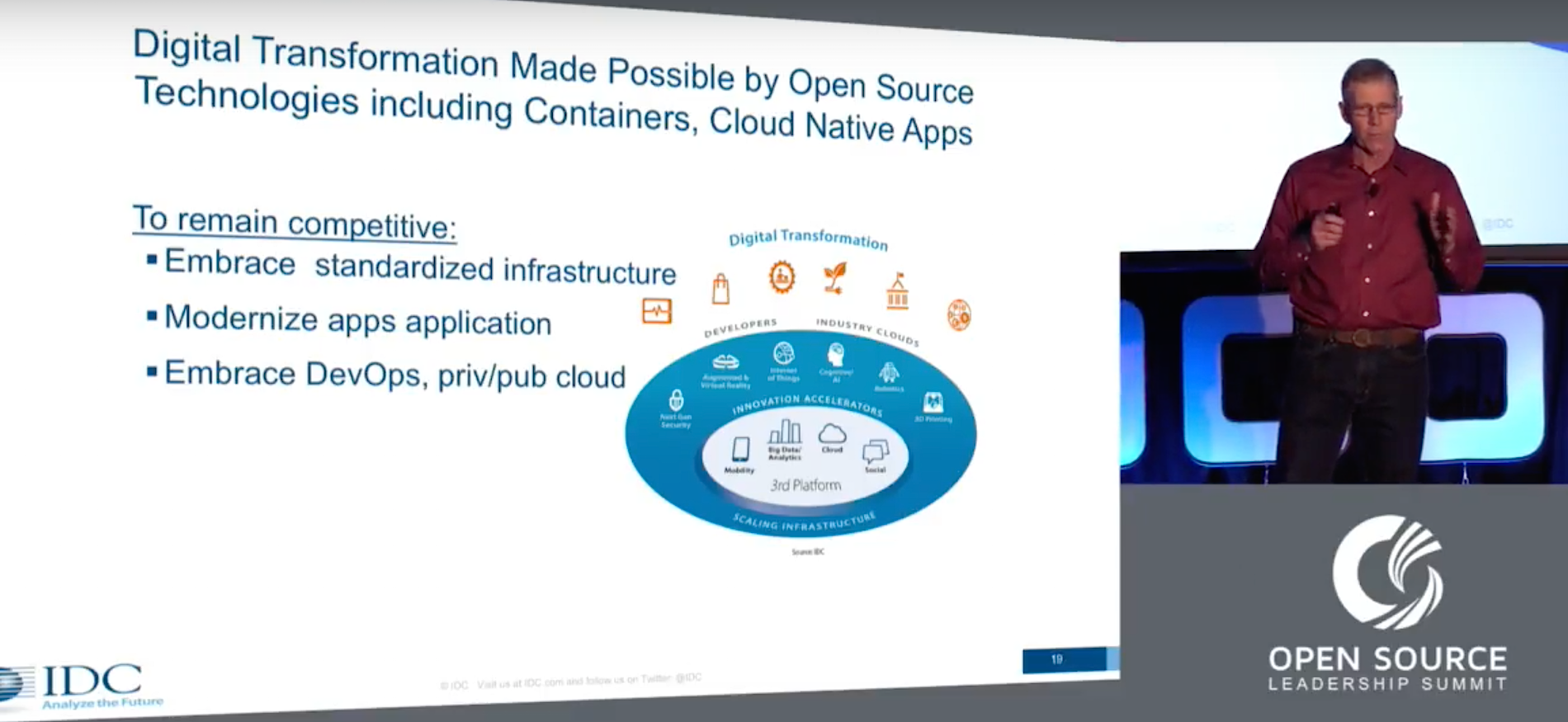
With the rapid growth of virtualized infrastructure and containerization, open source software and especially Linux are leading the way into a new era of software development. That was the message Al Gillen, vice president of the software and open source group at IDC, told the crowd at the Open Source Leadership Summit in Lake Tahoe in February. In his talk, Gillen charted the growth of Linux and other open source initiatives from 2001 to the present. The picture his data painted was a positive one for the open source community.

“The future is all about open source, and we see very much open source becoming the standardization layer that enables everything else we do in the industry,” Gillen said.

Linux has seen rapid grown in recent years because the majority of cloud servers being spun up in places like Amazon S3 and Google Cloud are based on Linux, Gillen said. That standardization of infrastructure has led to the environment we’re currently in, where containerization and reusable code are coming into their own.

“The notion of having reusable code segments that are actually truly portable, that’s really great stuff,” Gillen said. “We’re moving to this model where we’ve got more and more platform independence, and that’s wonderful.”

Cloud Native at the Forefront

Gillen said when he and his team speak to IDC’s customers about their future plans, containerization and cloud native applications are at the forefront of their strategy.

“Cloud native apps, they really become the entry point for this new battleground, and we see pretty much every vendor in the industry, if they’re going to be relevant for the next 10 years, they need to have a cloud native strategy,” Gillen said.  “They have to have a way of building the lifecycle for these applications, and they have to make sure they’re able to present opportunities for these applications to be successful.

“When we talk to customers, they very much see this as being their future, they want to be doing cloud native applications,” he said. Gillen said the skills gap is inside those major corporations is the major barrier to adoption right now.

“I think that continues to be the number one problem that many organizations have for adopting whatever the most exciting and current open source initiatives might be,” Gillen said.

As a result, commercially supported implementations of open source software are as popular as ever. A few enterprise companies are willing to take on community-supported open source projects, but most are looking for the certainty that commercial support brings.

“That commercial ecosystem I think, is as essential to the long-term viability of open source software as the community that does the development is,” Gillen said. “It’s a two-sided thing, and there is really value associated from having commercializers — vendors who commercialize open source products and make them consumable for the masses.”

Gillen said that installed or legacy software is not becoming extinct, but it also is not going to be rewritten for the cloud. Instead, new software that sits along side or on top of those applications will lift that data into cloud native applications so it becomes usable for the new business climate.

“It’s going to consume the business value, the intelligence, the data, that sits inside those [legacy] applications and make that usable for the modern cloud native application products that are being built,” Gillen said.  

Watch the complete presentation below:

https://www.youtube.com/watch?v=DzD3lAdUVF0?list=PLbzoR-pLrL6rm2vBxfJAsySspk2FLj4fM

Learn how successful companies gain a business advantage in our online, self-paced Fundamentals of Professional Open Source Management course. Download a free sample chapter now!

How to Raise Awareness of Your Company’s Open Source License Compliance

Communication is one of the seven essential elements to ensure the success of open source license compliance activities. And it’s not enough to communicate compliance policies and processes with executive leadership, managers, engineers, and other employees. Companies must also develop external messaging for the developer communities of the open source projects they use in their products.

Below are some recommendations, based on The Linux Foundation’s e-book Open Source Compliance in the Enterprise, for some of the best ways to communicate open source license compliance both internally and externally.

Internal Communication

Companies need internal compliance communication to ensure that employees are aware of what is involved when they include open source in a commercial software portfolio. You also want to ensure that employees are educated about the company’s compliance policies, processes, and guidelines. Internal communications can take any of several forms:

  • Email communication providing executive support and of open source compliance activities

  • Formal training mandated for all employees working with open source software

  • Brown-bag open source and compliance seminars to bring additional compliance awareness and promote active discussion

  • An internal open source portal to host the company’s compliance policies and procedures, open source related publications and presentations, mailing lists, and a discussion forum related to open source and compliance

  • A company-wide open source newsletter, usually sent every other month or on quarterly basis, to raise awareness of open source compliance

External Communication

Companies also need external compliance communications to ensure that the open source community is aware of their efforts to meet the license obligations of the open source software they are using in their products.

External communications can take several forms:

• Website dedicated to distributing open source software for the purpose of compliance

• Outreach and support of open source organizations which help the company build relationships with open source organizations, understand the roles of these organizations, and contribute to their efforts where it makes sense

• Participation in open source events and conferences. This can be at various levels ranging from sponsoring an event, to contributing presentations and publications, or simply sending developers to attend and meet open source developers and foster new relationships with open source community members.

Open Source Compliance

Read the other articles in this series:

The 7 Elements of an Open Source Management Program: Strategy and Process

The 7 Elements of an Open Source Management Program: Teams and Tools

How and Why to do Open Source Compliance Training at Your Company

Basic Rules to Streamline Open Source Compliance For Software Development

How Service Discovery Works in Containerized Applications Using Docker Swarm Mode

When I first started considering container use in production environments, a question came to mind: When a container may exist across a cluster of servers, how do I get others (people, or applications) to connect to it reliably, no matter where it is in the cluster?

Of course, this problem existed to a degree in the olden days of virtual (or not) machines as well. Back in the Old Days of three-tier webapp stacks, this was handled gracefully by:

·  Load balancers had hard-coded IP addresses for the web servers they are load balancing across

·  Web servers had hard-coded IPs of the application servers they used for application logic

·  Application servers had bespoke, hand-crafted definitions of the databases they queried for data to provide back to the app servers

This was “simple” as long as web, application, or database servers weren’t replaced. If and when they were, the “smarter” of us ensured the new system used the IP address of its predecessor. (See? Simple! Who needs DevOps?) (Bonus points to those who used internal DNS instead of IPs.)

Solutions arose in time. Zookeeper comes to mind, but was far from alone. Service discovery is getting more attention now as complexity has increased: Where before there might have been 10 VMs, there may now be now 200-300 containers, and their lifecycles are significantly shorter than that of a VM.

Following Docker’s “batteries included, but can be replaced” philosophy, Docker Swarm mode comes with a built-in DNS server. This provides users with simple service discovery; if at some point their needs surpass the design goals of the DNS server, they can use third-party discovery services, instead (covered in our next blog post!).

Getting started

There’s plenty of resources available on the Internet discussing installing Docker Swarm mode, so that won’t be repeated here. For this post, I’ll be using a Vagrant configuration that I have forked on GitHub and added some port forwarding to for this post. If you have Vagrant and Virtualbox installed, bringing up a docker swarm mode cluster is as easy as:

$ git clone https://github.com/jlk/docker-swarm-mode-vagrant.git

Cloning into 'docker-swarm-mode-vagrant'...

remote: Counting objects: 23, done.

remote: Total 23 (delta 0), reused 0 (delta 0), pack-reused 23

Unpacking objects: 100% (23/23), done.

$ cd docker-swarm-mode-vagrant/

$ vagrant up

After the last command, take a break to stretch your legs – usually it takes 5-10 minutes for Vagrant to download the Ubuntu VM image, bring up 3 VMs, update packages on each, install Docker and join the VMs to a swarm mode cluster. Once completed, you should be able to ssh into the master node and list members of the swarm with:


$ vagrant ssh node-1

vagrant@node-1:~$ docker node ls

ID                           HOSTNAME  STATUS  AVAILABILITY  MANAGER STATUS

9f22lo0cthxn64w79arje5rqg    node-2    Ready   Active

p2yg78i4fmzwglu8lp4j1cebc *  node-1    Ready   Active        Leader

tp9h7cpef13fzeztje38igs4s    node-3    Ready   Active

(IDs will be different as they are fairly unique)

Launch a WordPress cluster

Next, let’s launch a WordPress cluster of two WordPress containers backed by a MariaDB database. To make this easy, I’ve created another GitHub project containing a docker-compose file to build the cluster. Let’s clone the project and bring up the containers:


vagrant@node-1:~$ git clone http://github.com/jlk/wordpress-swarm.git

Cloning into 'wordpress-swarm'...

remote: Counting objects: 7, done.

remote: Compressing objects: 100% (6/6), done.

remote: Total 7 (delta 0), reused 4 (delta 0), pack-reused 0

Unpacking objects: 100% (7/7), done.

Checking connectivity... done.

vagrant@node-1:~$ cd wordpress-swarm

vagrant@node-1:~/wordpress-swarm$ docker stack deploy --compose-file docker-stack.yml wordpress

Creating network wordpress_common

Creating service wordpress_wordpress

Creating service wordpress_dbcluster

vagrant@node-1:~/wordpress-swarm$

In the background, Docker is scheduling those containers to run across the swarm, downloading images, and spinning up the containers. Depending on your computer and network speeds, after about a minute you should be able to see the services running:


vagrant@node-1:~/wordpress-swarm$ docker service ls

ID            NAME                 MODE        REPLICAS  IMAGE

fyhqrei7hz75  wordpress_dbcluster  replicated  1/1       toughiq/mariadb-cluster:latest

ojbyktsyrmla  wordpress_wordpress  replicated  2/2       wordpress:php7.1-apache

vagrant@node-1:~/wordpress-swarm$

At this point, you should be able to load http://localhost:8080 in a browser and see the initial WordPress configuration screen.

Take a look at the docker-stack.yml file. You’ll see environment variables passed to the WordPress containers instructing them to connect to a MariaDB database with a hostname of dbcluster – the name listed for the database service. It’s just a string passed into the container, there’s no defined link between the two services. In older versions of this demo, we would have had to create a “link” between the wordpress and dbcluster services in the docker-stack.yml file in order for the wordpress containers to be able to recognize and use the dbcluster hostname. This would have looked like:


    services:

      wordpress:

        ...

        links:

          - dbcluster

Instead, what’s happening here is after Docker creates the dbcluster container, it automatically publishes an A record in its DNS service to allow other containers to find it when they perform a DNS name lookup. If you look at the beginning logs of one of the WordPress containers, you may be able to see at first it’s unable to find the dbcluster host, then after a few tries it gets it. Then the connection is refused while mariadb is starting up. WordPress keeps attempting to establish a database connection, and once the db is up, it connects and we’re up and running:


Warning: mysqli::__construct(): php_network_getaddresses: getaddrinfo failed: Name or service not known in - on line 22

Warning: mysqli::__construct(): (HY000/2002): php_network_getaddresses: getaddrinfo failed: Name or service not known in - on line 22

MySQL Connection Error: (2002) php_network_getaddresses: getaddrinfo failed: Name or service not known

Warning: mysqli::__construct(): (HY000/2002): Connection refused in - on line 22

MySQL Connection Error: (2002) Connection refused


AH00558: apache2: Could not reliably determine the server's fully qualified domain name, using 10.0.0.3. Set the 'ServerName' directive globally to suppress this message

AH00558: apache2: Could not reliably determine the server's fully qualified domain name, using 10.0.0.3. Set the 'ServerName' directive globally to suppress this message

[Mon Feb 27 16:16:43.086761 2017] [mpm_prefork:notice] [pid 1] AH00163: Apache/2.4.10 (Debian) PHP/7.1.2 configured -- resuming normal operations

[Mon Feb 27 16:16:43.086836 2017] [core:notice] [pid 1] AH00094: Command line: 'apache2 -D FOREGROUND'

Scaling the Database

Next, let’s try scaling up the database and see what happens. The database container image I picked to use here has been built with MariaDB’s Galera clustering enabled, configured to discover cluster members via multicast. While DNS-based service discovery is built into Docker Swarm Mode, the more complex process of multi-master replication is still left for an application to figure out, thus the Galera clustering functionality is required. Let’s scale the database cluster up to three nodes:

vagrant@node-1:~/wordpress-swarm$ docker service scale wordpress_dbcluster=3
wordpress_dbcluster scaled to 3

Docker spins up two more containers and adds them to a load-balanced pool behind the dbcluster virtual IP address. The containers start, discover each other via multicast, sync up and once you see the message below in their logs (after about 30 seconds), we have a three-node db cluster:

2017-02-27 16:49:42 139688903960320 [Note] WSREP: 
  Member 2.0 (84e5bc4c66b9) synced with group.

Try loading the WordPress site again in your browser – it should still work! At this point, when the WordPress containers attempt to connect to dbcluster, the request is load-balanced by Docker across the three dbcluster containers. The IP address for dbcluster which is published in Docker’s DNS is a “virtual IP,” and behind the scenes Docker load balances traffic to the cluster members using IPVS. If multi-master replication was not synchronized, this would cause significant confusion, if it worked at all.

Finally, let’s scale the database cluster back to a single node. While I’d want to be very, very certain of what I was doing (and the state of my backups) before trying this in production, for this demo we can be carefree and try:

vagrant@node-1:~/wordpress-swarm$ docker service scale wordpress_dbcluster=1

wordpress_dbcluster scaled to 1

vagrant@node-1:~/wordpress-swarm$

With that, two containers will be gracefully shut down, the mariadb cluster returns to a size of one, and WordPress should still be running happily.

Docker Swarm mode service discovery works quite well, and helps us to loosely define relationships between parts of an application. There’s limitations to what it can do, though – we’ll cover those in future posts.

Learn more about container networking at Open Networking Summit 2017. Linux.com readers can register now with code LINUXRD5 for 5% off the attendee registration.

John Kinsella has long been active in open source projects – first using Linux in 1992, recently as a member of the PMC and security team for Apache CloudStack, and now active in the container community. He enjoys mentoring and advising people in the information security and startup communities. At the beginning of 2016 he co-founded Layered Insight, a container security startup based in Silicon Valley where he is the CTO. His nearly 20-year professional background includes datacenter, security and network operations, software development, and consulting.

How to Install Debian, Ubuntu, or Kali Linux on Your Chromebook

Chromebooks are steadily gaining market share. With the arrival of Android apps to the platform, Chromebooks have become an ideal platform for a very large user-base, and Chrome OS is a very important piece of technology in the current consumer space.

However, if you are a Linux user, you may need many utilities and tools to get the job done. For example, I run my own servers and manage them remotely. At the same time, I also manage my Linux systems and a file server at home. I need tools.

Additionally, Chrome OS, as a result of being a Google product, has some restrictions. For example, there is no way to even download Creative Commons YouTube videos on Chromebook. What if I want to download Ubuntu or openSUSE and create a bootable USB drive? As much as Chrome OS is a Linux-based desktop, it does lack some features. So, you need what I call a “legacy” Linux desktop on your Chromebook. But wiping Chrome OS and installing a desktop Linux on it would mean losing access to millions of Android apps and games. What if you can get the best of both worlds? What if you can run a pure Linux distribution and Chrome OS, side by side, without dual booting?

That’s exactly what Crouton does.

Preparing your Chromebook for Crouton

Crouton is supported on a wide range of Chromebooks. I tested it on my ASUS Chromebook Flip, and it worked great. Chromebooks keep all data and files on Google servers, so you don’t have to worry about taking a backup of your files as you have to do on other operating systems. However, if you have files on a local ‘Download’ folder, then you must take a backup as the next step will wipe everything from your Chromebook. Once you have taken the backup on an external drive, it’s time to create a recovery image of your operating system to restore it if something goes wrong or if you want to go back to the stock Chromebook experience.

Install Chromebook recovery utility from the Chrome web store. Open the app and follow the instructions to create the recovery drive. It’s an easy three-step, click next process. All you need is working Internet and a USB drive with at least 4GB space.

Figure 1: Install the Chromebook Recovery Utility from the Chrome Web Store.

Figure 2: Then follow the easy to follow instructions.

Once the recovery disk is created, unplug it and proceed with the following steps. You can also create a recovery disk from Linux, macOS and Windows PCs using the Chrome web browser. Open web store in Chrome browser and install recovery tool. Once installed, follow the above procedure.

Change to developer mode

If you have the latest Chromebook, you can easily enable the developer mode by holding  Esc + Refresh keys and then pushing  the ‘power’ button.

It will boot into recovery mode, which will show a scary warning on the screen (this warning will appear at every reboot). Just ignore it and let Chrome OS wipe your data. The process can take up to 15 minutes, so don’t turn off your Chromebook.

Once the system has successfully booted into developer mode, at every reboot you will see the warning screen. You can either wait for a few seconds for it to automatically boot into Chrome OS, or press Ctrl+d to immediately boot into Chrome OS.

Now log into your Gmail account as usual and open the command-line interface by pressing Ctrl+alt+t.

Once in the terminal, open Bash shell by typing:

shell

In another tab, open the Crouton GitHub page and download Crouton (it’s downloaded into the Downloads directory)

There are many operating systems available for Chromebooks via Crouton, including Debian, Ubuntu, and Kali Linux.

Downloading latest crouton installer...
######################################################################## 100.0%
Recognized debian releases:
   potato* woody* sarge* etch* lenny* squeeze* wheezy jessie stretch sid
Recognized kali releases:
   kali* sana* kali-rolling
Recognized ubuntu releases:
   warty* hoary* breezy* dapper* edgy* feisty* gutsy* hardy* intrepid* jaunty*
   karmic* lucid* maverick* natty* oneiric* precise quantal* raring* saucy*
   trusty utopic* vivid* wily* xenial* yakkety* zesty*
Releases marked with * are unsupported, but may work with some effort.
chronos@localhost / $

As is self-evident, not all distributions or releases are supported. If you are planning to install Ubuntu, it defaults to Precise release, which is quite old, so you may face issues with Crouton on some machines. I heavily recommend using Trusty release.

To find which releases are available, run this command in the shell:

sh ~/Downloads/crouton -r list

To find which DEs are available, run:

sudo sh -e ~/Downloads/crouton -t list

Let’s say you want to install Xfce, the lightweight distribution suited for the low-powered device, but you want to install Ubuntu Trusty. You would use this pattern:

sh ~/Downloads/crouton -r trusty -t xfce

If you want to install the default Ubuntu distribution with xfce instead, use:

sh ~/Downloads/crouton -t xfce

The installation can take a bit longer because Crouton downloads the entire distribution over the Internet and installs it. In my case, it took more than 20 minutes.

Once the installation is complete, it will ask you to create a username and password. Now you can boot into your Linux distribution with this command:

sudo startTARGET

Replace TARGET with your desktop environment. If you installed Xfce, the command to start it will be:

sudo startxfce4

If you installed Unity, run:

sudo startunity

The most interesting thing about Crouton is that it runs the desired Linux distribution simultaneously with Chrome OS, which means you can easily switch between the two operating systems as if you’re switching between two tabs of a browser. Using:

Ctrl+Alt+Shift+ <- 

switches back to Chrome OS and typing

Ctrl+Alt+Shift+->

switches to Ubuntu Linux.

Now you have a standard Linux distribution running on Chromebook and you can install any package that you want. Bear in mind that, depending on your architecture, some packages may or may not be available because not all Linux applications are available for ARM processors.

That’s where the “best of both worlds” concept comes into play. You can simply switch back to Chrome OS and use applications like Microsoft Office, Adobe Photoshop, and thousands of games and applications that are available through Android.

At the same time, you can also access all the Linux utilities, whether it’s sshing into your server or using applications like GIMP and LibreOffice. To be honest, I do most of my consumer side work in Chrome OS; it has almost all commercial and popular apps and services. Whether I want to watch Netflix, HBO Now, Hulu, or Amazon Prime, I can do this on the same machine where I can also use core Linux utilities and manage my servers easily.

That’s what I call the best of both worlds.

Learn more about Linux through the free “Introduction to Linux” course from The Linux Foundation and edX.