Home Blog Page 620

Shell Scripting: An Introduction to the Shift Method and Custom Functions

In Getting started with shell scripting, I covered the basics of shell scripting by creating a pretty handy “despacer” script to remove bothersome spaces from file names. Now I’ll expand that idea to an application that can swap out other characters, too. This introduces the shift method of parsing options as well as creating custom functions.

This article is valid for the bash, ksh, and zsh shells. Most principles in it hold true for tcsh, but there are significant differences in tcsh syntax and flow of logic that it deserves its own article. If you’re using tcsh and want to adapt this lesson for yourself, go study function hacks (tcsh hacks) and the syntax of conditional statements, and then give it a go. Bonus points shall be rewarded.

Read more at OpenSource.com

GPIO: Displaying currency exchange rate on 7-segment indicators

About the Application

This tutorial is dedicated to the control of 7-segment LED indicators by means of a single Tibbit #00_1 and several shift register ICs (daisy-chained together).

  • 7-segment indicators are reliable and cheap LED devices which can display decimal digits and some characters. Every segment of the indicator is monitored through an allocated input. To drive all these inputs from the LPTS, you need many wires (32 lines for a 4-digit display). A more pragmatic solution is to use shift registers.

  • Simply put, a shift register is a converter between parallel and serial interfaces. This tutorial uses 74HC595 — a very common 8-bit shift register. This IC is monitored by three lines (clock, data, and latch) and has eight outputs to drive one indicator. Shift registers can be daisy-chained to maximize the number of outputs. To drive such a chain, only three control lines are required.

  • The project uses four shift registers connected to four 7-segment indicators to print currency exchange rates granted by the fixer.io JSON API.

  • The app has a plain web interface for selecting the currency to be displayed.

7-segment Indicator

https://vimeo.com/187562341


What you need

Hardware

* Common anode devices require a different connection scheme.

Onboard Software

  • Node.js V6.x.x (pre-installed during production)

External Services

GitHub Repository

Name: gpio-indicators

Repository page: https://github.com/tibbotech/gpio-indicators

Clone URL: https://github.com/tibbotech/gpio-indicators.git

Updated At: Tue Oct 18 2016

The Hardware

  • Configure the LTPS (see the Tibbit layout diagram below).

  • Assemble the shift register chain and 7-segment indicators in accordance with the wiring diagram below (wires connecting the 2nd, 3rd, and the 4th resistor blocks to their respective indicators are not shown).

Note: when the power is first applied the indicators may display a random pattern.

Wiring diagramTibbit configuration                                                 74HC595 pinout

Node.js Application

  • The app utilizes the Request package to fetch data from fixer.io, the Express package to serve static files, and socket.io to enable the link between the onboard app and the web interface.

  • The app requests USD exchange rates for a number of currencies. Requests are performed every ten minutes. The rates at Fixer.io are updated daily, around 4 pm CET.

  • The USDEUR rate will be displayed on the indicators by default.

  • The App’s web server listens on port 3000.

Configuration and Installation

git clone https://github.com/tibbotech/gpio-indicators.git
cd gpio-indicators
npm install .
  • Launch:
node rates

Controlling shift registers

The code that controls 7-segment indicators can be found in /modules/indicate.js.

Comments in the code explain how it works:

const gpio = require("@tibbo-tps/gpio");

class indicator {
    constructor(socket, length){
        this.length = length;


        this.digits = {
            1: [0,1,0,0,1,0,0,0],
            2: [0,0,1,1,1,1,0,1],
            3: [0,1,1,0,1,1,0,1],
            4: [0,1,0,0,1,0,1,1],
            5: [0,1,1,0,0,1,1,1],
            6: [0,1,1,1,0,1,1,1],
            7: [0,1,0,0,1,1,0,0],
            8: [0,1,1,1,1,1,1,1],
            9: [0,1,1,0,1,1,1,1],
            0: [0,1,1,1,1,1,1,0],
            N: [0,0,0,0,0,0,0,1], // Dash symbol
            B: [0,0,0,0,0,0,0,0] // Blank symbol
        };

        // Sets up pins
        this.dataPin = gpio.init(socket+"A");
        this.dataPin.setDirection("output");
        this.dataPin.setValue(0);

        this.clockPin = gpio.init(socket+"B");
        this.clockPin.setDirection("output");
        this.clockPin.setValue(0);

        this.latchPin = gpio.init(socket+"C");
        this.latchPin.setDirection("output");
        this.latchPin.setValue(0);
    }

    indicate(number){
        var inst = this;

        // Converts number to the array of signals to be sent
        const numberToSignals = function(number){
            var output =[];
            number
                .toString()
                .split("")
                .forEach(function(current, index, array){
                    if(current !== "."){
                        var symbol = inst.digits[current];
                        if (symbol === undefined){
                            symbol = Array.from(inst.digits["N"])
                        }else if(array[index+1] === "."){
                            symbol = Array.from(symbol);
                            symbol[0] = 1;
                        }
                        output.unshift(symbol);
                    }
                },[]);

            // crops number to the first "length" digits, if needed
            output = output.slice(-inst.length);

            // pads the number with spaces if it's shorter than 4 digits
            while (output.length < inst.length){
                output.push(inst.digits["B"])
            }

            return output.reduce(function(prev, current){
                return prev.concat(current)
            });
        };

        var signals = numberToSignals(number);

        // Sets ST_CP (latch) to LOW
        // This operation sets shift registers into "programming" mode.
        // When latch is LOW, shift register doesn't change output states,
        // but reads and "remembers" data from DS pin.
        inst.latchPin.setValue(0);

        signals.forEach(function(value){
            // sets value to be pushed into the register on DS pin
            inst.dataPin.setValue(value);

            // sets SH_CP (clock) to HIGH and then to LOW
            // on rising edge of the clock shift register reads state from DS pin, and prepares it for setting on Q0 output.
            // Each of the previously SET values will be shifted to the next pin.
            inst.clockPin.setValue(1);
            inst.clockPin.setValue(0);
        });

        // then all signals are sent, sets ST_CP (latch) to HIGH
        // If latch is HIGH, all the read values will be simultaneously set to the outputs.
        inst.latchPin.setValue(1);
    };
}

module.exports = indicator;

Web Interface

The web interface files can be found in the -/static folder.

  • The web interface app requests data from fixer.io independently from the onboard app.

  • The Angular toolset is utilized to display an exchange rates table.

  • The Socket.IO library is used to identify the board’s status (the table is hidden if the board is offline) and send the currency data to the board.

Intro to Linux Log Files and How to Manage Them with Logrotate

The first thing someone should learn when trying to debug something in Linux is finding and reading logs. Our intro to log files will help you with finding and reading the most common log files of the most used applications and services on Linux.

If you want to manage the log files on Ubuntu, you can use the Logrotate tool

The log files are a great source of information that can help you with solving any issues you’re having with your Linux instance. You can even use the log files to find out how the services work.

Read the complete article here.

How Node.js Is Transforming Today’s Enterprises

On today’s episode of The New Stack Makers, we sat down with NodeSource Solutions Architect Manager Joe Doyle and NodeSource Chief Technology Officer and co-founder Dan Shaw to hear more about how today’s enterprises are approaching working with Node.js. 

“There are two things happening. We need to move faster, and everyone’s become a tech company. Yes, Node in isolation is simple, but Node is being used as a tool to solve incredibly hard problems. In the enterprise, you have the blessing and the curse of your legacy that you value,” said Shaw.  

Agile development practices and working at scale often go hand-in-hand, particularly when coupled with microservices. 

Read more at The New Stack

How I Manage My Work and Personal GitHub Accounts

I have two accounts on GitHub: Personal and work. How do I access both from the same computer without getting them confused? I have two different ssh keys and use .ssh/config to do the right thing. Some bash aliases also help.

Why?

Why is it important to me that I keep these two accounts separate?

First, certain repos can only be accessed from one account or the other. Public repos can be accessed from either, but private repos are not so lucky.

Second, I want the commit logs for different projects should reflect whether I am “Tom the person” or “Tom the employee”. My work-related repos shouldn’t be littered with my personal email address. 

Posted by Tom Limoncelli in Technical Tips 

Read more at Everything Sysadmin

Linkerd Project Joins the Cloud Native Computing Foundation

Today, the Cloud Native Computing Foundation’s (CNCF) Technical Oversight Committee (TOC) voted to accept Linkerd as the fifth hosted project alongside Kubernetes, Prometheus, OpenTracing and Fluentd. You can find more information on the project on their GitHub page.

As with every project accepted by the CNCF — and by extension, The Linux Foundation —  Linkerd is another great example of how open source technologies, both new and more established, are driving and participating in the transformation of enterprise IT.

Linkerd is an open source, resilient service mesh for cloud-native applications. Created by Buoyant founders William Morgan and Oliver Gould in 2015, Linkerd builds on Finagle, the scalable microservice library that powers companies like Twitter, Soundcloud, Pinterest and ING. Linkerd brings scalable, production-tested reliability to cloud-native applications in the form of a service mesh, a dedicated infrastructure layer for service communication that adds resilience, visibility and control to applications without requiring complex application integration.

“As companies continue the move to cloud native deployment models, they are grappling with a new set of challenges running large scale production environments with complex service interactions,” said Fintan Ryan, Industry Analyst at Redmonk. “The service mesh concept in Linkerd provided a consistent abstraction layer for these challenges, allowing developers to deliver on the promise of microservices and cloud native applications at scale. In bringing linkerd under the auspices of CNCF, Buoyant are providing an important building block for to the wider cloud native community to use with confidence.”

Enabling Resilient and Responsive Microservice Architectures

Linkerd enables a consistent, uniform layer of visibility and control across services and adds features critical for reliability at scale, including latency-aware load balancing, connection pooling, automatic retries and circuit breaking. As a service mesh, Linkerd also provides transparent TLS encryption, distributed tracing and request-level routing. These features combine to make applications scalable, performant, and resilient. Linkerd integrates directly with orchestrated environments such as Kubernetes (example) and DC/OS (demo), and supports a variety of service discovery systems such as ZooKeeper, Consul, and etcd. It recently added HTTP/2 and gRPC support and can provide metrics in Prometheus format.

tgdRBUBANNH8EveiQv6rPGMupfJaYUthOOKWyFGC

“The service mesh is becoming a critical part of building scalable, reliable cloud native applications,” said William Morgan, CEO of Buoyant and co-creator of Linkerd. “Our experience at Twitter showed that, in the face of unpredictable traffic, unreliable hardware, and a rapid pace of production iteration, uptime and site reliability for large microservice applications is a function of how the services that comprise that application communicate. Linkerd allows operators to manage that communication at scale, improving application reliability without tying it to a particular set of libraries or implementations.

Companies around the world use Linkerd in production to power their software infrastructure; including Monzo, Zooz, Foresee, Olark, Houghton Mifflin Harcourt, the National Center for Biotechnology Information, Douban and more, and it’s featured as a default part of cloud-native distributions such as Apprenda’s Kismatic Enterprise Toolkit and StackPointCloud.

Notable Milestones:

  • 29 Releases

  • 28 contributors and 400 Slack members

  • 1,370 Github stars

“Linkerd was built based on real world developer experiences in solving problems found when building large production systems at web scale companies like Twitter and Google,” said Chris Aniszczyk, COO of Cloud Native Computing Foundation. “It brings these expertise to the masses, allowing a greater number of companies to benefit from microservices. I’m thrilled to have Linkerd as a CNCF inception project and for them to share their knowledge of building a cloud native service mesh with scalable observability systems to the wider CNCF community.”

As CNCF’s first inception level project, under the CNCF Graduation Criteria v1.0, Linkerd will receive mentoring from the TOC, priority access to the CNCF Community Cluster, and international awareness at CNCF events like CloudNativeCon/KubeCon Europe. The CNCF Graduation Criteria was recently voted in by the TOC to provide every CNCF project an associated maturity level of either inception, incubating or graduated, which allows CNCF to review projects at different maturity levels to advance the development of cloud native technology and services.

For more on Linkerd, listen to an interview with Alex Williams of The New Stack and Morgan here, or stay tuned for Morgan’s upcoming blog post on the project’s roots and why Linkerd joined CNCF.

Open Source Software Strategies for Enterprise IT

Enterprises using open source code in infrastructure must understand both the risks and benefits of community-developed software. Professional open source management is a discipline that focuses on minimizing risk and delivering the benefits of open source software as efficiently as possible.

For successful open source management, enterprises must adopt clear strategies, well-defined policies, and efficient processes. Nobody gets all this right the first time, so it’s also important to review and audit your policies for continuous improvement. Additionally, successful open source initiatives for enterprise IT must provide real ROI in acquisition, integration, and management.

To examine these concepts in detail, The Linux Foundation is hosting a free webinar called “Open Source Strategy for Enterprise IT” on Thursday, Jan. 26 at 10:00 a.m. Pacific time. In this webinar, presented by Bill Weinberg, Sr. Director and Analyst, Open Source Strategy, and Greg Olson, Sr. Director, Open Source Consulting Services, you will learn about:

  • The elements of enterprise-level open source strategy

  • Using OSS as a secret weapon for innovation and differentiation

  • Current and new use cases for OSS

  • Attracting and retaining talent with OSS use and contribution

  • OSS security and compliance in the enterprise context

In a previous webinar (called “When Open Source Becomes Mission Critical”), Weinberg and Olson covered other topics related to managing open source software and talked specifically about the risks of under-management. Such risks include legal factors involving non-compliance of licenses, operational risks involving the ability of the software to meet enterprise needs over time, and security-related risks involving vulnerabilities that companies must stay on top of.

Weinberg said the moral here is that managing open source software shouldn’t be an afterthought; it should be part and parcel of using and integrating open source software.

Learn more in the free webinar “Open Source Strategy for Enterprise IT, on Thursday, January 26, at 10:00 AM Pacific time. Register Now>>

Linux Security Threats: The 7 Classes of Attackers

Start exploring Linux Security Fundamentals by downloading the free sample chapter today. DOWNLOAD NOW

Organizations today are facing a worldwide security workforce shortage — and hurting for it, according to a 2016 report from Intel Security and the Center for Strategic and International Studies (CSIS).

“Eighty-two percent of surveyed respondents admitted to a shortage of cybersecurity skills, with 71 percent of respondents citing this shortage as responsible for direct and measurable damage to organizations whose lack of talent makes them more desirable hacking targets,” according to Intel Security.

It’s important and valuable for Linux sysadmins to stay one step ahead of malicious hackers by fortifying their security skills. Regardless of your skill level or experience, there’s always more to learn to further expand your awareness of security issues and preventative measures.

falseThe Linux Foundation’s online Linux Security Fundamentals course is intended for anyone involved with any security-related task, at any level. You’ll learn how to assess your current security needs, evaluate your current security readiness, and implement security options as required.

In this new tutorial series, we’ll give you a sneak preview of the third session in the course on Threats and Risk Assessment. Or you can download the entire chapter now.

By the end the series, you should be able to:

  • Differentiate the different classes of attackers

  • Discuss the types of attacks                    

  • Explain the tradeoffs in security, including likelihood, asset value, and business impact

  • Install and try common security tools tcpdump, wireshark, and nmap.

The 7 Classes of Attackers

In dealing with threats and risk assessment, there are different classes of attackers.

A white hat hacker

Breaks security for non-malicious reasons, perhaps to test their own security system or while working for a security company which makes security software. The term “white hat” in Internet slang refers to an ethical hacker. This classification also includes individuals who perform penetration tests and vulnerability assessments within a contractual agreement.

A black hat hacker

Violates computer security to be malicious or for personal gain. Black hat hackers form the stereotypical, illegal hacking groups often portrayed in popular culture. Black hat hackers break into secure networks to destroy data or make the network unusable for those who are authorized to use the network.

A script kiddie (also known as a skid or skiddie)

A non-expert who breaks into computer systems by using prepackaged automated tools written by others, usually with little understanding of the underlying concept.

Hacktivist

Utilizes technology to announce a social, ideological, religious, or political message. In general, most hacktivism involves website defacement or denial-of-service attacks.

Nation state

Refers to intelligence agencies and cyber warfare operatives of nation states.

Organized crime

Refers to criminal activities carried out for profit.

Bots

Automated software tools that are available for use by any type of hacker.

Attack Sources

An attack can be perpetrated by an insider or from outside the organization.

An inside attack is an attack initiated by an entity inside the security perimeter (an insider), i.e., an entity that is authorized to access system resources but uses them in a way not approved by those who granted the authorization.

An outside attack is initiated from outside the perimeter, by an unauthorized or illegitimate user of the system (an outsider). On the Internet, potential outside attackers range from amateur pranksters to organized criminals, international terrorists, and hostile governments.

A resource (both physical or logical), called an asset, can have one or more vulnerabilities that can be exploited by a threat agent in a threat action. The result can potentially compromise the confidentiality, integrity or availability properties of resources (potentially different from the vulnerable one) of the organization and other involved parties (customers, suppliers).    

In part 2 of this series, we’ll cover the types of attacks you can expect. And later we’ll discuss the business trade-offs associated with common security measures.

Stay one step ahead of malicious hackers with The Linux Foundation’s Linux Security Fundamentals course. Download a sample chapter today!

Read the other articles in the series:

Linux Security Threats: Attack Sources and Types of Attacks

Linux Security Fundamentals Part 3: Risk Assessment / Trade-offs and Business Considerations

Linux Security Fundamentals: Estimating the Cost of a Cyber Attack

Linux Security Fundamentals Part 5: Introduction to tcpdump and wireshark

Linux Security Fundamentals Part 6: Introduction to nmap

Multi-Cloud Mesos at Adobe

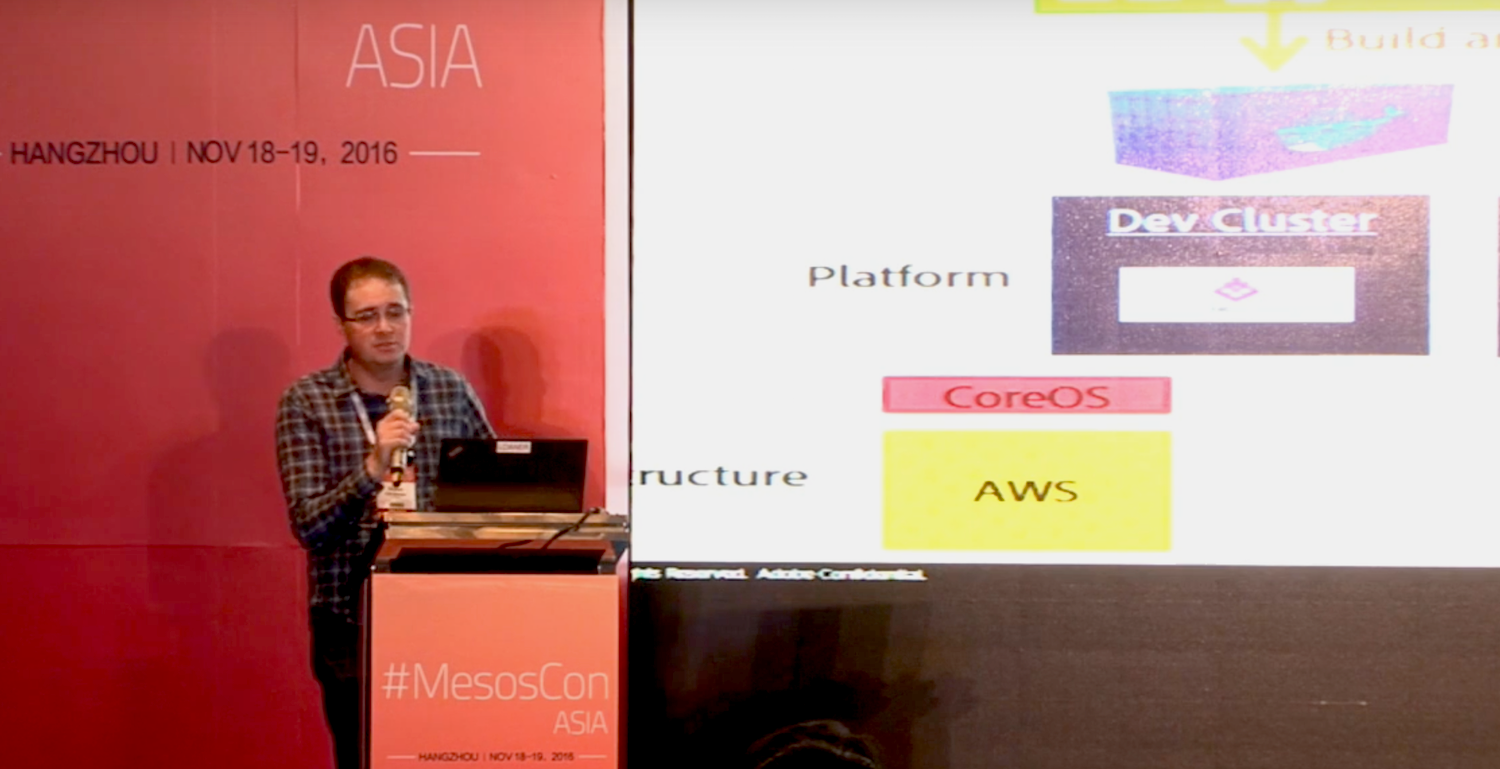
Building your IT infrastructure is often a complicated dance of negotiating conflicting needs. Engineers have ideas of cool things they want to build. Operations wants stability, security, easy maintenance, and scalability. Users wants things to work with no backtalk. In his talk at MesosCon Asia 2016, Frans van Rooyen of Adobe shares his team’s experiences with adapting Apache Mesos and Apache DC/OS to support deploying infrastructure to multiple diverse clouds.

Adobe had several problems to solve: they wanted to make it easier for engineers to write and deploy new code without having to be cloud experts, and they wanted to solve conflicts between operations and engineering. Engineering wants AWS because “It’s agile, I don’t have to create tickets, and I have infrastructure’s code. So I can actually call the infrastructure programmatically and build it, that’s what I like and want to do it that way.” Operations wants the local data center instead of a public cloud because “It’s secure, it’s cheaper, and we have more control.”

The various public clouds, such as Azure and AWS, have their own ways of doing things, and everyone has their own experience and preferences. Adobe’s solution was to abstract out the details of deploying to specific clouds so engineers could write simple spec files and let the new abstraction layer handle the details of deployment. Rooyen says, “Then suddenly all you care about is where do I need to run my stuff to run most effectively. The two main things that come up are latency and data governance. So if you’re thinking about where do I need to run my stuff, where do I need to run my container as an engineer, in my spec file I can say, “It’s very latent sensitive. It needs to be in a location over in Europe.” Because of that, Operations now can take that requirement and run that in the appropriate cloud… Operations and Engineering don’t battle. Engineering doesn’t care because they know their container’s going to go and run where it needs to run most.”

Another goal was to standardize as much as possible. But as the various cloud APIs are not standard it is very difficult to build a single tool to deploy to all clouds. Cloud technologies are fast-moving targets, so maintaining a single deployment tool would require constant maintenance. Rooyen discusses some of the cloud-specific tools they use: the Azure Container Service engine is open source and freely available. Terraform, by HashiCorp., is a multi-cloud tool. Troposphere builds your code, and then runs it to generate the cloud formation template.

Rooyen says, “So what’s the end result? What do we get when this is all done? Once again, through that story, we had input, input went into infrastructure, infrastructure stood up a cluster, and now we have this…We were able to provision those clusters in multiple clouds in a standard way and get the same output. The end result, which is a cluster. An end point or a platform that we can now deploy code to.”

Watch Rooyen’s complete presentation (below) to learn more details about the software used, hardware considerations, and important details about architecture.

Interested in speaking at MesosCon Asia on June 21 – 22? Submit your proposal by March 25, 2017. Submit now>>

Multi Cloud Mesos at Adobe

In this presentation Frans van Rooyen will share with you the journey the Adobe digital marketing team went on as his team was tasked with building out Mesos in both public and private clouds.