GitHub celebrates the third anniversary of its Bug Bounty program, with bonus rewards for security disclosures, as the program continues to help the popular code development platform stay secure.
In January 2014, the GitHub distributed version control code repository first launched a bug bounty program, rewarding security researchers for responsibly disclosing software vulnerabilities. Now three years later in January 2017, GitHub is celebrating the third anniversary of its bug bounty program, with bonus rewards for the top submissions made in January and February.
Continuous Integration is a popular technique in software development. At conferences many developers talk about how they use it, and Continuous Integration tools are common in most development organizations. But we all know that any decent technique needs a certification program — and fortunately one does exist. Developed by one of the foremost experts in continuous delivery and devops, it’s known for being remarkably rapid to administer, yet very insightful for its results. Although it’s quite mature, it isn’t as well known as it should be, so as a fan of the technique I think it’s important for me to share this certification program with my readers. Are you ready to be certified for Continuous Integration? And how will you deal with the shocking truth that taking the test will reveal?
SELinux struggles to cast off its image as difficult to maintain and the cause of potential application problems. Yet in recent years, much has changed for the better, especially with regard to usability. For example, modules have replaced its monolithic set of rules. If you want to develop a new SELinux module, three files are typically necessary for this purpose.
Three Files for an SELinux Module
A type enforcement (.te) file stores the actual ruleset. To a large extent, it consists of m4 macros, or interfaces. For example, if you want to access a particular service’s resources, such as the logfiles, the service provides a corresponding interface for this purpose. If you want your own application to access these resources, you can draw this on the service’s interface without having to deal with the logfile details. For example, you do not need to know the logfile’s security label, because the interface abstracts access.
Despite the much-anticipated depletion of public IPv4 addresses, adoption of network address translation (NAT) has led most enterprises to continue using IPv4 both internally and at the internet edge. But as companies refresh their networks and IoT begins to pick up steam, many network administrators are finally making the choice to incorporate IPv6 in their network in some capacity. Here are some fundamentals when it comes to an IPv6 transition.
How to read an IPv6 address
By far the most important skill in an IPv6 transition is simply understanding how to read an IPv6 address. While IPv4 and IPv6 addresses accomplish the same goal, they look drastically different. An IPv6 address is 128-bits long compared to just 32-bits for and IPv4 address. While IPv6 addresses use the same mask structure as IPv4 to differentiate the host bits from the network bits, –it’s on a 128-bit scale.
When we describe a typical operating system kernel on a typical machine (be it physical or virtual), we are normally talking about a distinct piece of software which runs in a separate processor mode (kernel mode) and address space from the rest of the software running on that machine. This operating system kernel generally provides critical low-level functions which are leveraged by the other software installed on the box. The kernel is generally a generic piece of code which is trivially tailored (if at all) to the application software stack it is supporting on the machine. This generic kernel normally provides a wide range of rich functions, many of which may be unneeded by the particular applications it is being asked to support.
In fact, if you look at the total software stack on most machines today, it is often difficult to figure out just what application will be run on that machine. You are likely to find a wide swath of hundreds, if not thousands, of low-level utilities, plus multiple databases, a web server or two, and a number of specialized application programs. The machine may actually be charged with running a single applica- tion, or it may be intended to run dozens simultaneously. Careful analysis of the startup scripts will yield hints as to the final solution set which will be run on the machine, but it is far from certain, as a suitably privileged user may elect to invoke any of a number of applications present on the box.
In Linux (and Unix in general), there is a SuperUser named root. The root user can do anything and everything, and thus doing daily work as the root can be very dangerous. You could type a command incorrectly and destroy the server.
By default, the root account password is locked in Ubuntu. This means that you cannot login as root directly or use the su command to become the root user. However, since the root account physically exists it is still possible to run programs with root-level privileges. This is where sudo comes in – it allows authorized users to run certain programs as root without having to know the root password.
In this quick tutorial, you will learn how to create a sudo user on Ubuntu for security reasons and to run a permitted user to run a command as the superuser (root user)
In December, Versa sponsored an independent survey conducted by Dimensional Research of 308 network professionals across five continents at organizations with 1,000-plus employees. The goal of the research was to capture how companies manage and secure their networks across branch locations. The research also investigated expected benefits and challenges of a software-defined wide area networking (SD-WAN). What the research revealed was that companies are struggling to manage and secure the WAN, especially at branch locations. Nearly all participants stated that maintaining security policies, network devices, and complexity due to cloud and mobile applications are the most difficult aspects of managing the WAN.
This project implements a very common access control device. The LTPS is equipped with Tibbit #08 (clock/data and Wiegand interface). It gets card codes from an external RFID card reader. The project lets you save user names and their ID codes into the database, as well as verify the cards you read against the records of the database. When you read a card which ID code matches any ID code from the database, the terminal “grants access” (the blue LED turns on). If this ID code has no match in the database, the terminal “denies access” (the red LED turns on).
This simple project demonstrates all main techniques that are important to building access control solutions with LTPS.
Some other distinctive features of this project:
The project utilizes a full-featured embedded SQLite SQL database engine.
The web interface shows card reader events in a real time.
The app utilizes the sqlite3 module as a permanent event and cardholder data store. The module is a serverless, self-contained SQL database engine which does not need any other software to be installed on the device.*
* The module is written in C++. A precompiled version will be installed from Tibbo’s GitHub during the app installation. If you want to install the module from NPM, you should also install build-essential on the device.
With each passing year, the Linux desktop ecosystem shifts and morphs from one darling to the next. Although it’s sometimes challenging to tell, from month to month, which desktop will reign as the fan favorite, there are always signs that a particular desktop is going to rise in market share.
Three trends I always examine are evolution, usability, and modernity. I prefer my desktops to have evolved along with the needs of current trends and users, to be easily used, and have a modern design aesthetic. Bonus points are generally awarded for a high range of flexibility.
Currently, the Linux desktop environment is dominated by Cinnamon, Xfce, GNOME, and Ubuntu Unity. Of those four, I believe only one will see a sharp rise in market share in 2017. Which one? Let’s dive in and see which five desktops, I think will climb the rank and file.
KDE Plasma
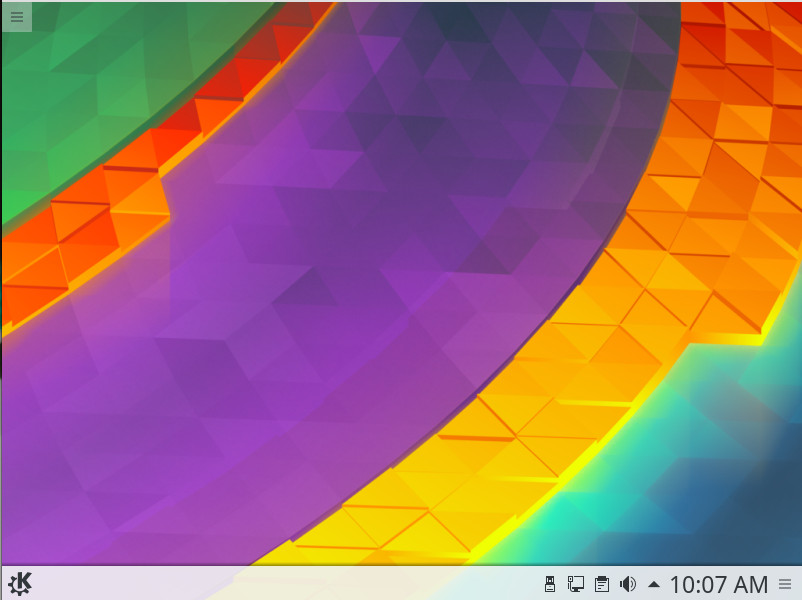
For the longest time I ignored KDE, thinking it too unstable, too clunky, and too tied to the old-school desktop metaphor. With the advent of Plasma 5 (and distributions like Neon) all bets were off. With each new iteration of KDE (Figure 1), the desktop improves in every possible area. It’s not only an elegant improvement over the old Start button/taskbar metaphor, it’s become incredibly stable and the responsiveness has improved dramatically.
Figure 1: The latest KDE is as beautiful as it is solid.
One of the reasons why I believe KDE will rise in popularity this year is that the developers get the needs of the user. They’ve held onto the old ways, all the while managing to evolve that same take on the desktop in such a way as to make it look and feel modern. From the eyes of the typical end user, KDE is perfect amalgam of what they need (ease of use) vs. what they want (something easy on the eyes).
If you want to install KDE, it can be easily done. For example, on a Ubuntu 16.04 desktop, open up a terminal window and issue the following commands:
Note: During the installation, you’ll be prompted to select a display manager. Make sure to select lightdm for this, and you’ll be good to go.
The installation will take some time; in the end, you’ll wind up with a perfectly functioning KDE desktop.
Pantheon Desktop
Pantheon happens to be the desktop environment for my daily driver, Elementary OS. Not only is this desktop a thing of elegant simplicity, it is incredibly easy to use (on a level even the Mac desktop couldn’t achieve). The Pantheon desktop does a great job of getting out of your way while you work (and looks great doing so). With plenty of configuration options, you can make Pantheon look and feel exactly how you like (with a few limitations—such as with the Applications menu being locked down and the now-defunct Super Wingpanel). Even with these slight limitations, Pantheon is as solid and easy to use as any desktop you will ever experience.
But why will this particular take on the desktop experience see an expanded user base in 2017? The answer to that is simple: Elementary OS Loki. The combination of the rock solid Ubuntu platform with a clean (almost minimal) desktop makes for a winning combination any level of user could take advantage of. Pantheon is the desktop environment that could easily win over new users like no other Linux interface.
If you’d like to try Pantheon (without installing Elementary), it’s possible. To install on Ubuntu 16.04, open up a terminal and issue the following commands:
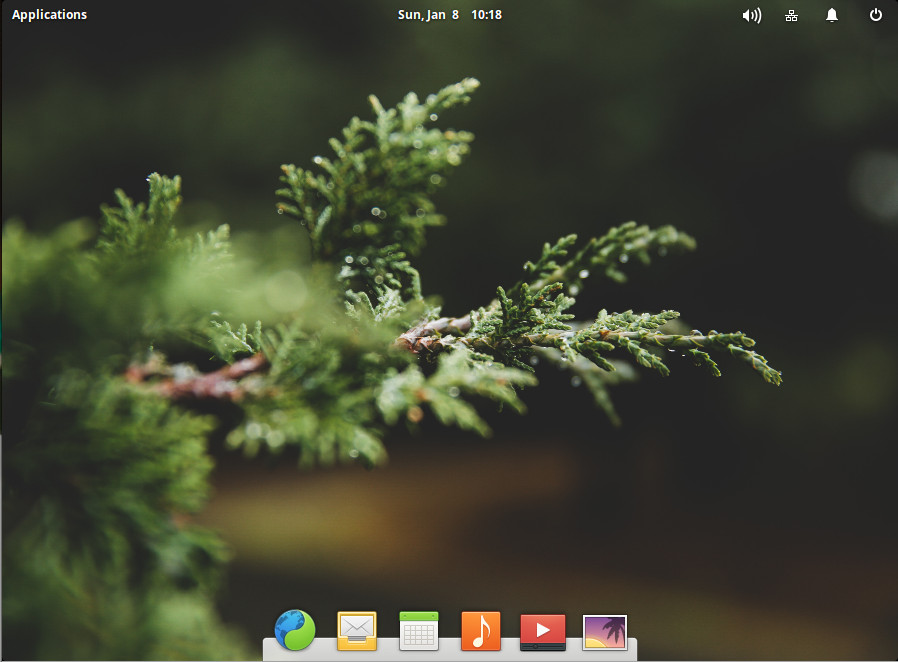
Logout, select Pantheon, and log back in (Figure 2).
Figure 2: Pantheon running on top of Ubuntu 16.04.
Enlightenment
When I think of the Enlightenment desktop environment, I am reminded of some of my first steps with the Linux desktop. The first time I logged into Enlightenment, I thought I was working with something incredibly special. It was the single most configurable desktop interface I’d ever used and could be made to look exactly how I wanted it.
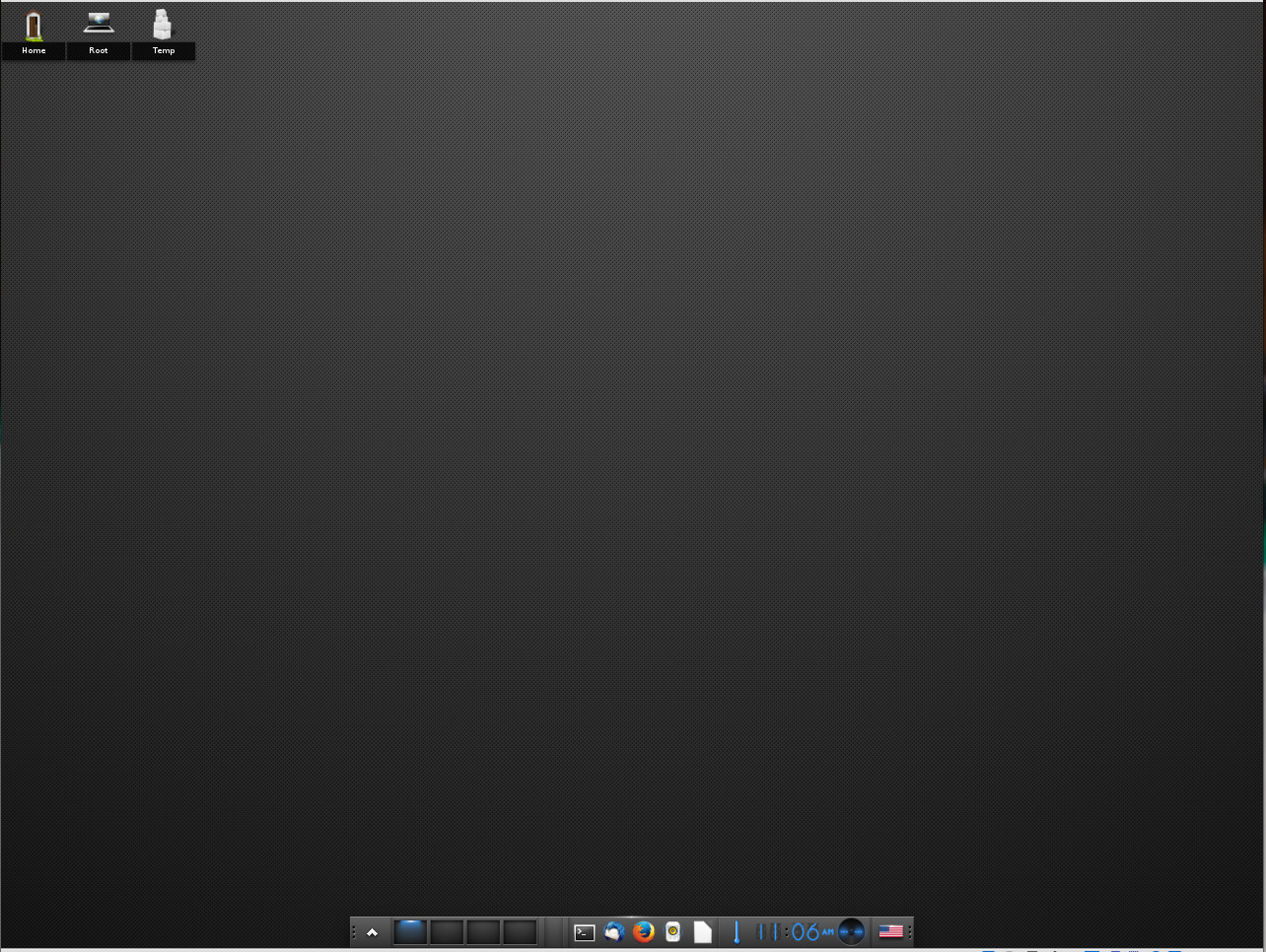
Since then, Enlightenment seemed to fade into the background. However, it is currently undergoing a transition to Wayland, which should mean big things for this unique desktop (even more compositing effects with smoother transitions, etc.). I believe it will be that migration to Wayland that will give Enlightenment a boost in popularity. Considering it is already a full-featured desktop environment (Figure 3) that runs lightning fast and offers some of the coolest window animations, once it makes the transition to the next-gen compositor…look out!
Figure 3: The default Enlightenment desktop.
If you want to kick the Enlightenment tires, it is fairly simple to install. On a Ubuntu 16.04 machine, open up a terminal window and issue the following commands:
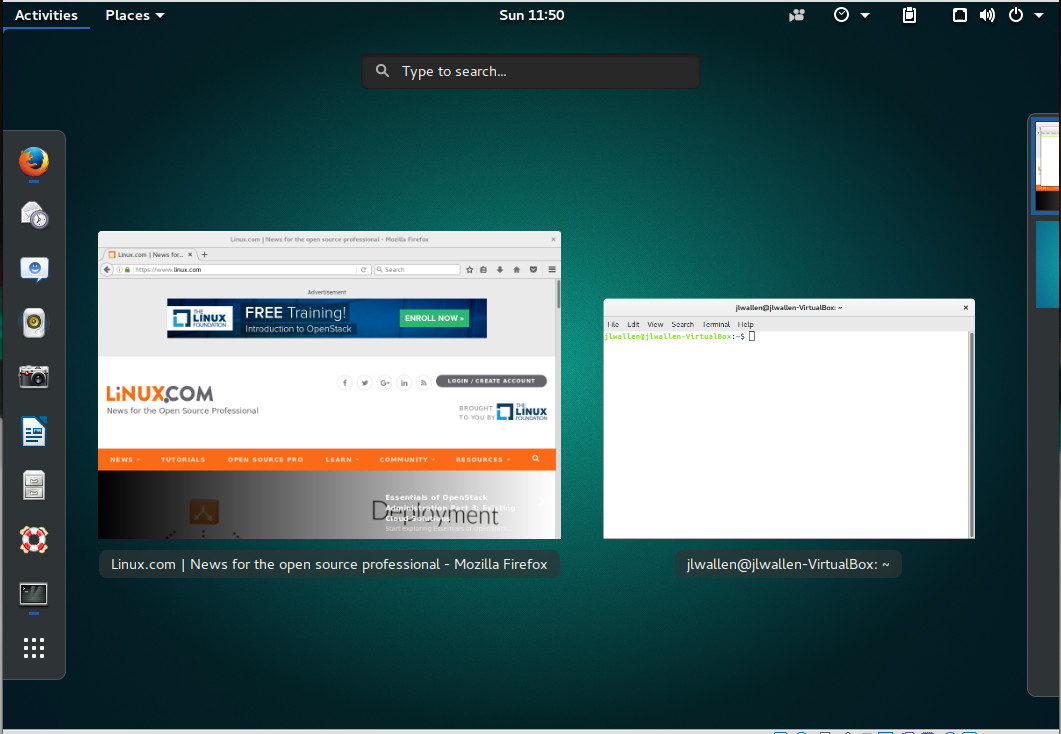
GNOME went through a brief period (after evolving from 2.x to 3.x) where the general consensus was that the developers had made a massive mistake in leaving behind the look and feel of the previous iteration. That was then, this is now. The current release of GNOME is not your parents’ GNOME 3; it’s incredibly fast, stable, and user-friendly (Figure 4). This is especially true for any touch-centric hardware. However, don’t think you have to upgrade your monitor to a touch-enabled device, as even standard hardware can get the most out of this particular desktop.
Figure 4: The GNOME desktop running on Ubuntu 16.04.
How can a desktop that has already been around for some time start gaining market share? I believe the key lies in Ubuntu migrating from Unity 7 to 8. With that change there will be major hiccups to be had and people will turn to the likes of Ubuntu GNOME—a distribution that should be considered a best in breed.
If you want to give the latest version of GNOME a try (3.22), on Ubuntu 16.04 issue the following commands:
During the installation, make sure to select lightdm as your default display manager. Once installed, logout, select GNOME, and login to experience what GNOME has to offer.
Budgie Desktop
The Budgie Desktop is the flagship of the Solus project. Budgie was written from scratch, but tightly integrates with the GNOME stack. With this particular desktop, users will feel perfectly at home (especially if they’ve worked with the Chrome OS platform).
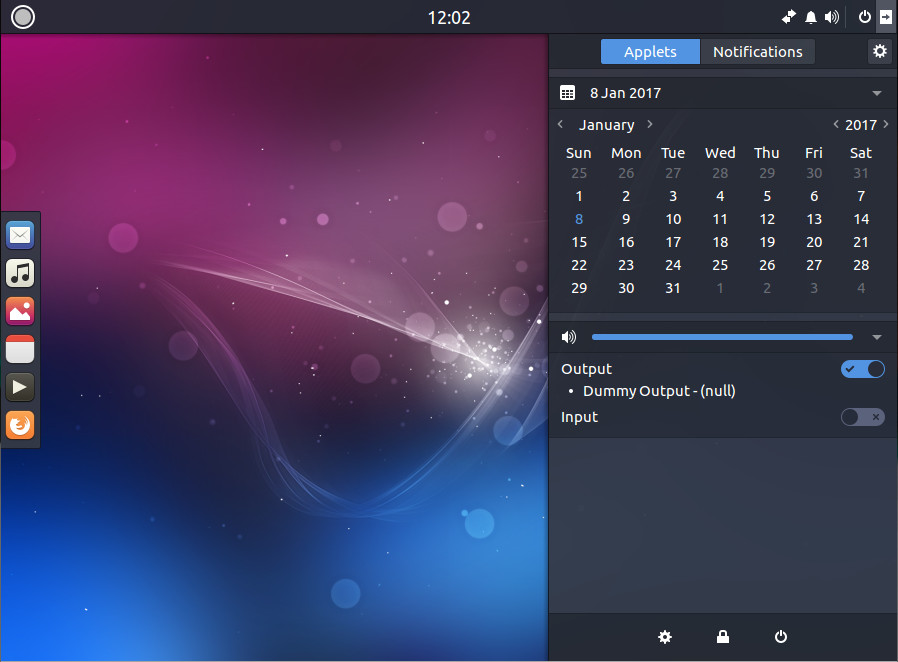
Budgie has come a long way fast (more so than any desktop I can think of). I remember when I first used the environment, it was fairly basic. Now, it includes a really handy dock, and a slide-out panel called Raven (Figure 5), that gives the user:
Easy access to calendar information, sound volume, media player controls, and more (via Widgets view).
The simple means to manage incoming application and system notifications (via Notifications view)
Quick access to Budgie customizations
Figure 5: Raven in action on Budgie.
Budgie will see a rise in usage by way of the Solus distribution—a great project with a solid community.
If you want to experience Budgie, you can either install the Solus distribution, or you can install it on an existing Ubuntu platform with the following commands:
Once installed, logout, select Budgie, and log back in.
The choice is yours
There are so many desktop environments available to the Linux platform; which one you use is up to you. However, if you’re looking for a desktop environment that might well enjoy significant rise in popularity during 2017, look no further than any of the above. Each has something special to offer and should help make your Linux experience even better.
This week in open source news, a study from Black Duck suggests the potential for open source malware is set to skyrocket in 2017, longtime undetected Mac malware exposed, and more! Read our digest for the recent stories you need to hear:
1) The Linux Foundation and Amdocs are partnering up to accelerate adoption of the open source Enhanced Control, Orchestration, Management and Policy (ECOMP) platform from AT&T.
5) “Starting today we are accepting applications from open source projects who would like to serve as mentor organizations for enthusiastic student developers,” says Google.