DBaaS moves the database service to the cloud, promising a new database instance at the click of a mouse.
You can install databases such as MySQL, PostgreSQL, or even MongoDB very quickly thanks to package management, but the installation is not even half the battle. A functioning database also needs user accounts and several configuration steps for better performance and security.
This need for additional configuration poses challenges in cloud environments. You can always manually install a virtual machine in traditional settings, but cloud users want to generate an entire virtual environment from a template. Manual intervention is difficult or sometimes even impossible.
The phrase “You are Not Expected to Understand This” is probably the most famous comment in the history of Unix.
And last month, at the Systems We Love conference in San Francisco, systems researcher Arun Thomas explained to an audience exactly what it was that they weren’t supposed to understand.
Computer science teacher Ozan Onay, who was in the audience, called it “one of my favorite talks of the day,” writing on his blog that “Nothing should be a black box, even when Dennis Ritchie says it’s ok!”
Web performance is nothing but the speed in which web pages are downloaded and displayed on the user’s web browser. Faster website speeds have been shown to increase sales or increase visitor loyalty including user satisfaction. Particularly useful for those use slow internet connections or on mobile phones/tablets.
In short, one can increase the time it takes for pages to render using multi-layered cache and asynchronous communication with server-side components. In this post, I will list my favorite open source software based TCP/HTTP load balancer and proxying solution for web performance under a Linux operating system.
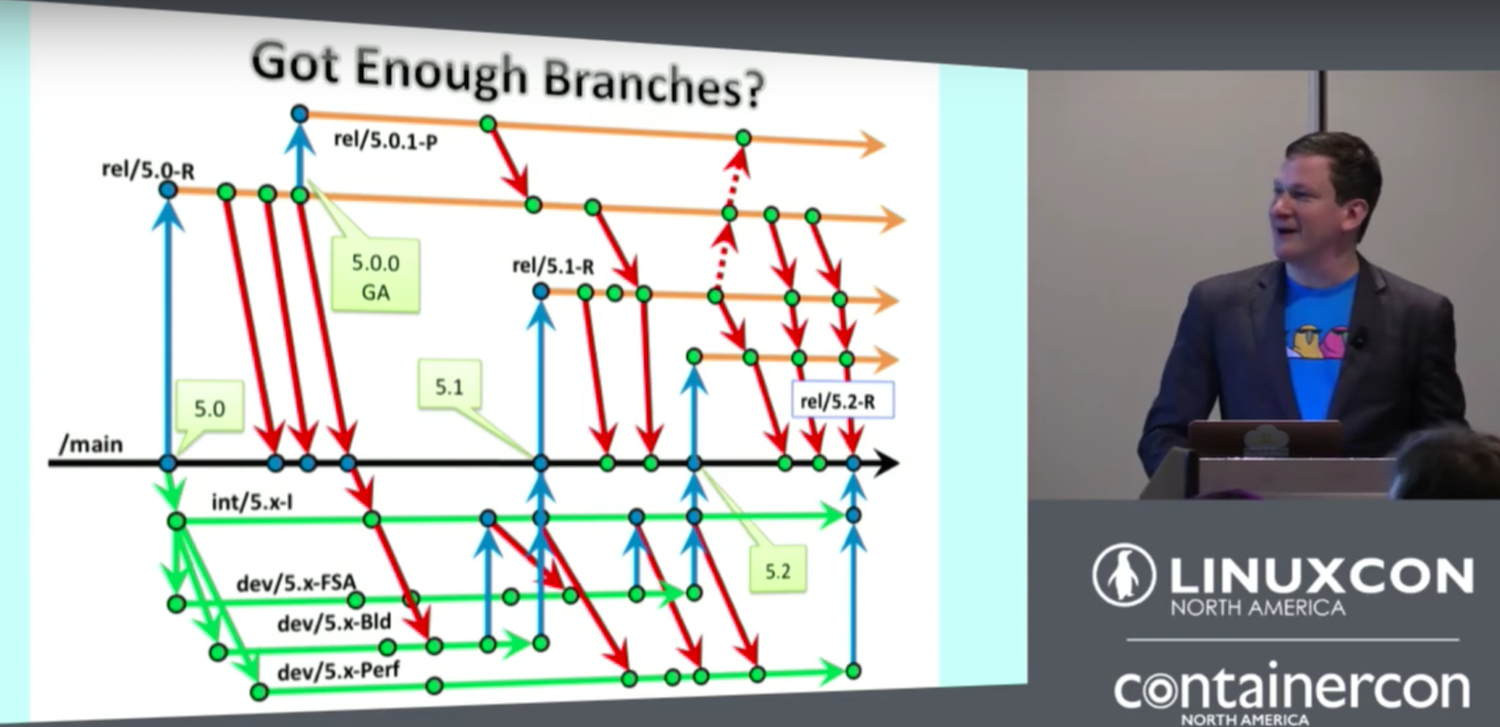
“Git does let you do some extraordinarily powerful things. Powerful, of course, in this talk, is a polite euphemism for stupid,” says Corey Quinn of FutureAdvisor at LinuxCon North America. Who hasn’t experienced at least one moment of feeling like a complete dunce when using Git? Sure, Git is wonderful, everyone uses it, and you can do most of your work with a few basic commands. But it also has mighty powers to make us feel like we have no idea what we’re doing.
But that’s really not being fair to ourselves. Nobody knows everything, and everyone knows something different. Quinn reminds us, “During the Q and A section for some of my talks, people sometimes raise their hand and say, “Well, I have a really dumb question,” and you see people in there are, “Yeah! That’s a really dumb question”. But when they get an answer, those people are taking an awful lot of notes.”

Quinn starts his talk with some fun demonstrations of terrible things you can do with Git such as messing up an entire project by rebasing master and then making a forced push, mis-typing commands and getting scolded by Git, and committing large binaries. Then he demonstrates how to make these terrible things less terrible, such as managing large binaries more sanely. “You can commit large binaries. You can commit atrocities in Git. If you wind up needing to store large binaries, there are two tools out there that tend to really speed up loads. One is git-annex, which was was created by Joey Hess, a Debian developer, and git-lfs, which is supported by GitHub”.
Do you keep making the same typo, like typing “git stitis” when you want “git status”? Quinn has an answer for this: “Git does have built-in support for aliases, so you can use relatively long, complex things and alias it to a short Git command.” You can also use shell aliases.
Quinn says, “We’ve all heard about rebasing master, and then doing a forced push, a hilarious prank to all of your co-workers. What that does is it changes history, so that suddenly what happened before is not what people are actually working on, and everyone else winds up getting screwed in the process. A group of whales is called a ‘pod’, a group of crows is called a ‘murder’, and a group of developers is called a ‘merge conflict’…On a more serious note, if someone does do something like this, you do have a few options.” These include restoring master from a known good backup, revert commits, or “Hurl the person responsible, screaming, from the roof of your office.” Or, take a dose of prevention and use a little-known Git feature called branch protection. When you enable branch protection, branches cannot be deleted or force-pushed, and pull requests must have at least one review before acceptance.
Quinn demonstrates several more wonderfully useful tools to make Git more efficient and foolproof such as mr, vcsh, and customized shell prompts. You can see these in the complete video (below), and enjoy more silly jokes.
One more week has passed in our lives, but the development of the Linux kernel never stops, and we’re now seeing the release of fourth RC (Release Candidate) build of Linux kernel 4.10, which appears to be fairly normal, yet again, bringing only a collection of assorted bug fixes and improvements from last week.
Not surprising at all, but the patch consists of mostly drivers; this time GPU, USB, sound, and networking ones stand out. The rest are the usual x86 architecture updates, multiple fixes for the Btrfs, XFS, and VFS filesystems, some tooling (mostly perf) changes, and the usual core kernel and mm changes.
The most recent commits in https://github.com/openstack/tripleo-quickstart
allow to use Fedora 25 Server (32 GB) as target VIRTHOST for TripleO
Quickstart HA Deployments and benefit from QEMU’s (2.7.1) && Libvirt’s (2.2.0)
the most recent KVM virtualization features coming with last Fedora release.
Prior to deployment on VIRTHOST install KSM and enable ksm.service :-
Ah, the age-old question…one that holds far more importance than simply pointing out which Linux distribution is a fan-favorite. Why is that?
Let me set the stage: You have a user—one who has, most likely, spent the majority of their time in front of either a Windows or Mac machine—and they’ve come to you for an alternative. You want to point them in a direction that will bring about the least amount of hiccups along the way and highlight the power and flexibility of Linux.
But, remember, the single most important aspect is that they must get it, out of the box.
That’s why we often take the time to point out which distributions are best designed for new users — because bringing new users into the mix is the best way to spread the word and grow the base.
With that said, what are the best distributions for new users? I’m going to take a bit of a different approach this time and point out which distributions would be best for users coming from different environments. You can also check out my list of best distros for 2017.
From Windows 7 to Linux: ZorinOS
When Windows 8 rolled out, there was a reason so many wanted to stick with Windows 7—familiarity. Users had been working with the same desktop metaphor for decades and they had no desire to migrate to the more touchscreen-centric platform of Windows 8. So, what distribution do you turn to for that? You first must consider desktop environment. Why? Because that is where you immediately hook those Windows 7 users. And what better distribution for such a task than ZorinOS?
ZorinOS was designed specifically as a replacement for Windows (and Mac) computers, so it goes a very long way to replicate the look and feel of those desktops. In fact, you’d be hard-pressed to find a Linux distribution that does as good a job of making the transition from Windows 7 to Linux—while still retaining that which makes Linux such a powerful, flexible platform.
Beyond the desktop environment (Figure 1), ZorinOS is based on Ubuntu, so under the hood, everything is going to just work (so there’s little need to worry their hardware won’t be detected). Couple that with the readily available software and you have the perfect distribution for new users coming from Windows 7.
Figure 1: The ZorinOS Windows 7-like desktop ready to serve.
Do note, however, there are two versions of ZorinOS: Zorin Ultimate and Zorin Core. While Core is free, it doesn’t include nearly the amount of software that you’ll find in Ultimate. If you want an out of the box distribution that will please anyone coming from Windows 7, I highly recommend purchasing Zorin Ultimate (for approximately $20.00 USD). Of course, if you don’t want to splurge for the Ultimate edition, you can always install nearly everything you need from the included Software package management tool.
From Windows 8 to Linux: Ubuntu GNOME
The shift to Windows 8, brought about a very touchscreen-centric environment that changed the way users interact with their machines. The old metaphor of Star Menu/Panel/System tray was replaced with an interface that shined in a touchscreen environment. If you’re looking for the best environment to give a new-to-Linux user something different, yet still function as a best-in-breed should, look no further than Ubuntu GNOME.
Ubuntu GNOME is a best of two worlds amalgamation between Ubuntu and GNOME (Figure 2). Replacing the Unity interface with a desktop that is equal parts modern elegance and user-friendly simplicity, Ubuntu GNOME shouldn’t cause much in the way of issues for any user coming from Windows 8. Not only does this distribution lay its foundation on the latest LTS release of Ubuntu (so support will last), it makes use of the latest stable release of the GNOME desktop—which means the user will enjoy an incredibly solid experience.
Figure 2: Simplicity at its elegant best can be found in Ubuntu GNOME.
From Mac to Linux: Elementary OS
Without a doubt, the hands-down winner for this category is Elementary OS. Although Elementary does an incredible job of looking and feeling like an OS X desktop, it is much more than that. Elementary OS is, at its very heart, Linux—it just happens to have taken a cue from OS X for many of the design elements.
Any Mac user would feel immediately at home on the desktop environment (Figure 3). With an all-too familiar doc and the inclusion of an applications menu, Elementary OS always stands at the top of my best-of distribution list. And, if we’re talking about Mac users, there is no better drop-in replacement than Elementary OS.
Figure 3: The glory that is the Elementary OS desktop.
One thing that Mac users will greatly appreciate is how great a job the Elementary OS developers have done keeping design consistency throughout the desktop. From the dock, panel, menus, and included applications, you will not find a single element that doesn’t look and feel like it belongs.
There is one caveat that I would add to Elementary OS. You’ll need to install a sufficient browser (as it “ships” with Epiphany—a browser not widely supported by many necessary sites) and you’ll want to install LibreOffice from the downloadable package from the official LibreOffice site (as the package found in the Elementary OS AppCenter is a bit out of date).
From Android to Linux: Ubuntu
This may seem like a bit of a stretch, but considering how dominant Android is within the global market, you will come across users who might need a Linux desktop that would make them feel instantly at home, after coming from a more mobile-centric interface. For me, there is no clearer winner than Ubuntu. Why? Ubuntu Unity does an outstanding job of making the desktop feel more like an all-encompassing interface than any other. If you want, you can include online search results (now disabled by default), which is something found in nearly every mobile environment. Also, the Unity HUD menu system (Figure 4) is one of the most unique menu systems found in any interface. With this, users can depend less on the mouse (as they would on a mobile device powered by Android).
Figure 4: The Unity Heads Up Display in action.
Of course, Ubuntu also offers one of the most stable desktop platforms on the market, so the user experience will be nearly flawless.
There’s a distribution for everyone
One of the important things to remember is that there is a distribution of Linux that is sure to please everyone. But for those coming from specific environments, I highly recommend finding a flavor of Linux that will help make the transition seamless. Give one of these a try and see if you find yourself humming along smoothly with the power of Linux and open source at your fingertips.
In this keynote, Ashley Williams, Developer Community and Content Manager, discusses how npm works as a service and shares some of the remarkable numbers associated with the registry.
This week in Linux and OSS news, Steven J. Vaughn-Nichols explains why Linux is forcing Windows to up its gaming game, blockchain is especially important in the current sociopolitical climate, and more! Read on to keep on top of the most important tech stories.
1) Linux can take some credit for improving Windows gaming, writes Steven J. Vaughan-Nichols