Home Blog Page 624

Writing SELinux Modules

SELinux struggles to cast off its image as difficult to maintain and the cause of potential application problems. Yet in recent years, much has changed for the better, especially with regard to usability. For example, modules have replaced its monolithic set of rules. If you want to develop a new SELinux module, three files are typically necessary for this purpose.

Three Files for an SELinux Module

A type enforcement (.te) file stores the actual ruleset. To a large extent, it consists of m4 macros, or interfaces. For example, if you want to access a particular service’s resources, such as the logfiles, the service provides a corresponding interface for this purpose. If you want your own application to access these resources, you can draw this on the service’s interface without having to deal with the logfile details. For example, you do not need to know the logfile’s security label, because the interface abstracts access.

Read more at Linux Pro Magazine

A Quick Guide to Network Administrator Course and Jobs

A career in network administration is full of opportunities today. With the world becoming more digitalized and the emergence of a booming IT industry, there are countless new prospects and jobs being shaped every year. With the increase in computer and software led companies, there is an even bigger need of network administrators, especially the large organisations.

What Does a Network Administrator Do Exactly?

An organisation who uses several computer systems or software platforms, requires a network administrator. A network administrator or a system administrator ensures that all the computer networks of an organisation are running smoothly and are always updated. This job can be extensive or narrow, based on the size of an organisation. The complexity of the network or the software platform is another factor. Installing computer systems and software; maintenance and troubleshooting; and updating the systems are some of the key roles played by a network administrator in an organisation. Moreover, a system or network administrator is also responsible for maintaining the wide area networks (WAN), local area networks (LAN), data and tele-communication networks, intranet and other similar segments. Other responsibilities include maintaining websites and all its functioning.

Skills and Qualifications Needed to Become a Network Administrator

If you are interested in becoming a network administer, you do not necessarily need a degree or qualification in the IT. Although, you do need an interest in the field in addition to some amount of fundamental knowledge of the roles discussed above. Any beginner who aspires to become a network administrator can sign up for a network administrator course. These courses can be studied at the undergraduate level (preferable by most). In fact, you can also major in network administration. A network administrator training would enable you to configure, troubleshoot and repair core network devices, communications systems and all types of IP services etc. The course structure might differ from the package you have selected. Some of these courses provide a general guide to network administrations but some courses provide training in vendor specific software and applications like Linux, Cisco, Microsoft etc. Several colleges, universities and local institutions offer these courses to both the beginners and experienced ones.

Employment Outlook and Demand for Network Administrators

Since the IT industry is growing rapidly and is expected to grow even more in coming years, network administrators have great job opportunities. These jobs are fairly compensated too. Though, your choice of organisation and expertise are the deciding factors in this case. The more skilled you are and bigger the responsibility, the better is the salary. With a relevant training and degree in network administration, you can work in almost any industry because almost all the industries are dependent on computer systems and networks for functioning.

In a nutshell, there are great prospects awaiting you, if you think you have got what it takes to set a foot in this door. Moreover, the compensation and roles are expected to grow in the upcoming years, promising better offers ahead.

3 Lessons in Web Encryption from Let’s Encrypt

As exciting as 2016 was for encryption on the Web, 2017 seems set to be an even more incredible year. Much of the infrastructure and many of the plans necessary for a 100 percent  encrypted Web really solidified in 2016, and the Web will reap the rewards in 2017. Let’s Encrypt is proud to have been a key part of that.

But before we start looking ahead, it’s helpful to look back and see what our project learned from our exciting first full year as a live certificate authority (CA). I’m incredibly proud of what our team and community accomplished during 2016. I’d like to share how we’ve changed, what we’ve accomplished, and what we’ve learned.

At the start of 2016, Let’s Encrypt was supporting approximately 240,000 active (unexpired) certificates. That seemed like a lot at the time! Now we’re frequently issuing that many new certificates in a single day while supporting more than 22 million active certificates in total.

We added several new features during the past year, including support for the ACME DNS challenge, ECDSA signing, IPv6, and IDN.

We were accepted into the Mozilla, Apple, and Google root programs. And we’re close to announcing acceptance into another major root program. These are major steps towards being able to operate as an independent CA. You can read more about why here.

Finally, supporting the kind of growth we saw in 2016 meant adding staff, and during the past year Internet Security Research Group (ISRG), the non-profit entity behind Let’s Encrypt, went from four full-time employees to nine. We’re still a pretty small crew given that we’re now one of the largest CAs in the world (if not the largest), but it works because of our intense focus on automation, the fact that we’ve been able to hire great people, and because of the incredible support we receive from the Let’s Encrypt community.

Let’s Encrypt is a Linux Foundation collaborative project whose mission is to help create a 100 percent encrypted Web. Our own metrics can be interesting, but they’re only really meaningful in terms of the impact they have on progress towards a more secure and privacy-respecting Web. Here are three big takeaways from our work in 2016 that we plan to build on this year in pursuit of our goal.

3 Lessons from Let’s Encrypt in 2016

1. Getting and managing certificates needs to be easy

The metric we use to track progress towards full Web encryption is the percentage of page loads using HTTPS, as seen by browsers. According to Firefox Telemetry, the Web has gone from approximately 39 percent of page loads using HTTPS each day to just about 49 percent during the past year.

We’re incredibly close to a Web that is more encrypted than not.

We’re proud to have been a big part of that, but we can’t take credit for all of it. Many people and organizations around the globe have come to realize that we need to invest in a more secure and privacy-respecting Web, and have taken steps to secure their own sites as well as their customers’.

What many of these efforts have in common is that they focus on making the switch to HTTPS easy, and that’s why so many sites have switched in the past year. Some providers moved sites to HTTPS by default, without site owners having to do anything. Some providers made HTTPS a one-click option. Others made the switch easier in various ways and greatly improved documentation. Let’s Encrypt offers a simple API for everyone to use, and our community has created great tools to make life easier.

2. Bugs happen and transparency is key

We learned some technical lessons this year. When we had service interruptions they were usually related to managing the rapidly growing database backing our CA. Also, while most of our code had proper tests, some small pieces didn’t and that led to incidents that shouldn’t have happened.That said, I’m proud of the way we handle incidents promptly, including quick and transparent public disclosure.

We’ve done a lot of optimization work, we’ve had to add some hardware and improve our testing, and there have been some long nights for our staff, but we’ve been able to keep up and we’re ready for another year of strong growth.

3. We need a strong community to create a diverse set of great ACME clients

We also learned a lot about our client ecosystem. At the beginning of 2016, ISRG/Let’s Encrypt provided client software called letsencrypt. We’ve always known that we would never be able produce software that would work for every Web server/stack, but we felt that we needed to offer a client that would work well for a large number of people and that could act as a sort of reference client.

By March of 2016, earlier than we had foreseen, it had become clear that our community was up to the task of creating a wide range of quality clients, and that our energy would be better spent fostering that community than producing our own client. That’s when we made the decision to hand off development of our client to the Electronic Frontier Foundation (EFF). EFF renamed the client to Certbot and has been doing an excellent job maintaining and improving it as one of many client options.

We thank everyone who contributed to our client ecosystem and also those who have installed a Let’s Encrypt certificate. Each of these conversions from HTTP to HTTPS make the Web a little bit more secure. Let’s Encrypt is a 501(c)3 nonprofit, so we are also grateful to our sponsors, for making our successes this past year possible.

Please consider getting involved or making a donation, and if your company or organization would like to sponsor Let’s Encrypt, please email us at sponsor@letsencrypt.org.

How to Keep Hackers out of Your Linux Machine Part 2: Three More Easy Security Tips

In part 1 of this series, I shared two easy ways to prevent hackers from eating your Linux machine. Here are three more tips from my recent Linux Foundation webinar where I shared more tactics, tools and methods hackers use to invade your space. Watch the entire webinar on-demand for free.

Easy Linux Security Tip #3

Sudo.

Sudo is really, really important. I realize this is just really basic stuff but these basic things make my life as a hacker so much more difficult. If you don’t have it configured, configure it.

Also, all your users must use their password. Don’t all “sudo all” with no password. That doesn’t do anything other than make my life easy when I have a user that has “sudo all” with no password. If I can “sudo <blah>” and hit you without having to authenticate again and I have your SSH key with no passphrase, that makes it pretty easy to get around. I now have root on your machine.

Keep the timeout low. We like to hijack sessions, and if you have a user that has Sudo and the timeout is three hours and I hijack your session, then you’ve given me a free pass again even though you require a password.

I recommend a timeout of about 10 minutes, or even 5 minutes. They’ll enter their password over and over again but if you keep the timeout low, then you reduce your attack surface.

Also limit the available commands and don’t allow shell access with sudo. Most default distributions right now will allow you to do “sudo bash” and get a root shell, which is great if you are doing massive amounts of admin tasks. However, most users should have a limited amount of commands that they need to actually run. The more you limit them, the smaller your attack surface. If you give me shell access I am going to be able to do all kinds of stuff.

Easy Linux Security Tip #4

Limit running services.

Firewalls are great. Your perimeter firewall is awesome. There are several manufacturers out there that do a fantastic job when the traffic comes across your network. But what about the people on the inside?

Are you using a host-based firewall or host-based intrusion detection system? If so, configure it right. How do you know if something goes wrong that you are still protected?

The answer is to limit the services that are currently running. Don’t run mySQL on a machine that doesn’t need it. If you have a distribution that installs a full LAMP stack by default and you’re not running anything on top of it, then uninstall it. Disable those services and don’t start them.

And make sure users don’t have default credentials. Make sure that those contents are configured securely. If you are running Tomcat, you are not allowed to upload your own applets. Make sure they don’t run as root. If I am able to run an applet, I don’t want to be able to run an applet as root and give myself access. The more you can restrict the amount of things that people can do the better off it is going to be.

Easy Linux Security Tip #5

Watch your logs.

Look at them. Seriously. Watch your logs. We ran into an issue six months ago where one of our customers wasn’t looking at their logs and they have been owned for a very, very long time. Had they been watching it, they would have been able to tell that their machines have been compromised and their whole network was wide open. I do this at home. I have a regimen every morning. I get up, I check my email. I go through my logs, and it takes me 15 minutes but it tells me a wealth of information about what’s going on.

Just this morning, I had three systems fail in the cabinet and I had to go and reboot them, and I have no idea why but I could tell in my logs that they weren’t responding. They were lab systems. I really don’t care about them but other people do.

Centralizing your logging via Syslog or Splunk or any of those logging consolidation tools is fantastic. It is better than keeping them local. My favorite thing to do is to edit your logs so you don’t know that I have been there. If I can do that then you have no clue. It’s much more difficult for me to modify a central set of logs than a local set.

Just like your significant other, bring them flowers, aka, disk space. Make sure you have plenty of disk space available for logging. Going into a read-only file system is not a good thing.

Also, know what’s abnormal. It’s such a difficult thing to do but in the long run it is going to pay dividends. You’ll know what’s going on and when something’s wrong. Be sure you know that.

In the third and final blog post, I’ll answer some of the excellent security questions asked during the webinar. Watch the entire free webinar on-demand now.

Mike Guthrie works for the Department of Energy doing Red Team engagements and penetration testing.

The Age of the Unikernel: 10 Open Source Projects to Know

When it comes to operating systems, container technologies, and unikernels, the trend toward tiny continues. What is a unikernel? It is essentially a pared-down operating system (the unikernel) that can pair with an application into a unikernel application, typically running within a virtual machine. They are sometimes called library operating systems because they include libraries that enable applications to use hardware and network protocols in combination with a set of policies for access control and isolation of the network layer.

Containers often come to mind when discussion turns to cloud computing and Linux, but unikernels are doing transformative things, too. Neither containers nor unikernels are brand new. There were unikernel-like systems in the 1990s such as Exokernel, but today popular unikernels include MirageOS and OSv. Unikernel applications can be used independently and deployed across heterogeneous environments. They can facilitate specialized and isolated services and have become widely used for developing applications within a microservices architecture.

As an example of how unikernels are attracting attention, consider the fact that Docker purchased Cambridge-based Unikernel Systems, and has been working with unikernels in numerous scenarios.

Unikernels, like container technologies, strip away non-essentials and thus they have a very positive impact on application stability and availability, as well as security. They are also attracting many of the top, most creative developers on the open source scene.

The Linux Foundation recently announced the release of its 2016 report Guide to the Open Cloud: Current Trends and Open Source Projects. This third annual report provides a comprehensive look at the state of open cloud computing and includes a section on unikernels. You can download the report now. It aggregates and analyzes research, illustrating how trends in containers, unikernels, and more are reshaping cloud computing. The report provides descriptions and links to categorized projects central to today’s open cloud environment.

In this series of articles, we are looking at the projects mentioned in the guide, by category, providing extra insights on how the overall category is evolving. Below, you’ll find a list of several important unikernels and the impact that they are having, along with links to their GitHub repositories, all gathered from the Guide to the Open Cloud:

CLICKOS

ClickOS is NEC’s high-performance, virtualized software middlebox platform for network function virtualization (NFV) built on top of MiniOS/ MirageOS. ClickOS on GitHub

CLIVE

Clive is an operating system written in Go and designed to work in distributed and cloud computing environments.

HALVM

The Haskell Lightweight Virtual Machine (HaLVM) is a port of the Glasgow Haskell Compiler toolsuite that enables developers to write high-level, lightweight virtual machines that can run directly on the Xen hypervisor. HaLVM on GitHub

INCLUDEOS

IncludeOS is a unikernel operating system for C++ services running in the cloud. It provides a bootloader, standard libraries and the build- and deployment system on which to run services. Test in VirtualBox or QEMU, and deploy services on OpenStack. IncludeOS on GitHub

LING

Ling is an Erlang platform for building super-scalable clouds that runs directly on top of the Xen hypervisor. It runs on only three external libraries — no OpenSSL — and the filesystem is read-only to remove the majority of attack vectors. Ling on GitHub

MIRAGEOS

MirageOS is a library operating system incubating under the Xen Project at The Linux Foundation. It uses the OCaml language to construct unikernels for secure, high-performance network applications across a variety of cloud computing and mobile platforms. Code can be developed on a normal OS such as Linux or MacOS X, and then compiled into a fully-standalone, specialised unikernel that runs under the Xen hypervisor. MirageOS on GitHub

OSV

OSv is the open source operating system from Cloudius Systems designed for the cloud. It supports applications written in Java, Ruby (via JRuby), JavaScript (via Rhino and Nashorn), Scala, and others. And it runs on the VMware, VirtualBox, KVM, and Xen hypervisors. OSv on GitHub

RUMPRUN

Rumprun is a production-ready unikernel that uses the drivers offered by rump kernels, adds a libc and an application environment on top, and provides a toolchain with which to build existing POSIX-y applications as Rumprun unikernels. It works on KVM and Xen hypervisors and on bare metal and supports applications written in C, C++, Erlang, Go, Java, Javascript (Node.js), Python, Ruby, Rust, and more. Rumprun on GitHub

RUNTIME.JS

Runtime.js is an open source library operating system (unikernel) for the cloud that runs JavaScript, can be bundled up with an application and deployed as a lightweight and immutable VM image. It’s built on V8 JavaScript engine and uses event-driven and non- blocking I/O model inspired by Node.js. KVM is the only supported hypervisor. Runtime.js on GitHub

UNIK

Unik is EMC’s tool for compiling application sources into unikernels (lightweight bootable disk images) rather than binaries. It allows applications to be deployed securely and with minimal footprint across a variety of cloud providers, embedded devices (IoT), as well as a developer laptop or workstation. It supports multiple unikernel types, processor architectures, hypervisors and orchestration tools including Cloud Foundry, Docker, and Kubernetes. Unik on GitHub

Learn more about trends in open source cloud computing and see the full list of the top open source cloud computing projects. Download The Linux Foundation’s Guide to the Open Cloud report today!

Google Ventures into Public Key Encryption

Google’s Key Transparency project offers a model of a public lookup service for encryption keys.

Google announced an early prototype of Key Transparency, its latest open source effort to ensure simpler, safer, and secure communications for everyone. The project’s goal is to make it easier for applications services to share and discover public keys for users, but it will be a while before it’s ready for prime time.


Read more at InfoWorld

OpenStack Swift: Scalable and Durable Object Storage

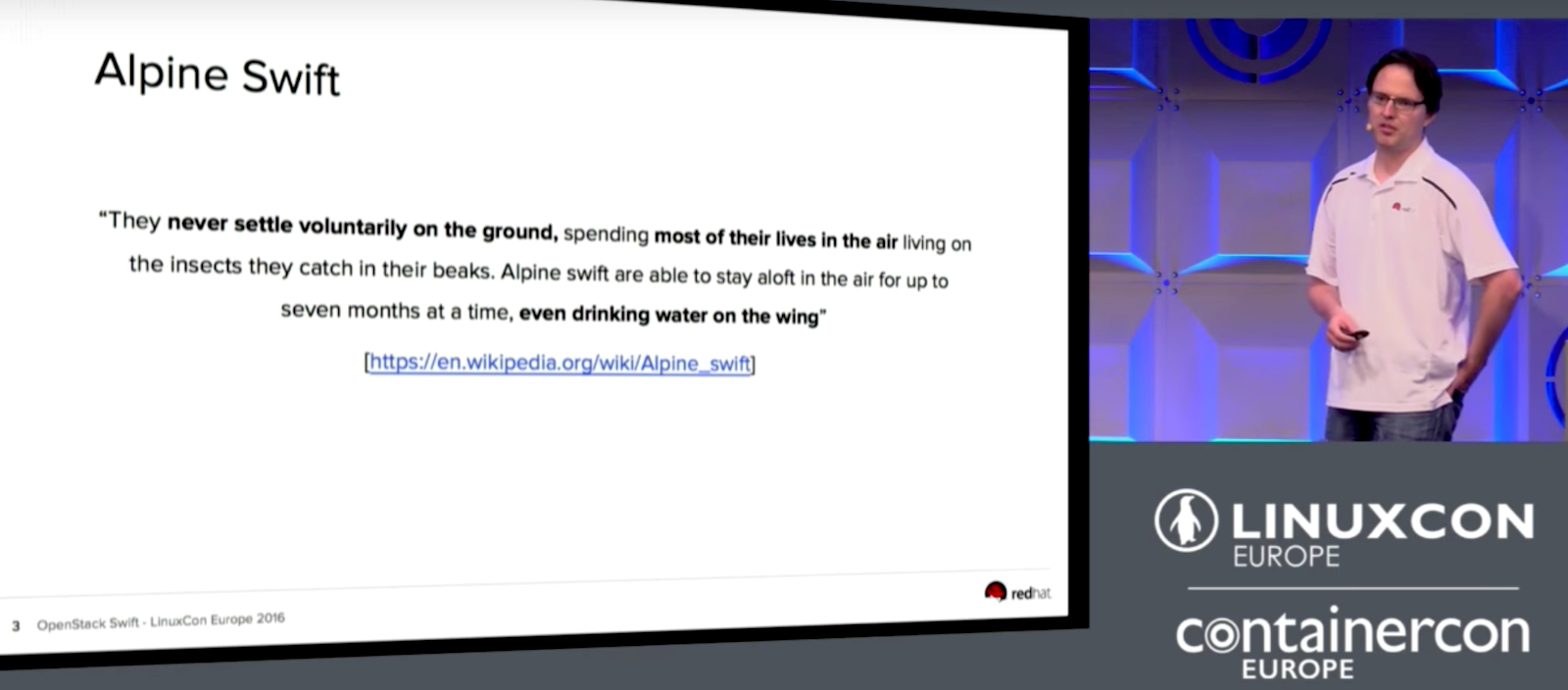
The goal of OpenStack Swift is modeled after Alpine swift birds that can stay in the air for months at a time without coming down. These birds even eat and drink while flying. Not unlike the birds, OpenStack Swift is designed for maximum uptime to be able to serve data to your users all the time without stopping, even if parts of your cluster are down. With Swift, you should still be able to store new data and even to upgrade your cluster in production without downtime. 

In his LinuxCon Europe talk, Christian Schwede from Red Hat talked about how Swift is deployed at large enterprise companies with many of these deployments operating on a scale of multiple petabytes. The biggest one is at Rackspace, the original founders of the project, where they are running more than a 100 petabyte system with the second biggest one at OVH, a French hosting provider.

Swift’s highly available, durable, and scalable object storage provides the ability to retrieve existing data and store new data even when part of your cluster fails by replicating your data across a variety of servers, zones, and regions to help you distribute your data to different disks, servers, power supplies, buildings, data centers, and geographical areas. There are also several checks in place to help make sure that the data is properly stored and hasn’t disappeared or degraded over time. Schwede mentioned that one method is via the checksum that was computed by Swift and stored along with your object. If one object isn’t valid, it can return a replica so that only a good object is returned. When it finds a bad copy, Swift provides the ability to replace it with a valid replicated object.

While Swift provides the tools to manage your data replication, you still need an operator to help Swift decide where to store your data and when to create new copies. Schwede provided this example: if a storage node goes missing, Swift doesn’t know if this is routine maintenance where the node will re-appear in a few minutes or a disaster that caused total loss of the node. However, Swift still keeps everything balanced and running as smoothly as possible until it has instructions for how to handle the issue.

Schwede went on to talk about the Swift proxy server, which is the gateway to your cluster and how your users access it. The proxy server has built-in middleware for things like container sync, bulk operations, authentication, large objects, and more. However, if there are any missing features, you can also write your own. The last part of Schwede’s talk includes a demo of how to get started using Swift along with a few dos and don’ts for using it.

Watch the full video of this talk for more details and the demo!

Interested in speaking at Open Source Summit North America on September 11 – 13? Submit your proposal by May 6, 2017. Submit now>>
Not interested in speaking but want to attend? Linux.com readers can register now with the discount code, LINUXRD5, for 5% off the all-access attendee registration price. Register now to save over $300!

OpenStack Swift by Christian Schwede, Red Hat

In his LinuxCon Europe talk, Christian Schwede from Red Hat talked about how Swift is deployed at large enterprise companies with many of these deployments operating on a scale of multiple petabytes.

Mobile Edge Computing Creates ‘Tiny Data Centers’ at the Edge

One key element of 5G is likely to be Mobile Edge Computing (MEC), an emerging standard that extends virtualized infrastructure into the radio access network (RAN). ETSI has created a separate working group for it — the ETSI MEC ISG — with about 80 companies involved. 

“MEC uses a lot of NFV infrastructure to create a small cloud at the edge,” says Saguna CEO Lior Fite. Saguna has created its own product, the Open-RAN MEC and is involved with ETSI MEC ISG. Fite says the ETSI group is creating a set of APIs to define “a tiny data center at the edge.”

Saguna’s own MEC technology comprises two main components. The first is a multi-access compute element, and the second is a management element.

Read more at SDx Central

Google Infrastructure Security Design Overview

This document gives an overview of how security is designed into Google’s technical infrastructure. This global scale infrastructure is designed to provide security through the entire information processing lifecycle at Google. This infrastructure provides secure deployment of services, secure storage of data with end user privacy safeguards, secure communications between services, secure and private communication with customers over the internet, and safe operation by administrators.

Google uses this infrastructure to build its internet services, including both consumer services such as Search, Gmail, and Photos, and enterprise services such as G Suite and Google Cloud Platform.

Read more at Google Cloud Platform