Last year, Fujitsu launched its first open source project, Open Service Catalog Manager (OSCM), for service providers, IT departments and end users to manage and track the cost of provisioning cloud-native applications.
It is, essentially, a platform to manage cloud services and build marketplaces where all of the major cloud service providers from VMware to AWS to Google Compute can list and manage their offerings. IT managers can then shop for and provision cloud services, as well as track and monitor their organizations’ cloud use and purchasing.
A CIO, for example, can see an overview of the services a company consumes, who authorized them, do SLA comparisons, and create other reports.
It also offers a registry of technical services for service providers such as AWS, VMware, Salesforce, and Office 365, that provides everything a service needs to provision an instance.
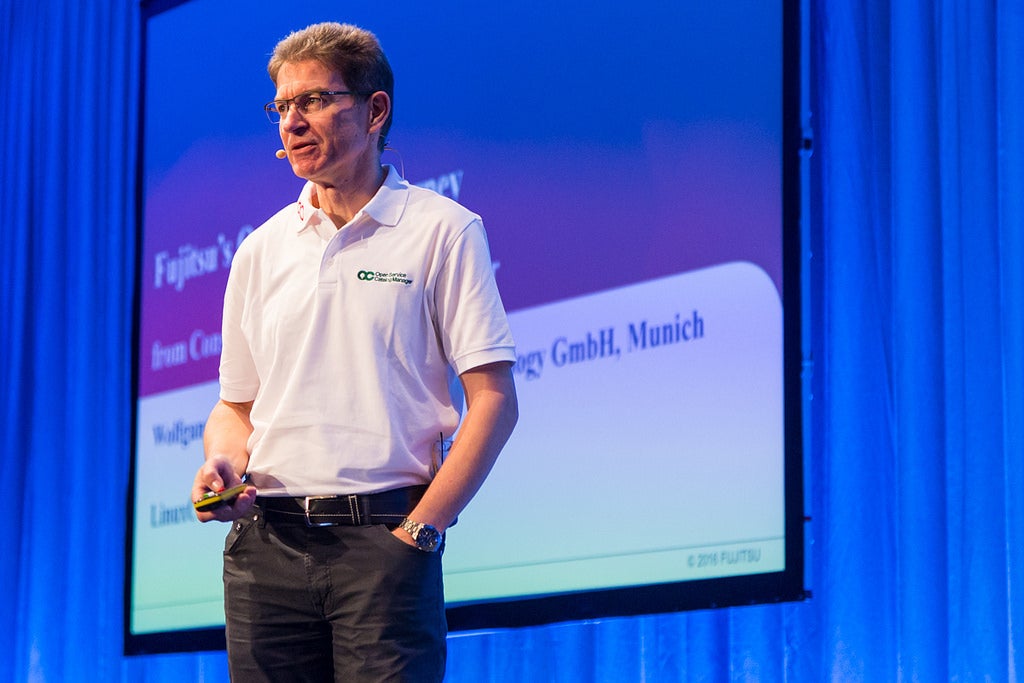
The goal is to make subscribing to cloud resources – regardless of the vendor or service type – “as easy as buying a videocam from an Internet shop,” said Uwe Specht, senior manager at Fujitsu, in his talk at LinuxCon Europe last week.
Companies are desperate for such a software solution as they increasingly turn to public and hybrid cloud services to deliver products and services.
Fujitsu believes that by open sourcing its software, it can lay the foundation for an industry-wide, vendor-neutral platform for provisioning cloud services.
“As far as we know there is no other open source project that is really for a multi-service catalog,” Wolfgang Ries, CMO of Fujitsu EST, said in the session. “This was built as a single-pane-of-glass, self-service catalog for any type of IT service in your organization.”
OSCM is similar in function to Murano, OpenStack’s open source application catalog, but with a broader scope because it integrates with all service offerings and isn’t limited to IaaS, Ries said.
Ries also raised the possibility of using OSCM as a front end for Cloud Foundry’s Service Broker API. Fujitsu, a platinum sponsor of CNCF and a silver sponsor of Cloud Foundry, has been involved in the Cloud Foundry Service Broker API working group and aims to allow OSCM to leverage the Cloud Foundry Service Broker API.
OSCM has been seven years in the making at Fujitsu, and has seen several iterations before the company released it as open source in 2015. The version they released represents the solution that best meets its customers’ needs for a provisioning catalog system, Specht said. Fujitsu can bring this history and knowledge to the open source community to create a foundational technology for provisioning across cloud providers.
But first, they must build the project’s community. In the past year OSCM has gained 20 contributors on GitHub – largely comprising Fujitsu developers – has processed 1,400 pulls, and has amassed 200 users in the Docker registry where users can download a container with a basic OSCM installation. They are actively recruiting more contributors to help grow the project.
For more information on the project and to contribute visit: http://openservicecatalogmanager.org/ui/
The Apache HTTP server is a mighty beast that powers the majority of websites. It has evolved into a complex server that slices, dices, dances, and sings. It powers vast hosting centers, and it is also splendid for running small personal sites.
The trick with Apache is knowing which configurations you need as it has plenty to choose from. We’ll start with setting up a single site, and then in part 2 set up SSL, which is vitally important, and we’ll learn a bit about the .htaccess file. Yes, .htaccess, that wonderful file that allows us to make per-directory configurations, but which uses such a contorted syntax it reduces the most stoic server admin to tears and whimpers. The good news is you never need to use .htaccess if you have access to your Apache configuration files. But when you don’t, for example on shared hosting, you need .htaccess.
In this series we’ll tackle Debian/Ubuntu/Mint and Fedora/CentOS/Red Hat separately, because the various Linux families are all special flowers that feel they must organize the Apache configuration files in their own unique ways.
On Debian/etc. install Apache with this command:
$ sudo apt-get install apache2
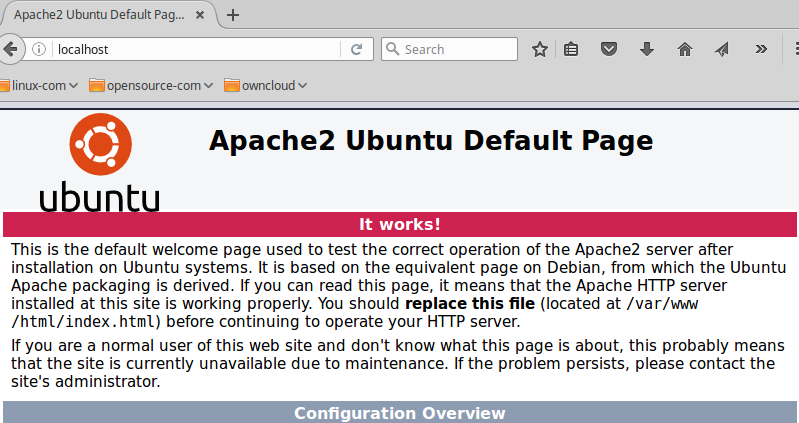
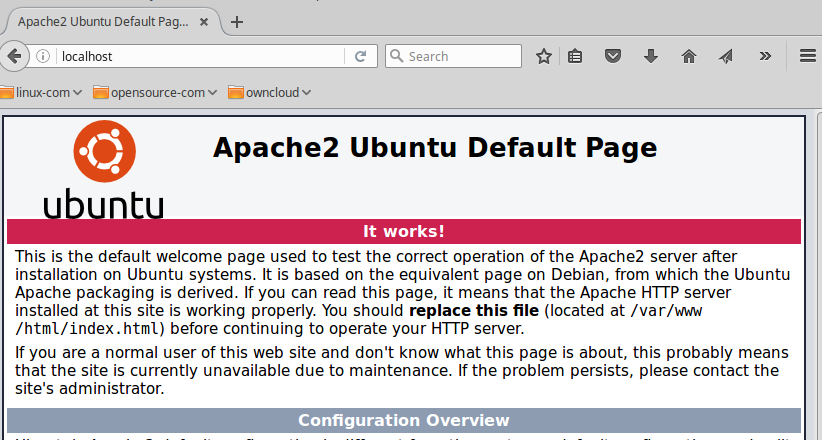
This installs Apache, utilities, configuration files, and other items you can see with apt-cache show apache2. Debian/Ubuntu start Apache automatically after installation. Point your web browser to http://localhost to verify that it’s running; you should see the default index page (Figure 1).
Figure 1: Apache2 Ubuntu default page.
When you see this you’re ready to put it to work.
Where is Everything
Configuring Apache appears complex at first, but when you study the configuration files you see a nice modular scheme that makes it easy to manage your configurations. The configuration files are in /etc/apache2. Spend some time studying your configuration file structure and reading the default configuration files. You should have these files and directories:
The main server configuration file is /etc/apache2/apache2.conf. You won’t spend much time editing this file as it ships with a complete configuration, and it calls other configuration files for the bits you need to customize. Look in here to see the location of server configuration files, your HTTP user and group, included files, log file locations, and other global server configurations.
conf-available contains additional server configurations. Keep any additional global configurations in this directory, rather than adding them to apache2.conf.
mods-available contains configurations for all installed modules.
sites-available contains configurations for your virtual hosts. Even if you’re running only a single site you will set it up in a virtual host configuration.
None of the configurations in these directories are active until they are symlinked to their respective *-enabled directories. You must use Apache commands to set up new sites correctly, which we will get to in the next section.
envvars contains Apache’s environment variables.
magic has file MIME types, so that Apache can quickly determine the file type from its first few bytes.
ports configures the TCP ports that Apache listens to.
Single Site
The installation comes with a default site that is configured in sites-available/000.default.conf. You could modify and use this, but it’s better to leave it alone because it’s a useful testing tool. Let’s be like real nerds and make our new site from scratch. First create its document root (which in this example is test.com), enter the new directory, then create and test your sample index page:
Feel free to copy this for your new test page. It must be named index.html and go in your document root:
<head>
<title>Test.com index page</title>
</head>
<h1>Hello, welcome to test.com! It works!</h1>
<h2>That is all I have to say. If you don't see this then it doesn't work.</h2>
</body>
</html>
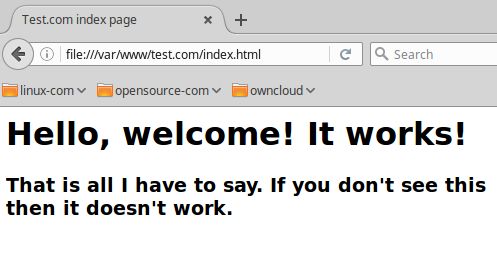
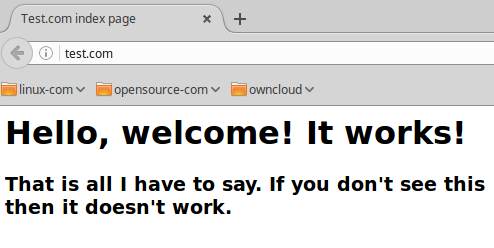
Test your new index page by opening it in a web browser (Figure 2), which in this example is file:///var/www/test.com/index.html.
Figure 2: Test page.
So far so good! Now create the virtual hosts file so that Apache can serve it up. All virtual hosts files must have the .conf extension, because this is how they are defined in apache2.conf.
$ cd /etc/apache2/sites-available/
$ sudo nano test.com.conf
Copy this example configuration, substituting your own email address:
Apache calls this name-based virtual hosting, which allows you to serve multiple virtual hosts on a single IP address. IP-based hosting requires that each virtual host have its own IP address. Now you must activate the new configuration with a2ensite:
$ sudo a2ensite test.com.conf
Enabling site test.com.
To activate the new configuration, you need to run:
  service apache2 reload
Restart Apache, then point your web browser to http://test.com (Figure 3).
Figure 3: Test page live.
Hurrah, it works! At this point you can go super-nerd and set up DNS for your test domain. Or you could do it the easy way with entries in your /etc/hosts file:
127.0.1.2       test.com
127.0.1.3       www.test.com
These are localhost addresses, so your sites are not accessible outside of your PC. For more LAN testing you could use the /etc/hosts file on multiple computers in the same subnet, and enter the LAN IP address of your Apache server instead of a localhost address. Another option is to use Dnsmasq; creating a LAN server is easy with Dnsmasq, so check out Dnsmasq For Easy LAN Name Services to learn how.
If you want a publicly-accessible web server over the big bad Internets, then you have a whole lot more work to do with registering domain names, setting up proper DNS, and building a good firewall. Do please study this intensively, and be careful!
Setting up More Sites
Want to set up more sites? Just repeat these steps, creating different document roots and domains.
The fine Apache documentation is exhaustively thorough, and it makes more sense when you have a live server running, and have some idea of how things work. Come back for part 2 to learn about the vitally-important SSL configuration, and how to bend .htaccess to your will.
I’ve been looking for an open source self-hosted monitoring solution that can provide metrics storage, visualization and alerting for physical servers, virtual machines, containers and services that are running inside containers. After trying out Elastic Beats, Graphite and Prometheus I’ve settled-on Prometheus. The main reason for choosing Prometheus was the support for multi-dimensional metrics and the query language that’s easy to grasp. The fact that you can use the same language for graphing and alerting makes the monitoring task a whole lot easier. Prometheus handles blackbox probing as well as whitebox metrics meaning you can probe your infrastructure and also monitor the internal state of your applications.
LINUX FOUNDER Linus Torvalds has said that ARM is unlikely to dislodge Intel from heavyweight computing as Intel’s ‘infrastructure’ is more unified and open.
Torvalds made the comments in a Q&A with David Rusling, chief technology officer at ARM tools vendor Linaro, in response to a question about his “favourite architecture”.
“It’s because of the infrastructure. It’s there and it’s open in a way that no other architecture is. The instruction set and the core of the CPU is not very important,” said Torvalds.
We have a new series launching this week called Trust Disrupted: Bitcoin and the Blockchain. The six-episode series examines the rise of Bitcoin and the tech that allows it to operate.
The first episode will answer all your questions about the Bitcoin platform and how it works. Why did futurists want to create a totally digital currency? How would it work? What will the effects of Bitcoin and the blockchain have on the future of our economy?
Software architecture needs to be documented. There are plenty of fancy templates, notations, and tools for this. But I’ve come to prefer PowerPoint with no backing template. I’m talking good old white-background slides. These are way easier to create than actual text documents. There are no messy worries over complete sentences. Freedom from grammatical tyranny! For a technical audience, concision and lack of boilerplate is a good thing. A nice mix of text, tables and diagrams gets the point across just fine. As a plus, this is naturally presentable — you don’t need a separate deck to describe your architecture when the deck is the reference document to begin with. As the architecture evolves, the slides evolve.
I’ve done a couple of architecture-level projects in the last two years, one of which got built and delivered as a SaaS platform that I’m discussing here. The first thing I captured were three- to five-year business goals. These were covered in an earlier post. The next section in the deck are the architectural principles.
There is much talk in the Linux world about the mythical “average user.” There is no such thing with Linux. First off, people who use Linux usually are those who know a thing or two about computers to begin with and want to take advantage of all the choices Linux offers. Linux has been considered the place for nerds, hackers and programmers for years. These folks are NOT typical at all. Secondly, it is unfortunate but true that most advanced Linux users are completely out of touch with what an average user really is.
The vast majority Windows and Mac users are those who have learned just enough to get done what they need to get done. They’re clueless about how the machines they use everyday get those tasks accomplished and the idea of popping open a bash terminal to work with configuration files or fix problems is way out of their comfort zones. This does not mean that Linux can’t offer them a safe and friendly environment to work in, far from it. Linux offers a wide variety of Graphical User Interfaces (GUIs) that make working with a Linux box a point and click affair.
A top AT&T executive said the company will launch its Enhanced Control, Orchestration, Management, and Policy (ECOMP) platform into open source by the first quarter of 2017. And the Linux Foundation will be the host of the open source project.
Jim Zemlin, executive director of the Linux Foundation, said in the post that ECOMP “is the most comprehensive and complete architecture for VNF/SDNautomation we have seen.”
The software industry accepted that it could still provide commercially supported services to open source software (and therefore monetize it) and so the golden age of open source arrived somewhere around the start of the new millennium. So was it all happily ever after at that point? Ah hem, well no, not quite.
Three of today’s top five most popular database management systems are open source: MySQL, PostgreSQL and MongoDB… but there is still an open source security education process that we need to go through. This is the opinion of Mike Pittenger in his role as VP of security strategy at Black Duck, an open source security management specialist.
Pittenger says that yes, 2017 will be the year of the open source unicorn. But despite this, the number of cyber attacks based on known open source vulnerabilities could increase by as much as 20% in real terms.
The Internet of Everything, a fully networked and analyzed society, seeks to enhance the quality of life of all people and drive new technologies, products, services, and markets. But where are developments headed, and what are the driving factors, fields of application, and challenges?
To begin, two concepts need to be distinguished: The Internet of Things (IoT) and the Internet of Everything (IoE). You might think that these two expressions describe the same thing: well, yes, but with tiny differences.
IoT describes networking of everyday things that are not yet online (dark assets, e.g., domestic electrical appliances, traffic lights, online classrooms, and fully networked industrial production, in which goods are no longer stockpiled but are automatically delivered and dropped off the production line to reflect the customer’s wishes).