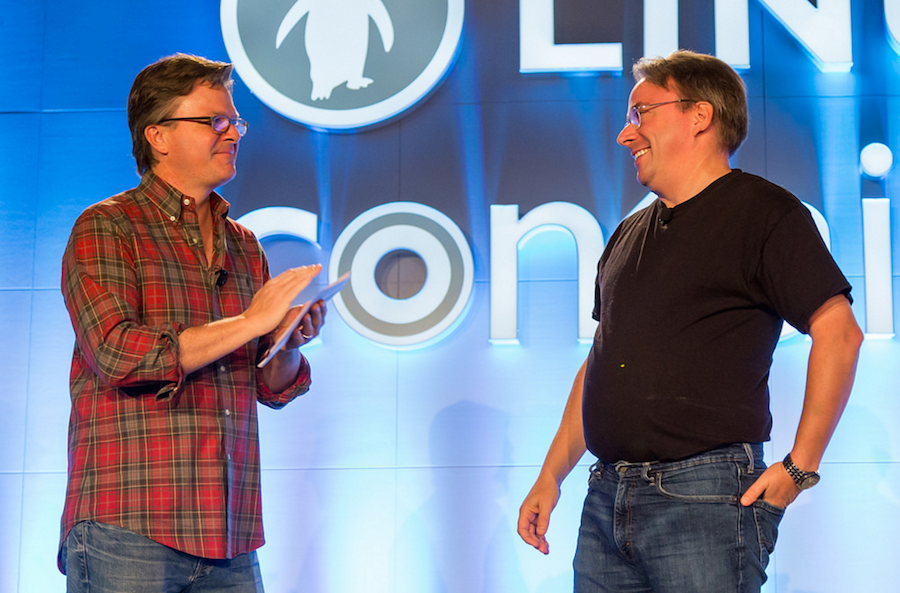
TORONTO — Marc Merlin has been working as an engineer at Google since 2002 and has seen (and done) a lot of open source and Linux work during that time. Speaking at the LinuxCon North America event this week, Merlin provided a standing room only audience with an overview how Google uses and contributes to open source.
“Google wouldn’t be around today without open source software,” Merlin said.
Merlin noted that in its early days Google had limited resources to contribute back to open source. Additionally the first generation of Google’s software was all written to be for internal-use and wasn’t originally designed to be open source. He added that it’s not easy to open source software, after the fact.
Here’s a burning question for the tech universe: Could Microsoft, which built its Windows cash cow on proprietary or closed-source software, reverse course and open-source Windows itself? Maybe not, although the very notion would have been unthinkable not too long ago. But it is now on the table considering all the things Microsoft MSFT0.72% has done over the past few years to embrace the open-source community.
The hunt for gaming performance on Linux is a constant and ever-changing challenge. The market for discrete graphics cards has become dominated by the two graphics giants: Nvidia and Advanced Micro Devices (AMD).
This has meant the decision boils down to one simple question: Which company’s graphics card do I buy? But once you delve deeper into the details this question becomes quite a complex one.
The answer will change depending on your price/performance preferance; your operating system; other components in your computer; and at times even where you live.
As Agile software development and DevOps adoption in the enterprise continues to grow, more vendors are jumping into the ring with new platforms.
There has been a flurry of activity in the Agile and DevOpsworld of late, with vendors providing new software, services and support for developers.
DevOps emphasizes cooperation between developers and IT operations. The goal of DevOps is to change and improve the relationship between software developers and operations by advocating better communication and collaboration between the two business units.
Automate security checks and constraints is a basic security principle in computer security. A sysadmin can force users to select secure passwords to prevent users with accounts on your Linux servers from using weak passwords like “password”, “abc123”, “username” and so on.
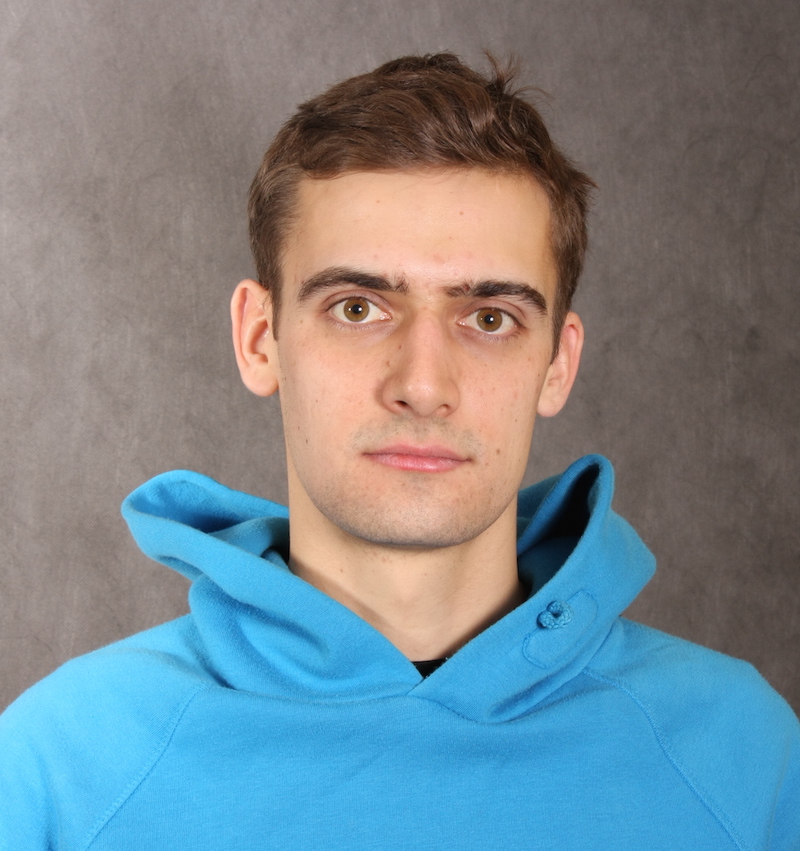
Alexander Popov is a Linux system administrator and Linux kernel contributor whose dream is to become a full-time kernel developer. He was one of 14 IT professionals to receive a 2016 Linux Foundation Training (LiFT) scholarship, announced last week.
Alexander Popov, LiFT scholarship recipient
Since 2012, Alex has had 14 patches accepted into the mainline Linux kernel. With his employer, Positive Technologies, he has helped develop a bare metal hypervisor that they hope to open source soon. And this year he spoke at LinuxCon Japan about his work porting Kernel Address Sanitizer (KASan) to his company’s bare-metal hypervisor.
He is using the free training and certification provided by the LiFT scholarship to take the Linux Kernel Internals and Development (LFD420) course from The Linux Foundation.
Linux.com: What is your dream job and why?
Alexander Popov: I would like to become an excellent system software developer and develop the Linux kernel full time.
There are 5 reasons behind my goal:
1. I feel happy when I’m programming;
2. I like system software development and being able to concentrate on details;
3. I don’t like proprietary technologies and really praise the idea of free
software;
4. I want to collaborate with the world’s best professionals;
5. Developing the Linux Kernel fits all the aforementioned aspects perfectly.
Linux.com: How do you plan to use your LiFT scholarship?
Alex: I’m going to attend Linux Kernel Internals and Development (LFD420). The course outline inspires me a lot. This course provides “a detailed look at the theory and philosophy behind the Linux kernel” which will convert my fragmentary knowledge and skills into a whole picture. That will be a great step forward for me.
Linux.com: How did you learn Linux?
Alex: Just before writing the diploma at university I fell in love with Linux and at March 2010
I became a system administrator to have more experience with open source software.
I worked as a system administrator for two years. My duties were:
Deployment and administration of network infrastructures based on free software
24×7 system administration of high-loaded production Linux servers.
Linux.com: How did you get involved in the Linux kernel community?
Alex: I decided to go deeper into Linux internals and since May 2012 I work as a system software developer.
Currently, 14 of my patches are applied to the Linux Kernel mainline. You can see my most important commits on kernel.org or from my open source developer profile on Open Hub.
Linux.com: What are you doing now?
Alex: Now I work as a system software developer at Positive Technologies. We develop a bare-metal hypervisor and plan to publish it as open source. I’ve ported Kernel Address Sanitizer (KASan) to our hypervisor and shared my experience with the community at LinuxCon Japan 2016. (See his presentation slides.)
Linux.com: Why did you apply for the LiFT Scholarship?
Alex: I’m an Individual Supporter of The Linux Foundation since 2014. I’ve contributed to the Linux Kernel since 2013, and I can be more effective. LiFT is a great chance to upgrade my Linux Kernel development skills and become a more valuable contributor.
How open-source software and cloud computing have set up the IT industry for a once-in-a-generation battle.
AS BOSSES go, Linus Torvalds and Andy Jassy couldn’t be more different. Mr Torvalds works, often in his bathrobe, out of his home in Portland, Oregon. He leads an army of volunteer developers whose software can be had for nothing. The office of Mr Jassy, who usually sports business casual, is in a tower in Seattle. His employees operate dozens of huge data centres around the world and work to create new online services that his firm can charge for.
Yet their organisations share an anniversary and an intertwined history. On August 25th 1991 Mr Torvalds asked other developers to comment on a computer operating system he had written, which became known as Linux. It has since become the world’s most-used piece of software of this type. On the same day in 2006 Mr Jassy’s team made available a beta version of “Elastic Compute Cloud” (EC2), the central offering of Amazon Web Services (AWS), the cloud-computing arm of Amazon, an e-commerce giant. Over the past 12 months the division racked up sales of $11 billion.
I have to confess, KDE has never succeeded in winning me over. During its 3.x days, I found it too much like Windows. When it finally shifted to the next iteration (4.x, aka Plasma), I thought the new additions were interesting, but, as a whole, the platform suffered from serious stability issues. I also gave 5 a try a few times and found it buggy and slow.
KaOS arrived on the scene in 2013 and has, for the most part, existed under the radar. However, their latest release promised to deliver a version of KDE that would strip it of all the issues that plagued the big “K,” so I thought it was finally time to give it a look. This relatively new take on Linux is a rolling release distribution, focused on delivering a lightweight operating system with a decidedly KDE flavor.
KaOS takes a very distinct approach to the platform. In a word, that approach is “focus.” KaOS is completely dedicated to KDE, and they will never alter from that course (even when they mention the idea of venturing away from the Linux kernel in lieu of the Illumos kernel).
With my interest piqued, I decided to spin up a virtual machine to see if KaOS was a worthy contender for my time. I was quite surprised with what I saw. KaOS is very good. In fact, I’d go so far to say the bits and pieces that come together for KaOS, make it the single best KDE-based distribution I have ever used. Strong words, I know. Does KaOS have what it takes to back them up? Let’s take a look at what makes KaOS so special.
The look
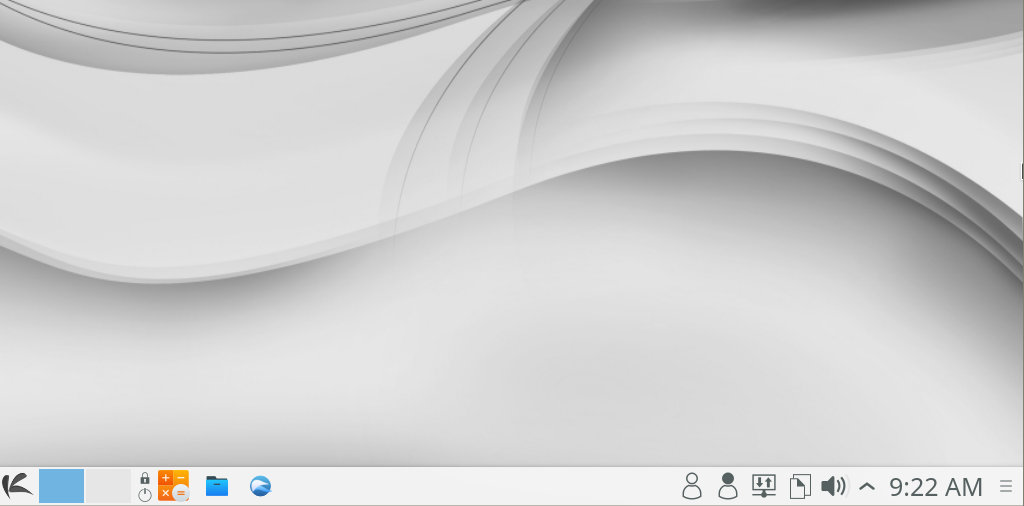
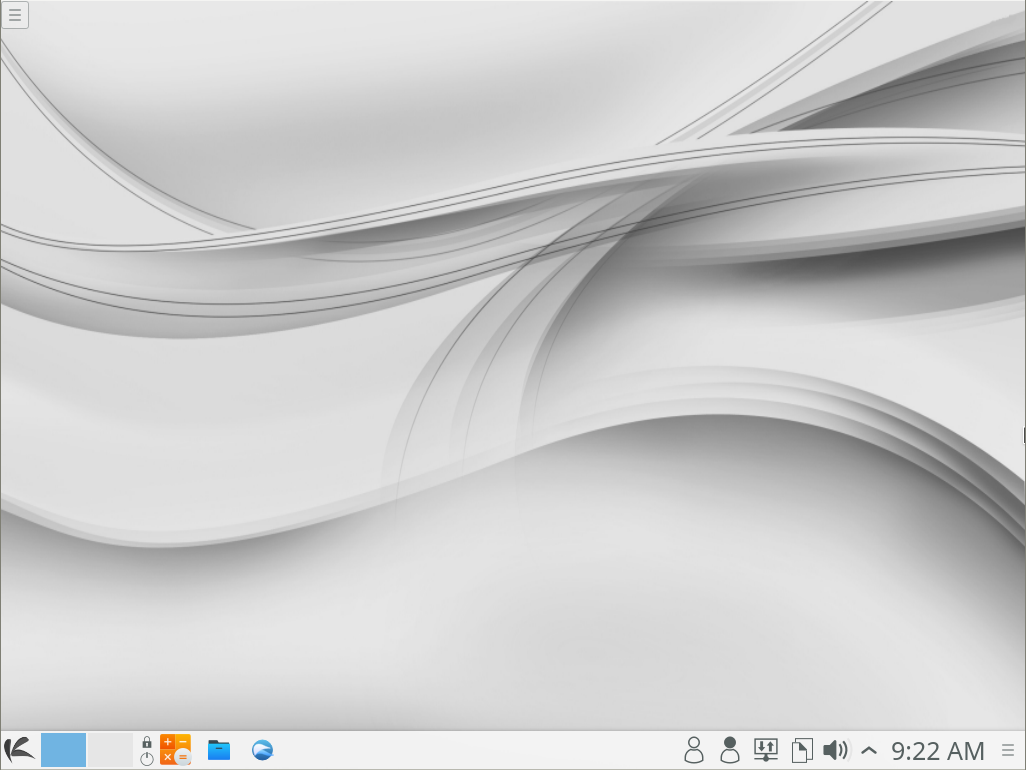
The whole standard metaphor of panel, start button, system tray has never really appealed to me. But when KaOS displayed the KDE 5 desktop (Figure 1), I was stunned. The default desktop is masterfully designed for elegance and simplicity.
Figure 1: The default KaOS desktop, sans any tweaking.
One of the issues I’d always had with KDE is that the developers/designers were too heavy-handed with the effects. In the end, what they delivered was a less-than-stable interface that looked a bit toy-ish. KaOS has taken KDE 5 and created a stunning interface that feels as solid as it looks. The look of the desktop holds true to form, from top to bottom; every single application you open adheres to the default theme, so you never experience a disjointed moment.
The speed
KDE has always been doggedly slow, especially when comparing it to the likes of Xfce, the Elementary OS desktop, or even GNOME. KaOS has done something remarkable with KDE—they made it as snappy as any other desktop. I’d grown accustomed to KDE lagging in the area of speed on just about every level; apps always seemed to be slow to open and the simple tasks of minimizing or resizing windows never failed to not impress me.
Until KaOS. Even running this desktop distribution as a virtual machine was as fast as the host OS (Elementary OS running on a System76 Leopard Extreme). Apps launched quickly and moved about/resize without issue. How did they accomplish this? Every package in every repository is built by and for KaOS. Three years ago, they managed to achieve 1500 hand-built packages for the distribution, and all of that hard work has certainly paid off. You won’t find a single app on KaOS that disappoints.
Speaking of which…
The software
Beyond the beauty and performance, one thing that really took me by surprise was the included software. I was expecting to see the usual suspects installed:
Firefox
LibreOffice
Gimp
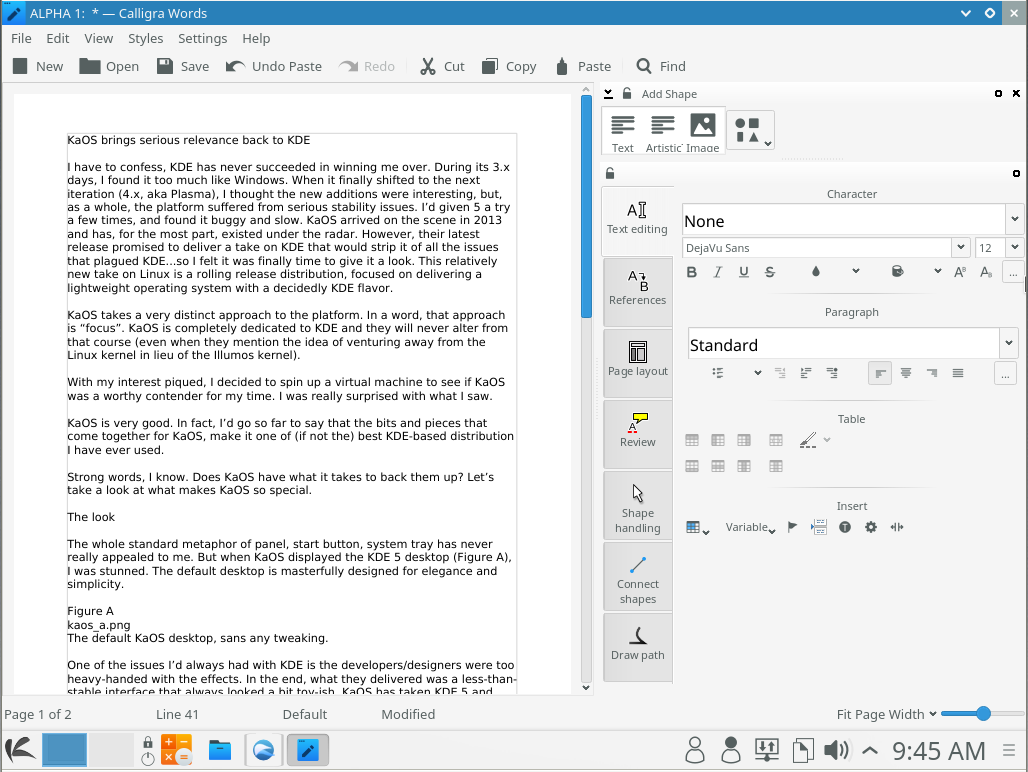
You know the list. What I found, however, was as list of software you don’t always see. You’d probably be expecting the likes of KOffice on a KDE-driving desktop. Instead, KaOS went with the impressive Calligra suite (Figure 2). Calligra is a spin-off of KOffice that focuses primarily on the OpenDocument format as it’s default file format. Calligra contains just about everything you need (from notes, flowcharts, text, spreadsheets, presentations, database, project management, drawing, and more).
Figure 2: Calligra Words in action.
You will also find the following KaOS-built software among the list:
Qt Designer
Krita
QupZilla
Seafile
Dolphin
K3B
Kate
SUSE Studio Imagewriter
The only glaring hole in KaOS’s list of software would be an email client. For that, you’ll have to turn to the KaOS package manager. Again, speaking of which…
Package management
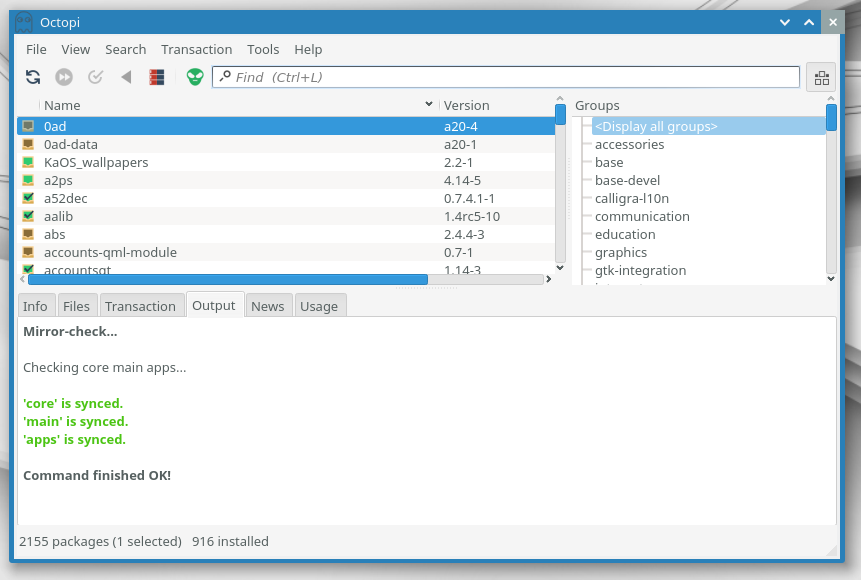
Because KaOS is a rolling release, the developers turned to pacman/makepkg for package management. The installation of applications is as simple as going to the KaOS desktop menu and clicking System > Add/Remove Software. The front end chosen for pacman is Octopi. This gui tool (Figure 3) is reminiscent of Synaptic, in both design and usage.
Figure 3: Installing software with the help of Octopi.
Say you want to install Thunderbird. Enter thunderbird in the search box, locate the package you want to install, right-click the listing, select Install, click the green Commit button, and then approve the installation by clicking Yes. Because every package has been built by the KaOS developers, you can trust what you’ve just installed will not only run smoothly, but the look and feel will blend in perfectly with the default desktop.
As far as KaOS repositories are concerned, there are three (and only three):
Core: This contains the basic software necessary for the system to boot, communicate with the BIOS, and set basic shell options.
Main: This contains all the necessary libraries, drivers, and firmware necessary to make the desktop function.
Apps: This contains all the user-facing apps.
These three repositories work seamlessly together to keep KaOS up to date and running smoothly.
The conclusion
If you’ve been looking for a distribution to sway you back to the KDE desktop, look no further than KaOS. It’s beautiful, runs with the snap of a much lighter desktop, and feels as reliable as any other option available for Linux. I haven’t been this impressed with KDE for a very, very long time. And, I am certain users would find themselves equally happy to return to a desktop that has long needed a champion like KaOS.
This 2016 event, besides being long overdue, also marks 15 years since the creation of the FSFE. Throughout its history, the FSFE has had its fair share of landmark achievements. It has been instrumental in a successful antitrust-case against a big software corporation that intended to dominate the market of personal computers. It managed to keep software patents unenforceable in Europe, thereby avoiding a veritable apocalypse for European small and medium-sized tech companies. And, it worked alongside gpl-violations.org to get free licenses vindicated in German courts, setting ground-breaking precedents for the whole of the EU.
One of the main missions of the Free Software community in general, and the FSFE in particular, is to put users back into the driver’s seat, so that people control technology and not the other way around. This may seem like a lofty goal, but it would likely not be an exaggeration to say that the FSFE has transformed the foundations of IT in Europe and that it has had a deep impact on anybody who has used a computer, a smartphone, or a tablet in the last decade or so.
Additionally, the Summit will be held alongside QtCon, KDE’s aKademy, VLC’s yearly conference, and KDAB’s 2016 meetup, which means if you are into hardcore technical development stuff, there’s something for you, too. So, if you’re in Berlin in early September, drop by the Berlin Congress Center for some Free Software goodness.