An estimated 80 percent of Android phones contain a recently discovered vulnerability that allows attackers to terminate connections and, if the connections aren’t encrypted, inject malicious code or content into the parties’ communications, researchers from mobile security firm Lookout said Monday.
As Ars reported last Wednesday, the flaw first appeared in version 3.6 of the Linux operating system kernel, which was introduced in 2012. In a blog post published Monday, Lookout researchers said that the Linux flaw appears to have been introduced into Android version 4.4 (aka KitKat) and remains present in all future versions, including the latest developer preview of Android Nougat. That tally is based on the Android install base as reported by statistics provider Statista, and it would mean that about 1.4 billion Android devices, or about 80 percent of users, are vulnerable.
Abstract: We introduce Flip Feng Shui (FFS), a new exploitation vector which allows an attacker to induce bit flips over arbitrary physical memory in a fully controlled way. FFS relies on hardware bugs to induce bit flips over memory and on the ability to surgically control the physical memory layout to corrupt attacker-targeted data anywhere in the software stack. We show FFS is possible today with very few constraints on the target data, by implementing an instance using the Rowhammer bugand memory deduplication (an OS feature widely deployed in production). Memory deduplication allows an attacker to reverse-map any physical page into a virtual page she owns as long as the page’s contents are known. Rowhammer, in turn, allows an attacker to flip bits in controlled (initially unknown) locations in the target page.
The load balancing news comes as part of AWS’s move to make it easer for its customers to use containers. To do that, it’s in the process of integrating capabilities of its Amazon’s Elastic Compute Cloud (EC2) platform into its ECS — Amazon’s system that allows customers to run containerized applications.
As of last week, ECS now supports an application load balancer that operates at the application layer and allows users to define content-based routing rules. The new application load balancer includes two features to simplify running microservices on ECS: dynamic ports and the ability for multiple services to share a single load balancer.
Going to security conferences always stimulates my imagination. It makes me think outside of the box and remove the cruff that develops when I sit inside my lab too long—staring at vCenter monitors, 10 open bash sessions, security consoles, and emails from colleagues swallowing Xanax.
If advanced persistent threats (APTs), certificate authorities (CAs) with IQs of 77, vendor patches bordering on oxymoronic, and hyper-aggressive agile development weren’t enough, I’ll summarize what I believe are your next 10 security pain points.
1. Container Technology: Containers are too fun, too cool and too efficient. Yes, there are at least a dozen ways to use container quality parsers, draconian swarm rules, sophisticated communications buses and ever-smarter container monitoring.
We’ve been discussing the many things that could be killing your network’s performance – often quietly and without your knowledge. Last time, we covered the value of using the right tools to get network management data that you need. Let’s continue with a discussion of syslog, debug, managing voice and video traffic, and more.
I encounter a lot of sites that ignore syslog. Yes, there’s a large noise-to-signal ratio there. There are free tools that summarize the syslog data, and there are golden needles in the haystack as well. A tool like Splunk or syslog-NG (free in most Linux distributions) can help you send alerts based on the items of interest. Splunk can also give you frequency count based reports to separate out repeated happenings that might be of concern from one-time blips that aren’t worth investigating.
The one big syslog item that comes immediately to mind is Spanning Tree topology changes, which indicate instability. I don’t know of any other simple way to be alerted when your Spanning Tree gets unstable.
Creating or editing files is one of the most common tasks that system admins perform every day. In this tutorial we are going to show you how to create and edit files in Linux via terminal. The tutorial is beginner-friendly and it’s easy to follow.
Serverless computing is the latest trend in cloud computing brought about by the enterprise shift to containers and microservices.
Serverless computing platforms promise new capabilities that make writing scalable microservices easier and more cost effective, say IBM software engineer Diana Arroyo and research staff member Alek Slominski.
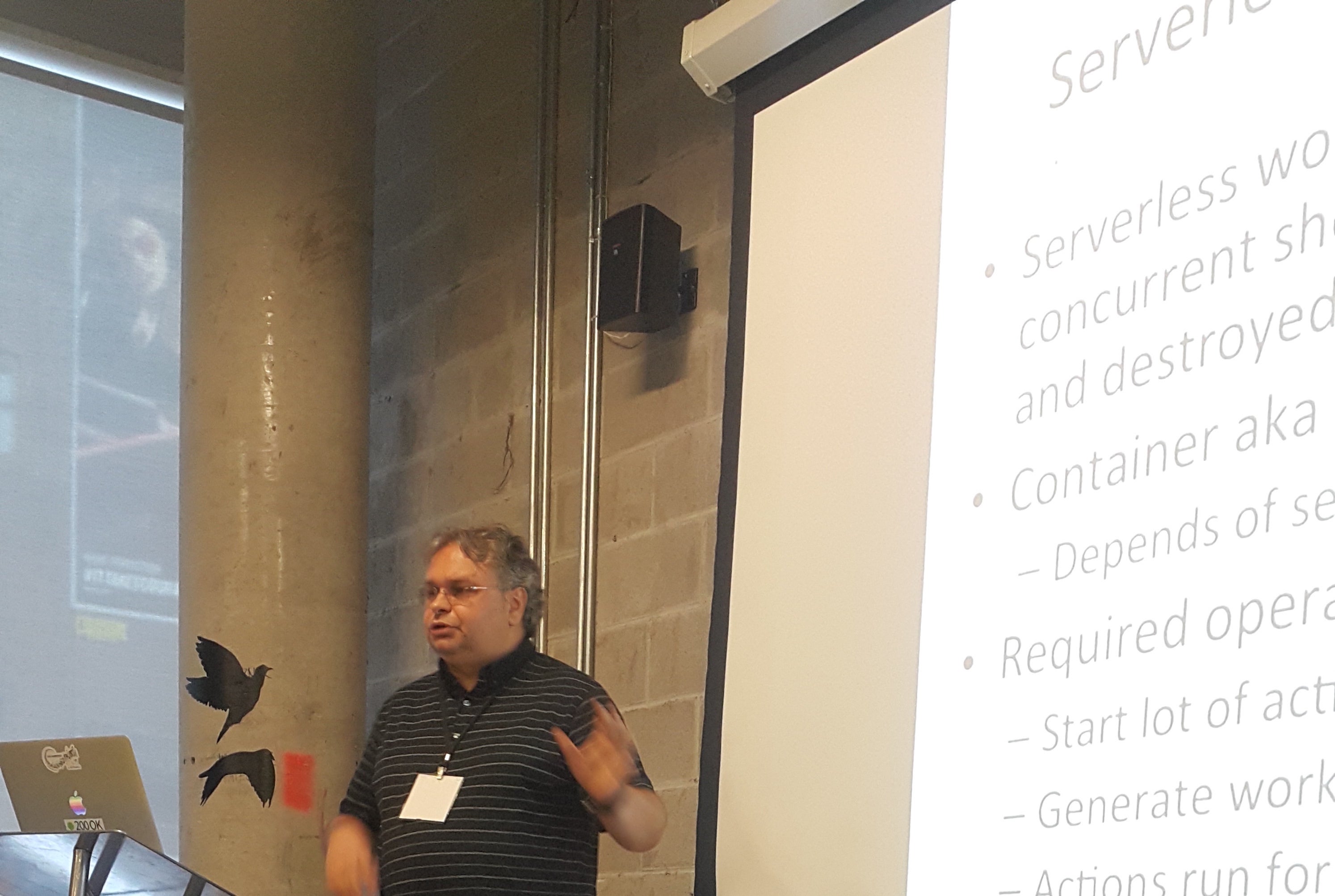
In their upcoming talk at MesosCon Europe, Arroyo and Slominski who work in IBM’s Watson Research Center, will share the lessons learned when running serverless workloads in an Apache Mesos environment to meet the performance demands of OpenWhisk, IBM’s serverless open source computing platform.
Diana Arroyo, software engineer at IBM’s T.J. Watson Research Center focuses in the field of virtualization placement and performance management in the cloud.
Here, they define serverless computing, discuss how it makes microservices easier to implement, and start to define what makes Mesos an ideal platform for serverless workloads.
Linux.com: What is serverless computing?
Diana Arroyo & Alek Slominski: The most basic level serverless computing is about running a piece of code (a function, event handler, actions, etc.) on-demand without having to manage what is executed on what server or how to do scaling. In our work we focused on essential characteristics of serverless workloads: running in a Mesos cluster thousands of concurrent short-lived containers that are created and destroyed in hundreds of milliseconds (or less.)
Linux.com: How does it make microservices easier to implement?
Diana & Alek: Microservices started by focusing on creating a service that provides one well-defined functionality – it was less about making it small (as a microservice may have a lot of users and need to scale) but simply enough for the functionality of the microservice in a short time. From that perspective serverless computing may become an ideal choice to implement microservices: there’s no longer a need to worry about managing servers for microservices!
Linux.com: In what circumstances does it make the most sense to use a serverless architecture?
Diana & Alek: Serverless computing is ideal to run pieces of code that run for a short amount of time (milliseconds to seconds). A typical example is to run an event handler as a serverless function so it can process events and we do not need to worry where the code is running or how to do scaling when there are a very large number of events to process.
Linux.com: Why is Mesos a good platform for serverless workloads?
Diana & Alek: It is very unlikely that one computing paradigm (such as serverless, containers, or VMs) will completely dominate. Much more likely is that different paradigms will need to work together and Mesos frameworks provide great abstraction that allows us to run all of them in one shared cluster. As serverless workloads contain a lot of very short-lived jobs that lead to additional efficiencies, serverless functions may be scheduled to use available capacity.
Linux.com: What is one tuning tip you have for running serverless workloads in Mesos?
Diana & Alek: For serverless workloads it is important to have Mesos offer allocations passed to the Mesos Framework as quickly as possible. We found significant gains can be achieved by modifying the default offer refuse timeout filter from the default of 5 seconds to 10 milliseconds. Filters allow a framework to short-circuit declining offers by telling the Mesos allocator to not bother sending offers based on the filter criteria. In the case of the Swarm Framework, which we used to orchestrate the serverless workloads, we reduced the timeout parameter (mesos.offerrefusetimeout) to 10 milliseconds resulting in approximately a 10x speedup.
Join the Apache Mesos community at MesosConEurope on Aug. 31 – Sept. 1! Look forward to 40+ talks from users, developers and maintainers deploying Apache Mesos including Netflix, Apple, Twitter and others. Register now.
Apache, Apache Mesos, and Mesos are either registered trademarks or trademarks of the Apache Software Foundation (ASF) in the United States and/or other countries. MesosCon is run in partnership with the ASF.
Release 2.0 of IoTivity is expected in the latter part of 2016, and this talk will preview some of the features and design updates to IoTivity that are being considered. Features under consideration will enable support for applications in the industrial, automotive, and health sectors. Additional features that enhance cloud technologies and services such as notifications and easy setup will also be discussed.
Testing applications is a critical part of software development as illustrated by the rise of continuous integration and automated testing. In his upcoming LinuxCon + ContainerCon talk — Testing Applications with Traffic Control in Containers — Alban Crequy will focus on one area of testing that is difficult to automate: poor network connectivity. He will describe a testing approach which emulates network connectivity and which integrates existing Linux kernel features into higher level tools such as Kubernetes and Weave Scope. Additionally, he will show how an application running in Kubernetes behaves in response to changing network parameters.
In this interview, Crequy, co-founder and software engineer at Kinvolk GmbH, explains some of the challenges involved in automating testing, describes how the Traffic Control approach works, and talks about potential consequences of network issues.
Linux.com: Can you give us some background on why testing is so important — particularly network testing in containers?
Alban Crequy: Testing applications is important. Some people even go as far as saying, “If it isn’t tested, it doesn’t work.” Although that may have both a degree of truth and untruth to it, the rise of continuous integration (CI) and automated testing has shown that the software industry is taking testing seriously. Network connectivity, however, is difficult to automate and, thus, hasn’t been adequately incorporated into testing scenarios.
The typical testing process has the developer as the first line of defence. Developers usually work within reliable networking conditions. The developers then submit their code to a CI system, which also runs tests under good networking conditions. Once the CI system goes green, internal testing is usually done; ship it!
Nowhere in this process were scenarios tested in which your application experienced degraded network conditions. If your internal tests don’t cover these scenarios, then it’s your users who’ll be doing the testing. This is far from an ideal situation and goes against the “test early, test often” mantra of CI; a bug will cost you more the later it’s caught.
While the development of microservice architectures and containers is replacing the monolithic approach of developing applications, the need for testing degraded networks has not disappeared. On the contrary, when an application scales over more nodes and more containers, there is more communication between containers over the network than on a monolithic application running on one server. Thus, there are many more network links that could be degraded and introduce unforeseen behaviour.
Linux.com: What are some consequences of failure to test? Are there security issues involved?
Alban: I will give three examples showing the consequences of network issues.
Let’s say you have a web shop. Your customer clicks on “buy,” it redirects to a new page but freezes because of a connection issue. The user does not get feedback on whether the javascript code will try again automatically; the user does not know whether they should refresh. That’s a bug. They might click again on “buy” and might end up buying the product twice.
Second example, you have a video stream server. The Real-Time Protocol (RTP) uses UDP packets. If some packets drop or arrive too late, it’s not a big deal; the video player will display a degraded video because of the missing packets but the stream will otherwise play just fine. Or, will it? How can the developers of a video stream server test a scenario where 3% of packets are dropped or delayed?
Finally, applications like etcd or zookeeper implement a consensus algorithm. Nodes regularly send heartbeat messages to other nodes to inform them of their existence. They should be designed to handle a node disconnecting from the network and network splits. What happens when a heartbeat message is delayed? For this kind of applications, testing different scenarios of degraded networks is critical.
I don’t know about the security issues involved. It might depend on your application. Security implications are often difficult to foresee.
Linux.com: What are the challenges of automating this testing?
Alban: It is challenging because testing techniques have to follow architectural changes. When you have one monolithic application that can just be run on a developer’s laptop, there is no need to test a degraded network between the different components. But when that application becomes distributed, the testing framework has to become distributed as well. This brings the complexity of a distributed system into the testing area. With the development of cloud native applications, naturally scalable, and microservices, we need distributed testing frameworks that can be integrated with continuous integration tools.
However, we can benefit from new container and orchestration tools. A testing framework does not have to reinvent the wheel and can benefit from being run in containers and using tools like Kubernetes in the same way as your application.
Although I think that both manual testing and automated testing are useful, automating the user interaction with a website brings its own set of challenges. Tools like Selenium can be used to script that user interaction. This helps, of course. But developers will have to write unit tests and keep them updated whenever the website changes. Another difficulty is the integration between unit tests and the traffic control configuration. It might be required if a unit test has to configure what kind of degraded network it requires.
Automating network testing is not only about high-level tooling: it can also benefit from the latest developments in the Linux kernel. For example, in the recently released Linux 4.7, it is possible to attach BPF programs on tracepoints. Each subsystem of the kernel defines a list of tracepoints, for example on system calls. This allows to run more complex code to gather statistics each time a specific system call such as sendmsg() is used. Before this new version, BPF programs could already be attached on functions with kprobes but without any ABI guarantees, so the monitoring program was tied to a specific kernel version. I am looking forward to exploring the new possibilities it exposes to monitor for testing purposes.
Linux.com: How are you approaching this problem? Briefly, what are the benefits of a tool such as Traffic Control on Linux?
Alban: The traffic control tools on Linux exist since Linux 2.2 was released in 1999. The traffic control subsystem on Linux is composed of different network schedulers and filters. They can be used to distribute the bandwidth fairly, to reserve the bandwidth to specific applications, or to avoid bufferbloat. In my case, I am using a specific network scheduler called “netem” or network emulator. The network emulator is installed on the network interface of a container. It can be configured to limit the bandwidth arbitrarily, to add latency, and to randomly drop packets to simulate a degraded network.
Those are existing features in the Linux kernel. They are made useful in the context of testing container networks by integrating them in higher-level tools such as the container orchestrator Kubernetes and the visualization and monitoring tool Weave Scope. As much as possible, it is not reinventing the wheel but reusing and integrating existing components. In my talk, I will show how this integration was done in a plugin of Weave Scope.
This approach does not require any changes in the applications being tested: they open network connections using the usual Linux API. Moreover, the traffic control configuration can be changed dynamically without restarting any applications and without breaking existing TCP connections.
Linux.com: Is there a particularly important issue that developers should be aware of? If so, what and why?
Alban: I would just suggest thinking about user feedback and how it gets impacted by a slow network. Then, just try it on your websites!
My approach has some limitations at the time of writing. For example, the traffic control plugin in Weave Scope controls the network on each container but it cannot control individual connections. But that should be enough to start with for most use cases. Let us at Kinvolk know if you have other testing needs that would benefit from traffic control. We are always interested in hearing new use cases.
LinuxCon + ContainerCon Europe
Look forward to three days and 175+ sessions of content covering the latest in containers, Linux, cloud, security, performance, virtualization, DevOps, networking, datacenter management and much more. You don’t want to miss this year’s event, which marks the 25th anniversary of Linux! Register now before tickets sell out.
Alban Crequy
Originally from France, Alban Crequy currently lives in Berlin where he is a co-founder and software engineer at Kinvolk GmbH. He is the technical project lead for rkt, a container runtime for Linux. Before falling into containers, Alban worked on various projects core to modern Linux; kernel IPC and storage, dbus performance and security, etc. His current technical interests revolve around networking, security, systemd, and containers at the lower levels of the system.
This is the third and last tutorial in our series about creating CICD pipelines with Docker containers. Part one focused on how to use Docker Hub to automatically build your application images, and part two used the online Travis-ci platform to automate the process of running those units tests.
Now that our little flask application is tested by Travis, let’s see how we can make sure a docker image is being built and pushed to the hub, instead of using the autobuild feature. Then, we will see how to deploy the latest build image automatically every time some code is added to the project.
I will assume in this tutorial that you already have a remote host set up and that you have access to it through ssh. To create the examples, I have been using a host running on Ubuntu, but it should be very easy to adapt the following to any popular Linux distribution.
Requirements
First, you will need to have the travis command-line client installed on your workstation (make sure the latest version of ruby is installed and run):
sudo gem install travis
Login with your GitHub account by running:
travis login --org
On your remote host, make sure that Docker engine and docker-compose are installed properly. Alternatively, you can also install compose locally; this will be useful if you later add services on which your applications rely (e.g., databases, reverse-proxies, load-balancer, etc.).
Also, make sure that the user you are logging in with is added to the docker group; this can be done on the remote host with:
sudo gpasswd -a ${USER} docker
This requires a logout to be effective.
Building and pushing the image with Travis
In this step, you will be modifying your existing Travis workflow in order push to the image we’ve built and tested onto the hub. To do so, Travis will need to access the hub with your account. Let’s add an encrypted version of your credentials to your .travis.yml file with:
We can now leverage the tag and push features of the Docker engine by simply adding the following lines to the script part:
- docker tag flask-demo-app:latest $DOCKER_HUB_USERNAME/flask-demo-app:production- docker push $DOCKER_HUB_USERNAME/flask-demo-app:production
This will create an image tagged “production” and ready to download from your Docker Hub account. Now, let’s move on to the deployment part.
Automatic deployment with Travis
We will use Docker compose to specify how and which image should be deployed on your remote host. Create a docker-compose.yml file at the root of your project containing the following text:
Now that you have set up docker-compose on your remote host, let’s see how you can prepare Travis to do the same automatically each time your application is builded and tested successfully.
The general idea is that you will add some build commands in the Travis instructions that will connect to your remote host via ssh and run docker-compose to update your application to its latest available version.
For that purpose, you will create a special ssh key that will be used only by Travis. The user using this key will be allowed to run only one script named deploy.sh, which calls several docker-compose commands in a row.
Create a deploy.sh file with the following content:
docker-compose downdocker-compose pulldocker-compose up -d
Make the file executable and send it to your host with:
chmod +x ./deploy.shscp deploy.sh ubuntu@host:
Create the deploy key in your repo code with:
ssh-keygen -f deploy_key
Copy the output of the following command in your clipboard:
Now that you have tested your deployment script, let’s see how you can have Travis run it each time the tests are successful.
First, let’s encrypt the deployment key (necessary because you DO NOT want any unencrypted private key in your repository) with:
travis encrypt-file ./deploy_key --add
Note the use of the –add option that will help you by adding the decryption command in your travis file. Refer to the Travis documentation on encryption to learn more.
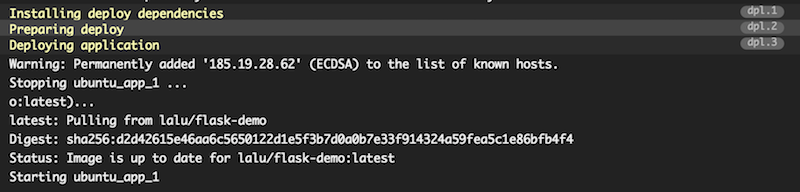
Head to your Travic-ci dashboard to monitor your build, you should see a build output similar to this one:
Your build has been deployed to your remote host! You can also verify this by running a docker ps on your host and check for the STATUS column, which should give you the uptime of the app container:
ubuntu@demo-flask:~$ docker psCONTAINER ID IMAGE COMMAND CREATED STATUS PORTS NAMESae1797d92bf8 lalu/flask-demo:latest "/entrypoint.sh" 3 hours ago Up 10 minutes 0.0.0.0:80->80/tcp ubuntu_app_1
To sum it up, here is what your final travis.yml file should look like:
Et voilà! Each time you will be adding code to your repository that pass your set of tests, it will also be deployed to your production host.
Conclusion
Of course, the example application showcased in this series is very minimalistic. But it should be easy to modify the compose file to add, for example, some databases and proxies. Also, the security could be greatly improved by using private installation of Travis. Last but not least, the workflow should be customized to support different branches and tags according to your environments (dev, staging, production, etc.).