Home Blog Page 738

Securing Embedded Linux

Until fairly recently, Linux developers have been spared many of the security threats that have bedeviled the Windows world. Yet, when moving from desktops and servers to the embedded Internet of Things, a much higher threat level awaits.  

“The basic rules for Linux security are the same whether it’s desktop, server, or embedded, but because IoT devices are typically on all the time, they pose some unique challenges,” said Mike Anderson, CTO and Chief Scientist for The PTR Group, Inc. during an Embedded Linux Conference talk called “Securing Embedded Linux.”

Anderson has been giving similar overviews at ELC since 2007, when attack and defense technologies were less sophisticated and embedded Linux was less of a target. With the increase in attacks on IoT devices, however, the topic is drawing more interest.

“With IoT, Linux is almost invariably involved, typically in the cloud or on border gateways,” said Anderson. Gateways aggregate data from sensor endpoints over low-power wireless radios — typically 802.15.4 protocols like ZigBee — and convert them for upstream routing to the cloud.

Gateways deployed in a “fog” model can limit the vulnerability of IoT endpoints. “The cloud model provides an incredibly large attack surface,” Anderson told the ELC audience. “If they can crack one endpoint, they may have cracked 20,000. In the fog model, the devices behind the gateway router aren’t routable, and you can’t get to them directly from the Internet.”

Even with basic security, a fog model can usually deter “script kiddies,” which Anderson defines as mischievous amateur hackers who are not necessarily malicious. A much higher security threat comes from professional hackers – black hats who are “in it for the money,” and engage in ransomware, credit card theft, or the new business of “malware to order,” said Anderson. White hats, meanwhile, try to stop black hats by detecting vulnerabilities at companies using tools such as penetration testing via the toolkits found in some distributions like Kali Linux. The most dangerous security threats come from well-funded, state-sponsored hackers, “typically black hats paid by a government, or maybe industrial spies, trying to launch a coordinated cyberattack.

By far the most common threat is an insider attack from employees. “It happens all the time — employees go into debt and decide to sell company information,” said Anderson. “Peer review is one of the best ways to stop this. Open source has a major advantage in detecting insider attacks since thousands of people are looking at the code. Ideally, you will also bring in an independent security professional.”

Getting Physical

The first line of defense is physical security, which can involve technologies like fingerprint readers and access cards. Typically, an IoT gateway is not protected in a secure data center with locked doors, guards, and security systems, however, so the device itself needs to be hardened.

At the very least, you should “remove any debugging interfaces and blow the e-fuses,” said Anderson. You can add anti-tamper sensors, specialty screws, and instrumented cases which, if triggered, “set something in permanently-stored memory that lets you know the device has opened up.” Physical access can be further slowed by “potting the device in epoxy so you won’t be able to get access to the motherboard.” However, “dedicated hackers can apply chemicals to melt the epoxy,” he added.

Even if a hacker can’t get inside a device, they can use techniques such as differential power analysis, which analyzes the current drawn by the CPU to differentiate between decoding a zero and a one. “You can extract 2,040 eight-bit keys in about 10 seconds, but you need a radio and power management device sitting right on the target,” said Anderson.

Attackers often use rootkits to look for vulnerabilities in the power-on jump cycle in order to penetrate the boot cycle. This type of intrusion can be countered with one-time programmable memory, smart cards, Intel’s AMT, or trusted platform module (TPM) solutions, said Anderson.

Linux Confidential

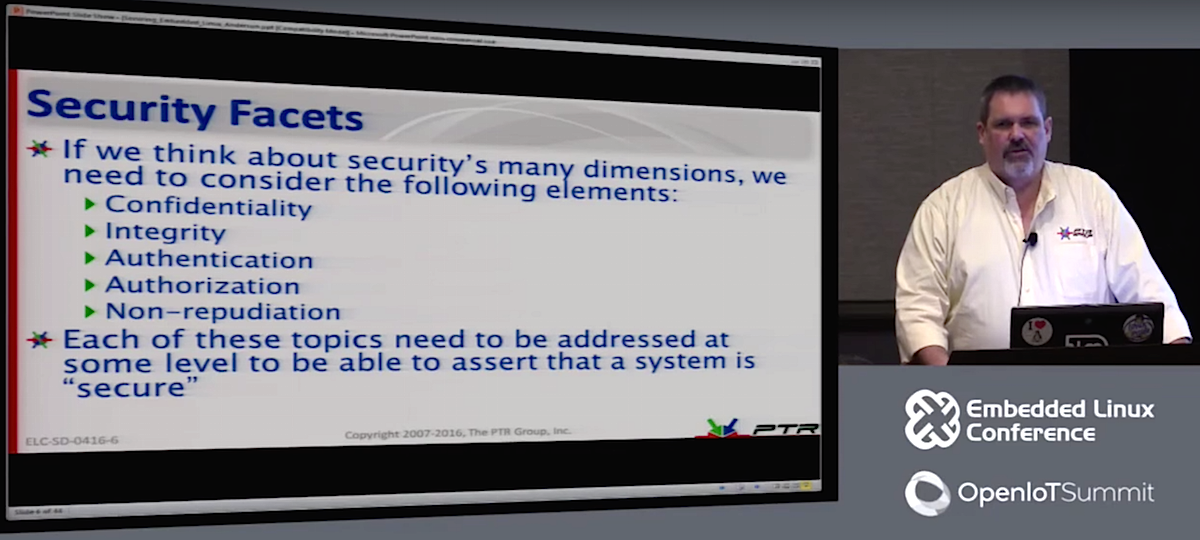
Most security solutions revolve around the concept of confidentiality — making sure unauthorized individuals can’t read the data you want protected. Confidentiality solutions differ depending on whether you’re protecting “data in flight” (crossing the network), “data at rest,” or “data in use.”

For data in flight, the main concern is with a man-in-the-middle (MitM) attack, which typically exploits a vulnerability in one of the protocols such as the Address Resolution Protocol (ARP). Linux has tools such as arpwatch that are targeted at catching this kind of ARP spoofing attack.

You may be able to detect a MitM using trace routes, but sophisticated middlemen can combat this, said Anderson. A more common solution is to encrypt the networking link using VPNs and the like. Yet even if the MitM attacker can’t acquire the encrypted key, they can use operational security (OPSEC) techniques to analyze network traffic patterns and speculate about the content, he added.

With data at rest, sensitive data is encrypted in storage using tools such as eCryptfs or PGP. “But encryption and decryption take time, so it’s best to encrypt particular directories or files,” said Anderson. “Protect the data you have to protect and leave the rest alone.”

Data-in-use attacks that look for encrypted keys appearing in memory represent a “much more difficult problem,” said Anderson. “Many people leave keys in memory because they figure they’ll need them again soon. But a sophisticated hacker can use liquid nitrogen to slow down the decay of RAM, then unplug the SIM, plug it into another machine, and read the data. Keep the amount of time you use visible keys short — load it, use a key to decrypt it, and then overwrite it, preferably three times (to remove any residual vestiges of the key).”

Anderson went on to discuss symmetric and asymmetric encryption, such as Diffie-Hellman, in which you encrypt with both a private key and the recipient’s public key. One problem that is “wigging people out” is that in five to 10 years, “quantum computers will be able to crack public key and Diffie-Hellman in real time and break 1024-bit RSA algorithms,” said Anderson.

For higher security requirements, you can implement mandatory access control using SELinux, Smack, or other techniques that use LSM (Linux Security Modules), limiting applications to read-only access. Yet, these approaches take time and money to develop and test.

In addition to the above recommendations, Anderson offered some basic tips for securing embedded Linux devices. These include:

  • Implement risk assessment to determine the required level of security.

  • Eliminate all non-essential services and software.

  • Periodically audit the installed software.

  • Have regular, monitored software security updates.

  • Implement two-factor authentication.

  • Use Linux containers to separate secure and unsecure functions.

  • Implement file control policies or code signing, if your platform supports it.

  • Know every device on your network and periodically scan for new, unauthorized devices.

  • Implement both IPv4 and IPv6 firewalls and use software such as snort for intrusion protection/detection.

  • Use VPNs for extended security, and use DTLS, TLS, or AES for temporary link security.

  • Scan your network ports periodically with nmap, satan, saint, etc.

  • Use penetration testers periodically, but make sure they’re legit organizations and not hackers posing as pentesters.

“Securing IoT and embedded Linux is a daunting task, and it costs money,” concluded Anderson. “There’s a spectrum between usability and security, and there’s always a compromise. At the very least, make sure you did everything you are legally bound to do.”

Watch the complete presentation below:

https://www.youtube.com/watch?v=4w4mtiy35ks

linux-com_ctas_may2016_v2_elc.png?itok=QQNwiljU

Howdy, Ubuntu on Windows! Write and Execute Your First Program

Microsoft’s addition of the Bash shell and Ubuntu user space in Windows 10 is a real win for developers working in dynamic, interpreted programming languages everywhere. Dozens of dynamic script interpreters are now immediately available on Windows desktops.

In this article, we’re going to write the classic “hello world” application in several different dynamically executed languages, install any necessary dependencies, and execute our interpreted code.

If you’d like to follow along this article and try out these examples, you can grab all of the source code from Git:

$ sudo apt update

$ sudo apt install -y git

$ git clone https://github.com/dustinkirkland/howdy-windows.git

$ cd howdy-windows


Now, let’s look at each language:

  1. Bash

  • Installation

    • None, bash is always installed in the default image, but just in case…

    • sudo apt install -y bash

  • Code: bash/howdy.sh

#!/bin/sh

echo ”    ====> Shell: Howdy, Windows!”

  • Compilation

    • None, bash is an interpreted language

  • Execution

        $ chmod +x ./bash/howdy.sh

$ ./bash/howdy.sh

   ====> Shell: Howdy, Windows!

  1. Python

  • Installation

    • None, python is always installed in the default image, but just in case…

$ sudo apt install -y python

  • Code: python/howdy.py

        #!/usr/bin/python

print(”    ====> Python: Howdy, Windows!”)

  • Compilation

    • None, python is an interpreted language

  • Execution

        $ chmod +x ./python/howdy.py

$ ./python/howdy.py

   ====> Python: Howdy, Windows!

  1. Perl

  • Installation

$ sudo apt install -y perl

  • Code: perl/howdy.pl

        #!/usr/bin/perl

print(”    ====> Perl: Howdy, Windows!n”);

  • Compilation

    • None, Perl is an interpreted language

  • Execution

        $ chmod +x ./perl/howdy.pl

$ ./perl/howdy.pl

   ====> Perl: Howdy, Windows!

  1. Ruby

  • Installation

$ sudo apt install -y ruby

  • Code: ruby/howdy.rb

        #!/usr/bin/ruby

puts ”    ====> Ruby: Howdy, Windows!”

  • Compilation

    • None, Ruby is an interpreted language

  • Execution

        $ chmod +x ./ruby/howdy.rb

$ ./ruby/howdy.rb

   ====> Ruby: Howdy, Windows!

  1. PHP

  • Installation

$ sudo apt install -y php5-cli

  • Code: php/howdy.php

        #!/usr/bin/php

<?php

 print(”    ===> PHP: Howdy, Windows!n”)

?>

  • Compilation

    • None, PHP is an interpreted language

  • Execution

        $ chmod +x ./php/howdy.php

$ ./php/howdy.php

   ===> PHP: Howdy, Windows!

  1. Node.js

  • Installation

$ sudo apt install -y nodejs

  • Code: nodejs/howdy.js

        console.log(‘    ====> NodeJS: Howdy, Windows!’);

  • Compilation

    • None, Node.js is an interpreted language

  • Execution

        $ nodejs nodejs//howdy.js

   ====> NodeJS: Howdy, Windows!


Cheers,

Dustin

Read the next article in the series: Howdy, Ubuntu on Windows! Writing for Compiled Languages

Read previous articles in the series:

Howdy, Ubuntu on Windows! An Intro From Canonical’s Dustin Kirkland

Howdy, Ubuntu on Windows! Getting Started

Howdy, Ubuntu on Windows! Ubuntu Commands Every Windows User Should Learn

Learn more about Running Linux Workloads on Microsoft Azure in this on-demand webinar with guest speaker Ian Philpot of Microsoft. Watch Now >> 

With ChakraCore on Linux, Microsoft Doesn’t Discriminate

At Node Summit this week, Microsoft announced the availability of ChakraCore for Linux. ChakraCore is the core part of the Chakra JavaScript engine that powers Microsoft Edge and Universal Windows Platform. 

With this move, Microsoft is putting one of its core technologies on a competing platform. This, more than any other Linux-friendly move the company has made, is a clear departure from the Microsoft of Gates and Ballmer that used its technologies to lock users into Windows.

Chakra engineers wrote in a blog post that there is no discrimination between Windows and Linux. “ChakraCore and by extension Node-ChakraCore, on other platforms have the same support for the broad set of JavaScript features as their Windows counterparts, …”

Read more at CIO

Scheduling Your Kubernetes Pods With Elixir

Kelsey Hightower gave a really interesting talk at ContainerSched about how to create your own scheduler using the Kubernetes HTTP API. The talk was awesome. It’s incredible to see what kind of things you can do with a base system as good as Kubernetes.

However, I missed one thing. The example provided by Kelsey was a Go application. Which is the main language used with Kubernetes. So, if check that code without any context, you might think it’s using some kind of Kubernetes internal packages. But it’s not! It’s a standalone piece of code that happens to make some HTTP calls.

To illustrate this point, I decided to write my own scheduler, in a different language. In my case,Elixir, because that’s the language I happen to be learning at the moment.

Read more at DEIS

Docker 1.12 Debuts, Bringing Windows, Mac Desktop Editions

Desktop development environments for Mac and Windows use native virtualization for speed and boost Docker’s out-of-the-box cluster management and scheduling system.

Docker unveiled version 1.12 of its core software-containerization system today, along with the first full desktop editions of the software for development on Mac and Windows machines. Docker for Mac and Docker for Windows, which debuted as beta products earlier this year,  provide developers on those platforms with something that had always seemed out of reach: the ability to do container work with Docker as a native application.

Read more at InfoWorld

Stable Mitaka HA instack-virt-setup on CentOS 7.2 VIRTHOST

Following is step by step self sufficient instruction performing Mitaka HA instack-virt-setup on CentOS 7.2 VIRTHOST based on delorean repos  :-

http://trunk.rdoproject.org/centos7-mitaka/current/delorean.repo
http://trunk.rdoproject.org/centos7-mitaka/delorean-deps.repo

It follows official guide lines and updates undercloud with OVSIntPort vlan10 for br-ctlplane OVS bridge making posible HA and/or Ceph overcloud deployments with “Network Isolation” enabled. See also upstream commit https://review.openstack.org/#/c/329438/  been done by Marios Andreou on 06/14/2016

Complete text may be seen at http://bderzhavets.blogspot.com/2016/07/stable-mitaka-ha-instack-virt-setup.html

How to Set Up a UFW firewall on Ubuntu 16.04 LTS Server

Firewalls screen data coming in and out of computer networks, blocking unauthorized access and halting traffic from unsafe Internet sources. A firewall is a barrier between you and the internet. UFW is is uncomplicated firewall for Ubuntu and Debian based server. It is used for managing a Linux firewall and aims to provide an easy to use interface for the user.

In this tutorial you will learn how to use UFW a front end to iptables for managing firewall on Ubuntu Linux 16.04 LTS server to restrict traffic on my personal web-server that hosts my pictures and blogs for my family members.

Read full article


XenServer 7 – Pool Upgrade via CLI and XenCenter Web Interface

The first article in this XenServer 7 Series covered how to install/upgrade a single XenServer host. Most XenServer installs are likely to be in a pool of many XenServer hosts.

This article will cover the process of an entire XenServer pool upgrade. The final component will cover some house keeping with the guests running on the XenServer hosts.

[[ This is a content summary only. Visit my website for full links, other content, and more! ]]

Read full article

Selling Open Source the Smart Way

Open source software is experiencing huge growth, with a staggering 64% of companies currently participating in open source projects. But you probably know that already. What’s more interesting to look at is how to sell it, and with a little luck, make some money to help support the people who develop your software and sustain your project.

Why we love open source software

Having a deep understanding of why so many organizations use and trust open source is key when it comes to selling it. As one of our own GitLab colleagues explains, it “allows for a level of transparency which closed sourced products do not have; …”

Read more at OpenSource.com

Facebook Tries a New Way to Release Open-Source Projects

Last week, Facebook launched Create React App, a new project that helps React developers get started with their new projects. Turns out, that was only part of the story. Create React App was also the first project to enter the Facebook Incubator on GitHub.

The Facebook Incubator is the company’s new process for releasing open-source projects and ensuring that they do well in the long run. The best way to think of it is as a beta stage or proving ground for new open source projects from Facebook.

As Facebook’s head of open source James Pearce told me, the idea here is to better manage the life cycle of these projects.

Read more at TechCrunch