A new startup called SnapRoute is playing in the world of open-source software for networking hardware in companies’ data centers. It’s notable because more than half of the team once played important roles inside Apple, managing its data center networks, and now the startup is working with the likes of HP and Facebook.
SnapRoute is contributing its FlexSwitch open-source software to Facebook’s Open Compute Project (OCP), Omar Maldonado, manager of Facebook’s network team and co-lead of OCP’s networking program, wrote in a blog post. “This contribution continues the move by the OCP networking project up the stack to higher layer networking software, and FlexSwitch is the first full L2/L3 open-source networking stack officially available on top of Facebook Wedge(and Wedge 100, once it’s generally available),” Maldonado wrote.
Since Red Hat settled on its gears orchestration model for applications a few years back, the enterprise has, to some extent, gravitated to the Kubernetes model championed by Google and facilitated by Docker,
Last year’s release of Red Hat’s OpenShift 3, the company’s Platform-as-a-Service software, addressed these preferences, adding support for Docker. And since that time, Red Hat moved an important step further, with the integration of .NET Core and JBoss Fuse Enterprise Service Bus, into the companys OpenShift Enterprise 3.1 and OpenShift Dedicated 3.1 platforms.
So OpenShift Online the all-public option that competes with the likes of Heroku and Salesforce has had quite a bit of catching up to do. Thursday, Red Hat takes a big and necessary step in that direction with the launch of a developer preview of OpenShift Online 3, bringing the public PaaS more in-line with version 3.0 of OpenShift for managed data centers and private deployments.
Building and compiling code can take a huge hit on our time and resources. If you have dockerized your application, you may have noticed how much of a time-saver Docker cache is. Lengthy build commands can be cached and not have to be run at all! This works great when you’re building on a single host; however, once you start to scale up your Docker hosts, you start to lose that caching goodness.
In order to take advantage of Docker caching on multiple hosts, we need a multi-host cache distribution system. Our requirements for preserving a single-tenant infrastructure for our customers meant we needed a horizontally scalable solution. This post will go through some methods we considered to distribute Docker cache across multiple Docker hosts.
Hubert Klein Ikkink shows how to run all tests in Gradle from one package, complete with a set of instructions for different scenarios.
If we have a Gradle task of type Test we can use a filter on the command line when we invoke the task. We define a filter using the --tests option. If, for example, we want to run all tests from a single package, we must define the package name as value for the --tests option. It is good to define the filter between quotes, so it is interpreted as is, without any shell interference.
Email is an old way of communication yet, it still remains the basic and most important method out there of sharing information up to date, but the way we access emails has changed over…
[[ This is a content summary only. Visit my website for full links, other content, and more! ]]
Read the complete article: http://www.tecmint.com/best-email-clients-linux/
CoreOS Linux, an open source Linux operating system, is now available in China. Microsoft Azure operator 21Vianet has become the first officially supported cloud provider to offer CoreOS Linux in China. Until now, many Chinese organizations have deployed CoreOS Linux internally, on their own.
“As a supporter of Linux and open source, we believe in the importance of working with innovators in open source like CoreOS to enable choice and flexibility for cloud customers,” said Mark Russinovich, Chief Technology Officer, Microsoft Azure in a press statement. “The combination of CoreOS Linux with the power and scale of Microsoft’s cloud will help to inspire creation of new applications and collaboration across teams around the world,” he said.
With this availability of CoreOS Linux in a new region, both small and large organizations across continents will benefit from running their applications in software containers on a consistent platform globally, said Alex Crawford, head of CoreOS Linux at CoreOS, in an interview with me.
Additionally, according to Al Gillen, group vice president, enterprise infrastructure at IDC, “With open source infrastructure solutions like CoreOS Linux available in China, Chinese businesses will be able to more easily adopt container infrastructure, while companies outside China can extend a single container platform worldwide and more easily deploy applications in China.”
Microsoft recently announced that it will continue to expand market share in China. According to a China Daily report, Microsoft increased its corporate customer base from 50,000 in 2015 to 65,000 in 2016. That’s impressive growth as Azure was launched in China only two years ago.
This growth is good news for CoreOS Linux. Crawford said, “The entire user base of Microsoft Azure now has CoreOS Linux as a best-practice option for modern, microservices container deployments. That alone constitutes a market primed for expansion.”
Cloud deployments on Azure will expand the community that already exists in China thanks to organizations like Huawei and Goyoo Networks, which today have advanced secure, dynamic CoreOS infrastructure on-premises.
The arrival of CoreOS Linux to China will also spark interest from the developer community. It’s hard for any open source project to track how much contribution is coming from a certain region, but if corporate users are consuming an open source technology locally, the engineers and developers of those companies and customers will start contributing automatically. Such work can trigger the formation of vibrant communities in that region. And that’s what may happen with CoreOS.
“The open source community in China as well as Chinese businesses who want to adopt secure, reliable container infrastructure more easily will benefit from using CoreOS Linux in China. Existing CoreOS Linux users who want to extend their presence to China and run a consistent platform for distributed applications worldwide will also benefit,” said Crawford.
Developers in China can already get started with CoreOS Linux by following the CoreOS Azure Documentation.
“CoreOS believes in bringing innovations in distributed systems and containers via open source software to communities worldwide,” said Brandon Philips, CTO at CoreOS. “Bringing CoreOS Linux to the open source community in China means that secure, automatic updates are at the fingertips of more container users worldwide.”
Core OS Inc. is not stopping at Microsoft Azure. “We will work with selected other providers toward official support on their platforms in the future,” said Crawford. Core OS Inc. is behind many enterprise open source projects including CoreOS Linux, etcd, rkt, Tectonic, and Quay.
Students at the Holberton School, San Francisco’s innovative new school for training students of any age to be full stack software engineers, are being woken early, really early, to learn just what’s it’s like to be a part of a DevOps team.
DevOps is a set of practices, a philosophy aiming for agile operations, to expand the collaboration between developers and operation folks to make them work toward the same goal: contribute to the entire product life cycle, from design, development and shipping, up to the production stage. This is a radical shift from the industry norm of separate engineering and operations departments which often operate in opposition to each other.
Holberton is partnering with PagerDuty, a 6-year old IT incidents management startup, to wake students up to the reality of on-call engineering. Students will be on call, 24/7 for their personal projects but also for group projects.
In the industry, engineers are often on call for systems they did not build, but that they still need to support. In that situation the challenge is even trickier.
“Uptime is the number one goal of any SRE/DevOps/System administrator team,” said Casey Brown, manager, Site Reliability Engineering at LinkedIn. “Nowadays, well established companies like LinkedIn, Facebook and Google are also expecting developers to be fully responsible for their code in production. Having production in mind and being ready for it is something that every good developer must have, yet no school prepares students to that.”
Hands on Devops training isn’t the only way we have been innovating. Since the school’s inception last year, we’ve been offering unique opportunities for students; from our tuition model and admissions process to our certificate verification process based on blockchain, the technology behind bitcoins.
One of our core precepts is that our students learn by doing, and being on call is a lot about experience, it is not something you can learn in a book.With this program, students will already have one-and-a-half years of on-call experience, because we put our students through their paces, and that sometimes means a panicked call at 3 a.m. What better way to be prepared?
Sylvain Kalache is a co-founder of Holberton School and a former Senior Site Reliability Engineer at LinkedIn.
Holberton School is a project-based alternative to college for the next generation of software engineers. Using project-based learning and peer learning, Holberton School’s mission is to train the best software engineers of their generation. At Holberton School, there are no formal teachers and no formal courses. Instead, everything is project-centered. The school gives students increasingly difficult programming challenges to solve, and gives them minimal initial directions on how to solve them. As a consequence, students naturally look for the theory and tools they need, understand them, use them, work together, and help each other.
Today the Linux Foundation announced a set of technical, leadership and member investment milestones for OpenHPC, a Linux Foundation project to develop an open source framework for High Performance Computing environments.
While HPC is often thought of as a hardware-dominant industry, the software requirements needed to accommodate supercomputing deployments and large-scale modeling requirements is increasingly more demanding. An open source framework like OpenHPC promises to close technology gaps that hardware enhancements alone can’t address.
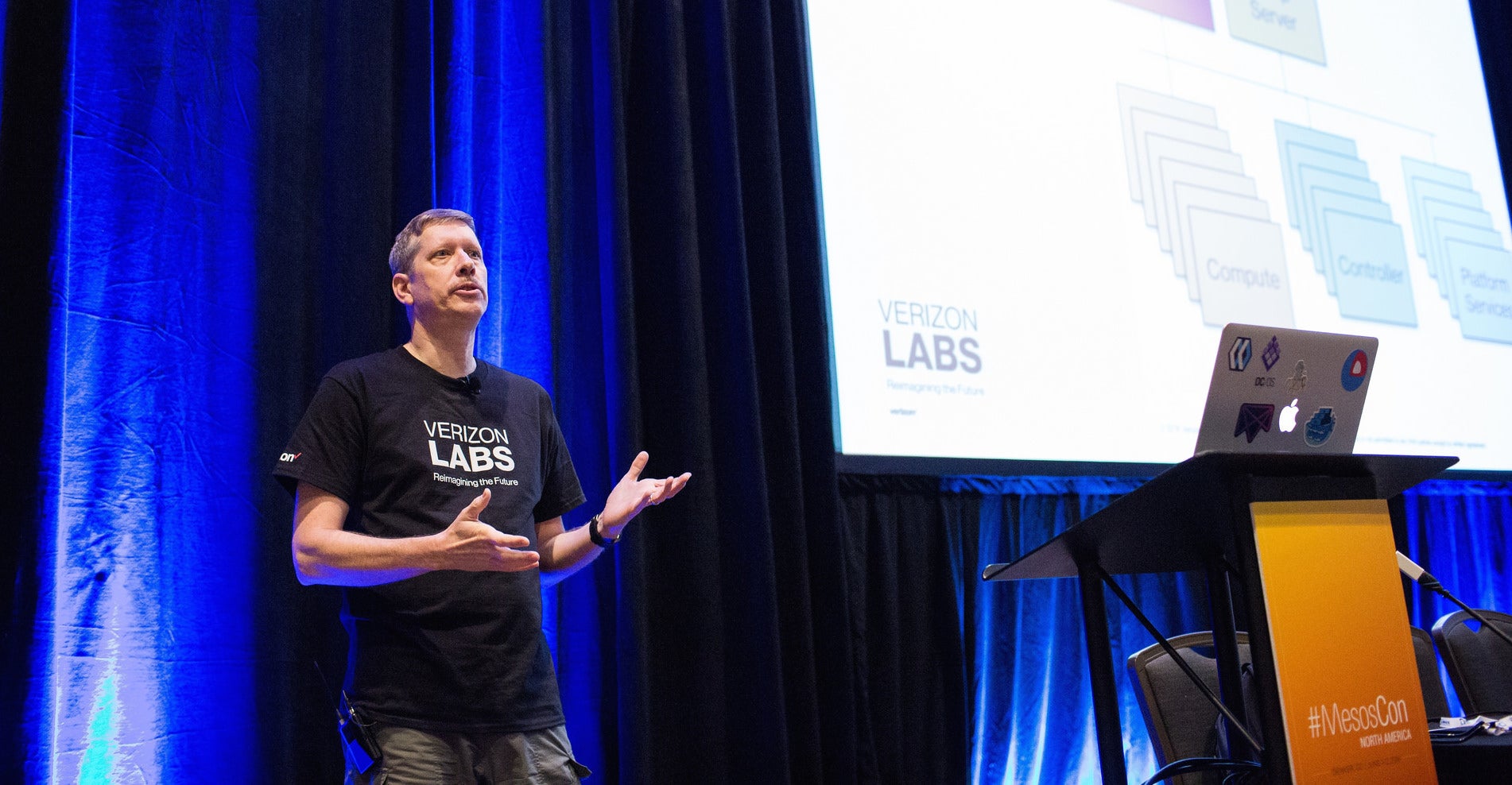
In this talk, Craig Neth (Distinguished Member of Technical Staff at Verizon) will describe his experiences in bringing up a 600 node Mesos cluster – from power on to running tasks in 14 days.
Verizon Labs is building some impressive projects around Apache Mesos and relies on a lot of open source software for functionality: operating systems, networking, provisioning, monitoring, and administration. Open source software is popular at Verizon Labs because it gives them the flexibility and the functionality to do what they want to do, without fighting vendor restrictions.
Apache enterprise software plays a key role, including Mesos, Kafka, Spark, and the Apache HTTP server. And a host of other OSS software, including Docker, Ansible, CoreOS, DHCPD, Ubuntu Linux, and Fleet.
In his talk at MesosCon North America earlier this month, Larry Rau, Director of Architecture and Infrastructure at Verizon Labs gives a live demonstration of a large-scale messaging simulation across multiple datacenters, including a failure and automatic failover. You can see it all happening in real time during his keynote.
In the second talk, Craig Neth, Distinguished Member of the Technical Staff at Verizon Labs, describes building a 600-node Mesos cluster from bare metal in two weeks. His team didn’t really get it all done in two weeks, but it’s a fascinating peek at some ingenious methods for accelerating the installation and provisioning of the bare hardware, and some advanced ideas on hardware and rack architectures.
Keynote: Verizon Calls Mesos
Larry Rau, Director of Architecture and Infrastructure, Verizon Labs
Larry Rau, Director of Architecture and Infrastructure at Verizon Labs, gave a live demonstration of a high-volume messaging system built on Mesos. The demo simulated 110 million devices generating over 400,000 messages per second over Verizon’s wireless network, managed by multiple data centers. The demo included the failure of one data center, and seamless failover to other data centers.
Verizon’s software stack is stuffed with open source software, including CoreOS Linux, the Mesosphere data center operating system, Apache Kafka, which is a high-throughput distributed messaging system, and Apache Spark, for fast big data processing.
Rau explained their decision to go with Mesos was to to increase efficiency and flexibility: “We chose Mesos as a platform because we wanted to basically do this. We wanted to run lots of containers. We realised this, we really buy into the, “We don’t need a virtual machine layer, we want to containerize, run microservices and we’ve got to run lots of these different microservices within our cluster.
“This is another key point: We didn’t want any more silos,” he said. “If I looked across how we built applications and deployed them in the past, they were all silos of machines and applications and put into these data centers. Every time you wanted to bring up a new application, you had to go source hardware, deploy hardware, deploy applications, set up new teams and monitor it. Really we didn’t want to do that anymore. We really wanted to go cluster computing, so we have lots of very similar, same types of computers running in a cluster, we run our applications across all these.”
How to Stand Up a 600 Node Bare Metal Mesos Cluster in Two Weeks
Craig Neth, Distinguished Member of Technical Staff, Verizon Labs
In this video, Craig Neth tells how he and his team attended MesosCon in Seattle in August 2015 and were excited and inspired to set up their own test cluster. He asked his boss for a couple of racks, and instead was given the go-ahead for a 20-rack test lab. This may sound like being showered with riches, but it also meant being showered with headaches, because part of the deal was using experimental hardware and rack designs, and having it all done by Christmas.
His team had to find a location for their new cluster lab and then had to figure out power and cooling. The compute sleds included “a standard off-the-shelf Intel Taylor Pass motherboard. It’s got two CPU sockets…Each one of them has a plug-in 10 gig PCI nic card. We use that for our data plane stuff. We use a couple of the one-gig nics on there, one for management and one for the IPMI network. That’s how you get the four servers per 2U.” The sleds do not have power supplies, but rather draw DC power from a common bus bar across the backs of the racks. All the interconnects are on the back as well.
The storage sleds are configured differently from the compute sleds. “It’s a two-layer system. The top layer has 16 six-terabyte drives, spinning drives. The bottom layer has got another one of those Taylor Pass motherboards and a couple of SSDs down there. They’re the exact same motherboards that we run in the compute sleds. The only difference here is on this particular cluster we only have one socket populated.”
Provisioning all these machines was considerably accelerated by having the vendor do the preliminary work, and Neth is proud that they only had to connect a single serial cable to configure the first node, and then the rest was done automatically.
Nodes are cattle. They’re not pets.
Maintenance is pull-and-replace, and uses the same auto-provisioning as the initial installation. “Our maintenance model is we don’t replace components in any of these things,” Neth said. “We replace sleds. If we lose a disc, if we lose some memory, if we lose fans, whatever it is, we call up the vendor, and they overnight us a new sled, and we just pull out the old sled. We get the new sled. We get metadata for the sled so we can provision it and bring it right back up again. Nodes are cattle. They’re not pets.”
MesosCon Europe 2016 offers you the chance to learn from and collaborate with the leaders, developers and users of Apache Mesos. Don’t miss your chance to attend! Register by July 15, 2016 to save $100.
Apache, Apache Mesos, and Mesos are either registered trademarks or trademarks of the Apache Software Foundation (ASF) in the United States and/or other countries. MesosCon is run in partnership with the ASF.