Home Blog Page 782

Quieting Scary Web Browser SSL Alerts

The entire Internet depends on OpenSSL to secure sensitive transactions, but until the Linux Foundation launched the Core Infrastructure Initiative to support crucial infrastructure projects, it was supported by a small underfunded team with only one paid developer. This is not good for an essential bit of infrastructure, and OpenSSL was hit by some high-profile bugs, such as Heartbleed. Now that OpenSSL has stable support, there should be fewer such incidents — and not a moment too soon, because we have no alternatives.

How OpenSSL Works

Asymmetric encryption is an ingenious mechanism for establishing encrypted sessions without first exchanging encryption keys. Asymmetric encryption relies on public-private key pairs. Public keys encrypt, private keys decrypt. Or, you can think of it as public keys lock, and private keys unlock. Anyone who has your public key can encrypt messages to send to you, and only you can decrypt them with your private key. It’s a brilliantly simple concept that greatly simplifies the process of establishing encrypted network connections.

Symmetric encryption uses the same key for encryption and decryption. You have to figure out how to safely distribute the key, and anyone with a copy of the key can decrypt your communications. The advantage of symmetric encryption is that it’s computationally less expensive than asymmetric encryption. OpenSSL takes advantage of this by establishing a session with asymmetric encryption, and then generating symmetric encryption keys to use for the duration of the session.

Certificate Authority

A Certificate Authority (CA) is the final stop in the public key infrastructure chain. The CA tells your website visitors that your site’s SSL certificate is legitimate. Obviously, this requires a high level of trust, which is why there are a number of commercial certificate authorities, such as Comodo, GlobalSign, GoDaddy, and many others.
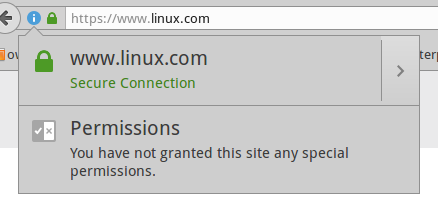
Figure 1: Firefox approves of Linux.com’s site certificate.

All web browsers include a bundle of trusted root CAs. Mozilla publishes a list of included CAs. On Ubuntu systems, these are stored in /usr/share/ca-certificates/mozilla/ and symlinked to /etc/ssl/certs/. Any website that you visit that is trusted by these root CAs will display a happy little green padlock (Figure 1), and when you click the padlock, you’ll find all kinds of information about the site as well as a copy of the site certificate.

Figure 2 shows a product page on Amazon. The page is not SSL-protected. Why not encrypt all pages? On a site with all content hosted on the same server, it’s easy. There is a small performance hit, but it shouldn’t be noticeable. On a complex site that uses all kinds of external content and ad servers, the process becomes unmanageable. Various page elements are coming from many different domains, so it’s very difficult to set up a CA for all of them. Most sites don’t even try and focus instead on securing their login and checkout pages.
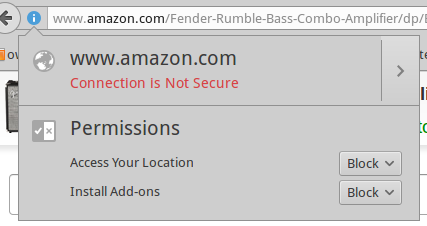
Figure 2: Amazon is a great site for studying crazy-quilt SSL implementation.

It’s worth using sitewide SSL even on a site that isn’t selling anything, such as a blog, because it assures your site visitors that they are visiting your site and not some fraudulent copycat.

Self-Signed Certificates

Self-Signed Certificates are the reliable old standby for LAN services. However, your web browsers are still going to pitch fits and report your internal sites as dangerous. I have mixed feelings about web browsers trying to protect us. On one hand, it’s a nice idea. It’s all the same to us: we’re staring at a screen and have no idea what’s going on behind the scenes. On the other hand, a steady diet of alarms doesn’t help — how are we supposed to judge if a warning is legitimate?
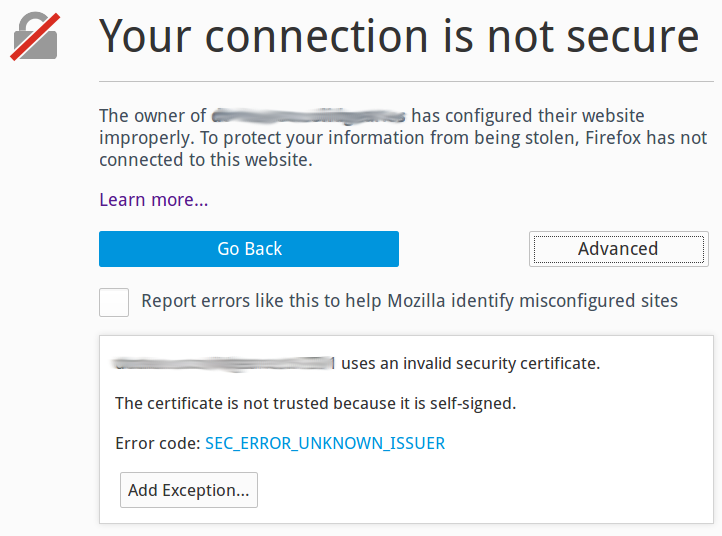
Figure 3: Firefox warning you about an untrusted site. Somehow you are supposed to know how to evaluate whether to trust it.

Figure 3 shows a typical Firefox freakout. You can look at the site certificate and make an educated guess. Most site visitors will do as they do with all computer warnings: Ignore them and forge ahead.

In the privacy of your own local network, you can shut up browsers permanently by importing your site certificates into your web browsers. In Firefox, you can do this by clicking the Advanced button and keep clicking through until Firefox gives up trying to scare you away and imports the certificate.

You can also import site certificates from the command line. Your certificate must be an X.509 .pem file. These are plain-text files that you can open and read; they start with —–BEGIN CERTIFICATE—–. On Ubuntu, copy your site certificate into /usr/local/share/ca-certificates/. Then run the CA updater:

$ sudo update-ca-certificates
Updating certificates in /etc/ssl/certs...
WARNING: Skipping duplicate certificate Go_Daddy_Class_2_CA.pem
1 added, 0 removed; done.
Running hooks in /etc/ca-certificates/update.d...
Done.

If you’re using a cool configuration management tool like Puppet, Chef, or Ansible, you can roll your certs out to everyone in your shop.

Let’s Encrypt

If you use a commercial certificate authority, you can avoid all this. There are many to choose from, so shop around for a good deal. There is also a good free option: Let’s Encrypt. Let’s Encrypt offers both production and test certificates, so you can test all you want to until you get the hang of it. Let’s Encrypt has broad industry support, including Mozilla, Cisco, Facebook, the Electronic Frontier Foundation, and many more.

Resources

Mozilla FAQ

Ubuntu how-to on creating SSL certificates
 

SDN Factors Into Packet Optical Convergence

Earlier this year, Facebook led the charge to launch a new open source group – the Telecom Infra Project (TIP) – whose mission is to improve global Internet connections. TIP will employ the same methods Facebook has used to re-design data centers via its Open Compute Project (OCP). Some of TIP’s goals are lofty: such as rethinking network architectures and bringing the Internet to underserved regions of the globe.

Read more at SDxCentral.

Introducing Runway, a Distributed Systems Design Tool

Runway is a new tool for distributed systems design that I’ve been working on at Salesforce. It combines specification, model checking, simulation, and visualization, all centered around the idea of a system model.

We hope Runway might one day be widely adopted as a distributed systems design tool, both in industry and in academia. It seems other tools haven’t gained widespread use so far, but we think Runway has a good chance.

https://www.youtube.com/watch?v=BAZHZG-8ayo?list=PLlh6TqkU8kg_3FpXLlHMnoVqKZysIzXlK

Read more at Medium.

Microsoft, MapR Announce New Apache Spark-Based Releases

Microsoft, with its Hortonworks-based cloud Hadoop distro, and MapR with its own Hadoop-powered wares, each pivot toward Apache Spark.

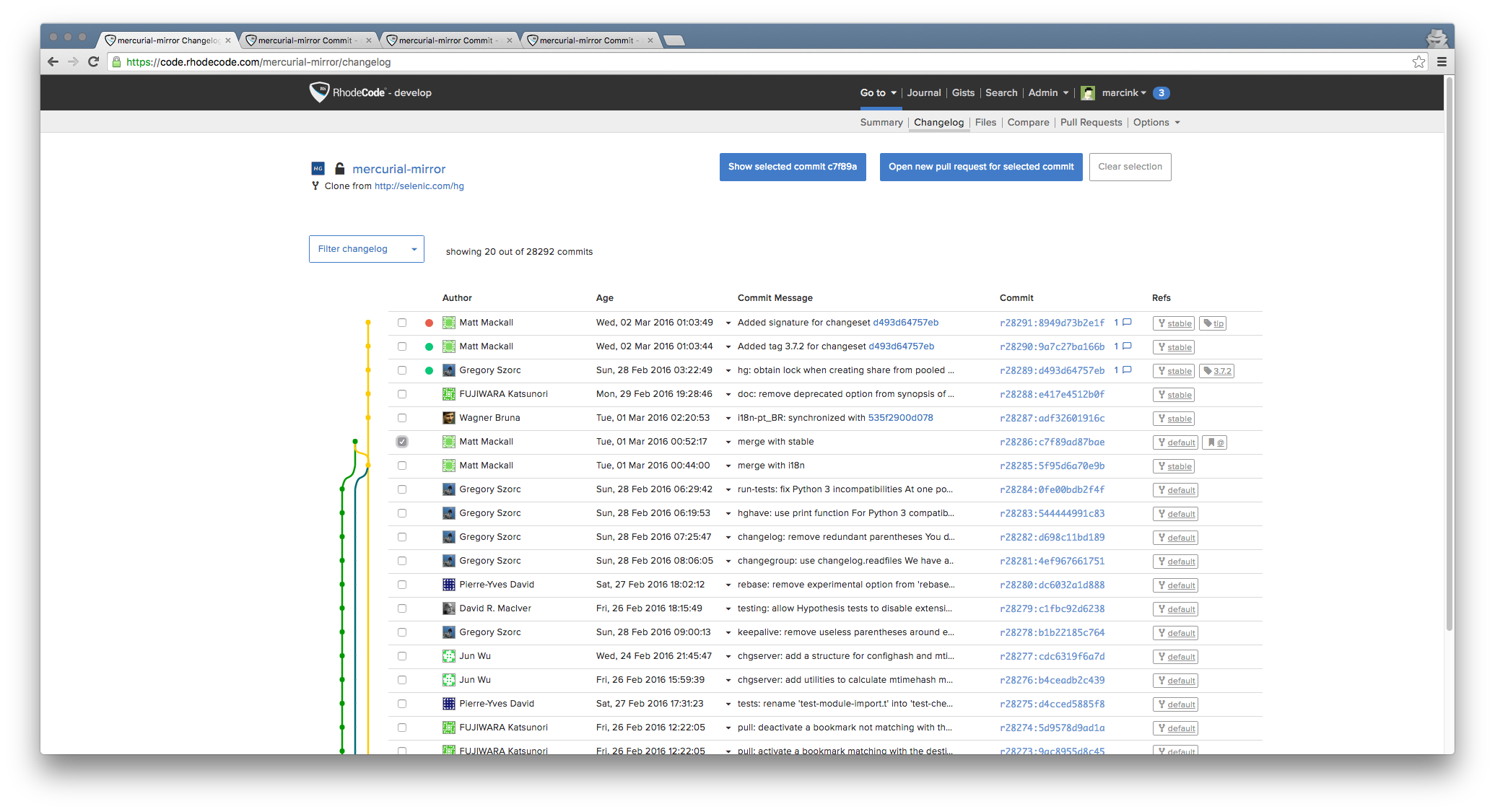
One Repository Management to Rule Them All — RhodeCode Is Open Source

Application developent in an enterprise environment is getting more and more attention nowadays. Since every company is a software company, firms start to realize that source code they have is one of their most valuable assets. The asset that has to be easy to interact and collaborate for developers, yet stored securely, accessible only by those few who really need it.

A few years ago, a large European telecom company was undergoing a change. One of the software developers, Marcin Kuzminski, got a task of migrating the company’s code repositories from a centralized version control system to a distributed one. It quickly became evident to him, that there are no tools for common authentication and security across the whole code base. Marcin started hacking instruments and that was the beginning of RhodeCode. 

Fast forward to 2016, RhodeCode is an enterprise source code management platform for behind-the-firewall Mercurial, Git, and Subversion. It is open source, modular, and provides centralized control over distributed code repositories. It helps manage the most secure, behind-the-firewall repositories in a unified way. Open source and modular, it provides centralized control over distributed code repositories. 

Developers get code reviewstool integrations and custom APIs that work across Mercurial, Git & SVN. Companies get unified security and access controls so that their CTOs can sleep at night. Some of the largest organizations in the world rely on RhodeCode for unified management of their secure, behind-the-firewall repositories. 

Unlike aged source code management solutions or Git-only tools, RhodeCode provides a modern platform, with unified security and tools for any version control system. The platform has been built for highly secure, behind-the-firewall enterprise environments with sophisticated user management and common authentication. Yet, it is very developer-oriented: open source, with tool integrations and powerful APIs.

By making source code openly available and easy-to-contribute, RhodeCode wants to enable software developers to build their own integrations. Firms, in turn, will have a common platform with unified source code security and user management for all version control systems, be it Mercurial, Git or Subversion.

See more details in the blog post

Top Skills for Today’s DevOps Professional

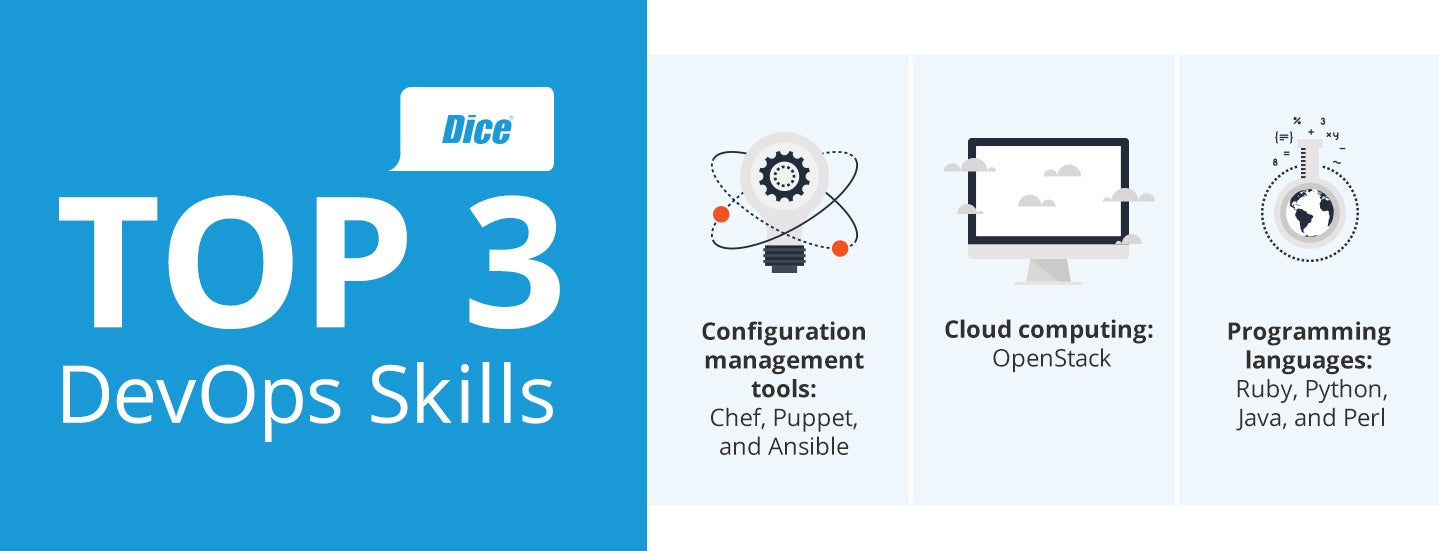
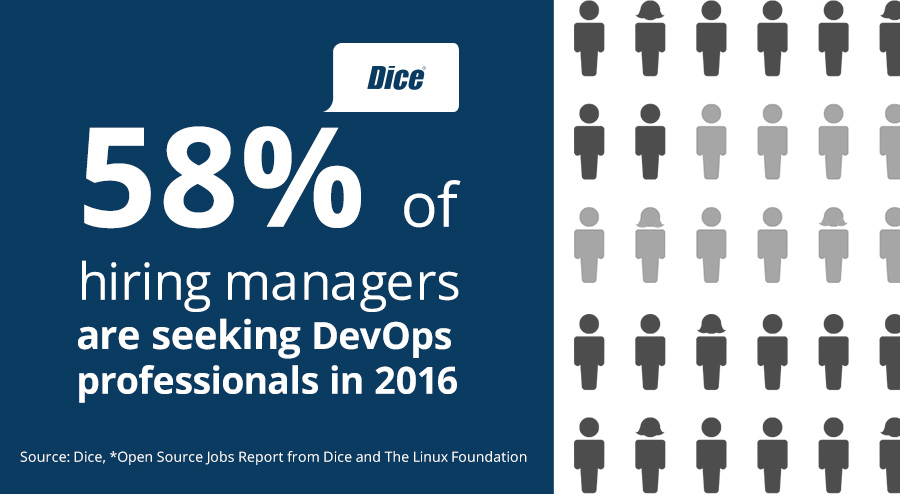
In the past five years, demand for DevOps professionals has grown exponentially, with companies looking to build out their tech capabilities and bring new software products to market while simultaneously cutting development time and driving efficiencies in the process. Since the beginning of 2016, there have been more than 2,000 daily job postings looking for DevOps professionals on Dice, representing roughly 3 percent of all job postings on the site and up 53 percent year-over-year.

DevOps professionals are key to employers looking to create a more collaborative and efficient working environment. Combining development and operations, DevOps eliminates potential conflicts that might emerge between developed projects and operational integration with a central role bridging two teams. What distinguishes DevOps from system administrators, the role they evolved from, is that DevOps requires more flexibility on the part of the professional, as they are tasked with being a wearer of many hats.

DevOps professionals are key to employers looking to create a more collaborative and efficient working environment.

DevOps professionals are responsible for everything from designing and maintaining production systems to streamlining software development. For that reason, employers are looking for professionals who are adaptable, quick on their feet and have the ability to handle multiple tasks. Professionals with DevOps expertise are also well-compensated for their work, earning well above the national average for tech pros.

While the need for DevOps professionals is high, it doesn’t mean they are exempt from professional development and training. Given the ever changing nature of today’s tech market, DevOps professionals need to remain up-to-date on trending skills and what employers want in order to grow their careers.

Taking a look at Dice’s Skills Center and recent job postings, the following are amongst the top skills employers are looking for in a DevOps professional:

  • The Big Three: Chef, Puppet and Ansible: These three configuration management tools continue to grow in popularity, with approximately 1,600, 1,700 and 800 job postings respectively on any given day on Dice. DevOps professionals leverage these skills to support software deployment and make the process more efficient.  

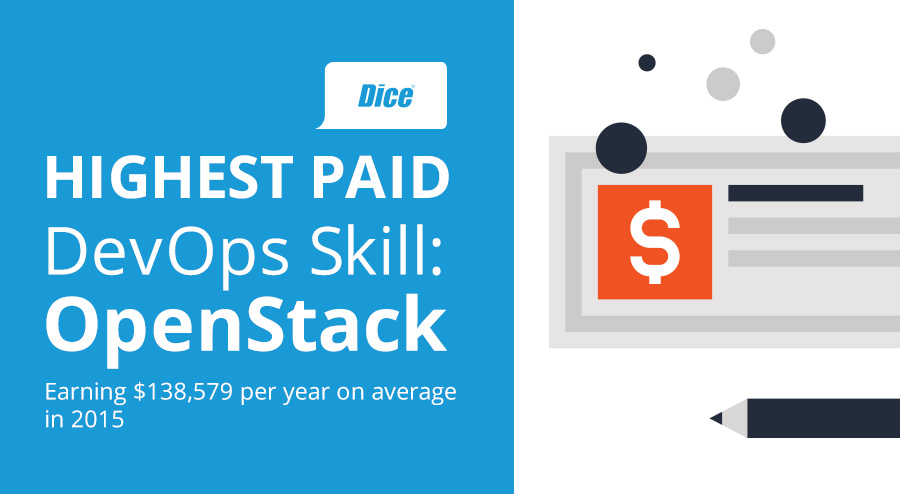
  • OpenStack: Professionals with this cloud-computing skill were amongst the top 5 highest paid in Dice’s latest annual salary survey, earning $138,579 on average in 2015. Software companies to cyber security companies alike are looking for professionals with expert knowledge in this cloud platform.

  • Programming languages (Ruby, Python, Java and Perl): Key to any DevOps professional is a strong working knowledge of different programming languages. However, these languages top the list as the most sought after languages companies are looking for when hiring a DevOps professional, as they are the foundation of all system and web/app administration as well as network and security projects.

Professionals with this cloud-computing skill were amongst the top 5 highest paid in Dice’s latest annual salary survey.
As a DevOps professional or a professional looking to get into DevOps, familiarizing yourself with these skills and other adjacent ones can help further develop or jumpstart your career. Knowing what employers want and growing your skillsbase accordingly is what can set you apart from other DevOps professionals.

Continuous professional education not only strengthens your resume, it gives you greater flexibility if you are looking to shift career paths. As an example, for a DevOps professional looking to move into a more cloud-focused role, like a Cloud Architect or Cloud Platform Engineer, learning new open source skills, such as Chef or OpenStack, could help make that a smoother transition.

With that in mind, never stop learning. Professional development is crucial as you look to build and grow a successful career.  

Yuri Bykov manages Data Science at Dice.

linux-com_ctas_may2016_v2_opensource.jpg?itok=Hdu0RIJn

The Major Lesson IT Can Learn From Netflix’s High Availability Testing Methodology

High availability events are more likely to be triggered then disaster recovery events, but often aren’t tested for as much. Here’s what tech leaders can take away from Netflix’s approach to the problem.

AWS Lambda garners interest, production workloads as serverless world evolves

AWS Lambda is about to grab more case studies and production workloads as no-ops gains traction. Toss in other efforts from cloud vendors and even managing a cloud server seems absurd.

Debian 8.5 and Manjaro 16.06 arrive

Updated ISO images are available, but you only need them for a new installation.

7 Best IRC Clients for Linux

An IRC (Internet Relay Chat) client is a program that a user can install on their computer and it sends and receives messages to and from an IRC server. It simply connects you to…

[[ This is a content summary only. Visit my website for full links, other content, and more! ]]