Home Blog Page 790

DevOps: A Culture or Concrete Activity?

As implicit in the name, DevOps was meant to bring development and operations teams together into a more cohesive IT staff. QA management, likewise, was absorbed into what essentially became a collaborative team that worked together toward a common goal. The idea here was to eliminate the kinks in the product development and deployment chain by dissolving the barriers between departments. Different organizations have managed to achieve this with varying degrees of success in devops agile operations and continuous delivery

A case could be made that those companies that didn’t succeed in their transition to DevOps did not adequately define it – and herein lies a significant area of contention for organizations and industry experts. 

Read more at DZone

X.Org’s Indirect GLX State Is Frightening Researchers

Researchers and scientists appear up in arms this week over the state of Indirect GLX (IGLX) in the X.Org Server and the potential they’d lose the remote OpenGL rendering support they’ve been accustomed to using for seeing visualizations from clusters / super-computers on their workstations.
IGLX isn’t being killed off at this time, but rather it was disabled by default and that news is now reaching users… Adam Jackson has since sought to clear up the confusion over the IGLX support still being found in the xorg-server just that it needs to be manually enabled (via +iglx). 
Read more at Phoronix

Telstra Shares PEN Plans

Just one year after Telstra completed its acquisition of Pacnet, the Australian-based service provider is taking big steps to expand its global footprint using its PEN platform built on SDN.

Read more at The New IP.

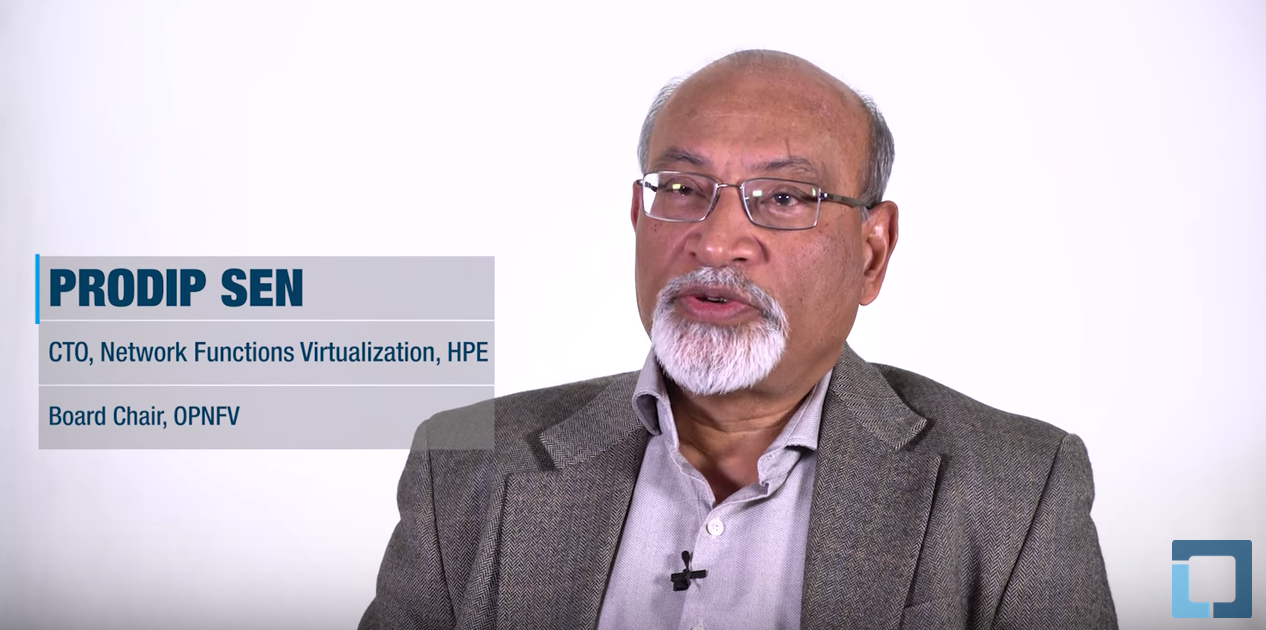
Accelerating and Maintaining NFV Adoption: Prodip Sen, HP and OPNFV

Prodip Sen explains that The Linux Foundation helped educate his colleagues while forming the OPNV project.

“Even after the formation of OPNFV, as we worked through the running of the organization […] The Linux Foundation has been very helpful in providing us with information, discussions, and contacts to help us explore options and opportunities” says Sen. “They have helped with the working of OPNFV itself.”

Telecom Companies Collaborate Through OPNFV to Address Unique Business Challenges

Network Functions Virtualization (NFV) is an emerging alternative to using dedicated hardware appliances, particularly for service providers, where quick, flexible responses to traffic pattern shifts and user demand changes are essential. It implements network tasks like access security, load balancing, and packet filtering as software modules suitable for virtualized cloud environments.

Despite these advantages, NFV adoption was slow when the European Telecommunications Standards Institute (ETSI)’s NFV group finished its initial standardization work. So some of the ETSI founding members considered how they might accelerate adoption of the technology.

“We realized that the standardization process in telecommunications takes too long,” said Prodip Sen, who was at the time working at Verizon, and is now CTO, NFV at Hewlett-Packard Enterprise. “The typical process takes many years. Service providers couldn’t afford to wait that long for this technology to be adopted. The agility and rapid pace of change in the market doesn’t allow that. So we were looking for ways to accelerate that standardization.”

Organizing Open Source with The Linux Foundation

They latched onto the idea that open source was the best way to accomplish faster market adoption. But they all came from telecommunications companies with no experience in open source. So they approached several organizations to learn more about open source and find out how they could get NFV going.

“We wanted to get some education in it, and also wanted help in forming our NFV effort,” Sen said. “That’s where The Linux Foundation helped us: they educated us on what was involved, provided us with workshops and discussions to help educate our colleagues, and worked with us to step us through the process of formation of the Open Platform for NFV (OPNFV) project itself.”

OPNFV was launched in September 2014 as a Linux Foundation Collaborative Project.

Since then, reports Sen, “The Linux Foundation has been very helpful in providing us with information, resources and the learnings from other open source projects, allowing  us to run and improve the working of OPNFV itself.”

Making More Contacts in the Open Source Community

Thanks to OPNFV’s partnership with The Linux Foundation, group members have met and acquired new participants, and has been networking with other players in the open source community, says Sen.

“One thing that has been very useful for us has been the ability of The Linux Foundation to make connections with other open source organizations who are perhaps going through similar issues, and help us learn from each other about best practices,” says Sen, who is now chair of the board for OPNFV.

The Linux Foundation Collaboration Summit , an invitation-only event held in March, was a good example of this, says Sen.

“The event gave us an opportunity to connect to others who are on the same journey as we are on – to develop open source software for a particular purpose — and  helped us realize the commonality of many of the challenges we face,” Sen said. “We heard from others who are struggling with many of the same issues, and had already dealt with some of these. This has been very helpful to us.” Sen said.

For telecommunications companies either looking to adopt, or that are currently using NFV technology, collaboration is vital.  The open source environments that The Linux Foundation provides are good learning platforms that set businesses up for success.

Watch the complete video below:

Read more stories about Linux Foundation Collaborative Projects:

PLUMgrid: Open Source Collaboration Speeds IO and Networking Development

AT&T: OPNFV Can Bring Open Source Sanity

Toby Ford, assistant vice president, Cloud Technology, Strategy & Planning at AT&T Inc., said in a BCE keynote that Open Platform for NFV Project will be the natural place for evaluating the work of efforts such as OPEN-Orchestrator Project (OPEN-O), Open Source MANO (OSM) and possibly AT&T’s internally developed platform, ECOMP, which it may be releasing to open source.

“There is enormous interest in orchestration and covering the MANO part of ETSI’s NFV,” he said. That has spawned efforts such as those named above. “Somehow that has to be resolved and the fair playing field of OPNFV will be the place to do that.”

Read more at Light Reading.

June 9 Webinar on Getting Linux Certified – Tips, Tactics, and Practical Advice

More and more professionals are preparing for certification to fill in gaps in their Linux knowledge, build confidence, and prove to to their management team or hiring managers that their skills are sharp. According to the latest 2016 Open Source Jobs Report from The Linux Foundation and Dice, 76% of open source professionals believe that certifications are useful for their careers, while 44% percent of hiring managers report that candidates holding certifications were more likely to be hired.

But despite all the compelling evidence that certifications are valuable for career advancement or making it past the “HR Firewall” some professionals are still reluctant to attempt to pass their certification exam. Whether the roadblock is fear of failure or uncertainty about how to properly prepare, The Linux Foundation is committed to addressing those challenges and helping you succeed.

Join us for a webinar session on Thursday, June 9, 2016, at 10 a.m. Pacific, focused on tips, tactics, and practical advice that will give you the confidence to take the leap to commit to, schedule, and pass your next certification exam.

By attending this session, you will learn:

  • how certifications can help you reach your career goals

  • which certification is right for you: Linux Foundation Certified SysAdmin or Engineer?

  • strategies to thoroughly prepare for the exam

  • how to avoid common exam mistakes

  • the ins and outs of the performance certification process to boost your exam confidence

  • and more…

Save your seat >>

Once you register, you’ll receive an email with important information about the webinar, in this email you’ll also find a link to submit your certification questions early, for a better chance of having the topic addressed on-air.

Ready to get started with certification now? Linux Foundation Training is offering a new course, LFS211 Linux Networking and Administration to help prepare senior Linux sysadmins to pass the Linux Foundation Certified Engineer (LFCE) exam, which comes bundled with the new course.


With Ansible Update, Docker Compose Files Can Configure Networks

If you’re deploying containers at very large scale, there’s a very good chance that you use a variety of automation tools simultaneously.  Docker has its own, naturally, and its scripts are almost delightfully straightforward and easy for the mind to digest. But it doesn’t really matter how simple the composition may be; if you’re using two or more conductors, you may get into more trouble orchestrating the conductors than the workloads.

Last March, we asked developers for information about the way containers are being managed and orchestrated within their organizations. We gave them a list of five methods of orchestration and asked them to choose any and all that apply. Some 21 percent of respondents who use containerization in the development stage, but not in production, said they use shell scripts and customizations for the purposes of integrating multiple tools. Maybe coincidentally but maybe not, another 21 percent of respondents said they use configuration management (CM) tools, such as Chef, Ansible, and Puppet.

Read more at The New Stack

Securing the Cloud With SDN

It’s becoming clear that rising network security threats will drive increasing integration between network virtualization (NV) and security, as we’ve long predicted here. This means that software-defined networking (SDN) will become a key technology for securing the cloud.

SDN can significantly improve cloud network security using virtualization techniques. The opportunities for improvement come from:

  • Centralizing network security service policy and configuration management
  • Automating network security remediation
  • Blocking malicious traffic from endpoints
  • Simultaneously allowing for expected normal traffic
  • Network policy auditing and detection and resolution of conflicts

Read more at SDx Central

How to Use Postfix Postscreen to Test Email for Spam: Part 2

In the previous article, I looked at some pre-greeting tests that Postfix performs to help identify spam; now I’ll move on through the chain and explore the available post-salutation tests. Remember that limiting how many machines make it to this stage is of significant value to a mail server’s resource capacity. Here, our trusty Postfix performs a series of “deep protocol” tests that are disabled by default for a variety of reasons. One such reason is that these tests are more brutal than those you might be used to seeing with RBLs. Equally, they also come with some limitations which should first be understood.

One key limitation is that a sender machine has to connect to your mail server all over again after passing the “deep protocol” tests before it can send its email. Expiration times can be upped to allow the machine to return again much later, but obviously this isn’t ideal. Bear in mind, however, the popularity of “greylisting,” which defers email deliveries to detect if a sender is in a frenzied rush and willing to return again in a few minutes or not. The deferral after the “deep protocol tests” is far from alien to mail servers and works along these lines. Remember that once an IP address has been whitelisted, when the sender machine returns, they will be let straight through to an SMTP process. This unfettered access will be allowed for a relatively lengthy period of time (we’ll look at that shortly), so this deferral only affects the initial connection.

Another limitation is the lack of compatibility, which sadly means that for the time being you should disable “deep protocol” tests if you need it available on TCP port 25, using the AUTH, XCLIENT, and XFORWARD commands. Additionally, you should not enable RBLs that don’t play nicely with servers running on either dial-up or residential networks and reject those IP address ranges.

Pipelining

Let’s look at three post-greeting tests now, starting with the “pipelining” test.

If you’re familiar with networking, you will know that half duplex means traffic flowing in one direction, and full duplex means simultaneous traffic flowing in both directions. Clearly, the difference in bandwidth between the two is significant. That difference is compounded if you factor in the delays for response/receive times along with the data throughput.

The term “pipelining” also relates to concurrency of sorts. A well-used example is where a manufacturing plant’s assembly line allows greater efficiency thanks to the output of certain processes being the input of another process, which might be next in the line on the conveyor belt. Apparently, even if there are some dependencies — and therefore delays — time-savings can usually be achieved.

One of the challenges that Postfix faces is that SMTP is a half-duplex protocol by design. Although Postfix itself advertises support for pipelining (where senders don’t have to necessarily wait for a response before continuing with a conversation), the excellent Postscreen does not. Among the SMTP commands included for this functionality are RSET, MAIL, RCPT, or an encoded message. This was introduced by RFC 1854 in 1995 and then refreshed RFC 2197 in 1997. Although it’s an old design, what’s clever about adding this capability to mail servers is the addition of allowing the server to defer responses as long as the sender is still submitting new requests. According to the documentation provided by the bulletproof qmail server, this explanation applies:

“The server must never wait for client input unless it has first “flushed” all pending responses; and it must send responses in the correct order. It is the client’s responsibility to avoid deadlock.”

Despite the benefits it brings, as I said, pipelining is disabled by default for Postscreen; thus, senders are not allowed to send multiple commands. However, if you switch on the option postscreen_pipelining_enable, then Postscreen will vigilantly stay alert checking for any zombie machines that send multiple commands.

This option can add another test and also improve your logging by including the fact that pipelining was attempted. The manual shows the logging syntax that would be written to your log files as so:

COMMAND PIPELINING from [address]:port after command: text

Such a log entry would tell us that the sender machine sent many, and not just one, commands without waiting for the MTA to respond.

Invalid SMTP

Some nefarious spambots will attack your mail server via an open proxy. A telltale sign of a proxy being used is that non-SMTP commands bleed into the conversation between the mail server and the sender, such as the CONNECT command. We can explicitly log and reject these invalid commands using the postscreen_forbidden_commands option. Apparently, this function will additionally look out for commands that look like a message’s header, sent in the wrong part of the conversation. This error condition can be common if the sending machine keeps on transmitting data having ignored Postscreen’s rejections. The Postfix docs offer this as the logging syntax, which you would expect to discover in your logs after such an event has occurred:

NON-SMTP COMMAND from [address]:port after command: text

You Say LF, I Say CR

Another post-SMTP-greeting test is referred to as the “bare newline” test. The structure of SMTP commands are certainly simple, and usually very short; however, they must be adhered to in order to make sense. A long-standing pain for sys admins involved the differences between carriage returns and line feeds, known as <CR> and <LF>, respectively in SMTP. These otherwise invisible characters (which are supposed to seen by software but not by humans) have caused great consternation in the past, thanks to different support from varying operating systems. For example, Unix-type machines generally use line feeds, Macs use carriage returns, and just to keep everyone on their toes Windows uses <CR><LF>, with the carriage return always being used first.

For one reason or another the SMTP protocol terminates its new lines with <CR><LF>, Windows style, and if a spambot deviates from adhering to such rules, then it fails this test. This needs to be enabled from its default in order to use it. Here’s how such an occurrence appears in Postfix’s logs:

BARE NEWLINE from [address]:port after command

If you want to catch sender machines that aren’t playing nicely, then you simply add this line to your config file that enables it:

postscreen_bare_newline_enable = yes

Failure to Comply

Let’s look at what happens when a sender machine fails the post-greeting tests. Similar to pre-greeting tests, we can see a familiar set of actions in Table 1.

Action

Description

ignore

Ignoring the failure of this particular test is the default for the post-greeting “bare newline” test.

enforce

By default, pipelining enforces its actions if a sender machine fails this test. It will then reject connections with a 550 SMTP response. This test is run all over again if the machine returns later on.

drop

If the mighty Postfix picks up any non-SMTP commands, then a 521 SMTP error is promptly sent to the connecting machine. This test is repeated upon each connection. You can adjust settings away from the defaults (CONNECT, GET, and POST) by altering the smtpd_forbidden_commands option.

Table 1: What actions Postfix undertakes if post-greeting failures occur.

Other SMTP Scenarios

Clearly, a number of other errors are generated by MTAs, which occur due to varying scenarios. Table 2 shows the log entries that you might expect to see when these errors are generated from differing scenarios.

Log Entry

Description

HANGUP after time from [address]:port in test name

This will show up in your logs if the connecting machine dropped its connection for some reason. You can tell how many seconds after inception it occurred with “time.” You might be surprised to hear that no penalties apply if a machine is caught out hanging up. Postfix continues to allow that machine to progress with other tests afterwards.

COMMAND TIME LIMIT from [address]:port after command

You can specify how long a connection should be allowed to run by using the postscreen_command_time_limit option before dropping it.

COMMAND COUNT LIMIT from [address]:port after command

With this option, you can avoid a barrage of SMTP commands and specify how many are allowed within a particular session:

postscreen_command_count_limit.

COMMAND LENGTH LIMIT from [address]:port after command

Set a strict per-command length limit as specified using the line_length_limit option.

NOQUEUE: reject: CONNECT from [address]:port: too many connections

If an SMTP client requests too many resources from our server in too short a period of time, then we can reject the connection using a SMTP 421 error. This error relates to too many messages or connections (concurrency).

NOQUEUE: reject: CONNECT from [address]:port: all server ports busy

This is very similar to the above error, also dealing with concurrency issues.

Table 2: Other Postfix SMTP errors and how they are logged to our log files.

What Success Looks Like

Rather than perpetually focusing on the negative, let’s see what logs look like when an inbound email passes all of the tests you throw at it. This doesn’t include machines specifically whitelisted but rather machines that have passed your SMTP tests before proving successful.

PASS NEW [address]:port

When such a happy event occurs, our trusting MTA then writes an entry inside its temporary whitelist and our mail server remains accessible to the IP address according to the “time to live” (TTL) options that I’ll look at now. Some relate to the actions I just examined, as you will see.

The postscreen_bare_newline_ttl usually defaults to 30 days, and Postscreen will remember the results of such a test for that period. This can be adjusted to your preference with relative impunity.

One of the key concepts behind RBLs is that the information they contain is current and therefore useful. You may trust some more than others for validity, however. You can change the default setting — one hour — to some other time measurement, such as a number of seconds, minutes, days, or weeks with postscreen_dnsbl_max_ttl and postscreen_dnsbl_ttl. In case it causes confusion, the latter option was only available in versions 2.8 to 3.0 and is replaced by the former in version 3.1.

There may also be circumstances when a response from an RBL offers a very high or low TTL. We can affect the minimum TTL with postscreen_dnsbl_min_ttl, which usually defaults to 60 seconds to keep the number of requests down. Note that if there’s sizeable TTL sent back, then this will override the postscreen_dnsbl_max_ttl option, which I just covered..

To keep our Postfix server’s load down, we can cache the results of successfully passing our pre-greeting tests. Usually that is set to a day and can be changed with the postscreen_greet_ttl. Such a change could be very useful, especially if there aren’t many offenders changing their behavior too frequently.

If you wanted to change the length of time that we remember if machines aren’t found to be bombarding our mail server with non-SMTP commands, then you can alter this option, postscreen_non_smtp_command_ttl, which is usually 30 days by default. If you infrequently see this error then it prevents unnecessary lookups if you increase this value.

Finally, if you’re not expecting your initial findings to change, in respect of your pipelining tests, then you can increase the 30 days by default with postscreen_pipelining_ttl. Potentially, this can also lessen unnecessary lookups.

Danger, Will Robinson

The docs make an important point about the use of Postscreen. This point relates to mail clients, and by that I mean software such as Thunderbird or Evolution, which are also known as MUAs (Mail User Agents). They allow you to pick up inbound emails and send outbound emails. With the use of Postscreen, however you need to avoid using TCP port 25, because you will definitely encounter issues. Essentially that SMTP port is for inbound email only when Postscreen is running.

The outside world uses your MX (mail exchanger) records, declared in your DNS, to find your mail server in the first place and they then start their conversation with TCP port 25. For outbound email, however, your user’s email client should instead use the Submission Service (which listens on TCP port 587) to first authenticate — usually — and then send emails through. You may also have seen TCP port 465 in use (known as the SMTPS port to allow secure, SSL-based SMTP transactions), which was used more in the past. TCP port 587 is known as SMTP-MSA to specifically allow end users to send outbound email. There are a number of creative workarounds to this scenario; however, setting up your daemon ports differently is for another day’s discussion.

EOF

We covered a good deal of ground while looking at the venerable Postscreen. Its raison d’etre is to reduce volumes of spam at every level of the SMTP transaction and dutifully remember senders that have successfully passed its tricky tests en route so that it can forward their emails more quickly next time.

Effective, efficient, and robust — there’s little doubt that even for small volumes of email I would tune Postscreen to suit my user’s email needs. Although I couldn’t fully cover this massive subject area here, I hope now that you are equipped with a practical overview of Postscreen, so you can also take advantage of its many features and choose ham over spam.

Chris Binnie is a Technical Consultant with 20 years of Linux experience and a writer for Linux Magazine and Admin Magazine. His new book Linux Server Security: Hack and Defend teaches you how to launch sophisticated attacks, make your servers invisible and crack complex passwords.