Home Blog Page 975

Prototype: A GUI-friendly Ubuntu Snappy for Phone and Desktop

 So this is the week of the Ubuntu Online Summit, and many of the sessions are discussing Snappy. As you may know, Snappy is currently pretty geared toward embedded, headless devices. However, it is the successor to Click, and eventually the phones will be based upon it. To drive that effort forward, a few colleagues and I had a session (you can watch the video) where we discussed the path forward for supporting snaps on other devices, specifically the phone and the desktop.

Read more at Canonical developer Kyle Fazzari’s blog.

CoreOS Debuts Tectonic, a Commercial Kubernetes Distro

CoreOS has taken the wraps off Tectonic, a commercial distribution of the Kubernetes container manager, one focused for enterprise usage.

Tectonic can be used to run container-based workloads across a variety of cloud services, or within an organization’s own data center, or it could be used to shuffle containers across these environments.

“Tectonic gives you a universal platform that works in any environment,†said Alex Polvi, CoreOS CEO.


Read more at The New Stack

OpenSUSE Leap 42.1 released

The openSUSE Leap 42.1 release is now available. “Version 42.1 is the first version of openSUSE Leap that uses source from SUSE Linux Enterprise (SLE) providing a level of stability that will prove to be unmatched by other Linux distributions. Bonding community development and enterprise reliability provides more cohesion for the project and its contributor’s maintenance updates. openSUSE Leap will benefit from the enterprise maintenance effort and will have some of the same packages and updates as SLE, which is different from previous openSUSE versions that created separate maintenance streams.” See this June LWN articlefor some background on this new approach to the openSUSE distribution.

Read more at LWN

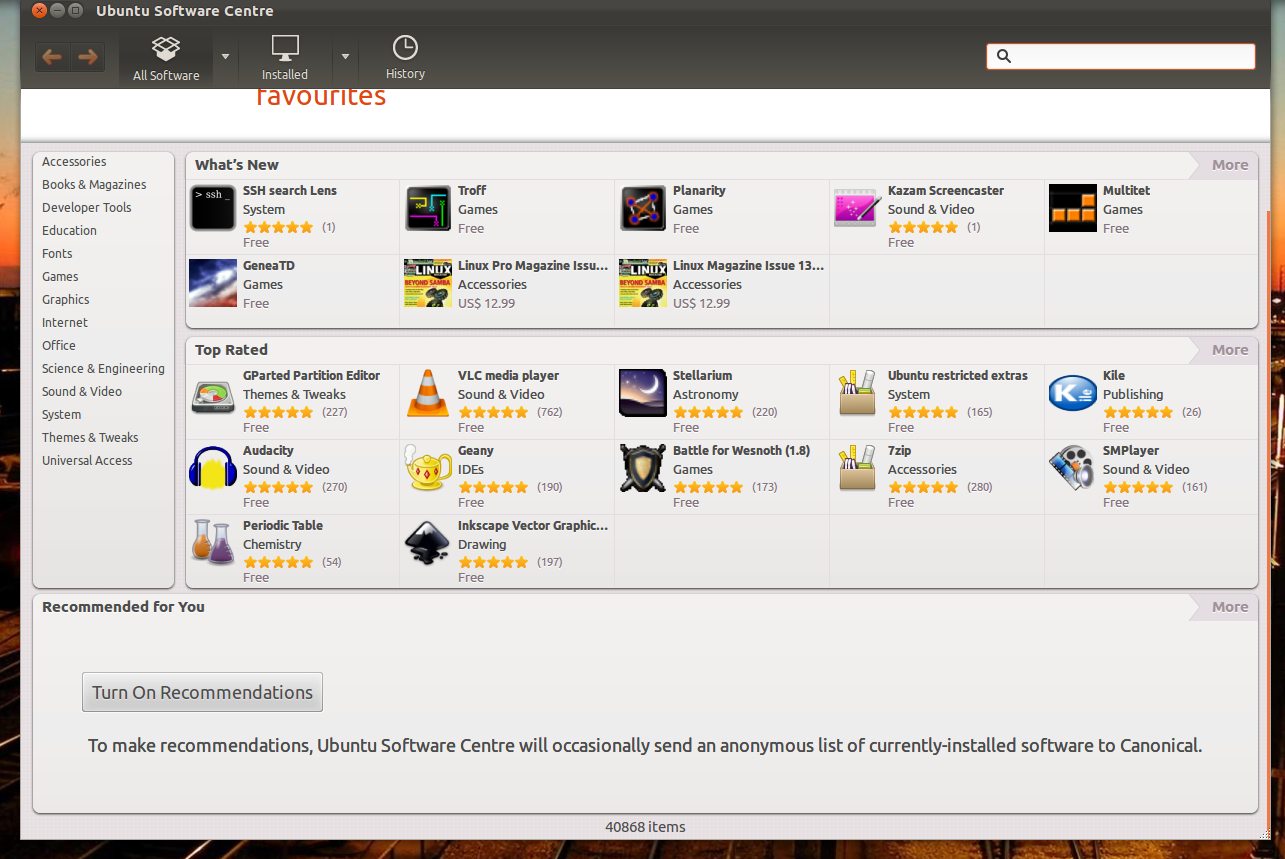
The Ubuntu Software Centre To Be Replaced in 16.04 LTS

Ubuntu Software Centre App Recommendations

The Ubuntu Software Centre is to be REPLACED in Ubuntu 16.04 LTS.

Users of the Xenial Xerus desktop will find the familiar (and somewhat cumbersome) Software Centre no longer available.

GNOME’s Software application will take its place. New plugins will be created to support the Software Centre’s ratings, reviews and paid app features as a result of the switch.

The decisions were taken at a recent desktop Sprint.


Read more at OMG! Ubuntu!

Red Hat Partners Up With Microsoft In The Cloud

Microsoft and Red Hat have jointly announced a partnership today to “deliver more flexibility and choice” in the cloud…

Read more at Phoronix

Mossberg: It’s Time for Google to Make Its Own Hardware


Welcome to Mossberg, a new weekly commentary and reviews column on The Verge and Re/code by veteran tech journalist Walt Mossberg, now an Executive Editor at The Verge and Editor at Large of Re/code.

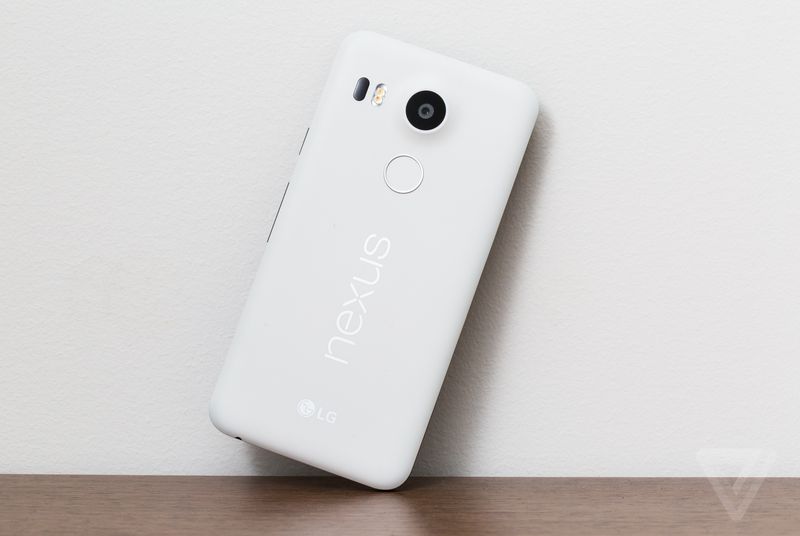
It’s Nexus time again, the time each year when Google ships its hero devices in the Nexus line. That’s a brand of phones and tablets commissioned by the company starting in 2010 — not to be huge sellers, but to show the world the best of its Android operating system.

Nexus phones are meant to present the latest versions of Android, in pure form, unadulterated by the software overlays and bloatware apps added by the hundreds of Android phone makers. They also give Google a chance to showcase its own latest apps and services, which…

Continue reading…

Read more at The Verge

Your Real-World Git Cheat Sheet

git-in-terminalThe Git version control system is pretty nice, a useful evolution from Subversion, CVS, and other older version control systems. It’s especially strong for distributed development, as you can work disconnected and not have to depend on the availability of a central server.

It’s also more complex than older VCS, and experienced users have their favorite ways of doing things that they think should be your favorites, too, even if they can’t explain them very well. One of the most important things to understand is which commands are for remote repositories, and which ones are for your local work.

Git is extensively documented, so you can always find authoritative answers. Always look in the documentation before doing a Web search because it is faster and you’ll get better answers.

Joining an Existing Project

The most common use-case is joining an existing project and getting flung in to sink or swim. Your first step, obviously, is to install Git. The various Linux distributions have packages for core Git, the Git man pages, and tools such as Gitk, the Git visual tools kit. (Github users may be interested in Beginning Git and Github for Linux Users.)

Next, run git config to set up your local environment with your repo credentials, default editor, password caching timeout, and other useful time-savers.

Then create a directory for your local repos and clone the project into it, using the actual address of your remote repo, of course:

$ mkdir project
$ cd project
$ git clone https://[remote-repo-address].git

Take a few minutes to look at your repo files. Everything is there in plain text. Git stores logs, commit messages and hashes, branches, and everything else needed to track your code in the .gitdirectory.

Your First Edits

The key to Git happiness is doing your work in a branch. You can make as many branches as you like, and mangle them to your heart’s content without making a mess of upstream branches. The default for most projects is to work from the master branch. Let’s use the fictional “coolproject” as an example. Create your new working branch like this:

$ cd coolproject
$ git checkout master
$ git pull
$ git checkout -b workbranch

What you did: you changed to your project directory, changed to the master branch, brought it up-to-date from the remote repository, and created the new branch “workbranch” from master. All the commands are local except git pull.

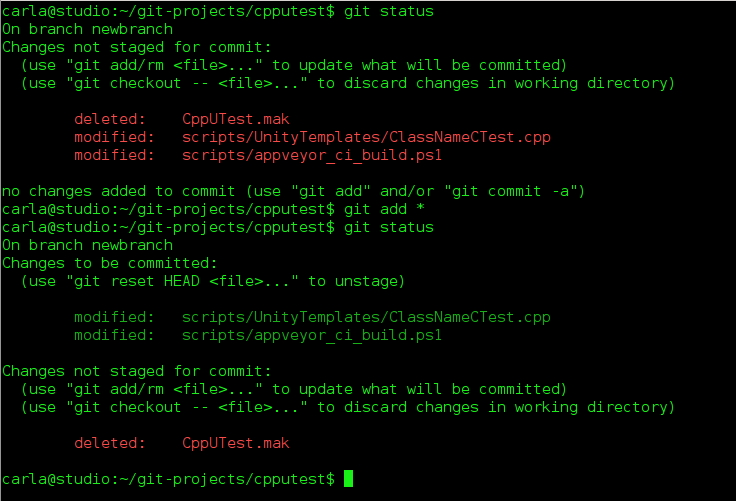
Now you can work in “workbranch” all you want without bothering anyone else’s work. At any time you can run git status to see which files have changed and what branch you are on:

$ git status
On branch workbranch
Changes not staged for commit:
  (use "git add/rm ..." to update what will be committed)
  (use "git checkout -- ..." to discard changes in working directory)
        modified:   api.c
        deleted:    routes.c
no changes added to commit (use "git add" and/or "git commit -a")

git status gives lots of helpful hints, so you might map it to a hotkey. The two files, api.c and routes.c, are highlighted in red to indicate that they have not been added to any commits yet. This means they are available to any branch, so if you are in the wrong one by mistake you can now change to the right one. You can add all changes to your commit with the first command, or name specific files with the second command:

$ git add --all
$ git add [filename or filenames, space-delimited]

Now when you run git status the filenames are green to show they have been added to your working branch. You can delete files from your working branch without deleting them from other branches, like this example using api.c:

$ git rm api.c

What if you change your mind and want to discard all changes to a file, or restore a deleted file? To restore api.c run these two commands:

$ git reset HEAD api.c
$ git checkout api.c

Note that since you started working in “workbranch” all of the commands have been local. You can do most of your work disconnected, and connect only to pull updates and push changes. Now let’s call our work in “workbranch” done and push our changes to the remote server. This is two steps: first commit your changes to your local branch with a nice message telling what you did, then push it to the remote server:

$ git commit -a -m "updates and changes and cool code stuff"
$ git push origin workbranch

Now your new branch is on the remote server waiting to be merged into master. In most projects you’ll be on a public Git host such as Github, Bitbucket, or CloudForge, and will use the hosting tools to create a pull request. A pull request is a notification that you want your commit reviewed and merged with the master branch.

List – Delete Branches

Run git branch to see the branches on your local systems, and git branch -a to see all branches on the remote server. git branch -d [branch name] deletes local branches, and if you get an error message that it is not completely merged, and you’re sure you’re finished with it, run git branch -D [branch name].

Undo

What if, after pushing your commit to the remote repo, you want to undo it? There are a couple of ways. You can revert the entire commit:

$ git revert de4bbc49eab

Your default editor will open so you can write a commit message and complete the revert. Every commit gets a unique number, which you can find by running git log. If it’s a small error then don’t revert, but fix it in your local working branch, and then push it to your remote working branch.

Stashing for Later

When you want to leave unfinished work in a branch and switch to another branch, stash your changes:

$ git stash
Saved working directory and index state WIP on workbranch: 56cd5d4 Revert "update old files"
HEAD is now at 56cd5d4 Revert "update old files"

The status message will reference your previous commit. You can see a list of your stashes:

$ git stash list
stash@{0}: WIP on workbranch: 56cd5d4 Revert "update old files"
stash@{1}: WIP on project1: 1dd87ea commit "fix typos and grammar"

When you’re ready to work on your stash, select the one you want like this:

$ git stash apply stash@{1}

Don’t Be Afraid to Copy-Paste

Chances are you will work with Git wizards who have all kinds of amazing and advanced ways to fix errors. Don’t be too proud to use copy-and-paste; get your work done now, and learn how to show off your Git wizardry later. All the files in your project repository are under Git control, so when you read the files you’ll see only the versions of your current branch. There is no shame in changing to another branch, copying files into an outside directory, and then changing to your working branch and copying them there. It’s a fast and sure way to fix problems or make large changes quickly.

Despite Google Denials, Chrome OS and Android Seem Destined for Merger

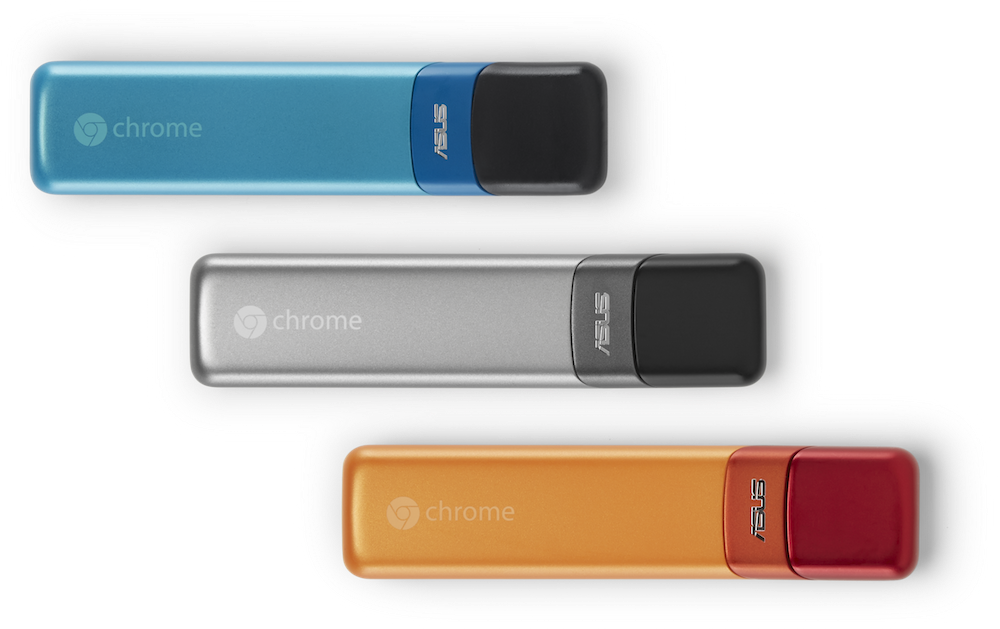
ChromebitLong before former Chrome OS team leader Sundar Pichai was promoted to CEO of Google earlier this year, there was rampant speculation that Alphabet’s chief subsidiary would eventually merge its browser- and cloud-oriented Chrome OS desktop operating system with the native-app focused Android. So it was hardly a surprise last week when the Wall Street Journal reported that Google has been doing just that for the last two years, and will demo a version of the merged Android/Chrome next year in anticipation of a 2017 release. The story was based on a recent analyst call with Pichai, in which an unnamed source quoted him as saying: “Mobile as a computing paradigm is eventually going to blend with what we think of as desktop today.”
The subsequent pseudo-denial of the WSJ story this week in a Chrome blog post by Hiroshi Lockheimer, Google’s SVP for Android, Chrome OS, and Chromecast, was met with widespread skepticism. The incredulity was reinforced by comments from Alphabet Executive Chairman Eric Schmidt at a TechCrunch summit event held this week in Beijing. Speaking of a potential Android/Chrome merger, Schmidt said: “Technology can move forward where it’s possible you can wrap one into the other. I think the distinctions that are so hardcoded today are allowed to become less hardcoded.”

Yet, these apparently conflicting visions of the future of Google’s two Linux-based operating systems do not directly contradict each other. Lockheimer does not deny that the platforms are merging, and his claim that there are no plans to discontinue Chrome OS is also supported by the WSJ’s Alistair Barr, who wrote: “Chrome OS will remain as an open source operating system that other companies can use to make laptops, and Google engineers will continue maintaining it.”

Lockheimer promises “dozens of new Chromebooks in 2016,” and notes that the Chromecast-like Asus Chromebit will arrive in the coming weeks for only $85. He also promised upcoming improvements to Chrome OS including “a new media player, a visual refresh based on Material Design, improved performance, and of course, a continued focus on security.”

Intentionally Unclear?

It’s unclear to what degree Google permitted the merger disclosure, but there’s a good possibility it was intentional, as was Lockheimer’s response. This does not appear to be an internal turf conflict. Pichai rose to the top thanks to his success with Chrome OS, and Lockheimer was previously Android’s VP of engineering.

Google’s somewhat contradictory statements about the merger may risk a decline in Chromebook sales, but it also creates uncertainty for competitors like Apple and Microsoft. Apple has made it clear it intends to keep its iOS and OSx platforms separate, while Microsoft has so far struggled with its strategy of creating a unified Windows and Windows Phone platform. Microsoft now seems more focused on moving Windows 10 into Internet of Things applications rather than pushing its phones.

Google may also want to create a moving target for Android vendors who want to steer Android in different directions or push alternate Linux OSes, but still need to maintain app compatibility. These include Samsung, which is keeping Tizen in its back pocket, as well as the growing ranks of CyanogenMod and OnePlus (Oxygen OS) licensees, and Chinese vendors like Xiaomai, which are pushing their own versions of Android.

It’s also possible that Google is still not entirely sure how its two very dissimilar OSes will be merged. Confusing matters further, Business Insider quotes an unnamed source as saying Google may actually field three different platforms: Chrome OS, Android, and a new desktop-ready hybrid.

Signs of a Merger

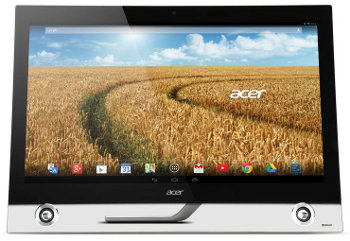
acer-Android-PCThe WSJ suggests that the confluence of the two platforms will occur primarily with Android, which would add more support for keyboards, mice, and larger displays, as well as improvements to multi-windowing. Simply choosing Chrome as your default browser already brings much of the Chrome OS experience to Android.

It is unclear to what extent Android might be able to borrow from Chrome OS’s much more robust security. Limited security and lack of big-screen optimized applications have been major obstacles to Android-based desktop and notebook systems.

So far, most of the signs for a potential merger have occurred on the Chrome OS side rather than Android. In April of this year Google opened up its App Runtime for Chrome (ARC), enabling the porting of Android apps to Chrome OS. In addition, the Chrome OS Chrome Launcher 2.0 features a more Android-like Material Design, and integrates Android’s Google Now personal assistant.

There was not much evidence of a Chrome OS infusion in the most recent Android 6.0 “Marshmallow” release. However, Google recently furthered its vision of Android on the desktop with the Pixel C, a keyboard-convertible tablet developed by Google’s Chromebook team.

Android Rising

Even if Android is released as a desktop-ready OS with some Chrome OS features, there is no reason to doubt Lockheimer’s claim that Chrome OS will also continue as a separate entity — at least for a few years. Chrome OS is thriving in the educational market, and Chromebooks appear to be outselling all other PCs that ship with Linux distros. Chromebooks now comprise 3 percent of the desktop OS market, according to IDC.

Breaking into Microsoft’s desktop turf is still just as hard as carving out mobile market share from Android and iOS. So ranking third after Windows and Mac OSx, which represents 7 to 10 percent of the market according to various studies, is no mean feat.

Nevertheless, Chromebook sales pale in comparison to that of Android devices, and the platform’s advance may be blunted by a new wave of much cheaper $200 Windows 10 notebooks. Considering that user expectations have already forced Google to back away somewhat from its purist vision of Chrome OS cloud computing, it’s hard to argue with a strategy that attempts to push Android upward onto the desktop rather than pushing Chrome’s cloud-oriented vision onto Android.

If unification is Google’s goal for Android and Chrome OS, the company continues to risk fragmentation by spinning off other market-specific versions of Android, including Android Wear, Android TV, Android Auto, and the recently outed, lightweight Brillo OS for IoT. More Android spinoffs may be on the way — according to Ars Technica, Google is prepping a full-fledged Android Automotive IVI spec for cars in addition to its Android Auto connectivity spec, which principally resides on Android mobile devices.

Distribution Release: Fedora 23

The Fedora team has launched a new version of their Red Hat sponsored Linux distribution. The new release, Fedora 23, is available in multiple editions, including Workstation, Server and Cloud as well as multiple community spins. The latest version of Fedora ships with version 3.18 of the GNOME….

Read more at DistroWatch

There Is A Bunch Of ACPI & Power Management Updates For Linux 4.4

Rafael Wysocki notes that with the power management and ACPI updates for Linux 4.4 there are “quite a [few] features are included this time” for improving Linux power use…

Read more at Phoronix