Read more at HPE
Although we often discuss virtualization as a new thing, the need for the technology is almost as old as computing itself, dating back to the 1960s. Making one system work on another system likely will always be a requirement in our industry. Virtualization is used on client PCs, servers, and clouds as well as in seemingly unrelated technologies such as gaming emulation, which is, in essence, just another form of virtualization.
On one front, virtualization makes your life easier. Yet the Matryoshka doll principle of having something sit inside another thing (and maybe sit inside yet another thing, as with nested virtualization) makes some computing tasks more complex. Complexity always means an increased potential for errors, both in practical terms and mistakes at the conceptual level. Let’s identify the common mistakes and how to avoid them. (My examples primarily use Windows but are equally applicable to virtualization on Linux.)
You just gleefully unboxed your shiny new 32-core server rack equipped with near-infinite amounts of RAM.
Read more at HPE
The Netflix Security Intelligence and Response Team (SIRT) announces the release of Diffy under an Apache 2.0 license. Diffy is a triage tool to help digital forensics and incident response (DFIR) teams quickly identify compromised hosts on which to focus their response, during a security incident on cloud architectures.
Read more at Medium
There are seemingly countless Linux distributions on the market, each one hoping to carve out its own little niche and enjoy a growing user base. Some of those distributions have some pretty nifty tricks up their sleeves, while others are gorgeous works of art on the desktop. Still, others go to great lengths to simply be a desktop distribution capable of making Linux a simple experience, with a hint of elegance.
It’s that latter form in which DuZeru OS lives. This take on Linux is developed in Brazil and is based on the Debian stable branch. The default desktop (out of the box) is xfce 4.12.1, which helps to make DuZeru a serious contender in the lightweight Linux distribution arena.
You won’t find much information about DuZeru OS, because it’s relatively new. Nor will you find much in the way of documentation. Fortunately, that’s okay, as DuZeru OS is as straightforward a Linux distribution as you will find. The added bonus is that the developers have created a desktop that is incredibly easy on the eyes and just as easy on the mind. It’s not a challenge to install or to use. It just is.
That, in and of itself, makes reviewing such a distribution a challenge, as it doesn’t really go too far out of its way to differentiate itself from others. However, that also makes it a great contender for the average user.
Why?
Simple: Users prefer the familiar. Instead of looking to a desktop operating system which will challenge their knowledge of how their daily workflow should be, they want to hop on board and instantly know how to work. That’s where DuZeru OS shines. It’s familiar. It’s simple. Anyone could sit down with this desktop and immediately know how it works.
Let me give you a quick tour.
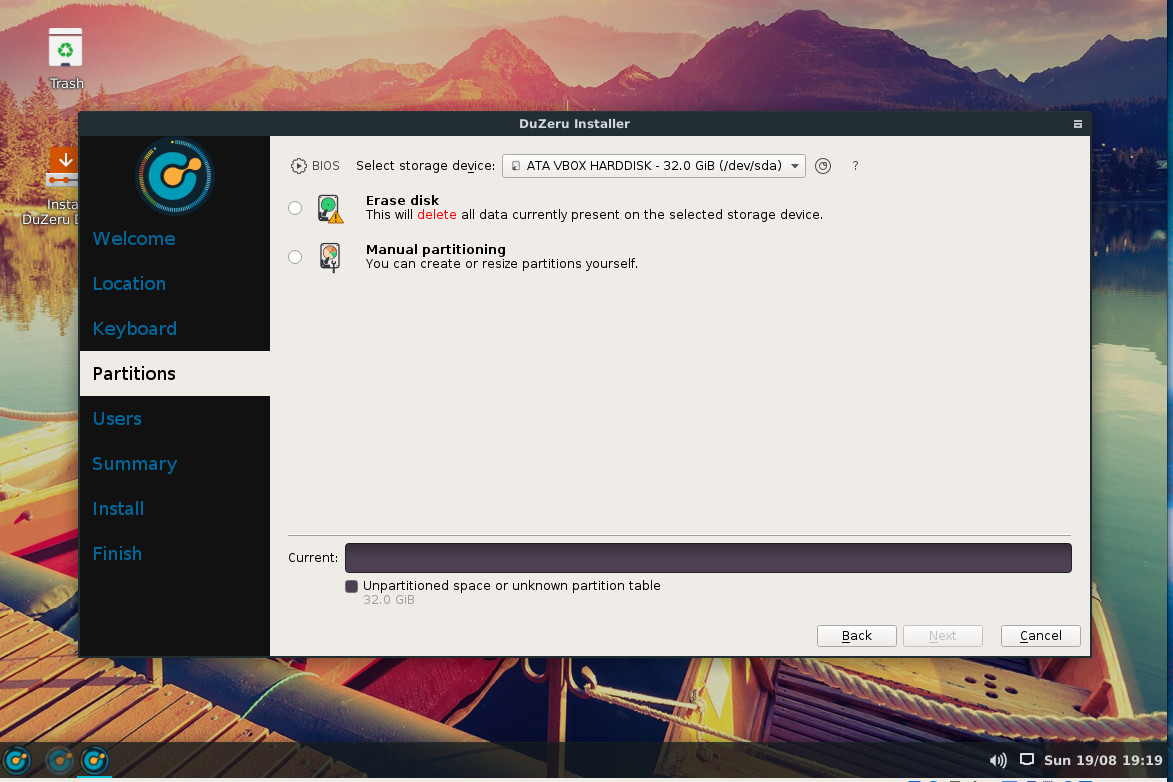
We’ve reached the point where the installation of most Linux distributions has become as easy as installing an app. DuZeru OS is no exception. The installation is handled in eight screens:
Welcome — greetings from the developers.
Location — choose your location.
Keyboard — select your desired keyboard.
Partitions (Figure 1) — partition your device.
Users — create a user account.
Summary — view the installation summary and OK the install.
Install — view the installation as it occurs.
Finish — you’re done. Reboot.
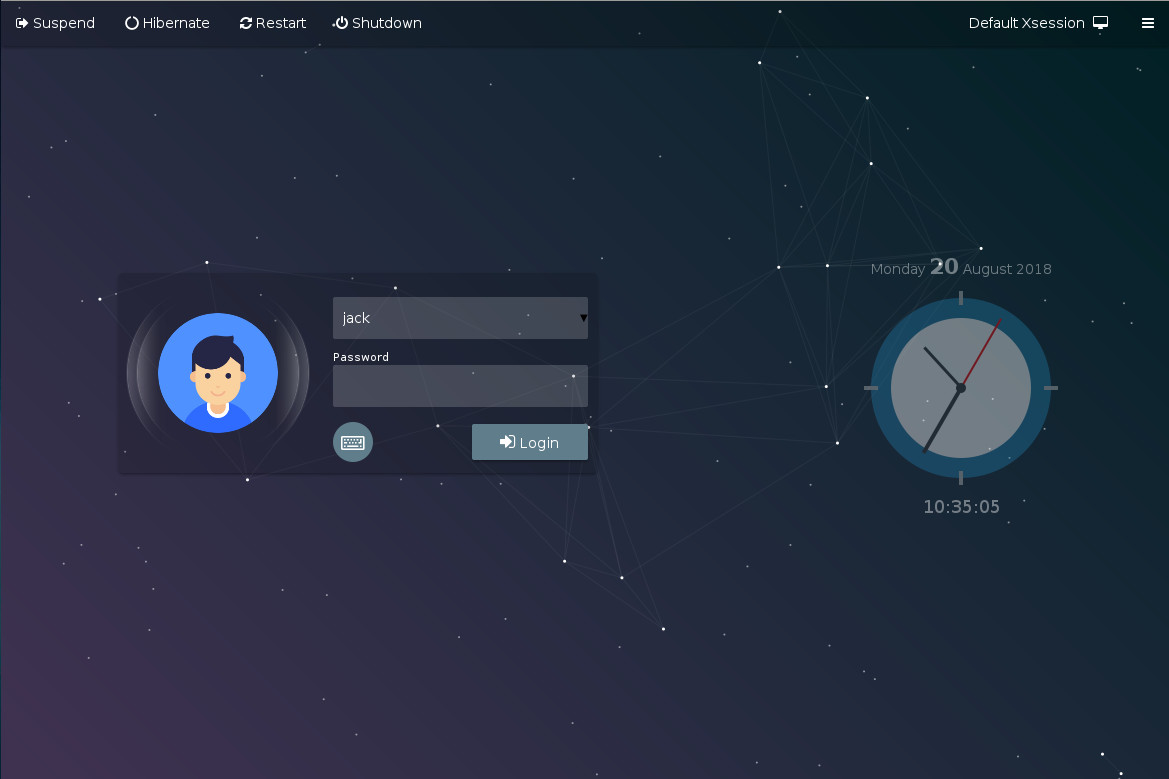
Once installed, reboot the machine and you’ll be greeted by the DuZeru OS login (Figure 2).
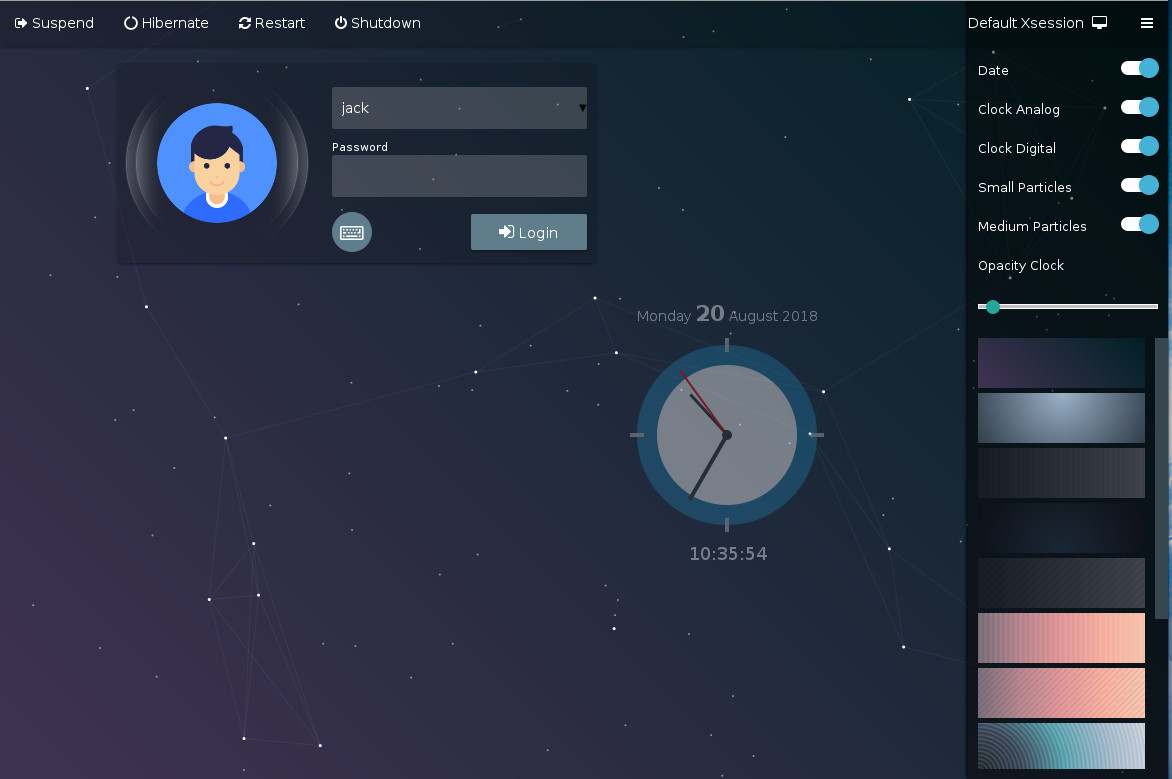
One really nice touch added to the login screen is the ability to configure it. Click on the menu button in the upper right corner to reveal a sidebar that allows you to set a few options for the login screen (Figure 3).
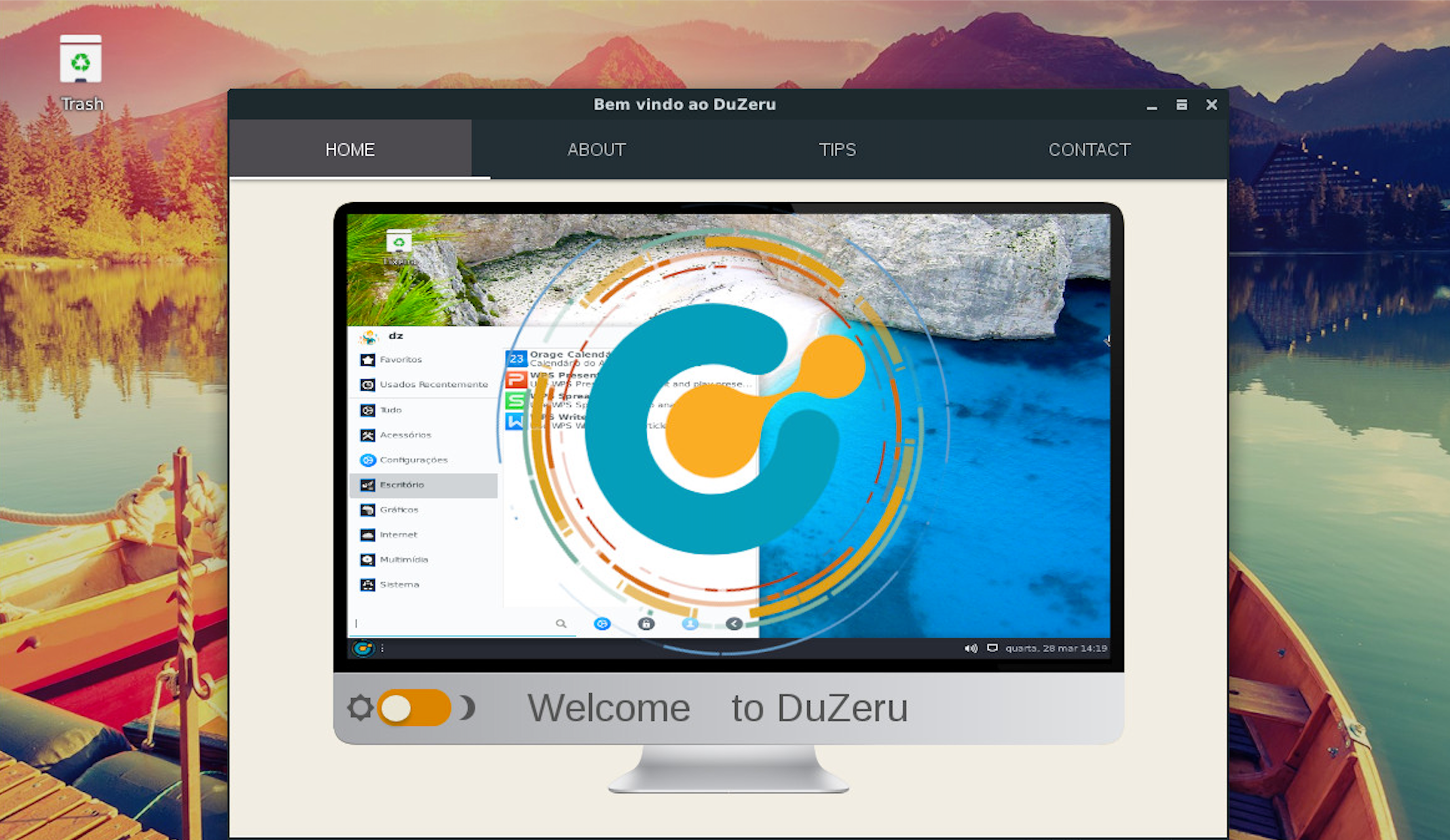
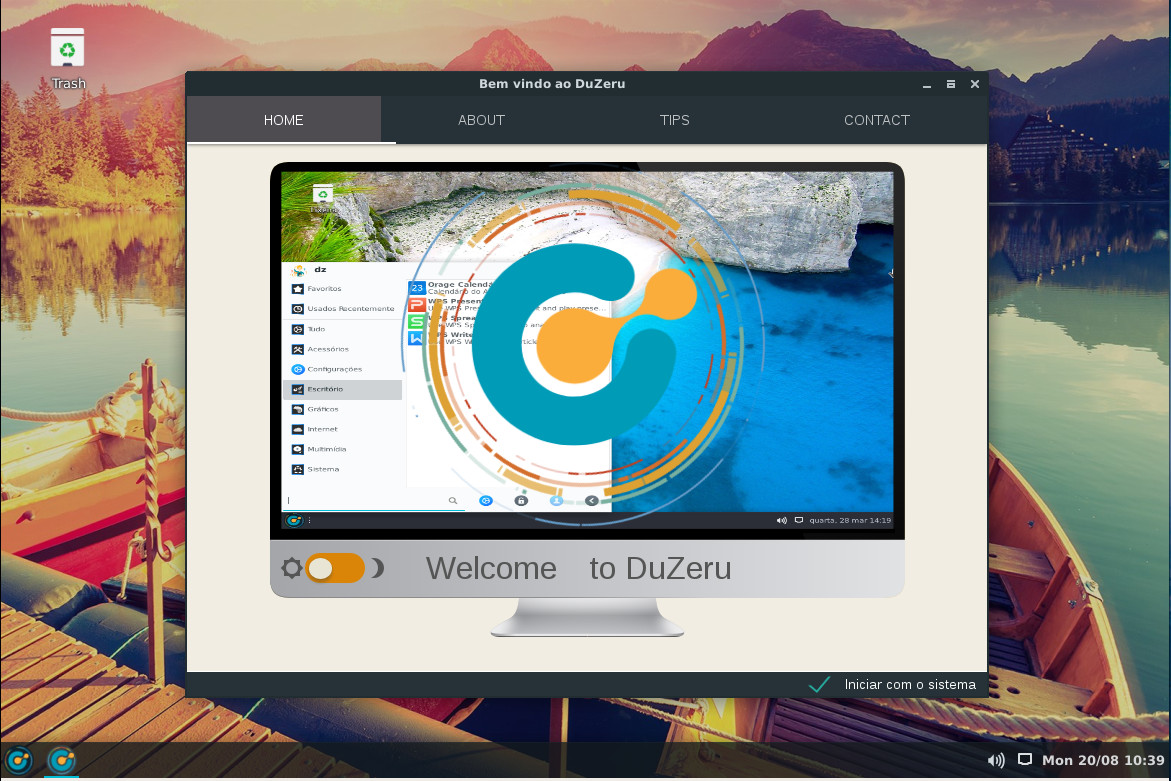
Once you login, you’ll be greeted by a window that includes three helpful tabs (Figure 4):
ABOUT — An introduction to DuZeru OS.
TIPS — A few handy tips regarding installation, kernel installation (more on this in a bit), customizing the appearance, system settings, and system information.
CONTACT — How to contact the developers.
Click on the desktop menu button and you’ll find a bare minimum of applications. In fact, your first reaction will probably be that DuZeru OS is seriously lacking in default apps. You’ll find:
Application finder
Archive Manager
Calculator
Document Viewer
DuZeru Kernel Installer
FIle Manager
GDebi Package Installer
Google Chrome
ImageMagick
Log Out
PulseAudio Volume Control
Ristretto Image Viewer
Run Program
Screenshot
Slingscold (GNOME Dash-like application launcher)
Software Manager
Stacer
System Monitor
Terminal
Text Editor
VLC media player
Welcome
And that’s it.
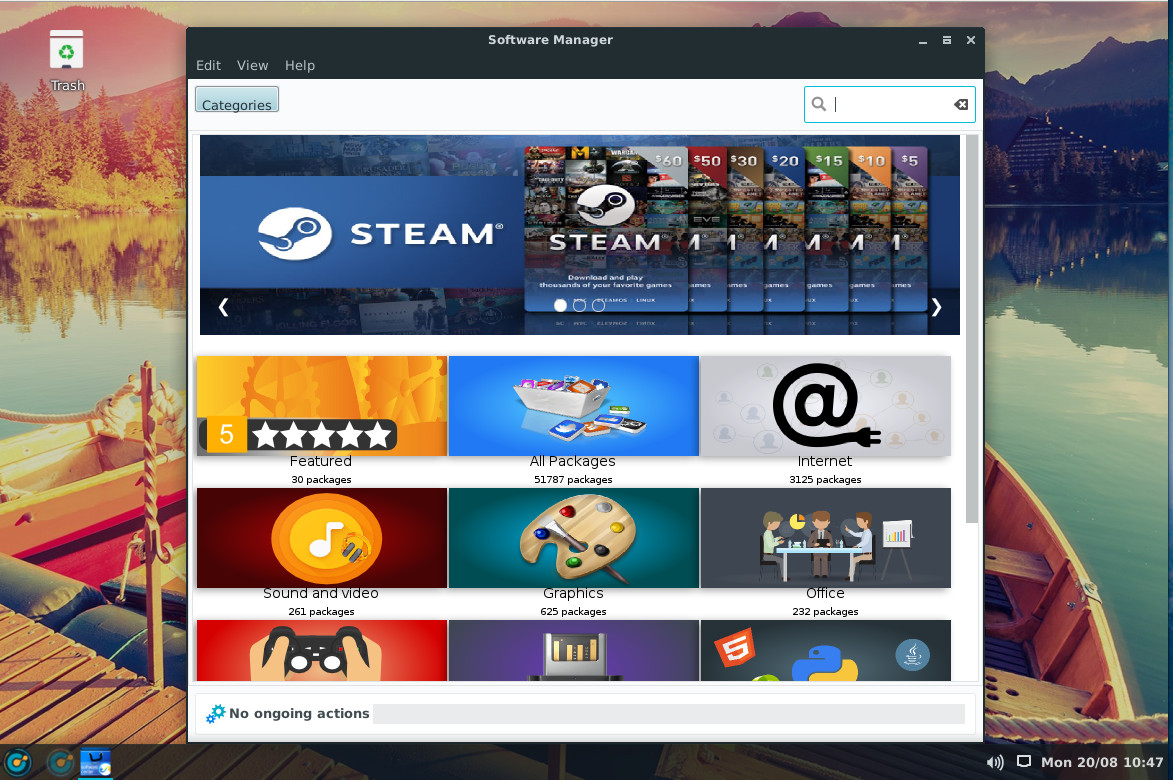
Fortunately, DuZeru OS includes a Software Manager that should be instantly familiar to anyone. Open the tool (Figure 5), search for the software you want, and install.
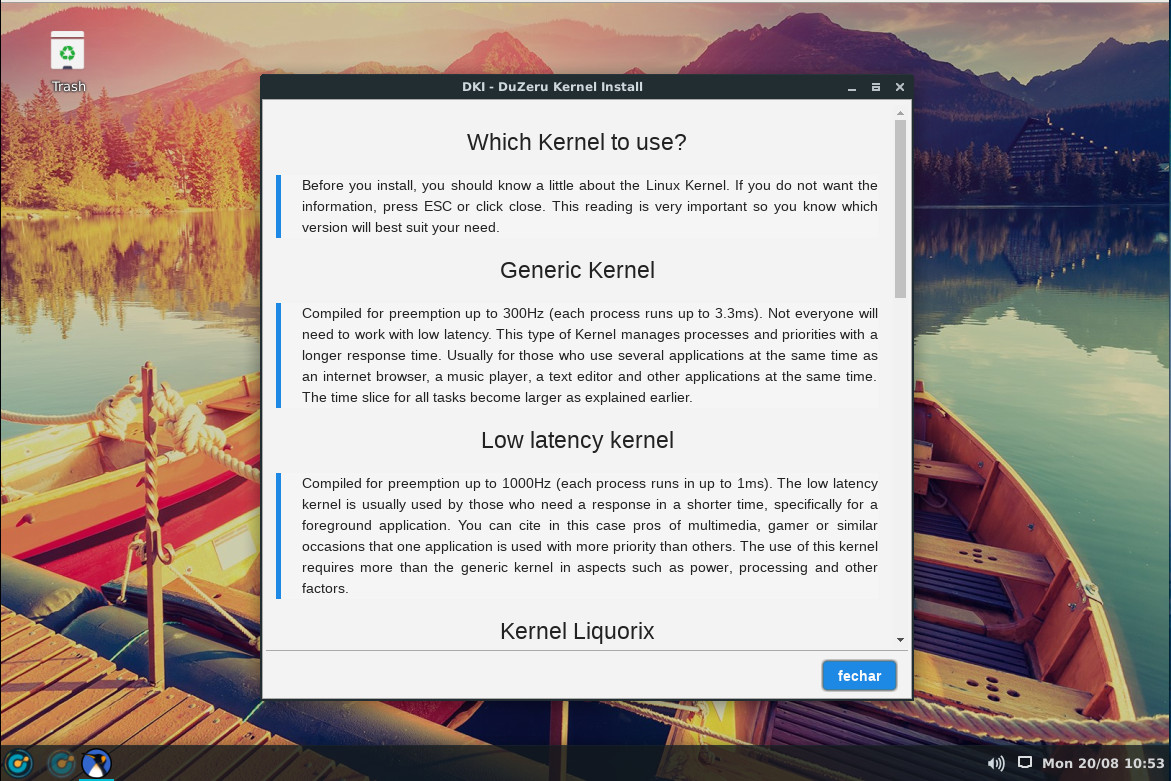
This is the one area where DuZeru OS ventures away from the average user. From the desktop menu, type kernel and then click on DuZeru Kernel Install. After typing your administrative password, you will be greeted with a window explaining the different types of kernels you can download and install (Figure 6).
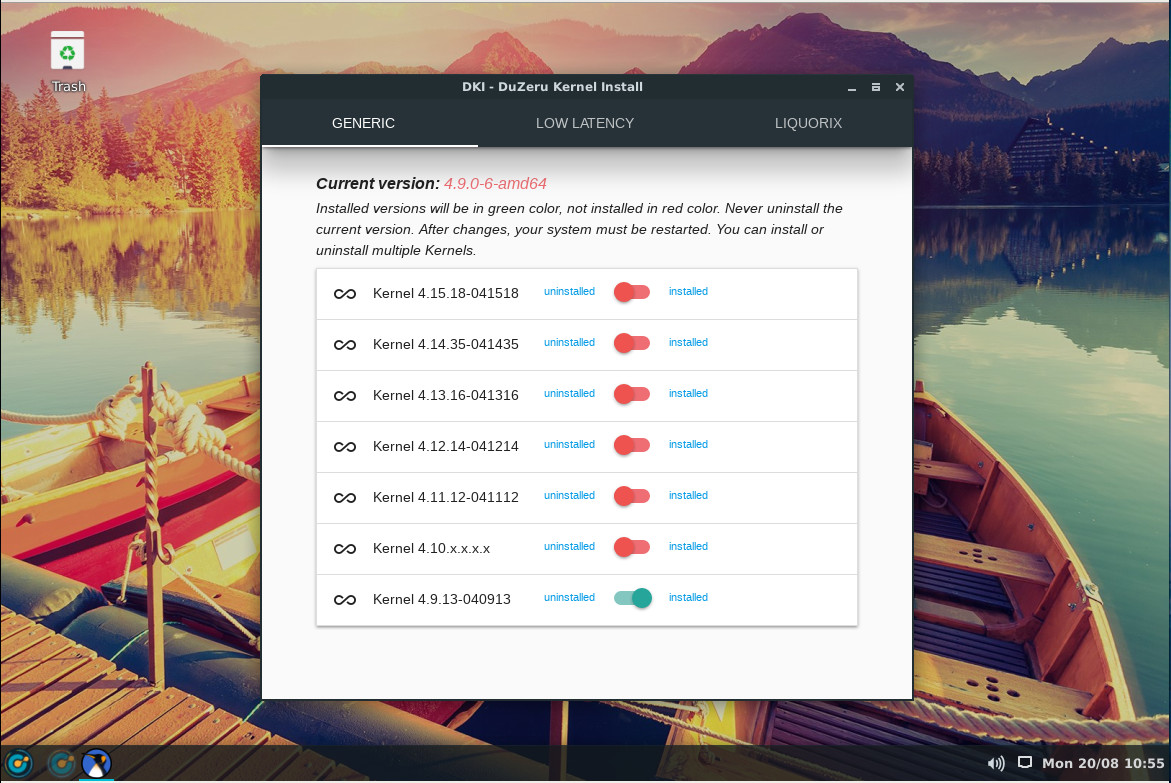
Click on the button in the bottom-right corner and you’ll see a new window (Figure 7), which allows you to select from the available kernel types (such as GENERIC and LOW LATENCY) and then install the version of that kernel type you want.
Click the slider for the kernel you want, OK the installation, and wait for the installation to complete. When the process finishes, reboot and select the newly installed kernel.
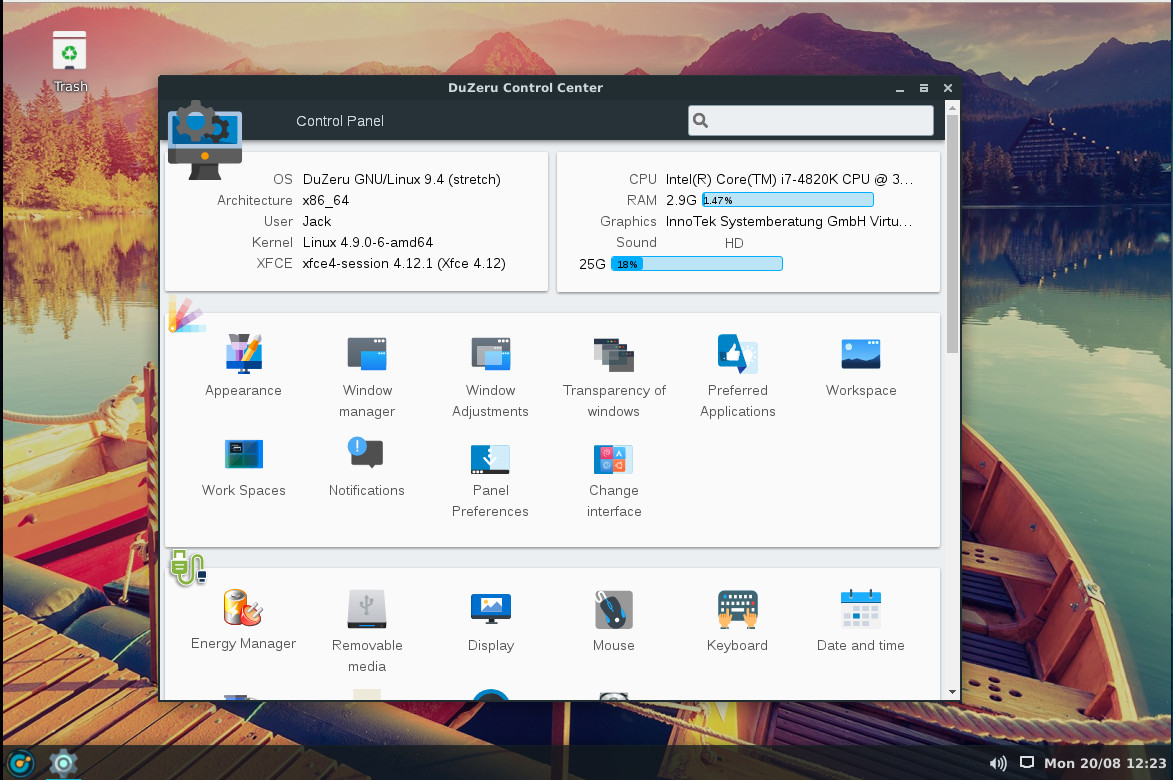
Open the desktop menu and click on the gear icon directly to the right of the search bar. This will open up the DuZeru Control Center, where you can configure every aspect of the operating system and even get a quick glance at system information (Figure 8).
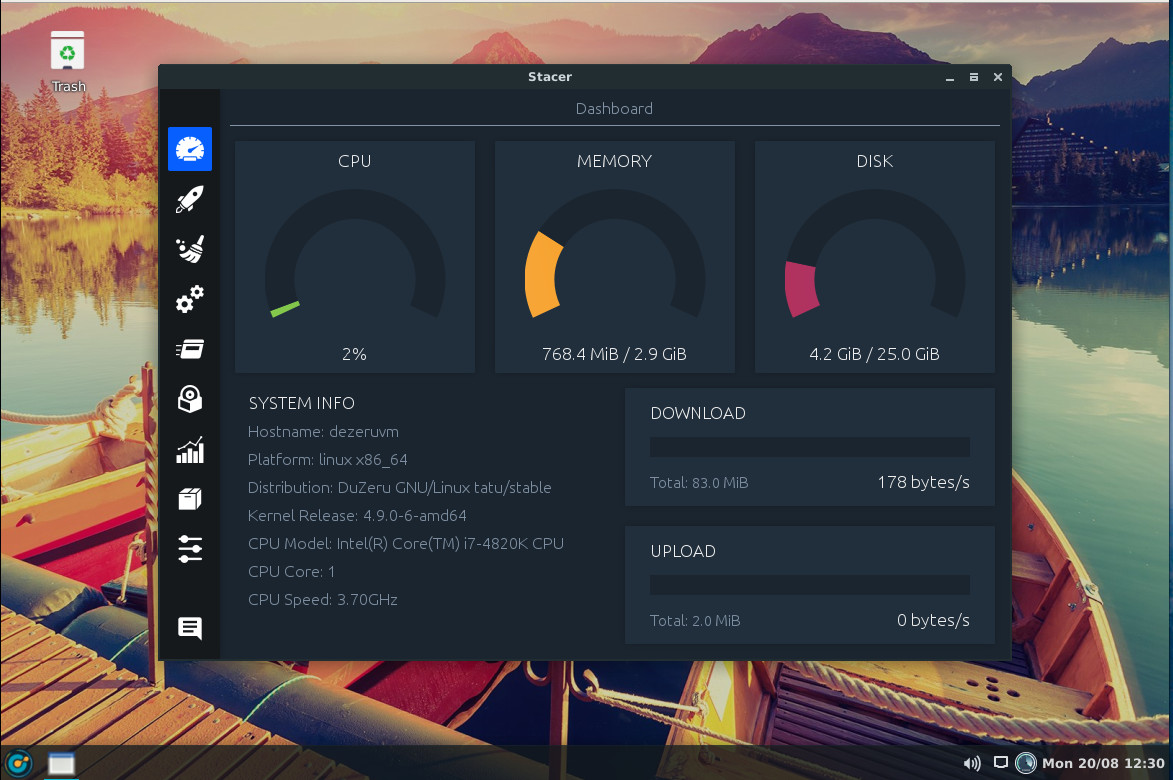
From both the desktop menu and the Control Center, you can start the Stacer application. Stacer is an amazing tool that allows you to optimize your system in numerous ways (which further expands the capability of the Control Center). Within Stacer (Figure 9), you can:
Get a glimpse of system information
Manage startup applications
Run a system cleaner
Configure/manage services
Manage processes
Uninstall packages
View system resource usage
Manage apt repositories
Configure Stacer
DuZeru isn’t going to blow your mind — it’s not that kind of distribution. What it does do is prove that simplicity on the desktop can go a long, long way to winning over new users. So if you’re looking for a solid and simple Linux distribution, that’s perfectly suited for new users, you should certainly consider this flavor of Linux.
The Schedule is Now Live for Open FinTech Forum!
Join 500+ CIOs, senior technologists, and IT decision makers at Open FinTech Forum to learn the best strategies for building internal open source programs and how to leverage cutting-edge open source technologies for the financial services industry, including AI, Blockchain, Kubernetes, Cloud Native and more, to drive efficiencies and flexibility.
Featured Sessions Include:
Read more at The Linux Foundation
The ubiquitous topic of edge computing has so far primarily focused on IoT and machine learning. A new Linux Foundation project called Akraino Edge Stack intends to standardize similar concepts for use on edge telecom and networking systems in addition to IoT gateways. The goal to build an “open source software stack that supports high-availability cloud services optimized for edge computing systems and applications,” says the project.
“The Akraino Edge Stack project is focused on anything related to the edge, including both telco and enterprise use cases,” said Akraino evangelist Kandan Kathirvel, Director of Cloud Strategy & Architecture at AT&T, in an interview with Linux.com.
The project announced it has “moved from formation into execution,” and revealed a slate of new members including Arm, Dell, Juniper, and Qualcomm. New member Ericsson is joining AT&T Labs to host the first developer conference on Aug. 23-24.
Akraino Edge Stack was announced in February based on code contributions from AT&T for carrier-scale edge computing. In March, Intel announced it was joining the project and open sourcing parts of its Wind River Titanium Cloud and Network Edge Virtualization SDK for the emerging Akraino stack. Intel was joined by a dozen, mostly China-based members including China Mobile, China Telecom, China Unicom, Docker, Huawei, Tencent, and ZTE.
The Akraino Edge Stack project has now announced broader based support with new members Arm, Dell EMC, Ericsson, inwinSTACK, Juniper Networks, Nokia, Qualcomm, Radisys, Red Hat, and Wind River. The project says it has begun to develop “blueprints that will consist of validated hardware and software configurations against defined use case and performance specifications.” The initial blueprints and seed code will be opened to the public at the end of the week following the Akraino Edge Stack Developer Summit at AT&T Labs in Middletown, New Jersey.
The project announced a lightweight governance framework with a Technical Steering Committee (TSC), composed of “active committers within the community.” There is “no prerequisite of financial contribution,” says the project.
Like most edge computing projects and products, such as AWS Greengrass, the Linux Foundation’s EdgeX Foundry, and Google’s upcoming Cloud IoT Edge, the technology aims to bring cloud technologies and analytics to smaller-scale computers that sit closer to the edge of the network. The goal is to reduce the latency of cloud/device interactions, while also reducing costly bandwidth delivery and improving reliability via a distributed network.
Akraino will offer blueprints for IoT, but it is more focused more on bringing edge services to telecom and networking systems such as cellular base stations, smaller networking servers, customer premises equipment, and virtualized central offices (VCOs). The project will supply standardized blueprints for implementing virtual network functions (VNFs) in these systems for applications ranging from threat detection to augmented reality to specialized services required to interconnect cars and drones. Virtualization avoids the cost and complexity of integrating specialized hardware with edge networking systems.
“One key difference from other communities is that we offer blueprints,” said AT&T’s Kathirvel. “Blueprints are declarative configurations of everything including the hardware, software, operational and security tools, security tools — everything you need to run production in large scale.”
When asked for further clarification between Akraino’s stack and the EdgeX Foundry’s middleware for industrial IoT, Kathirvel said that EdgeX is more focused on the intricacies of IIoT gateway/sensor communications whereas Akraino has a broader focus and is more concerned with cloud connections.
“Akraino Edge Stack is not limited to IoT — we’re bringing everything together in respect to the edge,” said Kathirvel. “It’s complementary with EdgeX Foundry in that you could take EdgeX code and create a blueprint and maintain that within the Akraino Edge Stack as an end to end stack. In addition, the community is working on additional use cases to support different classes of edge hardware.”
Initially, Akraino Edge Stack use cases will be “focused on provider deployment,” said Kathirvel, referring to telecom applications. These will include emerging, 5G-enabled applications such as “AR/VR and connected cars” in which sub 20 millisecond or lower latency is required. In addition, edge computing can reduce the extent to which network bandwidth must be boosted to accommodate demanding multimedia-rich and cloud-intensive end-user applications.
Akraino Edge Stack borrows virtualization and container technologies from open source networking projects such as OpenStack. The goal is to create a common API stack for deploying applications using VNFs running within containers. A VNF is a software-based implementation of the networked virtual machines implemented via closely related NFV (network functions virtualization) initiatives.
In a May 23 presentation (YouTube video) at the OpenStack Summit Vancouver, Kathirvel and fellow Akraino contributor Melissa Evers-Hood of Intel, listed several other projects and technologies that the stack will accommodate with blueprints, including Ceph (distributed cloud storage), Kata Containers, Kubernetes, and the Intel/Wind River backed StarlingX for open cloud infrastructure. Aside from EdgeX and OpenStack, other Linux Foundation hosted projects on the list include DANOS (Disaggregated Network Operating System) and the LF’s new Acumos AI project for developing a federated platform to manage and share models for AI and machine learning.
Akraino aligns closely with OpenStack edge computing initiatives, as well as the Linux Foundation’s ONAP (Open Network Automation Platform). ONAP, which was founded in Feb. 2017 from the merger of the earlier ECOMP and OPEN-O projects, is developing a framework for real-time, policy-driven software automation of VNFs.
Join us at Open Source Summit + Embedded Linux Conference Europe in Edinburgh, UK on October 22-24, 2018, for 100+ sessions on Linux, Cloud, Containers, AI, Community, and more.

Prometheus is a free and open source software ecosystem that allows us to collect metrics from our applications and stores them in a database, especially a time-series based DB. It is a very powerful monitoring system suitable for dynamic environments. Prometheus is written in Go and use query language for data processing. Prometheus provides metrics of CPU, memory, disk usage, I/O, network statistics, MySQL server and Nginx.
In this tutorial, we will explain how to install Prometheus on Ubuntu 18.04 server.
By default, Prometheus is not available in the Ubuntu 18.04 LTS (Bionic Beaver) default repository. So you will need to add the repository for that.
Read more at HowToForge
LF Networking (LFN), launched on January 1st of this year, has already made a significant impact in the open source networking ecosystem gaining over 100 members in the just the first 100 days. Critically, LFN has also continues to attract support and participation from many of the world’s top network operators, including six new members announced in May: KT, KDDI, SK Telecom, Sprint, Swisscom; and Deutsche Telekom announced just last month. In fact, member companies of LFN now represent more than 60% of the world’s mobile subscribers. Open source is becoming the de facto way to develop software and it’s the technical collaboration at the project level that makes it so powerful.
Similar to the demos in the LFN Booth at ONS North America, the LFN Booth at ONS Europe will once again showcase the top, community-led, technical demos from the LFN family of projects. We have increased the number of demo stations from 8 to 10, and for the first time, are showcasing demos from the big data analytics project PNDA, and demos that include the newly added LFN Project, Tungsten Fabric (formerly OpenContrail). Technology from founding LFN Projects FD.io, ONAP, OPNFV, and OpenDaylight will also be represented, along with adjacent projects like Acumos, Kubernetes, OpenCI, Open Compute Project, and OpenStack.
Read more at The Linux Foundation
NFS clients and servers push file traffic over clear-text connections in the default configuration, which is incompatible with sensitive data. TLS can wrap this traffic, finally bringing protocol security. Before you use your cloud provider’s NFS tools, review all of your NFS usage and secure it where necessary.
The Network File System (NFS) is the most popular file-sharing protocol in UNIX. Decades old and predating Linux, the most modern v4 releases are easily firewalled and offer nearly everything required for seamless manipulation of remote files as if they were local.
The most obvious feature missing from NFSv4 is native, standalone encryption. Absent Kerberos, the protocol operates only in clear text, and this presents an unacceptable security risk in modern settings. NFS is hardly alone in this shortcoming, as I have already covered clear-text SMB in a previous article. Compared to SMB, NFS over stunnel offers better encryption (likely AES-GCM if used with a modern OpenSSL) on a wider array of OS versions, with no pressure in the protocol to purchase paid updates or newer OS releases.
Read more at Linux Journal
This is the first of a series of articles intended to make Machine Learning more approachable to those who do not have a technical training. I hope it is helpful.
Advancements in computer technology over the past decades have meant that the collection of electronic data has become more commonplace in most fields of human endeavor. Many organizations now find themselves holding large amounts of data spanning many prior years. This data can relate to people, financial transactions, biological information, and much, much more.
Simultaneously, data scientists have been developing iterative computer programs called algorithms that can look at this large amount of data, analyse it and identify patterns and relationships that cannot be identified by humans. Analyzing past phenomena can provide extremely valuable information about what to expect in the future from the same, or closely related, phenomena. In this sense, these algorithms can learn from the past and use this learning to make valuable predictions about the future.
While learning from data is not in itself a new concept, Machine Learning differentiates itself from other methods of learning by a capacity to deal with a much greater quantity of data, and a capacity to handle data that has limited structure. This allows Machine Learning to be successfully utilized on a wide array of topics that had previously been considered too complex for other learning methods.
Read more at Towards Data Science
Cloud and open source are changing the world and can play an integral role in how companies transform themselves. That was the message from Abby Kearns, executive director of open source platform as a service provider Cloud Foundry Foundation, who delivered a keynote address earlier this summer at LinuxCon + ContainerCon + CloudOpen China, known as LC3.
“Cloud native technologies and cloud native applications are growing,’’ Kearns said. Over the next 18 months, there will be a 100 percent increase in the number of cloud native applications organizations are writing and using, she added. “This means you can no longer just invest in IT,” but need to in cloud and cloud technologies as well. …
To give the audience an idea of what the future will look like and where investments are being made in cloud and open source, Kearns cited a few examples. The automotive industry is changing rapidly, she said, and a Volkswagen automobile, for example, is no longer just a car; it has become a connected mobile device filled with sensors and data.
“Volkswagen realized they need to build out developer teams and applications that could take advantage of many clouds across 12 different brands,” she said. The car company has invested in Cloud Foundry and cloud native technologies to help them do that, she added.
“At the end of the day it’s about the applications that extend that car through mobile apps, supply chain management — all of that pulled together to bring a single concise experience for the automotive industry.”
Watch the complete keynote at The Linux Foundation.