Home Blog Page 485

Linux Distros That Serve Scientific and Medical Communities

Linux serves — of that there is no doubt — literally and figuratively. The open source platform serves up websites across the globe, it serves educational systems in numerous ways, and it also serves the medical and scientific communities and has done so for quite some time.

I remember, back in my early days of Linux usage (I first adopted Linux as my OS of choice in 1997), how every Linux distribution included so many tools I would personally never use. Tools used for plotting and calculating on levels I’d not even heard of before. I cannot remember the names of those tools, but I know they were opened once and never again. I didn’t understand their purpose. Why? Because I wasn’t knee-deep in studying such science.

Modern Linux is a far cry from those early days. Not only is it much more user-friendly, it doesn’t include that plethora of science-centric tools. There are, however, still Linux distributions for that very purpose — serving the scientific and medical communities.

Let’s take a look at a few of these distributions. Maybe one of them will suit your needs.

Scientific Linux

You can’t start a listing of science-specific Linux distributions without first mentioning Scientific Linux. This particular take on Linux was developed by Fermilab. Based on Red Hat Enterprise Linux, Scientific Linux aims to offer a common Linux distribution for various labs and universities around the world, in order to reduce duplication of effort. The goal of Scientific Linux is to have a distribution that is compatible with Red Hat Enterprise Linux, that:

  • Provides a stable, scalable, and extensible operating system for scientific computing.

  • Supports scientific research by providing the necessary methods and procedures to enable the integration of scientific applications with the operating environment.

  • Uses the free exchange of ideas, designs, and implementations in order to prepare a computing platform for the next generation of scientific computing.

  • Includes all the necessary tools to enable users to create their own Scientific Linux spins.

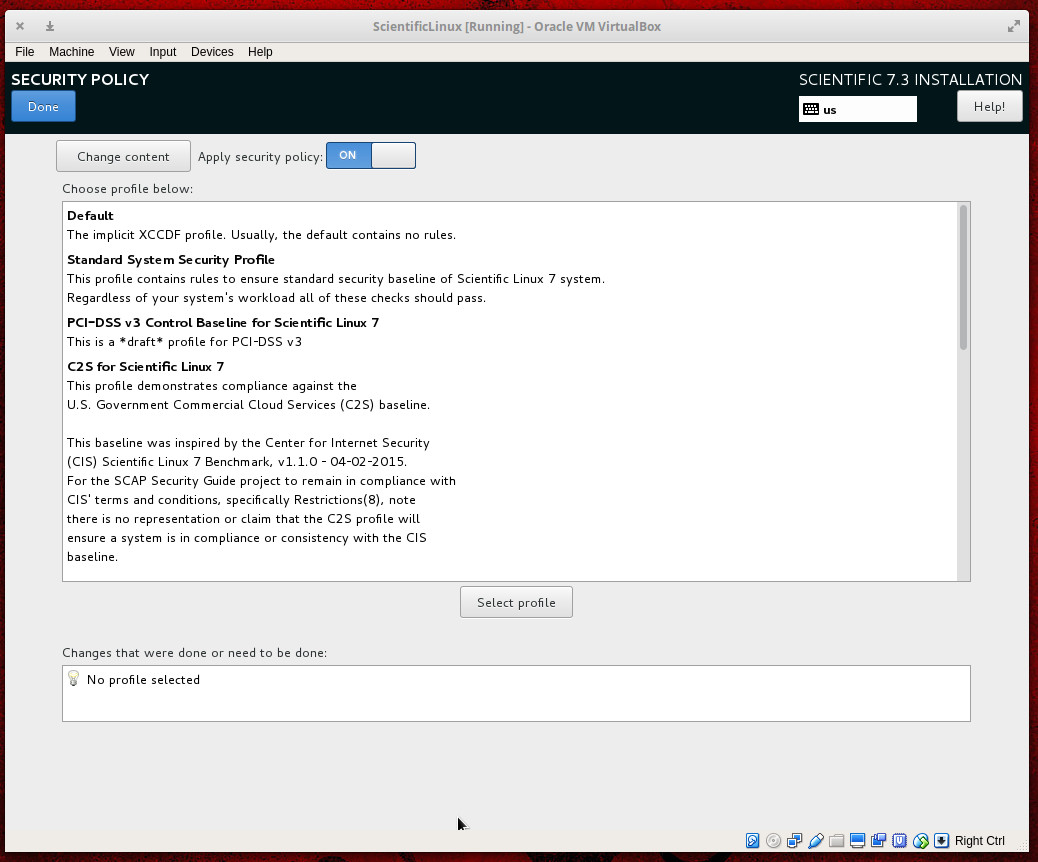
Because Scientific Linux is based on Red Hat Enterprise Linux, you can select a Security Policy for the platform during installation (Figure 1).

Figure 1: Selecting a security policy for Scientific Linux during installation.

Two famous experiments that work with Scientific Linux are:

  • Collider Detector at Fermilab — experimental collaboration that studies high energy particle collisions at the Tevatron (a circular particle accelerator)

  • DØ experiment — a worldwide collaboration of scientists that conducts research on the fundamental nature of matter.

What you might find interesting about Scientific Linux is that it doesn’t actually include all the science-y goodness you might expect. There is no Matlab equivalent pre-installed, or other such tools. The good news is that there are plenty of repositories available that allow you to install everything you need to create a distribution that perfectly suits your needs.

Scientific Linux is available to use for free and can be downloaded from the official download page.

Bio-Linux

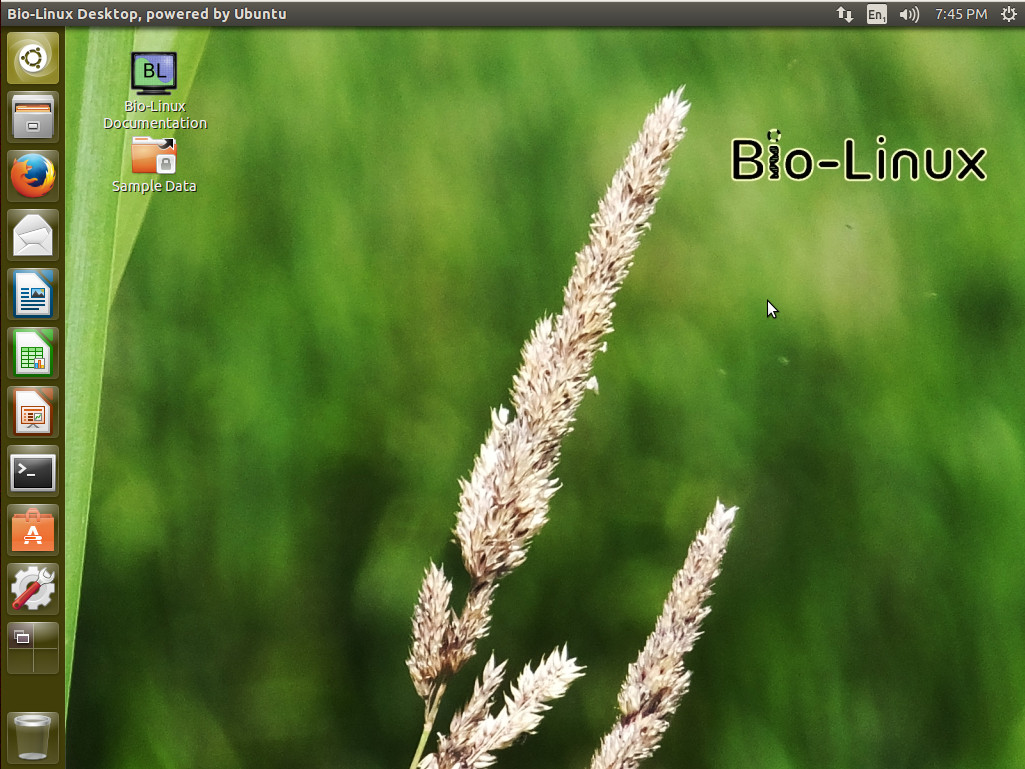
Now we’re venturing into territory that should make at least one cross section of scientists very happy. Bio-Linux is a distribution aimed specifically at bioinformatics (the science of collecting and analyzing complex biological data such as genetic codes). This very green-looking take on Linux (Figure 2) was developed at the Environmental Omics Synthesis Centre and the Natural Environment for Ecology & Hydrology and includes hundreds of bioinformatics tools, including:

  • abyss — de novo, parallel, sequence assembler for short reads

  • Artemis — DNA sequence viewer and annotation tool

  • bamtools — toolkit for manipulating BAM (genome alignment) files

  • Big-blast — The big-blast script for annotation of long sequence

  • Galaxy — browser-based biomedical research platform

  • Fasta — tool for searching DNA and protein databases

  • Mesquite — used for evolutionary biology

  • njplot — tool for drawing phylogenetic trees

  • Rasmo — tool for visualizing macromolecules

Figure 2: The Bio-Linux desktop.

There are plenty of command line and graphical tools to be found in this niche platform. For a complete list, check out the included software page here.

Bio-Linux is based on Ubuntu and is available for free download.

Poseidon Linux

This particular Ubuntu-based Linux distribution originally started as a desktop, based on open source software, aimed at the international scientific community. Back in 2010, the platform switched directions to focus solely on bathymetry (the measurement of depth of water in oceans, seas, or lakes), seafloor mapping, GIS, and 3D visualization.

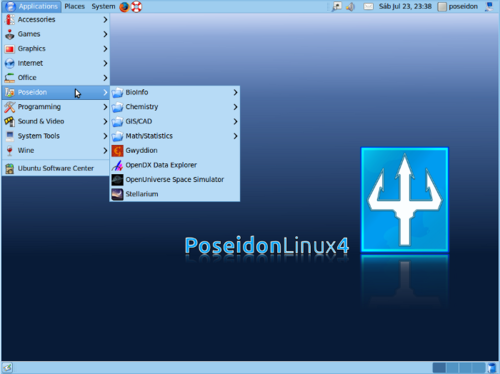
Figure 3: Poseidon Linux with menus (Image: Wikipedia).
Poseidon Linux (Figure 3) is, effectively, Ubuntu 16.04 (complete with Ubuntu Unity, at the moment) with the addition of GMT (a collection of about 80 command-line tools for manipulating geographic and Cartesian data sets), PROJ (a standard UNIX filter function which converts geographic longitude and latitude coordinates into Cartesian coordinates), and MB System (seafloor mapping software).

Yes, Poseidon Linux is a very niche distribution, but if you need to measure the depth of water in oceans, seas, and lakes, you’ll be glad it’s available.

Download Poseidon Linux for free from the official download site.

NHSbuntu

A group of British IT specialists took on the task to tailor Ubuntu Linux to be used as a desktop distribution by the UK National Health Service. NHSbuntu was first released, as an alpha, on April 27, 2017. The goal was to create a PC operating system that could deliver security, speed, and cost-effectiveness and to create a desktop distribution that would conform to the needs of the NHS — not insist the NHS conform to the needs of the software. NHSbuntu was set up for full disk encryption to safeguard the privacy of sensitive data.

NHSbuntu includes LibreOffice, NHSMail2 (a version of the Evolution groupware suite, capable of connecting to NHSmail2 and Trust email), and Chat (a messenger app able to work with NHSmail2). This spin on Ubuntu can:

  • Perform as a Clinical OS

  • Serve as an office desktop OS

  • Be used as in kiosk mode

  • Function as a real-time dashboard

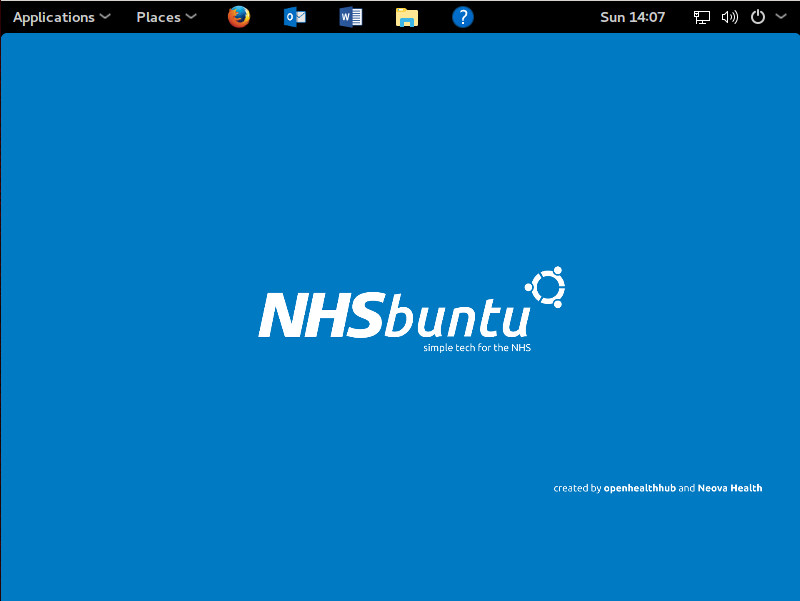
Figure 4: NHSbuntu main screen.

The specific customizations of NHSbuntu are:

  • NHSbuntu wallpaper (Figure 4)

  • A look and feel similar to a well-known desktop

  • NHSmail2 compatibility

  • Email, calendar, address book

  • Messager, with file sharing

  • N3 VPN compatibility

  • RSA token supported

  • Removal of games

  • Inclusion of Remmina (Remote Desktop client for VDI)

NHSbuntu can be downloaded, for free, for either 32- or 64-bit hardware.

The tip of the scientific iceberg

Even if you cannot find a Linux distribution geared toward your specific branch of science or medicine, chances are you will find software perfectly capable of serving your needs. There are even organizations (such as the Open Science Project and Neurodebian) dedicated to writing and releasing open source software for the scientific community.

Learn more about Linux through the free “Introduction to Linux” course from The Linux Foundation and edX.

An Economically Efficient Model for Open Source Software License Compliance

“The Compliance Industrial Complex” is a term that evokes dystopian imagery of organizations engaging in elaborate and highly expensive processes to comply with open source license terms. As life often imitates art, many organizations engage in this practice, sadly robbing them of the many benefits of the open source model. This article presents an economically efficient approach to open source software license compliance.

Open source licenses generally impose three requirements on a distributor of code licensed from a third party:

  1. Provide a copy of the open source license(s)
  2. Include copyright notices
  3. For copyleft licenses (like GPL), make the corresponding source code available to the distributees

Read more at OpenSource.com

EdgeX Foundry Architectural Tenets Spur Sustainable Open Source Ecosystem Development

If you explore the Wiki pages of EdgeX Foundry, you will see several references to the project’s architectural “tenets”.  These are the principles that guide how the project’s contributors and technical steering committee decide what changes are accepted into the project, what features will be pursued, and ultimately what technology the group will advance together.

The tenets of EdgeX did not get established overnight.  They are not some sort of religious doctrine or commandments (although some of us would like to see them carved in stone someday). We didn’t blindly establish them because it fit within today’s software mantra.  

No, the EdgeX tenets have evolved from industry-wide collaboration that addresses the use cases and challenges of edge computing. More specifically, they evolved through trial and practice in Project Fuse, which Dell started more than two years ago and donated to The Linux Foundation earlier this year to seed EdgeX Foundry.  These tenets represent the imbued lessons learned while building EdgeX Foundry, and they are the bedrock that will allow the EdgeX community and the commercial ecosystem around the project to continue to grow and thrive.  

Read more at The Linux Foundation

The Evolution of DevOps

Understanding the impact and expanding influence of DevOps culture, and how to apply DevOps principles to make your digital operations more performant and productive.

A few years ago, I wrote that DevOps is the movement that doesn’t want to be defined. That’s still true, though being cryptic doesn’t help executives who need to understand what’s going on in their industries, or who want to make their digital operations more productive. You may already have people in your company who are “doing DevOps,” or who want to. What are they doing? What do they want?

Let’s start with origins. Back in 2007, a Belgian engineer named Patrick Debois became frustrated by the friction between developer and operations teams. As a developer and a member of the Agile community, Debois saw an opportunity to use Agile methodologies to manage infrastructure management process, much like developers manage development process. He initially described this concept as Agile Infrastructure but later coined the phrase DevOps, a portmanteau of development and operations.

Read more at O’Reilly

Six Strategies for Scaling an Open Source Community

We have solved some of the scaling problems with the release management and documentation teams, and are planning a solution for an issue now facing the dependency management team. In the course of working with those teams, I have developed a six-step process that I use to find more sustainable approaches to scaling open source community practices.

1. Understand history — Why are things they way they are today? What requirements were we trying to meet? Before making a major change to a process, we need to establish the original requirements and identify their sources. We also need to understand any constraints that influenced early decisions, and how long-standing processes have evolved since being created. This stage involves asking questions, examining mailing list archives, and studying existing tools.

Read more at OpenStack Superuser

Introducing Fastify, a Speedy Node.js Web Framework

The following is a contributed article from Node.js core technical committee member Matteo Collina, summarizing the talk he will give at the Node.js Interactive conference, to be held Oct. 4 – 6 in Vancouver. 

Why have we written yet another web framework for Node.js? I am committed to making the Node.jsplatform faster, more stable and more scalable. In 2016, myself and David Mark Clements started Pino, which was designed to be the fastest logger for Node.js, and it now has four active maintainers and an ecosystem of hundreds of modules.

Fastify is a new web framework inspired by HapiRestify and Express. Fastify is built as a general-purpose web framework, but it shines when building extremely fast HTTP APIs that use JSON as the data format. These are extremely common in both web and mobile software architectures, so Fastify could improve the throughput of the majority of applications.

Read more at The New Stack

Android Oreo: Google Adds in More Linux Kernel Security Features

Google has outlined four key kernel hardening features its engineers have backported from upstream Linux to Android kernels on devices that ship with Android 8.0 OreoThey will benefit “all Android kernels supported in devices that first ship with this release”, according to Sami Tolvanen, a senior software engineer on the Android Security team.

The new kernel protections should also help developers who are responsible for building Android hardware drivers detect kernel security bugs before shipping them to users. According to Google, 85 percent of the kernel vulnerabilities in Android were due to bugs in vendor drivers.

Read more at ZDNet

Why Python Is a Crucial Part of the DevOps Toolchain

DevOps is a way of thinking; it’s an approach, not a specific set of tools. And that’s all well and good – but it only gives you half the picture. If we overstate DevOps as a philosophy or a methodology, then it becomes too easy to forget that the toolchain is everything when it comes to DevOps. In fact, DevOps thinking forces you to think about your toolchain more than ever – when infrastructure becomes code, the way in which you manage it, change it is constantly.

Skills Up survey: Python is the primary language used by those working in DevOps

Because DevOps is an approach built for agility and for handling change, engineers need to embrace polyglotism. But there’s one language that’s coming out as a crucial component of the DevOps toolchain — Python. In this year’s Skill Up survey, publisher Packt found that Python was the primary language used by those working in DevOps. Indeed, it was a language that dominated across job roles – from web development to security to data science – a fact which underscores Python’s flexibility and adaptability. But it’s in DevOps that we can see Python’s true strengths. If DevOps is a modern, novel phenomenon in the software world, it’s significant that Python is the tool that DevOps practitioners share as a common language.

Read more at JAXenter

How People Collaborate on Linux Kernel Mailing Lists

Linux is one of the largest and most successful open source projects in history.  According to a 2016 report from The Linux Foundation, more than 13,500 developers from more than 1,300 companies have contributed to the Linux kernel since tracking began 11 years ago.

At Open Source Summit in Los Angeles, Dawn Foster, a part-time consultant at The Scale Factory and a PhD student at the University of Greenwich in London, will share her research into how these many developers and contributors collaborate on the Linux kernel mailing lists, including network visualizations of mailing list interactions between contributors.

With more than 20 years of experience in business and technology with expertise in open source software, community building and management, market research, and more, Foster says that while there is quite a bit of data about the people and companies who commit Linux kernel code, there isn’t much data about how people work together on the mailing lists where they decide what patches will be accepted.

In this interview, Foster who is passionate about bringing people together through a combination of online communities and real-world events shares some insight about her research and her upcoming talk. In her presentation at OS Summit, you can expect to learn more about the people, their employers, and other data that impacts participation on the Linux kernel mailing lists.

Linux.com: What value/benefit do you see in learning how these developers work together?

Foster: When I worked in the Open Source Technology Center at Intel, we had quite a few kernel developers on the team, and I was always interested in how they worked closely together with other people from a wide variety of companies, including our competitors.

One of the interesting things about the Linux kernel is that the vast majority of people who contribute to the kernel are employed by companies to do this work. However, most of the academic research on open source software assumes that participants are volunteers. Based on my experience, I know that this assumption isn’t valid for many projects, and I wanted to use my time as a PhD student to do research that takes corporate involvement in open source projects into account. The hope is that after I finish my PhD and go back to work in the technology sector, I will have encouraged more researchers to include the employer relationship in their open source research.

However, looking at this employer relationship is a bit tricky. When I talk to kernel developers, they almost always say that it’s the contributions that are important, not your employer. As a part of my PhD research, I interviewed 16 kernel developers and most of them said that they really don’t pay much attention to where someone works. So, from a more practical standpoint, I wanted to test this idea out a bit and explore whether where you work, along with several other factors, influences how people work together in the kernel.

Linux.com: Don’t threads on mailing lists provide enough data?

Foster: The focus of my research is on collaboration, and looking at which people tend to work together on the kernel. With the Linux kernel, discussions about patches happen on various mailing lists, so it’s really the best place to look if you want to understand how people are working together.

The hard part is that there are well over 100 unique mailing lists for various subsystems, so the mistake I see some researchers making is picking just LKML (the main Linux Kernel Mailing List) to study. However, this ignores the fact that most of the work and the collaboration on patches happens on subsystem mailing lists, not LKML. Since I’m interested in how people work together and because people tend to work together in subsystems, I’ve been picking a few subsystems for my research, USB for example.

This doesn’t mean that I’m ignoring the source code. One of the things that I include in my research as something that might influence how people work together is whether someone is an active contributor (has recently made code commits) or is a maintainer for some part of the code.

Linux.com: The discussions seen on mailing lists are purely about that patch/project. Is it possible that non-public discussions within companies or group of developers play a much more important role in how these people work together?

Foster: The reality is that there is no way to get perfect data when trying to understand how humans work with each other. It would never be practical to get access to the content of every hallway discussion, conference, meeting, private chat or internal email. So, we work with what we have, which is mailing list data. The kernel developers that I talked to said that all of the discussions should happen on the mailing lists, but most of them also admitted to having informal discussions with friends and coworkers about patches, especially when they wanted advice. It’s also quite common for new contributors to get initial feedback and coaching outside of the public mailing lists while they are developing a patch, and some people collaborate internally with other employees when working on patches.

As I mentioned earlier, most of the discussions don’t really happen on LKML, but on the various mailing lists for each subsystem. Since the patches eventually end up on one of the subsystem mailing lists where they can be discussed, I can learn about the formal collaboration that happens around these patches. All research is based on assumptions and limitations. I know that there are certainly some informal discussions that aren’t included in my analysis, which is a limitation, but my assumption is that the important discussions happen on the mailing list. The idea is that enough of the important discussions happen on the subsystem mailing lists to make it a feasible way to look at how people work together within that subsystem.

Linux.com: Who will benefit from this data? Will it help developers or companies and organizations become more efficient in ensuring their participation?

Foster: In my experience working with open source communities, the people within those communities tend to be interested in learning more about how people work together. It’s easy for people to get caught up in doing their bits of work, and it can be interesting to see the project from a different perspective. I also suspect that some developers will be interested in attending just to see if I’m “getting it right,” and I welcome those people to my talk. I’d rather know if I’m making mistakes or bad assumptions now, while I still have time to fix them before I finish my dissertation in the next six months.

I also think that it will help companies and organizations, especially ones who are newer to the Linux kernel, understand how people work together. However, I think that even experienced companies might have something to learn about some of the nuances behind how people collaborate on the kernel.

Linux.com: Who should attend your talk and why?

Foster: The talk is intended for Linux kernel developers and other people who are interested in better understanding how kernel developers collaborate on the mailing lists. In addition to kernel developers, people from companies who are a bit newer to kernel development should find it interesting, and I would expect people who are interested in community and metrics to enjoy the talk.

Check out the full schedule for Open Source Summit here. Linux.com readers save on registration with discount code LINUXRD5Register now!

How to Get an Open-Source Job

As Dice, the leading technology job site, and The Linux Foundation recently found in their latest Open Source Jobs Survey and Report, there’s an abundance of open-source jobs. Here’s how you land one of them for yourself.

First, simply having mad open-source developer skills or kick-ass Linux sysadmin abilities isn’t enough. You must be able to prove that you can actually walk the walk and not just talk the talk. There are several ways to do that.

SUSE human resources expert Marie Louise van Deutekom said, “Let’s face it, open source is all about community. You can elevate your career through contributions to your community. You can elevate your career through contributions to your community. SUSE looks at contributions as part of our recruitment strategy. Not to mention, it’s great to see how much people really do contribute to these communities over time, which in turn helps my team understand specific skill levels and where to place potential candidates.”

Read more at ZDNet