
This presentation from Marcel Holtmann is about a new 802.11 wireless daemon for Linux. It is a lightweight daemon handling all aspects around WiFi support for Linux. It is designed with a tiny footprint for IoT use cases in mind.

Last week, as part of our meandering OpenSSL series, we learned how to configure Apache to use OpenSSL and to force all sessions to use HTTPS. Today, we’ll protect our Postfix/Dovecot mail server with OpenSSL. The examples build on the previous tutorials; see the Resources section at the end for links to all previous tutorials in this series.
You will have to configure both Postfix and Dovecot to use OpenSSL, and we’ll use the key and certificate that we created in OpenSSL For Apache and Dovecot .
You must edit /etc/postfix/main.cf and /etc/postfix/master.cf. The main.cf example is the complete configuration, building on our previous tutorials. Substitute your own OpenSSL key and certificate names, and local network:
compatibility_level=2
smtpd_banner = $myhostname ESMTP $mail_name (Ubuntu/GNU)
biff = no
append_dot_mydomain = no

myhostname = localhost
alias_maps = hash:/etc/aliases
alias_database = hash:/etc/aliases
myorigin = $myhostname
mynetworks = 127.0.0.0/8 [::ffff:127.0.0.0]/104 [::1]/128 192.168.0.0/24
mailbox_size_limit = 0
recipient_delimiter = +
inet_interfaces = all

virtual_mailbox_domains = /etc/postfix/vhosts.txt
virtual_mailbox_base = /home/vmail
virtual_mailbox_maps = hash:/etc/postfix/vmaps.txt
virtual_minimum_uid = 1000
virtual_uid_maps = static:5000
virtual_gid_maps = static:5000
virtual_transport = lmtp:unix:private/dovecot-lmtp

smtpd_tls_cert_file=/etc/ssl/certs/test-com.pem
smtpd_tls_key_file=/etc/ssl/private/test-com.key
smtpd_use_tls=yes

smtpd_sasl_auth_enable = yes
smtpd_sasl_type = dovecot
smtpd_sasl_path = private/auth
smtpd_sasl_authenticated_header = yes
In master.cf un-comment the following lines in the submission inet section, and edit smtpd_recipient_restrictions as shown:
#submission inet n  -  y  -  - smtpd
  -o syslog_name=postfix/submission
  -o smtpd_tls_security_level=encrypt
  -o smtpd_sasl_auth_enable=yes
  -o milter_macro_daemon_name=ORIGINATING
  -o smtpd_recipient_restrictions=permit_mynetworks,permit_sasl_authenticated,reject
  -o smtpd_tls_wrappermode=no
Reload Postfix and you’re finished:
$ sudo service postfix reload
In our previous tutorials we made a single configuration file for Dovecot, /etc/dovecot/dovecot.conf, rather than using the default giant herd of multiple configuration files. This is a complete configuration that builds on our previous tutorials. Again, use your own OpenSSL key and certificate, and your own userdb home file:
protocols = imap pop3 lmtp
log_path = /var/log/dovecot.log
info_log_path = /var/log/dovecot-info.log
disable_plaintext_auth = no
mail_location = maildir:~/.Mail
pop3_uidl_format = %g
auth_mechanisms = plain

passdb {
  driver = passwd-file
  args = /etc/dovecot/passwd
}

userdb {
  driver = static
  args = uid=vmail gid=vmail home=/home/vmail/studio/%u
}

service lmtp {
 unix_listener /var/spool/postfix/private/dovecot-lmtp {
   group = postfix
   mode = 0600
   user = postfix
  }
}

protocol lmtp {
  postmaster_address = postmaster@studio
}

service lmtp {
  user = vmail
}

service auth {
  unix_listener /var/spool/postfix/private/auth {
    mode = 0660
        user=postfix
        group=postfix
  }
 }

ssl=required
ssl_cert = </etc/ssl/certs/test-com.pem
ssl_key = </etc/ssl/private/test-com.key
Restart Dovecot:
$ sudo service postfix reload
Now we can test our setup by sending a message with telnet, just like we did before. But wait, you say, telnet does not support TLS/SSL, so how can this be so? By opening an encrypted session with openssl s_client first is how. The openssl s_client output will display your certificate, fingerprint, and a ton of other information so you’ll know that your server is using the correct certificate. Commands that you type after the session is established are in bold:
$ openssl s_client -starttls smtp -connect studio:25
CONNECTED(00000003)
[masses of output snipped]
    Verify return code: 0 (ok)
---
250 SMTPUTF8
EHLO studio
250-localhost
250-PIPELINING
250-SIZE 10240000
250-VRFY
250-ETRN
250-AUTH PLAIN
250-ENHANCEDSTATUSCODES
250-8BITMIME
250-DSN
250 SMTPUTF8
mail from: <carla@domain.com>
250 2.1.0 Ok
rcpt to: <alrac@studio>
250 2.1.5 Ok
data
354 End data with .subject: TLS/SSL test
Hello, we are testing TLS/SSL. Looking good so far.
.
250 2.0.0 Ok: queued as B9B529FE59
quit
221 2.0.0 Bye
You should see a new message in your mail client, and it will ask you to verify your SSL certificate when you open it. You may also use openssl s_client to test your Dovecot POP3 and IMAP services. This example tests encrypted POP3, and message #5 is the one we created in telnet (above):
$ openssl s_client -connect studio:995
CONNECTED(00000003)
[masses of output snipped]
    Verify return code: 0 (ok)
---
+OK Dovecot ready
user alrac@studio
+OK
pass password
+OK Logged in.
list
+OK 5 messages:
1 499
2 504
3 514
4 513
5 565
.
retr 5
+OK 565 octets
Return-Path: <carla@domain.com>
Delivered-To: alrac@studio
Received: from localhost
        by studio.alrac.net (Dovecot) with LMTP id y8G5C8aablgKIQAAYelYQA
        for <alrac@studio>; Thu, 05 Jan 2017 11:13:10 -0800
Received: from studio (localhost [127.0.0.1])
        by localhost (Postfix) with ESMTPS id B9B529FE59
        for <alrac@studio>; Thu,  5 Jan 2017 11:12:13 -0800 (PST)
subject: TLS/SSL test
Message-Id: <20170105191240.B9B529FE59@localhost>
Date: Thu,  5 Jan 2017 11:12:13 -0800 (PST)
From: carla@domain.com

Hello, we are testing TLS/SSL. Looking good so far.
.
quit
+OK Logging out.
closed
Now you have a nice functioning mail server with proper TLS/SSL protection. I encourage you to study Postfix and Dovecot in-depth; the examples in these tutorials are as simple as I could make them, and don’t include fine-tuning for security, anti-virus scanners, spam filters, or any other advanced functionality. I think it’s easier to learn the advanced features when you have a basic working system to use.
Come back next week for an openSUSE package management cheat sheet.
Learn more about Linux through the free “Introduction to Linux” course from The Linux Foundation and edX.
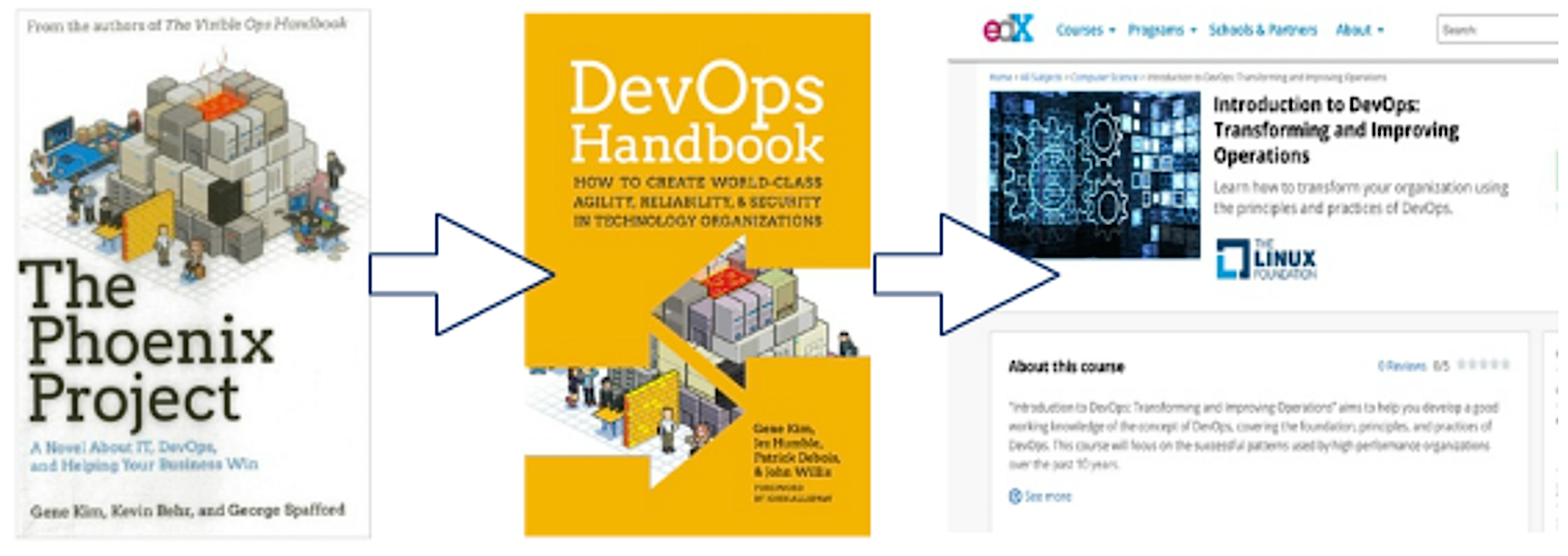
John Willis — a leader in the DevOps movement — is hosting a series of webinars to accompany the free Introduction to DevOps: Transforming and Improving Operations training course from The Linux Foundation and edX. Last month, he provided a thorough introduction to the course and offered tips and tricks on how to get the most out of it. If you missed this introduction, you can watch the complete webinar replay on demand.
There are several ways to approach this course. Willis described four different approaches to consider depending on your needs and interests:
Watch just the included videos in the free course (15 hours)
Read the following suggested books and then do Step 1 (30 hours total)
The Phoenix Project — a novel by Gene Kim about bottlenecks, constraints, theory of constraints, importance of flow, a modern day re-imagining of the book The Goal
DevOps Handbook (co-authored by John Willis)
Steps 1 & 2 + watch the additional suggested videos, read suggested blogs, and white papers (50-60 hours total, including 15 hours of videos, 15 hours of suggested advanced research, two books, and 10 advanced reading recommendations)
Treat it like a college course doing all of the above and all the recommended reading (estimated 120 hours)
Hear Willis’s advice in the video clip below:
Attending Willis’s office hours webinar to get your DevOps questions answered is another great way to make the most of this free course. Throughout this multi-webinar series, Willis will share his insights and guide participants through the course. In each upcoming webinar, he will provide a quick chapter summary, leaving plenty of time to answer your questions and enhance your training experience.
In the first session, presented in December, Willis explained the DevOps concept, which he says can help organizations develop and deliver services more quickly and reliably. In session two, earlier this month, Willis covered Chapter 1 of the DevOps course then opened up the session to answer questions in the style of college office hours. You can watch the replay of session two on demand.
In session three, Willis will briefly cover Chapter 2 of the training course and address your questions.
Join us on January 31, 2017 for the next installment of this webinar series: Intro to DevOps with Course Author John Willis, in which Willis will provide a brief overview of Chapter 2 and take your DevOps questions! Register Now >>
John Willis is the cohost of DevOps Cafe Podcast (Devopscafe.org) and a co-author of the DevOps Handbook. He is also the course author of Introduction to DevOps: Transforming and Improving Operations, a free course from The Linux Foundation and hosted on edX.org.
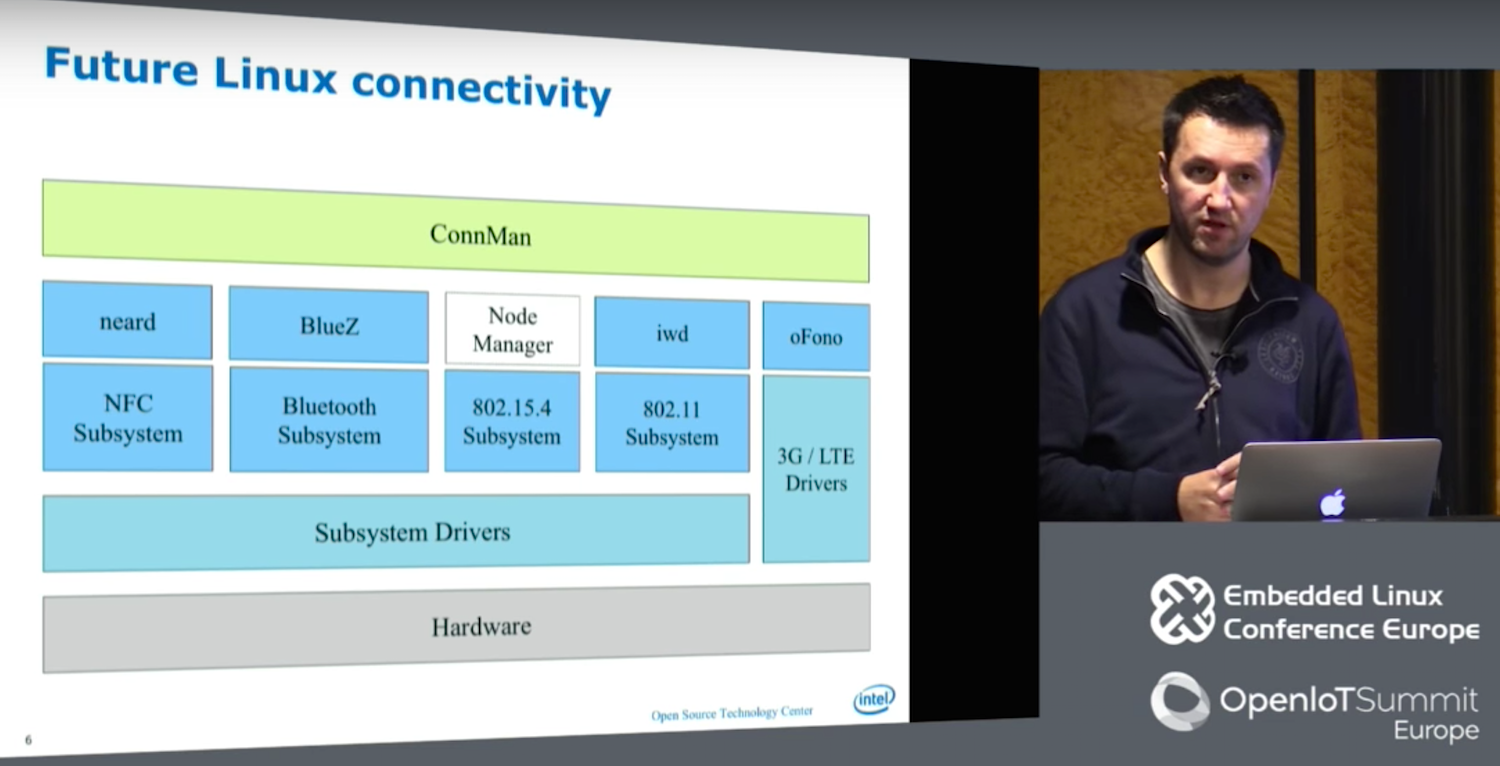
If you’ve ever used an embedded Linux development device with wireless networking, you’ve likely benefited from the work of Marcel Holtmann, the maintainer of the BlueZ Bluetooth daemon since 2004, who spoke at an Embedded Linux Conference Europe panel in October.
In 2007 Holtmann joined Intel’s Open Source Technology Center (OTC), where he created ConnMan (Internet connectivity), oFono (cellular telephony), and PACrunner (proxy handling). Over the last year, Holtmann and other OTC developers have been developing a replacement for the wpa_supplicant WiFi daemon called IWD (Internet Wireless Daemon). In the process, they have streamlined the entire Linux communications stack.
“We decided to create a wireless daemon that actually works on IoT devices,” said Holtmann in the presentation called “New Wireless Daemon for Linux.”
The IWD is now mostly complete, featuring a smaller footprint and more streamlined workflow than wpa_supplicant while adding support for the latest wireless technologies. The daemon was also developed with the help of the OTC’s Denis Kenzior, Andrew Zaborowski, Tim Kourt, Rahul Rahul, and Mat Martineau.
IWD aims to solve problems in wpa_supplicant including lack of persistence and limited feedback. “Wpa-supplicant doesn’t remember anything,” Holtmann told the ELCE audience in Berlin. “By comparison, like BlueZ, oFono, and neard [NFC], IWD is stateful, so whenever you repair the device, it remembers and restarts when you reboot. Wpa_supplicant does have a function that lets you redo the configuration network, but it’s so hackish and problematic that nobody uses it. Everyone stores this information at a higher layer, which complicates things and creates an imbalance.”
Wpa_supplicant manages to be overly comprehensive while also failing to reveal key information. The daemon is difficult to use because it adds support for “just about every OS or wireless extension,” including many things that are never actually used, says Holtmann. “The abstraction system actually gets in your way.”
Despite its capacity to “abstract everything,” wpa_supplicant does not expose much information. “You have to know a lot about WiFi and how things like parsing are done,” said Holtmann. “I just want to connect, not read a 2,000-page document to find out I have to use a pushbutton method to gain my credentials.”
Other limitations with wpa-supplicant include its dependence on blocking operations, in which the system must ask each peripheral for confirmation of operations before it moves on to ask other systems. This leads to “a system just waiting for something to happen,” says Holtmann.
Wpa-supplicant has other complications like “exposing itself to user space in a least four different ways,” said Holtmann. These include the antiquated D-Bus v1 and still problematic D-Bus v2, which “swallows states,” as well as a binder interface and CTL, “which is great for users, but for a daemon is horrible.”
To make up for the limitations of D-Bus v2, the overall wireless stack long ago spawned an abstraction layer above D-Bus and below ConnMan called gSupplicant, While this helped offload work from ConnMan, the latter was still overloaded.
With the addition of IWD, Holtmann and his team removed GSupplicant entirely. It also replaced other user space interfaces with a single updated D-Bus layer. In addition, the new stack removed inoctl and lib Netlink (libnl), which Holtmann called “a blocking design that can’t track family changes.” Libnl was replaced with Generic Netlink, which does offer family discovery.
Holtmann also eliminated wireless extensions (wext) because “they’re broken and hopefully they will someday be removed from the kernel,” he said. The new wireless stack retains cfg80211 and nl80211 (Netlink), although the latter has been upgraded and pushed upstream.
The OTC team developed a new Embedded Linux Library (ELL) that features tables, queues, and ring buffers to reduce the complexity of IWD while still providing basic building blocks for netlink and D-Bus. “We extended ELL with cryptographic support libraries instead of using OpenSSL, which is huge, and is not an easy interface,” said Holtmann. “In a lot of cases you need only 10 percent of OpenSSL, so we went a different route and used random numbers using the getandom() system call, with no problems with boot up time.”
Finally, for ciphers and hashes Holtmann used AF_ALG, which he defined as “an encrypt interface for symmetric ciphers into the kernel.” With ELL and AF_ALG in place, the developers could eliminate OpenSSL, as well as gnuTLS and InternalTLS. The team also added tracing support for nl80211 with the help of a tool called iwmon.
“Now we can start scanning and selecting networks,” said Holtmann. “We can do active and passing scanning and SSDID grouping, and support open networks, We can connect to open access points and W2 and WPA/RSN protected access points. We have simple roaming, experimental D-Bus APIs, and EAPol, and ELL logging for D-Bus and Generic Netlink.”
Holtmann went on to discuss new support for enterprise WiFi technologies like X.509 certificates and TLS. Recent kernels have improved X.509 support, so the OTC team is exploiting the kernel’s keyrings to better manage certificates.
Future tasks include finishing up enterprise WiFi and developing a debug API. The developers are also looking at possible integrations with Passpoint 2.0, P2P, Miracast, and Neighborhood Aware Networking (NAN). Once IWD is complete, Holtmann and the OTC will address 802.15.4, bringing improvements to 802.15.4 compliant wireless protocols like ZigBee, 6LowPAN, and Thread.
Watch the complete video below:
Embedded Linux Conference + OpenIoT Summit North America will be held on February 21 – 23, 2017 in Portland, Oregon. Check out over 130 sessions on the Linux kernel, embedded development & systems, and the latest on the open Internet of Things.
Linux.com readers can register now with the discount code, LINUXRD5, for 5% off the attendee registration price. Register now>>