Home Blog Page 647

This Week in Open Source News: Hyperledger’s Growth Surges, OSS Networking Pro Joins The Linux Foundation & More

This week in Linux and OSS news, The Linux Foundation’s Hyperledger Project continues to grow rapidly as its membership hits 100, Arpit Joshipura comes aboard The Linux Foundation’s staff as an OSS networking specialist, and more! Read up on the latest industry news with this weekly digest

1) The blockchain project continues to grow at an unprecedented speed.

Linux Foundation’s Blockchain Collective Hyperledger Hits 100 Members– Blockchain News

2) Arpit Joshipura, veteran tech exec who has worked at Dell, Ericsson and Nortel joins The Linux Foundation.

Linux Foundation Adds an Open Source Networking Specialist to the Team– NetworkWorld

3) A new Google program aimed at continuously fuzzing open source software has already detected over 150 bugs.

Google Debuts Continuous Fuzzer for Open Source Software– ThreatPost

4) AMD is bringing FreeSync support to Linux

AMD strengthens gaming and VR on Linux with graphics improvements– PC World

5) Bryan Lunduke makes his annual open source predictions for the upcoming year.

7 Linux Predictions for 2017– NetworkWorld

Create a Fully Automated Light and Music Show for the Holidays: Part 3

This tutorial series shows how to build  a fully automated holiday music and light show using a Raspberry Pi, a Micro SD card, and a few other inexpensive parts. Previously, we covered the basics of what you need for this project and showed how to set up your Raspberry Pi. In Part 2, I showed how to connect the components for the light show, and in this final part, we’ll put it all together with music.

Create your holiday playlist

Lightshow Pi supports a text based playlist to play a list of songs automatically. Let’s create a folder called ‘christmas’ inside /home/pi/lightshowpi/music:

cd lightshowpi/music

mkdir christmas

On your local music, move all the music that you want to copy to Raspberry Pi in a directory so that you can keep it synced with Pi and manage it easily. On my system, I created a local directory called ‘best_christmas’ where I kept all my Christmas music. Then, you can rsync all songs from the local directory to the christmas directory of your Pi. Open a new terminal window on the local machine and run the rsync command.

Here is an example where I am syncing music from the ‘best_christmas’ folder on my local machine with ‘christmas’ folder on the Pi.

rsync -avzP --delete /home/swapnil/Music/best_christmas/* pi@10.0.0.33:/home/pi/lightshowpi/music/christmas/

Once the command has run successfully, check on the Pi that music has been transferred:

ls /home/pi/lightshowpi/music/christmas

You will see all the songs there. Now we need to create a playlist of all these songs so that we can automate the playback.

python lightshowpi/tools/playlist_generator.py

The command will ask you to provide it with path of the music folder. In my case it was:

/home/pi/lightshowpi/music/christmas/

Once the playlist is successfully created, verify it:

cat /home/pi/lightshowpi/music/christmas/.playlist

Now it’s time to edit the config file to inform it about the new playlist:

nano /home/pi/lightshowpi/config/defaults.cfg

Scroll down to the [lightshow] section, comment the default playlist path and add a new one to reflect our music directory. It should look like this:

#playlist_path = $SYNCHRONIZED_LIGHTS_HOME/music/sample/.playlist

playlist_path = $SYNCHRONIZED_LIGHTS_HOME/music/christmas/.playlist

Save and close the file with Ctrl+x.

Now test if the new playlist is working:


sudo python /home/pi/lightshowpi/py/synchronized_lights.py --playlist=/home/pi/lightshowpi/music/christmas/.playlist 

You should hear music synced with lights. If yes, congrats. You have working lights. Now let’s automate it.

Plug and play

We are going to use cron jobs to start the playback script at system boot so that it becomes a plug and play device, no need to log into ssh to start the show.

crontab -e

And add following lines at the end:


SYNCHRONIZED_LIGHTS_HOME=/home/pi/lightshowpi

@reboot  $SYNCHRONIZED_LIGHTS_HOME/bin/start_music_and_lights >> $SYNCHRONIZED_LIGHTS_HOME/logs/music_and_lights.play 2>&1 &

Now reboot your Pi to see if it’s working:

sudo reboot

Music and lights should start automatically.

Optional: Add shutdown switch

Raspberry Pi doesn’t come with an on/off switch. Unplugging the power cable will corrupt the SD card and it’s a painful process to open a terminal on PC, ssh into it and then shut it down. Since we will be installing this setup outside, I wanted the ability to to shut down the Pi from the device itself. I found a neat script by Inderpreet Singh that uses a GPIO pin to send a shutdown command to Raspbian.

Create a directory called ‘myscript’ in the home folder of the Pi (of course, you have to ssh into Pi)

mkdir myscript

Then cd to this directory:

cd myscript

And create a file:

nano shutpi.py

Copy the following lines into that empty file:

#!/bin/python
# Simple script for shutting down the raspberry Pi at the press of a button. 
# by Inderpreet Singh 
import RPi.GPIO as GPIO 
import time 
import os  
# Use the Broadcom SOC Pin numbers 
# Setup the Pin with Internal pullups enabled and PIN in reading mode. 
GPIO.setmode(GPIO.BCM) 
GPIO.setup(21, GPIO.IN, pull_up_down = GPIO.PUD_UP)  
# Our function on what to do when the button is pressed 
def Shutdown(channel): 
  os.system("sudo shutdown -h now") 
# Add our function to execute when the button pressed event happens 
GPIO.add_event_detect(21, GPIO.FALLING, callback = Shutdown, bouncetime = 2000)  
# Now wait! 
while 1: 
  time.sleep(1)

Save and close the file. Stay inside the ‘myscript’ directory and set this script to run as root:

sudo python shutpi.py

We now need to set the script to run as system boot:

sudo nano /etc/rc.local

There add the following line between ‘fi’ and ‘exit 0’ line:

sudo python /home/pi/myscript/shutpi.py &

So it looks like this:

# Print the IP address
_IP=$(hostname -I) || true
if [ "$_IP" ]; then
printf "My IP address is %sn" "$_IP"
fi
sudo python /home/pi/myscript/shutpi.py &
exit 0

Shut down your system and connect a push button to GPIO pin 21 and GND using male-female breadboard cable.

uiK4t8N43_Z149NL253LerCF8squ-n8e1poMcfUE

Reboot your system and once music is up and running, push the button; your system should shut down.

Electrical connections

Finally it’s time to connect the relay to the receptacles. In my case I used duplex receptacles to keep the size of the set-up small so that I can house it in a waterproof container.

The receptacles that I linked about have a hot side and are neutral bridged. We need to cut the bridge of hot side so that we can use it independently to plug 8 separate christmas lights. The hot side of the duplex has golder screws whereas neutral side has silver screws. Use a cutter plier to break the bridge on the golden side (you can also check this video ). It should look like this after breaking the bridge:

qBC5_GGUrDUtxPfEl963rSZ7qkJmuYaa4c3GbAGZ

Now we will connect the hot side of the receptacles to output of the relay and neutral to the neutral cable. I have created a diagram to help you with shorting relay and connecting it to receptacles. Please note that in the US, white is hot wire, black is neutral, and green is ground.

9elO0dwW6FGtBHTKykRVJXNgUSqXZoCs0ovaJo_m

You can use a Four Gang Device Box to pack receptacles in it and use a the receptacle wall plate to cover it. I screwed the entire set-up on a wooden sheet and placed it inside waterproof SOCKit box.

You have eight receptacles so you can plug in up to eight 110v lights to the Pi. Just keep in mind that these SSD relays can’t handle too much load so, don’t plug a heavy load into the receptacle. Now you can either put lights on your Christmas tree or decorate your house with those lights.

Credit where due: This tutorial is a result of immense work done by many individuals. Many thanks to Lightshowpi team that created this amazingly cool open source project. I said it earlier and I will say it again, this project would not have been possible without the incredible work of Google software engineer Todd Giles and many others around the the LightShowPi project. That’s the greatness of open source: you learn and benefit from each other. So, special thanks to Tom Enos, Stephen Burning, Benjamin Ellis, and many more. I also want to thank KnC Mc for suggesting how to generate a playlist and thanks to Eric Higdon who actually created the Python script and Ken B for his tips on the automation script. The Lightshowpi community on Google+ is extremely helpful, and if you have any questions, you can freely ask there.

That’s the true open source spirit.

For 5 more fun projects for the Raspberry Pi 3, including a holiday light display and Minecraft Server, download the free E-book today!

Read about other Raspberry Pi projects:

5 Fun Raspberry Pi Projects: Getting Started

How to Build a Minecraft Server with Raspberry Pi 3

Build Your Own Netflix and Pandora With Raspberry Pi 3

Turn Raspberry Pi 3 Into a Powerful Media Player With RasPlex

Create a Fully Automated Light and Music Show for the Holidays: Part 2

This tutorial shows how to build  a fully automated holiday music and light show using a Raspberry Pi, a Micro SD card, and a few other inexpensive parts. Previously, we covered the basics of what you need for this project and showed how to set up your Raspberry Pi. Here, we’ll focus on the components and connections for the light show, and in part 3, we’ll put it all together with the music.

Install LightShowPi Software

From here on, we will run all the commands remotely. Just ssh into your Pi, as we explained previously.

First, we need to clone the Lightshowpi repository in the home directory of our Pi:

git clone https://bitbucket.org/togiles/lightshowpi.git

Then, change directory to the “lightshowpi” folder:

cd lightshowpi

We will be using the master branch as it has newer features:

git fetch && git checkout master

Now run the install script:

sudo ./install.sh

Reboot the system:

sudo reboot

Connect relay

Now it’s time to connect the Relay to the Raspberry Pi. To do this, shut down the Pi and unplug the power supply. Use the ‘male-female-breadboard wires’ to connect the GPIO pins with the corresponding channels of the relay (I am assuming that you ordered the same relay that I linked above).

To make things easier for you, I have created the following diagrams:

NJvAsWtqs2ZHX_23AJxNVY5p2elixM5PIux7-buc

JgKW4605DBejyH_aUyq1flbOfcjH3Ytf7_DVNvEJ

So this is what it looked like:

S9ixL___lTTvEo7GYE5XxFm3h37Kp3HPjia_oV9o

cTH6aT5NSemVrDQfMseFgtVR9tBRTmtV1OJ2oj3y

Now it’s time to test our connections. Power up the Raspberry Pi, SSH into it from your laptop, and then cd into the lightshowpi directory:

cd lightshowpi

Run the following command that will trigger each connected GPIO pin.

sudo python py/hardware_controller.py --state=flash

You will notice that LED on each channel flashing as you will see corresponding GPIO pins being triggered in the Terminal output. Once you confirm that all 8 channels flashed, stop the test with ‘Ctrl+x’.

Now, let’s test some music. Lightshowpi comes with two sample files stored in the music directory. Connect a speaker to the 3.5mm jack of the Pi, cd to lightshowpi directory

cd lightshowpi

And run this command:


sudo python py/synchronized_lights.py --file=/home/pi/lightshowpi/music/sample/ovenrake_deck-the-halls.mp3

You will hear some music from the speakers and see the LEDs on relay flashing with it. Awesome.

In part 3, we’ll set our display to music with a custom playlist and finish up the electrical connections.

For 5 more fun projects for the Raspberry Pi 3, including a holiday light display and Minecraft Server, download the free E-book today!

Read about other Raspberry Pi projects:

5 Fun Raspberry Pi Projects: Getting Started

How to Build a Minecraft Server with Raspberry Pi 3

Build Your Own Netflix and Pandora With Raspberry Pi 3

Turn Raspberry Pi 3 Into a Powerful Media Player With RasPlex

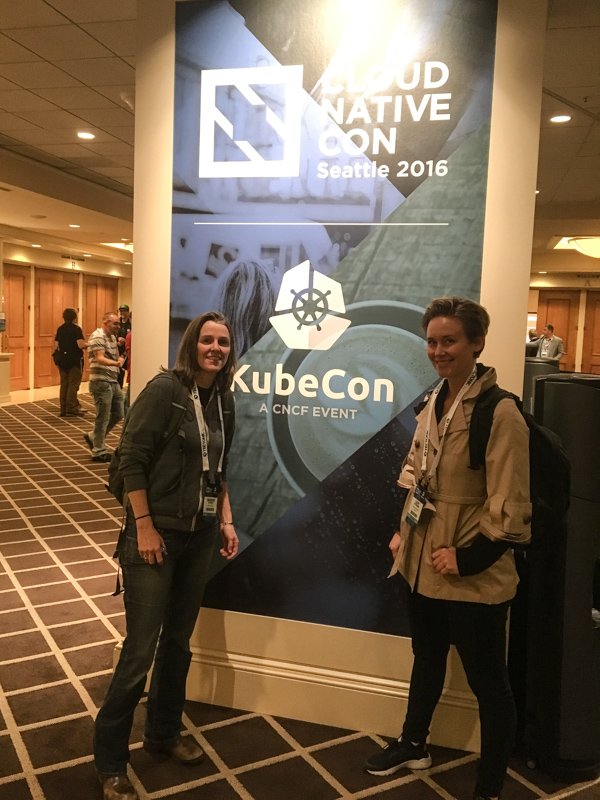
Diversity Scholarship Series: My Time at CloudNativeCon 2016

Author: Leah Petersen, intern, Samsung SDS CNCT

View image on Twitter

All registered for #Kubecon with @DeirdreStorck – ready to learn! #CloudNativeCon

View image on Twitter

In her opening keynote speech at CloudNativeCon/KubeCon 2016 in Seattle, WA, Chen Goldberg stated Kubernetes was more than open source it was an “open community.” As someone who is both new to the community and to the industry, I was happy to see the truth in this statement expressed throughout the entire conference.

I came to the tech industry by way of my earlier career as a motorcycle stunt woman, and leading up to the conference I was wondering if I would feel welcome and able to contribute as a junior developer with an unorthodox background. I was quickly put at ease by Chen’s comments, Dan Kohn’s opening keynote discussing the CNCF’s dedication to diversity, and most of all, by the wonderful people I met.

My goals for the conference were to learn as much as possible about the technologies behind Cloud Native Computing, find a way to start contributing as a junior developer and meet some inspirational people. I was pleased all these goals were met and here are some highlights.

Learning More About Cloud Computing

Visualizing Kubernetes: The Power of Dashboard – Dan Romlein, Apprenda & Piotr Bryk, Google

Dan and Piotr pointed out that anything you are doing with Kubectl on the command line, you can also do in the K8s Dashboard. I have been exclusively using Kubectl in the terminal for the past few months and could really see the benefit of additionally using the Dashboard to gain insight into my cluster’s state, performance and activity. As a visual learner, it’s great to have another way to wrap my head around what’s going on inside my Kubernetes cluster.

Taking the Helm: Delivering Kubernetes-Native Applications – Michelle Noorali and Matt Butcher, Deis & Adnan Abdulhussein, Bitnami

Officially, “Helm, is a tool that streamlines the creation, deployment and management of Kubernetes-native applications.” My description of Helm? A way to whip up pre-made recipes for components you might need in your Kubernetes cluster.  For instance if you need a WordPress deployment on a Kubernetes cluster you simply:

$ helm install stable/wordpress

My favorite idea from this talk was how new users of Kubernetes can use Helm to learn about what components and configurations are needed in a Kubernetes cluster.

Find a Way to Contribute

Logging for Containers: Eduardo Silva, Treasure Data

Eduardo discussed Fluentd, a product I have been learning about, which “is an open source data collector for unified logging layer.” Treasure Data created a vibrant community around Fluentd with more than 600 user contributed plugins written in Ruby;  and Fluentd was announced as an official CNCF project the first day of the conference.

Eduardo took the time to personally discuss Fluentbit, a slimmer data forwarder and how we could use it in our project. He explained support to create Golang plugins had just been added and talked about how I could get involved by writing a plugin. Since I am also learning Golang and could use Fluentbit, the idea of writing a plugin seems like an excellent contribution that will allow me to continue my deep dive into managing data between containers.

Get Inspired

On the second day of the conference the CNCF hosted a diversity luncheon. The discussion around the lunch tables focused on challenges facing diverse individuals entering the industry. I had the opportunity to speak with senior female developers with successful careers and hear their advice on entering and navigating the industry. It was a wonderful chance to focus on how we can continue attracting diverse talent who can build stronger and more relevant technology for everyone.

luncheon

CloudNativeCon 2016 was a wonderful first conference for me and although the whirlwind of a conference is tiring, I left feeling motivated and inspired. The conference made me feel like I was a part of the community and technology I have been working with daily.

Leah Petersen (Twitter: @eccomi_leah) is currently an intern with the CNCT team at Samsung SDS, the newest Platinum Member of the Cloud Native Computing Foundation. She is finishing up a year long program at Ada Developers Academy, which is a training program located in Seattle for women who want to become software developers.

This article orginally appeared at Cloud Native Computing Foundation

Apply now for a 2017 diversity scholarship to attend CloudNativeCon Europe, March 29-30, 2017. Applications are due by Feb. 3.
 

Red Hat Opens Up OpenShift Dedicated to Google Cloud Platform

When businesses and enterprises begin adopting data center platforms that utilize containerization, then and only then can we finally say that the container trend is sweeping the planet. Red Hat’s starter option for containerization platforms is OpenShift Dedicated — a public cloud-based, mostly preconfigured solution, which launched at this time last year on Amazon AWS.

Thursday morning, the company announced the general availability of Google Cloud Platform as an alternative option for deploying OpenShift Dedicated. This move means Red Hat keeps a pledge it made at the start of the year, before the year runs out.

“The difference we have with OpenShift now running on AWS and Google,” said Sathish Balakrishnan, who directs OpenShift Online for Red Hat, in an interview with The New Stack, “is we are giving customers a choice.”

Read more at The New Stack

At Long Last, Linux Gets Dynamic Tracing

When the Linux kernel version 4.9 will be released next week, it will come with the last pieces needed to offer to some long-awaited dynamic thread-tracing capabilities.

As the keepers of monitoring and debugging software start using these new kernel calls, some of which have been added to the Linux kernel over the last two years, they will be able to offer much more nuanced, and easier to deploy, system performance tools, noted Brendan Gregg, a Netflix performance systems engineer and author of DTrace Tools, in a presentation at the USENIX LISA 2016 conference, taking place this week in Boston.

Read more at The New Stack

Secure IoT Through Oversight, Open Source and Open Standards

It should be obvious to just about everyone by now that the current state of affairs concerning the Internet of insecure things threatens the stability of the Internet. This wouldn’t have been such a big deal 15 or 20 years ago, but we’ve now put all of our eggs in the Internet basket, and if it goes down, so does the world economy. Not only that, an undependable and unstable Internet would affect everything from major utilities — phone, power and water — to law enforcement and national defense — in no matter what country you reside.

My idea is that to secure the Internet of things, we need to take a three pronged approach that includes oversight, open source and open standards.

Read more at Windows IT Pro

Watch 40+ Videos from MesosCon Asia 2016

Thank You For Signing Up Enjoy All 150+ Videos

Thank you for your interest in the recorded sessions from MesosCon Asia 2016! View more than 40+ sessions from the event below.

Keynotes


Business Track


Developer Track


Operations Track


Wildcard Track


Speak About Storage, Linux, and Open Source at Vault 2017

Data, file systems, and storage are at the heart of today’s computing environment. With the latest hardware, there is a need for more data storage capabilities and faster speeds.

Vault is the leading technical event dedicated to Linux storage and filesystems where developers and operators in the filesystems and storage space can advance computing for data storage.

The Linux Foundation is now seeking proposals from industry experts to speak at Vault on March 22-23, 2017, in Cambridge, MA, on a diverse range of topics related to storage, Linux, and open source. Help lead the conversation and share knowledge and expertise with the community.

Submit your speaking proposal now! The deadline for submissions is Jan. 14, 2017.

Suggested topics include:

  • Software Defined Storage (SDS)

  • Object, Block, and File System Storage Architectures (Ceph, Swift, Cinder, Manila, OpenZFS)

  • Distributed, Clustered, and Parallel Storage Systems (GlusterFS, Ceph, Lustre, OrangeFS, XtreemFS, MooseFS, OCFS2, HDFS)

  • Persistent Memory and Other New Hardware Technologies

  • File System Scaling Issues

  • Storage Management and Automation

  • Client/server file systems (NFS, Samba, pNFS)

  • Big Data Storage

  • Long Term, Offline Data Archiving

  • Data Compression and Storage Optimization

Vault will once again be co-located with the invite-only Linux Storage, Filesystems and Memory Management Summit, ensuring development and research experts and kernel subsystem maintainers will be present.

Not interested in speaking but want to attend? Linux.com readers can register now with the discount code, LINUXRD5, for 5% off the registration price. Save $225 by registering before January 28.

Improving Storage Performance with Ceph and Flash

Ceph is a storage system designed to be used at scale, with clusters of Ceph in deployment in excess of 40 petabytes today. At LinuxCon Europe, Allen Samuels, Engineering Fellow at Western Digital, says that Ceph has been proven to scale out reasonably well. Samuels says, “the most important thing that a storage management system does in the clustered world is to give you availability and durability,” and much of the technology in Ceph focuses on controlling the availability and the durability of your data. In his presentation, Samuels talks not just about some of the performance advantages to deploying Ceph on Flash, but he also goes into detail about what they are doing to optimize Ceph in future releases.

The most common way that people use Flash with Ceph today is to put the journal on Flash. Samuels mentions that this “significantly improves your write latencies because the first thing that Ceph is going to do, is to take your transaction and put it into the journal. By putting the journal on Flash, you’re able to get high performance and short latency.”  Another option is to put the key-value store, the metadata, on Flash, but you may or may not get much of a performance improvement depending on your specific usage. In some cases, where you have very small objects, moving the metadata to Flash can have a significant benefit, but for larger objects, you may get very little improvement.

Performance Boost

“Over the last couple of years … we’ve developed, together with the community, about a 15X performance boost,” Samuels says. Unfortunately, they’ve reached the state where they need to break compatibility to make additional future improvements, because the basic architecture of FileStore has become an issue. Samuels outlines a number of specific issues with FileStore, which can be found in the video of his talk, but the key takeaway is that it is being replaced by BlueStore. The good news is that for now they can be intermixed within a cluster, so your new nodes can be set up to use BlueStore without breaking or needing to upgrade your existing FileStore nodes. However, Samuels points out that “if you update your software to the latest version and you expect it to suddenly start running better, you’ll be a little disappointed,” since you won’t see this improvement until you actively start using BlueStore. It is still under active development, but BlueStore is expected to be at least twice as fast as FileStore for write operations and to outperform FileStore for read operations, too. Some additional functionality that will be coming with BlueStore includes checksums on reads. Currently, Ceph replies on your hardware to provide data integrity, which can be a bit dangerous at scale. 

To get more details about how to improve the performance of Ceph using Flash or to hear more about additional improvements coming in future versions of Ceph with BlueStore, watch the video from LinuxCon Europe.

LinuxCon Europe videos