Bufferbloat is the excess buffering of packets resulting in high latency, jitter, and lower network throughput. There’s been efforts to battle bufferbloat within the Linux kernel going back a long time while this week another new patch has surfaced.
Dave Taht, one of the Linux developers who has long been fighting bufferbloat, commented on the mailing list about the success of the patch: “Thus far this batch drop patch is testing out beautifully….”
Open Source is the way to go for a modern IT career. The Linux Foundation, a non-profit organization dedicated to promoting the growth of Linux, publish recently a new video starring the father of Linux, Mr. Linus Torvalds.
It’s a very short video, of approximately one minute, but also very inspiring for those who want to start an IT career, and why they should choose to work in Linux-powered and Open Source environments. … Best of all, Linux can be found almost anywhere these days, on the most demanding servers that power the World Wide Web (WWW), in your car, on your mobile phone, as well as in numerous small embedded devices.
But Linux is not all about technology, as the most interesting part, at least as Mr. Torvalds sees things right now, is the community behind it…
OpenSSL has released versions 1.0.2h and 1.0.1t of its open source cryptographic library, fixing multiple security vulnerabilities that can lead to traffic being decrypted, denial-of-service attacks, and arbitrary code execution. One of the high-severity vulnerabilities is actually a hybrid of two low-risk bugs and can cause OpenSSL to crash.
Two seemingly unrelated bugs can be chained together to create a serious security problem. The first bug in CVE-2016-2108 is an issue with the ASN.1 parser that triggers a buffer underflow and performs an out-of-bounds write if zero is represented as a negative value. …
At the Samsung Developer Conference in San Francisco last week, Samsung was all about the Internet of Things (IoT), but surprisingly, much of did not revolve around Tizen or SmartThings. Instead, the main focus was on its newly shipping Artik embedded boards, which ship with Fedora.
There was some Tizen related news, however, including a new ”Smart View” SDK for improving mobile connectivity with Tizen-based Smart TVs, as well as a promise to bring Knox security support to Tizen. There were also more details on the upcoming, 64-bit capable Tizen 3.0.
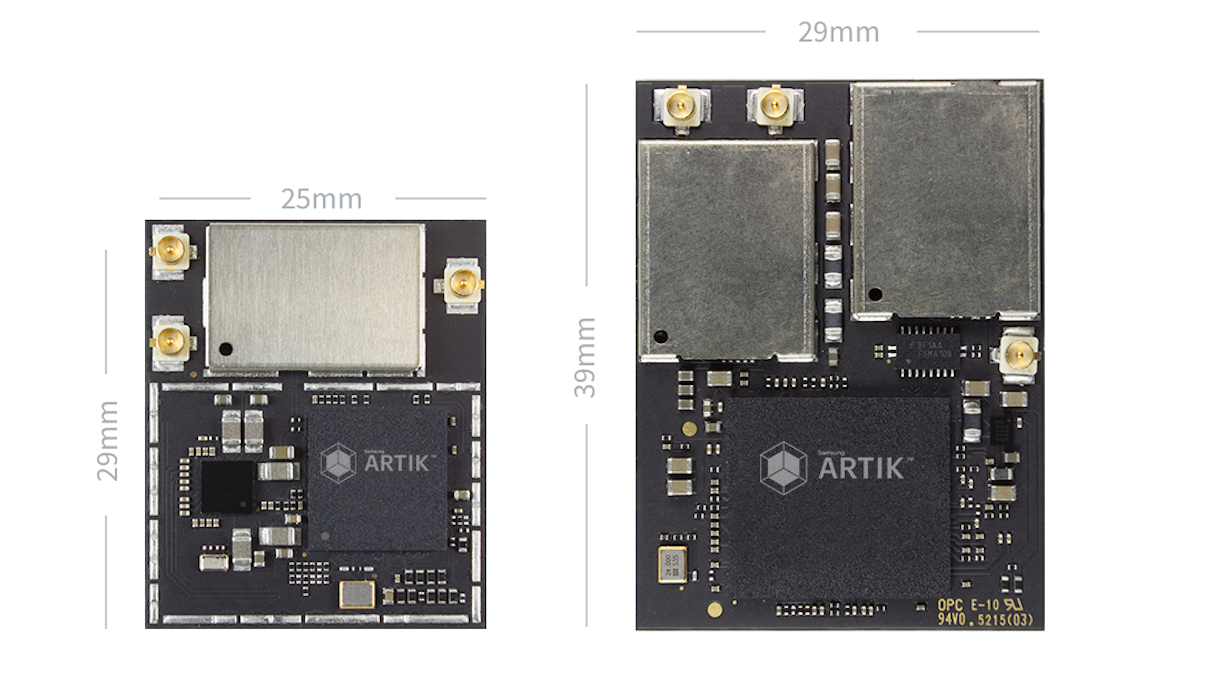
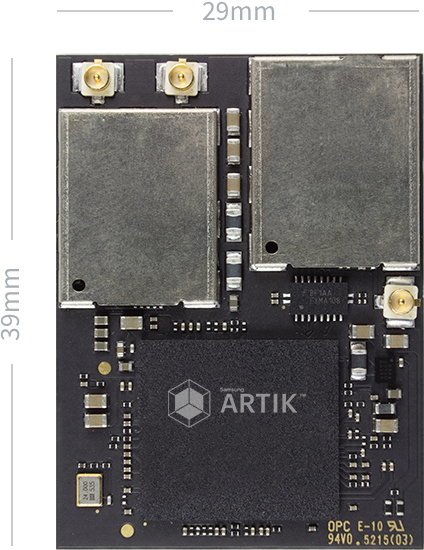
The Artik 10.
Samsung began shipping the most powerful of the Artik boards — the Artik 10 — and announced an IoT-oriented open Integrated Development Environment (IDE) for Artik boards aimed at IoT. It also showed off a collaboration with Lagrand on an Artik-based, Thread-enabled IoT light switch. Finally, Samsung announced a cloud IoT aggregation platform called Artik Cloud.
Together, the announcements reflect a more inclusive Samsung. Since it gave up last year on the idea that its Tizen-based Gear watches could only work with Samsung mobile devices, there has been more talk about open standards and cooperation than in the past. The Artik Cloud, for example, not only doesn’t require Samsung devices, Tizen, or a Samsung SmartThings IoT hub, it doesn’t even require Artik boards.
Artik 5 and 10
The Artik platform of computer-on-modules was announced a year ago, but the $100, dual-core, Cortex-A7 Artik 5 did not ship until February. The Artik 10, which combines four Cortex-A7 with four Cortex-A15 cores, began shipping this week for $150. Both modules are available at Digi-Key, with prices including a development board. In addition to these two Linux-ready ARM COMs, Samsung will soon release a 12x12mm, MIPS-based Artik 1 designed for RTOSes. All three modules share multi-layer security with ARM TrustZone support, boot image authentication, secure boot, and secure communication via a secure element. Now, they also share a common IDE and Artik Cloud platform.
There are no names for the processors baked into the Artik boards. The Artik 5’s SoC circuitry includes the mainstream Mali-400 MP2 GPU and supports 720p video, while the Mali 10 moves up to a Mali-T628 MP6, delivering up to 1920×1080@120fps. The boards were initially set to ship with a Yocto Project distribution, but they now run Fedora, while supporting other Linux distros. The 30x25mm Artik 5 provides 512MB of LPDDR3 RAM and 4GB of eMMC flash. The module integrates WiFi, Bluetooth/BLE, and 802.15.4 standards like ZigBee and soon, Thread. The Artik 5 is equipped with a 60-pin connector to link to an SBC-like carrier board. There’s also a 40-pin debug connector, and 47 GPIOs. I/O ranges from MIPI-CSI and -DSI multimedia interfaces to gizmo oriented links such as I2C and PWM.
The 39x29mm Artik 10 has 2GB of LPDDR3 RAM, 16GB of eMMC flash, and similar wireless features. It has an 80-pin carrier connector, and provides more GPIO, and it adds USB 3.0 support. The boards also provide Arduino compatibility, although this appears to refer to the Arduino IDE rather than Arduino shield connectivity.
Artik IDE
Samsung’s Artik IDE is based on the open source, Codenvy-backed Eclipse Che derivative of Eclipse. Samsung claims the Artik IDE is the “first IoT IDE built upon an open source IDE platform.” Designed for building applications for Artik boards, the multi-platform IDE is free to use and redistribute, and offers an open plug-in customization architecture.
Eclipse Che enables the Artik IDE with features like integrated device discovery and management, versioning and deployment, and support for C, C++, Java, JavaScript, Python, and more. This “no-installation browser” IDE provides a runtime for each workspace, greatly speeding setup, says Samsung.
Artik Cloud
Samsung’s Artik Cloud provides open APIs and other tools for securely collecting, storing, and acting on IoT data. It was previewed last year as the SmartThings Open Cloud platform, but perhaps because it’s based more on Samsung’s earlier SAMIio than any technology from its SmartThings home automation subsidiary, Samsung changed the name to Artik Cloud. The software service is free to hobbyists, with tiered subscription pricing for businesses.
While Artik Cloud supports Artik boards for IoT endpoints (Artik 1 and 5) and gateways (Artik 5 and 10), it’s billed as an open data exchange platform for IoT interoperability that can accommodate a variety of devices, applications, and cloud services. According to Computerworld’s Agam Shah, the list includes the Amazon Echo, Nest thermostats, and a wearables including FitBit, Samsung’s Gear smartwatches, and the Raspberry Pi.
At an Artik event at MWC in early March, Samsung mentioned support for the Linux Foundation’s Iotivity middleware standard, as well as connectivity to Microsoft Azure and Amazon Web Services (AWS). The Artik Cloud is similar to Amazon’s AWS IoT managed cloud platform, which supports a variety of endpoints including Linux hacker boards. Key features of Artik Cloud include:
Device Manifests — Universal language to describe device states and actions, enabling rapid onboarding of devices
Multi-Protocol Connectors — Device connections via REST/HTTP, Websockets, MQTT, and CoAP
Cloud Connectors –- Connectivity to “any cloud service”
Heterogeneous Data Collection — Collects continuous, discrete, real-time, and historical data from any device or third-party cloud
Two Way Communication — Securely exchange messages both ways between device and cloud
Data Normalization and Analytics — Access data, statistics, and aggregations with multiple back-ends to store, replicate, and index data
Security & Privacy — Secure device, app, and user interactions including secure device registration, authentication and authorization, and identity and permissions management
Developer Tools — Includes open universal access APIs, rules engine, visualization tools, development portal, and support for SDKs, including Tizen 3.0, Android, iOS, and major programming languages
One of the first customers for the Artik Cloud is Legrand which showed off what Samsung calls “the world’s first Thread-enabled IoT light switch.” Built around Artik boards, the device offers Artik security from device to hub to cloud to data management, while adhering to the fundamental protocols of the open source, IPv6/6LoWPAN-based Thread standard. Samsung is a core member of the Google-backed Thread Group, which has developed the mesh networking enabled Thread protocol as an upgrade over similar 802.15.4-based standards like ZigBee.
Ubuntu 16.04 was announced recently, and, as a Long Term Support (LTS) release, the primary focus is on enterprise users. That doesn’t mean there is nothing exciting for desktop users; in fact, there’s a lot.
First of all, it’s an LTS release. That means it’s supported for five years. If you are not fond of upgrading your desktop every 8 months, if you use your system for critical work, and if you want to use an extremely stable release of Ubuntu, then LTS is for you. You get an extremely stable OS that’s developed for enterprise customers.
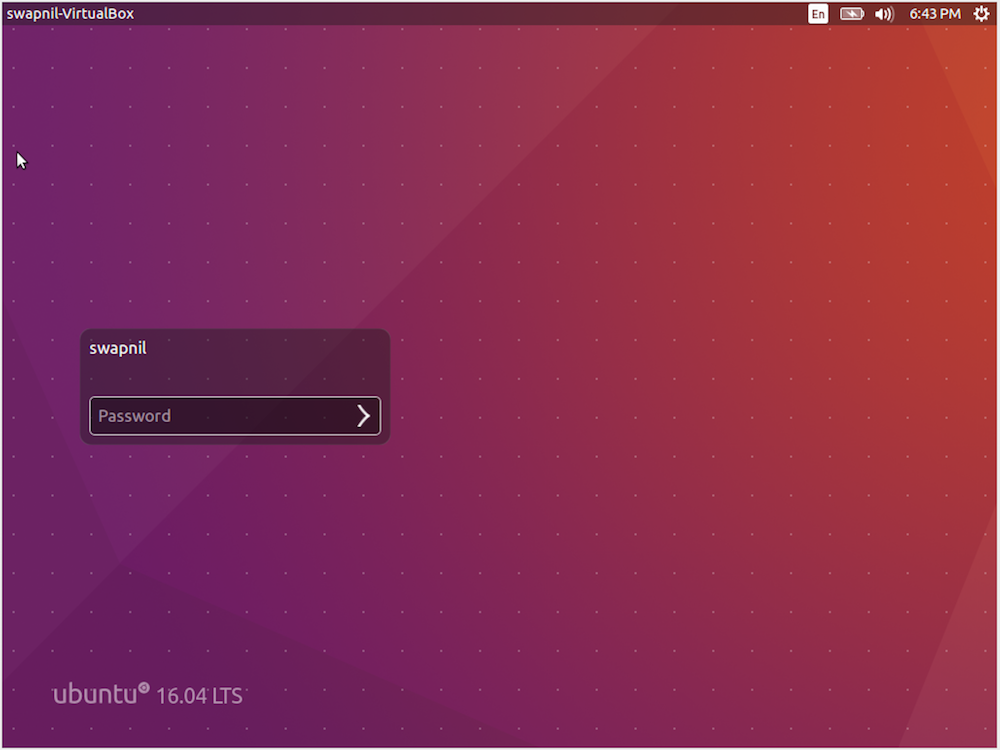
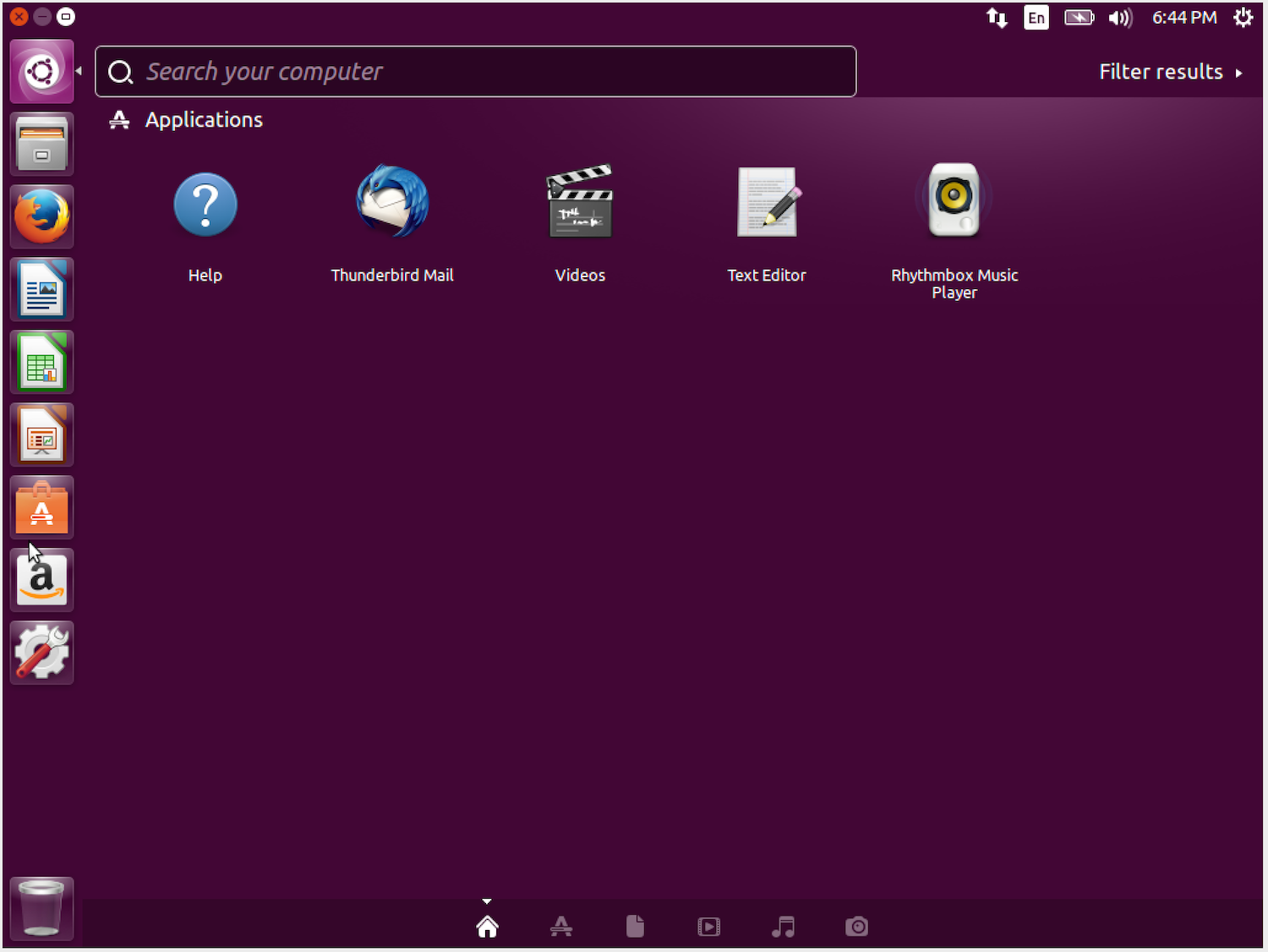
Ubuntu 16.04 comes with the latest versions of default apps. You get Firefox 45, Thunderbird 38, LibreOffice 5.1, Files 3.14.2, Videos 3.18, Rhythmbox 3.3, GNOME Terminal 3.18, Eye of GNOME 3.18, Shotwell 0.22, and many more. And, you can easily install any app that you want (Figure 1).
Figure 1: Ubuntu login screen.
Snaps
Speaking of applications, the huge news for desktop users is that 16.04 finally brings Snap packages to Ubuntu. Snaps are the future of applications on Ubuntu platform — from desktop to mobile.
Snaps are a new way of packaging and delivering applications to Ubuntu users. Snaps come with all dependencies and libraries, so it doesn’t matter which packages and libraries are installed on your system. As a result, users can install the latest version of apps as soon as they’re available.
Snaps address two big problems. Linus Torvalds once criticized Linux distributions for making it hard to package applications for Linux distributions as compared to Mac OS and Windows. That’s because, aside from different distributions, even different versions of the same distribution use different versions of libraries. With Snaps that “dependency hell” is eliminated, and developers can package everything that their application needs.
The second problem Snaps solve is that they remove the lengthy process of getting one’s apps into official repositories. We saw an example a while back with ownCloud, where insecure packages were hosted on Ubuntu repos, and ownCloud developers couldn’t do much to push updates. Now, through Snaps, ownCloud developers can push updates immediately.
Snaps also offer relatively more security because each app is sandboxed — although there is still some room for improvement. But, like any other new technology, it will get better with time.
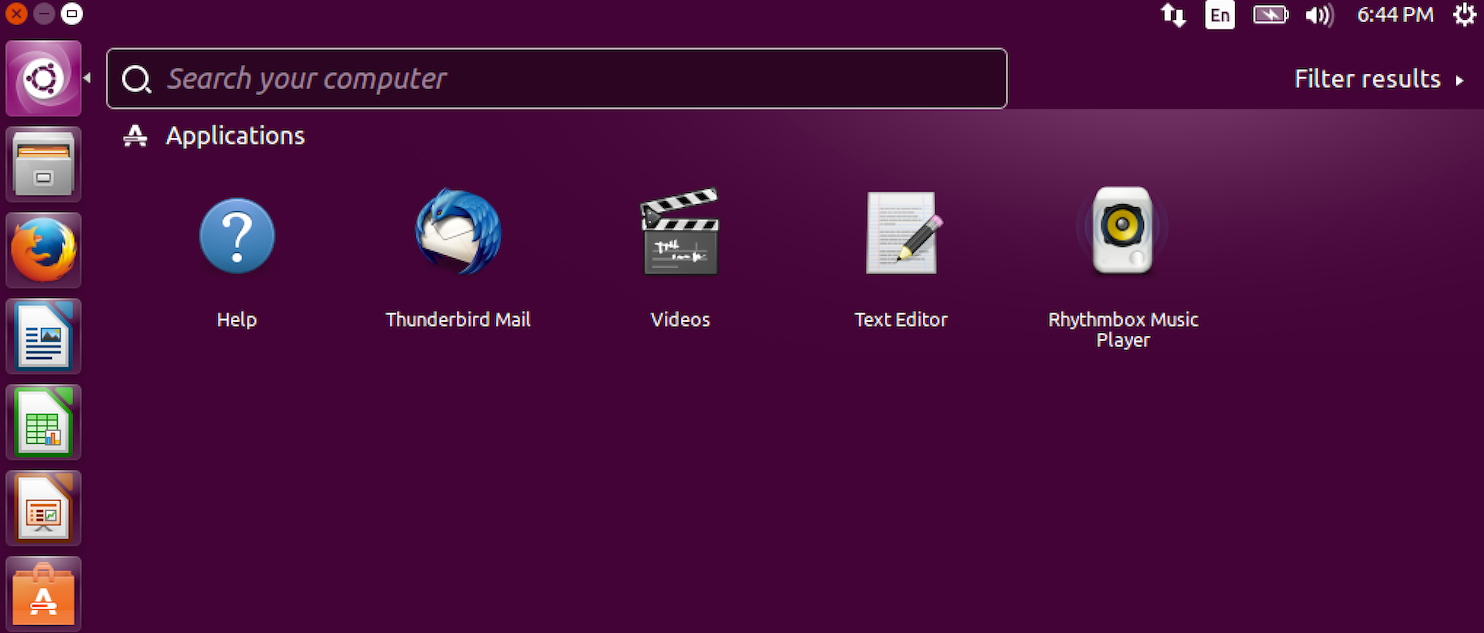
In regard to privacy and security, I should mention that Unity previously was heavily criticized for integrating online ads and services with Dash. It was seen a privacy leak. Ubuntu 16.04, however, comes the latest version of Unity for the desktop — that’s 7.4 — which disables online search or ads as the default (Figure 2).
Figure 2: Ubuntu Dash with no online search and ads.
GNOME Software
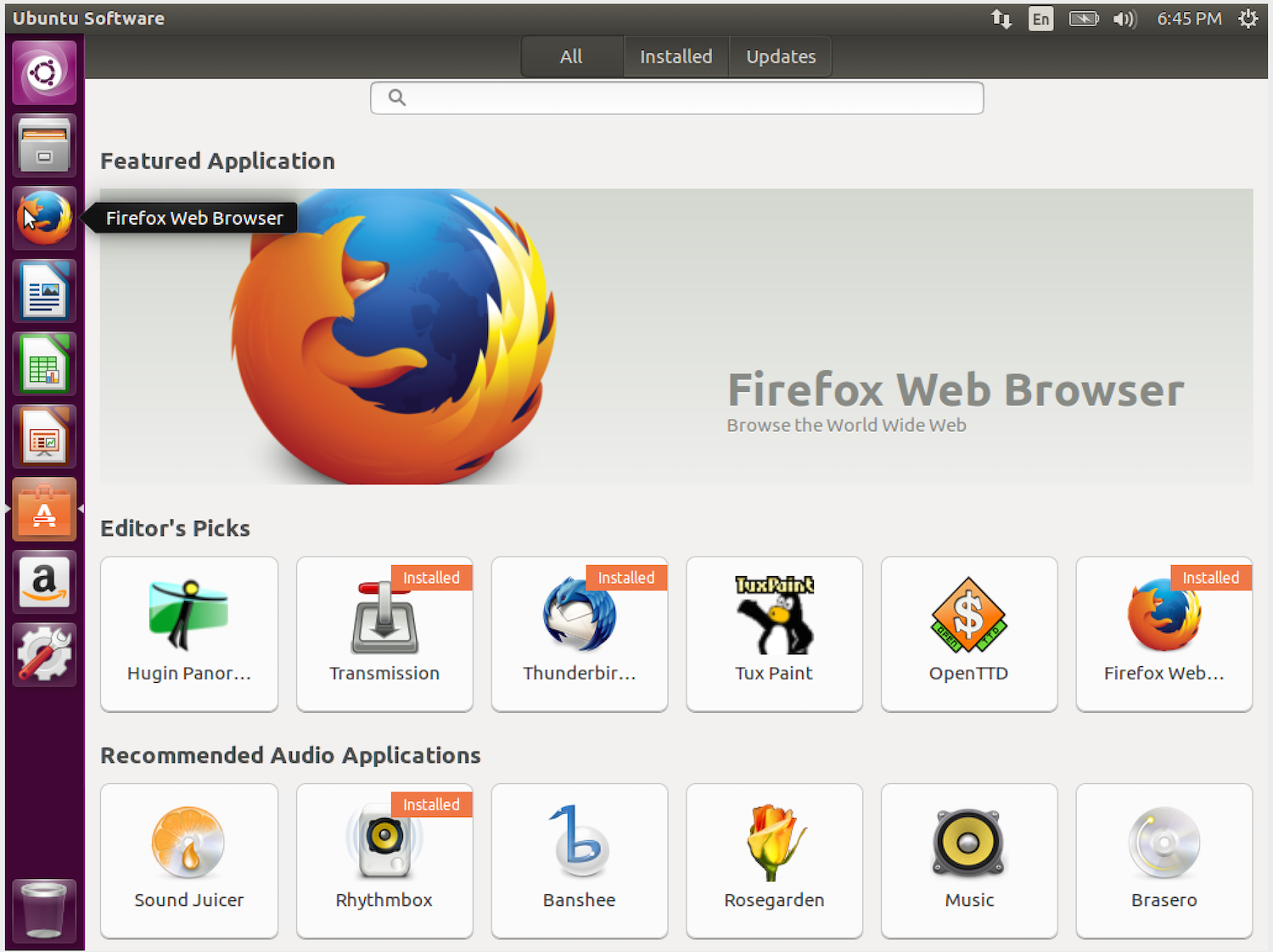
Additionally, users will notice a huge difference regarding Ubuntu Software Center (Figure 3). That’s because it’s gone. Ubuntu has moved to GNOME Software, which is being actively developed, is more mature, and will add new features such as the ability to upgrade the OS and firmware from the app.
Figure 3: Ubuntu Software.
The arrival of GNOME Software on Ubuntu is good news, because GNOME Software is becoming the default for software management, which means more contributions from different distros. It’s a no-brainer that more upstream code is good for both the Ubuntu and GNOME communities. The only gripe I have with GNOME Software on Ubuntu is that it seems to have many UI components from Ubuntu Software, and it doesn’t look as good as vanilla GNOME Software.
And More
Another major feature of this release is the inclusion of ZFS as supported filesystem. ZFS brings many useful features to users — especially for those looking to add redundancy to their storage.
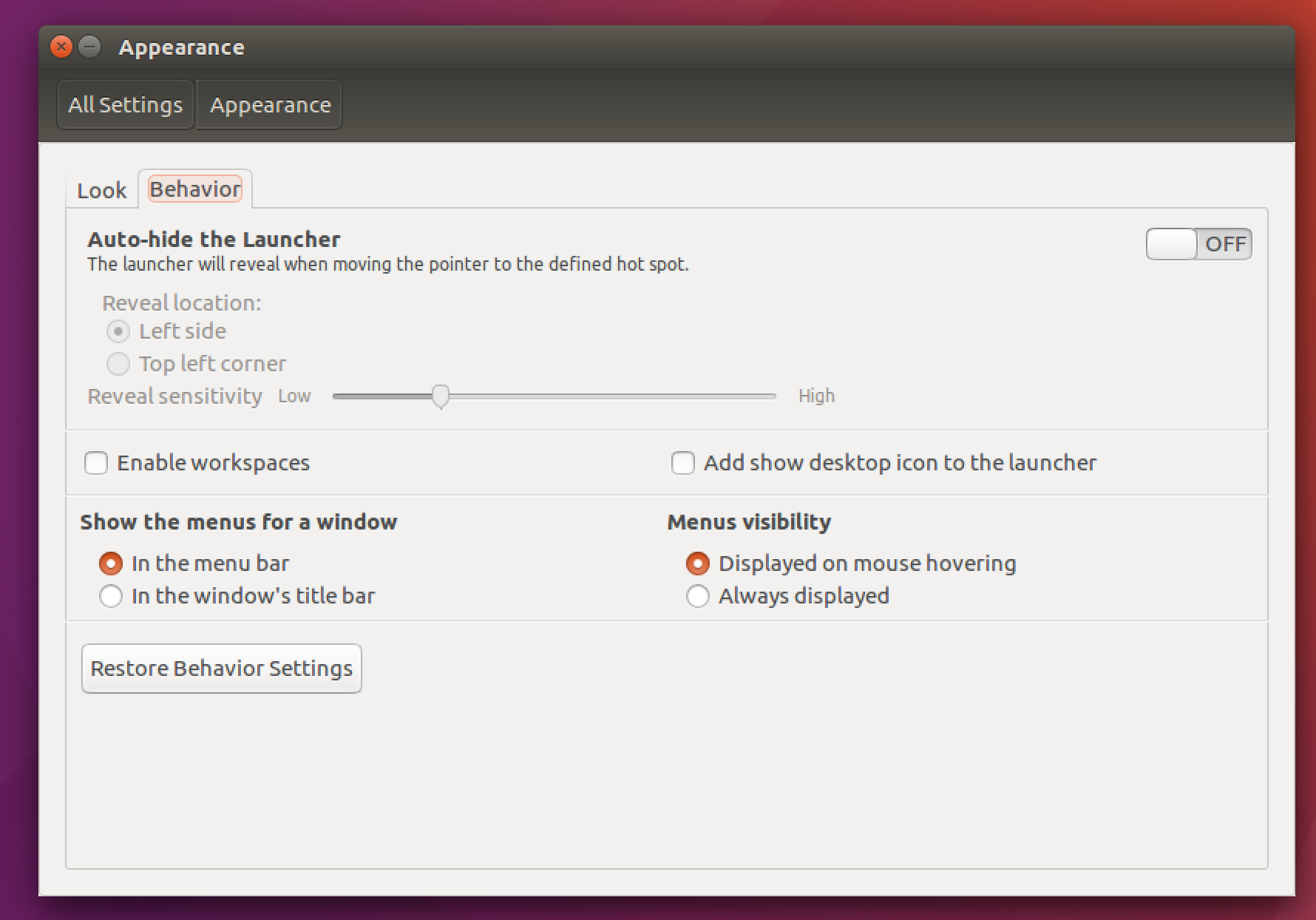
Customization has never been a strength of Ubuntu (although you can achieve customization via official flavors of Ubuntu, such as Kubuntu). With this release, however, Canonical is giving users some additional options. You can now choose where and how you want to see menu items (Figure 4). You can show them on top bar or display them in app window. That’s not all. You can now also choose whether you want them to auto-hide or be visible all the time. I’m not a huge fan of auto-hiding menu entries, so that’s a welcome change.
Figure 4: Ubuntu setting shows the option to customize display of menu items.
Another improvement in the customization department comes from a flavor of Ubuntu, called Kylin. Users can now change the location of the launcher; they can now move it to the bottom of the screen.
Conclusion
Ubuntu is a tricky distribution. As much as I love it on my home server, my desktop is a different ballgame. In my experience, releases between LTS versions have many new technologies that may or may not survive in the next LTS. There were many technologies or features that Canonical thought were ambitious — HUD, experimenting with menus, online dash search, Ubuntu Software Center, etc. — but they were abandoned. So, if I were to use Ubuntu on my desktop, I would still choose LTS.
The problem with any LTS release, however, is that it kind of gets frozen in time, and you have to backport everything or use PPA to get the latest version of applications or packages. There are many cases where the same package is not available for all Ubuntu releases. That is why I use Arch on my desktop.
I wish Canonical would move Ubuntu to a rolling-release model — with LTS releases as “snapshots” of the stable release at the regular time frame — so developers and users wouldn’t have to bother with multiple releases between two LTS versions. That said, Ubuntu 16.04 is a good release. If you are an Ubuntu user, this is the release you should be using.
It used to be a clear sign of geekiness. People who were into Linux would rave about its benefits and flexibility…as long as you knew how to install your own OS, dig around for the hardware drivers you needed, and be a master of command-line instructions. For a world building technical literacy through more user-friendly front-end systems, Linux was a niche reserved for technology enthusiasts.
The world has changed, though, and Linux is growing out of its pigeonhole to become a powerful force in today’s digital climate. … Here are five reasons that Linux is on the rise and Linux skills are in high demand:
The technology industry is changing fast – much faster than we’ve seen in the past – due to the proliferation of high quality, free and open source software, said Stephen O’Grady, co-founder and principal analyst at RedMonk, in his keynote talk at Collaboration Summit in March. Developers have access to open source technologies without asking for permission.
“All of a sudden, for the first time, if I want to build anything, if I’m a developer, if I have an idea, I can just go do that,” O’Grady said. “I don’t need to go justify to my boss, “Hey, I need to buy a license for an operating system. Hey, I need to buy a license for a database,” and so on. I can just go do it. This changes everything. This is a change that all of you have lived, all of you have helped fuel.”
Developers are empowered, for the first time in history, to make decisions that traditionally were made by IT managers, CIOs, and other executives. And that means that open source is now the way business is getting done, O’Grady said, whether managers know it or not.
At the same time, the bulk of commercial sales are still closed source, he said, with the exception of Red Hat, which has built a $2 billion business on open source.
“There’s a long way to go,” he said.
The software business model has evolved quite a bit since IBM was founded in 1911, when software was just an incentive for selling more hardware. In 1975, Microsoft turned software into a good that could be sold, independly of hardware. And then in the 1990’s, at companies like Google, software became differentiating.
Today large web companies like Facebook and Twitter see software as non-differentiating with large segments (though not all) of their software released as open source.
“These are the folks that basically look at this and say, “Hey, this is a good model.” Our model for developing software is collaborative. Our model for developing software is open,” O’Grady said. “These are smart people, they sat down and looked at the numbers, looked at the business case and said, “Yeah, this makes perfect sense. Let’s do this.”
Open source software has evolved to the point at which it makes a good foundation on which to build a business.
“The economics behind open source, and the changes that it will essentially (bring to) your business,” he said, “the impact that it will have over time is enormous.”
Watch Stephen O’Grady’s full keynote, below, for more trends in the business of open source.
Developers are empowered, for the first time in history, to make decisions that traditionally were made by IT managers, CIOs, and other executives, says Stephen O’Grady, co-founder and principal analyst at RedMonk in his keynote at Collaboration Summit 2016. And that means that open source is now the way business is getting done, whether managers know it or not.
The openSUSE Project today, May 4, 2016, published details about the latest major open-source components that landed in the main software repositories of the openSUSE Tumbleweed distro recently.
There were many snapshots released for openSUSE Tumbleweed during the past month, which brought in the latest software versions, including, but not limited to, Linux kernel 4.5.2, Mesa 11.2.1 3D Graphics Library, Oracle VirtualBox 5.0.18, Snapper 0.3.2, LibreOffice 5.1.3.1, Wireshark 2.0.3, and perl-Bootloader 0.912.
Additionally, it looks like the gettext-runtime has been updated to version 0.19.7, the brand-new GStreamer 1.8.0 multimedia backend also landed, and updated versions of the libzypp, libvirt, and sssd libraries have been added too. Among other updated packages, we can mention AutoYast2 3.1.125, Kiwi 7.03.67, AppArmor 2.10.1, and cpupower 4.6.
With the onset of cluster schedulers we are leaving behind statically configured platforms. No longer do we know upfront where our workloads will be running. Instead, the scheduler is going to automatically distribute, scale and supervise the workloads to optimally utilise the available cluster resources.
What if you could have an easy to operate continuous integration (CI) and deployment (CD) platform that will scale to any size and is capable of running heterogeneous workloads, while also being incredibly resource efficient and fast? Read on to find out how Jenkins and Nomad can be leveraged to make this a reality.
The high-level overview of the platform implemented in this blog looks like this: