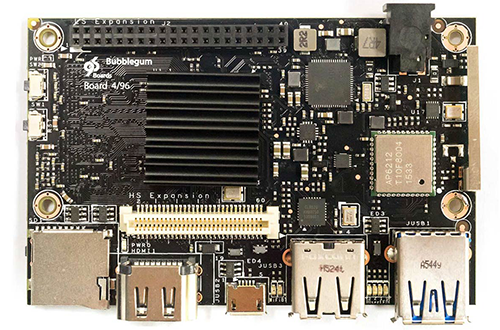
 Prior to the Linaro Connect Bangkok event this week, two SBCs broke cover that comply with Linaro’s 96Boards spec for open source, ARM-based Linux and Android boards. The Bubblegum-96 is a Consumer Edition (CE) SBC that showcases the quad-core, 64-bit Actions S900 SoC, and the server-oriented LeMaker Cello is the world’s first 96Boards Enterprise Edition board.
In related news, 96Boards.org announced a major Reference Software Platform 16.03 release, which for the first time produces a common and unified kernel tree based on Linux 4.4.0 that can be shared across all supported platforms. Linaro, which recently released Linaro 16.02 for Ubuntu and Android, has also released Android Open Source Project (AOSP) code optimized for the 96Boards-compliant HiKey SBC. While previous Linaro/AOSP builds have been maintained outside of the AOSP common tree, the HiKey build is the first of many that will be maintained by Linaro within AOSP.
The announcements demonstrate solid momentum for 96Boards.org, which so far has been known chiefly for delivering the world’s first 64-bit ARM hacker boards. Yet, the project faces growing competition on the low end. Much cheaper 64-bit ARM SBCs like the Raspberry Pi 3 are applying pricing pressures (see below).
Bubblegum-96
Like earlier 96Boards entries, UCRobotics’ $89 Bubblegum-96 has a 64-bit, ARMv8 processor, in this case the quad-core, Cortex-A53 Actions S900 clocked to 1.8GHz. It also shares the same, 85x54mm CE spec, featuring standard 40- and 60-pin mezzanine expansion connectors.
The Bubblegum-96 is almost identical to an Actions Semi ActDuino S900 development board for the S900 SoC. It’s also similar to Qualcomm’s $75, 96Boards CE compatible DragonBoard 410c, and similarly offers the minimalist real-world ports called for by the CE spec: a microSD slot, HDMI port, micro-USB port, and two USB host ports.
The DragonBoard 410c is the only board with a GPS chip, but the Bubblegum-96 has twice the RAM at 2GB. Meanwhile, its Actions S900 SoC and 600MHz PowerVR G6230 GPU appear to be more powerful than Qualcomm’s Snapdragon 400 and Adreno 306 GPU. The latter, however, is supported with the Freedreno open source Linux driver, while the PowerVR chips are highly opaque to developers.
The Bubblegum-96 supports Debian, Android 5.1, and alternative Android distros Remix OS 2.0 and Phoenix OS. uCRobotics has posted a product page with an $89 price along with a notification form for the upcoming pre-sale launch.
LeMaker Cello
This week, the first 96Boards SBC using the larger, server-oriented Enterprise Edition (EE) spec appeared, but it was not the expected AMD HuskyBoard. LeMaker, makers of the HiKey and Banana Pro, beat AMD to the punch with its $299 LeMaker Cello, due in the second quarter. The Cello uses the same quad-core, ARM Cortex-A57 AMD A1100 SoC as the HuskyBoard.
The 160x120mm EE spec calls for only a single low-speed 40-pin connector, omitting the MIPI-DSI and -CSI-ready high-speed 60-pin link. The 40-pin connector is compatible with the CE 40-pin interface, but not the Raspberry Pi’s 40-pin link. There’s also a larger, 244x244mm microATX version of the EE spec, as well as a larger CE Extended Version at 85x100mm. Neither has been adopted.
As defined by the EE spec, the Cello omits the CE spec’s micro-OTG port and wireless requirements, but adds a PCIe x16 slot and an Ethernet port, in this case a GbE model. Other features on the Cello include dual SATA ports, dual USB 3.0 ports, and dual DDR3 sockets that presumably support the 16GB recommended by the spec.
The delayed AMD HuskyBoard was demo’d this week at Linaro Connect Bangkok. The board was running the developer preview of Red Hat Enterprise Linux Server release 7.2.
96Boards HiKey, DragonBoard 410c, and more
The year-old 96Boards.org project got off to a fairly slow start. The flagship, CircuitCo built, octa-core HiKey board was delayed and had spotty availability. Qualcomm’s Arrow-built DragonBoard 410c was also delayed until Fall. The only other SBC launch for a fully compliant SBC was for the slightly modified LeMaker version of the HiKey, which started shipping at $75 with 1GB RAM and $99 with 2GB, down from the original $129. (It’s currently out of stock.)
Late last year, Marvell shipped a $75, 96Boards CE compatible Andromeda Box Edge SBC, but it has not been certified and is not listed by 96Boards.org. The IoT-focused SBC runs Google’s Brillo OS and Weave software.
Last summer, Freescale and Arrow said they were prepping a 96Boards CE SBC based on the Cortex-A7 i.MX7. There’s been no news since NXP acquired Freescale, but an August video showing a prototype is posted on NXP’s website. Assuming it reaches market, this would be the first dual-core and ARMv7-based 96Boards SBC.
Pi 3, Odroid-C2 Add Pricing Pressure
Despite the novelty of debuting 64-bit chips on hacker boards, the first 96Boards entries have not received quite the same welcome from the open source hacker community as have other newer 64-bit SBCs. These include the $15-$25, Kickstarter funded Pine-A64, Hardkernel’s $40 Odroid-C2, and the $35 Raspberry Pi 3. They all feature similar quad (but not octa) core Cortex-A53 SoCs, similar open source licensing, and in the case of the Pi 3, similar onboard WiFi and Bluetooth.
With the 96Boards CE boards selling for two to six times more, price is a major obstacle. Meanwhile, some dismiss the spec for having insufficient real-world ports, and potential hardware partners may be stymied by the extensive requirements, including specified sizes, and electrical and pin assignments.
More importantly, 96Boards main claim to fame — a standard expansion interface — has already been accomplished in a haphazard, organic way with the 40-pin Raspberry Pi expansion interface, which is copied on the Pine-A64, Odroid-C2, and many other 32-bit boards. It will take time for 96Boards.org to catch up with the BeagleBone’s extensive add-on “cape” selection, let alone approach the scale of the Raspberry Pi ecosystem.
96Board.org’s list of compatible mezzanine expansion boards includes only a LinkSprite Technologies 96Boards Starter Kit and a Seeed UART serial adapter. Seeed also has a sensors mezzanine available for pre-order, and ST will soon launch an STM32 sensor add-on.
Fortunately for Linaro, it’s not so much going head to head with the Pi as it is trying to duplicate the Pi open source ecosystem on the high end, appealing more to traditional embedded vendors than hobbyist hackers. Many vendors are attracted to the onboard wireless, 40- and 60-pin connectors, and stackable add-on board design, which provide more expansion possibilities than does the Pi.
Some of these vendors are new to open source and feel more comfortable with the approval and promised stability of ARM and other big semi vendors behind Linaro, which is known for its well-maintained Ubuntu and Android distributions and middleware. Meanwhile, there’s still the flexibility to support other Linux distros like RHEL and Brillo, as well as commercial platforms like Microsoft’s Windows 10 IoT Core for the DragonBoard 410c.
96Boards.org is attempting to combine the community spirit of open spec ARM hacker communities with board standardization efforts borrowed from the x86 embedded model. While the ARM board world is largely a free-for-all revolving loosely around the Pi, in the x86 world, vendors are more likely to use SBC standards like Pico-ITX and Mini-ITX. They’re even more wedded to computer-on-module standards like COM Express.
While there’s really no competition for 96Boards EE in the ARM server and high-end embedded space, 96Boards CE may struggle to find a niche above the Raspberry Pi, Odroid, and others. It doesn’t need to match their prices but at least stay close. The addition of the $75 LeMaker HiKey and $89 Bubblegum-96 show momentum, but now 96Boards needs a breakthrough product selling in the $50 to $60 BeagleBone range. Some more mezzanine boards would also help.

 If there is one area in which open source has never suffered it is a lack of events. From your big professional conferences right down to your friendly, local meetups, there is just something so delightfully fun about getting together in person to share ideas, learn from each other, and have fun.
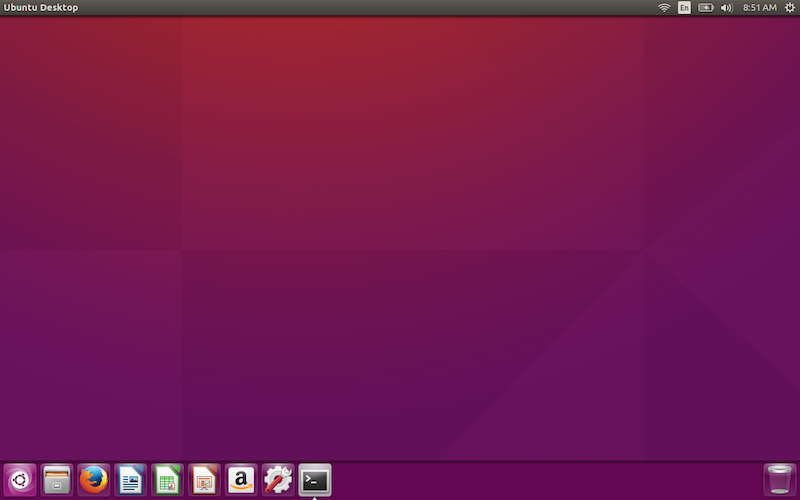 It’s been quite some time since the Ubuntu faithful could be seriously excited about a release. With good reason. Over the past few years, Canonical has been hard at work trying to bring Unity 8/Mir/Convergence to fruition. Because of this, Ubuntu has suffered a long stretch of fairly boring releases.
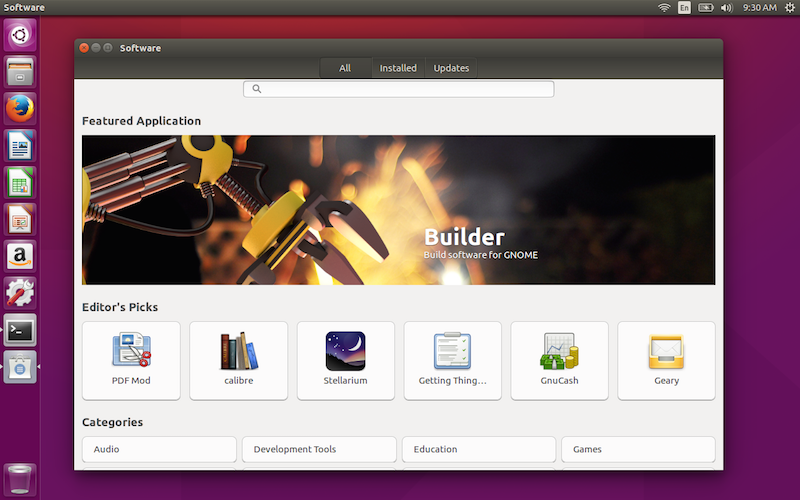 One big decision for transitioning to GNOME Software (from the perspective of Canonical) is that support for Snaps will be much easier to roll in. The truth of the matter is, the Ubuntu Software Center has been a horrible tool for a very long time. Making this move will greatly improve the Ubuntu experience for every user.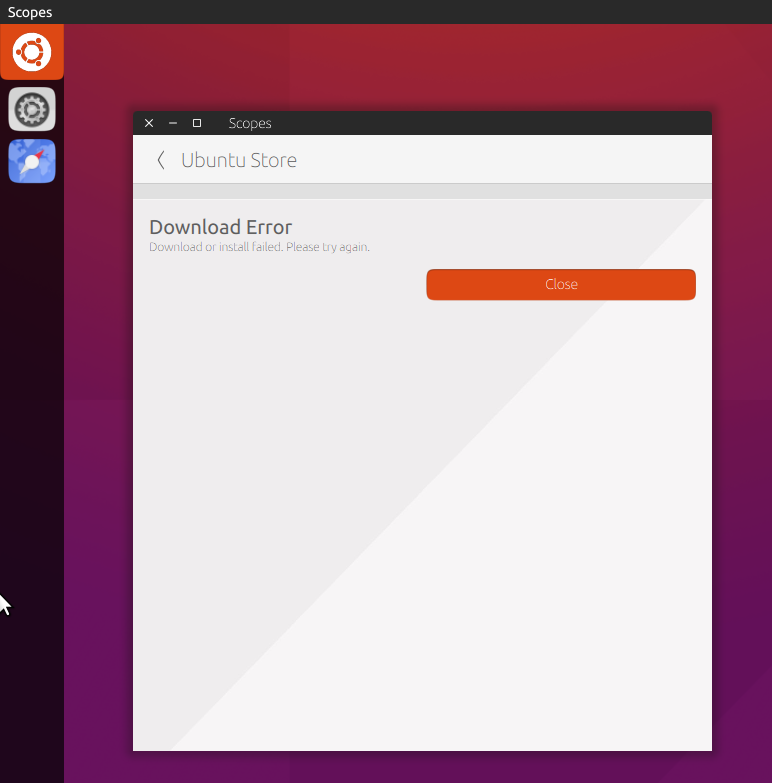
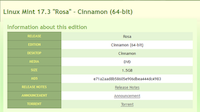 With the current fervor about compromised ISO images, lots of people (including me) are saying that you should always verify an ISO image after downloading, and before installing. Here is a discussion of why and how to do that.
 Well,
Well,