The Xen Project is comprised of a diverse set of member companies and contributors that are committed to the growth and success of the Xen Project Hypervisor. The Xen Project Hypervisor is a staple technology for server and cloud vendors, and is gaining traction in the embedded, security and automotive space. This blog series highlights the companies contributing to the changes and growth being made to the Xen Project, and how the Xen Project technology bolsters their business.
When did you join the Xen Project and why/how is your organization involved?
Bitdefender has been collaborating with Linux Foundation for the past three years, and active within the Xen Project community, especially around Virtual Machine Introspection, for about the same time. We officially joined the Xen Project toward the end of 2017. We are focused on security, which is core to the philosophy of the Xen Project.
In this post I’ll demonstrate how to build a simple OpenStack lab with OpenDaylight-managed virtual networking and integrate it with a Cisco IOS-XE data centre gateway using EVPN.
For the last 5 years OpenStack has been the training ground for a lot of emerging DC SDN solutions. OpenStack integration use case was one of the most compelling and easiest to implement thanks to the limited and suboptimal implementation of the native networking stack. Today, in 2017, features like L2 population, local ARP responder, L2 gateway integration, distributed routing and service function chaining have all become available in vanilla OpenStack and don’t require a proprietary SDN controller anymore. Admittedly, some of the features are still not (and may never be) implemented in the most optimal way (e.g. DVR). This is where new opensource SDN controllers, the likes of OVN and Dragonflow, step in to provide scalable, elegant and efficient implementation of these advanced networking features. However one major feature still remains outside of the scope of a lot of these new opensource SDN projects, and that is data centre gateway (DC-GW) integration. Let me start by explain why you would need this feature in the first place.
The latest release of this excellent security, forensic, and penetration testing Linux distribution is everything I have come to expect from the software and more, with both PC (32 and 64 bit) and Raspberry Pi images.
The new release, 2017.3, is primarily a roll-up, incorporating all patches and updates issued since the last release into a clean set of installation images. Remember, though, Kali is a rolling-release distribution, so if you already have it installed you don’t need to reinstall from these new images; just make sure that you have the latest updates installed.
If you do want or need to make a fresh installation, the distribution images for the PC version (32 and 64 bit) can be obtained from the Kali downloads page. There are a number of different versions there, and people sometimes get confused by them, so here is a quick summary:
CableLabs hinted in October that it was planning to launch an open source group. At that time, we speculated that the open source project would be related to its SNAPS initiative. SNAPS stands for “SDN/NFV Application development Platform and Stack.” CableLabs had previously done some software development it called SNAPS-OO. It gave that code to the OPNFV project a couple of months ago.
No matter what you do, chances are you enjoy a bit of music playing in the background. Whether you’re a coder, system administrator, or typical desktop user, enjoying good music might be at the top of your list of things you do on the desktop. And, with the holidays upon us, you might wind up with some gift cards that allow you to purchase some new music. If your music format of choice is of a digital nature (mine happens to be vinyl) and your platform is Linux, you’re going to want a good GUI player to enjoy that music.
Fortunately, Linux has no lack of digital music players. In fact, there are quite a few, most of which are open source and available for free. Let’s take a look at a few such players, to see which one might suit your needs.
Clementine
I wanted to start out with the player that has served as my default for years. Clementine offers probably the single best ratio of ease-of-use to flexibility you’ll find in any player. Clementine is a fork of the new defunct Amarok music player, but isn’t limited to Linux-only; Clementine is also available for Mac OS and Windows platforms. The feature set is seriously impressive and includes the likes of:
Built-in equalizer
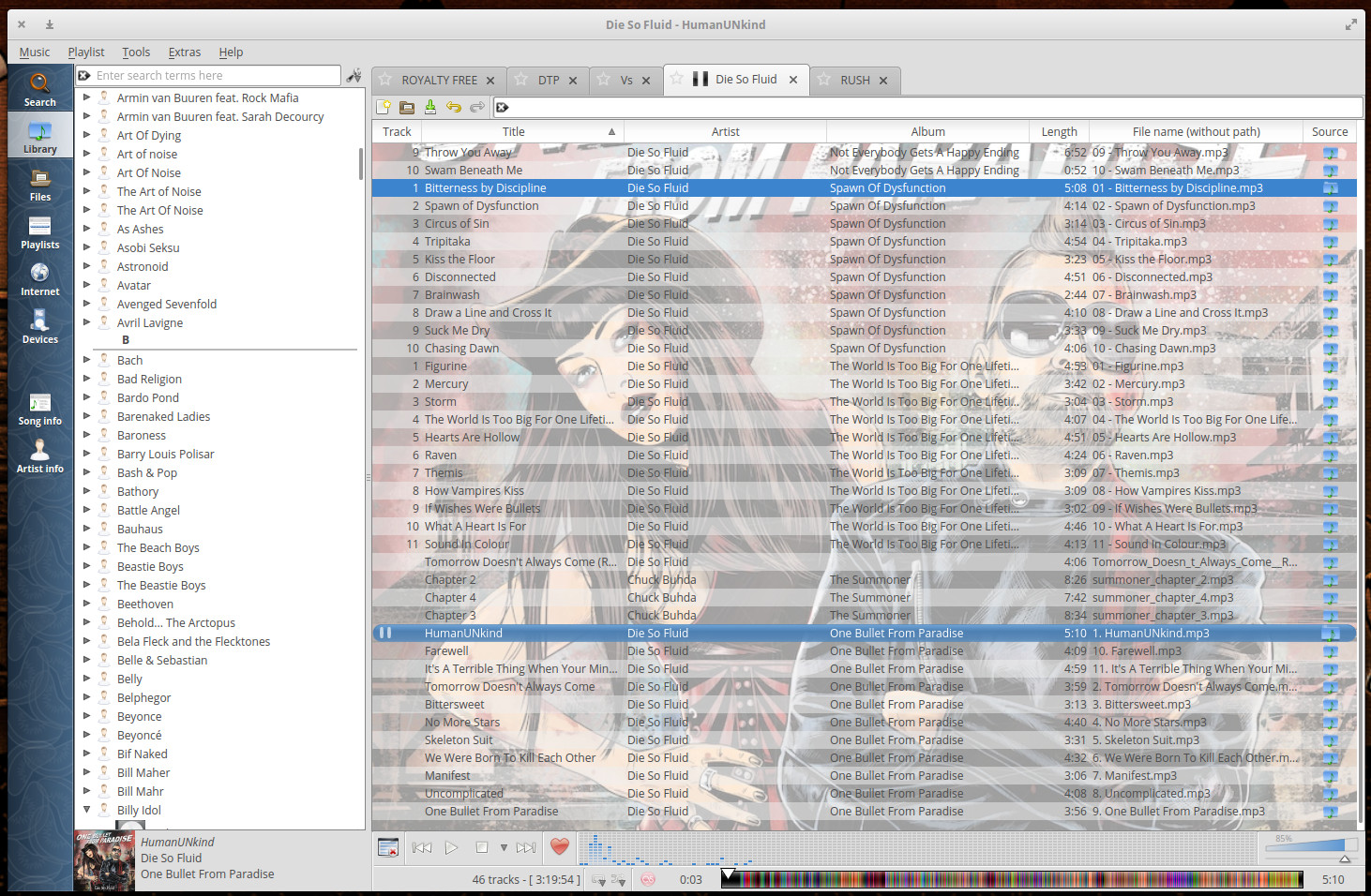
Customizable interface (display current album cover as background — Figure 1)
Play local music or from Spotify, Last.fm, and more
Sidebar for easy library navigation
Built-in audio transcoding (into MP3, OGG, Flac, and more)
Figure 1: The Clementine interface might be a bit old-school, but it’s incredibly user-friendly and flexible.
Of all the music players I have used, Clementine is by far the most feature-rich and easy to use. It also includes one of the finest equalizers you’ll find on a Linux music player (with 10 bands to adjust). Although it may not enjoy a very modern interface, it is absolutely unmatched for its ability to create and manipulate playlists. If your music collection is large, and you want total control over it, this is the player you want.
Clementine can be found in the standard repositories and installed from either your distribution’s software center or the command line.
Rhythmbox
Rhythmbox is the default player for the GNOME desktop, but it does function well on other desktops. The Rhythmbox interface is slightly more modern than Clementine and takes a minimal approach to design. That doesn’t mean the app is bereft of features. Quite the opposite. Rhythmbox offers gapless playback, Soundcloud support, album cover display, audio scrobbling from Last.fm and Libre.fm, Jamendo support, podcast subscription (from Apple iTunes), web remote control, and more.
One very nice feature found in Rhythmbox is plugin support, which allows you to enable features like DAAP Music Sharing, FM Radio, Cover art search, notifications, ReplayGain, Song Lyrics, and more.
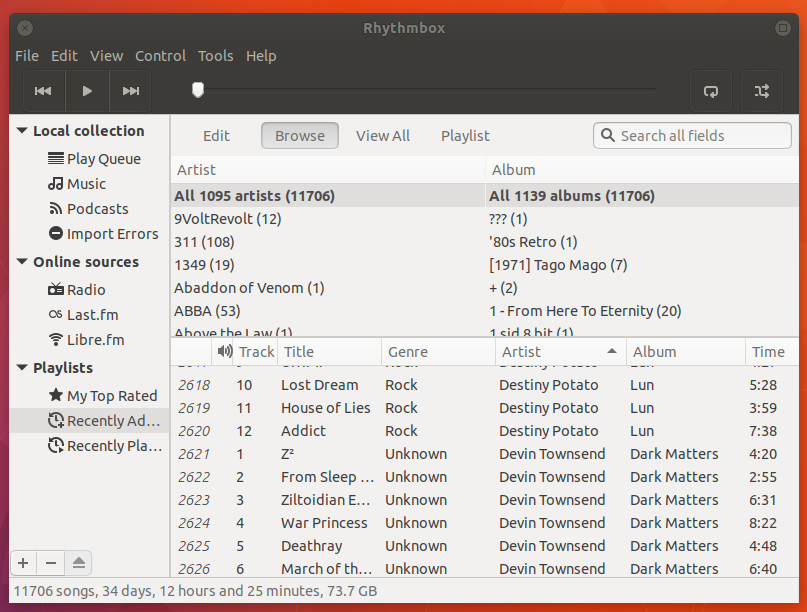
The Rhythmbox playlist feature isn’t quite as powerful as that found in Clementine, but it still makes it fairly easy to organize your music into quick playlists for any mood. Although Rhythmbox does offer a slightly more modern interface than Clementine (Figure 2), it’s not quite as flexible.
Figure 2: The Rhythmbox interface is simple and straightforward.
VLC Media Player
For some, VLC cannot be beat for playing videos. However, VLC isn’t limited to the playback of video. In fact, VLC does a great job of playing audio files. For KDE Neon users, VLC serves as your default for both music and video playback. Although VLC is one of the finest video players on the Linux market (it’s my default), it does suffer from some minor limitations with audio—namely the lack of playlists and the inability to connect to remote directories on your network. But if you’re looking for an incredibly simple and reliable means to play local files or network mms/rtsp streams VLC is a quality tool.
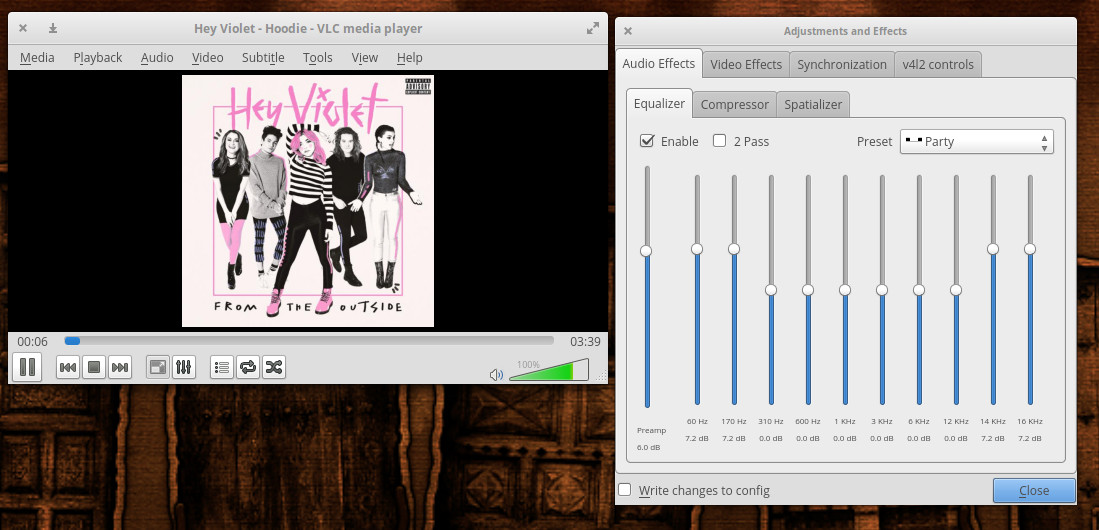
VLC does include an equalizer (Figure 3), a compressor, and a spatializer as well as the ability to record from a capture device.
Figure 3: The VLC equalizer in action.
Audacious
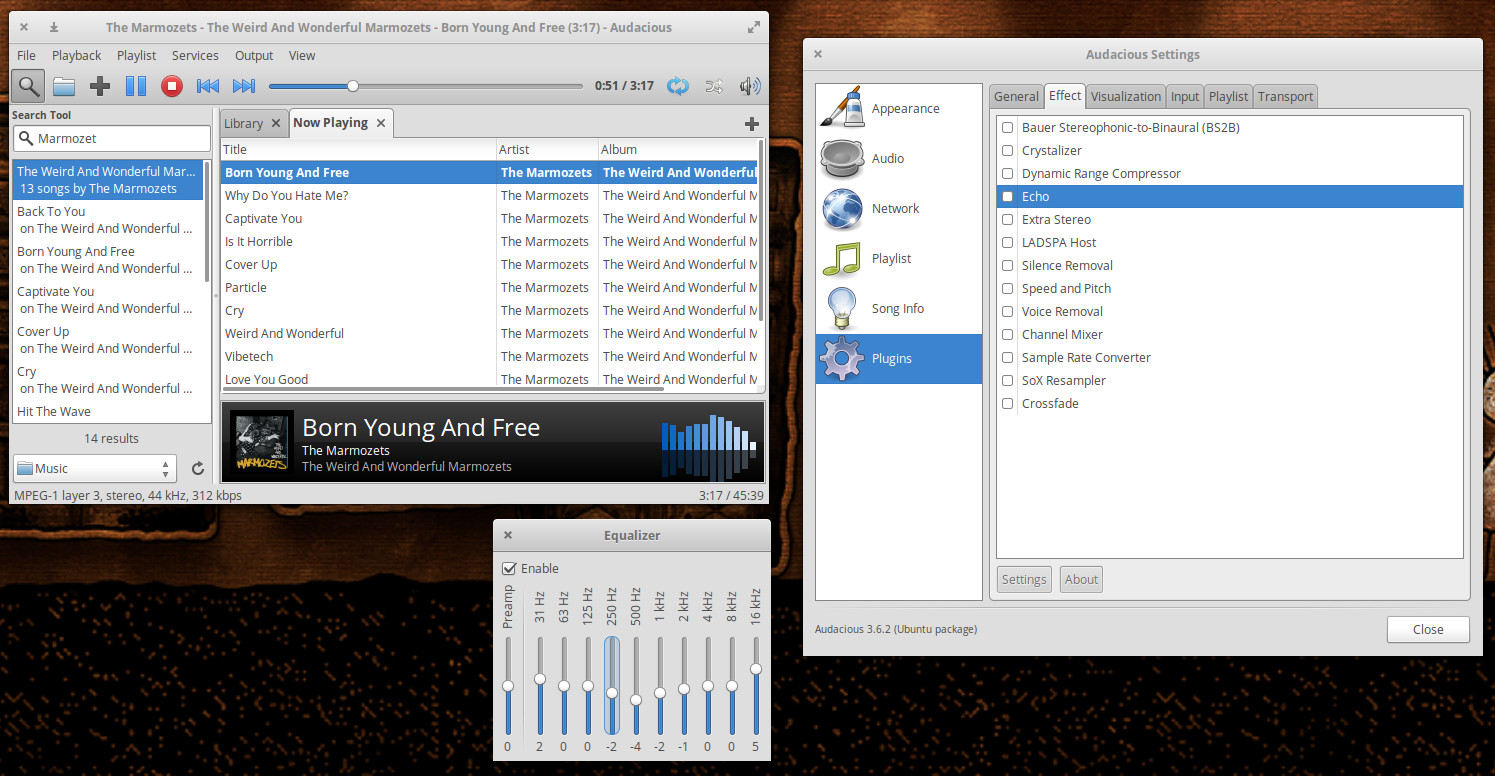
If you’re looking for a lightweight music player, Audacious perfectly fits that bill. This particular music player is fairly single minded, but it does include an equalizer and a small selection of effects that will please many an audiophile (e.g., Echo, Silence removal, Speed and Pitch, Voice Removal, and more—Figure 4).
Figure 4: The Audacious EQ and plugins.
Audacious also includes a really handy alarm feature, that allows you to set an alarm that will start playing your currently selected track at a user-specified time and duration.
Spotify
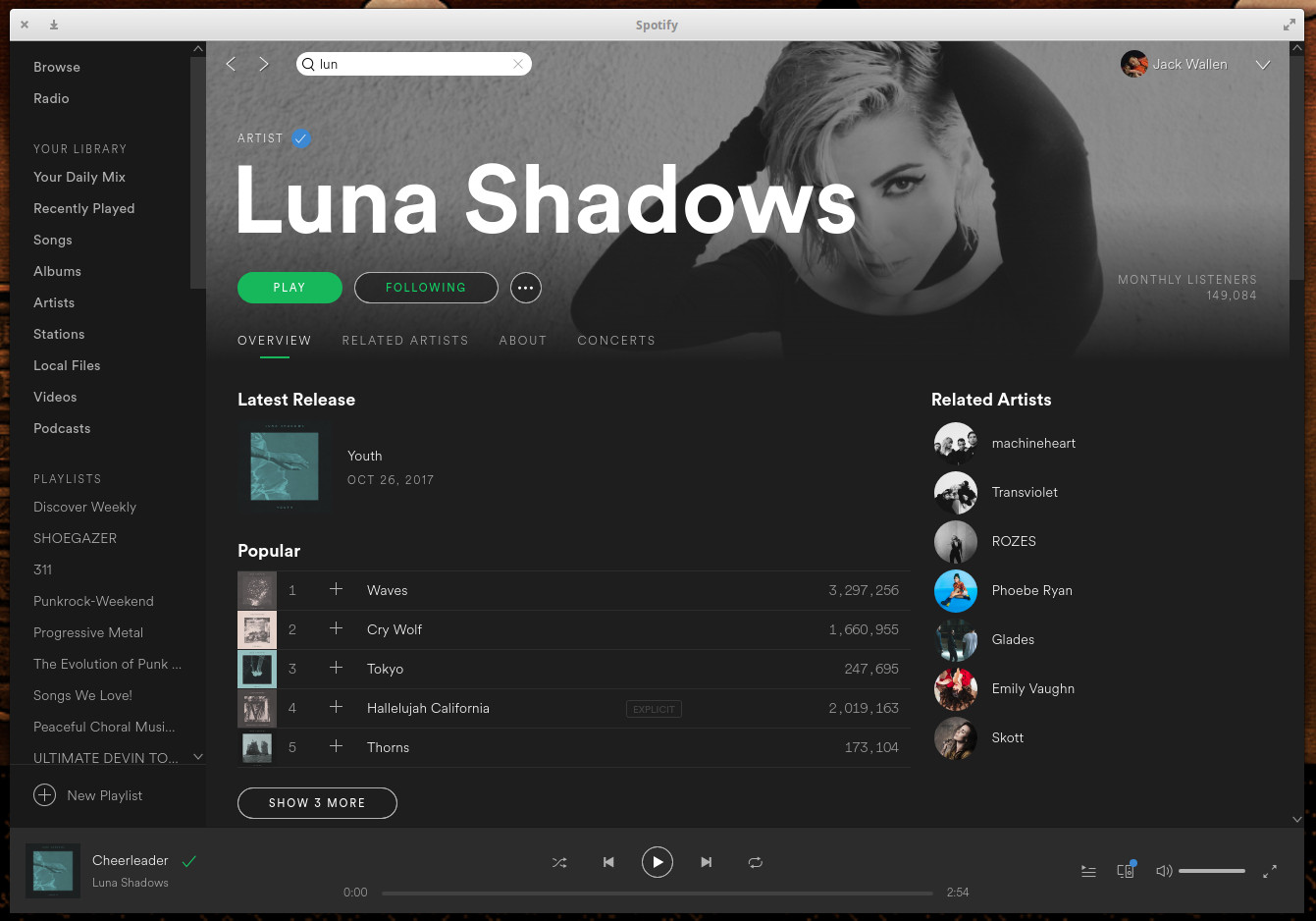
I must confess, I use spotify daily. I’m a subscriber and use it to find new music to purchase—which means I am constantly searching and discovering. Fortunately, there is a desktop client for Spotify (Figure 5) that can be easily installed using the official Spotify Linux installation instructions. Outside of listening to vinyl, I probably make use of Spotify more than any other music player. It also helps that I can seamlessly jump between the desktop client and the Android app, so I never miss out on the music I enjoy.
Figure 5: The official Spotify client on Linux.
The Spotify interface is very easy to use and, in fact, it beats the web player by leaps and bounds. Do not settle for the Spotify Web Player on Linux, as the desktop client makes it much easier to create and manage your playlists. If you’re a Spotify power user, don’t even bother with the built-in support for the streaming client in the other desktop apps—once you’ve used the Spotify Desktop Client, the other apps pale in comparison.
The choice is yours
Other options are available (check your desktop software center), but these five clients (in my opinion) are the best of the best. For me, the one-two punch of Clementine and Spotify gives me the best of all possible worlds. Try them out and see which one best meets your needs.
Learn more about Linux through the free “Introduction to Linux” course from The Linux Foundation and edX.
Since the beginning of the Git era (that is, the 2.6.11 release in 2005), a total of 15,637 developers have contributed to the Linux kernel, according to the recent Linux Kernel Development Report, written by Jonathan Corbet and Greg Kroah-Hartman.
One of the top 30 developers is Thomas Gleixner, CTO at Linutronix GmbH, who serves in various kernel maintainer roles. In this article, Gleixner answers a few questions about his contributions to the Linux kernel.
This week in open source news, Bell is the first company to launch an open source version of ONAP, the European Commission has announced a bug bounty program, & more
1) Telecom company Bell announced it has become the first to launch an open source version of ONAP.
What does open source mean? That’s an increasingly tough question to answer because the term is now being applied everywhere and to everything — which is not good. To understand why open source is losing its meaning, you have to start by tracing the origins of the phrase.
Then, in 1998, a group of people who advocated the free sharing of software source code coined the termopen source software. They did so primarily because they sought an alternative to free software, the term that was initially used to describe software whose source code was freely available.
For political reasons not worth discussing here, some people today continue to prefer the term free software. By and large, however, open source software has become the de facto way to describe software with freely redistributable source code.
The Kubernetes developer community is capping off a successful year with the release of Kubernetes 1.9, adding important new features that should help to further encourage enterprise adoption.
Kubernetesis the most popular container orchestrator management software. It’s used to simplify the deployment and management of software containers, which are a popular tool among developers that allows them to run their applications across multiple computing environments without making any changes to the underlying code.
Recently, Sean Paul from Google’s ChromeOS team, submitted a patch series to enable HDCP support for the Intel display driver. HDCP – or High-bandwidth Digital Content Protection to its parents – is used to encrypt content over HDMI and DisplayPort links, which can only be decoded by trusted devices.
HDCP is typically used to protect high-quality content. A source device will try to negotiate a HDCP link with its downstream receiver such as your TV or a frame-capture device. If a HDCP link can be negotiated, the pixel content will be encrypted over the wire and decrypted by the trusted downstream device. If a HDCP link cannot be successfully negotiated and pixel data remains unencrypted, the typical behaviour is to fall back to a lower resolution, or quality that is in some way less desirable to capture.
This is a form of copy protection usually lumped in with Digital Rights Management, something the open source community is often jumpy about. Most of the sound and fury typically comes from people mixing up the acronym with the kernel’s display management framework called the Direct Rendering Manager; this is thus the first known upstream submission of DRM for DRM.
Regardless, there is no reason for the open-source community to worry at all.
HDCP support is implemented almost entirely in the hardware. Rather than adding a mandatory encryption layer for content, the HDCP kernel support is dormant unless userspace explicitly requests an encrypted link. It then attempts to enable encryption in the hardware and informs userspace of the result. So there’s the first out: if you don’t want to use HDCP, then don’t enable it! The kernel doesn’t force anything on an unwilling userspace. Sinks (such as TVs) cannot demand an upstream link provide HDCP, either.
HDCP support is also only over the wire, not on your device. A common misconception is that DRM means that the pixel frames coming from your video decoder are encrypted. Not so: all content is completely unencrypted locally, with encryption only occurring at the very last step before the stream of pixels becomes a stream of physical electrons on a wire.