Home Blog Page 620

Linux Security Threats: The 7 Classes of Attackers

Start exploring Linux Security Fundamentals by downloading the free sample chapter today. DOWNLOAD NOW

Organizations today are facing a worldwide security workforce shortage — and hurting for it, according to a 2016 report from Intel Security and the Center for Strategic and International Studies (CSIS).

“Eighty-two percent of surveyed respondents admitted to a shortage of cybersecurity skills, with 71 percent of respondents citing this shortage as responsible for direct and measurable damage to organizations whose lack of talent makes them more desirable hacking targets,” according to Intel Security.

It’s important and valuable for Linux sysadmins to stay one step ahead of malicious hackers by fortifying their security skills. Regardless of your skill level or experience, there’s always more to learn to further expand your awareness of security issues and preventative measures.

falseThe Linux Foundation’s online Linux Security Fundamentals course is intended for anyone involved with any security-related task, at any level. You’ll learn how to assess your current security needs, evaluate your current security readiness, and implement security options as required.

In this new tutorial series, we’ll give you a sneak preview of the third session in the course on Threats and Risk Assessment. Or you can download the entire chapter now.

By the end the series, you should be able to:

  • Differentiate the different classes of attackers

  • Discuss the types of attacks                    

  • Explain the tradeoffs in security, including likelihood, asset value, and business impact

  • Install and try common security tools tcpdump, wireshark, and nmap.

The 7 Classes of Attackers

In dealing with threats and risk assessment, there are different classes of attackers.

A white hat hacker

Breaks security for non-malicious reasons, perhaps to test their own security system or while working for a security company which makes security software. The term “white hat” in Internet slang refers to an ethical hacker. This classification also includes individuals who perform penetration tests and vulnerability assessments within a contractual agreement.

A black hat hacker

Violates computer security to be malicious or for personal gain. Black hat hackers form the stereotypical, illegal hacking groups often portrayed in popular culture. Black hat hackers break into secure networks to destroy data or make the network unusable for those who are authorized to use the network.

A script kiddie (also known as a skid or skiddie)

A non-expert who breaks into computer systems by using prepackaged automated tools written by others, usually with little understanding of the underlying concept.

Hacktivist

Utilizes technology to announce a social, ideological, religious, or political message. In general, most hacktivism involves website defacement or denial-of-service attacks.

Nation state

Refers to intelligence agencies and cyber warfare operatives of nation states.

Organized crime

Refers to criminal activities carried out for profit.

Bots

Automated software tools that are available for use by any type of hacker.

Attack Sources

An attack can be perpetrated by an insider or from outside the organization.

An inside attack is an attack initiated by an entity inside the security perimeter (an insider), i.e., an entity that is authorized to access system resources but uses them in a way not approved by those who granted the authorization.

An outside attack is initiated from outside the perimeter, by an unauthorized or illegitimate user of the system (an outsider). On the Internet, potential outside attackers range from amateur pranksters to organized criminals, international terrorists, and hostile governments.

A resource (both physical or logical), called an asset, can have one or more vulnerabilities that can be exploited by a threat agent in a threat action. The result can potentially compromise the confidentiality, integrity or availability properties of resources (potentially different from the vulnerable one) of the organization and other involved parties (customers, suppliers).    

In part 2 of this series, we’ll cover the types of attacks you can expect. And later we’ll discuss the business trade-offs associated with common security measures.

Stay one step ahead of malicious hackers with The Linux Foundation’s Linux Security Fundamentals course. Download a sample chapter today!

Read the other articles in the series:

Linux Security Threats: Attack Sources and Types of Attacks

Linux Security Fundamentals Part 3: Risk Assessment / Trade-offs and Business Considerations

Linux Security Fundamentals: Estimating the Cost of a Cyber Attack

Linux Security Fundamentals Part 5: Introduction to tcpdump and wireshark

Linux Security Fundamentals Part 6: Introduction to nmap

Multi-Cloud Mesos at Adobe

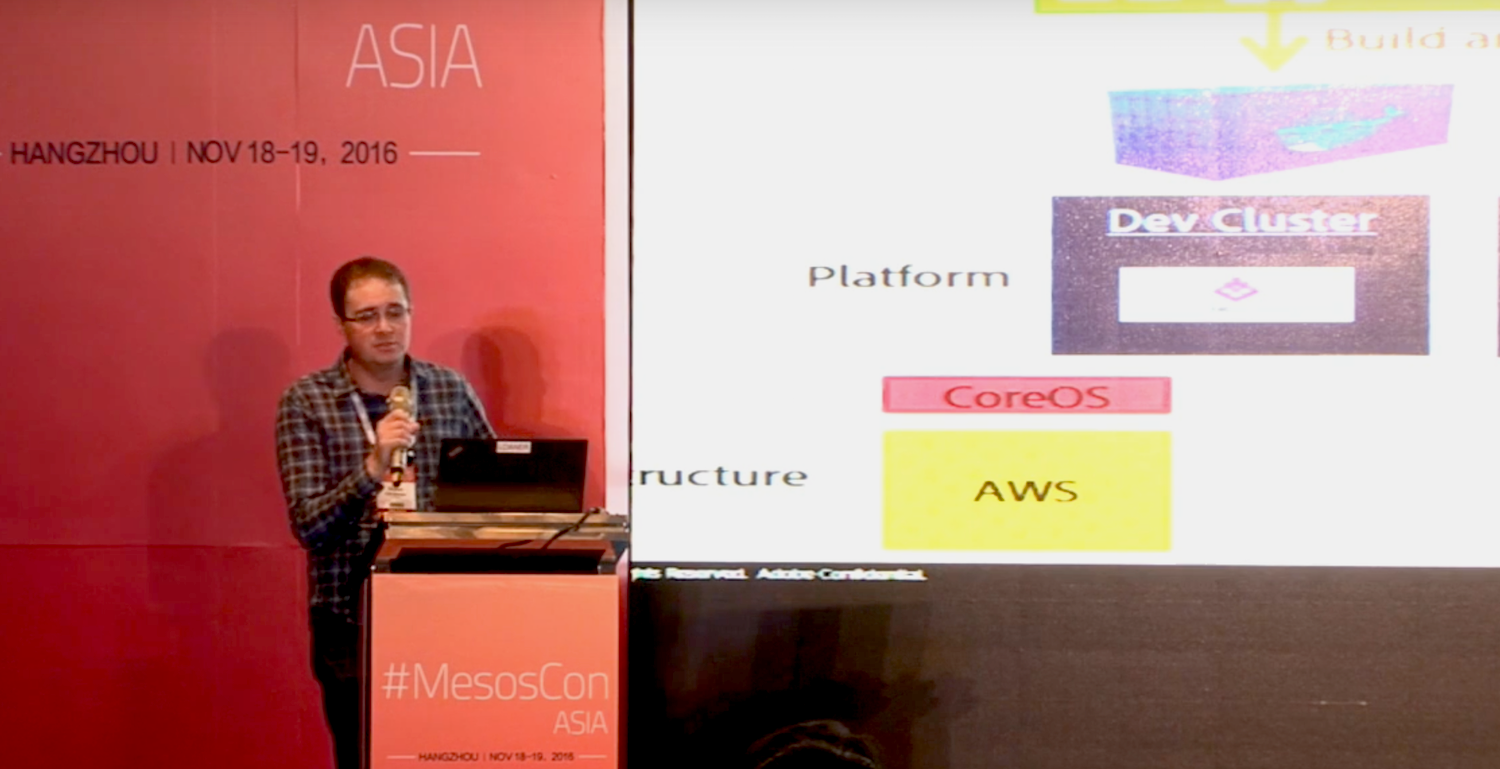
Building your IT infrastructure is often a complicated dance of negotiating conflicting needs. Engineers have ideas of cool things they want to build. Operations wants stability, security, easy maintenance, and scalability. Users wants things to work with no backtalk. In his talk at MesosCon Asia 2016, Frans van Rooyen of Adobe shares his team’s experiences with adapting Apache Mesos and Apache DC/OS to support deploying infrastructure to multiple diverse clouds.

Adobe had several problems to solve: they wanted to make it easier for engineers to write and deploy new code without having to be cloud experts, and they wanted to solve conflicts between operations and engineering. Engineering wants AWS because “It’s agile, I don’t have to create tickets, and I have infrastructure’s code. So I can actually call the infrastructure programmatically and build it, that’s what I like and want to do it that way.” Operations wants the local data center instead of a public cloud because “It’s secure, it’s cheaper, and we have more control.”

The various public clouds, such as Azure and AWS, have their own ways of doing things, and everyone has their own experience and preferences. Adobe’s solution was to abstract out the details of deploying to specific clouds so engineers could write simple spec files and let the new abstraction layer handle the details of deployment. Rooyen says, “Then suddenly all you care about is where do I need to run my stuff to run most effectively. The two main things that come up are latency and data governance. So if you’re thinking about where do I need to run my stuff, where do I need to run my container as an engineer, in my spec file I can say, “It’s very latent sensitive. It needs to be in a location over in Europe.” Because of that, Operations now can take that requirement and run that in the appropriate cloud… Operations and Engineering don’t battle. Engineering doesn’t care because they know their container’s going to go and run where it needs to run most.”

Another goal was to standardize as much as possible. But as the various cloud APIs are not standard it is very difficult to build a single tool to deploy to all clouds. Cloud technologies are fast-moving targets, so maintaining a single deployment tool would require constant maintenance. Rooyen discusses some of the cloud-specific tools they use: the Azure Container Service engine is open source and freely available. Terraform, by HashiCorp., is a multi-cloud tool. Troposphere builds your code, and then runs it to generate the cloud formation template.

Rooyen says, “So what’s the end result? What do we get when this is all done? Once again, through that story, we had input, input went into infrastructure, infrastructure stood up a cluster, and now we have this…We were able to provision those clusters in multiple clouds in a standard way and get the same output. The end result, which is a cluster. An end point or a platform that we can now deploy code to.”

Watch Rooyen’s complete presentation (below) to learn more details about the software used, hardware considerations, and important details about architecture.

Interested in speaking at MesosCon Asia on June 21 – 22? Submit your proposal by March 25, 2017. Submit now>>

Multi Cloud Mesos at Adobe

In this presentation Frans van Rooyen will share with you the journey the Adobe digital marketing team went on as his team was tasked with building out Mesos in both public and private clouds. 

GitHub Bug Bounty Program Offers Bonus Rewards

GitHub celebrates the third anniversary of its Bug Bounty program, with bonus rewards for security disclosures, as the program continues to help the popular code development platform stay secure. 

In January 2014, the GitHub distributed version control code repository first launched a bug bounty program, rewarding security researchers for responsibly disclosing software vulnerabilities. Now three years later in January 2017, GitHub is celebrating the third anniversary of its bug bounty program, with bonus rewards for the top submissions made in January and February.

Read more at eWeek


ContinuousIntegrationCertification

Continuous Integration is a popular technique in software development. At conferences many developers talk about how they use it, and Continuous Integration tools are common in most development organizations. But we all know that any decent technique needs a certification program — and fortunately one does exist. Developed by one of the foremost experts in continuous delivery and devops, it’s known for being remarkably rapid to administer, yet very insightful for its results. Although it’s quite mature, it isn’t as well known as it should be, so as a fan of the technique I think it’s important for me to share this certification program with my readers. Are you ready to be certified for Continuous Integration? And how will you deal with the shocking truth that taking the test will reveal?

Read more at Martin Fowler

Writing SELinux Modules

SELinux struggles to cast off its image as difficult to maintain and the cause of potential application problems. Yet in recent years, much has changed for the better, especially with regard to usability. For example, modules have replaced its monolithic set of rules. If you want to develop a new SELinux module, three files are typically necessary for this purpose.

Three Files for an SELinux Module

A type enforcement (.te) file stores the actual ruleset. To a large extent, it consists of m4 macros, or interfaces. For example, if you want to access a particular service’s resources, such as the logfiles, the service provides a corresponding interface for this purpose. If you want your own application to access these resources, you can draw this on the service’s interface without having to deal with the logfile details. For example, you do not need to know the logfile’s security label, because the interface abstracts access.

Read more at ADMIN Magazine

Understanding Unikernels

When we describe a typical operating system kernel on a typical machine (be it physical or virtual), we are normally talking about a distinct piece of software which runs in a separate processor mode (kernel mode) and address space from the rest of the software running on that machine. This operating system kernel generally provides critical low-level functions which are leveraged by the other software installed on the box. The kernel is generally a generic piece of code which is trivially tailored (if at all) to the application software stack it is supporting on the machine. This generic kernel normally provides a wide range of rich functions, many of which may be unneeded by the particular applications it is being asked to support.

In fact, if you look at the total software stack on most machines today, it is often difficult to figure out just what application will be run on that machine. You are likely to find a wide swath of hundreds, if not thousands, of low-level utilities, plus multiple databases, a web server or two, and a number of specialized application programs. The machine may actually be charged with running a single applica- tion, or it may be intended to run dozens simultaneously. Careful analysis of the startup scripts will yield hints as to the final solution set which will be run on the machine, but it is far from certain, as a suitably privileged user may elect to invoke any of a number of applications present on the box.

Read more at BSD Mag

IPv6 Transition: A Quick Guide

Despite the much-anticipated depletion of public IPv4 addresses, adoption of network address translation (NAT) has led most enterprises to continue using IPv4 both internally and at the internet edge. But as companies refresh their networks and IoT begins to pick up steam, many network administrators are finally making the choice to incorporate IPv6 in their network in some capacity. Here are some fundamentals when it comes to an IPv6 transition.

How to read an IPv6 address

By far the most important skill in an IPv6 transition is simply understanding how to read an IPv6 address. While IPv4 and IPv6 addresses accomplish the same goal, they look drastically different. An IPv6 address is 128-bits long compared to just 32-bits for and IPv4 address. While IPv6 addresses use the same mask structure as IPv4 to differentiate the host bits from the network bits, –it’s on a 128-bit scale.

Read more at Network Computing

How to Create a New sudo User on Ubuntu Linux Server

In Linux (and Unix in general), there is a SuperUser named root. The root user can do anything and everything, and thus doing daily work as the root can be very dangerous. You could type a command incorrectly and destroy the server.  

By default, the root account password is locked in Ubuntu. This means that you cannot login as root directly or use the su command to become the root user. However, since the root account physically exists it is still possible to run programs with root-level privileges. This is where sudo comes in – it allows authorized users to run certain programs as root without having to know the root password. 

In this quick tutorial, you will learn how to create a sudo user on Ubuntu for security reasons and to run a permitted user to run a command as the superuser (root user)

Read more…


Managing and Securing the WAN is a Struggle for Companies

In December, Versa sponsored an independent survey conducted by Dimensional Research  of 308 network professionals across five continents at organizations with 1,000-plus employees. The goal of the research was to capture how companies manage and secure their networks across branch locations. The research also investigated expected benefits and challenges of a software-defined wide area networking (SD-WAN). What the research revealed was that companies are struggling to manage and secure the WAN, especially at branch locations. Nearly all participants stated that maintaining security policies, network devices, and complexity due to cloud and mobile applications are the most difficult aspects of managing the WAN.

Read more at SDx Central